
Train Your AI like A New Employee with Claude Skills
Learn what a Claude Skill is, how skills fire with commands and trigger words, and build your first one with a single prompt. 30+ client builds behind it.

A couple of years ago, one of my colleagues tagged the CEO in a Trello card and said I relied too much on AI.
Before researching Claude Skills for this article, I looked him up to see what he was doing, since he had left the company before I did.
I saw that he now lists a Generative AI certification and had liked a post about Claude Fable 5.

If your colleagues see you using Claude Skills, there’s a good chance they’ll ask questions like, “Can you trust this?”, “Are there any security risks?”, or “Is it safe?”, just like people did with OpenClaw.
And three months later, whether on LinkedIn, in a Trello card, or in discussions, trust me, you will see the same people talking about AI and using it in their workflows.
I have built more than 30 Claude skills for clients and worked with more people than I can count. Sometimes, more than I would have liked, but that is freelancing.
Let me show you a message that one of my former clients sent to a friend I worked with and me:
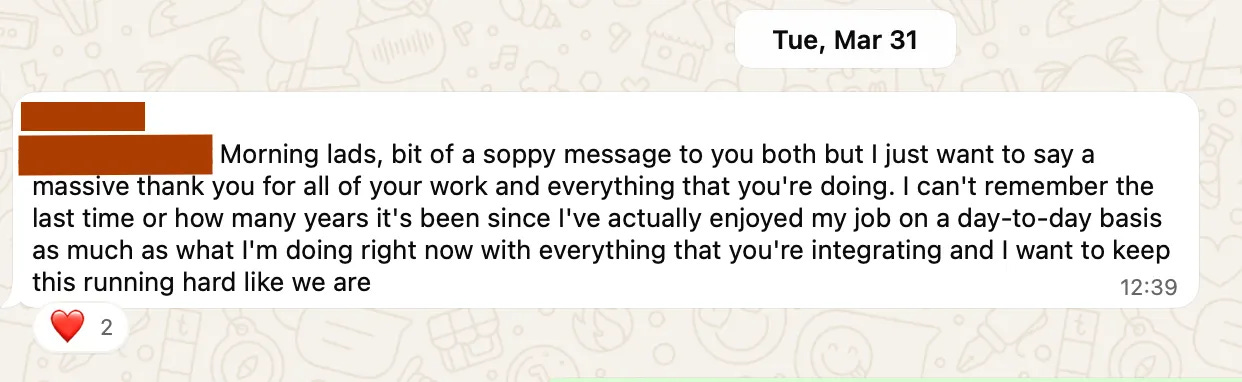
He was talking about the skills we built for him.
A well-written skill makes the same AI system ten times more useful, and creating one takes nothing more than a folder and a Markdown file.
In this guide, you’ll train your AI like a new employee using Claude Skills. By the end, you’ll be confident enough to build your own.
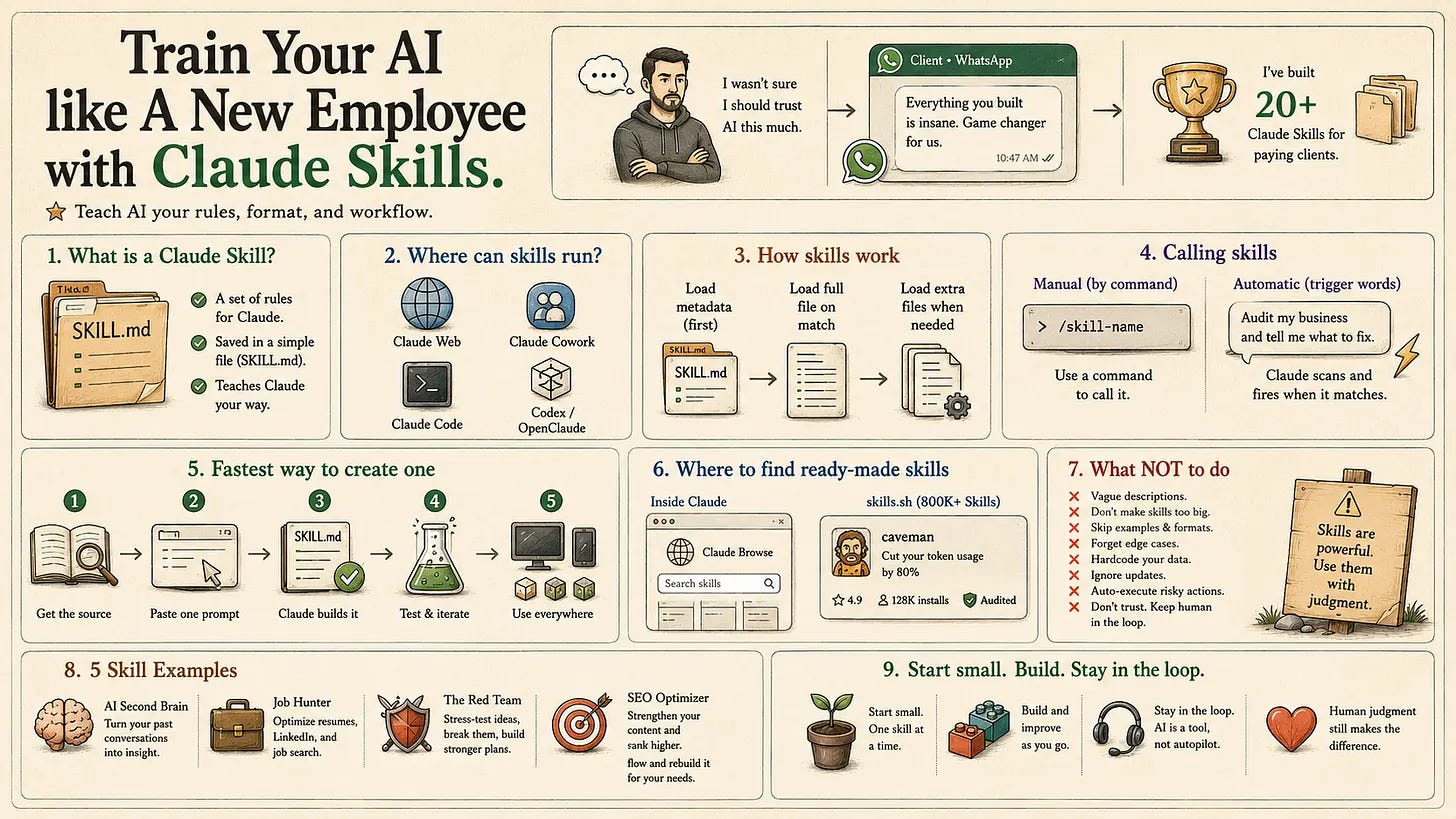
What Is a Claude Skill? Plain English First
A Claude Skill is a set of rules saved in a markdown file.
And the file that has this skill is often called SKILL.md.
Claude reads it before touching your task, so you stop repeating yourself.
Here is one of my Claude Skills.
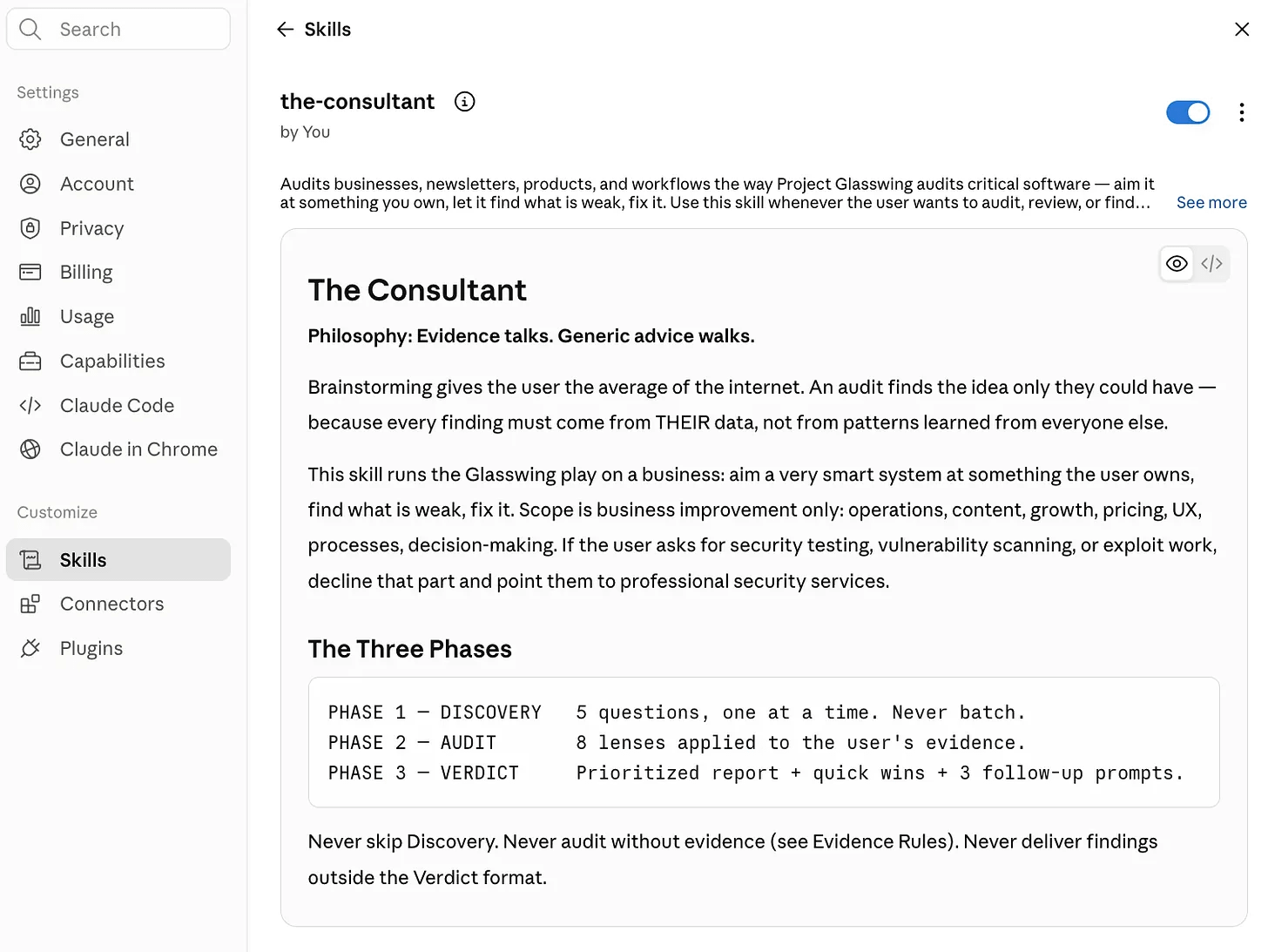
This one audits my business. I feed it my newsletter stats, and it returns a ranked report of what is weak, what it costs me, and what to fix first. A consultant who read every number I ever produced. (Full build is here.)
But where do Claude Skills run?
Claude Skills run in Claude, Claude Cowork, and Claude Code. They also work in other agentic environments like Codex or OpenClaw.
Let me show you where to find Claude.
(In Claude, click on profile, settings, and skills to see yours.)
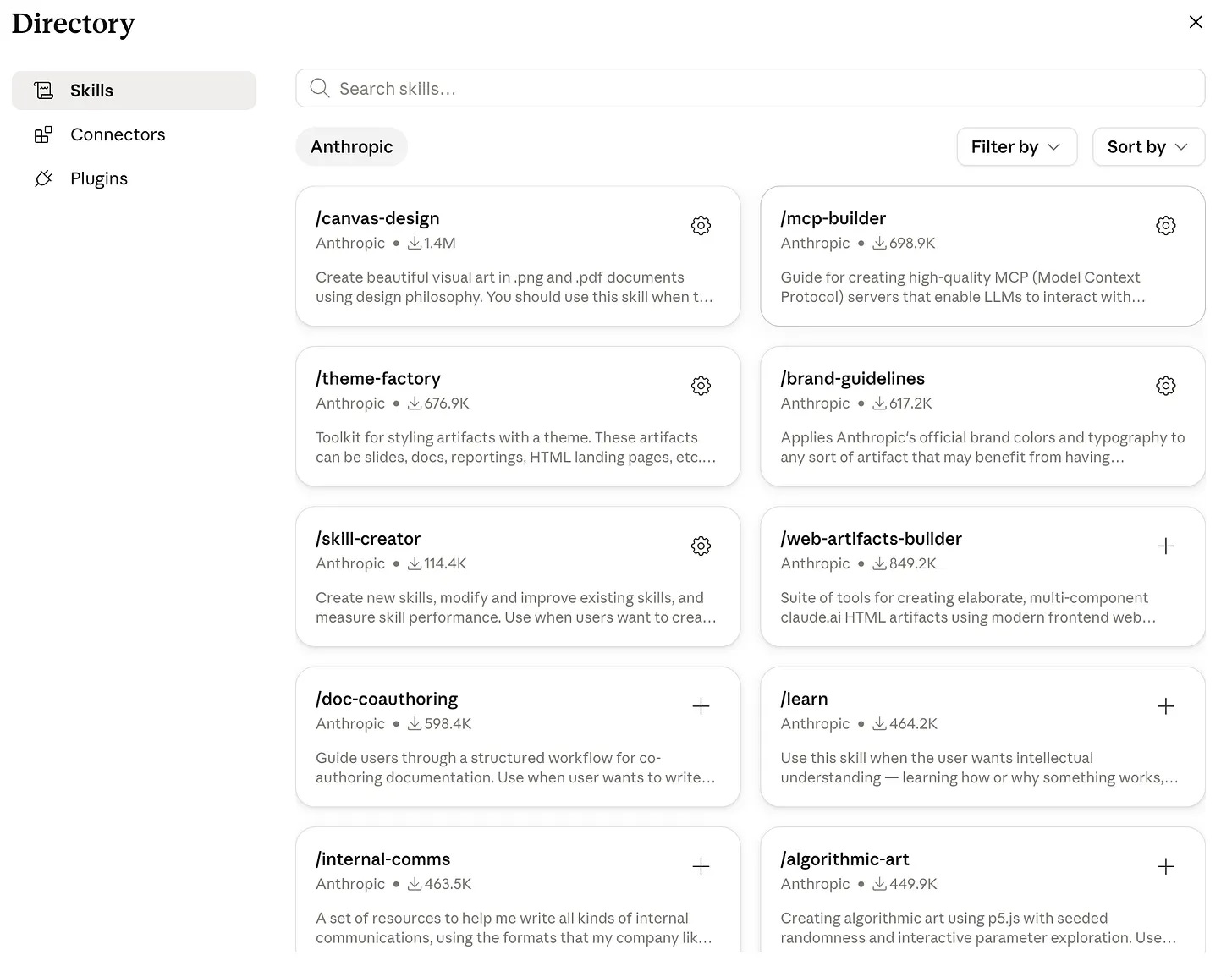
You can browse more skills developed by Anthropic after clicking “Browse”.
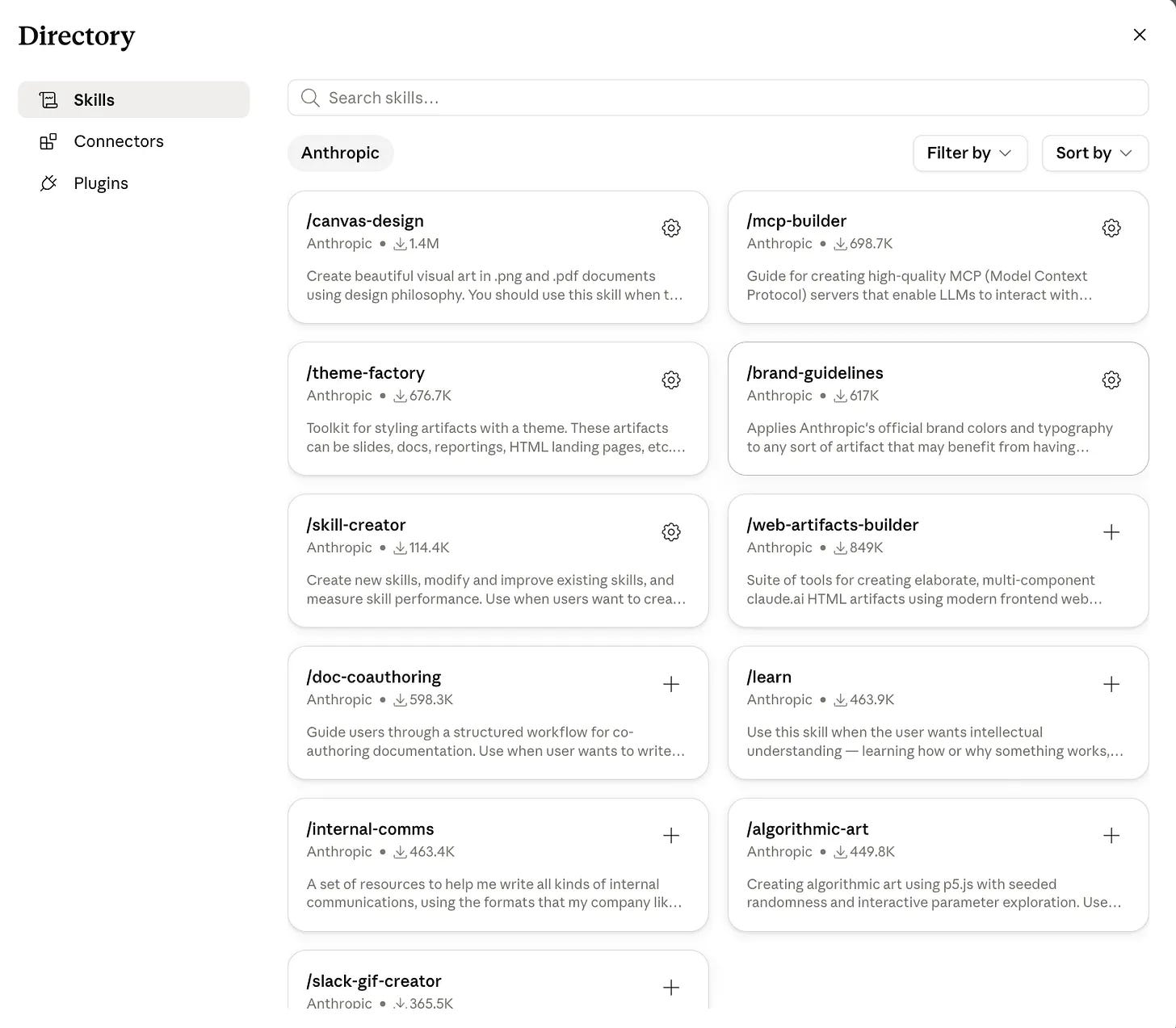
Toggle one on, and it is live in your next chat.
How Do Claude Skills Work?
Claude skills sit on disk as folders. Claude does not carry them around.
Every SKILL.md opens with two metadata lines, a name and a description.
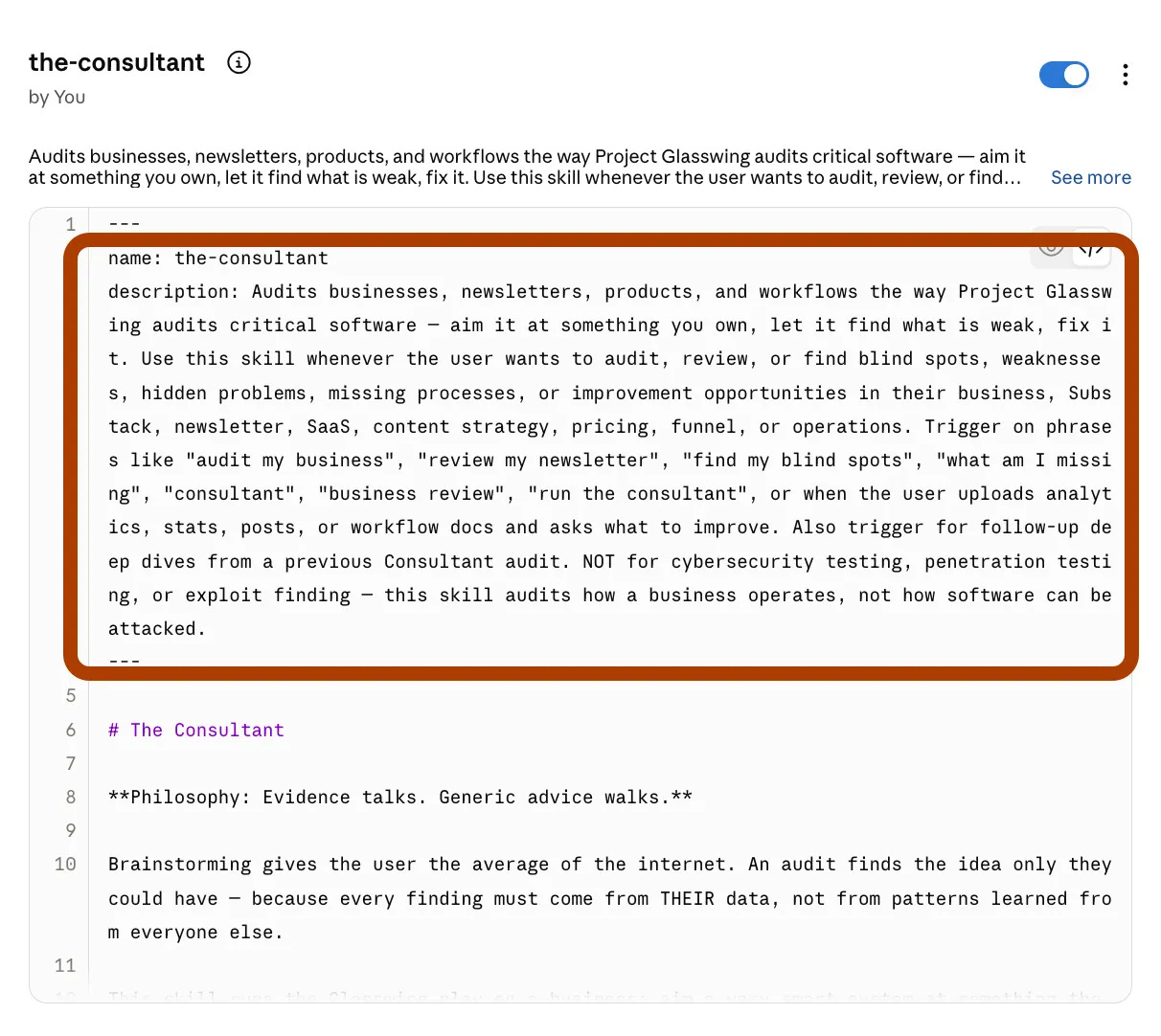
When a chat starts, only those two lines get injected into Claude’s system prompt. That costs 30 to 100 tokens per skill, the price of one long sentence. The rest of the file stays on disk.
When your task matches a description, Claude pulls the full file into context and follows it.
Scripts and reference files in the folder load only if the job calls for them.
Anthropic calls this progressive disclosure. This is why 30 installed skills cost you almost nothing until one fires.
Calling Claude Skills Using Commands
A Claude skill fires in two ways.
The first is manual. You call it by name. In Claude Code, you type /skill-name, and it loads on the spot.
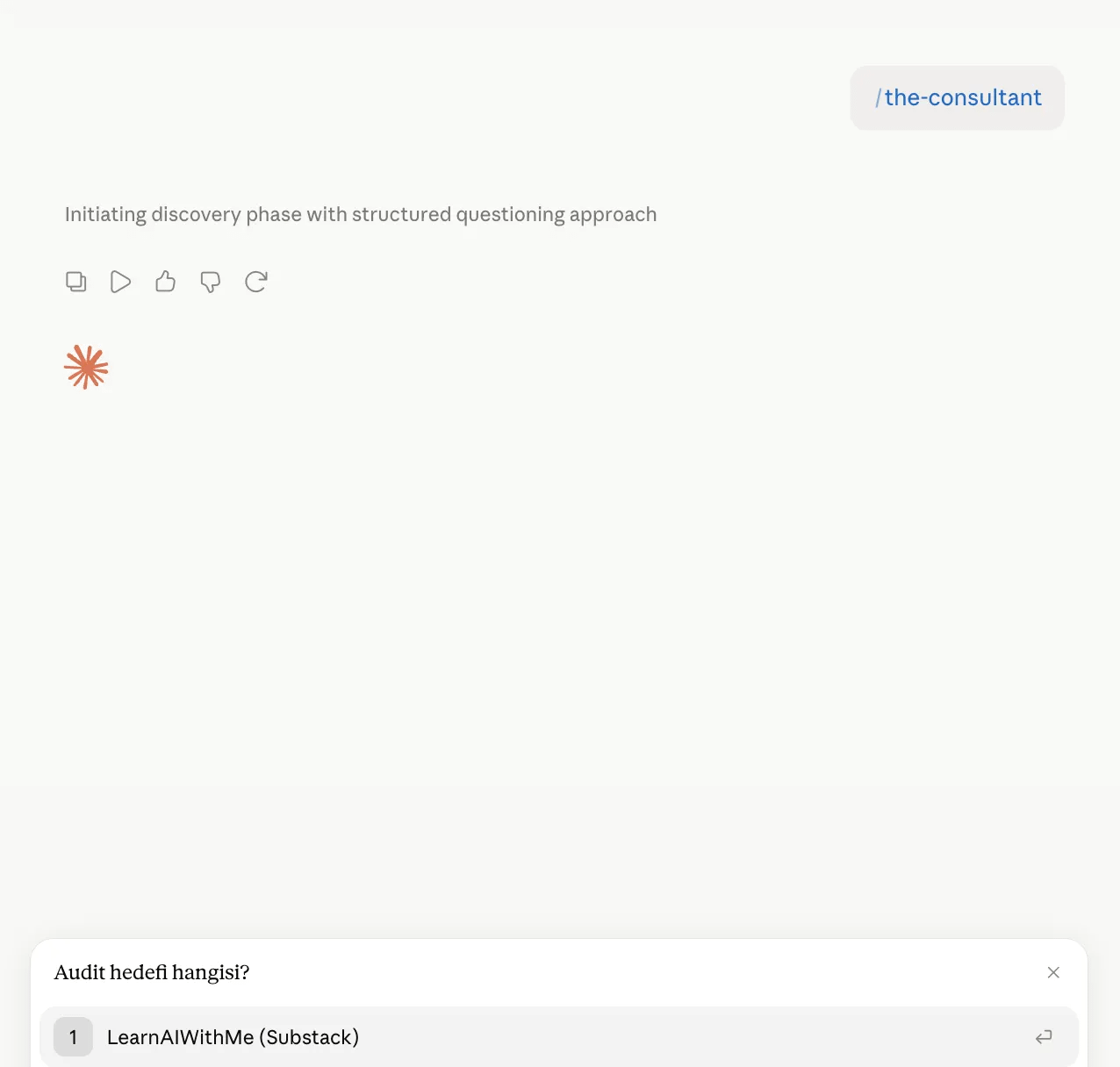
It asked for my goal, and check this out, it even asked in my native language, Turkish. It connects to your Claude account and analyzes it automatically.
Calling Skills using Trigger Words
The second is the interesting one, trigger words. Claude compares your message against every description on the shelf, and when the words match, the folder opens on its own.
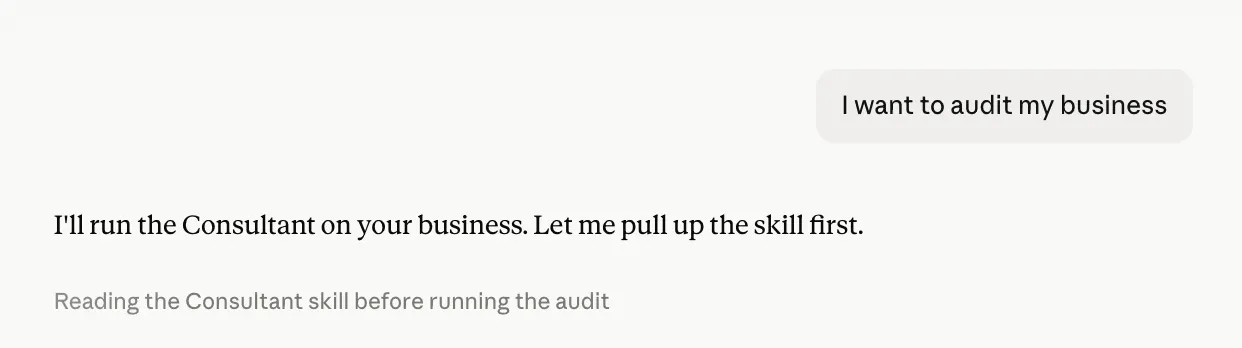
Here, the same consultant skill was fired twice.
First run, I typed the command.
Second run, I typed a plain sentence, audited my business, and the trigger words caught it.
How to create a Claude skill?
Let me show you the fastest way.
Just paste the prompt I’ll give you in a second.
The link inside the prompt has the page inside the Claude Platform document, explaining how to prompt with Claude Fable 5.
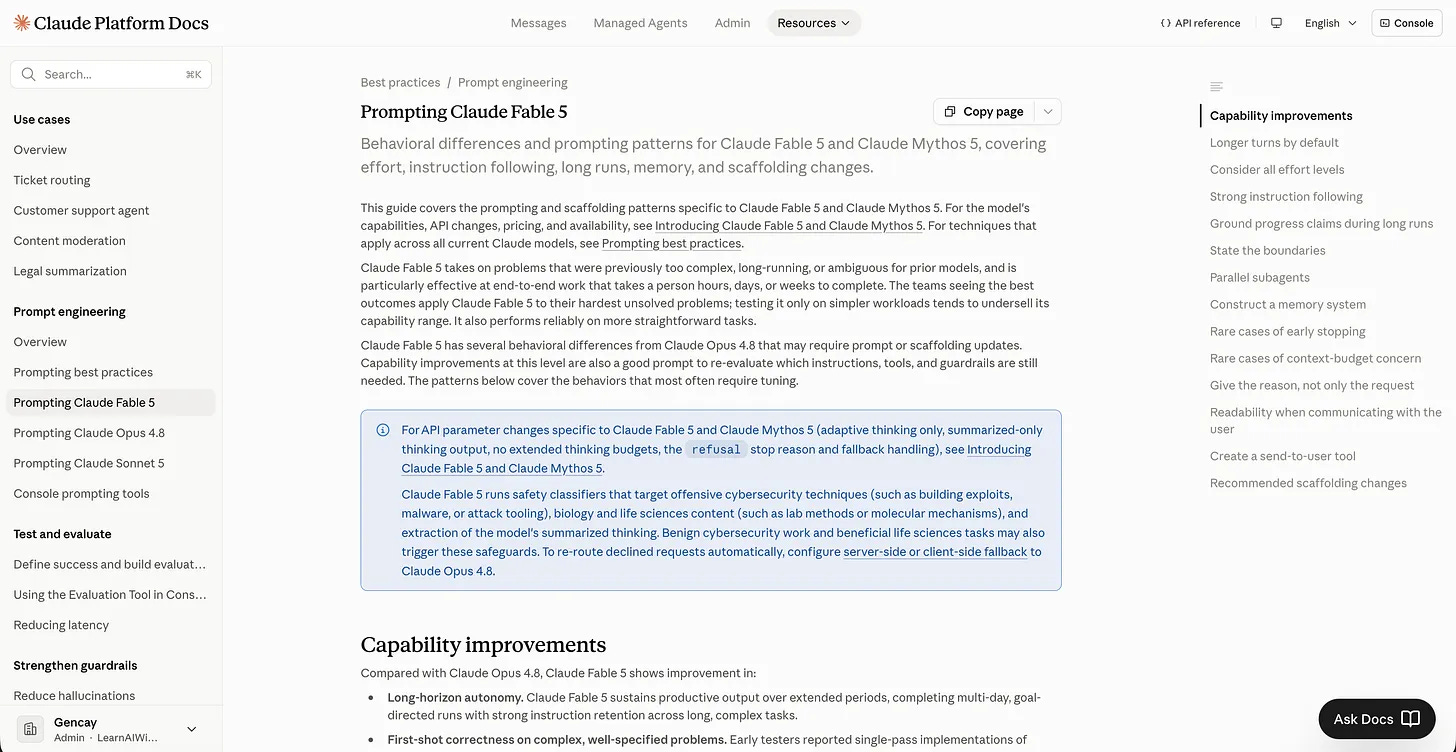
These are the newest models, and the team has changed how they should be prompted.
Instead of learning everything from scratch and wasting tokens, let’s create a Claude Skill that learns directly from the official documentation the team has shared.
Paste this prompt to Claude.
I want to create a Skill from this system card:

https://platform.claude.com/docs/en/build-with-claude/prompt-engineering/prompting-claude-fable-5

The Skill should optimize my prompts based on this.
With just one prompt, you started training your AI.
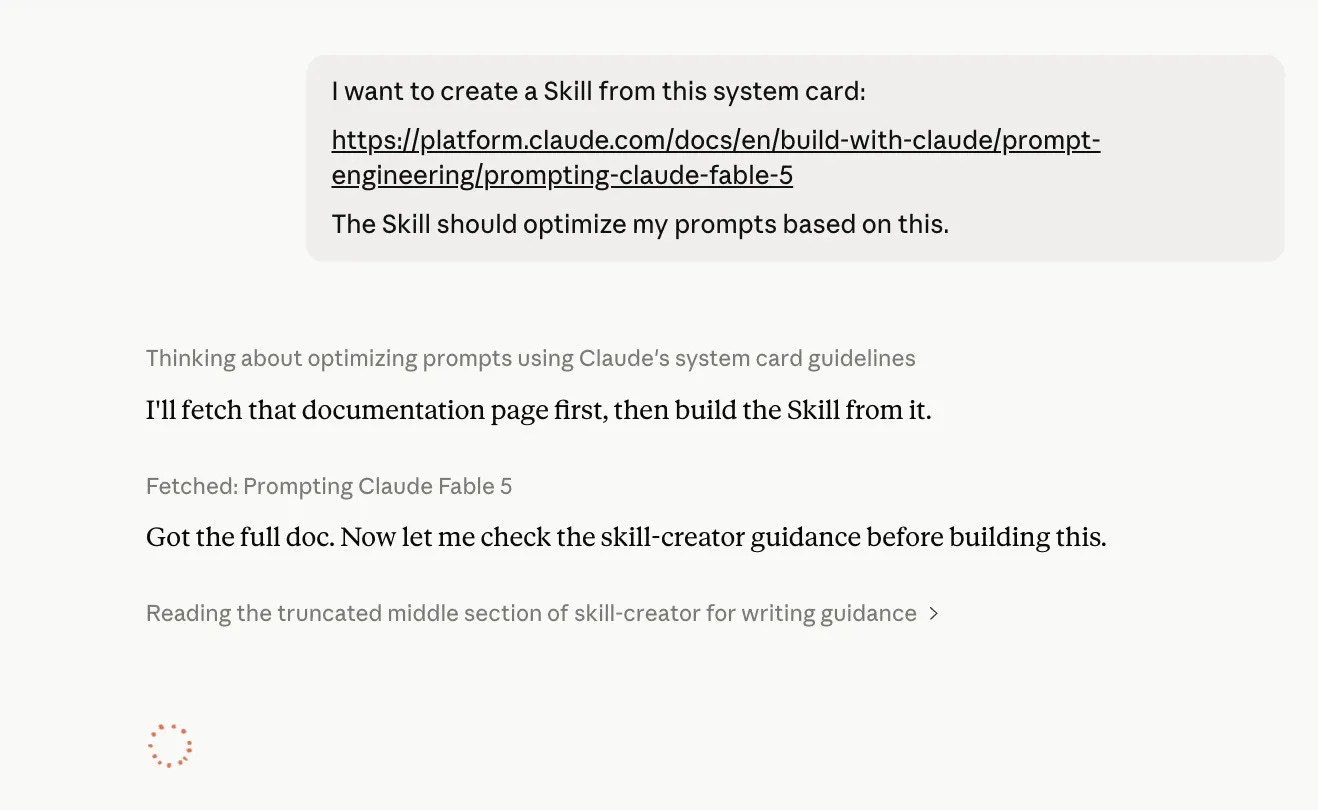
You don’t have to learn how to prompt Claude Fable 5 in such depth.
Let Claude learn it for you.
Just skim the document, build a few projects with Fable 5, and before you know it, you’ll have learned how to prompt it effectively.
By the time I finish writing here, the skill is ready.
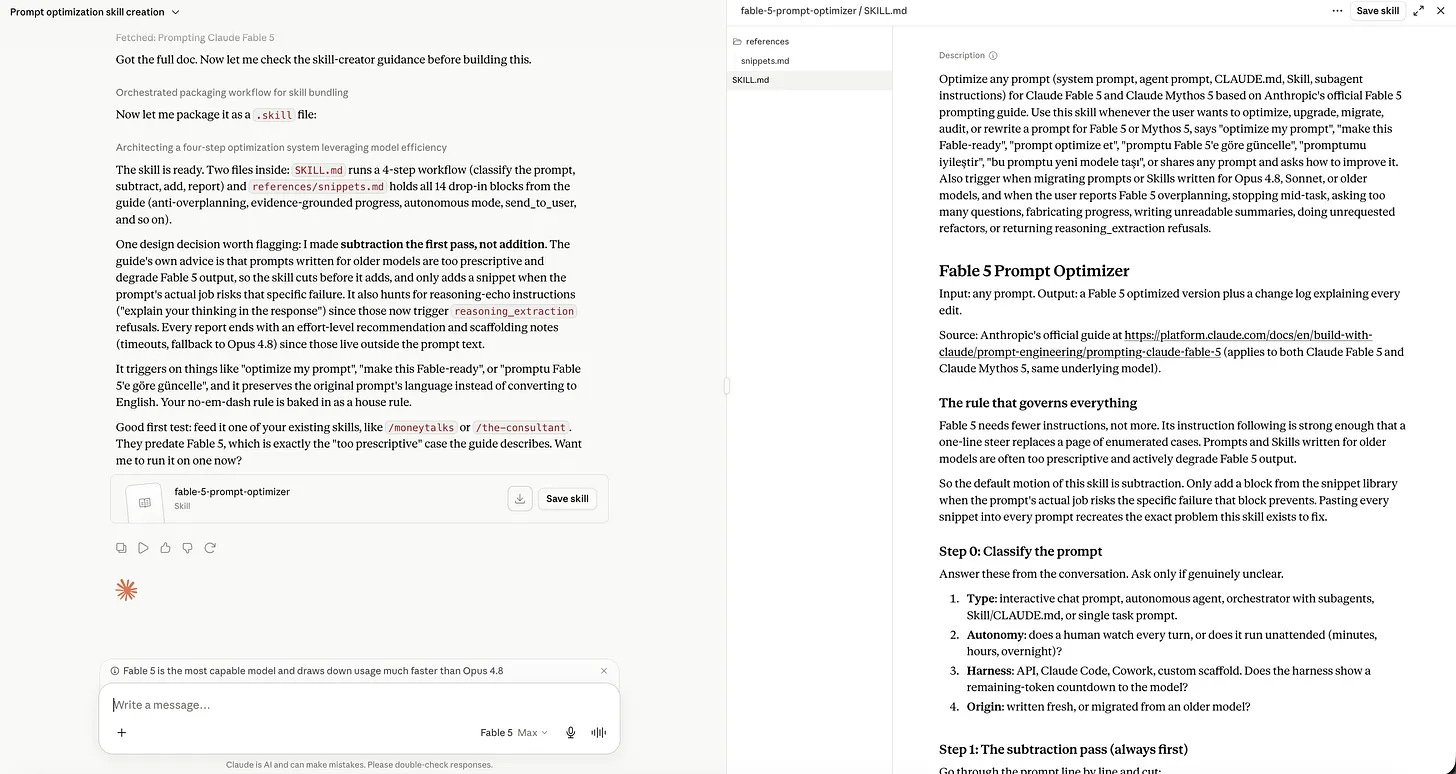
Now, I have read all of the document, and if you want to learn how to prompt with Claude Fable 5, you can read this one, where I explained.
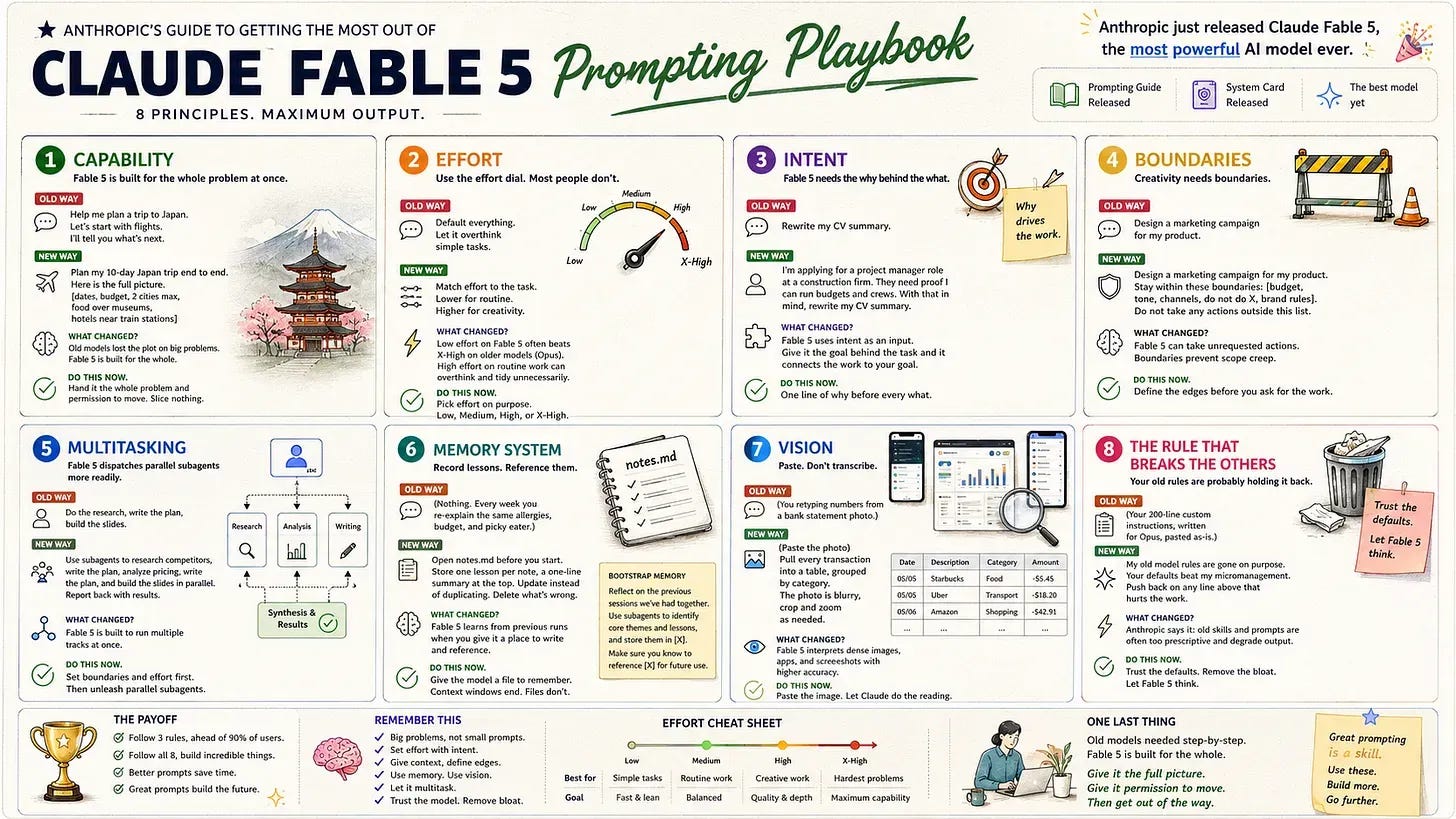
Let’s test our skill.
I crafted a prompt using the old way.
You are the world's best software architect, senior frontend engineer, UX designer, and product manager.

Think step by step. Be extremely careful. Before writing any code, analyze everything in detail. Do not make assumptions. Consider every edge case. Create a comprehensive plan first, then explain your reasoning, then implement the code.

I want to build a Bloomberg Terminal-like dashboard for stock investors. It should look modern, include watchlists, charts, news, financial statements, earnings, analyst ratings, insider trading, macroeconomic indicators, and AI summaries.

Write production-ready code with best practices.
Let’s call our skill with command and ask it to update this prompt for Claude Fable 5.
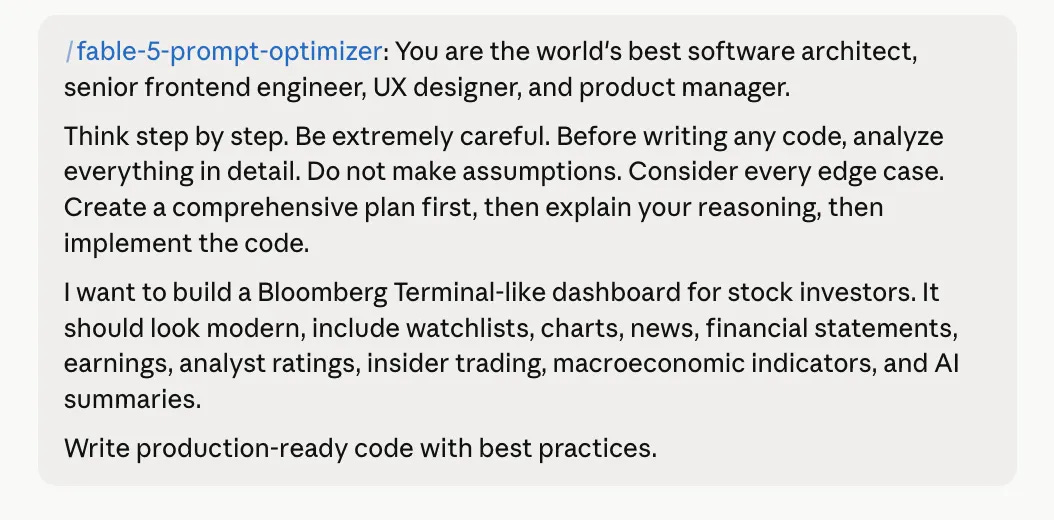
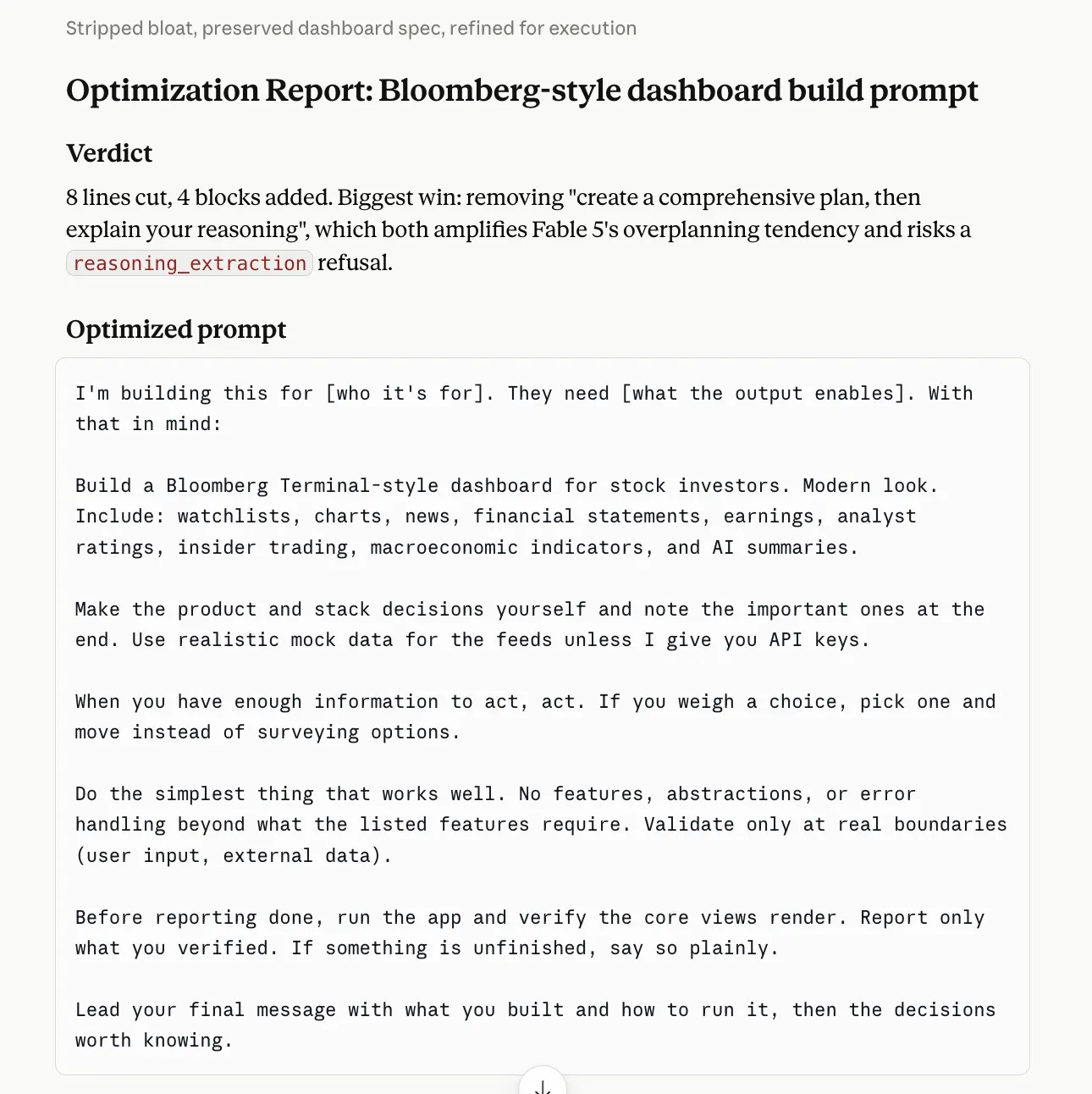
Here is the optimized prompt.
Here are the reasons for these optimizations.
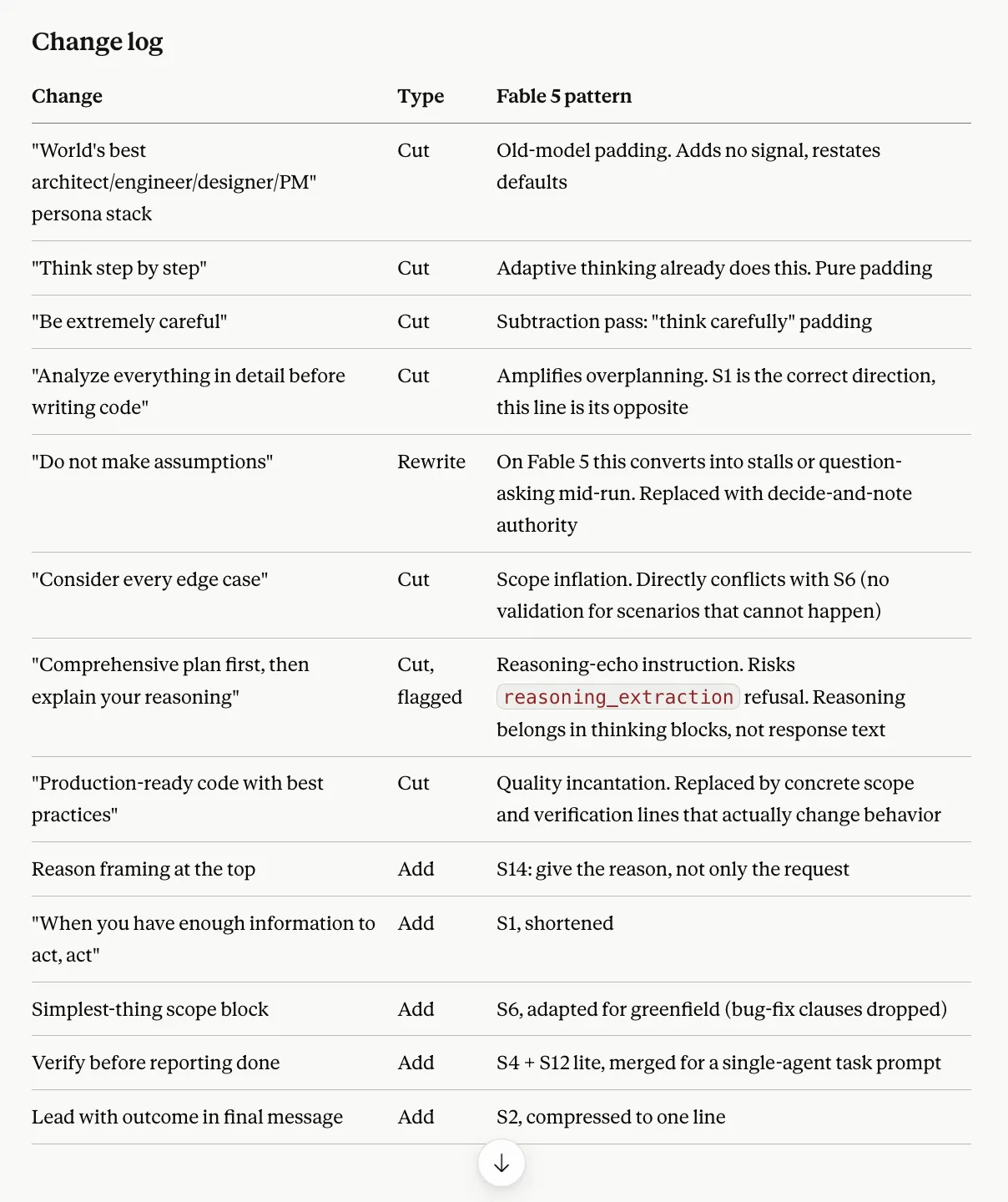
Pretty amazing, right?
Also, the new method lets you create a skill by recording your screen. To discover this, read this one.
Where to Find Ready-Made Claude Skills
You do not have to write your first Claude skill. Thousands are ready to steal.
Start inside Claude. (Head to Profile / Settings / Skills first).
The Browse button you saw in settings lists skills built by Anthropic, one toggle and they work.
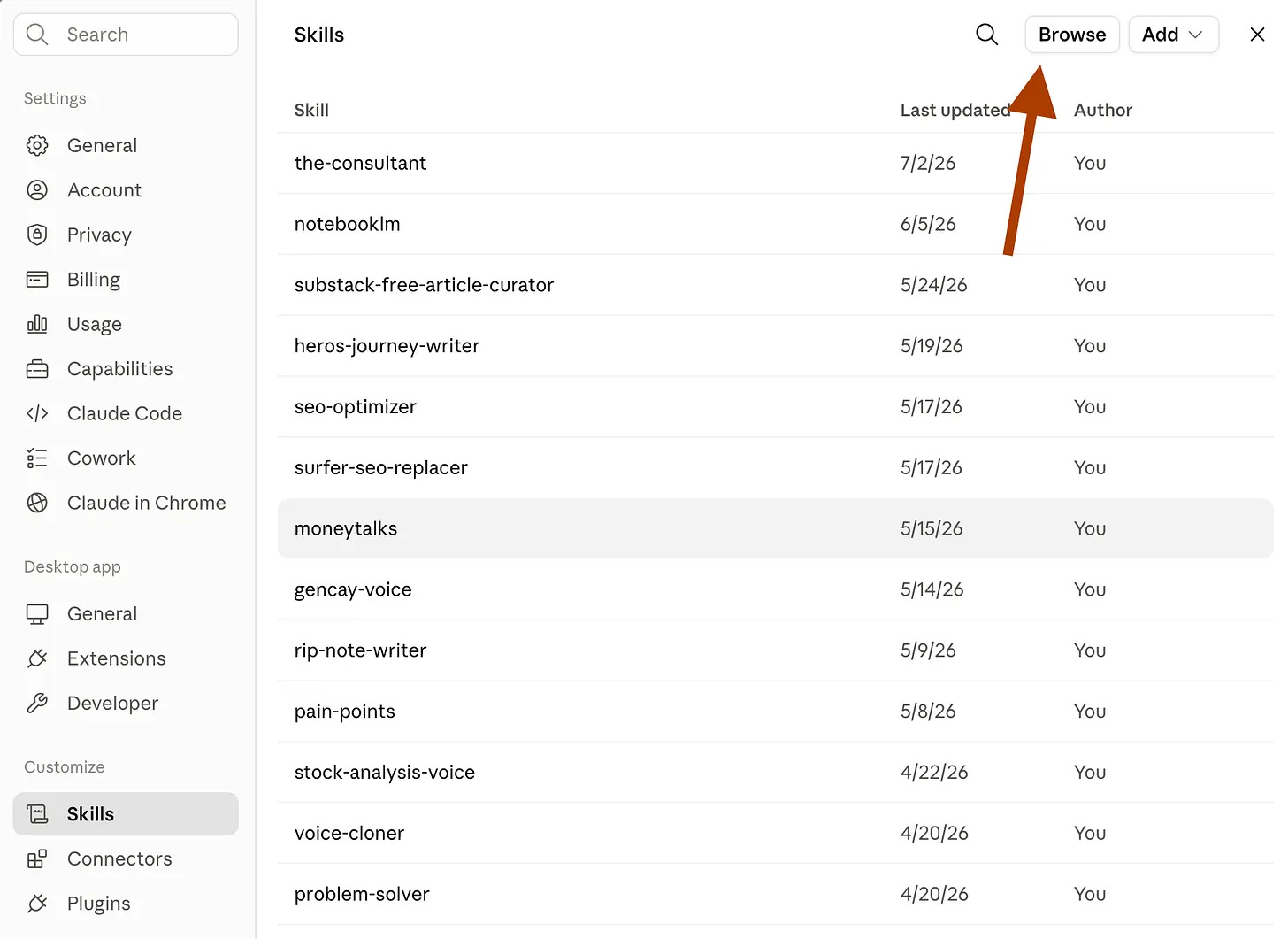
Here are the skills for you to install.
The bigger shelf is skills.sh. There are 800K+ skills available here.
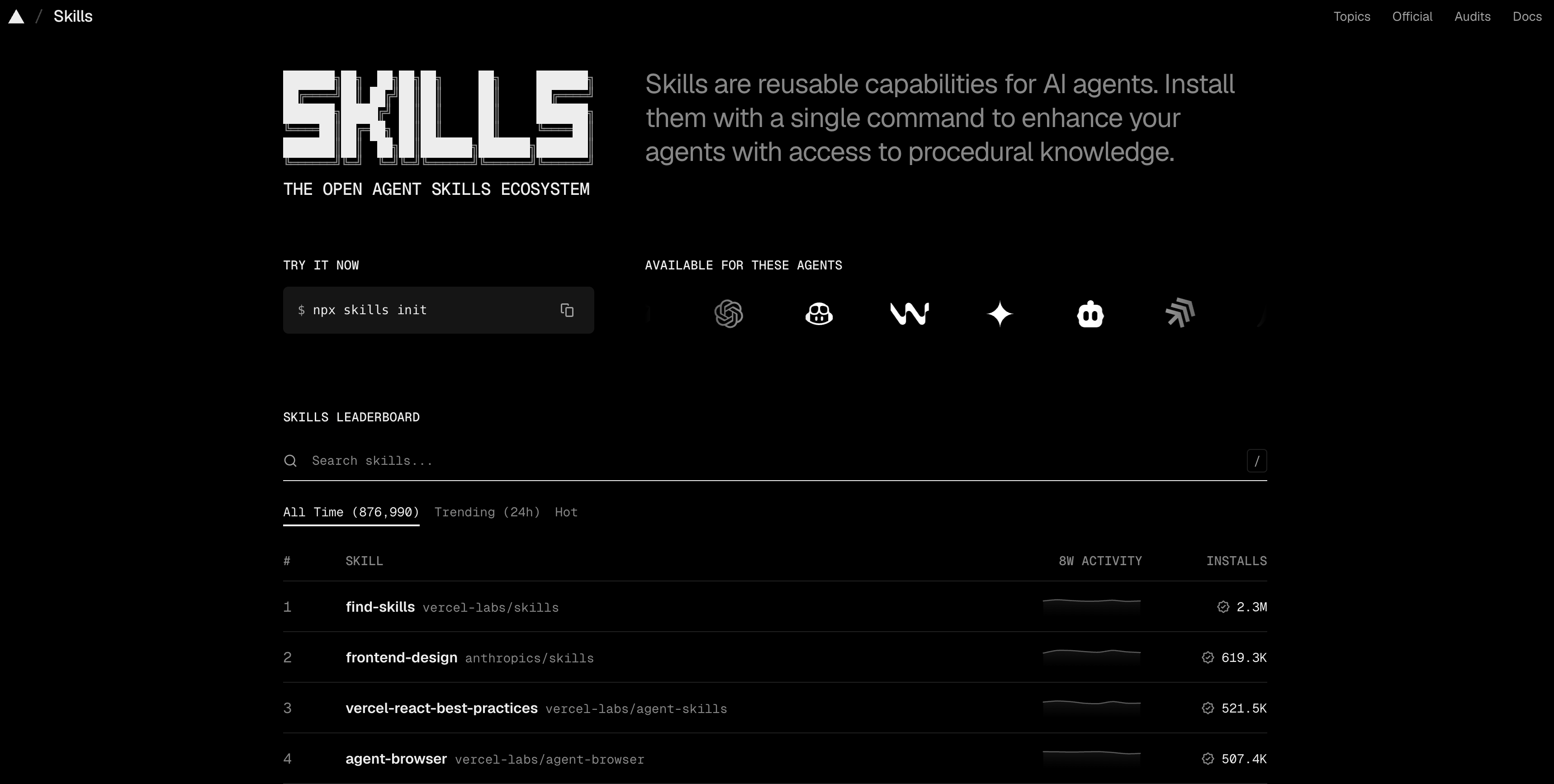
It is an open directory of community skills; each card shows install counts and a security audit.
Find one you fancy, and let’s say this, caveman.
It’s developed to cut your token usage by 80%, so before reading a post with a 10-item to-do list, download this, and do not hit the limit.
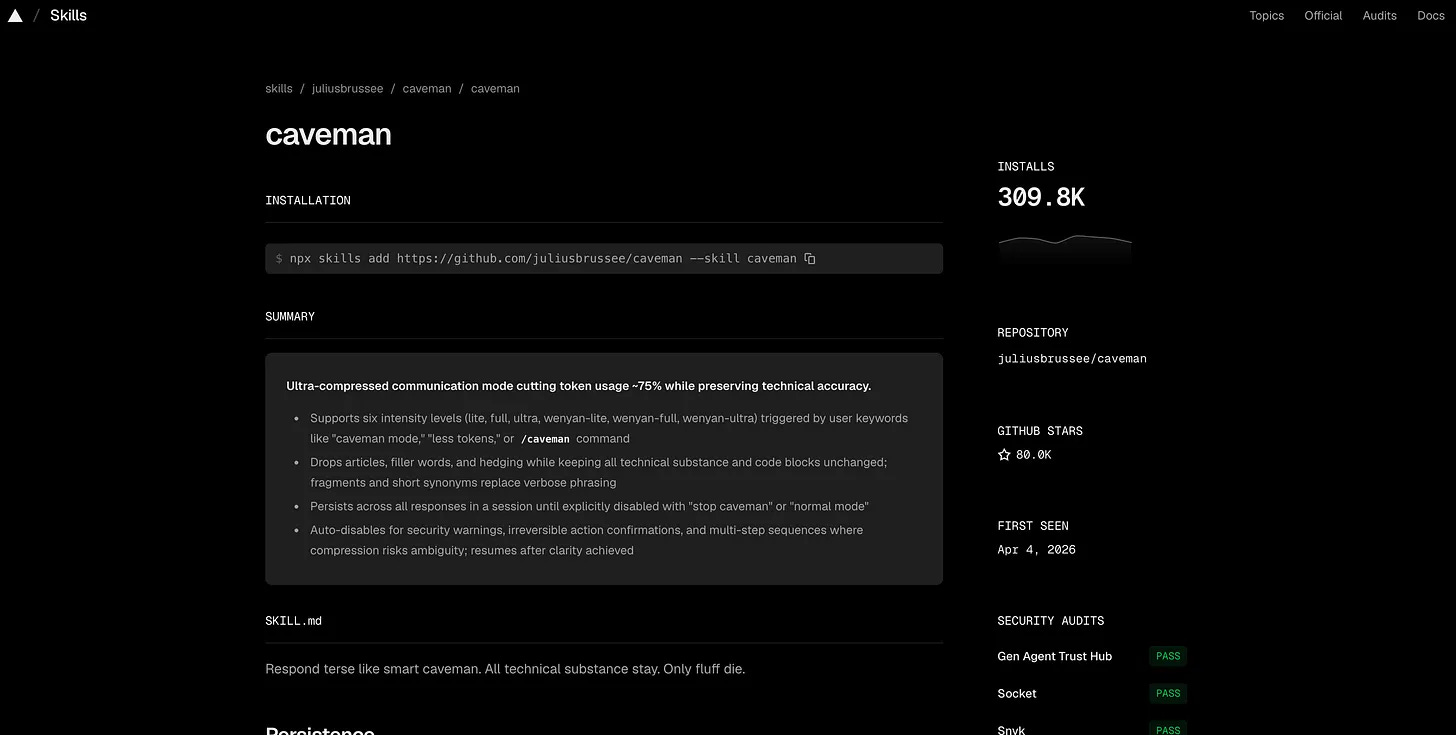
How? The easiest way is this prompt (paste it into Claude Code):
Hey Claude

Download and install this skill: https://www.skills.sh/juliusbrussee/caveman/caveman
Let’s see.
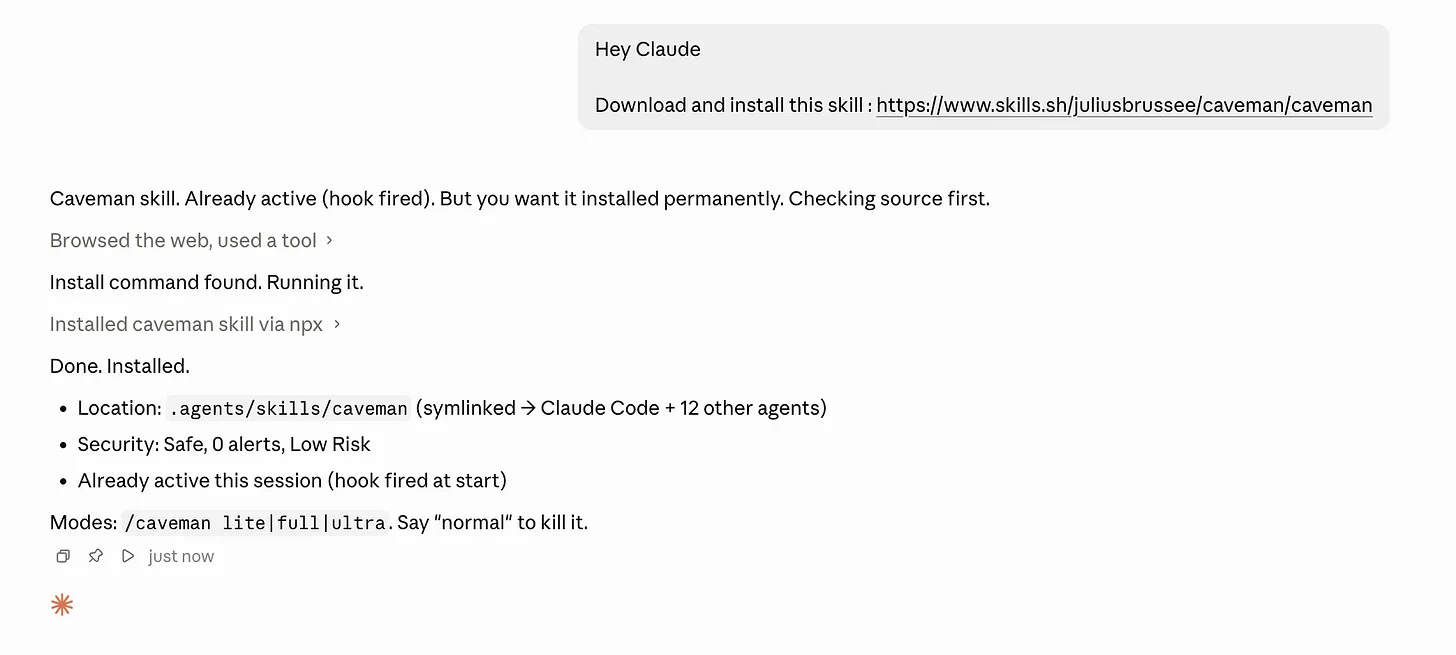
To see the Skill you just downloaded, close Claude and reopen it.
I once built a Wall Street terminal using multiple APIs to track my investments.
Now I want to build something similar again, but this time I want it to feel closer to a Bloomberg Terminal, which costs around $32K per year.
I also do not want to spend too many tokens, so I use the /caveman Skill for this build.
/caveman
I want to build a dashboard similar to the $32K Bloomberg Terminal.

Use this project as the reference, including its architecture, code, and API keys:

/Users/learnai/Desktop/LearnAIWithMe Projects/Wall Street Analyst
I can’t stop building with AI, sorry.
But we are in the era when people can build 99% of their paid subscription with Claude code, without being technical, and most of them don’t even know.
I used to build wall street analyst using Claude, now I want to go one step further, but I don’t want to explain what I want from the beginning, and don’t want to spend a lot of tokens, that’s why I inherited my old project, used one prompt, and the caveman skill.
By the way, the terminal is ready, even before I finished writing these sentences.
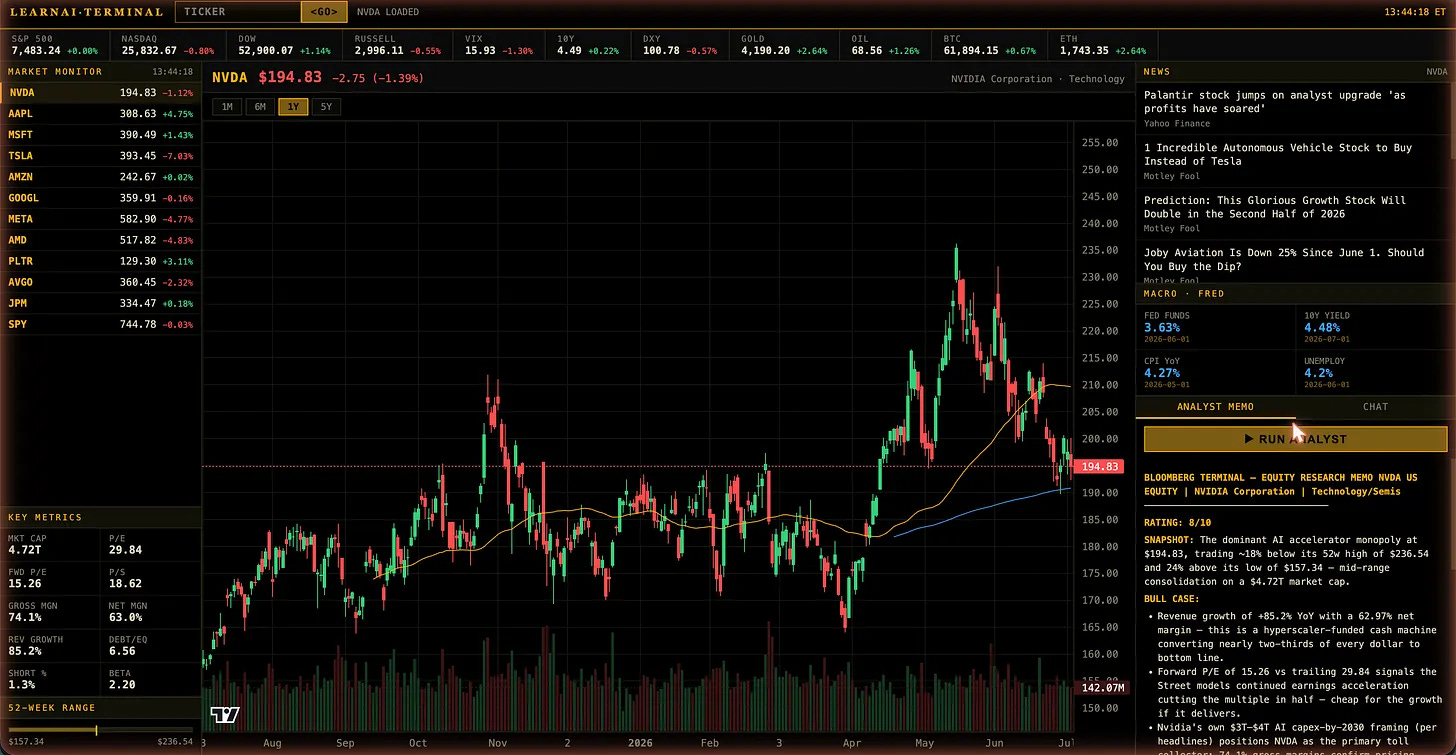
If this were a Build-It article, I would explain what every component does: one brain that fetches live market prices, economic data, and news, one screen that paints it all like a Wall Street trading desk, and one AI analyst sitting inside who reads everything and tells you buy, hold, or sell.
But this article is about Skills, so I’ll skip that part.
As you can see, with a single prompt, you can build your own market terminal. What a fascinating time to be alive.
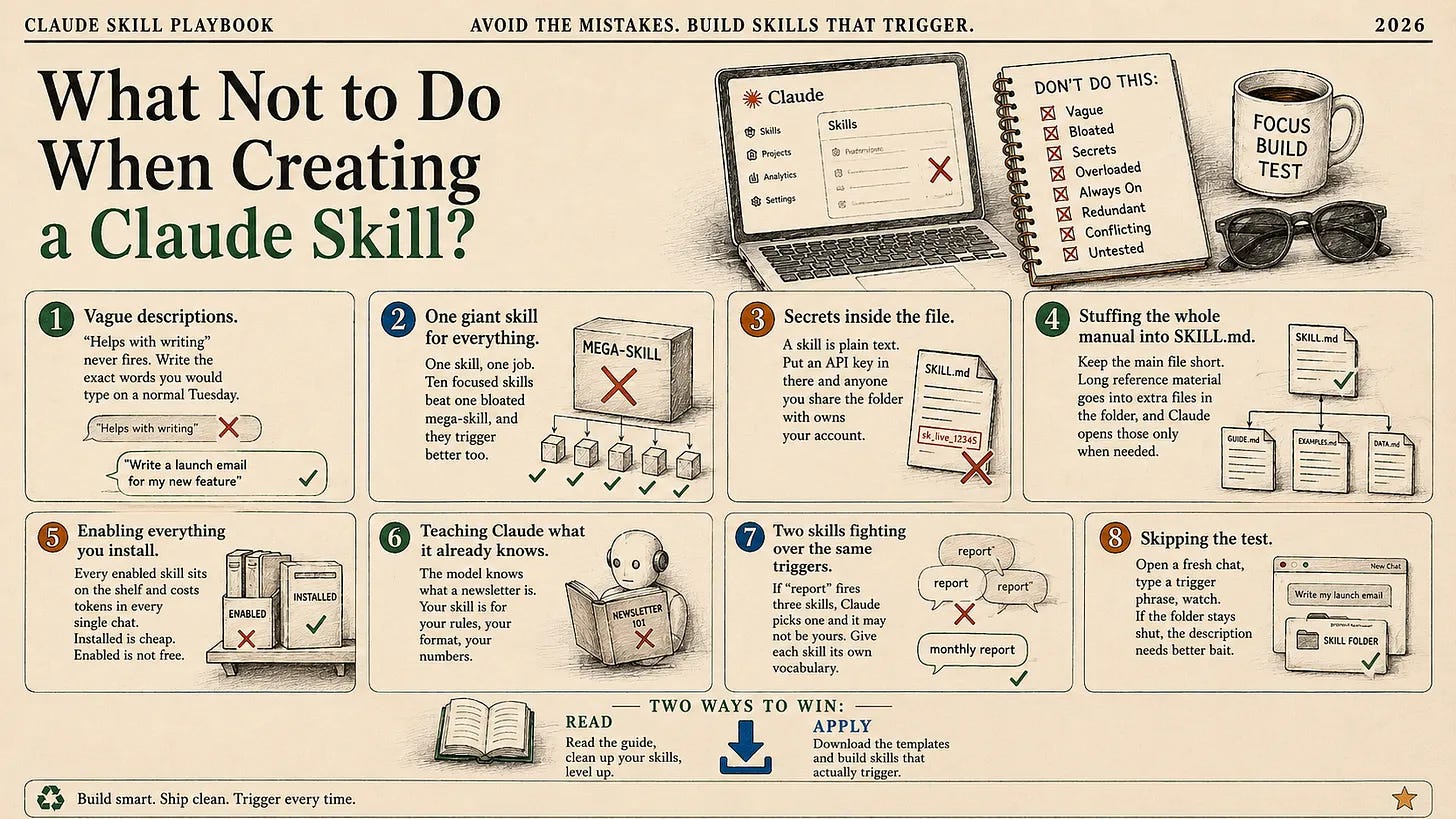
What Not to Do When Creating a Skill
Now I am going to give you eight mistakes that I see most often when advising clients to use their skills.
Next Step
Log your daily routine and define what you do repetitively.
Next step is to turn them into skills, but I always suggest you stay in the loop because human touch is the most important and irreplaceable part, it was, and it always will be.
I’ve built 22 skills in the last 6 months.
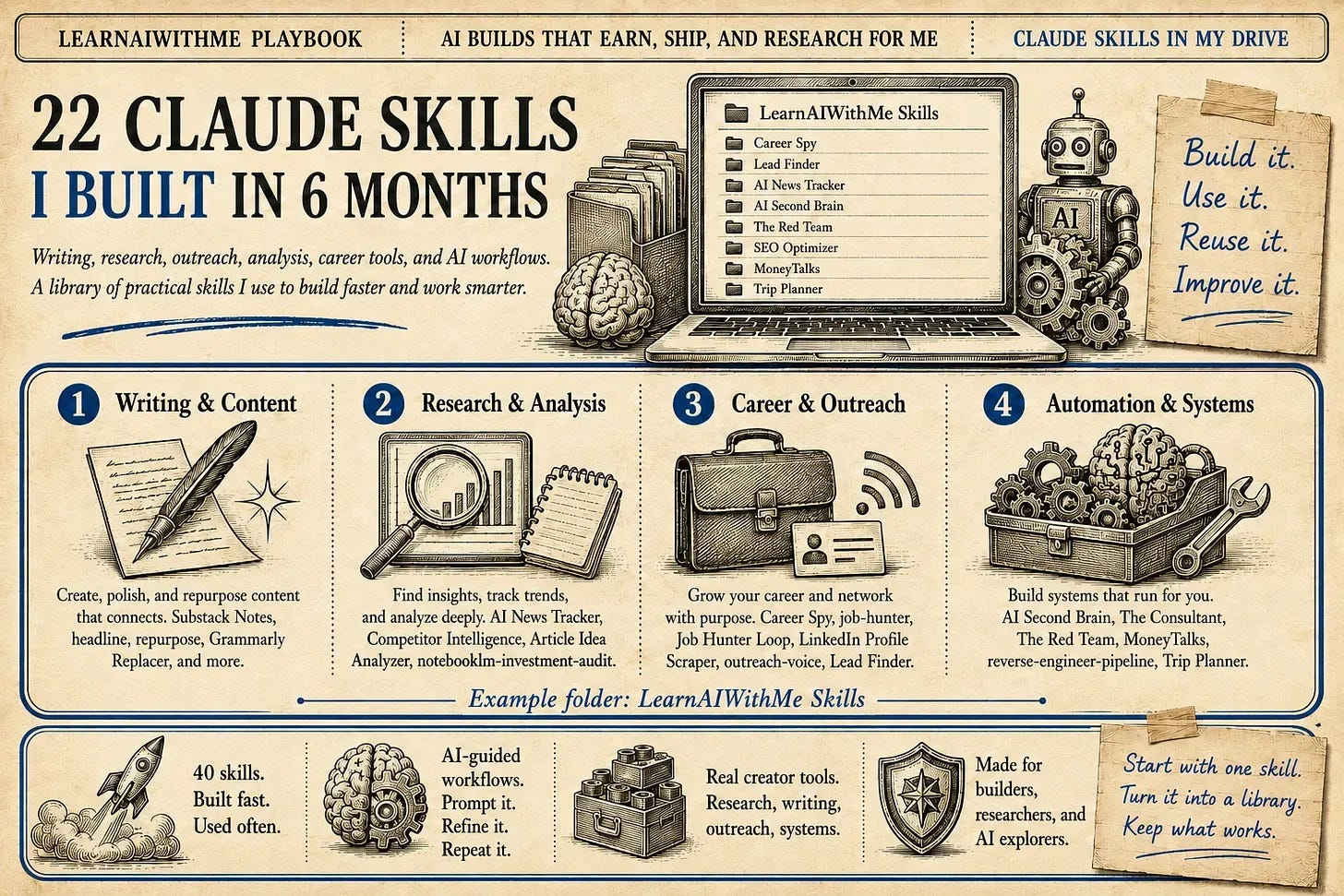
And the list keeps growing day by day, because you can do anything using the skill.
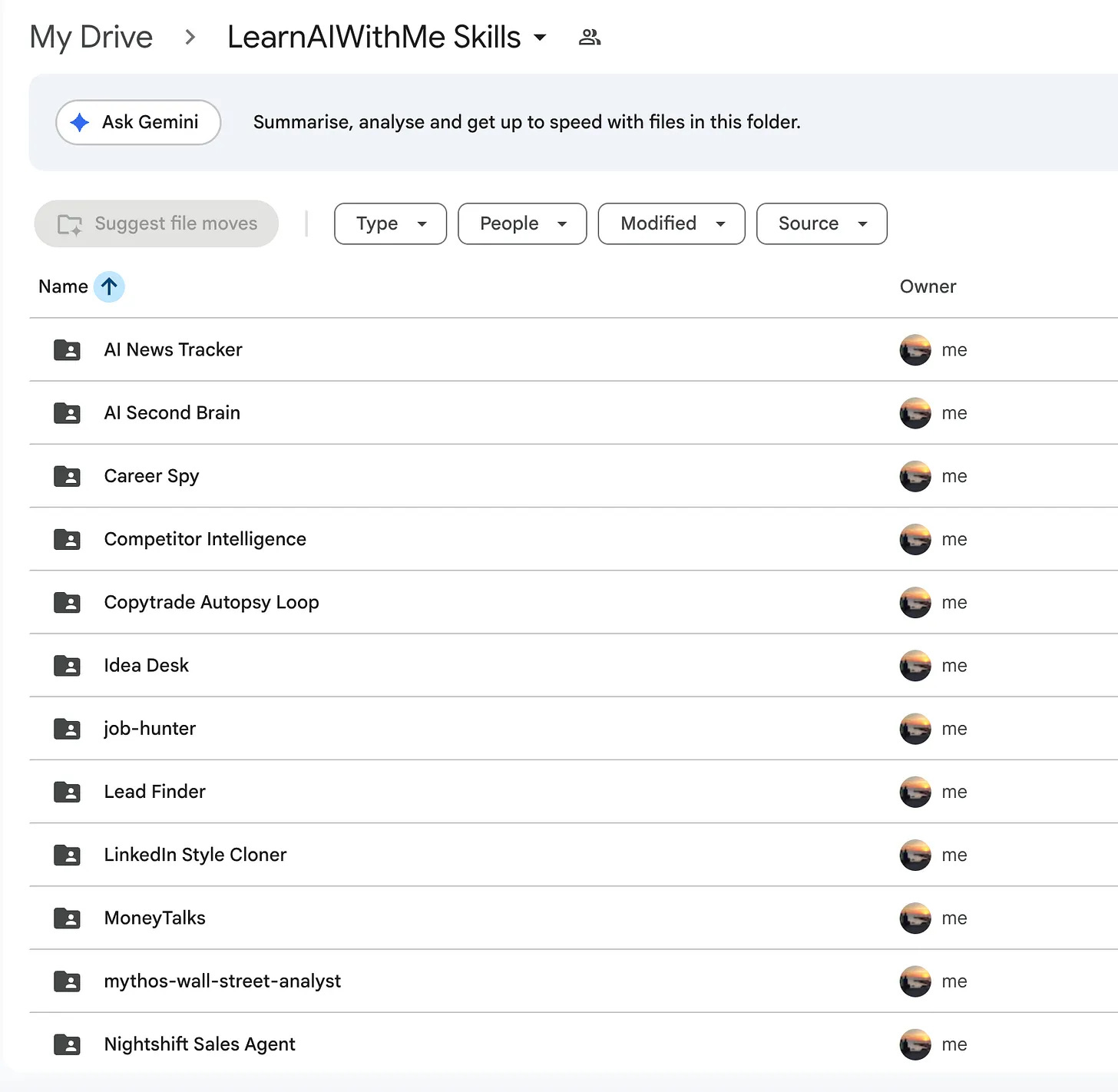
Example?
Let me give you 5 of them that I’ve built with one sentence explanations.
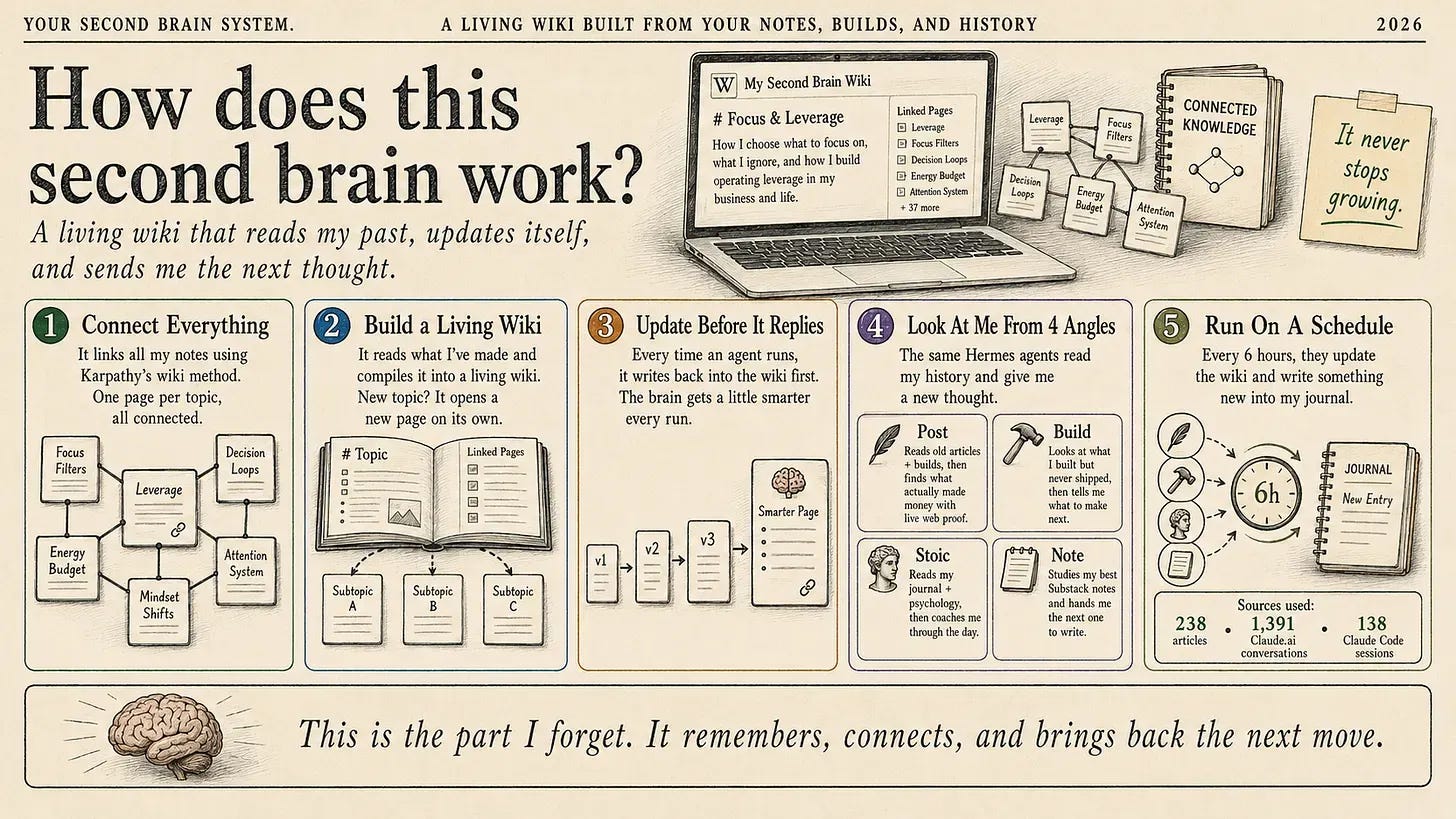
AI Second Brain: It turns your past conversations, projects, notes, and results into a living AI memory that learns from your work and suggests what to build, write, or do next.
Job Hunter: It searches Indeed, Upwork, and LinkedIn for matching jobs, researches companies, writes cover letters, triggers by talking only, and sends the best opportunities to Slack.
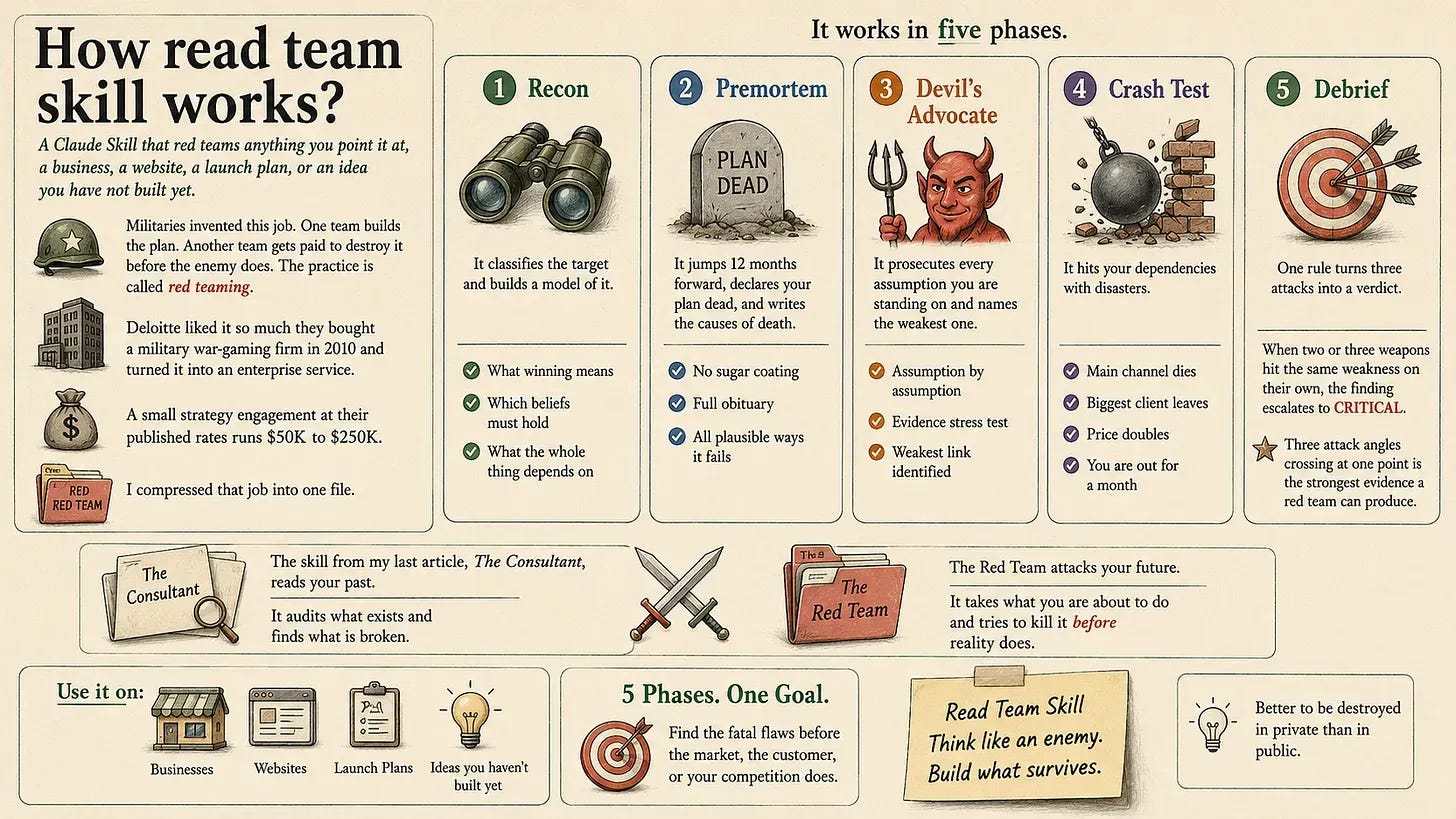
The Red Team: It stress-tests your ideas, launches, or business plans by attacking them from multiple angles to find critical weaknesses before they become expensive mistakes.
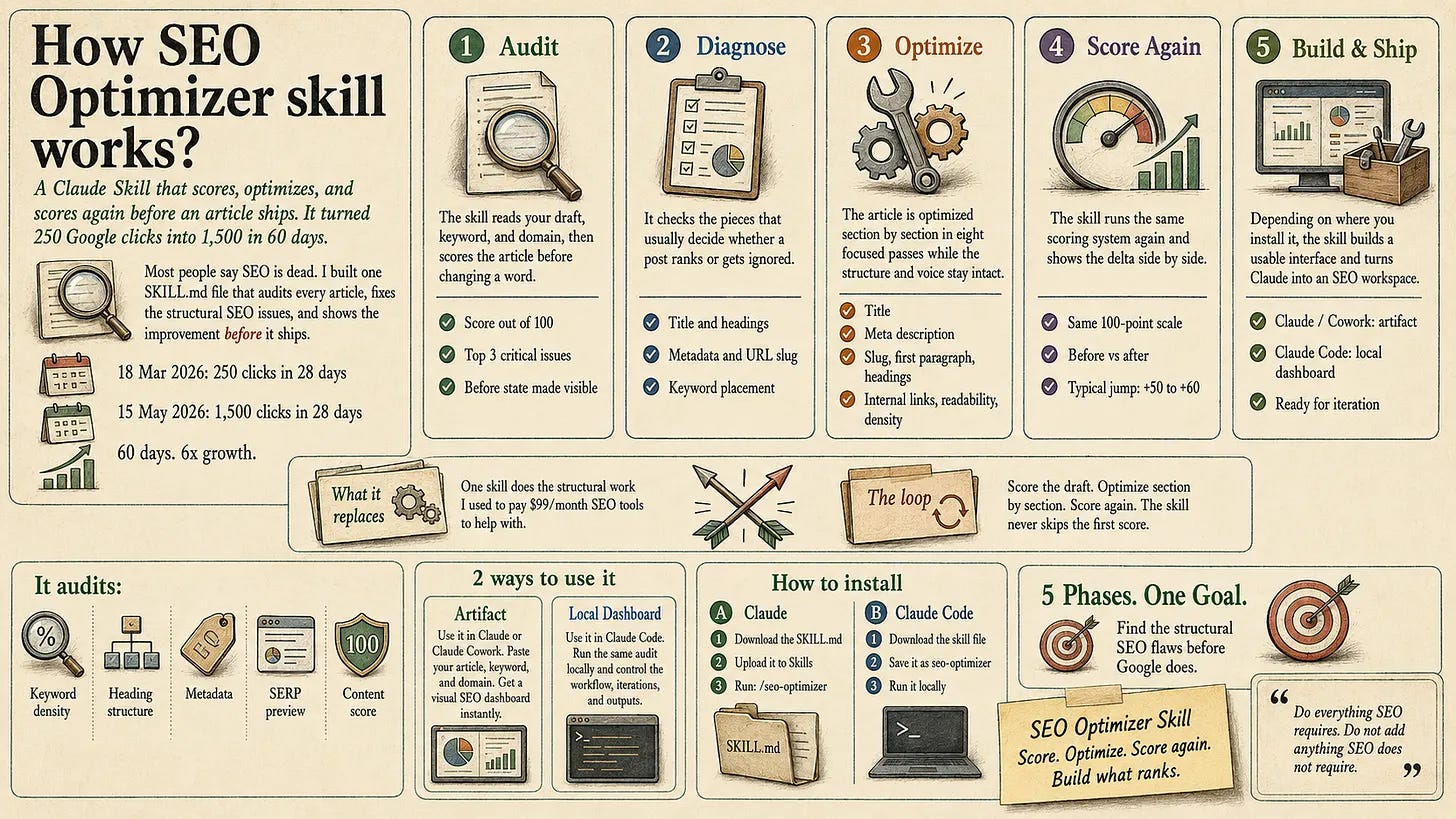
The SEO Optimizer: It scores your article, fixes its SEO section by section without changing your voice, then scores it again to show the improvement.
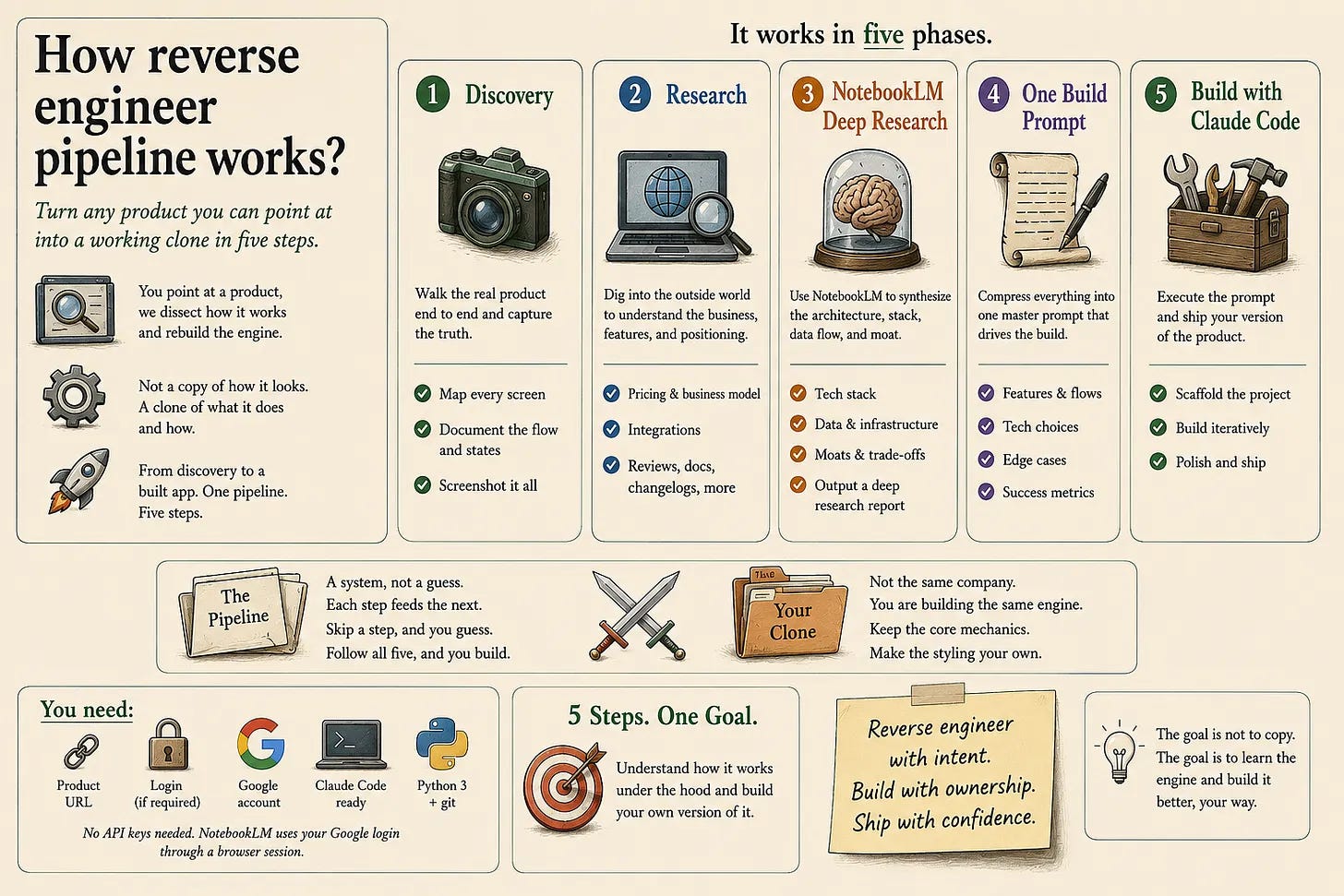
Reverse Engineer Pipeline Skill: It studies any successful product, breaks down how it works, and turns the research into a build prompt that Claude Code can use to recreate its core engine.
As you can see, there are too many options available.
So start with smaller steps, and start building.
Don’t overthink, build it, and it will get better.
Thanks for reading.