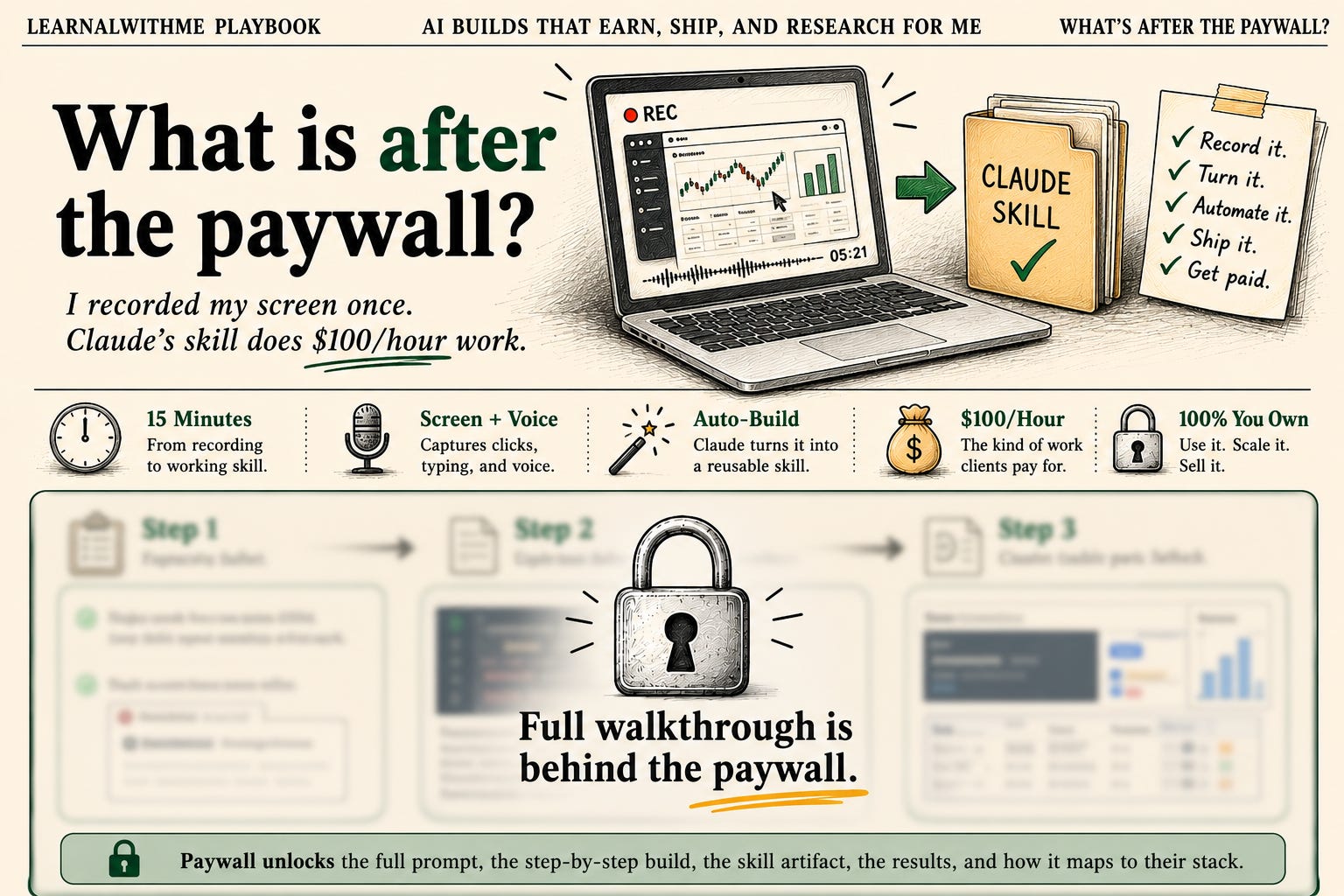
I Recorded My Screen Once. Claude's Skill Does $100/Hour Work.
Claude Record a Skill turns a screen recording into a reusable skill. I used it to build a $100/hour Upwork market intelligence dashboard in 15 minutes.

Yesterday, Anthropic announced a new feature that lets you build a skill from a screen recording.
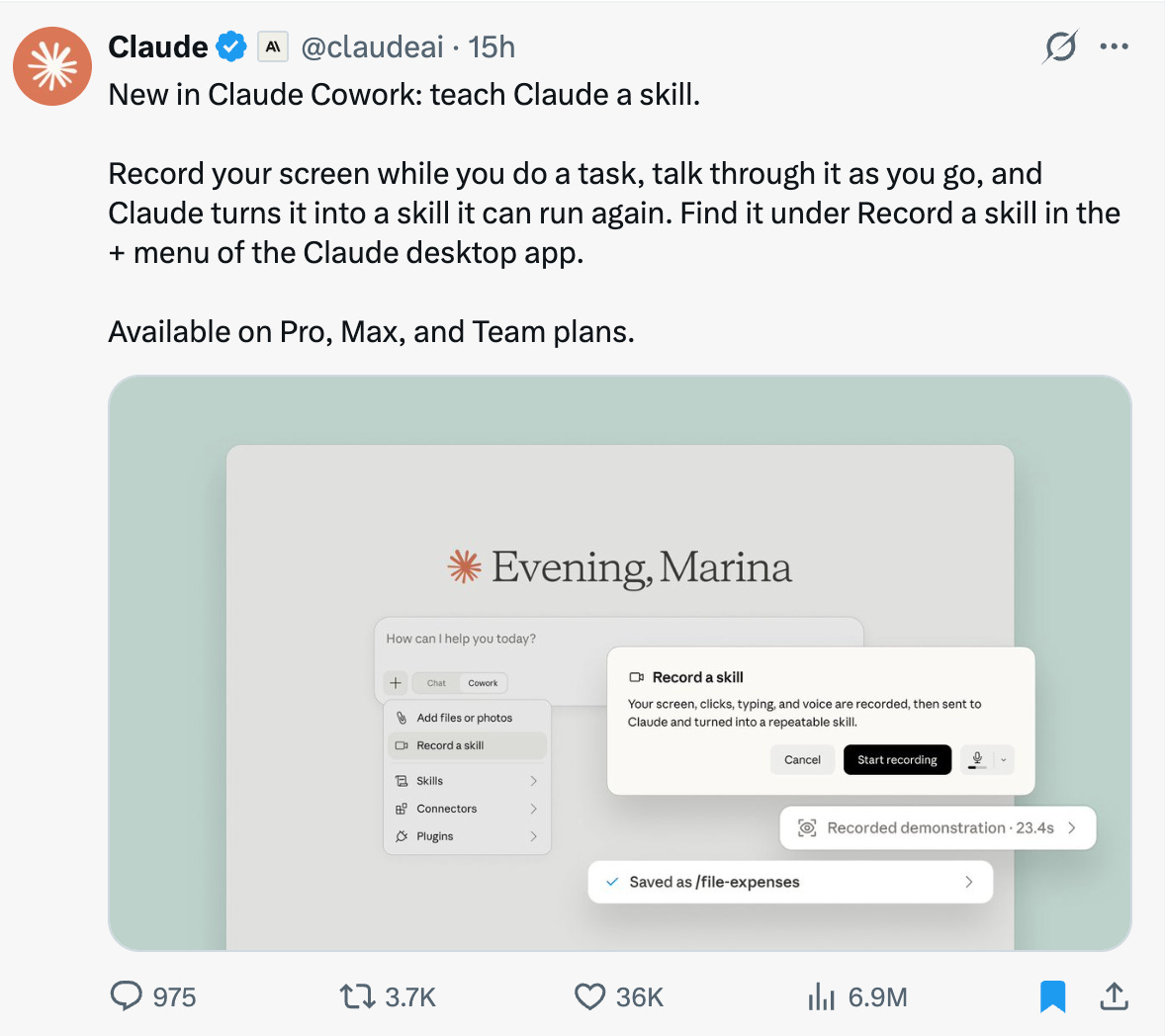
While searching for a use case to explore this feature and write one for you, I saw this on Upwork.
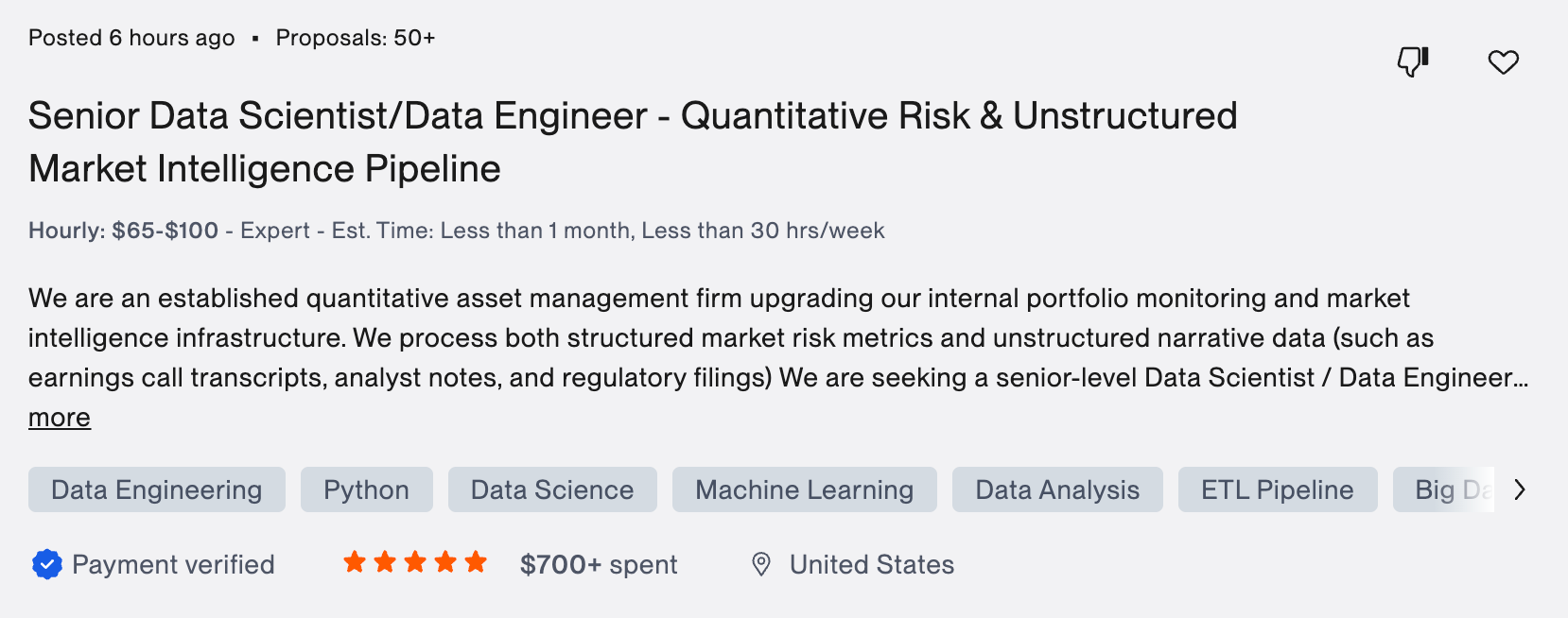
So I asked myself.
If AI is taking data science jobs, can I take this one with it?
I did it. I turned the whole job into a skill with Record a skill.
But first, an announcement.
Since Substack has become more than a platform for me, I am telling you everything. You remember the story. One of my biggest clients ran an education company. AI started doing most of what he sold. His subscribers dropped, and he let me go.
Because of that and my 3.5 years working there, I turned part of the vault into an AI Academy. Until August 1, Annual members also gain access to the AI Academy.
If you join the Annual or Inner Circle, I’ll invite you in. We’re building with AI in public with 30+ real builds. (After August 1, only inner circle members can join.)
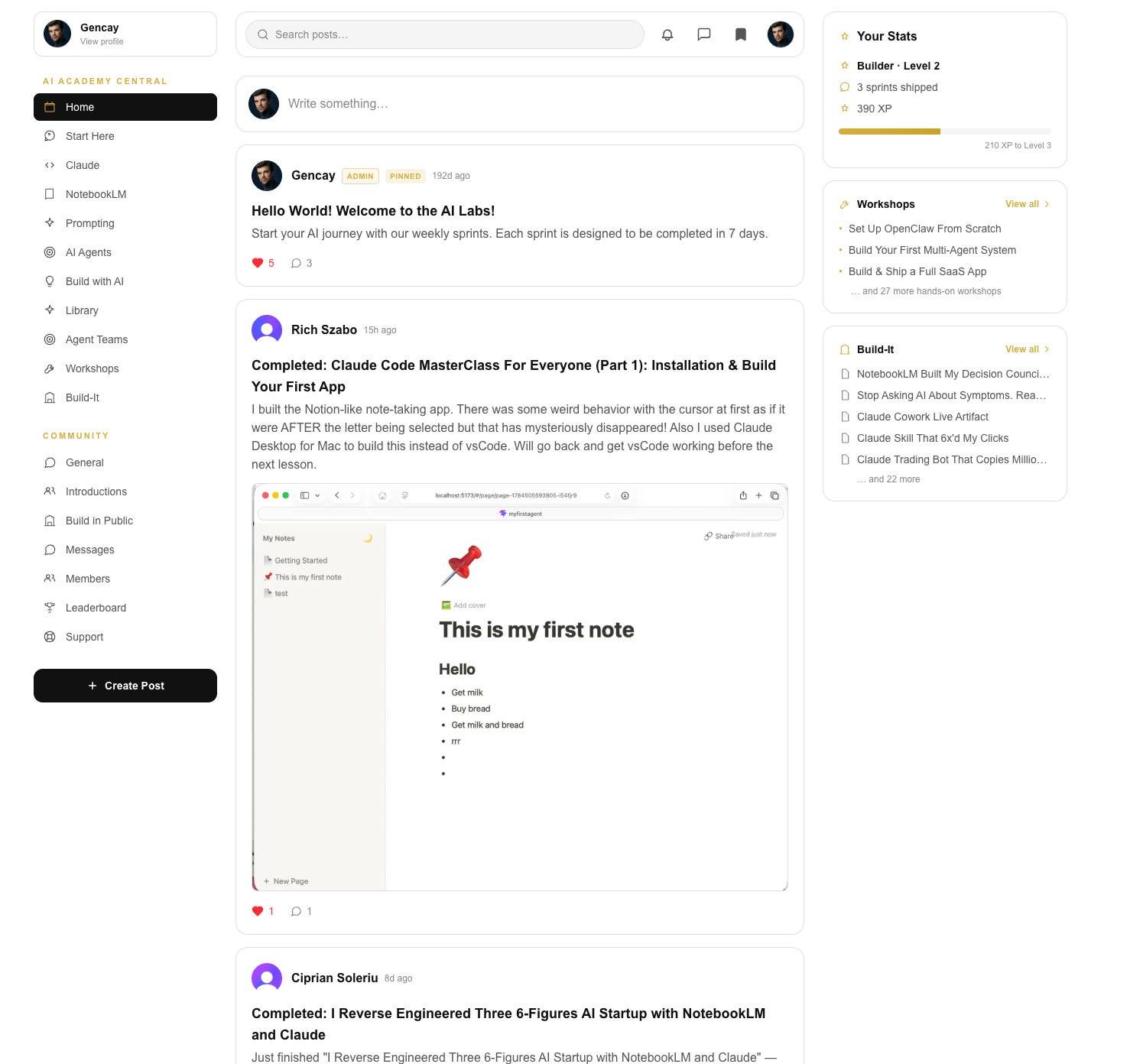
I reviewed and commented on each one of your builds, and we’re sharing ideas together.
Now, back to what we’re building.
What I built with Claude Record a Skill?
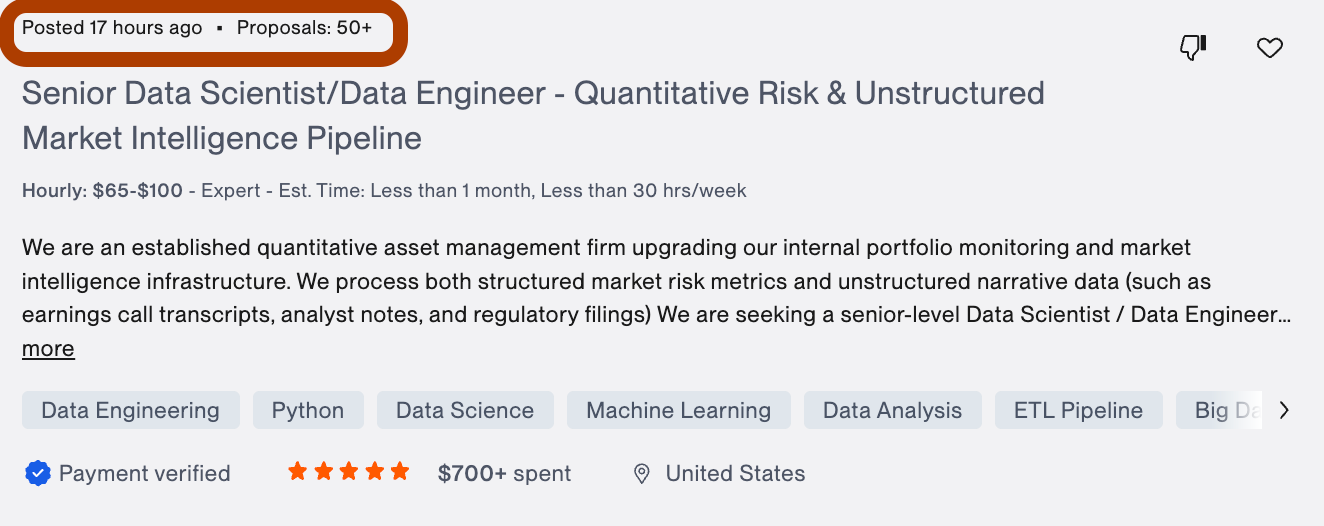
The job is real. Senior Data Scientist who can build a Market Intelligence Pipeline, using quantitative risk.
The job proposal hit Upwork 17 hours before I saw it. $65 to $100 per hour, Expert level, 50+ proposals already in.
I read what they struggled with.
I did not build the entire complex system. I built the softer version, and trust me, the real one is nothing bigger than this.
Before AI, I actually was a data scientist.
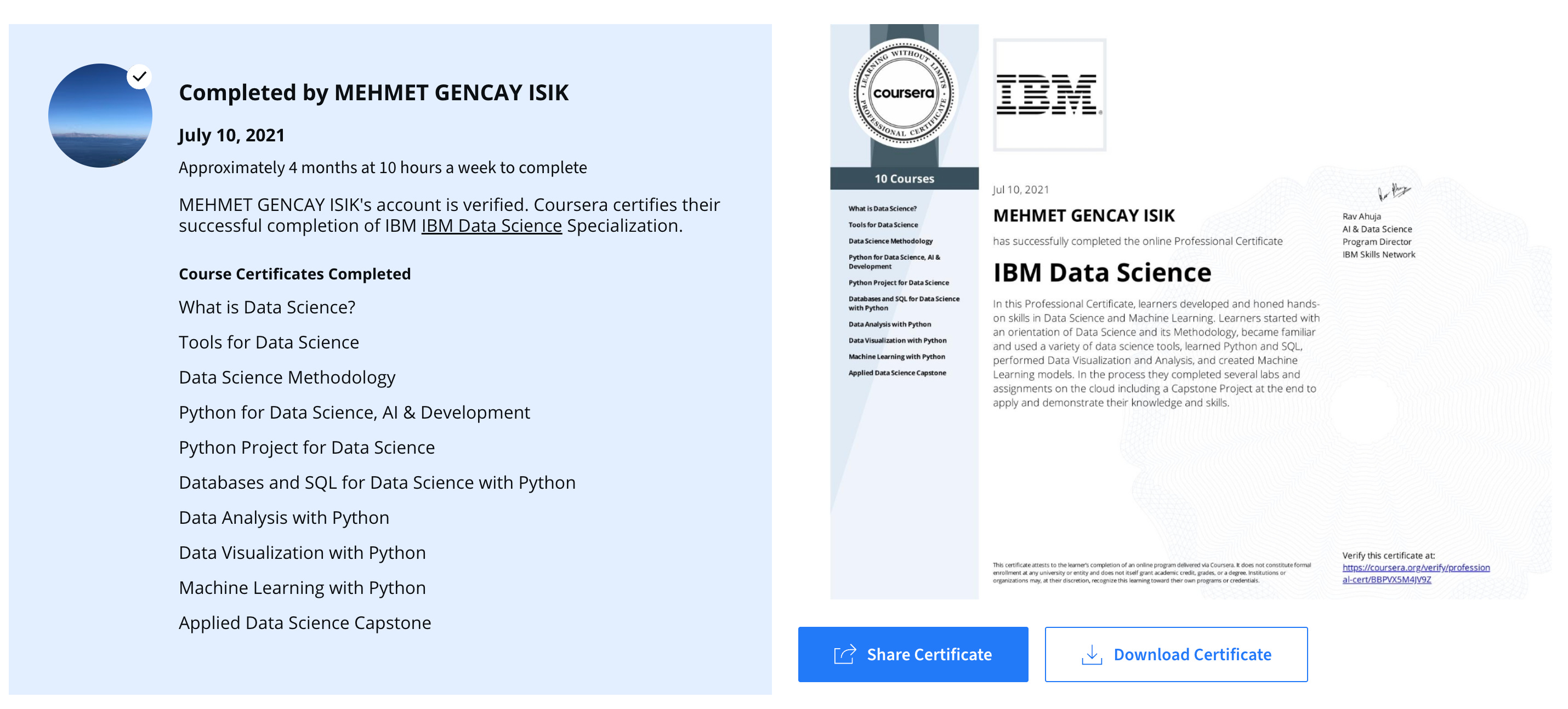
I fell in love with AI long before ChatGPT or Claude.
So anyway, here is their problem, in their own words.

Their numbers live in one system, their news lives in another, and nobody sees both on one screen. So I built the dashboard where both sit together, MSFT’s risk numbers next to its headlines, with a call at the end.
The client pays $105 per hour on average. This took 15 minutes.
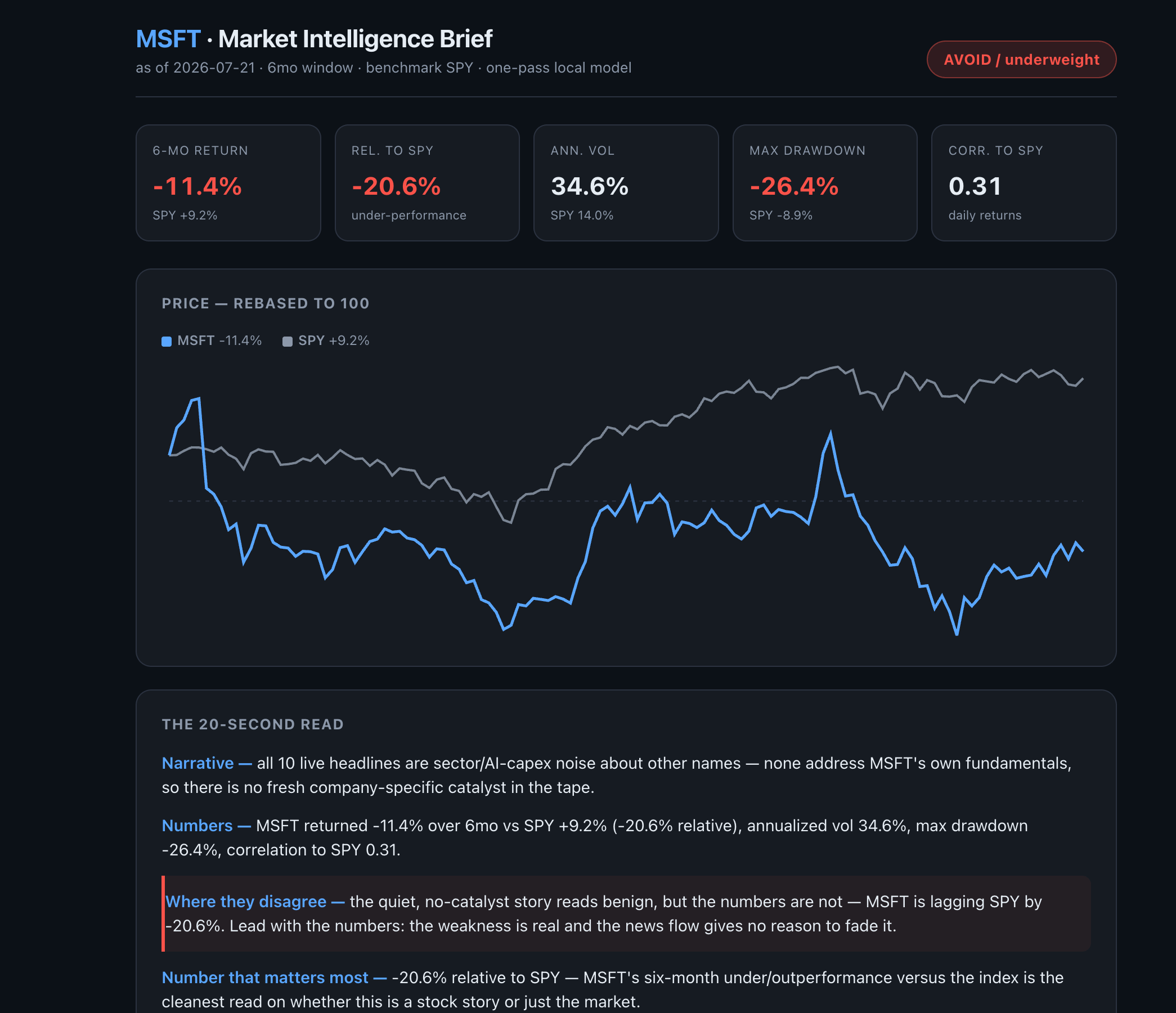
They asked for historical volatility, correlation, and exposure metrics, so the top row gives all of it in five tiles.
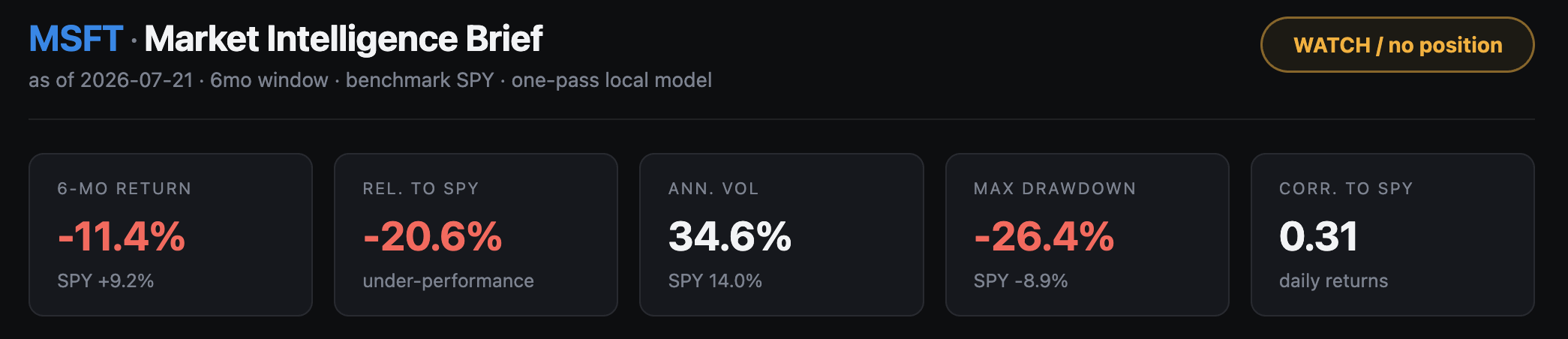
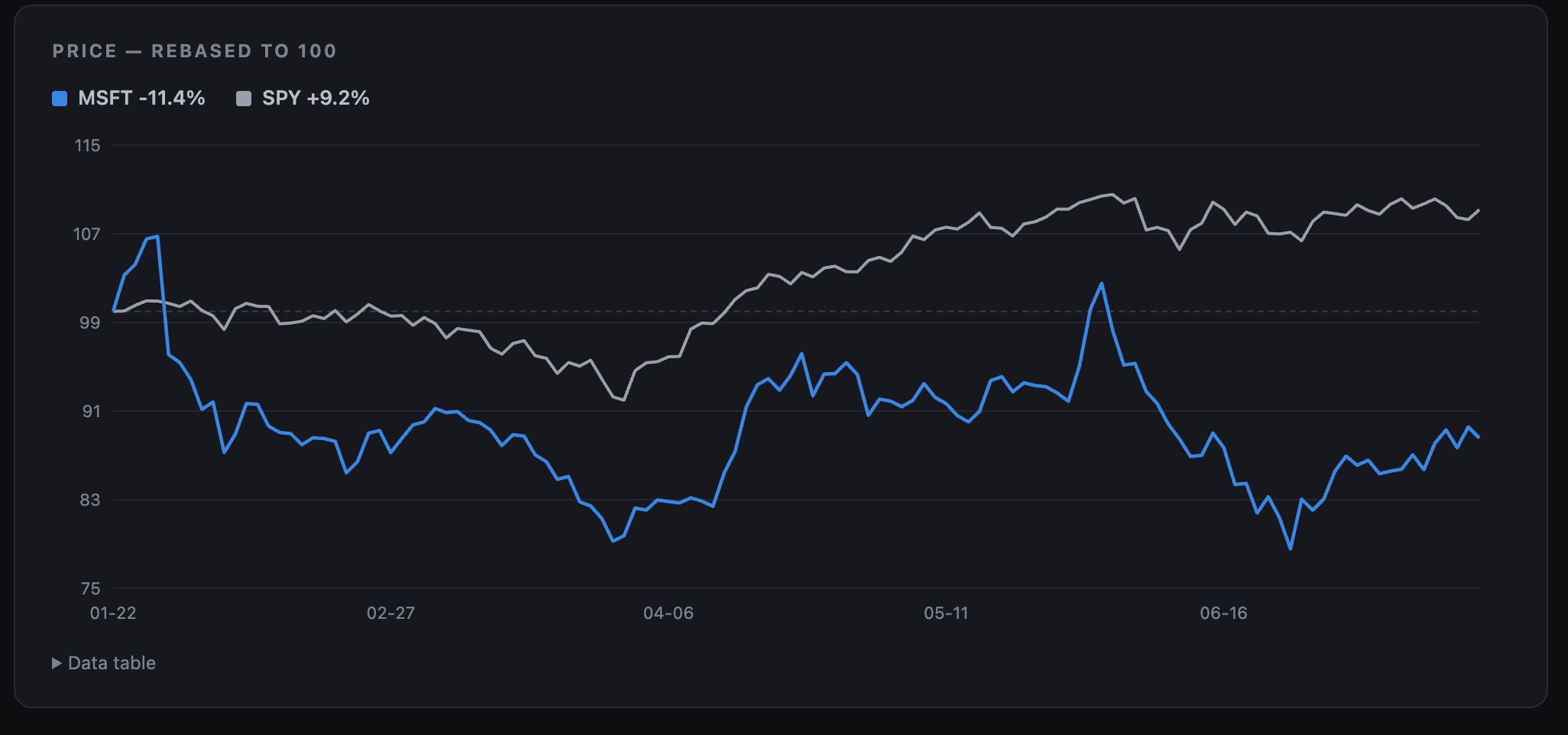
They asked for real-time risk visualization on Power BI, so the price chart shows MSFT against SPY on one line each, rebased to 100.
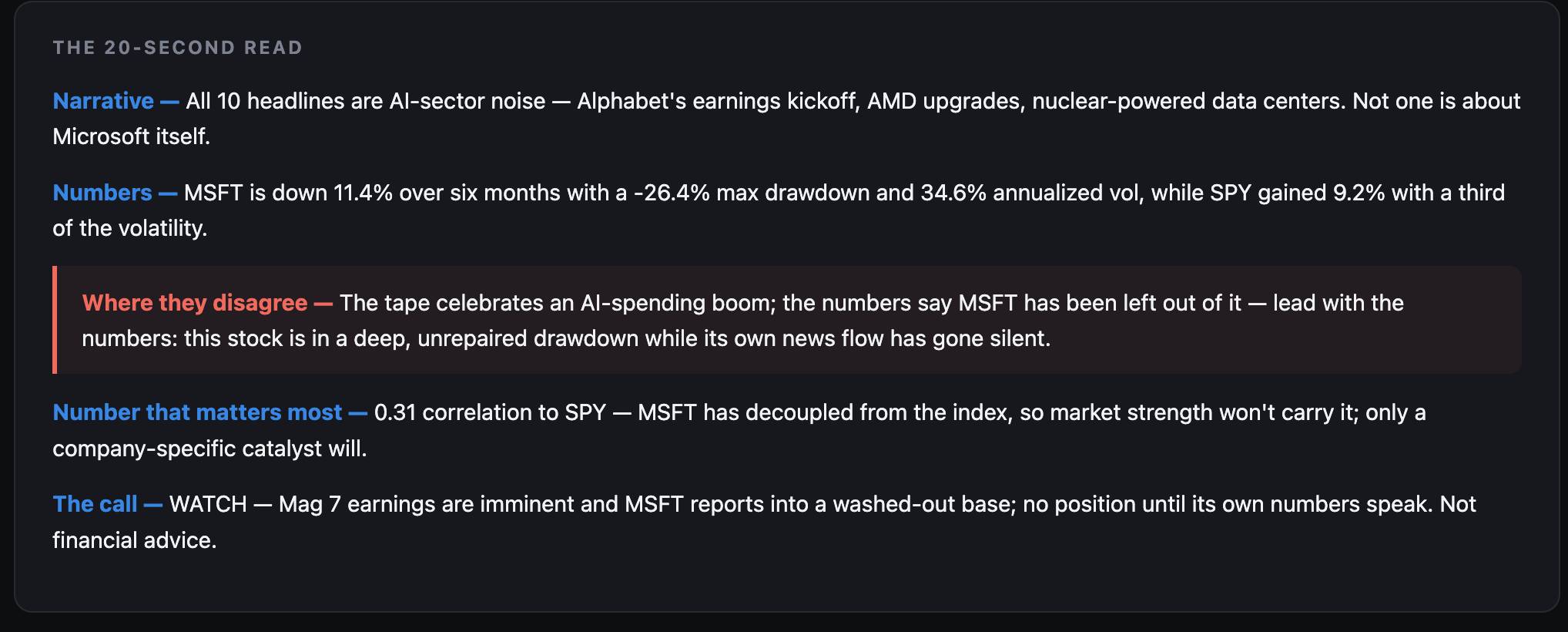
They asked for insights their executives can consume without digging, so the 20-second read tells them what the story says, what the numbers say, and where the two disagree.
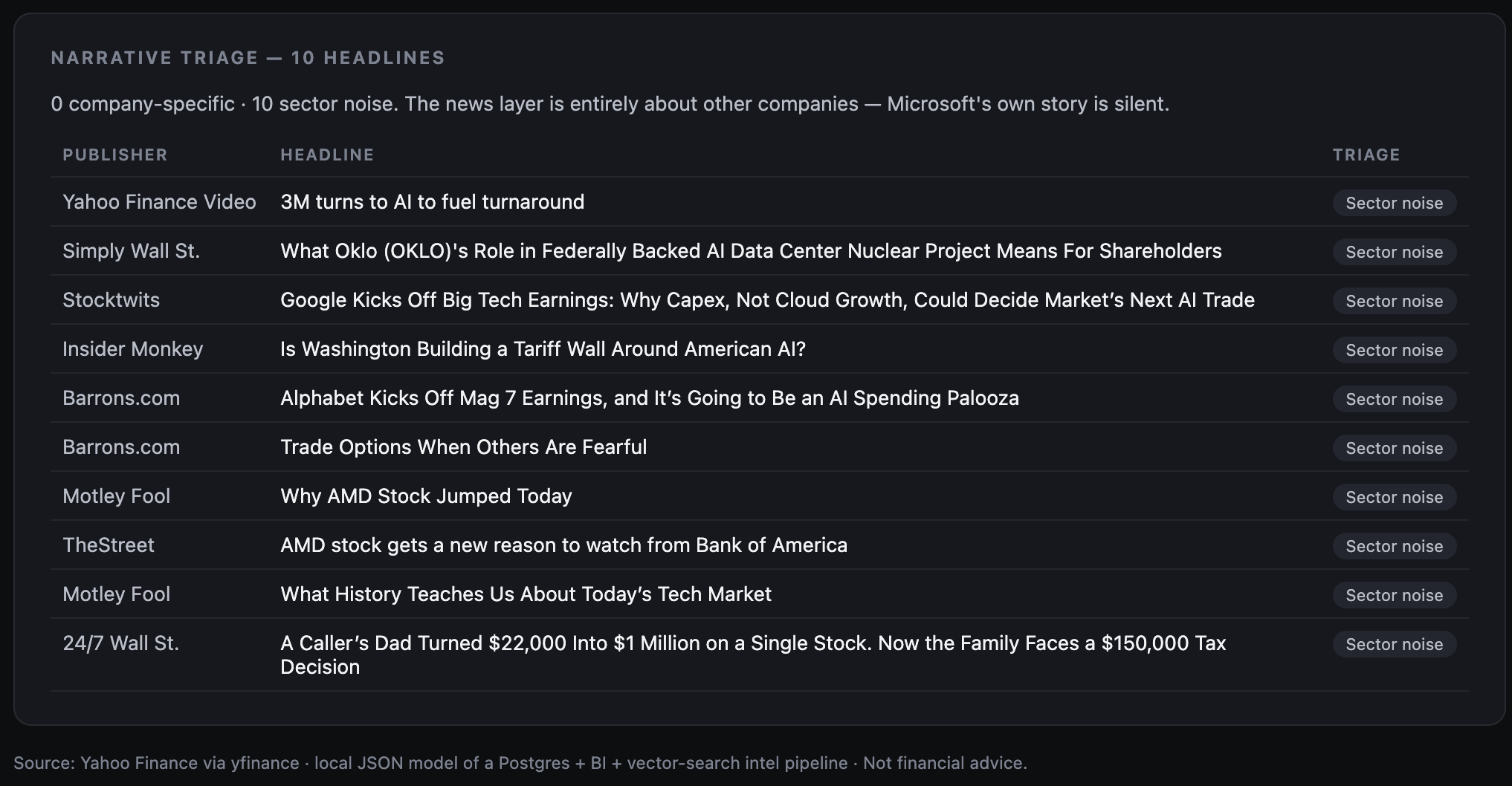
They asked for daily market reports parsed into something structured, so the triage table sorts every headline into Microsoft news or sector noise.
And I did it, by first creating a skill from a screen record, how? I’ll show you, but first, let’s explore how Claude's skill can be created using screen recording.
How to create a Claude skill from a screen recording
Open your Claude app, select Cowork, and click the “+”.
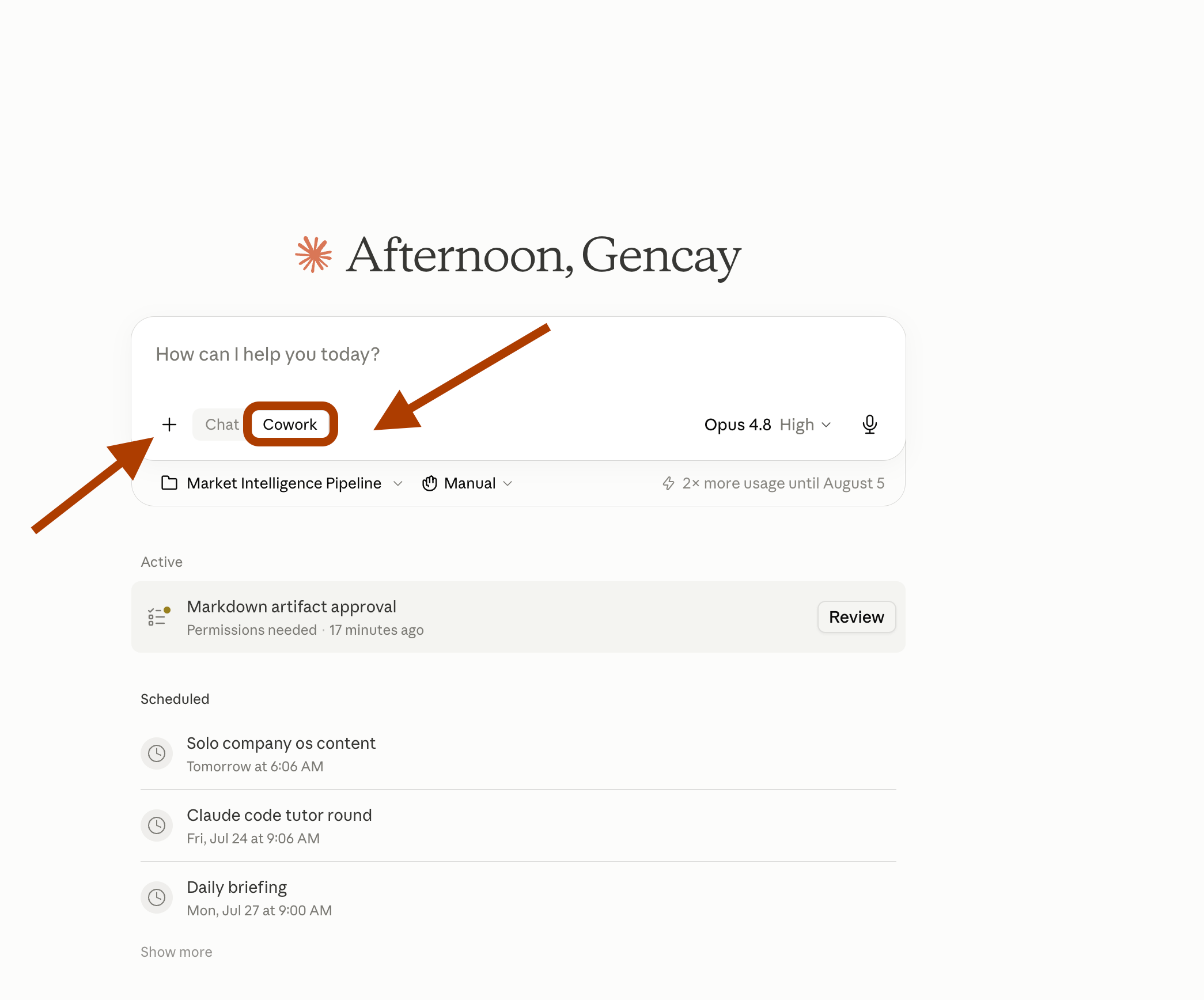
Click “Record a skill”.
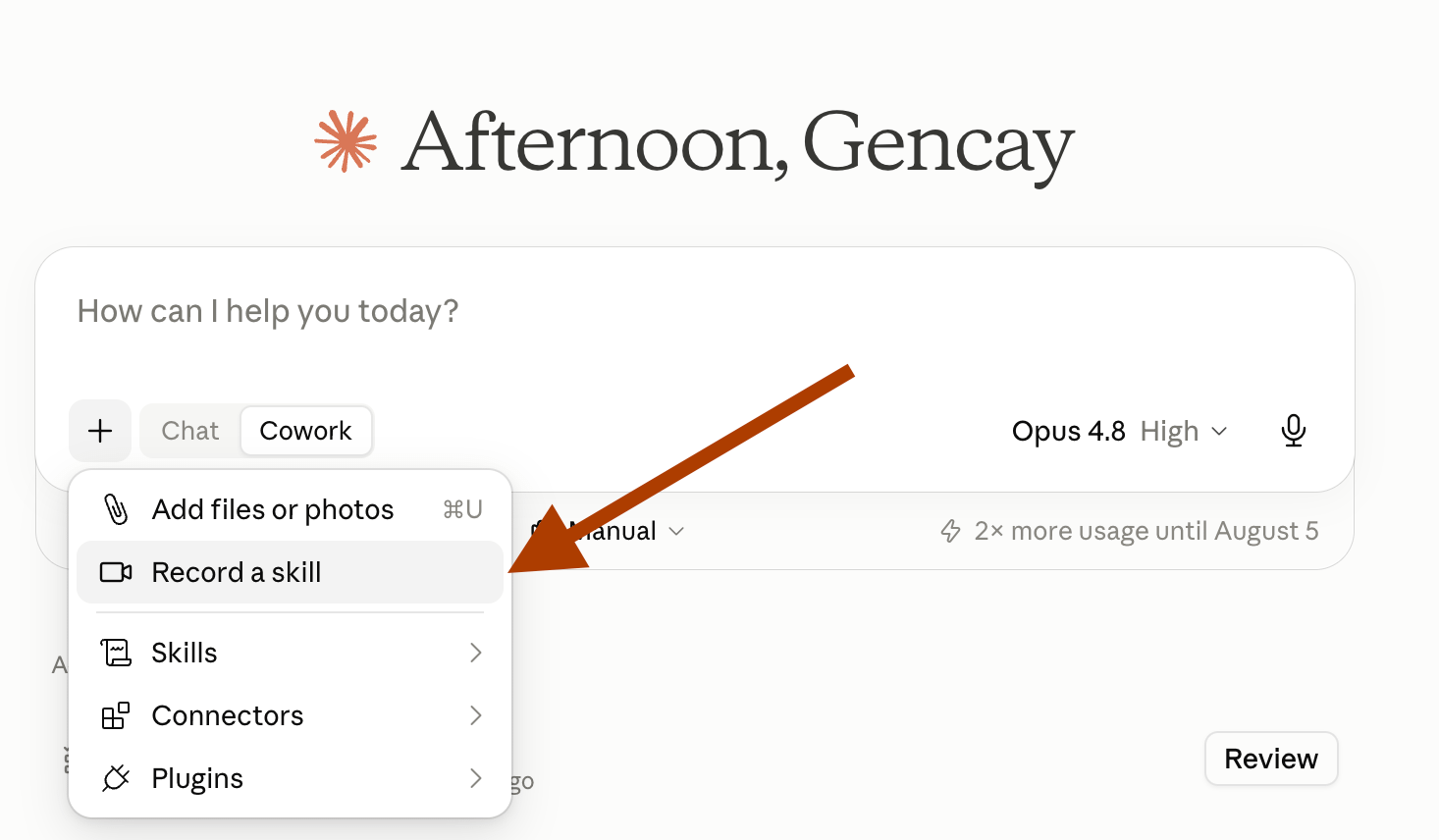
It asks for your approval first. You can let it listen to you through the microphone, too. Click Start Recording.
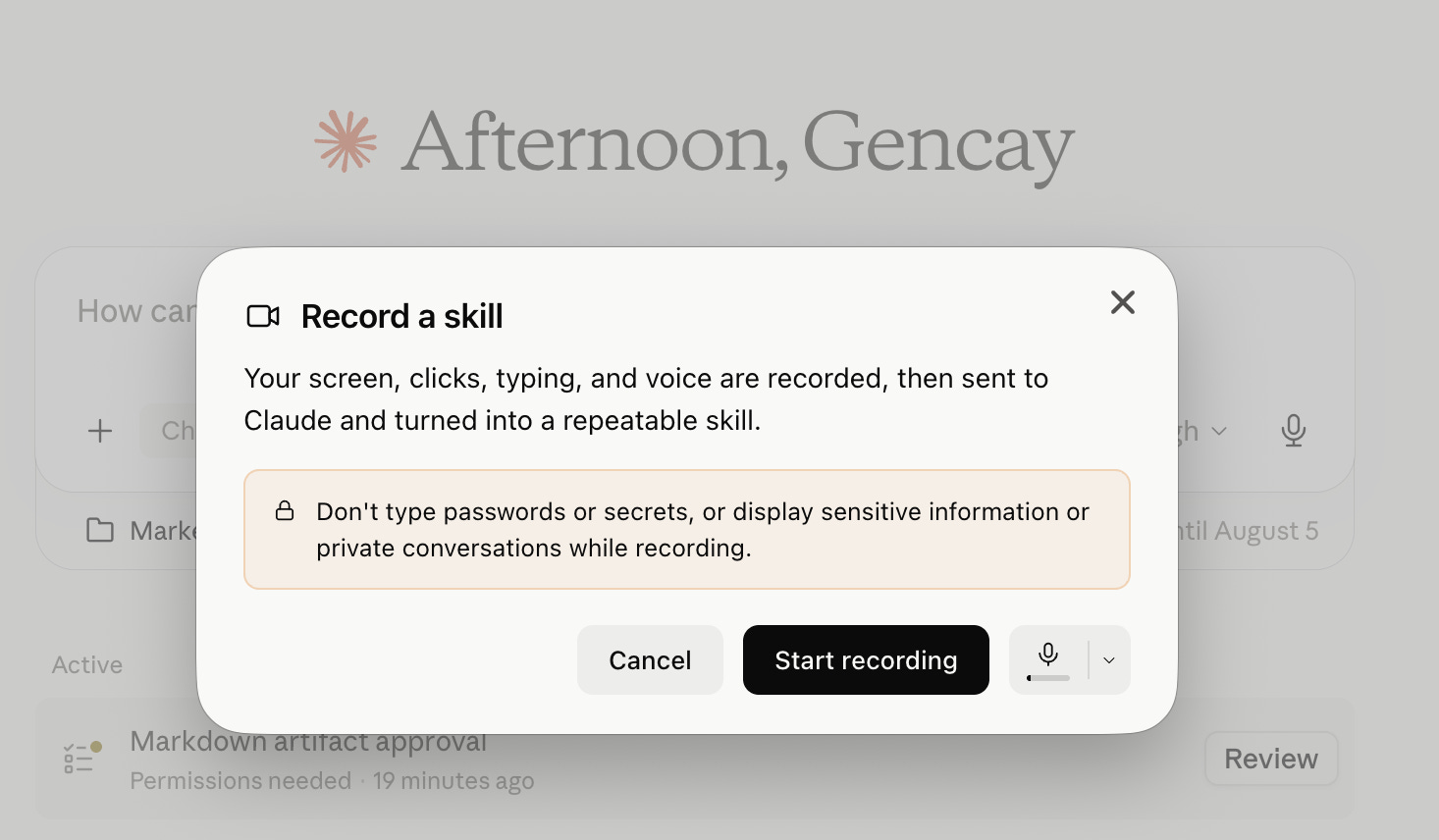
From that point, it records your screen moves, your typing, and your voice if you allow it. When you stop, it processes everything.
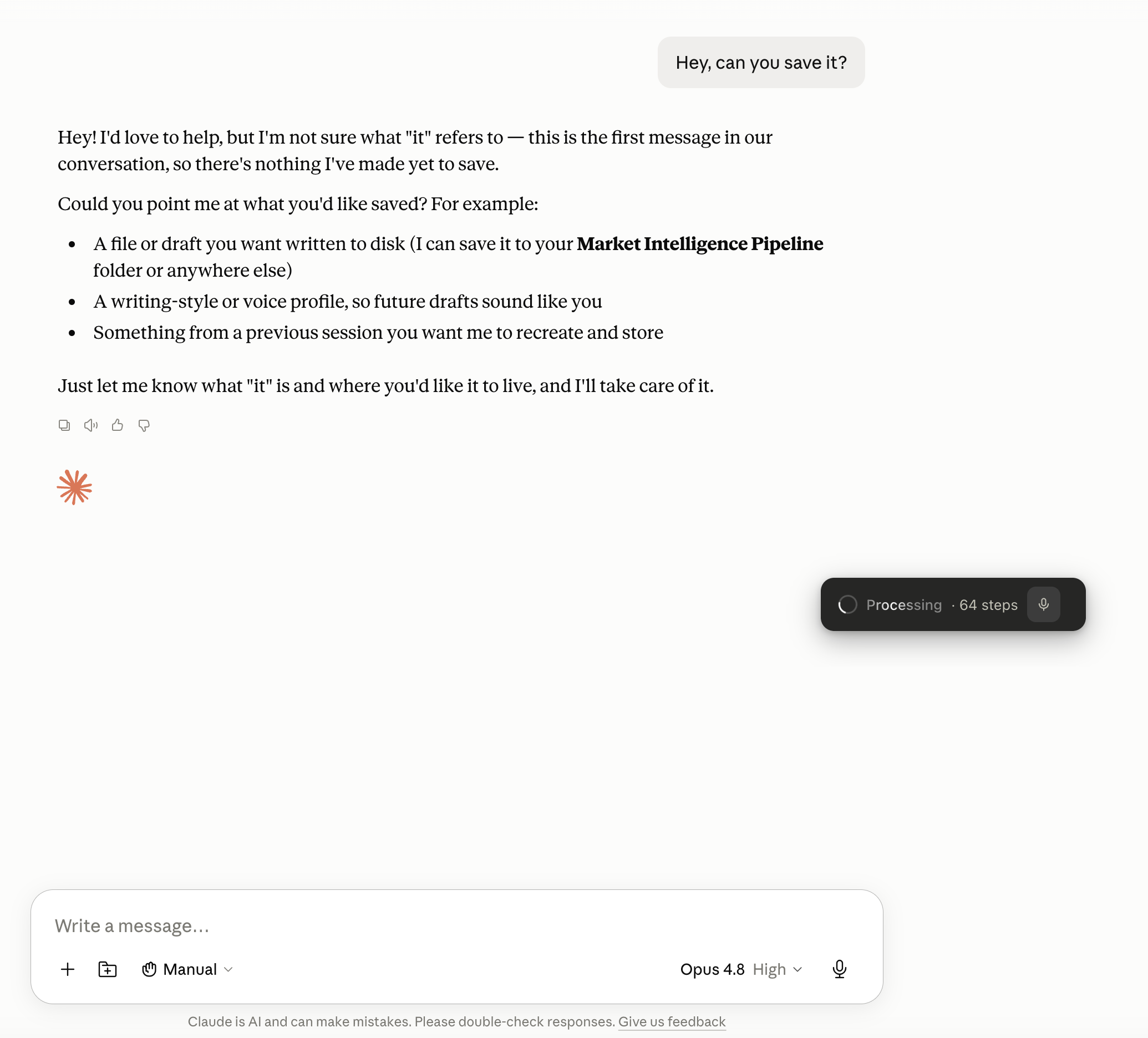
If it finds the recording useful, it turns it into a skill like this.
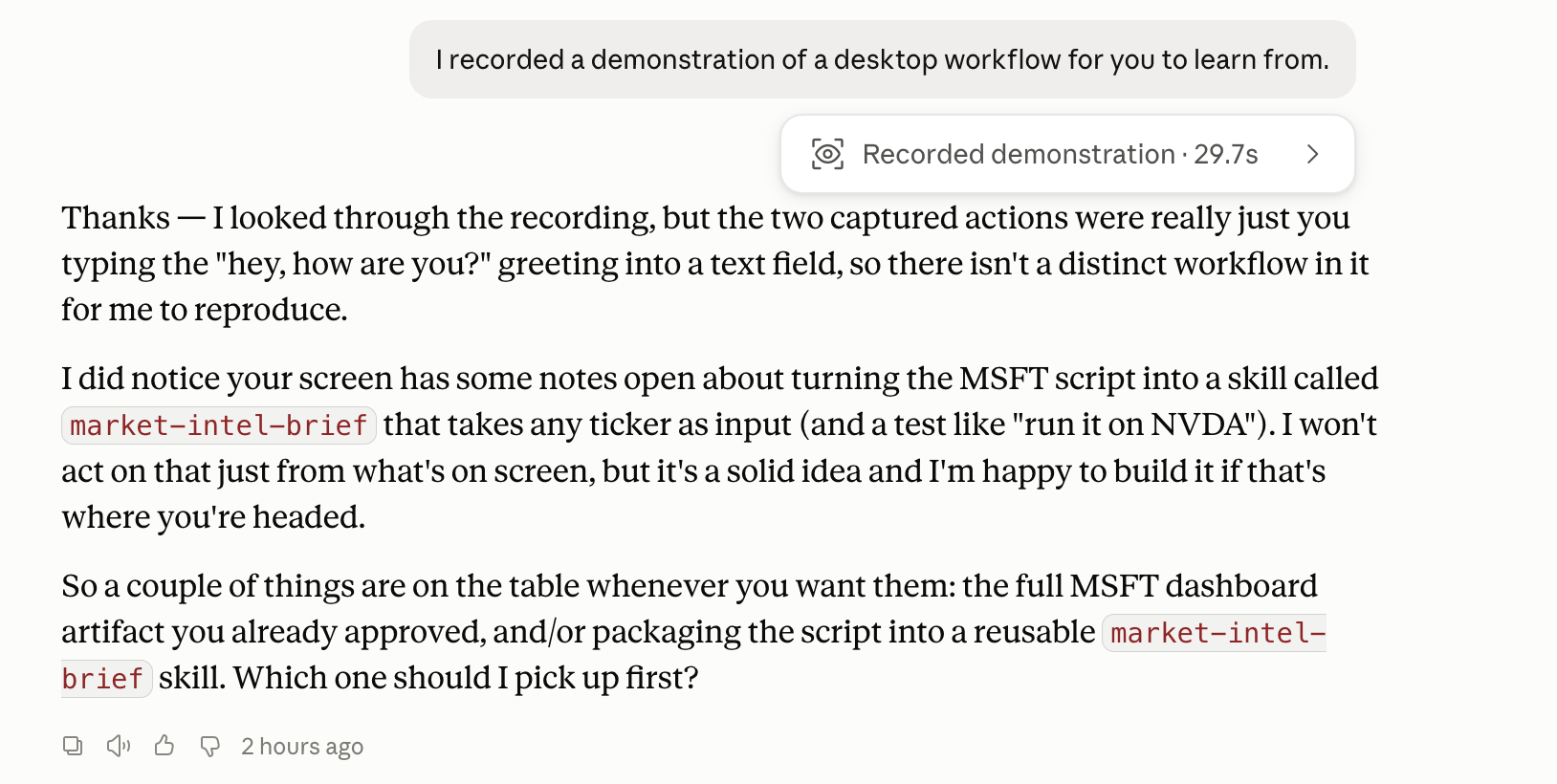
Why “if it is useful”?
Many of my recordings never turned into skills, and I don’t know why. It is a pretty new feature. It behaves like one.
How to install this skill and or the app?
Enough with the discovery, let me show you how I built it in 3 steps.
It can be done with the big fat prompt in a minute, too.