
I Built a Job Hunter with Claude Code That Finds Me Better-Paid Work
I built a Job Hunter agent with Claude Code that scrapes Indeed, Upwork and LinkedIn every morning and sends better-paid roles straight to Slack.

I left mechanical engineering to be free. But I also had to survive. So I worked.
Seven thousand hours.
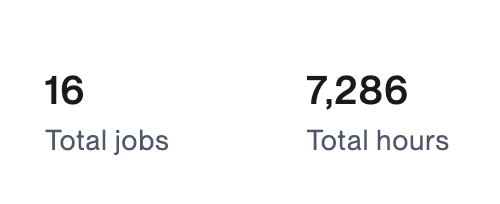
I started as a data scientist.
Then AI.
Right when prompt engineering was born, and rates went insane.
I raised mine 50%.
Still not enough.
So I hunted, built AI agents, thousands of hours at twice my old rate.
That is when I saw it.
The gap between a $50/hour freelancer and a $120/hour one is not skill.
It is confidence.
I pushed to $80/hour.
Two interviews came back.
One was the oldest company in Africa, founded in the 1800s.
I signed with the other. Starts next month.
Then the strange thought. Why not more?
More means more searching. I had no time.
So I did the one thing I do best.
I gave the search to Claude Code.
What We'll Build With Claude Code

I built a Job Hunter agent that works like Jarvis.
Simply tell it what kind of role you’re looking for, upload your CV, and it will search job boards, find relevant opportunities, and even help you prepare a tailored application
Within a few minutes, it will search Indeed, Upwork, or LinkedIn and find relevant job opportunities for you.
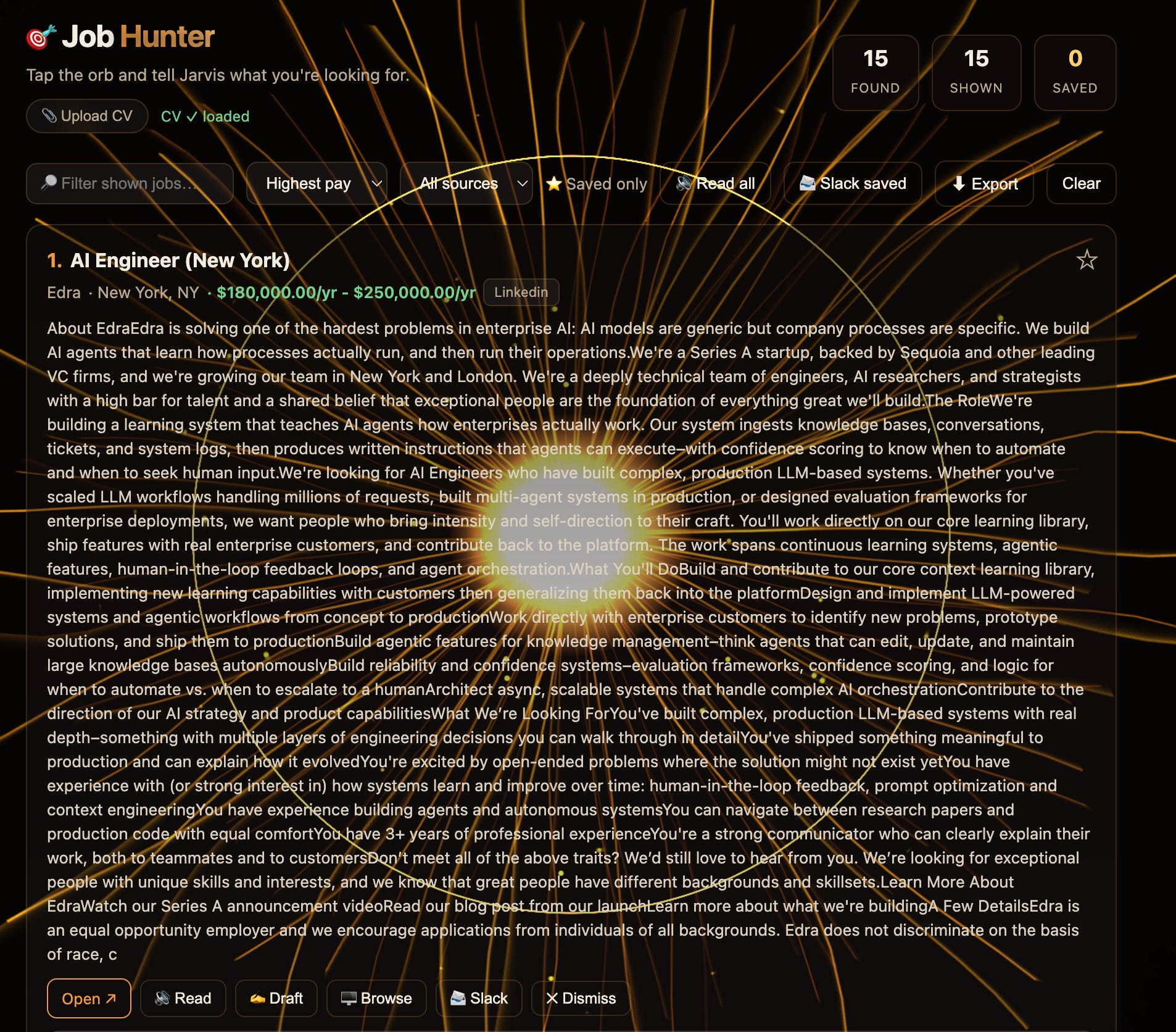
It can research the company that posted this job.
If you’d like, it can even generate a personalised job proposal using your CV and the job description, then deliver it straight to your Slack inbox.
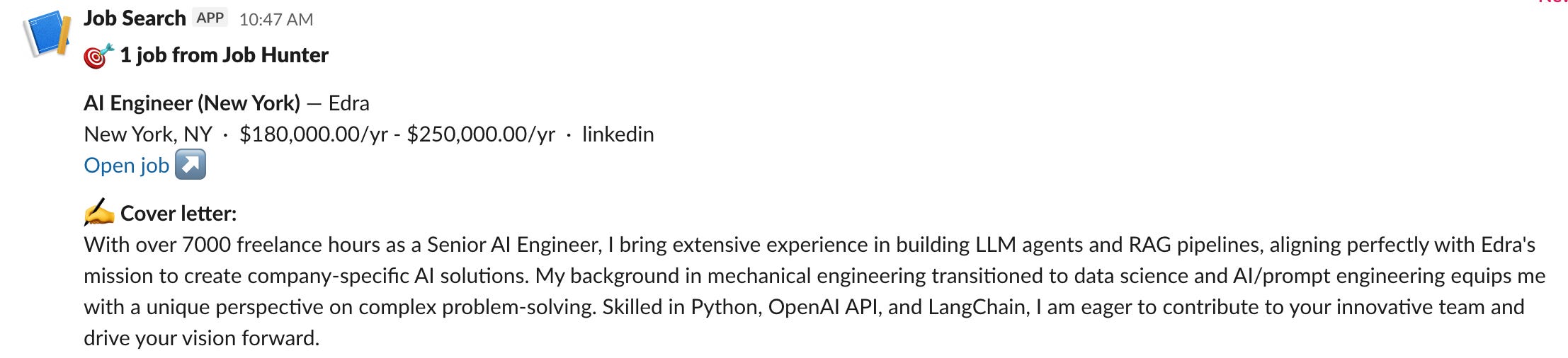
I turned the entire app into a Claude Skill, name /job-hunter, and packed it for you.
All you have to do is download it, open it with Claude, add your API keys, and let it run.
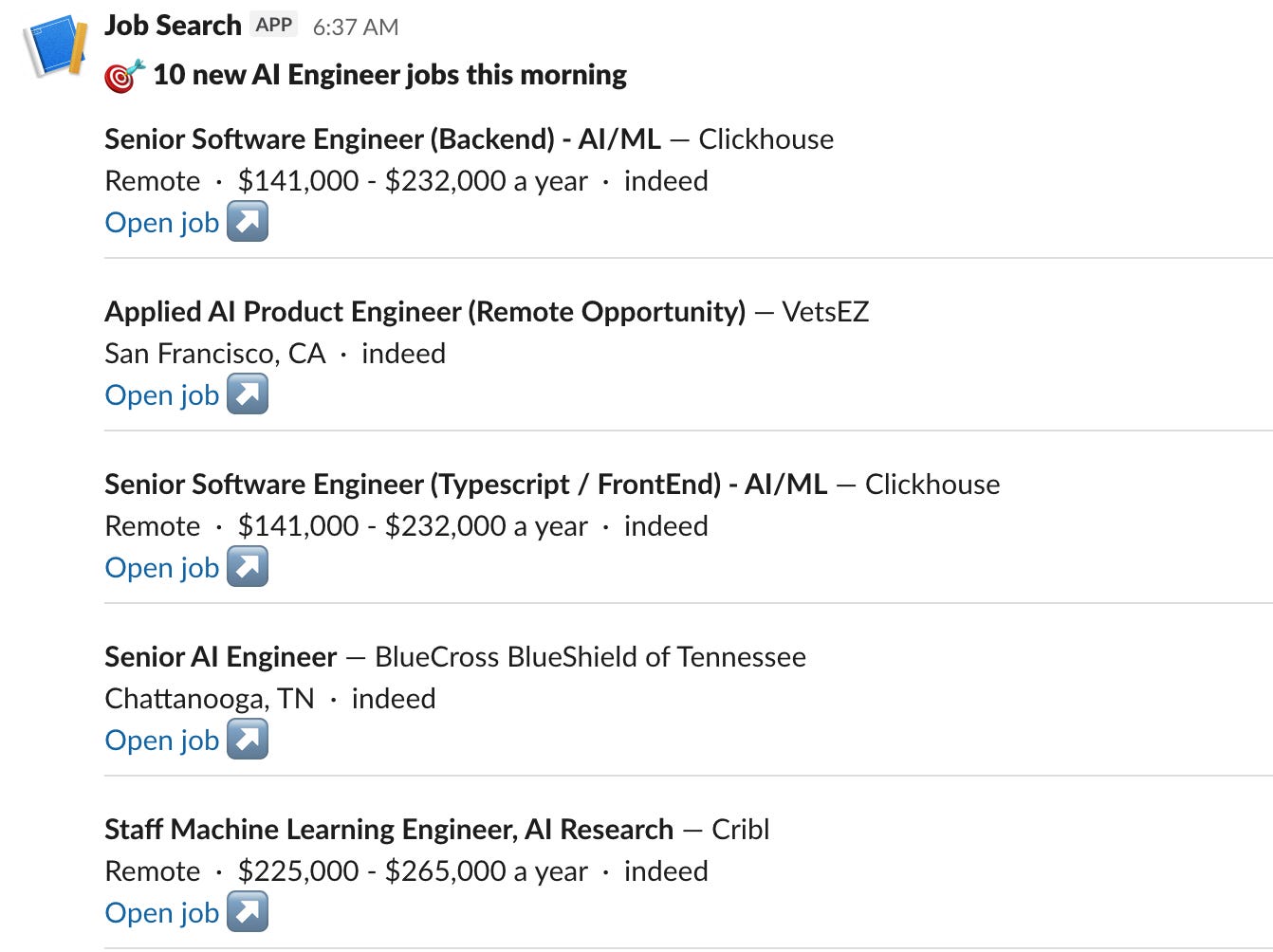
I’ve also set up a Claude routine using this Claude skill.
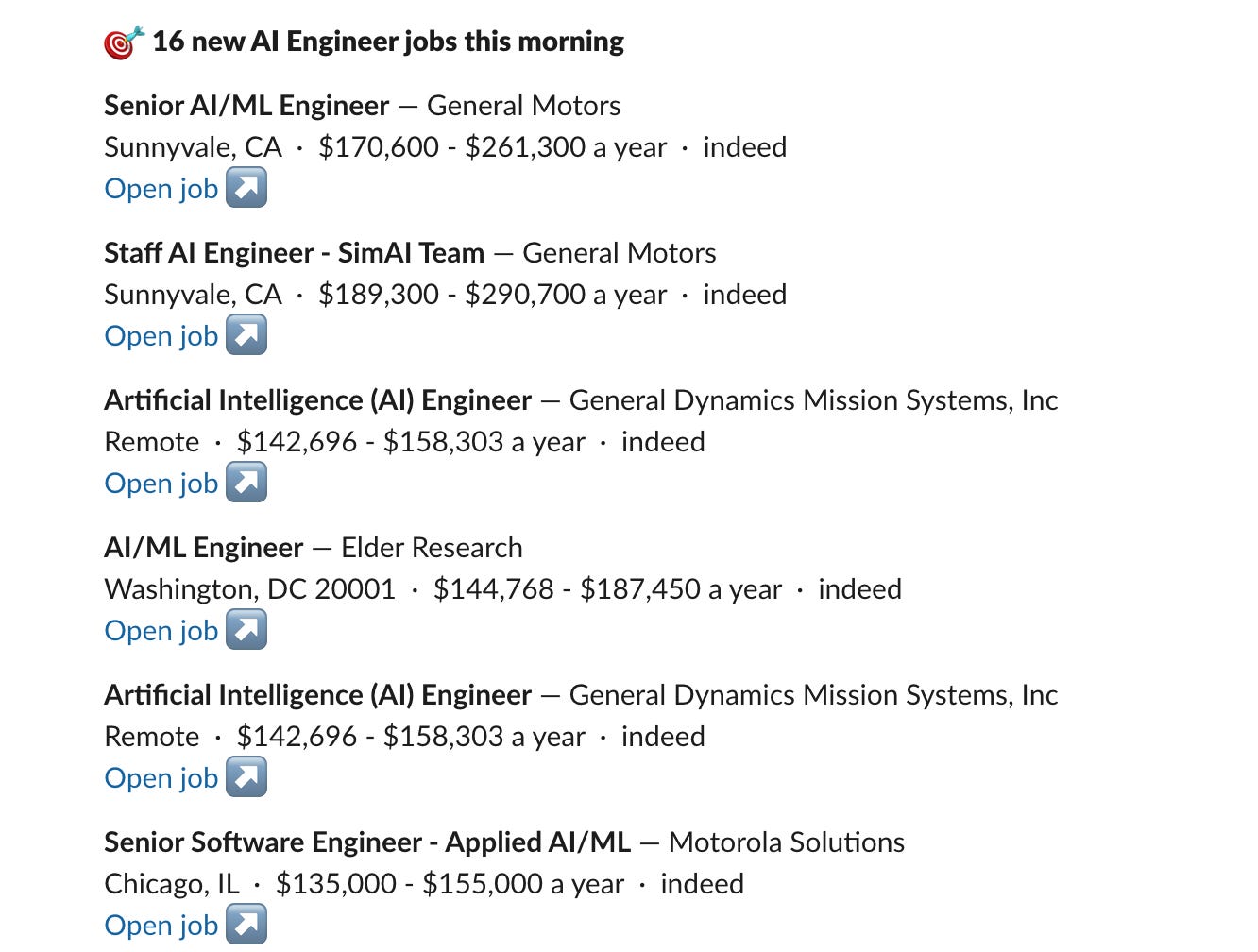
Thanks to that routine, I receive a Slack message like this every day.
How does it work?
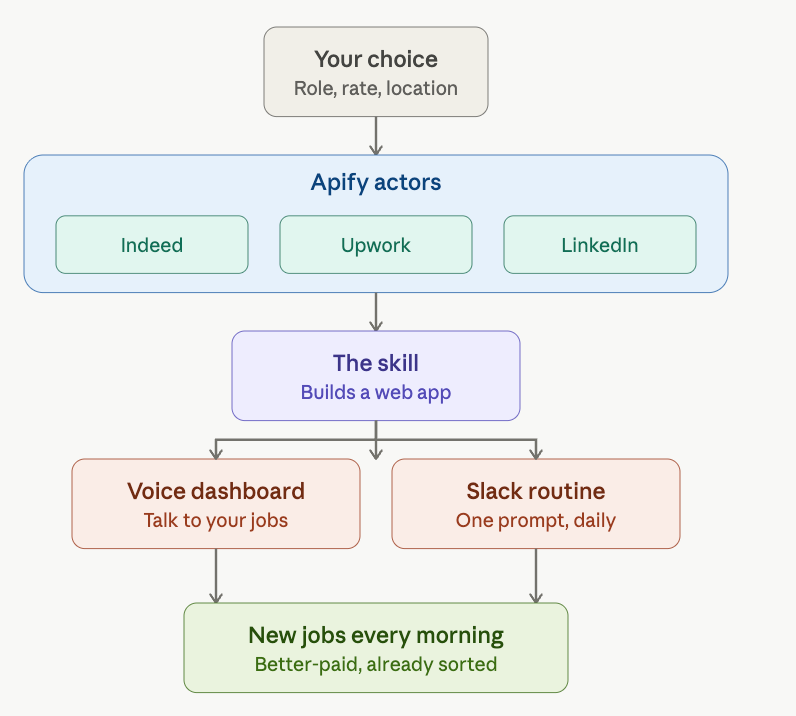
A new job means new data. My Claude could not reach it. The data lived on the web, scattered across job boards.
So I went to Apify and pulled the actors for Indeed, Upwork, and LinkedIn. These three would feed me for the next job.
Maybe the $120/hour one.
I ran them. They worked fine. Then the obvious question.
Do I want to run these by hand every morning?
Of course not. So I thought of a Skill and Claude Routine.
Not the kind you grab off the web that does one small thing.
This skill builds a web app for you.
You do not read the jobs. You talk to them.
The less time you spend finding work, the more work you find.
First morning, it spoke back, and I was still holding the coffee.
Next Step: A Claude Code Routine
The dashboard is good. The voice is better.
But I know you will not open it every morning.
Nobody does.
So I built a Claude routine.
Load the skill into your environment, and the routine reports to your Slack every day with the new openings.
You wake up, and the list is already there.
How does it work from your side?
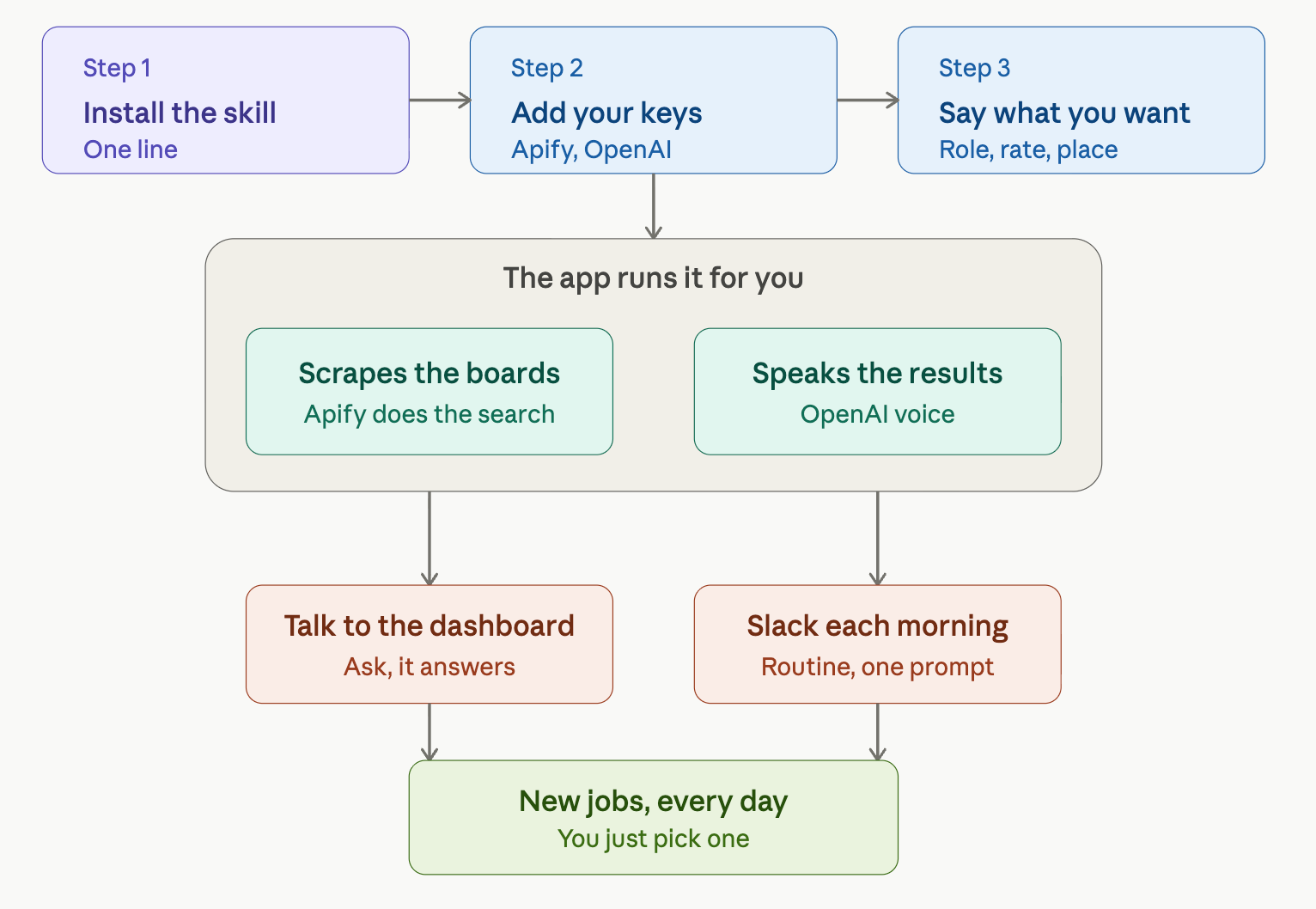
You do three things. The app does the rest.
Install the Claude skill. (One prompt)
Add your API keys.(The skill that I’ll give you explains that to you.)
Then tell it what you want.
The role, the rate, the place.
Plain words, like you would tell a friend.
Now I am going to give you the fastest way of building this skill.
You just need to download the files I’ll give you.

Paste one prompt,
Install the folder ~/Downloads/job-hunter into ~/.claude/skills/ as a Claude skill,
then run the job-hunter skill and start the app.
While setting up, ask me keys and write them into the .env file.
That’s it!
The installation has finished in 3 minutes and 40 seconds.
Let me show you.