
5 Claude Skills Will Put You ahead of %99 Of Claude Users
The 5 Claude Skills that replaced my workflow. NotebookLM, Superpowers, Obsidian, Apify, playwright-cli. What 99% of Claude users miss.

Once there were AI agents.
They got popular fast.
Then Claude Code dropped.
Claude team announced it silently, right after they informed us about Claude 3.7 Sonnet.
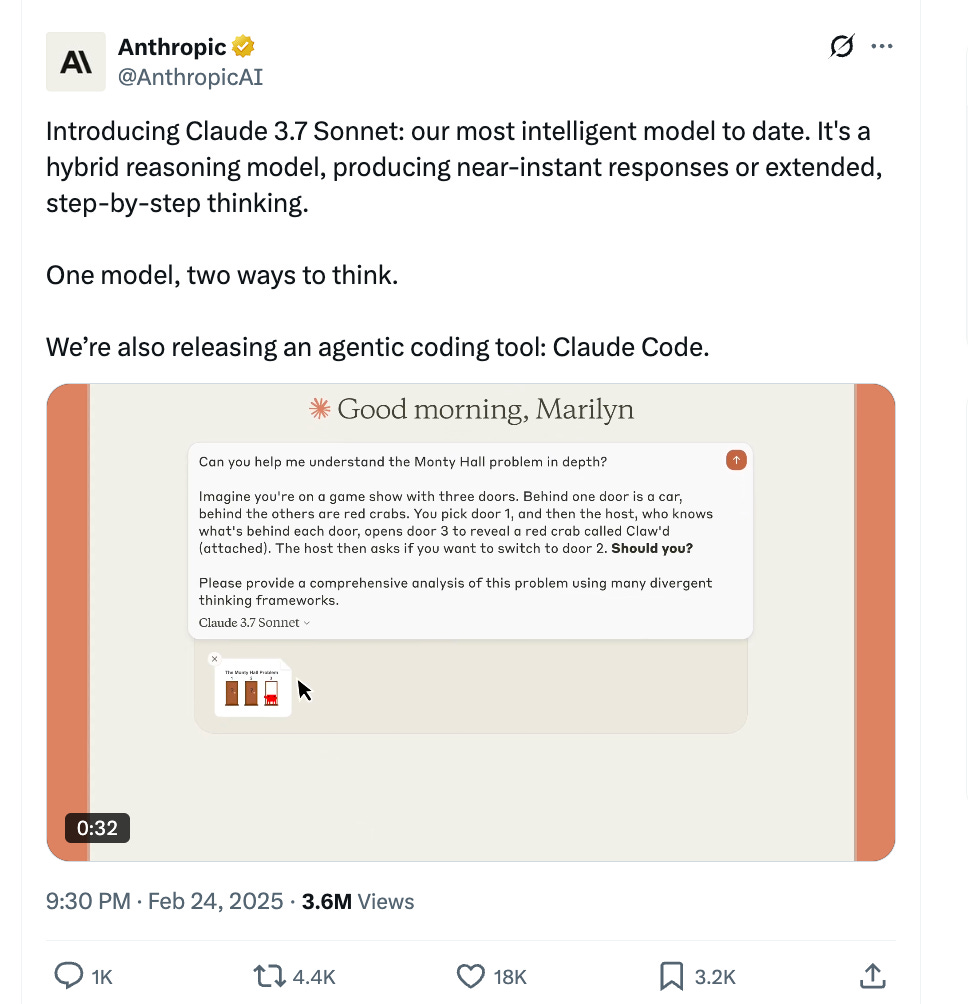
And it went viral.
Following this, the OpenAI team released Codex a few months later.
They announced it alongside the o3 and o4 models.

Now, terminal-based (CLI) agents are everywhere. Everyone uses them.
Then Claude introduced Skills in October 2025.
Claude Code and Codex got 10x better overnight.
People realized one thing: a set of rules makes these agents work like magic

But most Claude users still type prompts into the chat.
Yes, you. I know.
But the 1% are using Skills. Or even better, building their own.
So I saw the gap.
And I tested 5 of the top ones for you.
I run them every day. They find leads for my clients. They build apps. They run research. And see how one of my clients reacted.

So far, I’ve built dozens of skills for my clients.
That’s why it is safe to say that I know how to use them and how to take advantage of them.
First, let me show you the fundamentals of it
What Is a Claude Skill?
A Claude Skill is basically a markdown file.
Inside a folder sits a SKILL.md file.
It tells Claude when to activate and what to do.
In claude.ai, go to Settings > Capabilities > Skills and click Customize.
Shortcut: https://claude.ai/customize/skills
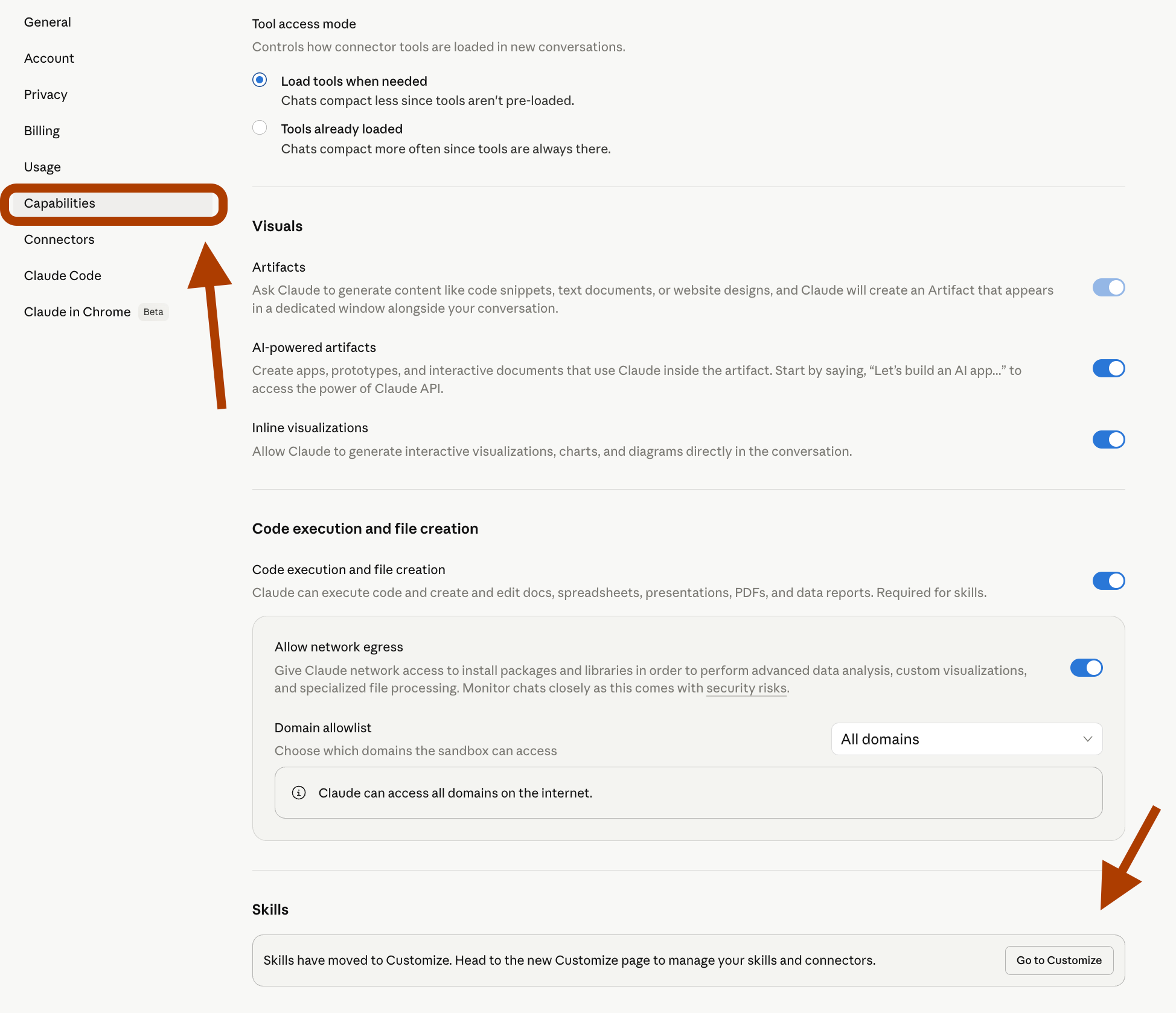
Here is the format of a Claude skill, a problem solver.
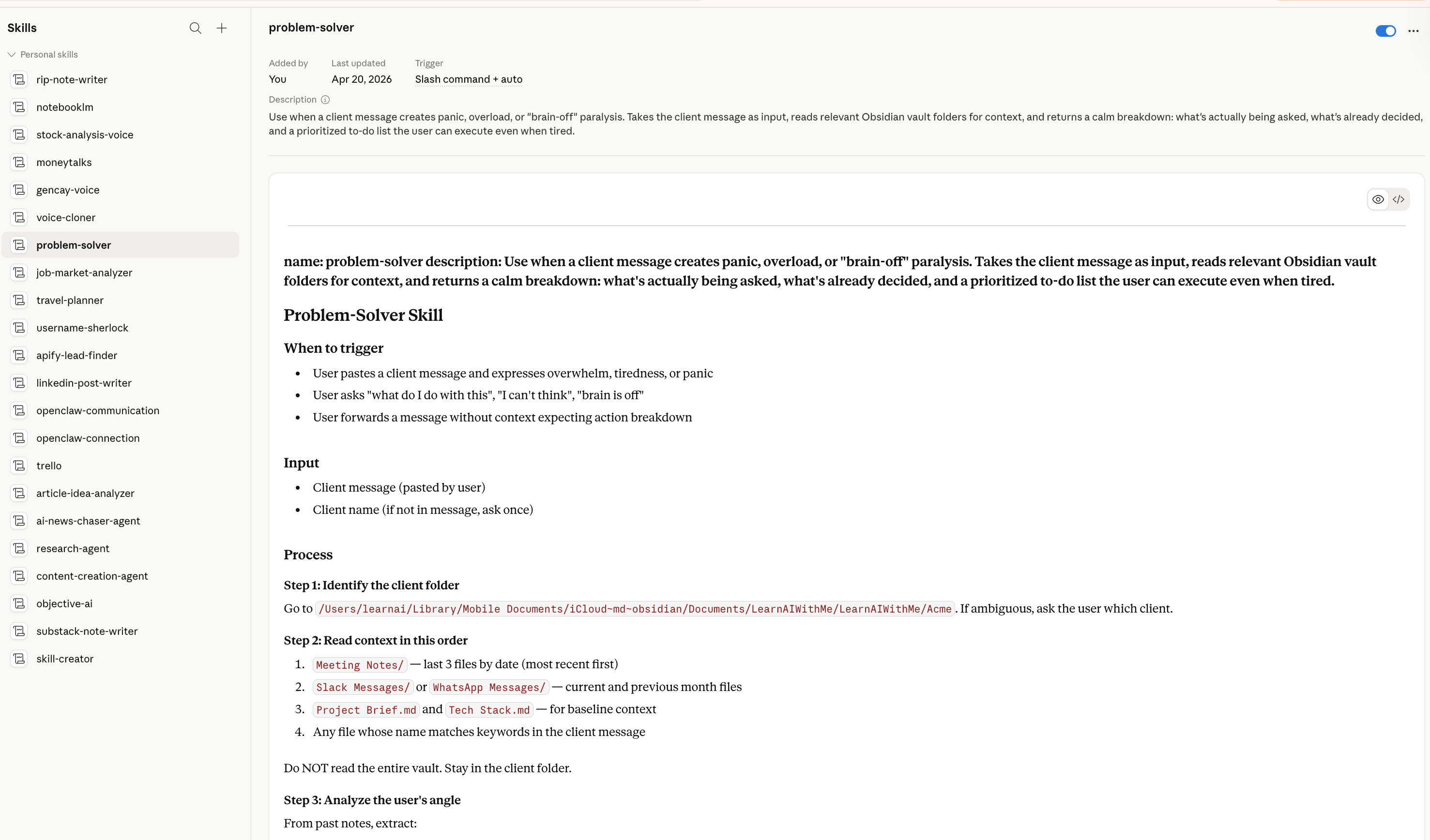
If you’ve ever built a Custom GPT or any kind of assistant, you’ll instantly understand how it works.
Let me explain.
When to trigger: Shows you when Claude understand it had to use it.
Input: What kind of input is needed to run this skill
Process: This is the most important place. In what order do you want this agent to work?
There are also Rules and Output tone, which show which rules this skill follows and what kind of output the agent should give
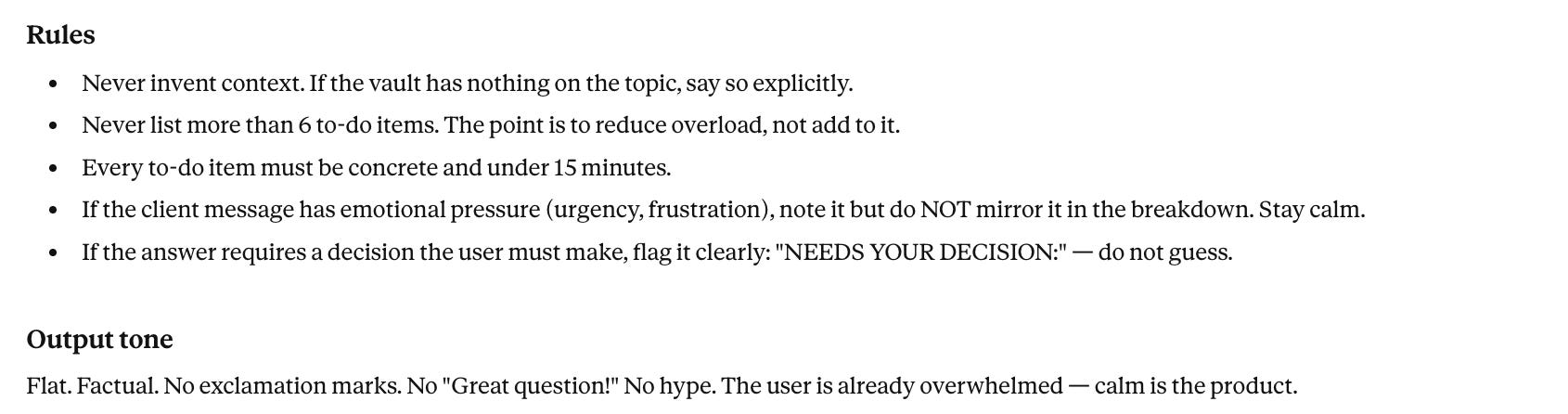
Note: You can also trigger a skill with a slash command like this.
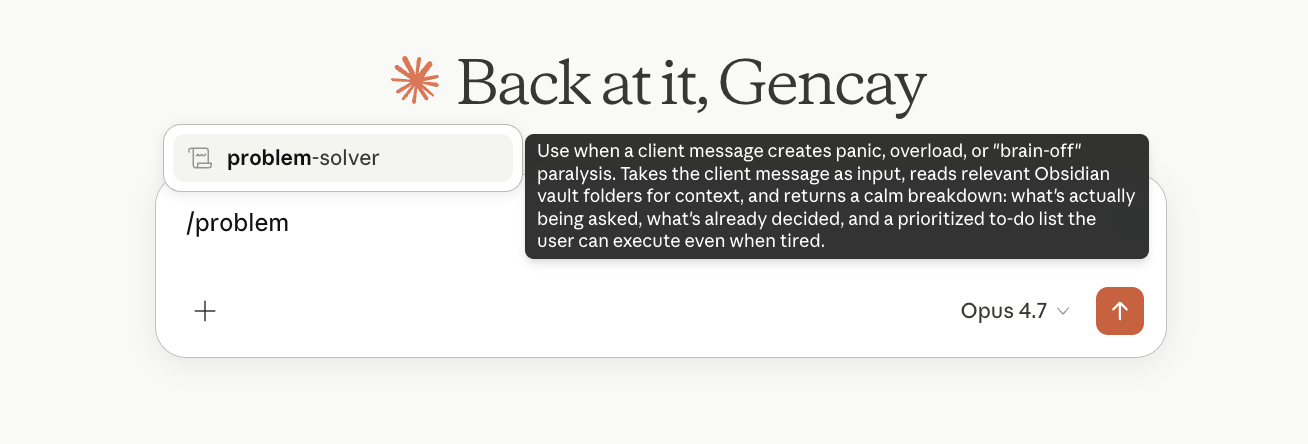
Skills work in Claude, Claude Code, and Claude Cowork.
For most skills, Code and Cowork are the better fit.
They can run code, hit APIs, and control your machine.
The 5 Claude Skills That Put You in the Top 1%
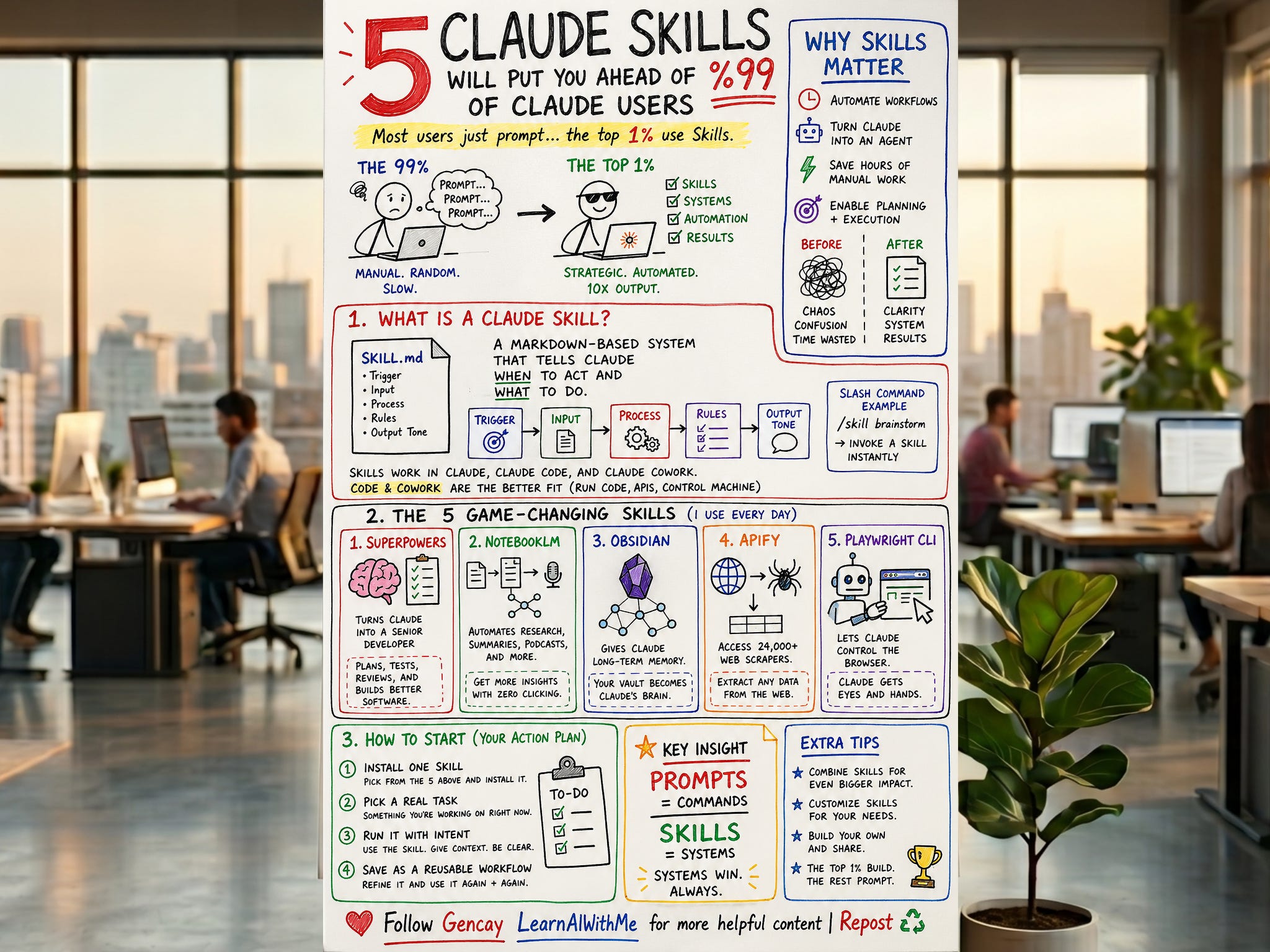
Now you know how skills are working.
So let me give you the 5 Claude skills.
Here are the five I run(almost) every day.
Superpowers: Turns Claude Code into a senior developer
NotebookLM: Removes the clicking from Google's research tool
Obsidian: Makes your vault Claude's permanent memory
Apify: Plugs 24,000 web scrapers into Claude
playwright-cli: Gives Claude eyes and hands in the browser
But the specs are long.
Try them yourself, and you’ll burn hours on each one.
Let me save you those hours.
I’ll show you how to install them, run them, and walk you through my favorite specs, plus a to-do list so you can start today.