
I Put My Copy-Trading Bot on Claude Loops. It's Self-Updating Now.
Claude Loops pulls my trading bot's journal, writes a weekly autopsy with NotebookLM, and feeds the fix back. The bot gets smarter while I sleep. Build inside.

I put my copy-trading bot on Claude Loops. Now it fixes itself.
Every Sunday, while I sleep, Claude Code pulls the data from the Hermes agent and uploads it to the NotebookLM.
I customized the NotebookLM with a single prompt, so it knows the sources and how to answer.
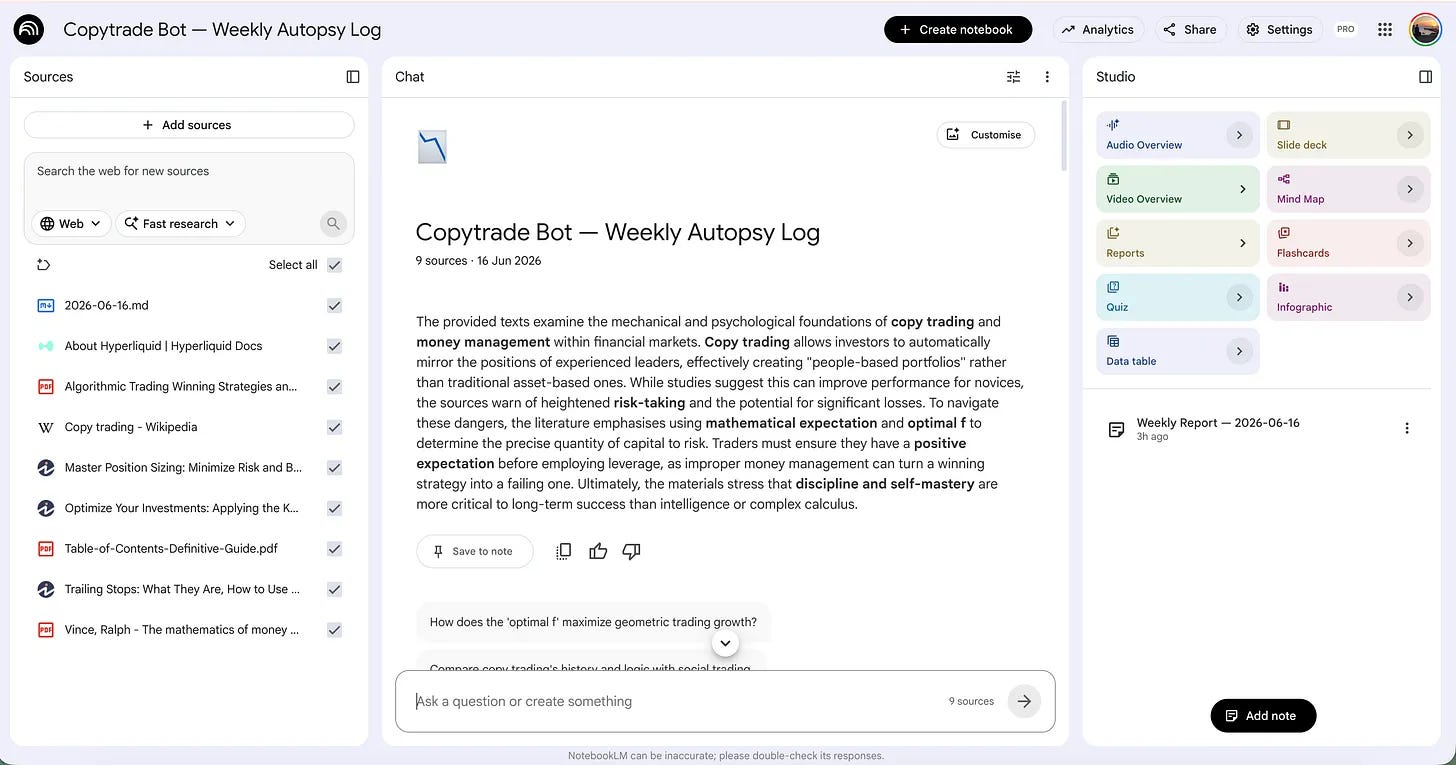
Here, it asks 5 questions.
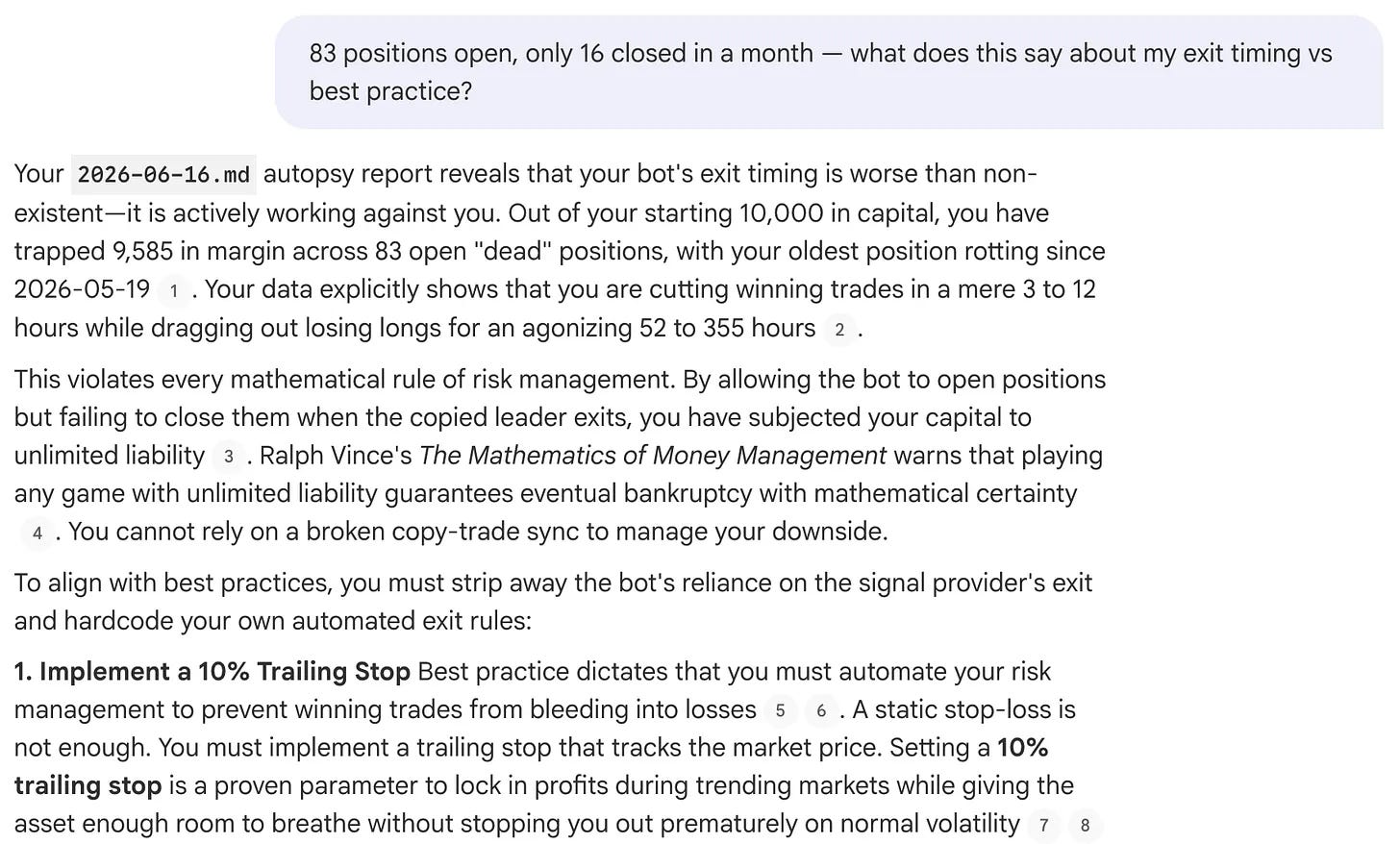
And NotebookLM answers these questions by referencing uploaded books and a few verified websites.
Next, Claude's Code writes a brutal autopsy from these answers and sends it back to the Hermes agent.
It uses the Hermes Skill for this, but if you’re running it on a VPS, I also have OpenClaw Skills that I uploaded to the gDrive for you.
5 minutes later, this Hermes Agent sent back to me the Autopsy.
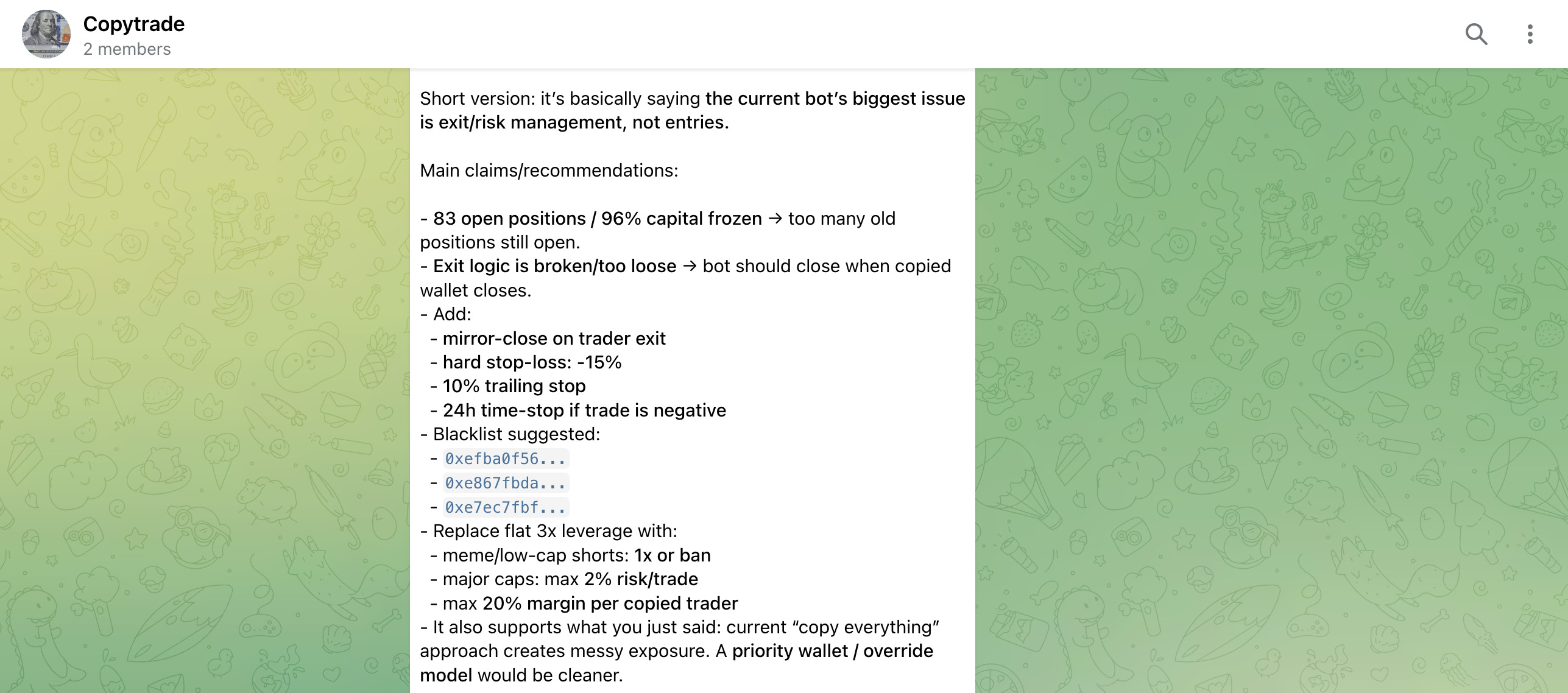
Here, you can finish the loop.
Instead of having the Hermes Agent send this report back to you, you can ask Claude Code to update the script directly and then notify the Hermes Agent.
But I like staying in the loop.
I’ll show you the whole build.
But first, how I got here.
It started in 2018.
A Trading Bot Built by Hand
Back in 2018, a friend of mine built a trading bot on a Raspberry Pi.
I watched him do it.
Months of work.
We sat for hours talking about the math behind it, the workflow, the indicators that fired too early, and the ones that fired too late.
Those were good days.
He soldered, I asked questions, and we argued about moving averages over cold coffee.
The bot was his baby.
After seeing OpenClaw, I had the same feeling the first time I opened ChatGPT. The sheer number of things I could suddenly do.
It almost scared me.
So I asked the obvious question.
Could I build what took my friend months by talking?
And if I needed the math, I could outsource that part too.
A skill handles it now.
I Built One. It Won 77.8% of the Time.
I built one. A crypto trading agent.
77.8% win rate after the first month.
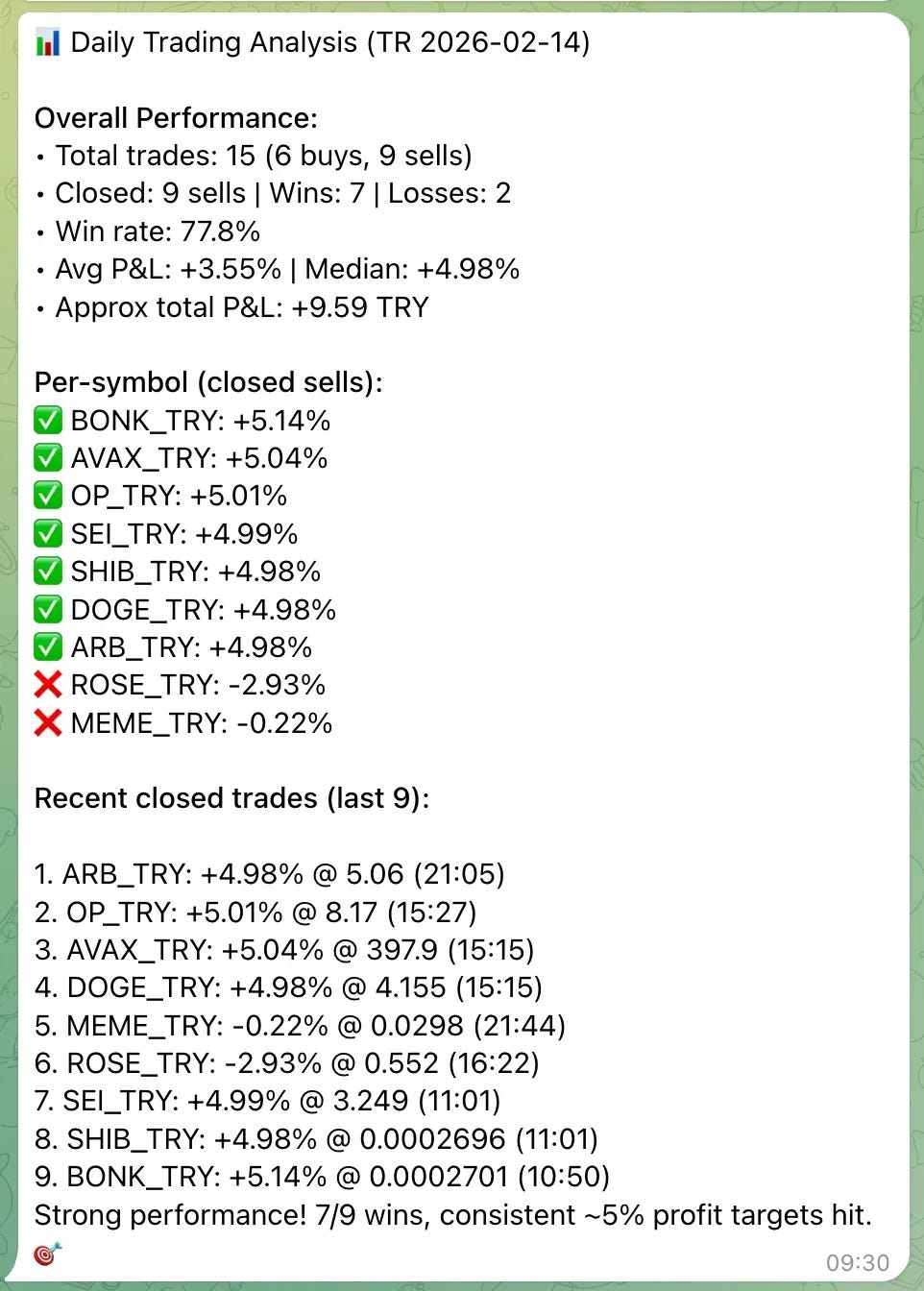
But, I still couldn’t bring myself to fund it with real money.
Then it decayed. The win rate slid to the 30s.
I was still in profit, but barely, and the reasons piled up fast.
Dust coins. Meme coins are so volatile that my algorithm never caught the move in time.
A market that kept moving while my bot stood still, disciplined, executing a strategy that used to work.
So I taught it to update itself.
Same logic Karpathy used with AutoResearch, scaled down to one laptop. Here’s the self-learning version.
And then I forgot about it. Again.
A Bot Is a Baby You Babysit
A trading bot is not a machine you build. It is a baby you babysit.
It needs feeding, watching, and correcting.
I didn’t have the hours. I needed something different. I needed a winning formula I didn’t have to invent every week.
That is when I ran into the term. Copytrading.
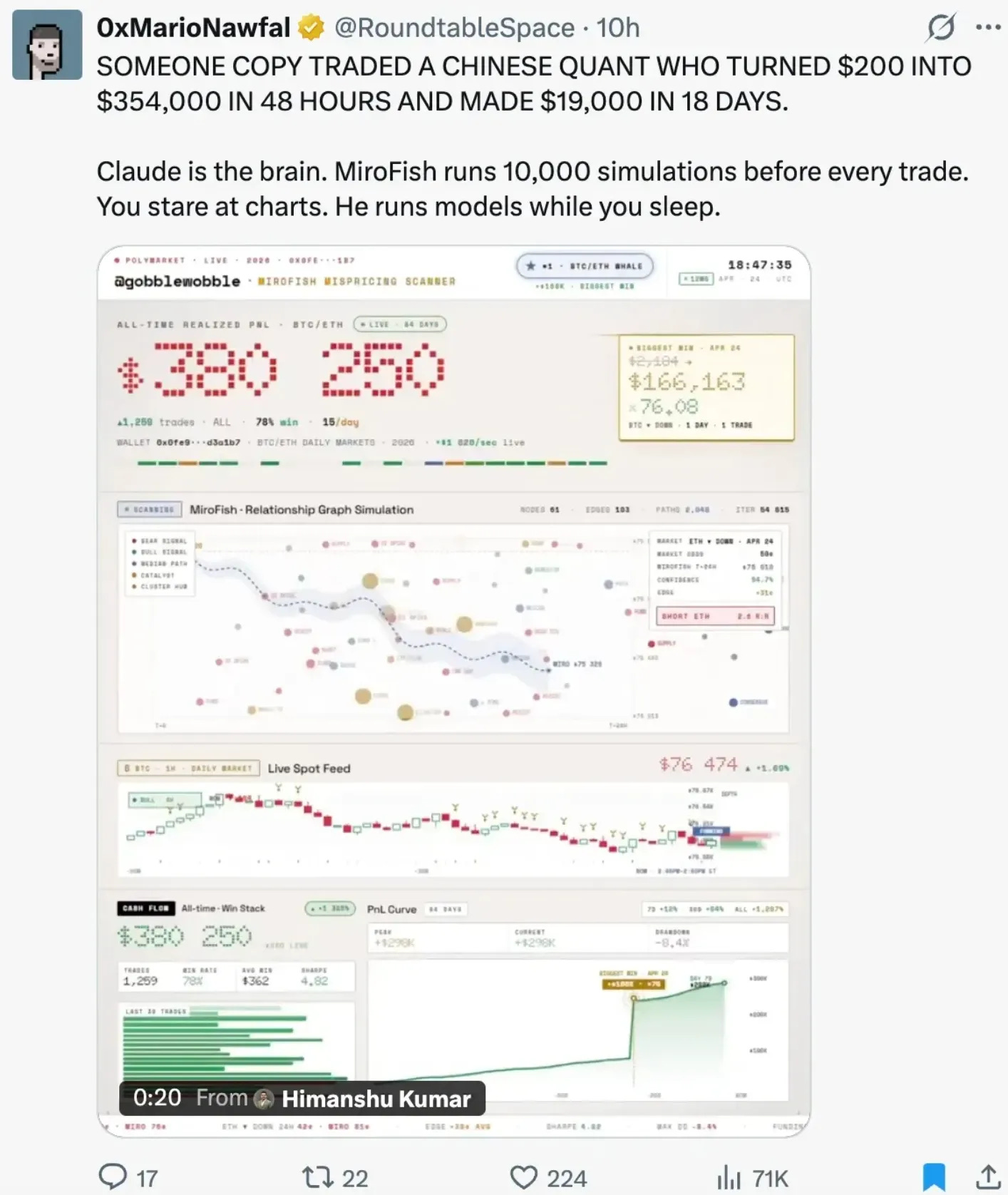
Let Someone Else Find the Edge
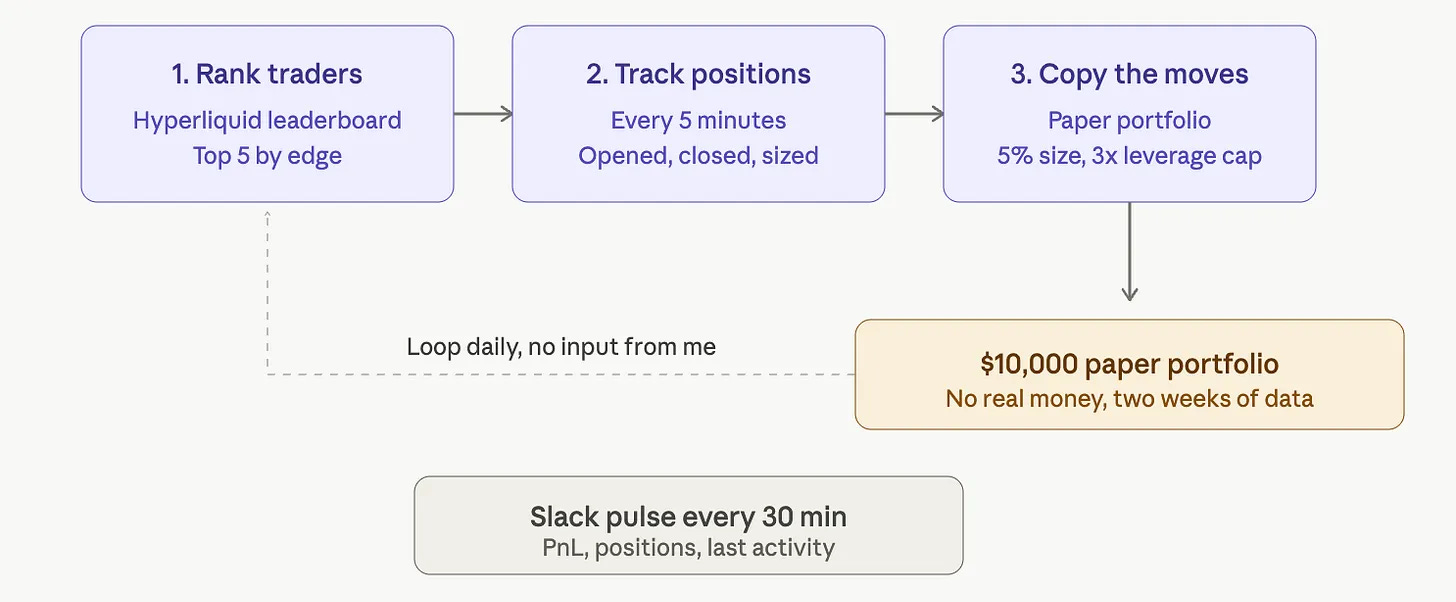
I read that and said out loud, this is what I want.
Let someone else find the edge. I just mirror it.
The brain doesn’t have to be mine.
It can be the best quant on the leaderboard.
But how do I implement it?
Claude Code is the brain. That part was never a question.
For the muscle, I started cheap and simple. GitHub Actions and cron. Free, ugly, and it worked.
Here’s the Hyperliquid copy-trading bot.
It hit a 20% profit margin, and I got greedy with the idea.
This deserves a real home, I thought.
Around that time, I met Hermes, an agent a lot like OpenClaw, except it lives on my Mac Mini and keeps itself running.
So I rebuilt the whole thing on Hermes. Here’s that build.
And then, you guessed it, I forgot about it.
Profit Up, Profit Down, Nobody Watching
Don’t ask me why.
I had a baby recently. I write four posts a week. I have clients.
My hands are full.
The bot ran on its own, quietly, on a Mac Mini in the corner of the room.
Until a Telegram message woke me up. Profit up to 43%.
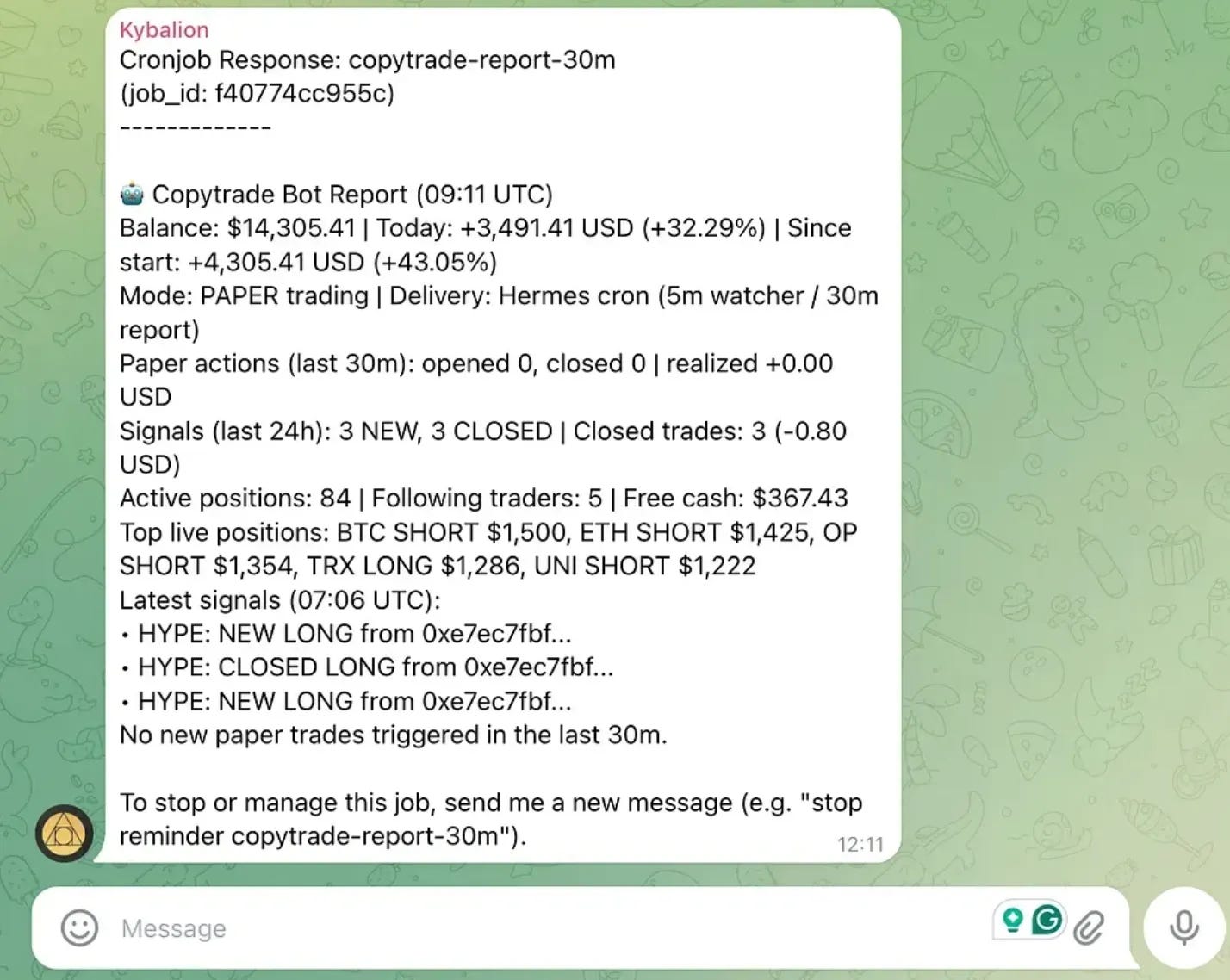
My first thought was not subtle.
Sell some of my crypto, wire the funds into this, let it ride.
A couple of days later, the same channel, a different number. Profit down to 25%.
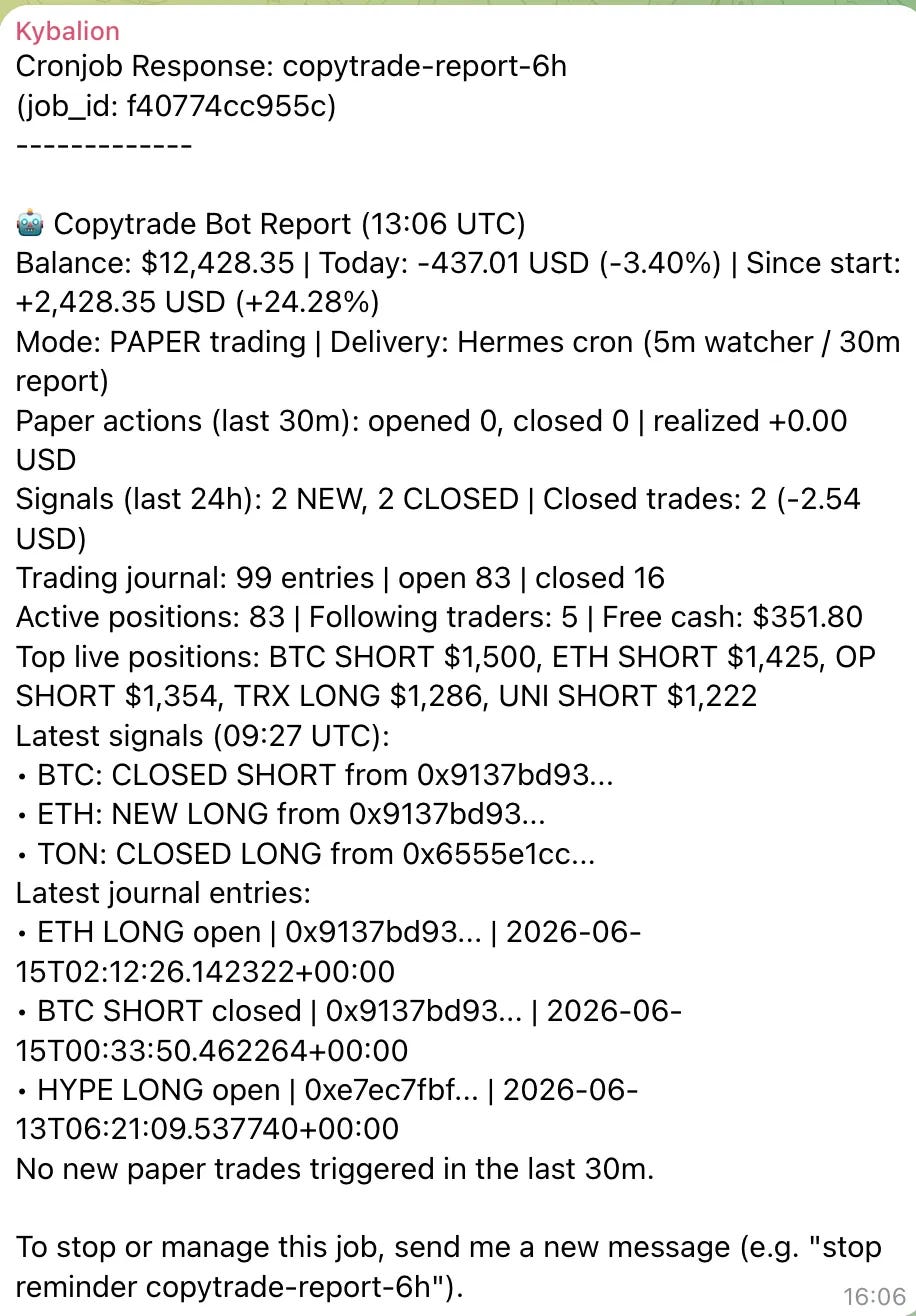
I found the reason. (More on that later.)
But the lesson landed harder than the loss.
Finance is dynamic. The edge that wins on Tuesday is gone by Friday.
To survive it, I have to bring my entire skillset to the table, every week, without fail.
And I don’t have that kind of time.
So I built a loop.
NotebookLM. A Claude Code routine. The Hermes agent.
Three parts, one circle, running while I sleep.
Let me show you how.
The Trading Bot I’ve Built with Claude Code
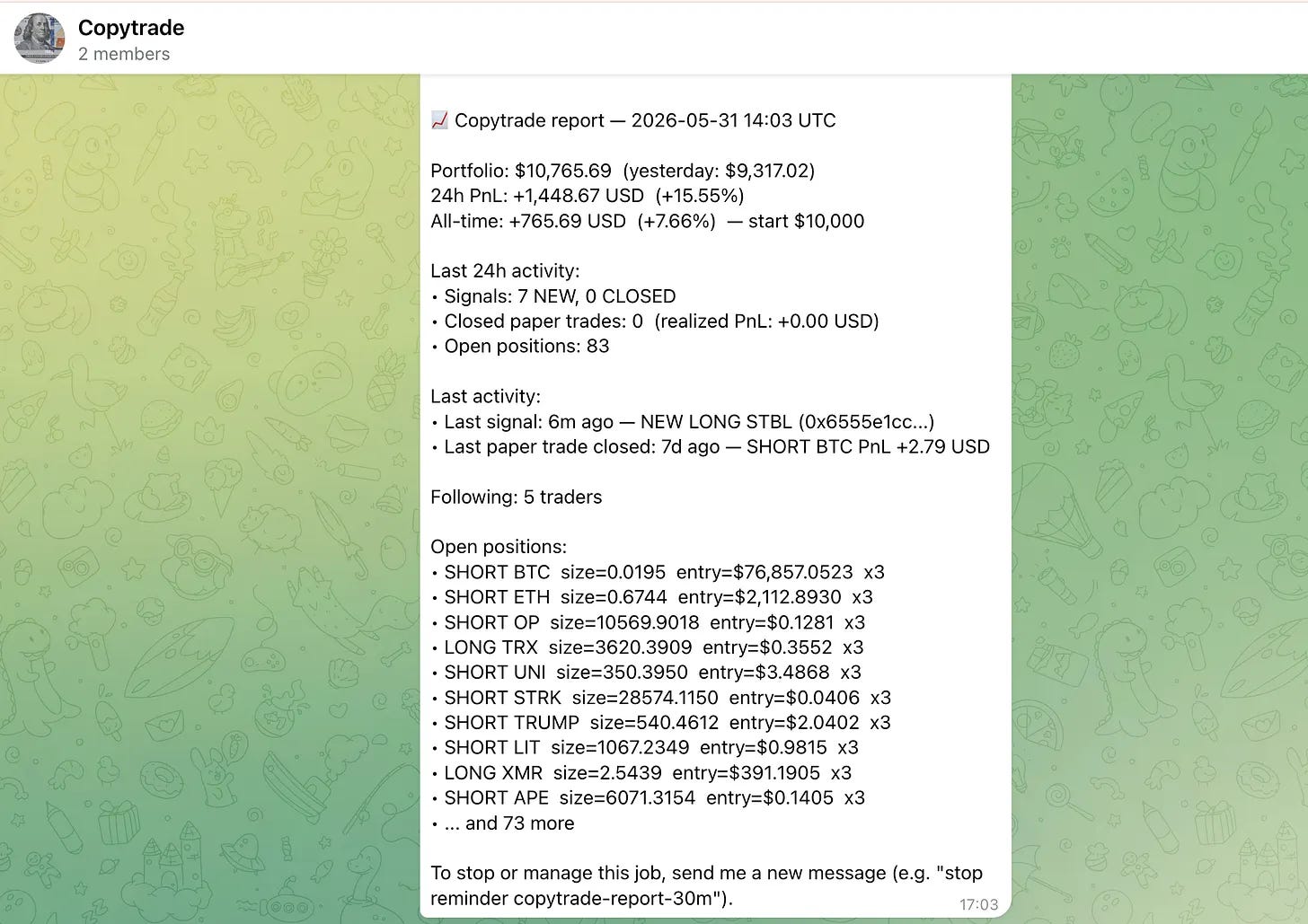
I did not build a trading bot this time. I built the thing that fixes the trading bot.
The bot was already there.
It copies the top traders on Hyperliquid, mirrors their positions into a $10,000 paper portfolio, and reports to me on Telegram. (Full build here: Claude Code Copy-Trading Bot.)
The problem was never the bot. It was me.
The bot decays, I get busy, nobody updates it, the edge dies.
So this is the part that watches the bot for me.
Every Sunday, while I am asleep, three things happen on their own.
Claude pulls the bot’s trade journal off my Mac Mini.
It writes a brutal autopsy of the week, win rate, which traders bled money, which coins to ban.
Then it carries that autopsy into a NotebookLM notebook that already holds three trading books written by professors, asks five hard questions, and writes the answer back to the bot.
Monday morning, I open Telegram, and the bot has already told me what is broken and how to fix it.
How Do Claude Code and Loops Run the Bot?
We have one loop.
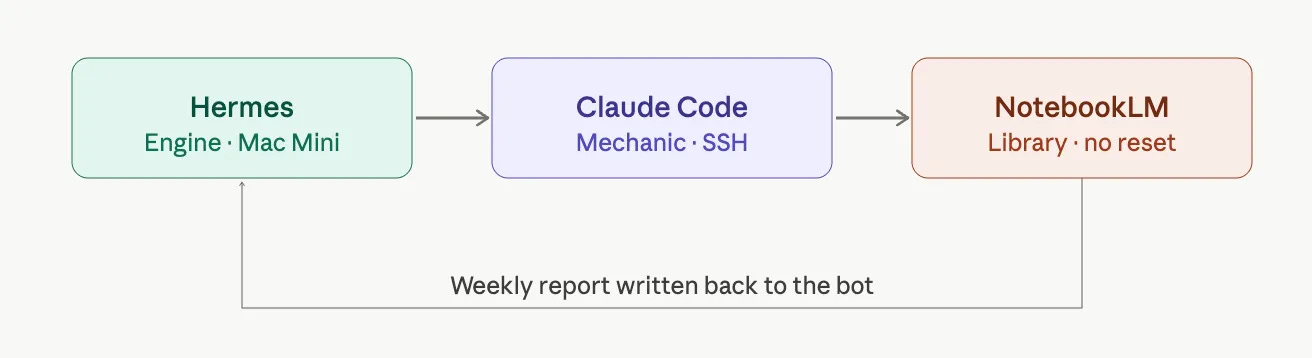
Hermes is where the bot lives. A Mac Mini in the corner of the room, running 24/7, logging every paper trade to a journal. This is the engine.
Claude Code is the mechanic. Every Sunday at 09:00, a scheduled routine wakes up, connects to the Mac Mini over SSH, pulls the journal, and writes the autopsy: win rate, per-trader PnL, which wallets to blacklist, exact parameter fixes.
NotebookLM is the library. One permanent notebook holds the knowledge base: trading books, plus the docs on leverage, position sizing, and exit strategy. Every week the fresh autopsy gets added as a new source. The notebook never resets. It remembers every week.
Here is the full loop:
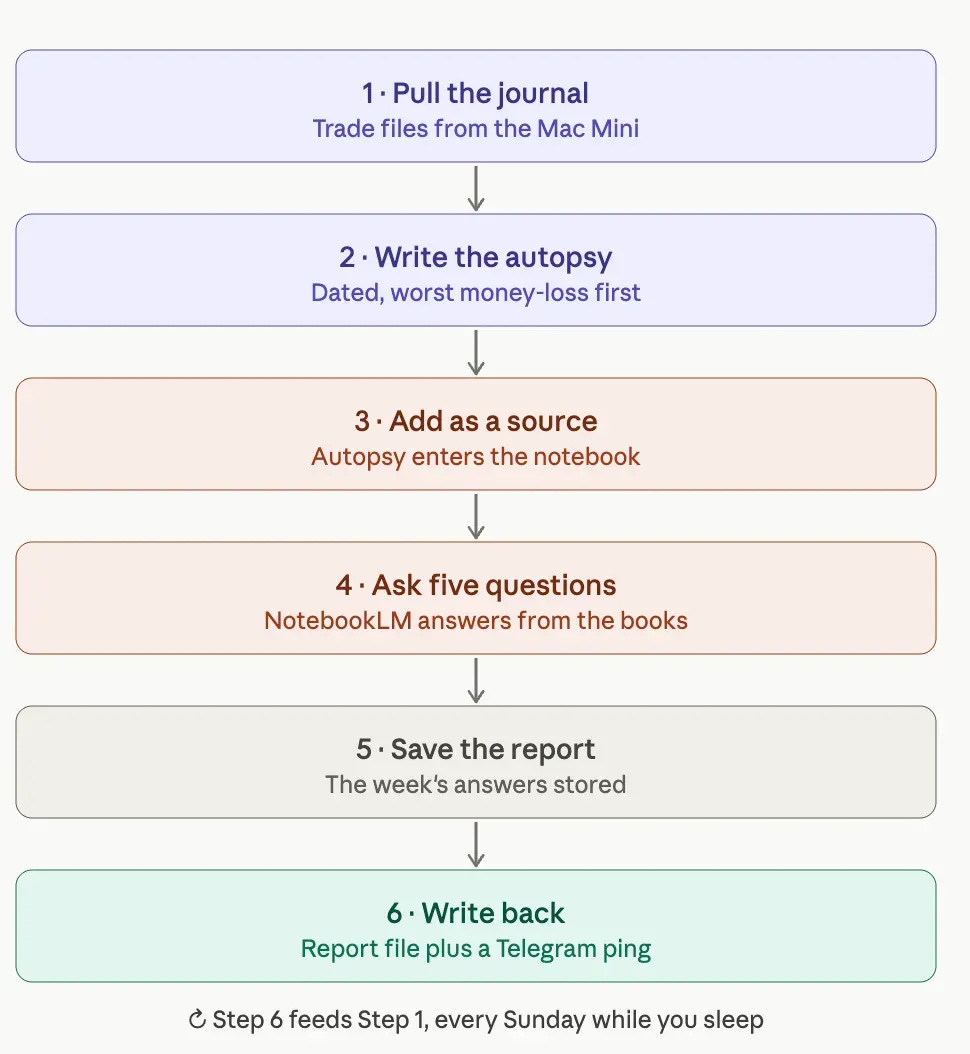
Claude pulls
paper_trades.jsonandportfolio.jsonfrom the Mac Mini.Claude writes a dated autopsy, the worst money-loss first.
The autopsy goes into the NotebookLM notebook as a new source.
Claude asks the five cross-reference questions. NotebookLM answers each one against the books, with exact numbers.
The answers get saved as the week’s report.
The report is written back to the bot as
autopsy_report.md, and a summary lands on Telegram.
Setting Up the Trading Bot With Claude Code and Loops
You do not write any of this from scratch.
I packaged the whole thing, the bot, the loop, the connection skills, into one folder.
Download it, point Claude Code at it, and answer a few questions.
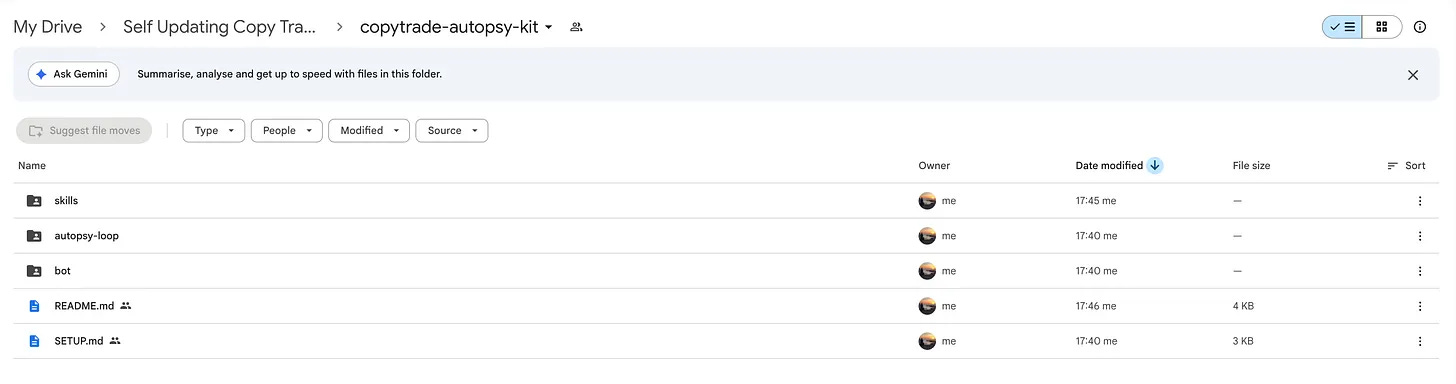
Three things you set up once:
1. The bot.
Drop the bot/ folder where it will run (a Mac Mini, a VPS, your laptop).
It needs no API keys. Hyperliquid’s leaderboard is public.
(If you already have a copy-trading bot that logs trades, skip this.)
2. NotebookLM CLI.
Install it to your Claude Code and log in once:
Use this prompt:
Install the NotebookLM CLI from here: https://github.com/teng-lin/notebooklm-pyAlso, to customize your NotebookLM, use this prompt.
You are a quantitative trading advisor analyzing a Hyperliquid paper copy-trading bot. This notebook is the bot's continuous-learning memory — it grows every week.

WHAT THE SOURCES ARE — two distinct layers, treat them differently:

1. DATA LOG (files named like "2026-06-16.md"): These are weekly AUTOPSY REPORTS of the bot's own real trade performance. Each one is a dated snapshot — win rate, realized PnL, per-trader and per-coin breakdowns, open vs closed positions, and ranked problems/actions for that week. The bot copies top traders from the Hyperliquid leaderboard and mirrors their positions as paper trades. When multiple dated .md files exist, treat them as a TIME SERIES: compare week-over-week, spot trends, and tell me whether last week's recommended actions actually improved things.

2. KNOWLEDGE BASE (Hyperliquid Docs, Investopedia, Wikipedia, and the trading books — (paste book names here):
These are best-practice references on position sizing, leverage, exit/trailing-stop strategy, the Kelly criterion, and copy/social trading.
Use these to judge what the bot SHOULD be doing.

HOW TO ANSWER:
- Always CROSS-REFERENCE: take what the autopsy data shows, then check it against the knowledge base. Cite which book/source supports each recommendation.
- Be brutal and specific. No hedging, no generic advice. Every recommendation must include EXACT parameter values to test (leverage caps, stop-loss %, blacklist rules, per-trader margin caps, position count limits).
- When I ask about a specific week, anchor to that dated .md. When I ask "is it improving?", compare across all dated .md files.
- This is a PAPER trading bot for research and education. Not financial advice.
3. The loop.
Open the autopsy-loop folder with Claude Code and paste this:
Use this prompt:
Set up the copytrade autopsy loop from this folder. Follow autopsy-loop/SKILL.md.

- Ask me where my bot's paper_trades.json and portfolio.json live (local path or SSH).

- Create a fresh NotebookLM notebook called "Copytrade Bot — Weekly Autopsy Log".

- Add the free web sources from knowledge-base.md (do not add them weekly).

- Tell me which trading-book PDFs to add myself.

- Run one full autopsy now so I see real output.

- Install a weekly scheduled task for Sunday 09:00 using routine-prompt.md.

Do not change my bot's code. Only write the report. I decide what to apply.
That is the whole setup.
The skill handles the notebook, the knowledge base, and the weekly schedule.
You add your own trading-book PDFs and pick the connection skill that matches your machine (hermes for a Mac, openclaw for an EC2 box).
The full step-by-step is SETUP.md inside the folder.
Here is the folder: