
I Built a Claude Trading Bot That Copies Millionaires
I built a trading bot with Claude Code that copies Hyperliquid's top 5 wallets every 5 minutes. Paper portfolio live. Here is the full setup.

I have nearly a decade of cryptocurrency experience and a stock trading history of five years.
Still feels like I am starting from scratch every time I open a chart. Markets move faster than I can keep up.
So, I built my own crypto trading bot using OpenClaw, and I update it weekly with a NotebookLM and Claude connection.
But between clients, the baby coming, and the promises I keep making to build with AI and ship with AI, the trading bot lives in a quiet corner of my repo.
It runs. I do not look at it.
So I was searching for the cheat code, like always.
I DM’d too many financial Substack accounts to collaborate.
My offer was simple. I build the trading bot, you bring the strategy, we tweak it together.
Nobody responded. If you think you know markets and can prove it, DM me.
Then I came across a method called copy trading.

The post is half marketing, and I know it can be clickbait.
But the idea is hard to ignore.
Skip the years of learning.
Find traders who already make money.
Copy what they do.
So I dug deeper.
What Copy Trading Actually Is?
A profitable trader opens a long position on BTC.
You open the same long. They close it. You close it.
That is the entire idea.
On a centralized exchange, copy trading is a paid feature.
You pick a successful trader, they take a cut of your profits, and the platform handles the execution.
On a perp DEX like Hyperliquid, all of this is public.
Every trader’s open positions and recent fills sit on-chain, free to query.
No API key, no subscription.
I did not want to spend a single dollar before testing this.
So I opened a new Claude project inside the Claude Code, dumped the idea into it, and started building.
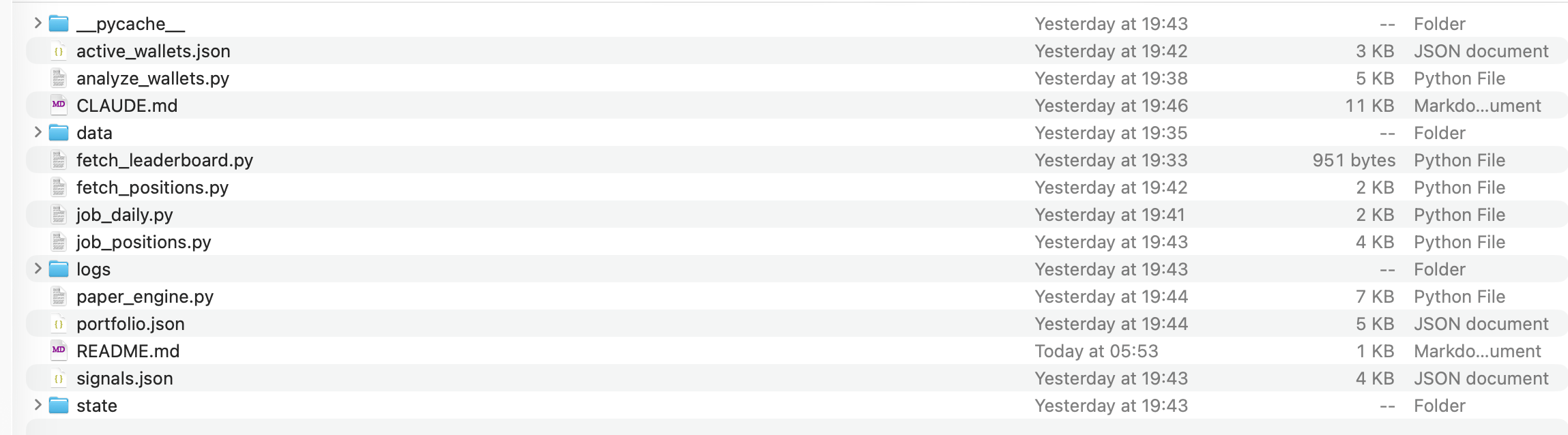
The Trading Bot I’ve Built with Claude
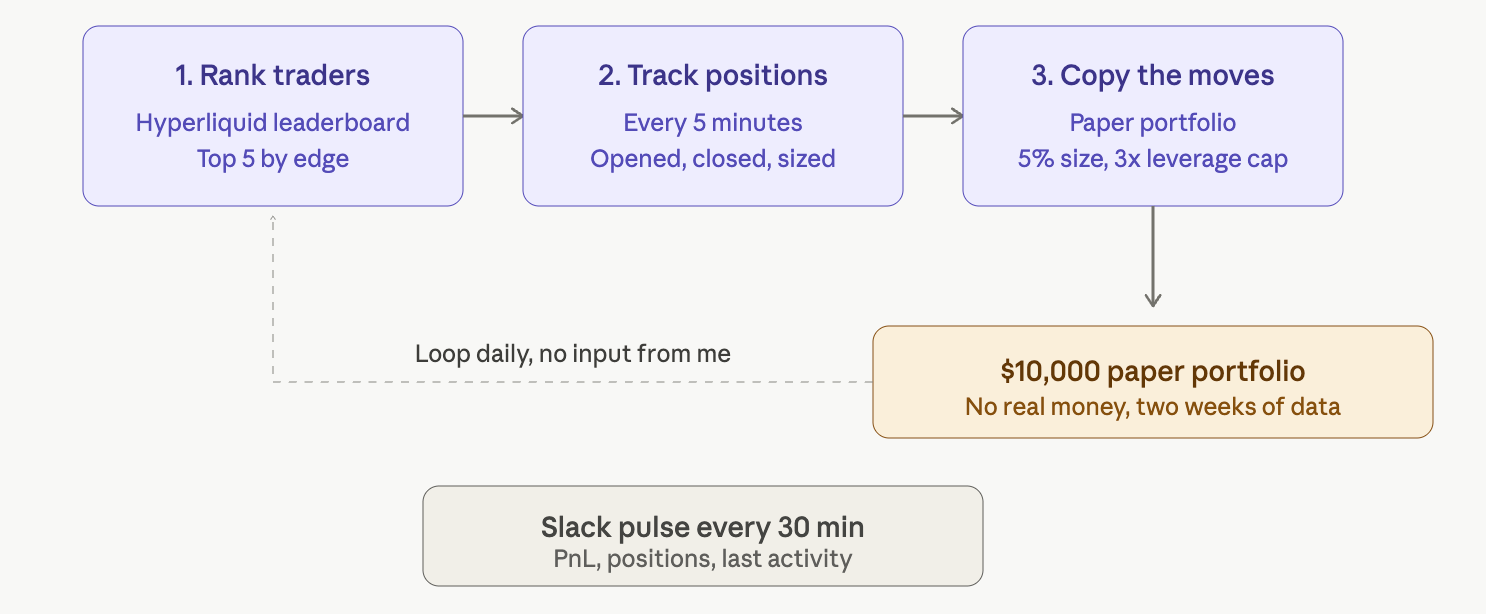
The goal is a system that runs daily, with no input from me, that does three things.
One. Find the most profitable and consistent traders on Hyperliquid.
Two. Track their open positions in near real time and detect when they open or close something.
Three. Apply those moves to a paper portfolio of $10,000 so I can see if the strategy works before risking real money.
Everything runs on GitHub Actions.
My laptop can be off.
The cron lives in the cloud. (for free)
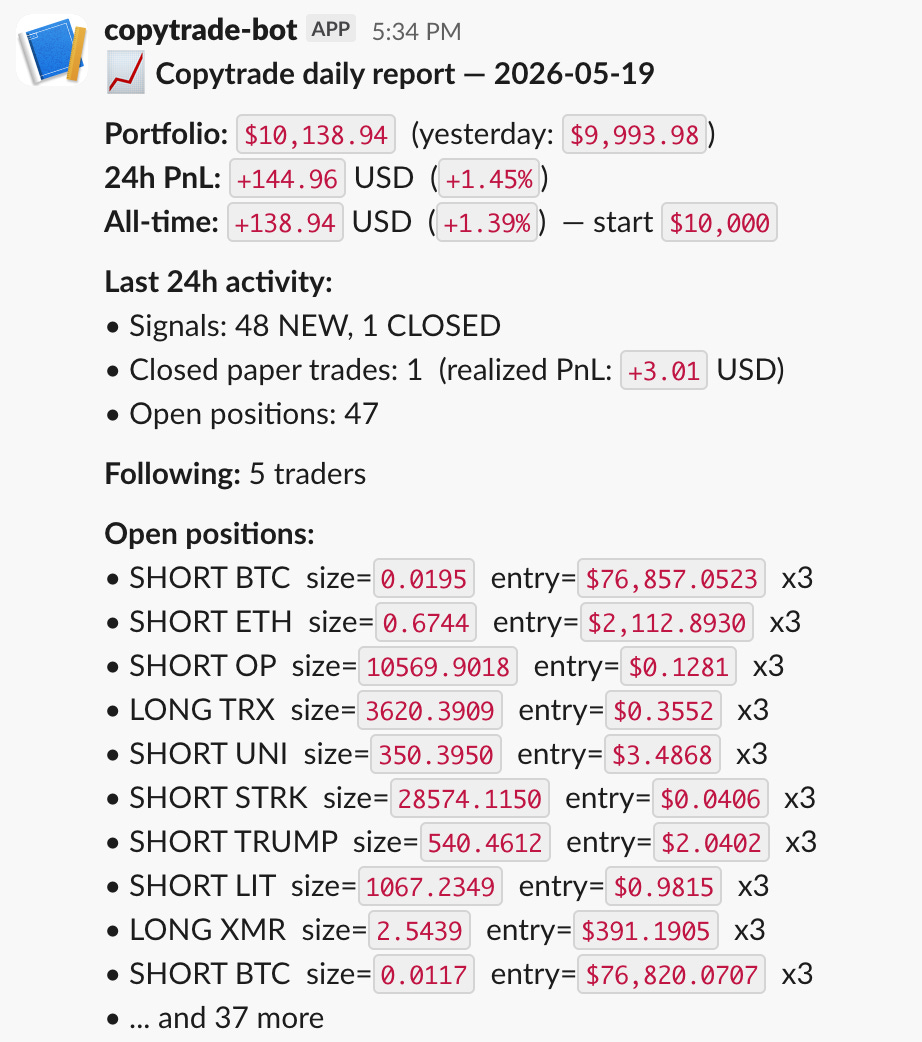
And send back to me reports via Slack. like this.
How the Claude Trading Bot Works?
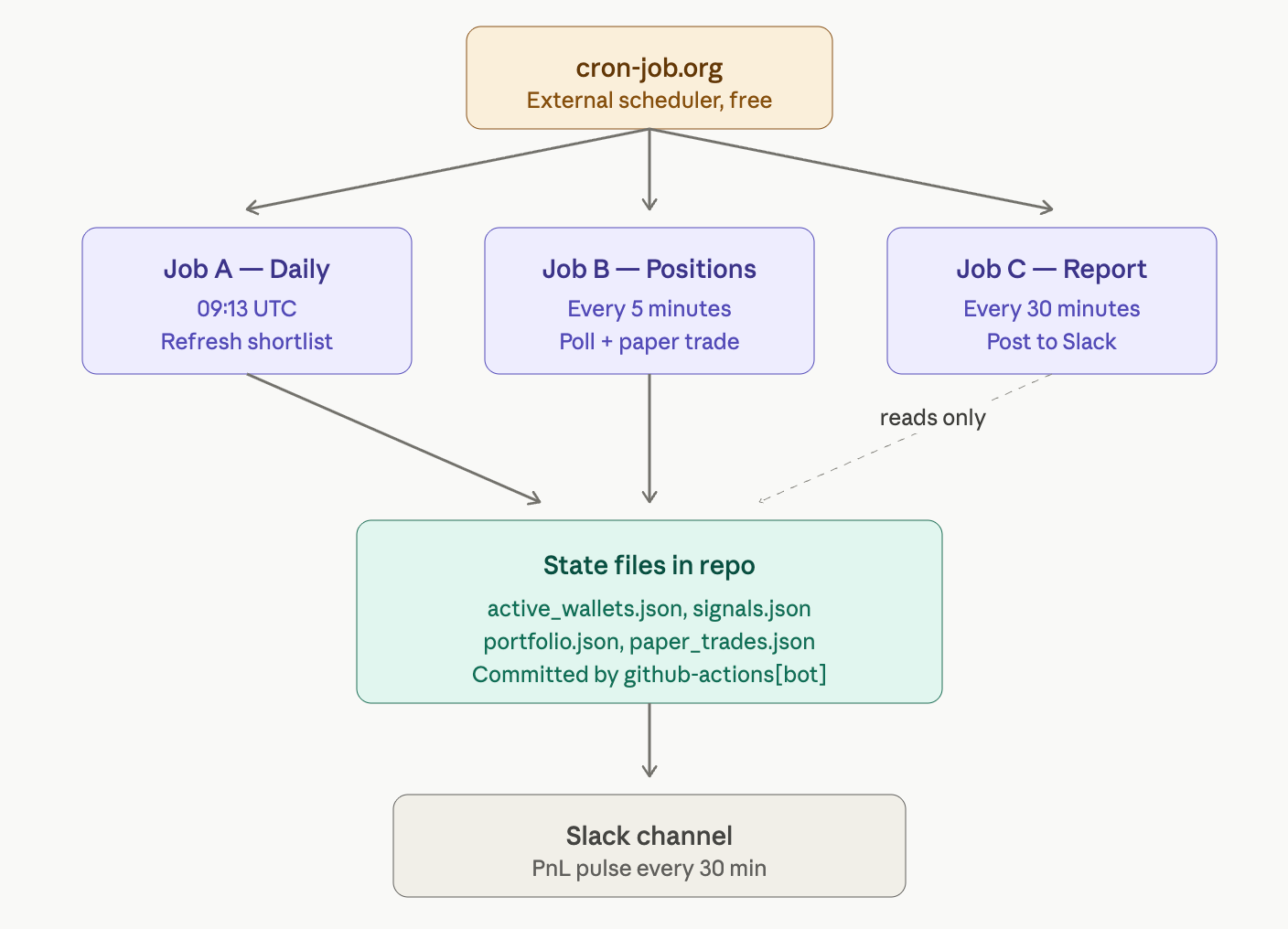
Three jobs, decoupled, each doing one thing.
Job A runs once a day at 09:13 UTC. Pulls the Hyperliquid leaderboard, filters out the noise, ranks traders by execution quality, and writes the shortlist to a JSON file.
Job B runs every 5 minutes. Reads the shortlist, fetches each wallet’s open positions, and compares them to the last snapshot. New positions become BUY signals. Closed positions become SELL signals. The paper engine applies them to the portfolio.
Job C runs every 30 minutes. Reads the state, calculates 24h PnL and activity, and sends a pulse to Slack. Read-only, never touches state.
The system has a memory. Every time a job runs, it saves what it learned back to the repo: which traders we are following, which positions are open, and where the paper portfolio stands. Next run picks up where the last one left off.
GitHub’s free scheduler is unreliable. It silently skips around 80% of frequent jobs when their servers get busy. So I plugged in a free external scheduler called cron-job.org that pokes GitHub on time, every time. Setup takes 5 minutes and I’ll walk through it below.
Setting Up the Trading Bot With Claude Code
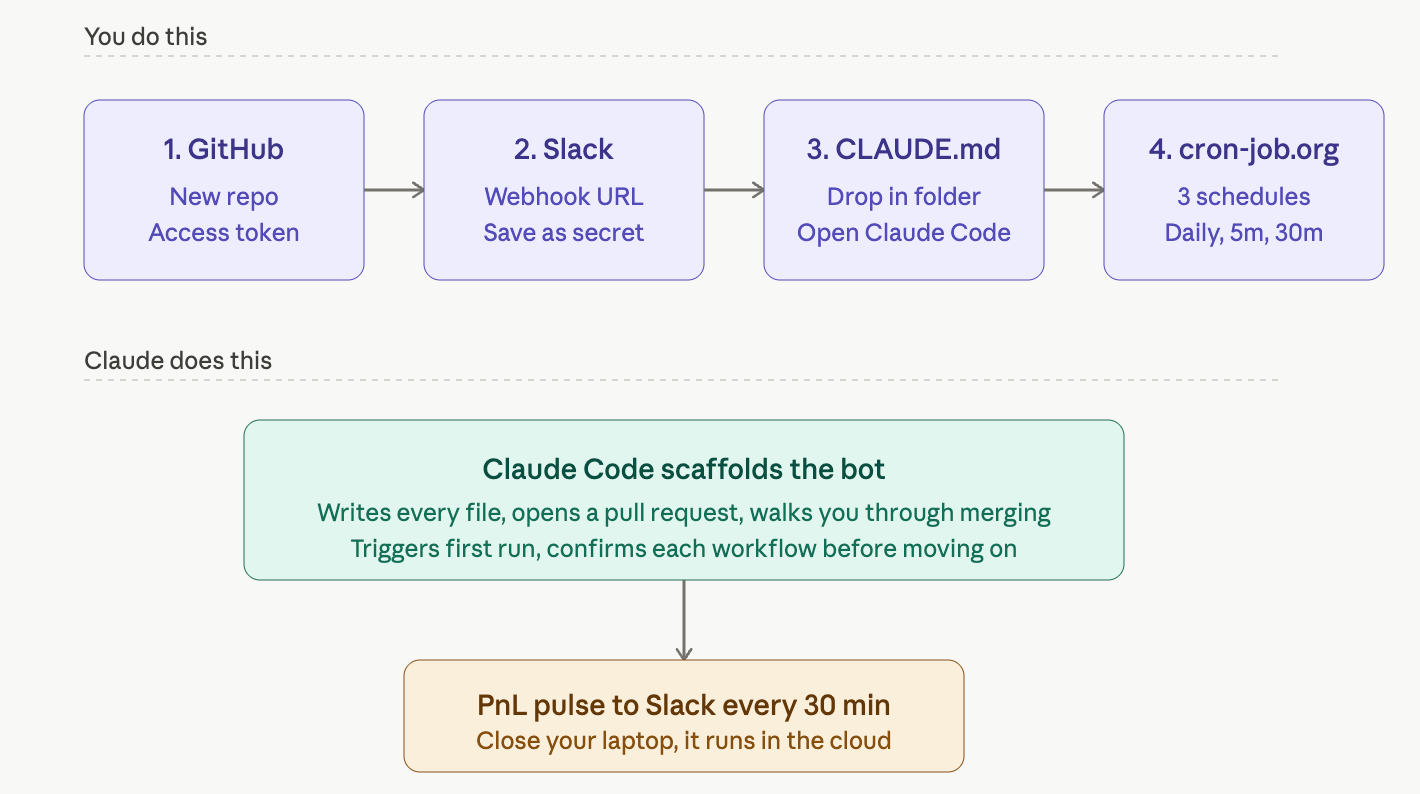
I did not want to write this from scratch.
Claude Code can ship a working version of this in two sessions if you give it the right setup.
But Claude does not do everything.
There is a clean split between what Claude writes and what you click.
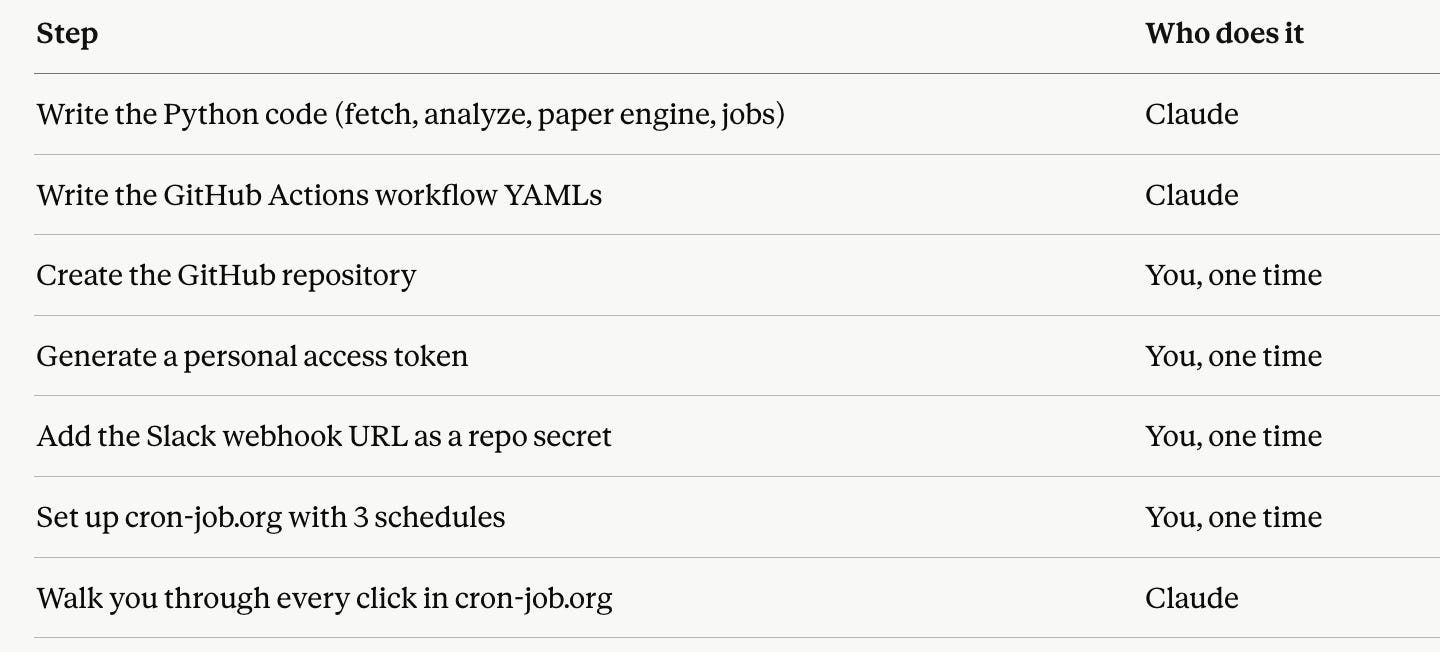
Four setup steps. About 20 minutes total. Everything else Claude handles.
1- Create a GitHub account if you do not have one, then open a new repository. Make it private, leave it empty, no template.
This is the folder where your bot will live.
Next, create a token.
Visit here.
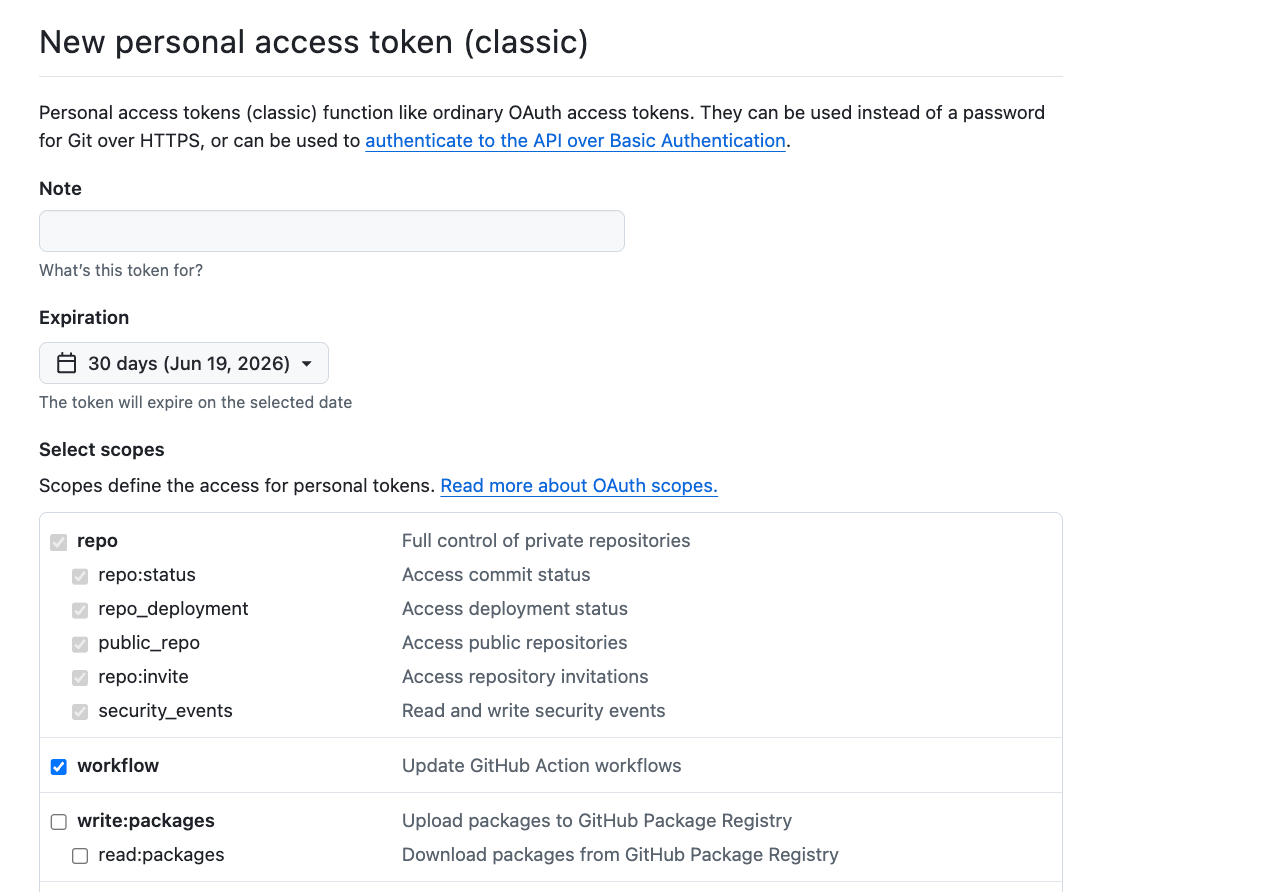
And click generate token.
If you don’t know how you can do it, copy the link below to your Claude or Codex does not matter, so it will help you do these.
2- Set up a Slack channel for the daily report.
Go to api.slack.com, create a new app, turn on Incoming Webhooks, pick the channel where you want the report to land, and copy the webhook URL.
Then on your GitHub repo, click Settings, then Secrets and variables, then Actions, then New repository secret. Name it SLACK_WEBHOOK_URL and paste the URL as the value.
This is the pipe the bot uses to ping you every 30 minutes.
3- Drop the Claude.MD file into your repo.
I will share mine at the end of this article.
Just download it, put it inside a new folder, and open that folder with Claude Code.
It will ask you to connect to GitHub using your token, and you are good to go.
This file is the bot’s instruction manual. Claude reads it every time you open the project and knows exactly what to build.
4- Set up cron-job.org to fire the workflows on schedule.
GitHub’s free scheduler drops around 80% of frequent jobs when its servers get busy, so we replace it with a free external scheduler.
Go to cron-job.org, sign up, and create three cron jobs.
One for the daily refresh, one for the position polling every 5 minutes, and one for the Slack pulse every 30 minutes.
Each one calls a GitHub URL, pastes the token from step 1, and saves.
(The Claude.MD has the instructions on how to set up.)
Here is the Claude.MD