
3 Claude Loops That Will Put You Ahead of 99% of Claude Users
3 Claude loops that score, search, and inspect their own work. Add a goal to your Claude automations and let them retry until they pass. Files included.

Boris Cherny created Claude Code.
In December, he reported that 100% of his contributions to Claude Code were written by Claude Code. 259 PRs in 30 days.
Now he says his job has changed.
“My job is to write loops.”
This went viral.
I saw loops, loops, loops everywhere. But what are loops?
The creator of OpenClaw joined in next and tweeted about it.
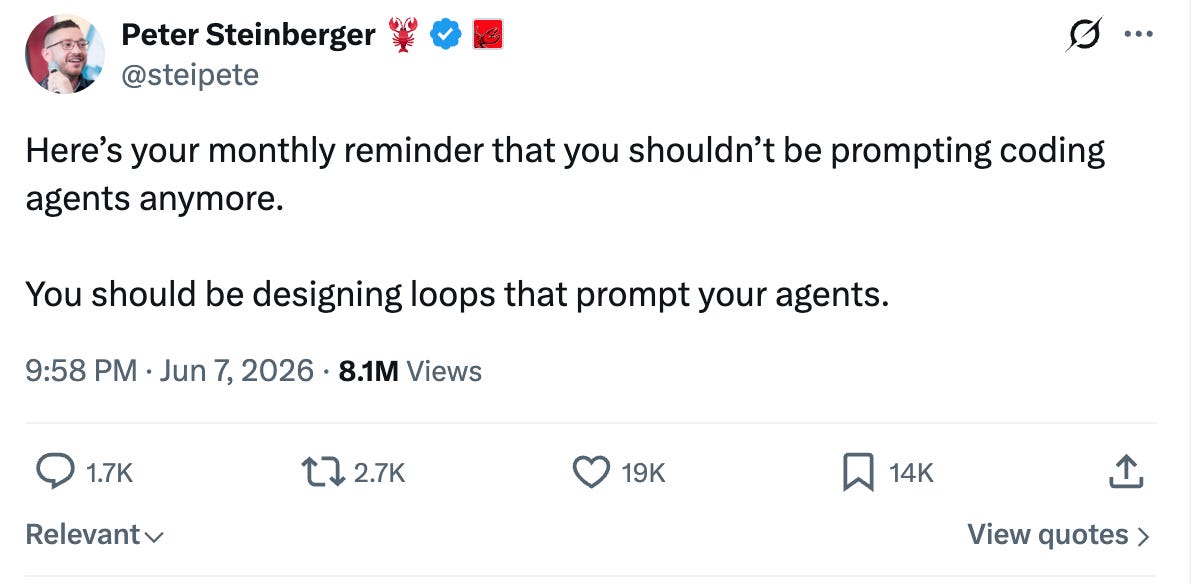
The tweet only got 8.1M views in 4 days.
The replies turned into a fight over what a loop even is.
Matthew Berman’s answer summed up the timeline. (Great summary.)
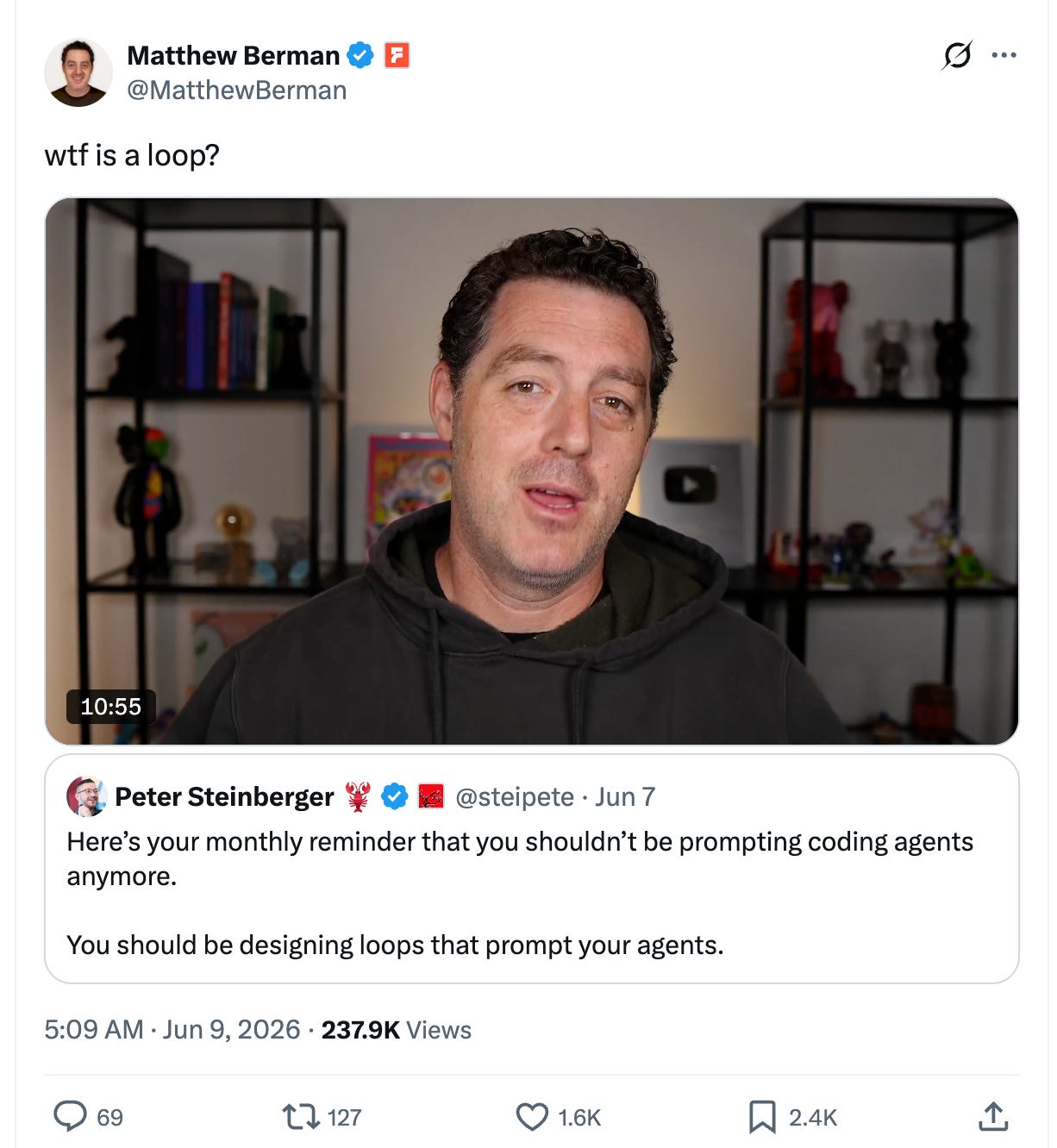
I read everything and watched them all for you.
Then I checked the numbers.
Gartner says about 17% of organizations have deployed agents at all.
Loops are a fraction of that fraction.
I said 1% in the title, but you will probably be in the 0.1%.
So I could not help myself. I built loops.
But for God’s sake, what are loops, right?
Let me explain them first, in plain English.
Loops, in Plain English
The old automations we built have one thing. A trigger.
Meaning, an action starts it. We used to do this with n8n and make.com.
These days, routines and schedules inside Claude Code, or cron jobs in Hermes and OpenClaw, do the same thing.
Basically, do what you want every [ ] minutes/hours.
But loops are different.
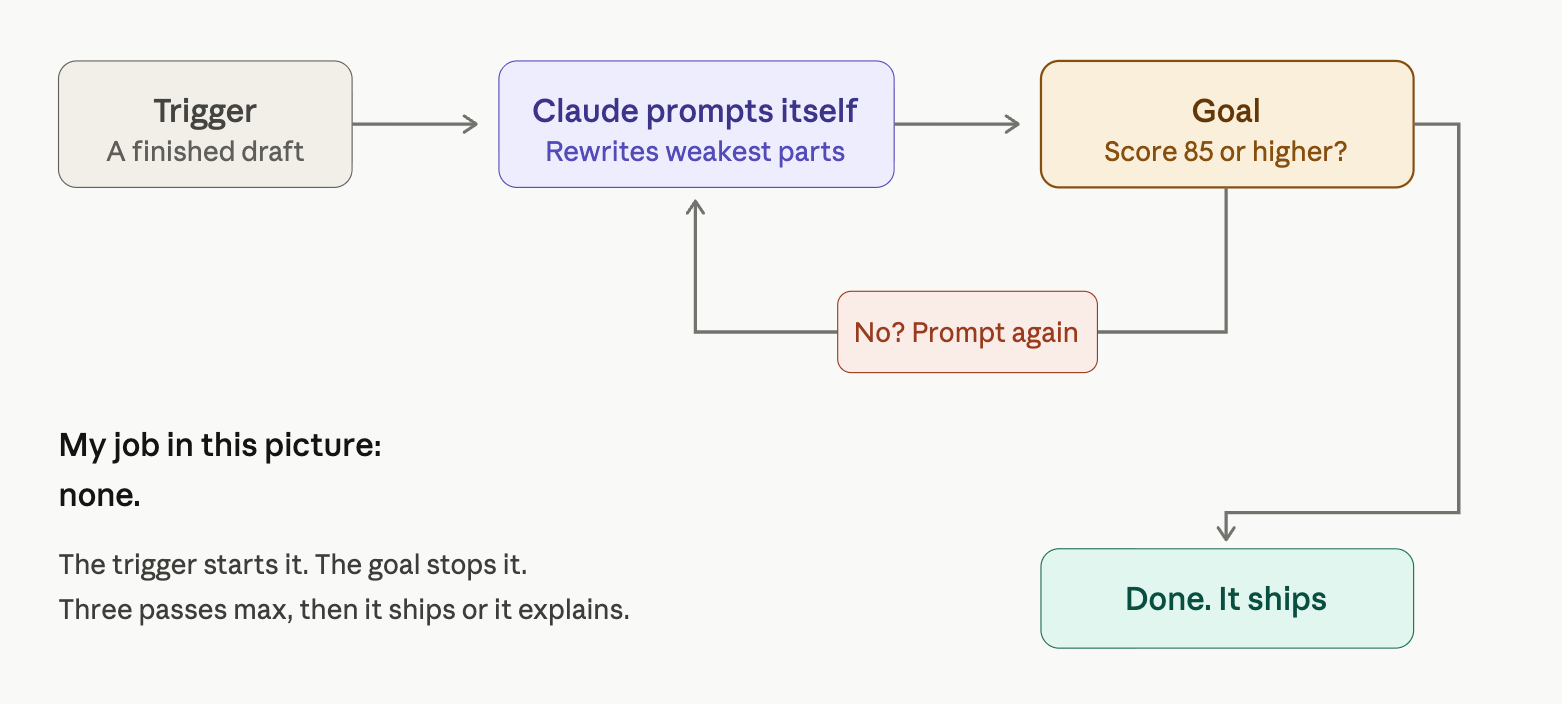
A loop needs two things. A trigger and a goal.
The trigger starts it.
The goal stops it.
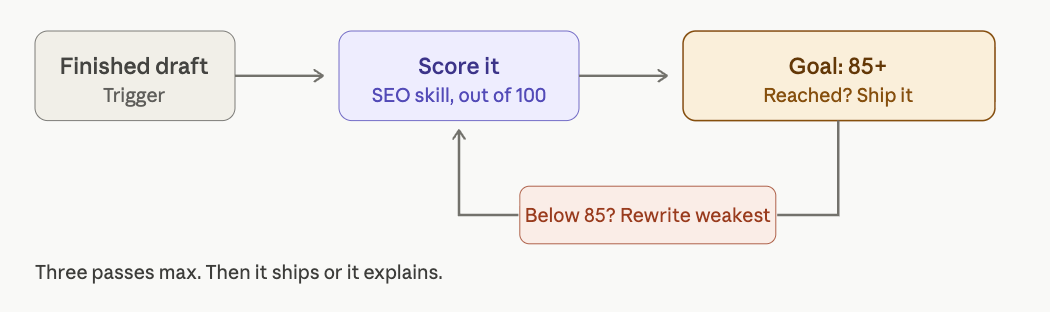
Take my SEO Skill.
It used to score my draft out of 100, rewrite it once, and stop.
Whatever the second score said, that was the end.
Now I added a goal to it.
Score 85.
Below 85, Claude writes the next prompt itself, rewrites the weakest sections, and scores again.
Three passes max. I do nothing on my end.
Just like Boris Cherny.
That is Loop 1. I created three.
Three of my old automations are now loops.
Let me explain each one and show you the before and after.
After that, I’ll give you the files for these loops, so you can build them in your environment and catch this trend.
Loop 1: The SEO Editor That Rewrites Until It Passes
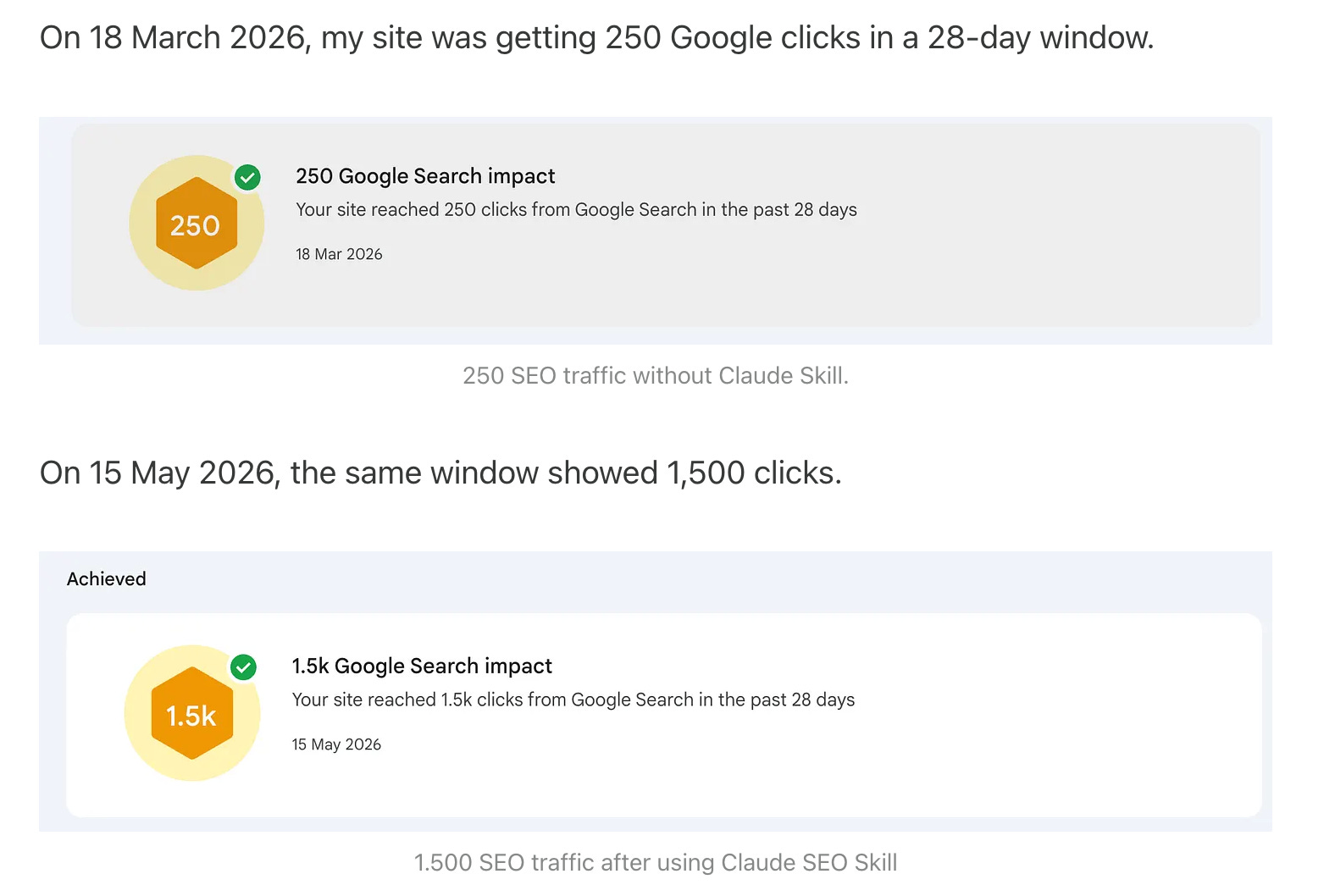
Last week I shared my SEO Skill, which 6x’d my traffic in 60 days
It builds an artifact or a dashboard based on your Claude. Claude Code gets a dashboard, Claude gets an artifact, and lets you improve the SEO score with suggestions.
Before - Automation
After - Loop
But it sometimes makes suggestions to me, and the SEO score would still be 80.
So I updated it, and now it carries a goal, score 85, and Claude rewrites the weakest sections and rescores on its own until the number is reached, three passes max, like this.
Let’s see how it works now.
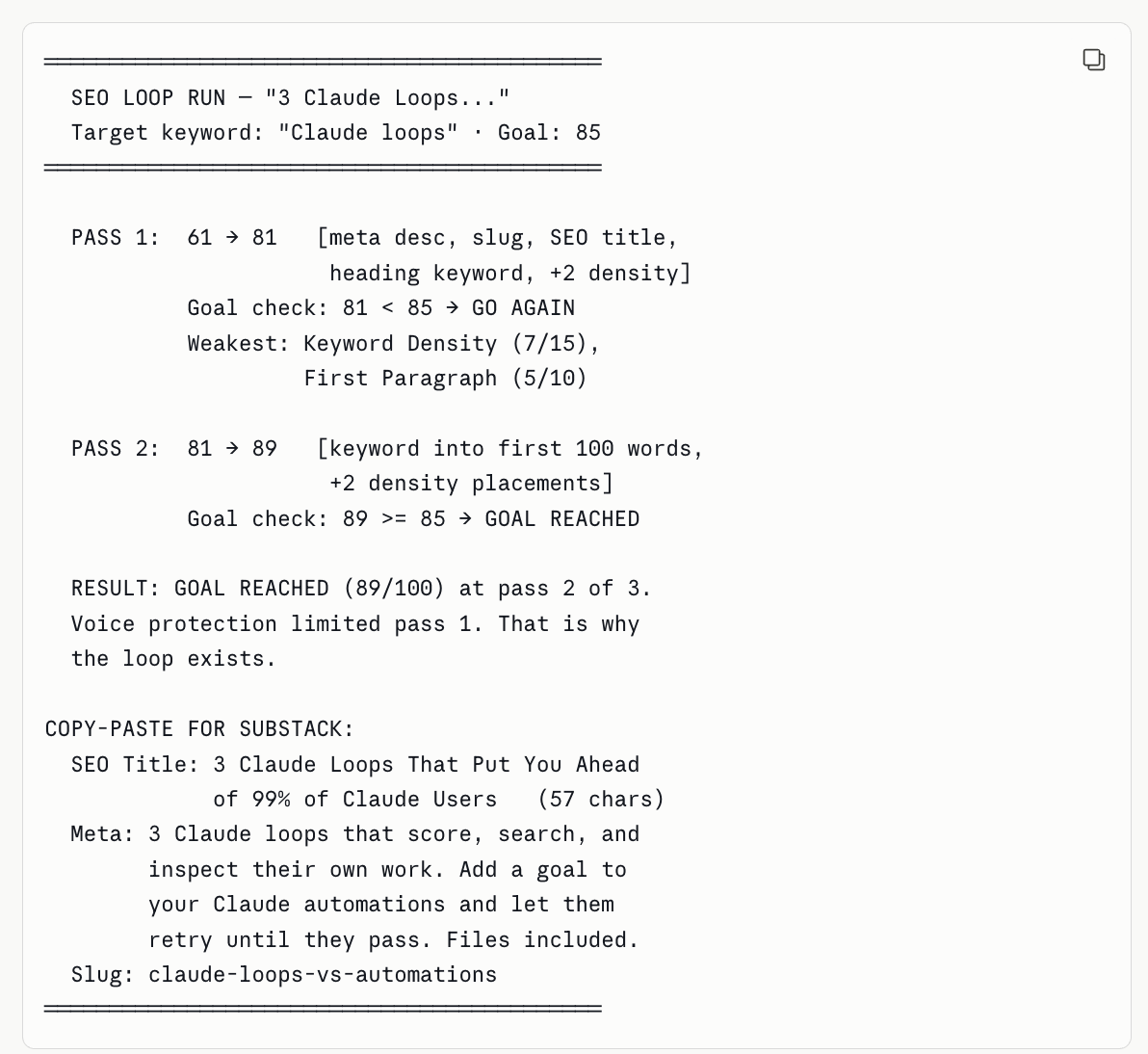
I did not go much further; it even created an artifact, but you get the idea. One draft, two passes, zero prompts from me.
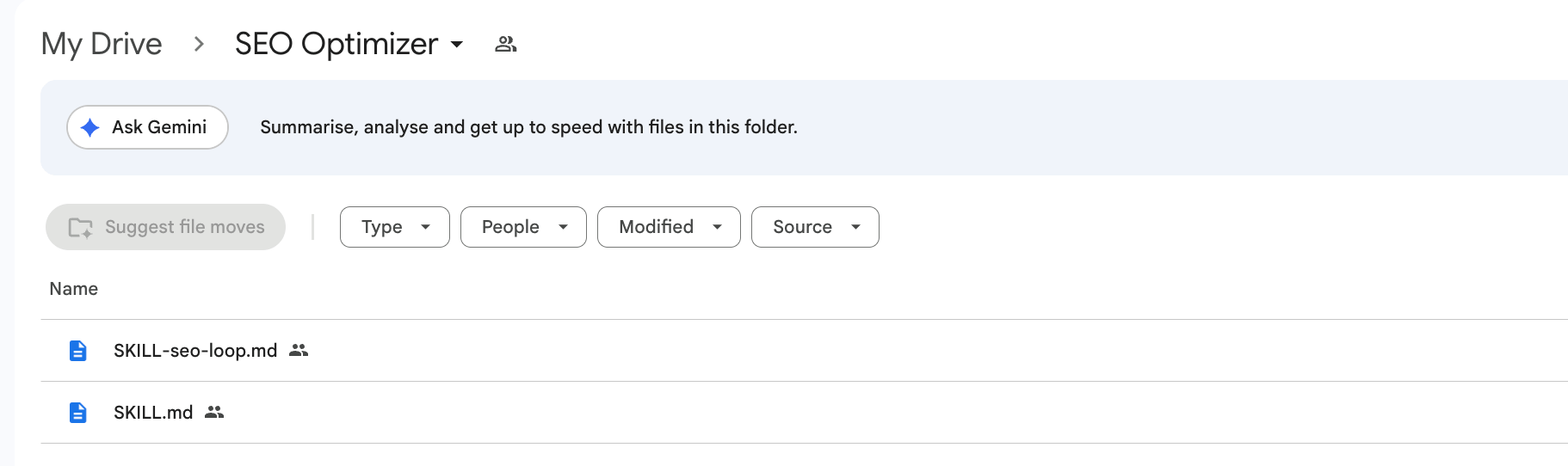
You can download both skills here. (I’ll give you the links.)
Loop 2: The Job Hunter

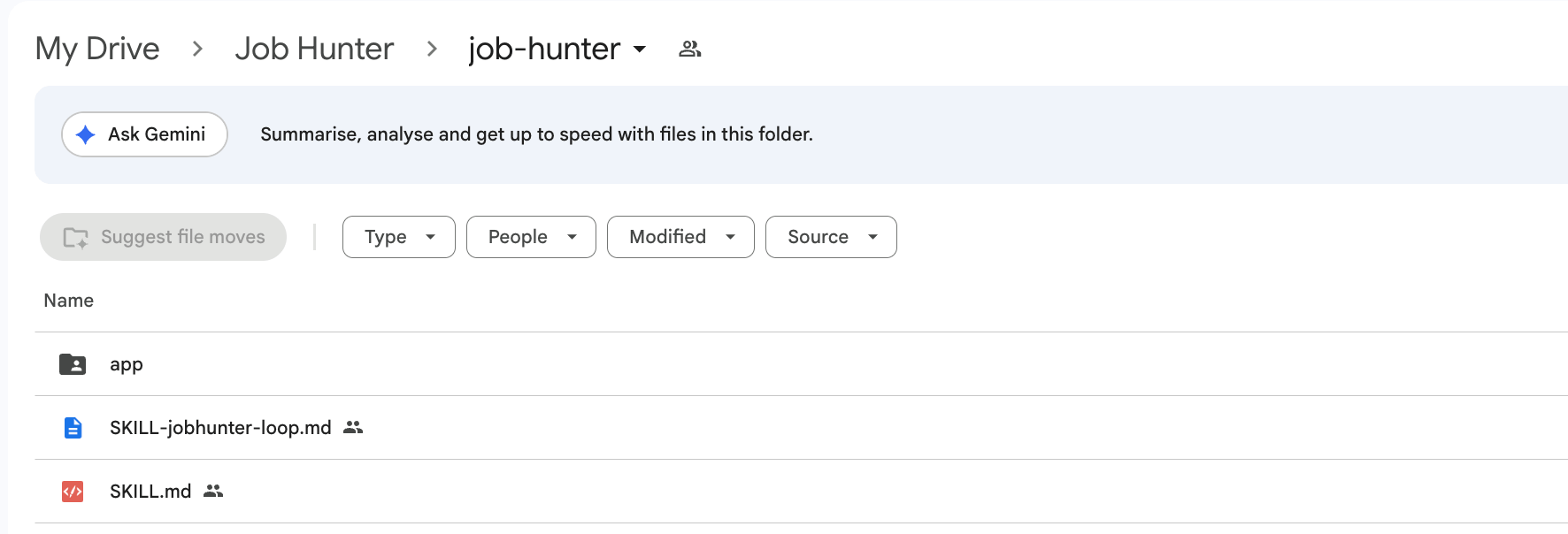
Last week, I shared my Job Hunter, a Jarvis-style app that finds me better-paid work.
You talk to it.
It searches Indeed, Upwork, and LinkedIn at your rate, reads the roles aloud, researches the companies, and writes cover letters from your CV.
A daily routine posts the fresh roles to my Slack every morning.
Before Goal
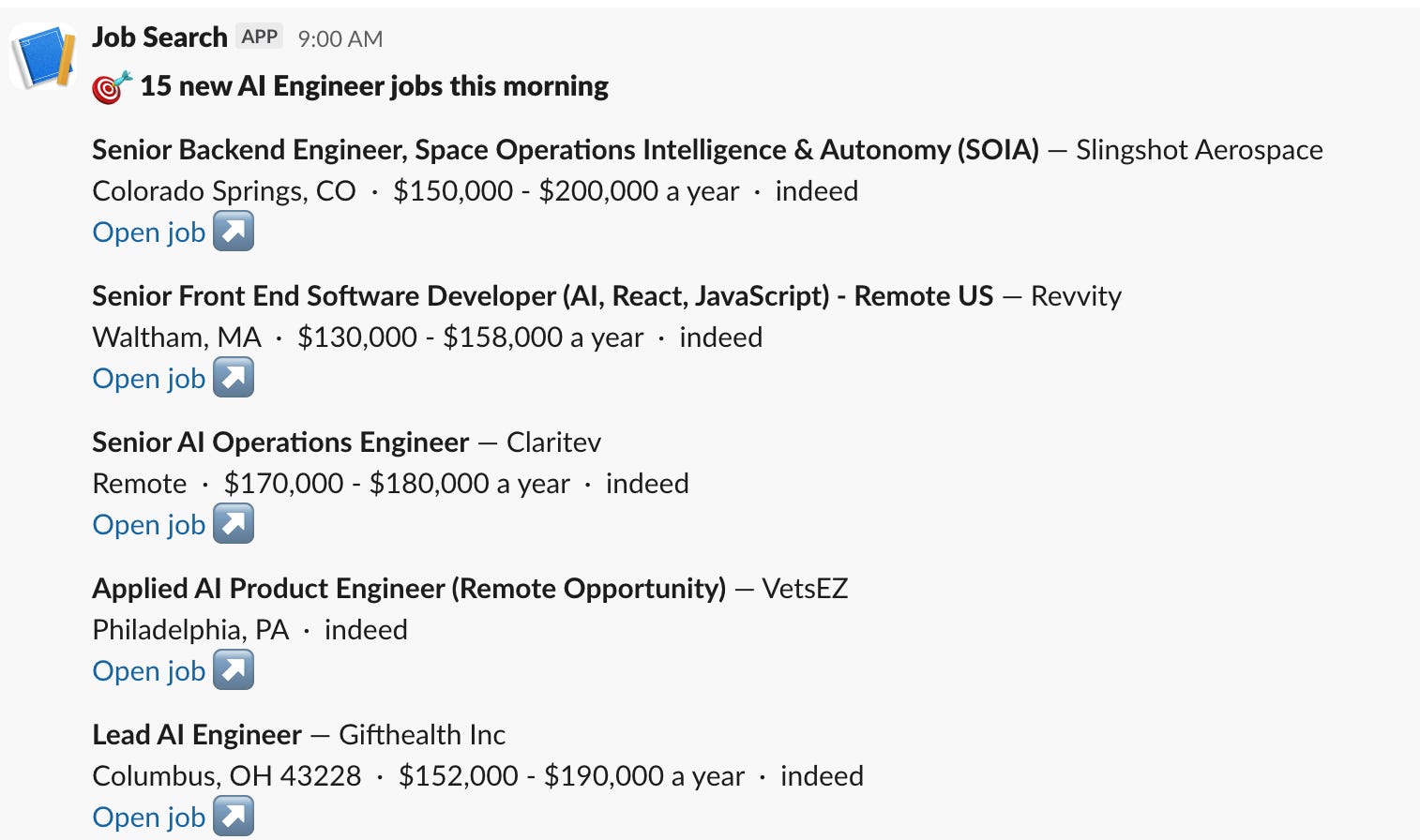
But the routine posts whatever the morning scrape returned and walks away.
The scraping was the end of its job.
Whether I got anything worth applying to was never its problem.
I added a goal to the skill. 10 roles that match my role and clear my rate.
Below 10, it searches again, wider.
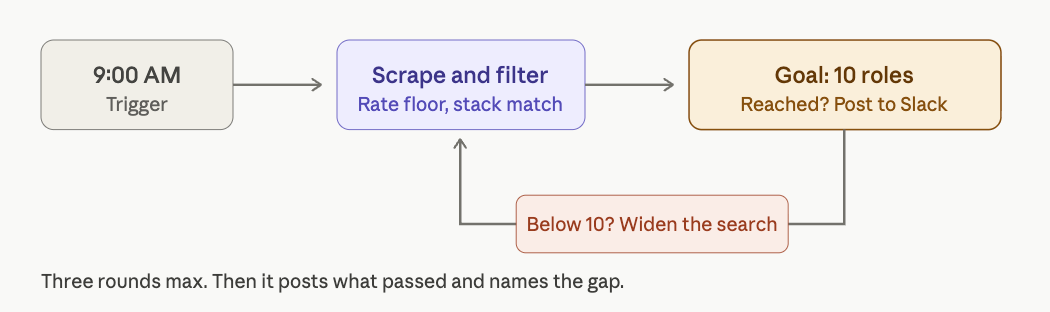
Let’s test it.
After Goal
And check this one.
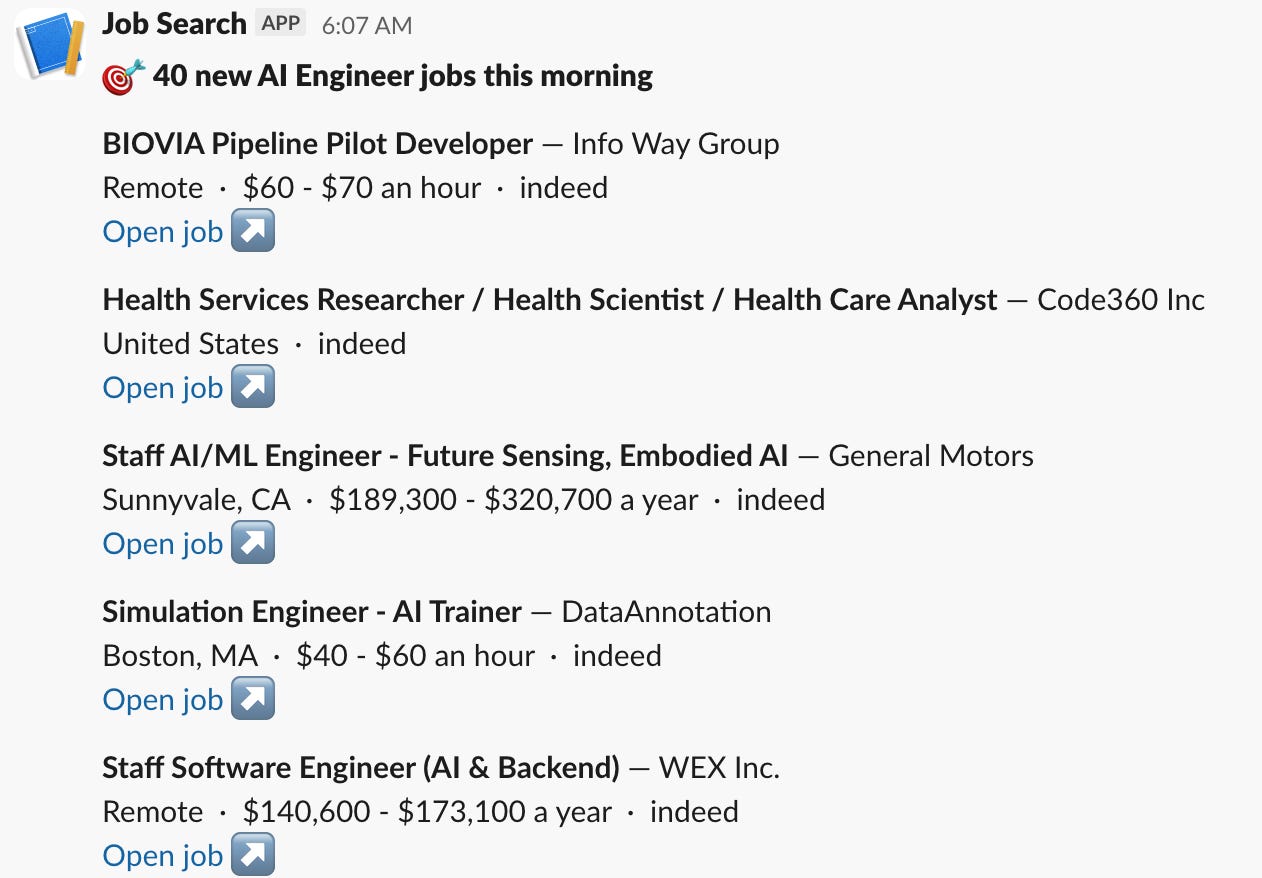
40 roles this morning.
The old routine would have posted whatever round one returned and stopped.
The loop kept searching until the count cleared the goal, then sent everything that qualified.
You can download both skills here. (I’ll give you the links.)
Loop 3: The AI News Brief That Fills Its Own Quota
In March, I shared how I automated AI news with NotebookLM and a Claude Schedule. Zero manual checking.
Every morning, it scans the AI news, builds the brief, and lands it in my inbox before my coffee.
Before - Automation
After - Loop
But it summarizes whatever the scan happened to catch. Two thin headlines about models I do not use still count as “the brief is done.”
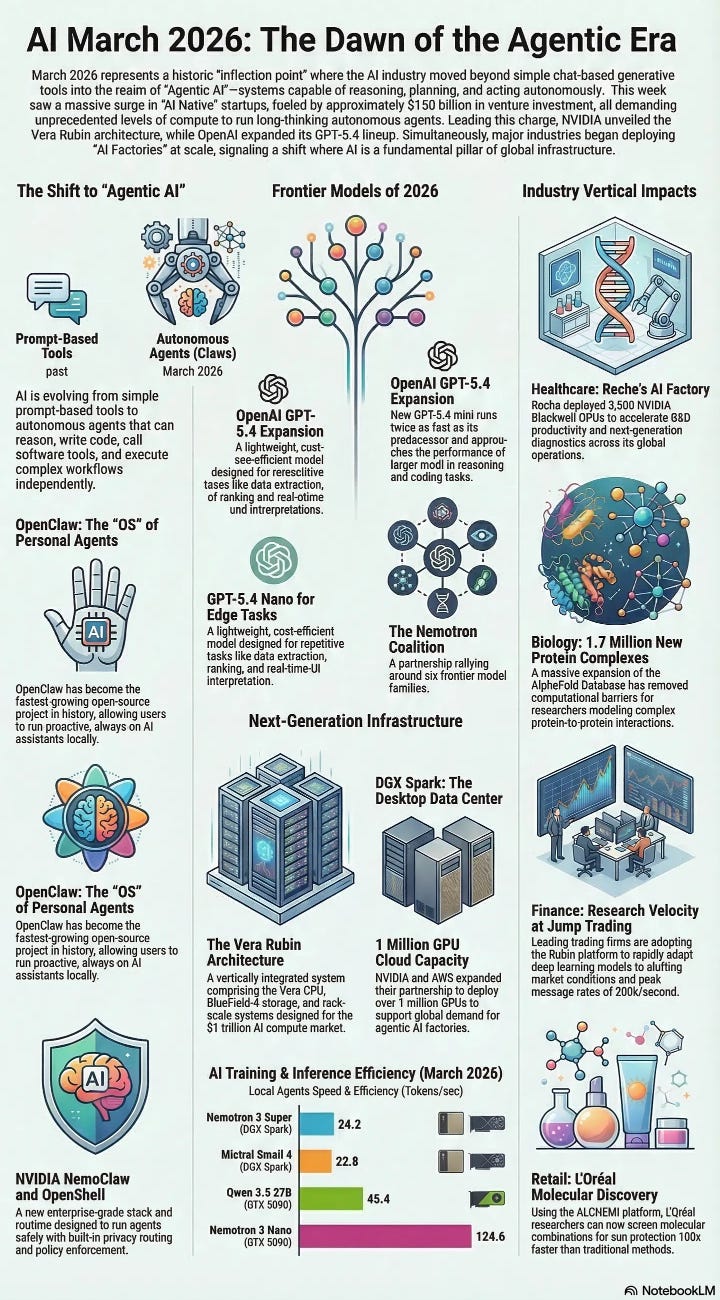
So I updated it, and now it carries a goal, at least 3 sourced stories from the last 24 hours for each of my topics, Claude and NotebookLM, and it widens the search until each quota fills, three rounds max, then it names the gap. “NotebookLM: 1/3, quiet day” beats a padded brief.
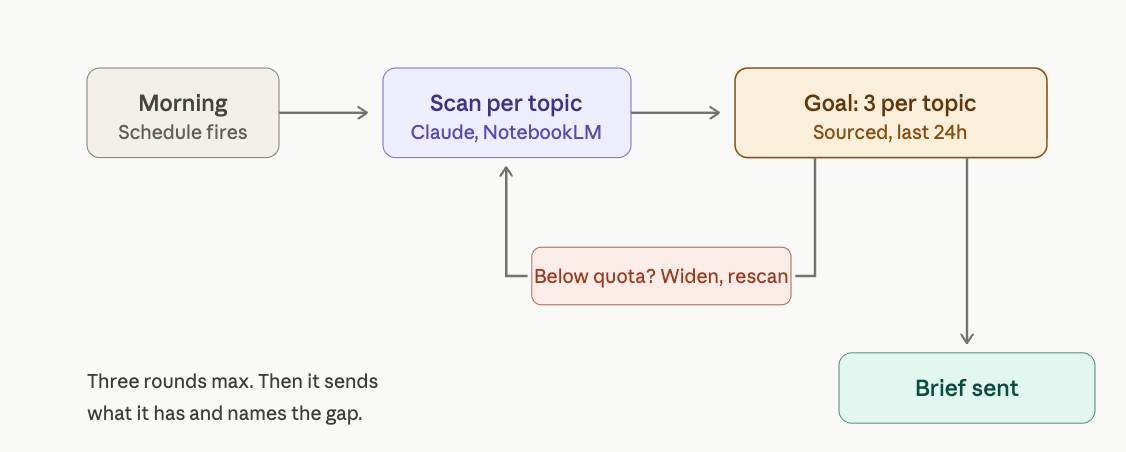
Let’s see how it works now.
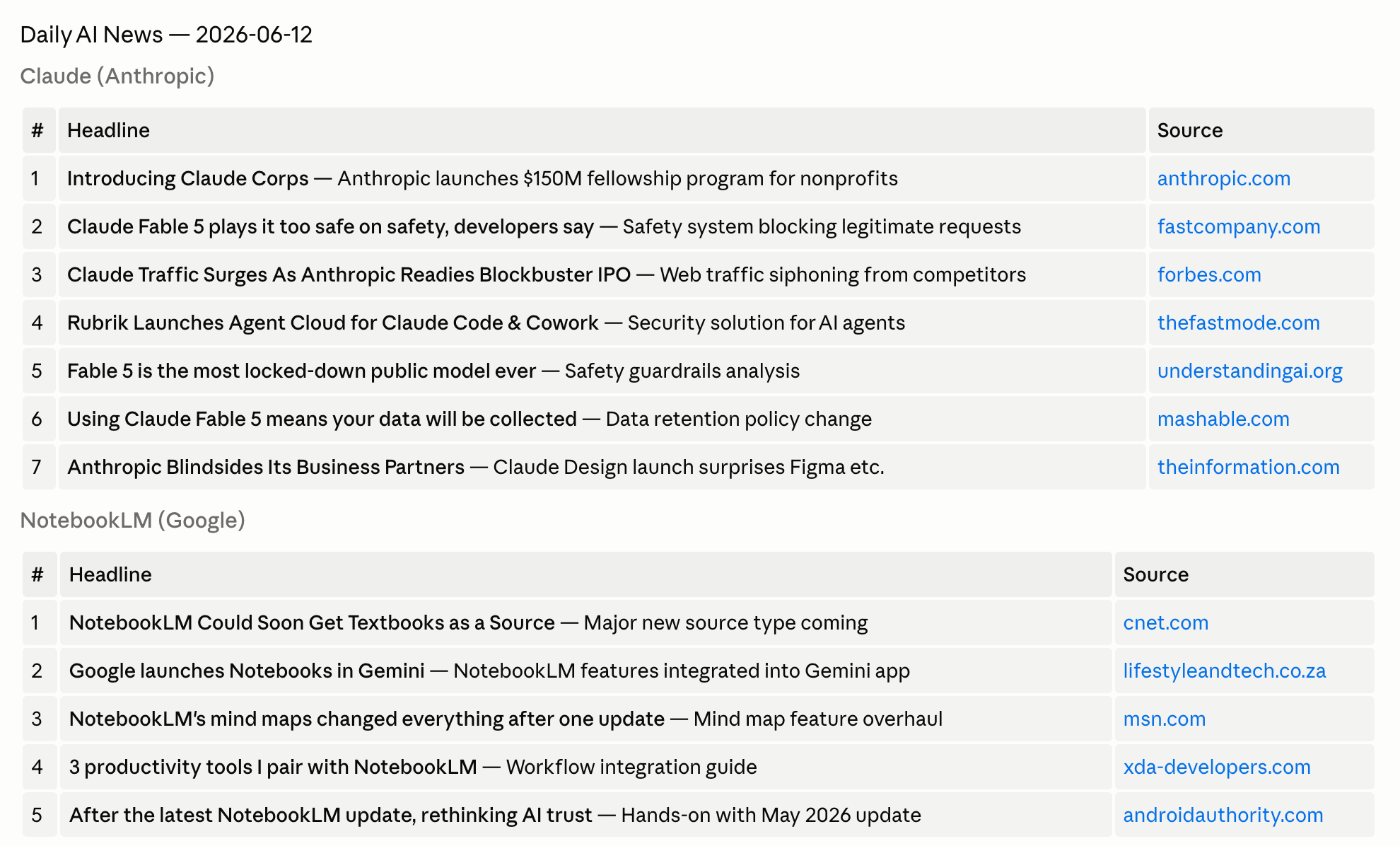
It collects news about NotebookLM and Claude, which are two of my favorite AI tools, but feel free to customize it based on your own interests.
And here is the infographic it created.
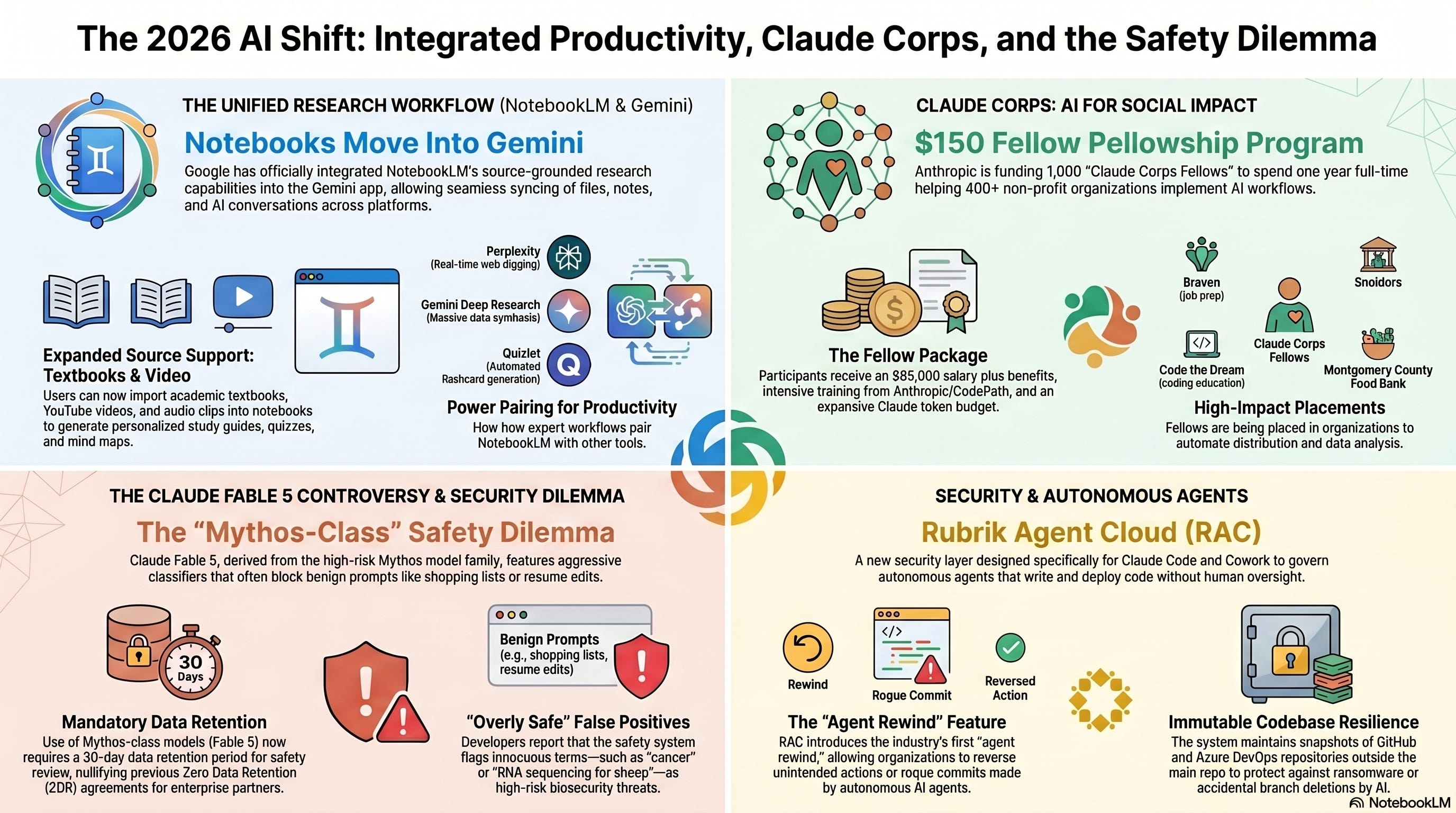
You can download the skill here. (I’ll give you the links.)
Download the Loops
Here are the skills, so these loops run on your machine tonight.