
I Rebuilt My Bot That Copies Millionaires with Hermes Agent and Claude Code
I rebuilt my Hyperliquid copy-trading bot with Claude Code and a self-running Hermes agent. It runs on a Mac Mini, reports to Telegram, updates by chat.

I built a copy-trading bot last week with Claude Code after reading this tweet.
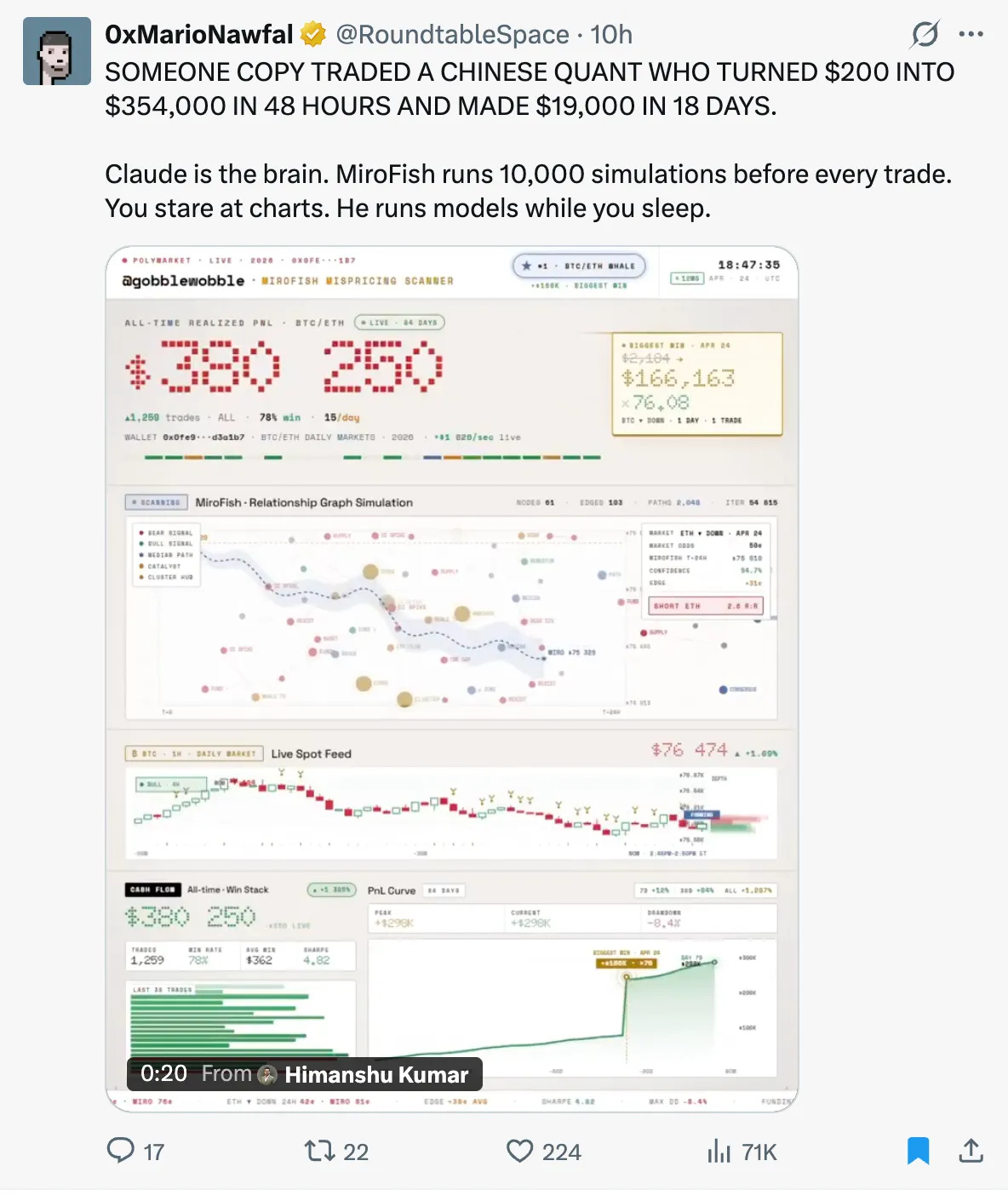
It tracks the most profitable wallets and copies their trades to a paper portfolio.
It worked. Then I stopped looking at it. The system was good, not great.
I wanted a system that I could check anytime I wanted an update.
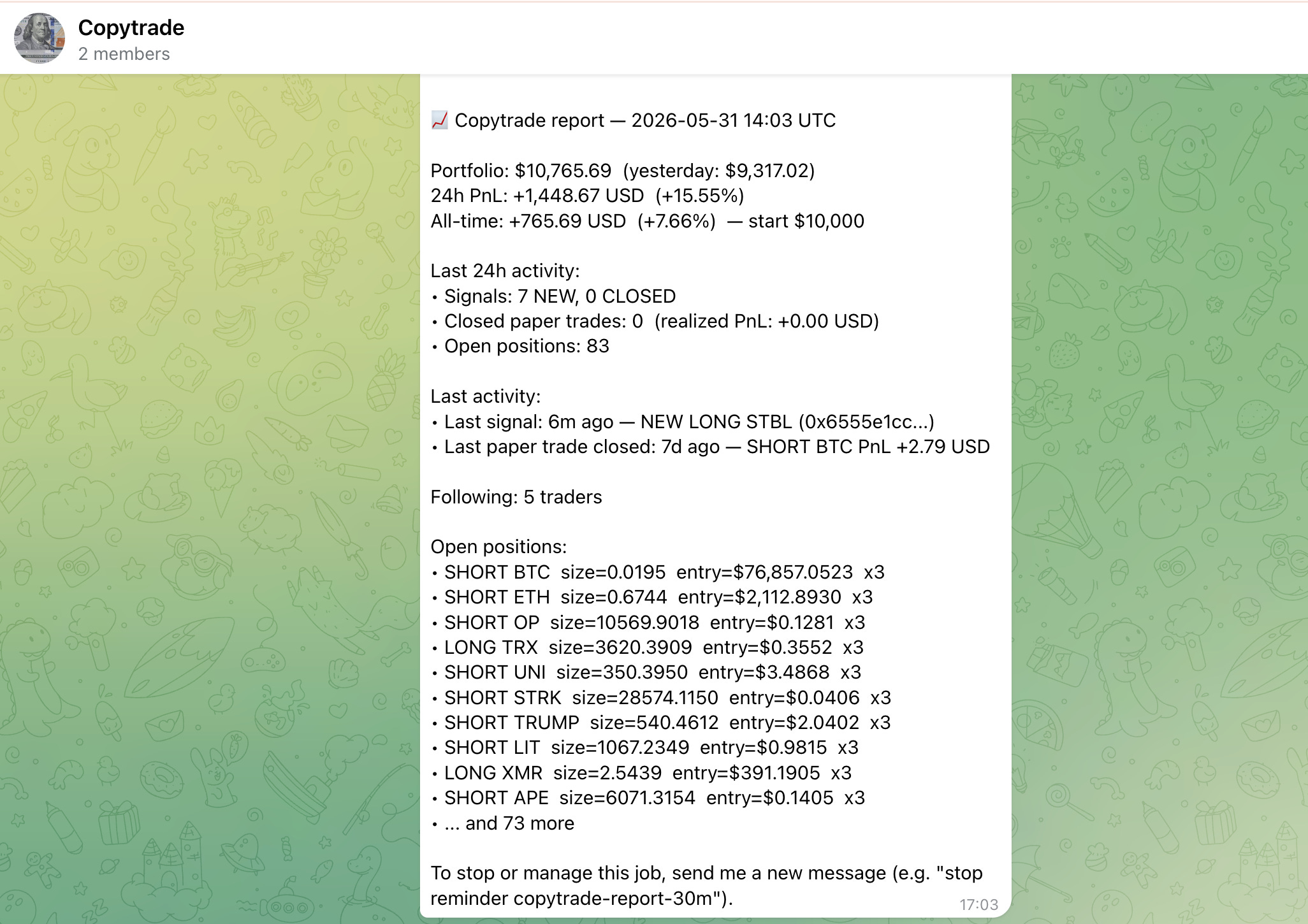
Around then, a notification came in from my trading bot via telegram, and something clicked.
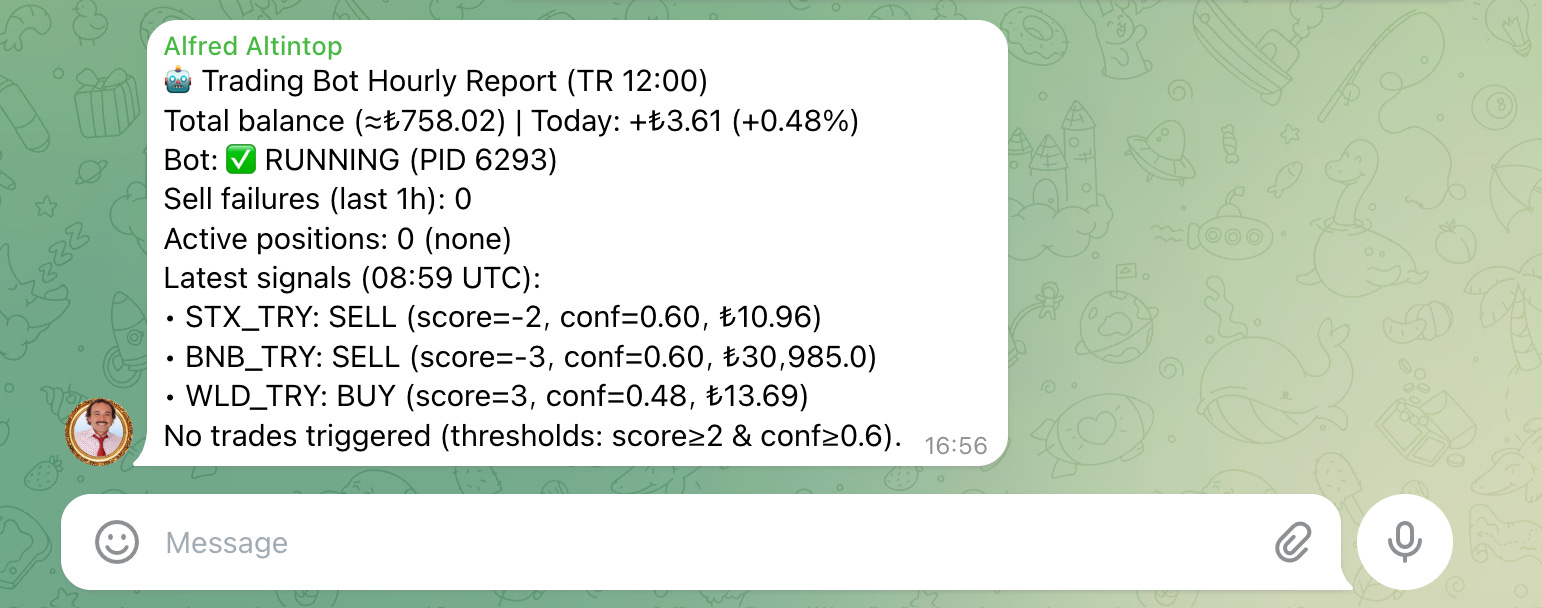
I had two OpenClaw setups running.
I like OpenClaw.
But I kept hearing about a newer agent, Hermes.
I had also just bought a Mac Mini to scale the business.
So why not run the copy-trading bot there?
Talk to it. Update it when I want.
So I started building the architecture in my head.
The Architecture of the Trading Bot I’ve Built with Claude Code and Hermes
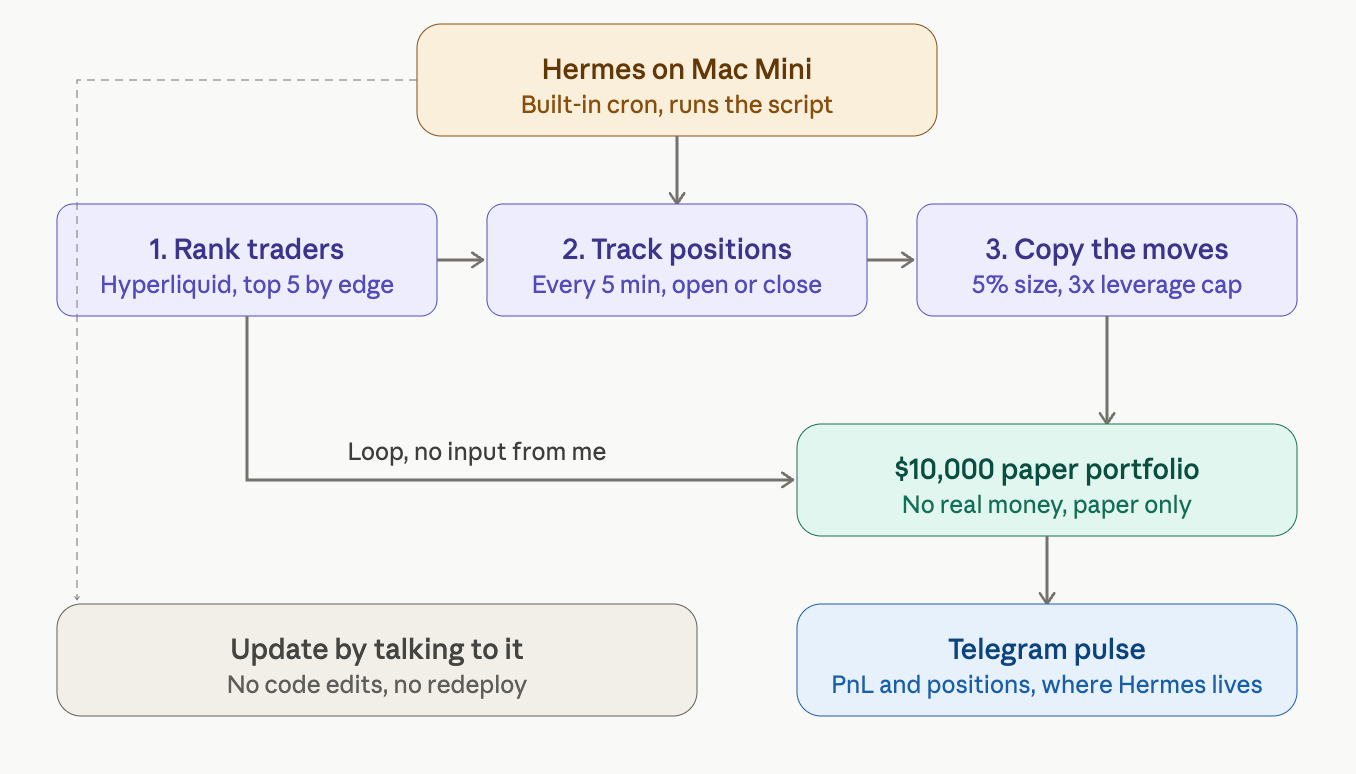
The bot does three things. Same three as before.
One: Find the most profitable and consistent traders on Hyperliquid.
Two: Track their open positions and detect when they open or close something.
Three: Copy those moves to a $10,000 paper portfolio so I can see if the strategy works before risking real money.
That part has not changed.
What changed is where it lives(Hermes), who runs it(Mac Mini), and where to report(Telegram).
How Does This Trading Bot Work? (Built with Claude Code.)
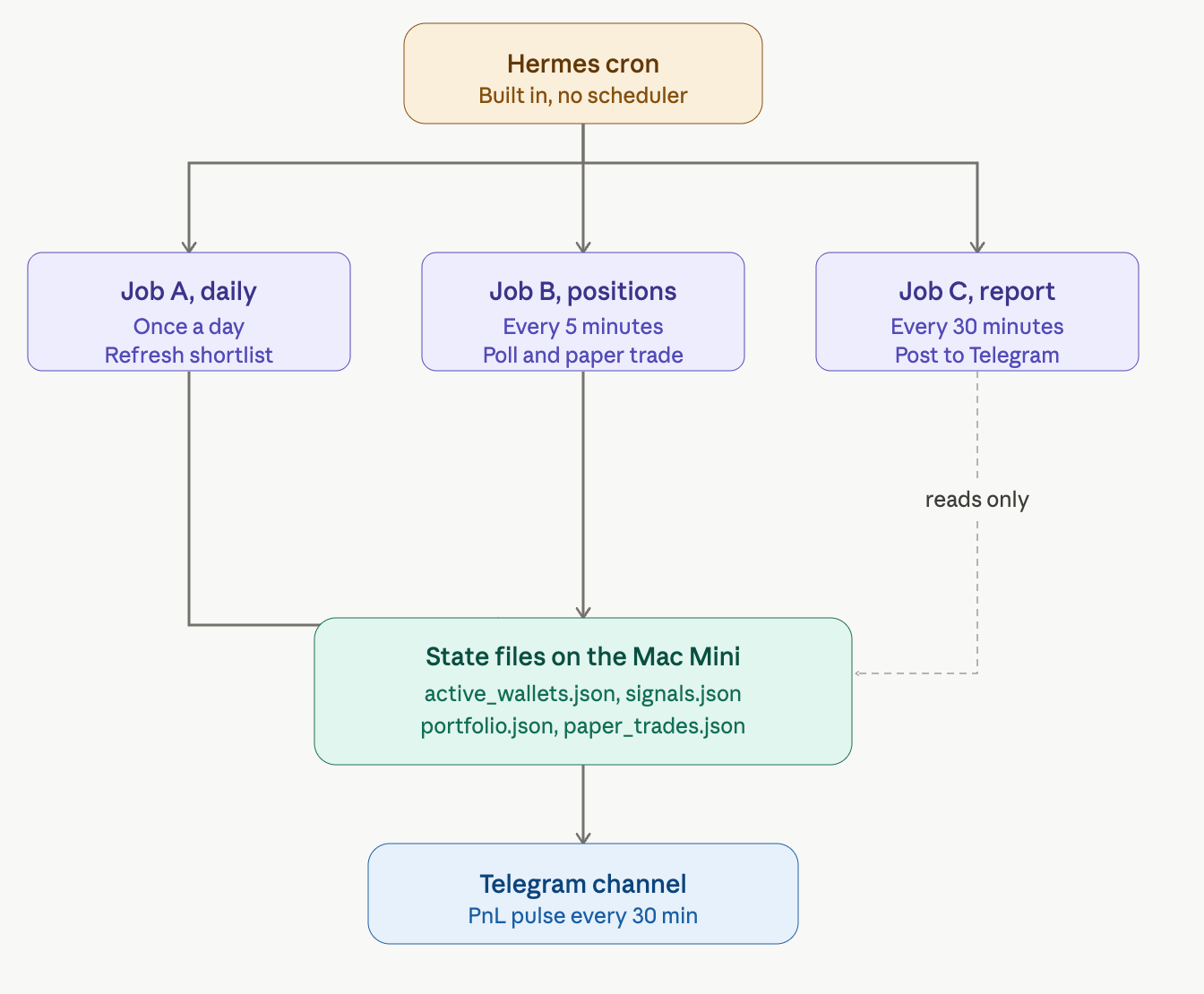
Three jobs, decoupled, each doing one thing.
Job A runs once a day. It pulls the Hyperliquid leaderboard, filters out the noise, ranks traders by execution quality, and writes the shortlist to a JSON file.
Job B runs every 5 minutes. It reads the shortlist, fetches each wallet’s open positions, and compares them to the last snapshot. New positions become BUY signals. Closed positions become SELL signals. The paper engine applies them to the portfolio.
Job C runs every 30 minutes. It reads the state, calculates 24h PnL and activity, and sends a pulse to Telegram. Read-only, never touches state.
The system has a memory.
Every time a job runs, it saves what it learned back to disk.
Which traders are we following, which positions are open, and where the paper portfolio stands.
Next run picks up where the last one left off.
The old bot ran these three jobs on GitHub Actions.
That setup had a problem. GitHub’s free scheduler is unreliable. It silently skips around 80% of frequent jobs when their servers get busy.
So I bolted on a free external scheduler called cron-job.org to poke GitHub on time.
Hermes does not need any of that. The cron lives inside the agent. I tell it to run Job B every 5 minutes, and it runs every 5 minutes.
Setting Up the Trading Bot With Claude Code and Hermes Agent
I did not want to write this from scratch. I did not have to.
The old bot needed four separate setups before the first trade.
GitHub repo, access token, Slack webhook, external scheduler.
The Hermes version cuts most of that.
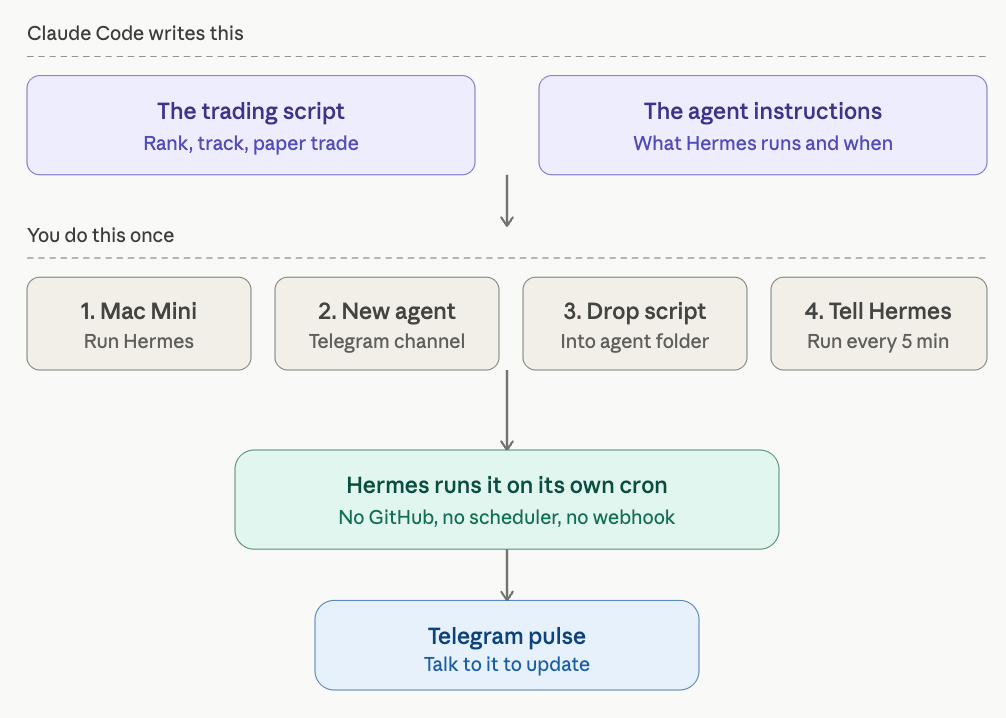
Claude Code writes the code. Hermes runs it.
You wire the two together once.
Here is the split.
Claude Code writes two things.
The trading script is the same rank-track-copy logic from before.
And the agent instructions, the file that tells Hermes what to run and how often.
You do four things. Each one takes a few minutes.
1- Run Hermes on a machine that stays on.
I use a Mac Mini I bought to scale the business.
It sits on my desk and never sleeps.
Hermes lives on it the same way OpenClaw does. If you already run an always-on agent, you can skip the hardware and use that.
You can use hetzner for cheap option, or AWS for the most cost efficient version.
2- Create a new agent and point it at Telegram.
I tell Hermes to spin up a new agent for this bot.
It gets its own Telegram channel.
That channel is where the reports land and where I talk to the bot.
3- Drop the script into the agent’s folder.
Claude Code already wrote the trading script. I put it in the folder the agent reads from.
There is a skill in my Claude Code that talks to Hermes directly, so Claude can place the file and update the agent’s instructions without me copy-pasting between windows.
Hermes Skill: I’ll give you a skill that allows your Mac mini to communicate directly with Claude.
OpenClaw Skill: I also have another skill that lets your AWS environment talk to Claude, and I’ll give you that one as well.
4- Tell Hermes to run it every 5 minutes.
This is the part that replaces cron-job.org, GitHub Actions, and the webhook all at once.
I tell the agent, in plain language, to run the script every 5 minutes.
It sets up its own cron. That is the whole scheduler.
Once that is done, the bot is live.
Hermes runs the script on its schedule, writes its state to disk, and sends a pulse to Telegram. I close my laptop.
The Mac Mini keeps going.
The difference from the old bot is not the trading logic. That barely changed.
The difference is that I can change the bot by talking to it.
The old version meant opening the repo, editing Python, pushing a commit, and waiting for the action to fire.
The new version means typing a sentence in Telegram.
How You Set This Up?
That is how it runs on my machine. Here is how you build your own.
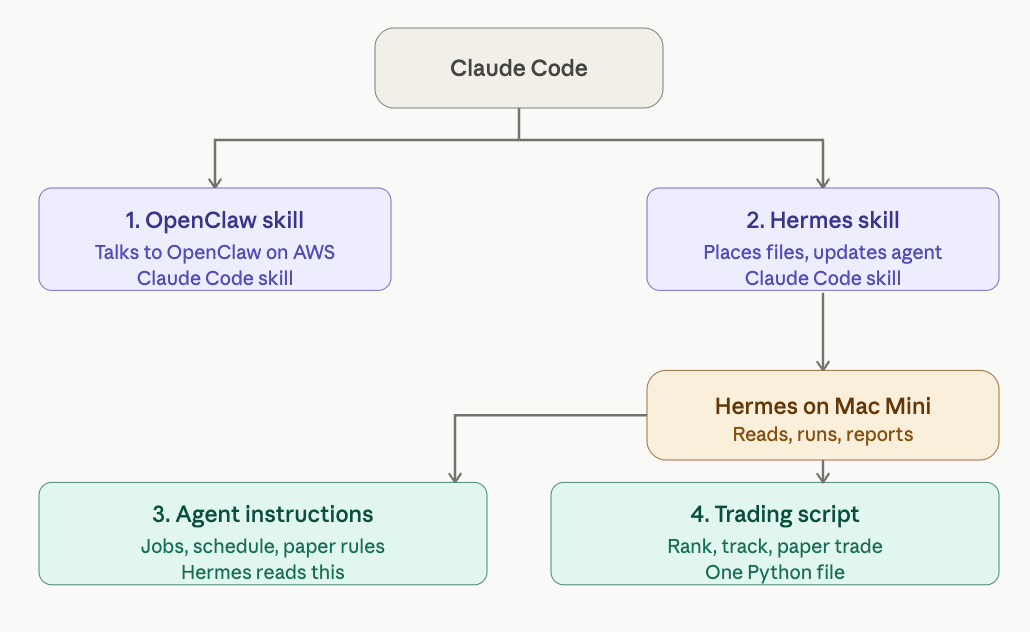
You need four files. I am giving you all of them.
1- The OpenClaw skill for Claude Code.
OpenClaw runs on AWS. This skill teaches Claude Code how to talk to it. Drop it in, and Claude can reach your OpenClaw setup without you wiring anything by hand.
2- The Hermes skill for Claude Code.
Hermes runs on the Mac Mini. This is the skill that lets Claude Code place files, read state, and update the agent directly. This is the bridge. Without it you are copy-pasting between windows. With it, Claude does the placement for you.
3- The agent instructions.
This is the file Hermes reads to know what the bot is. The job definitions, the schedule, the rules for the paper engine. You hand this to your agent, and it knows what to run.
4- The trading script.
One Python file. Rank traders, track positions, and copy to the paper portfolio. The same logic as the diagrams above. This is the part that does the work.
Four files. Two skills that connect Claude Code to your agents: one instruction file, one script. Load them in order, talk to Hermes, and the bot is running.
Here are the files.
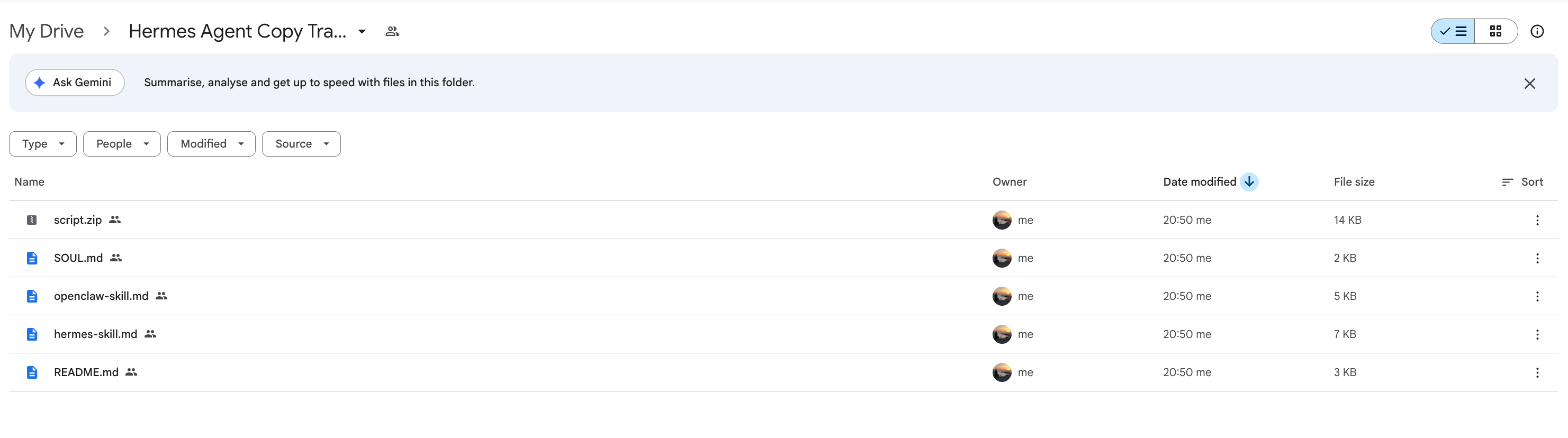
Let me give the link to you.