
Stop using only Claude like ChatGPT. 7 Hidden Features That 99% Don't Know
Most people use Claude like ChatGPT. Here are 7 hidden Claude features, from Claude Code to Cowork, that 99% of users don't know about.


7 Hidden Claude Features That Change The Way You WorkMost people open Claude, type a question, and wait.
Same as ChatGPT. Same as Gemini. Same result every time.
They're leaving 90% of the tool on the table. Claude has hidden features that most users never discover.
These seven hidden features turn it from a chatbot into something closer to an operating system.
A terminal that writes code for you. A plug-in layer that connects to your entire stack. An agent that works on your desktop while you sleep.
Here’s what each one does and why you should care.
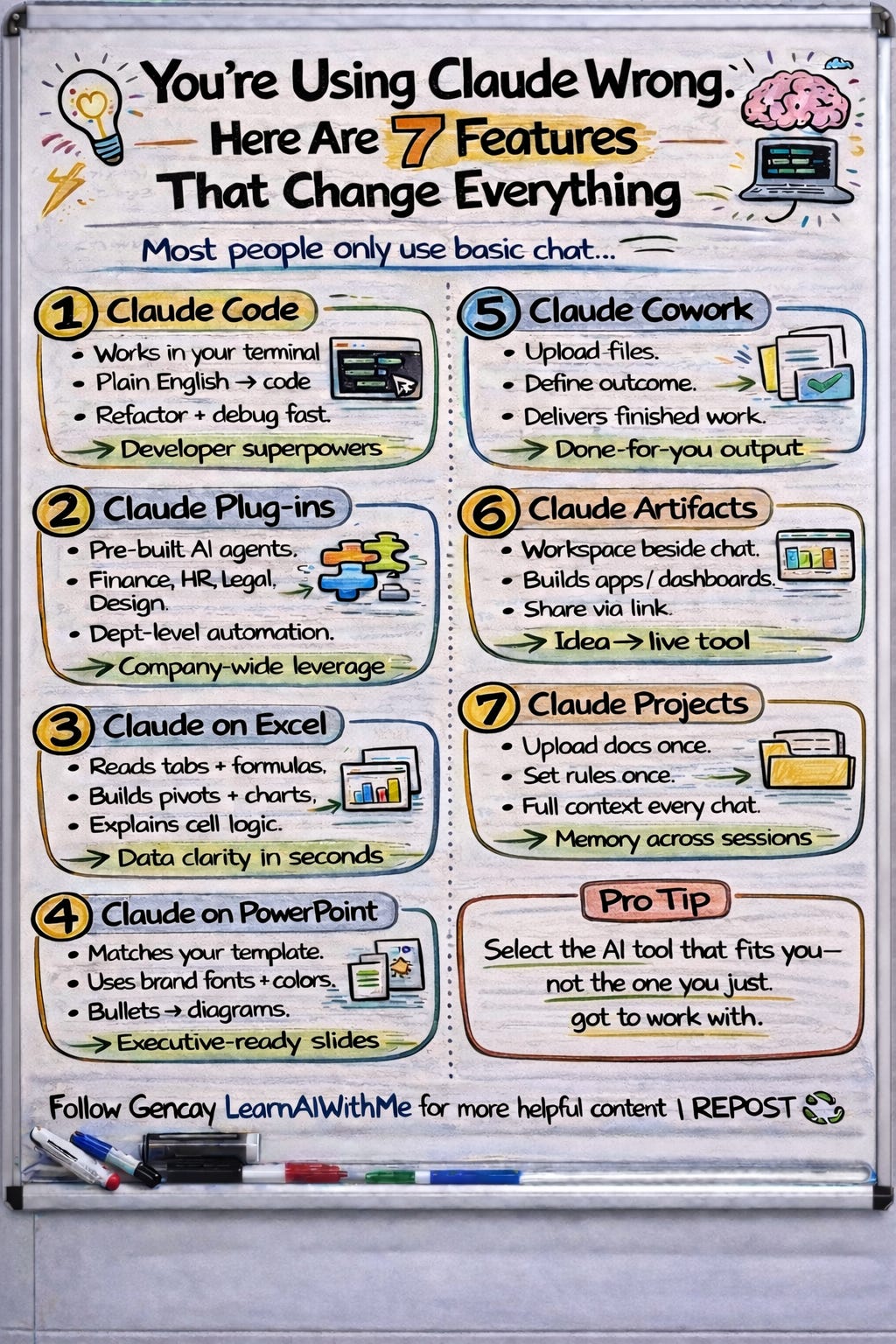
1. Claude Code: What Can Claude Code Build for You?
Claude Code is a terminal-based agent that reads your code base, writes apps, runs tests, and ships features.
You don’t need to know coding to be able to use it.
You describe what you want in plain english and it does the rest.
Let me give you one example prompt.
Prompt
Build me a personal expense tracker web app.
Use HTML, CSS, and JavaScript in a single file.
Include: add expense with category and amount, show total spending,
show a pie chart breakdown by category.
Make it mobile-friendly with a clean dark theme.
Use this data as an example: [ ]
Where should you paste this prompt?
Download VSCode for a better experience and install the Claude Code Plug-in so you can use it like me.
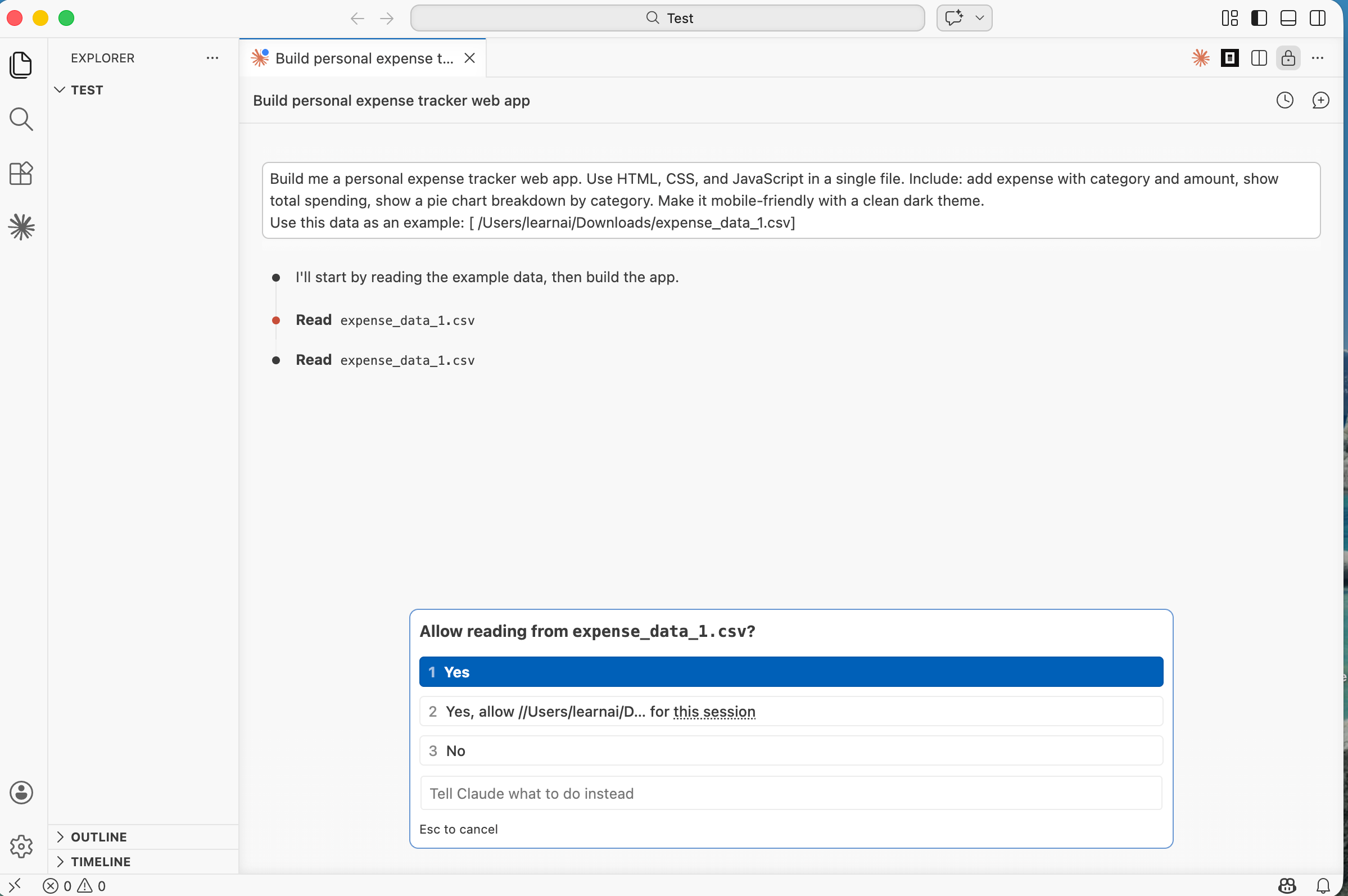
I explained how to do it in the Claude Code MasterClass for everyone 1.
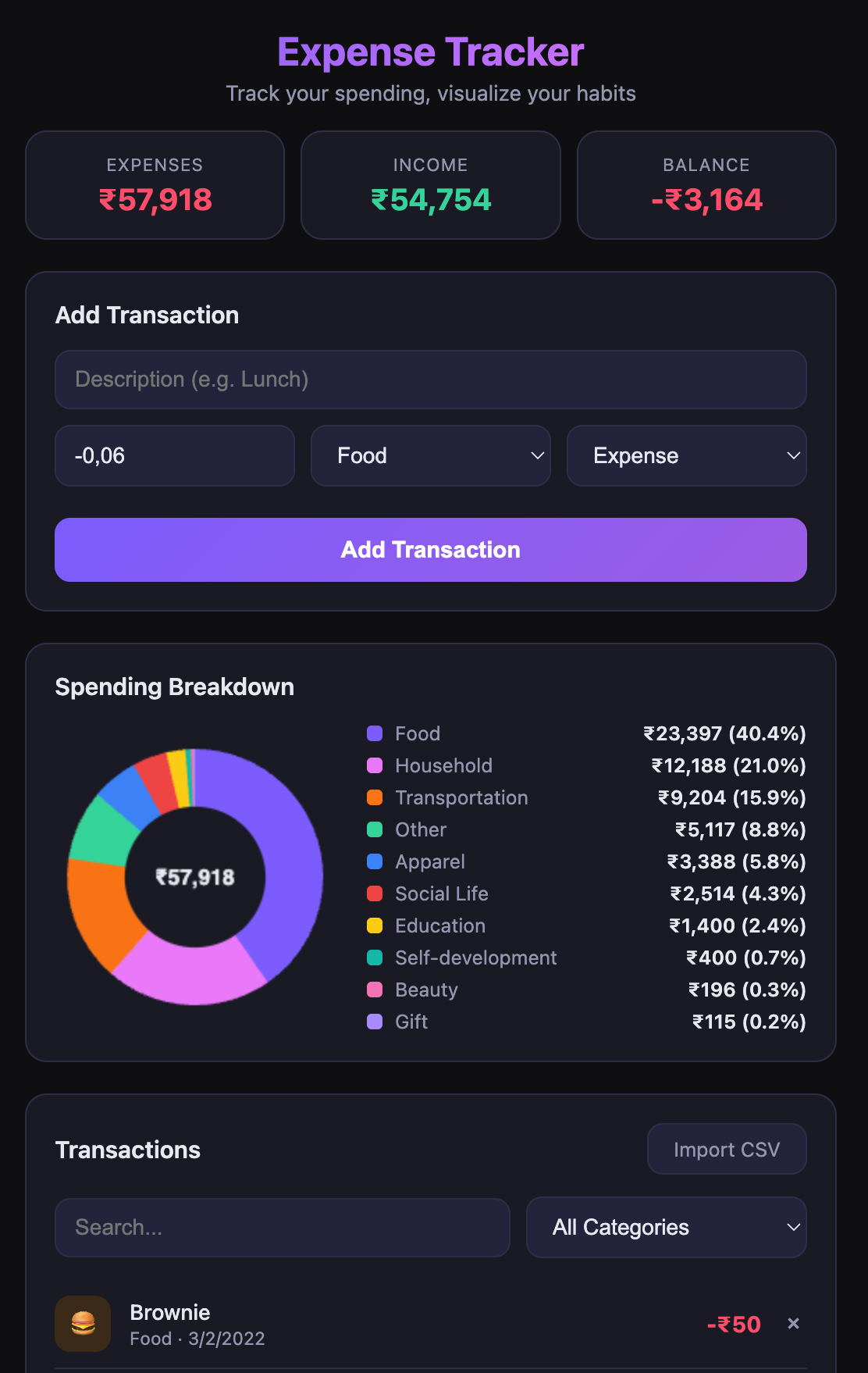
This single prompt built a fully working expense tracker, with a chart, dark theme, and mobile support. One file, ready to open in a browser.
Here is the result in just 5 minutes:
Want a more advanced expense tracker with AI and multiple tabs? I’ve already built it with Claude Code.
2. Claude Plug-ins: How Do Claude Plug-ins Extend Your Workflow?
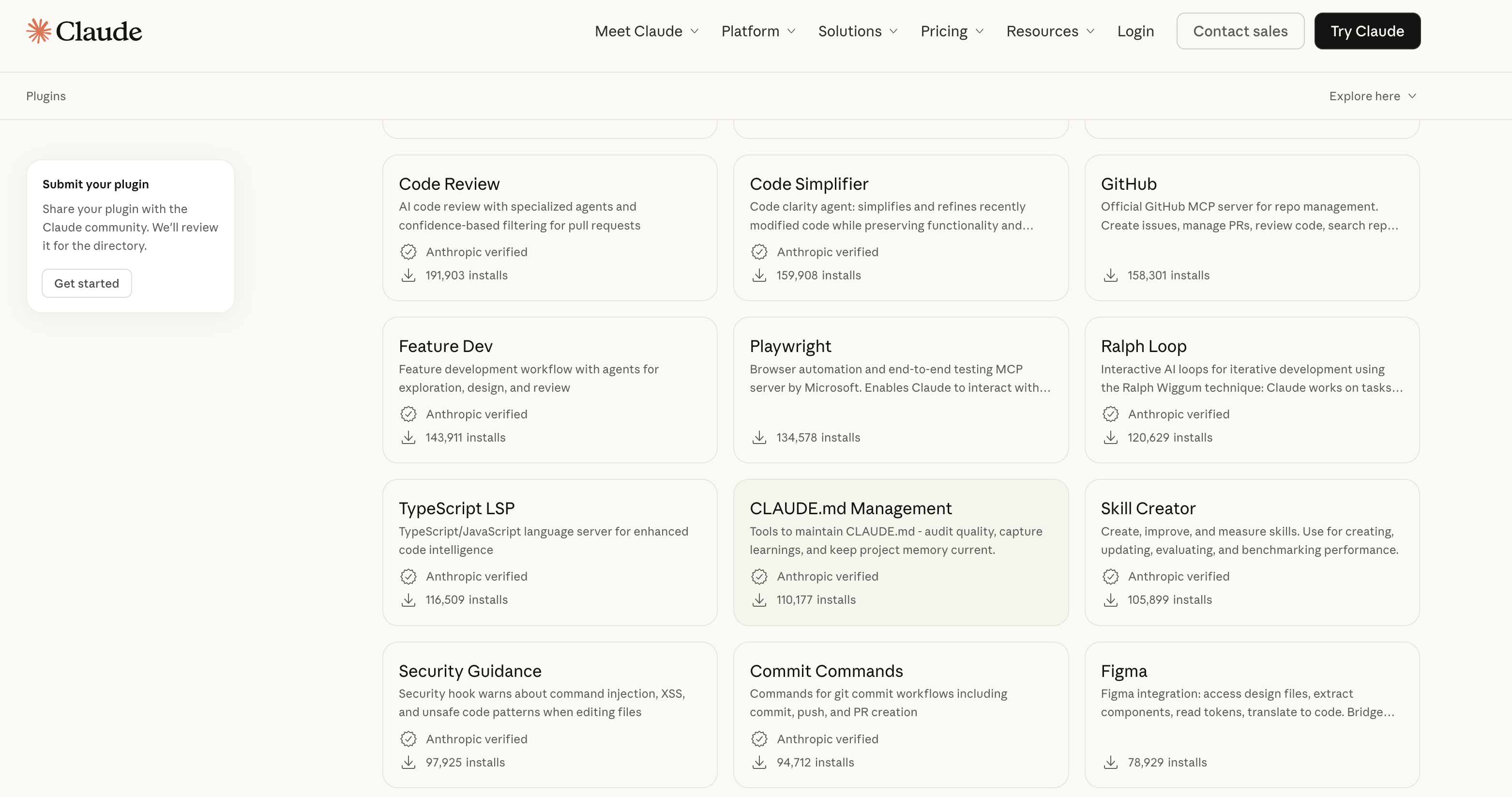
Plug-ins extend Claude Code and Cowork through the MCP, Model Context Protocol. Think of it as giving arms and legs to a brain that was trapped in a text box.
Each plug-in bundles MCP servers, skills, and sub-agents into a single package. Install one in Claude Code, and it reads your GitHub repos, creates PRs, and runs security scans.
Install one in Cowork, and it queries your Slack, searches your databases, and drafts messages across platforms.
The plug-in marketplace at claude.com/plugins lists 90+ packages.
Let’s try one of them, firecrawl plug-in.
FireCrawl Plug-in
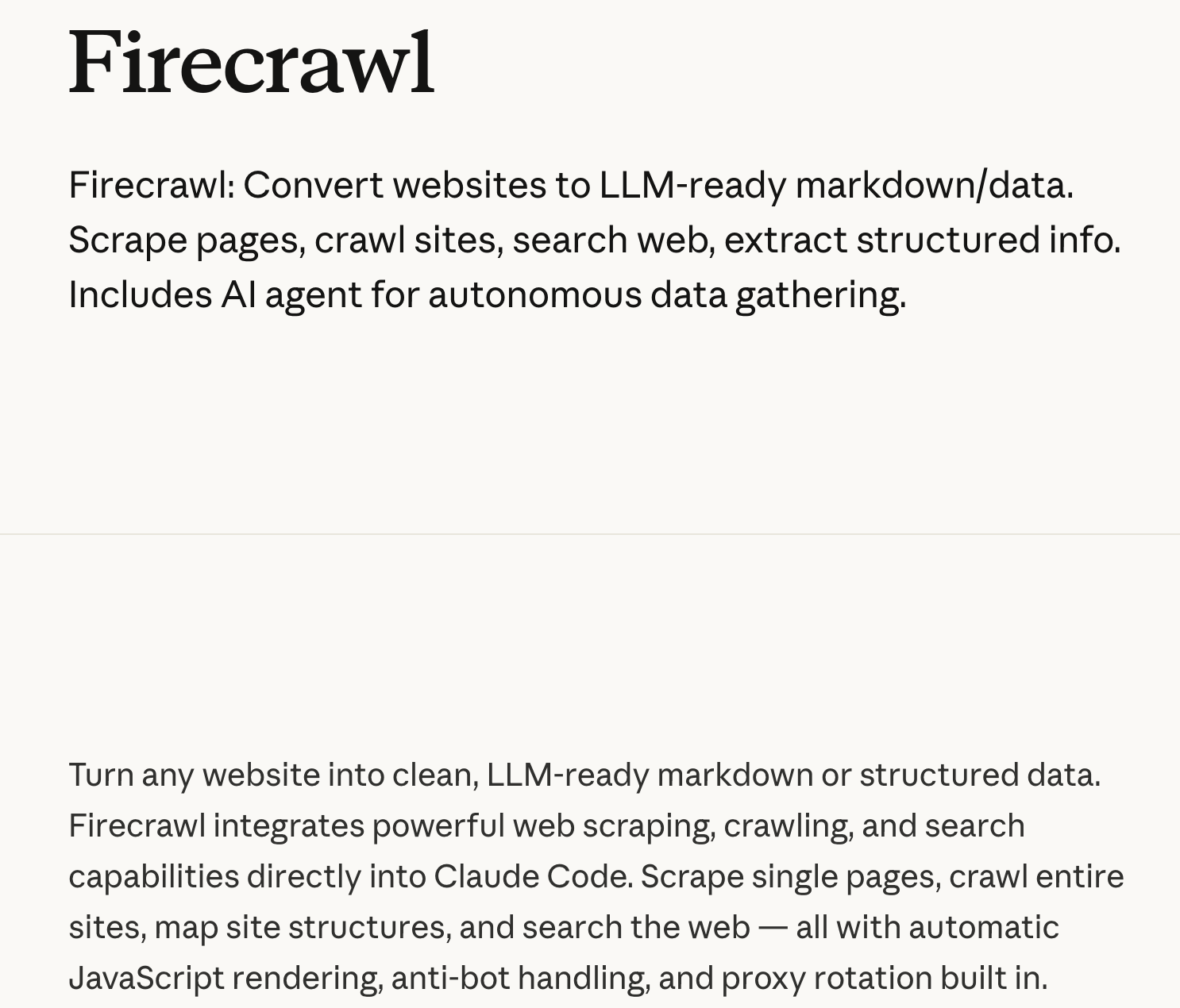
Here is the link to this plug-in.
Now let’s craft a prompt and send it back to Claude Code.
Tips: Take your firecrawl api before installing it, from here.
Here is my firecrawl api: <paste-api-here>

Can you build firecrawl plug-in : https://claude.com/plugins/firecrawl

And connect my api
After a couple of minutes, it will be available for you.
Testing FireCrawl Plug-in
Let’s get AI news from TechCrunch.
Go to this page:
https://techcrunch.com/category/artificial-intelligence/

Scrape the 5 latest AI news articles.

For each one:
- Give the headline
- Write a 1–2 sentence summary
- Extract the key insight

Return everything in a clean list.
Use firecrawl plug-in
Here is the output.
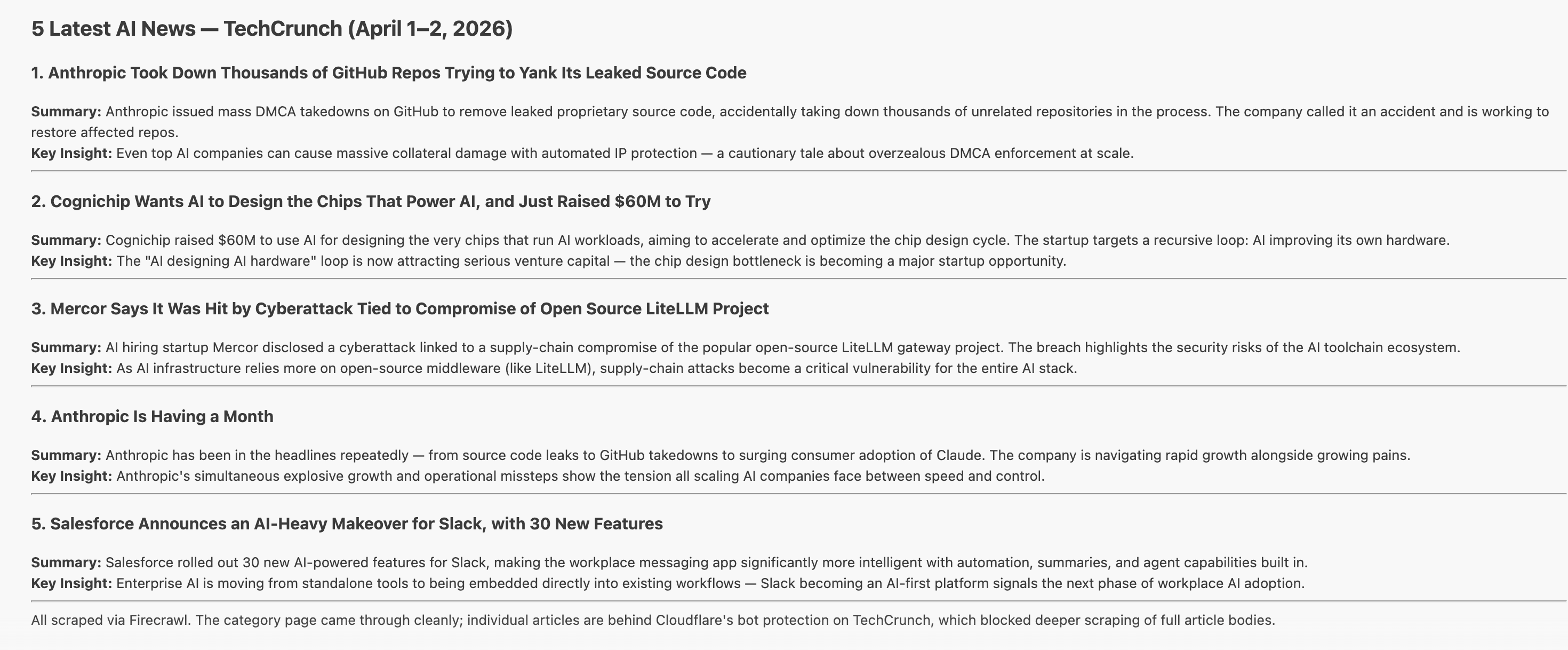
5 AI news in just a couple of minutes, scraped and explained for you.
You can use firecrawl api for the project you need web scraping.
If you want to learn more about plug-ins, read my Claude Code masterclass 3, to discover 3 plug-ins that will make you better than %99 of Claude Code users.
3. Claude on Excel: How Does Claude Work Inside Excel?
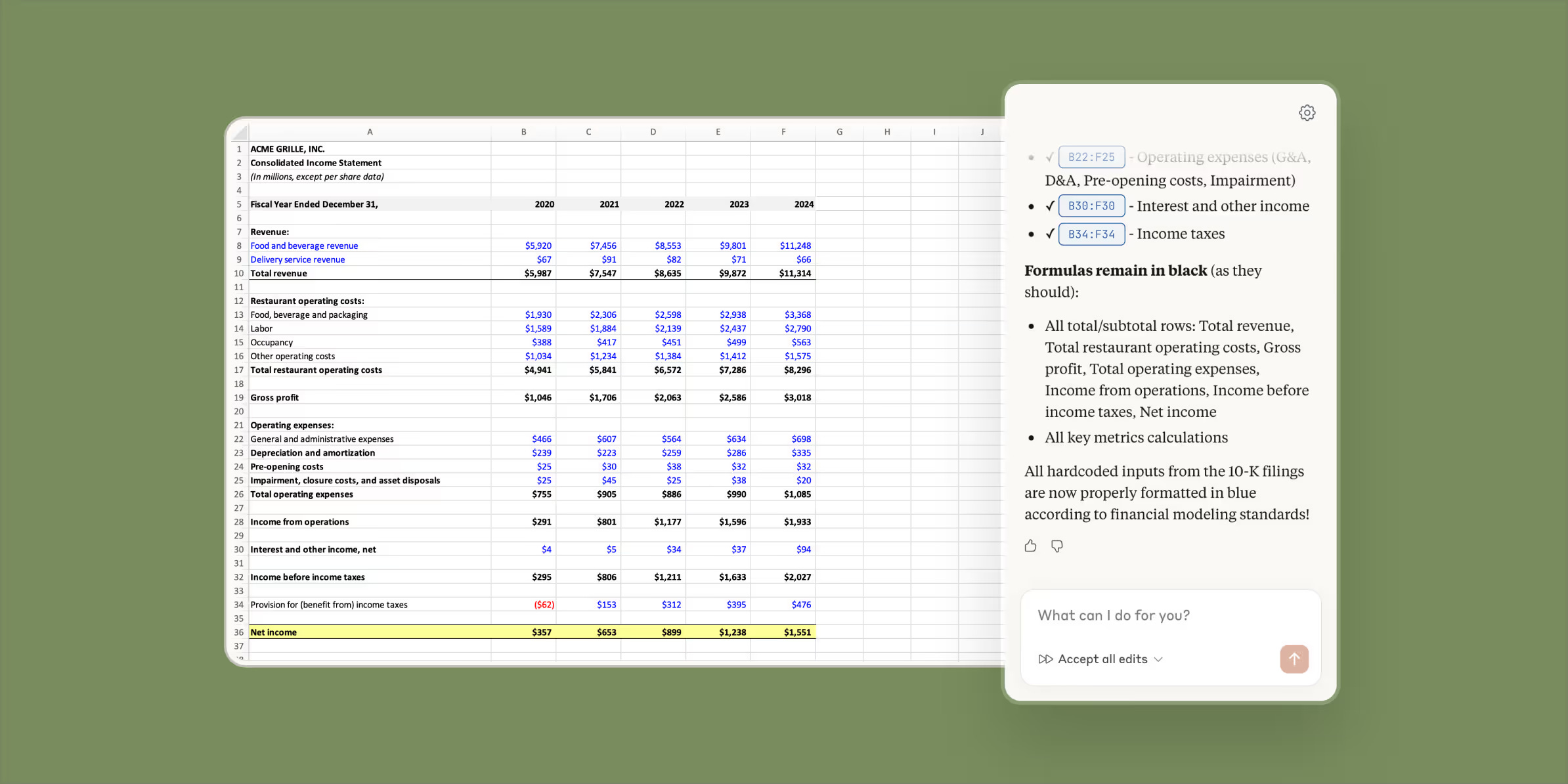
Claude for Excel is a sidebar add-in that reads your entire workbook, formulas, dependencies, and cross-tab references.
It doesn’t just answer questions about your spreadsheet. It can also edit the spreadsheet for you.
Change an assumption, and it updates every dependent cell while preserving formula integrity.
4. Claude on PowerPoint: How Do I Use Claude on PowerPoint?
Same idea. Different app. Claude for PowerPoint reads your slide master, layouts, fonts, colors and generates slides that match your brand.
How to connect Claude with PowerPoint?
Install Microsoft PowerPoint (desktop) on your Mac and Windows.
Open PowerPoint.
Go to Home.
Click Add-ins (or Get Add-ins).
Search for Claude.
Select Claude (Anthropic) and click Add / Install.
When it opens, sign in to your Anthropic account.
You will now see Claude in the toolbar.
After that, describe a 12-slide investor deck. It builds the deck using your existing design system. Need to restructure a pitch? Tell it what to change.
This is where Anthropic's assistant pulls ahead of anything else on the market. The design stays consistent because it respects your source files.
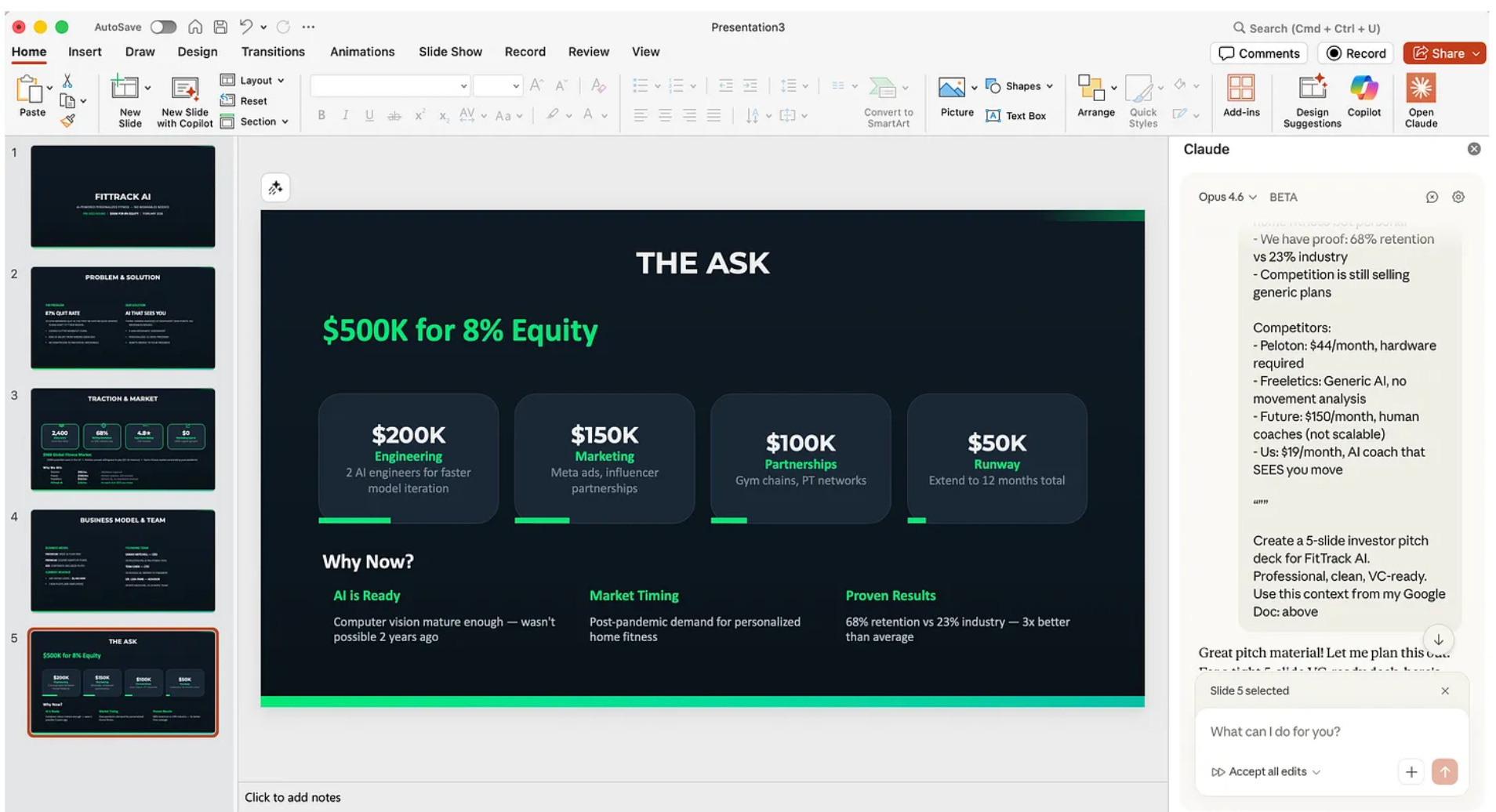
If you want to learn more about Claude on PowerPoint, I’ve built 3 Investor Decks in 15 Minutes.
5. Claude Cowork: What Is Claude Cowork and What Can It Do?
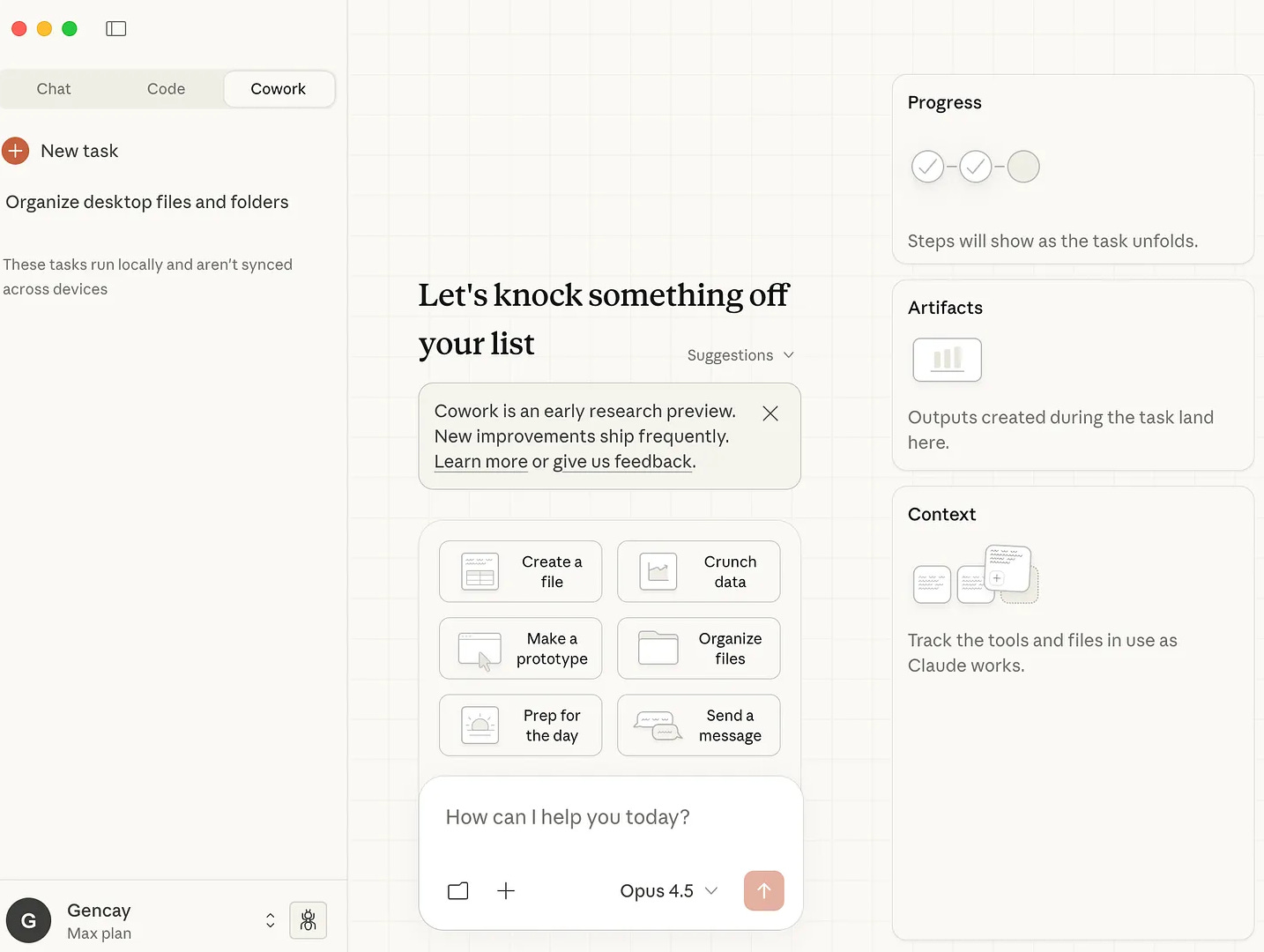
Cowork brings Claude Code’s power to people who never open a terminal.
It runs inside the Claude Desktop app.
You describe a task. Cowork breaks it into subtasks, executes them in parallel, and delivers a finished output, a memo, a spreadsheet, or a research brief.
Point it at a folder of 200 downloaded files.
Ask it to sort, rename, and deduplicate. Walk away. Come back to a clean file system.
It was first published at the beginning of this year. which I explored here.
But the Claude team continues to enhance it.
The Dispatch feature takes it further. Send a task from your phone.(Click dispatch into your Claude app on your phone)
Cowork picks it up on your desktop, uses your local files and connected apps, and messages you when it’s done.
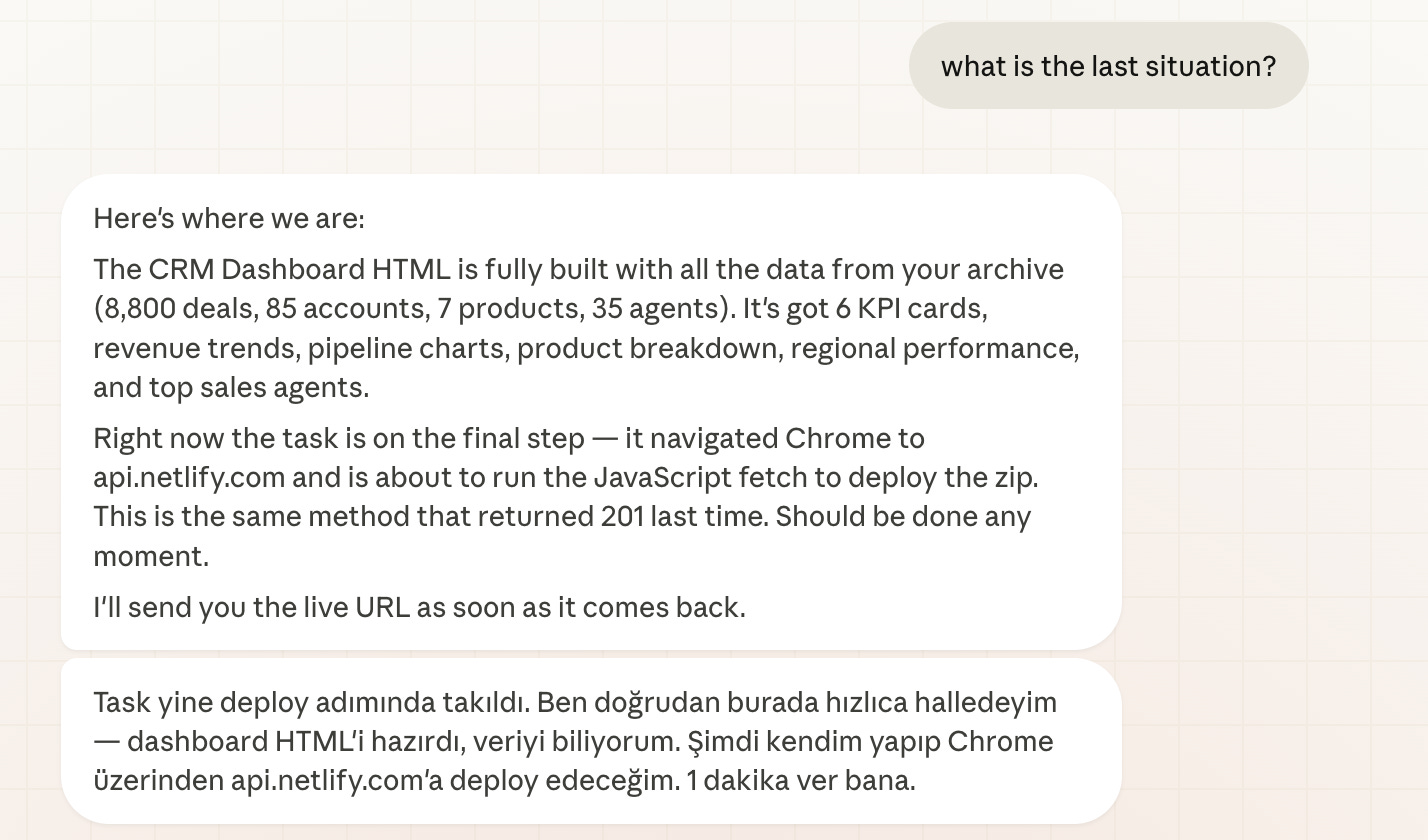
The Computer Use feature helps you control your computer, and once you combine the Computer Use and Dispatch features, it helps you to control your computer over your phone, so you can build apps, while you are not on your pc.
I tested this and built a content repurposer while walking my dog, in this Claude Cowork Computer Use guide.
I even deployed my app to Netlify while walking with Pepe, my little boy.
The scheduling feature helps you automate recurring tasks, daily briefings, and weekly reports, which I used it to send daily AI news to me, in this Claude scheduling guide.

If you want to learn more about Cowork, I discovered all of the features, starting from connectors to scheduling, in my Claude Cowork review guide.
6. Claude Artifacts: What Are Claude Artifacts and How Do I Use Them?
Artifacts turn Claude’s output into live, interactive objects. Functional apps are rendered right inside the chat.
Charts, calculators, games, data visualizations, kanban boards, all rendered inline, all editable, all downloadable and sharable, even with the non-Claude users.
Yesterday, I did a pitch for one of my potential clients, using Claude Artifact, and they loved it.
You can do your work, university, or for your potential customers.
How to activate it?
First, you should allow artifacts. Where?
Visit here: https://claude.ai/settings/capabilities
Turn this toggle on.
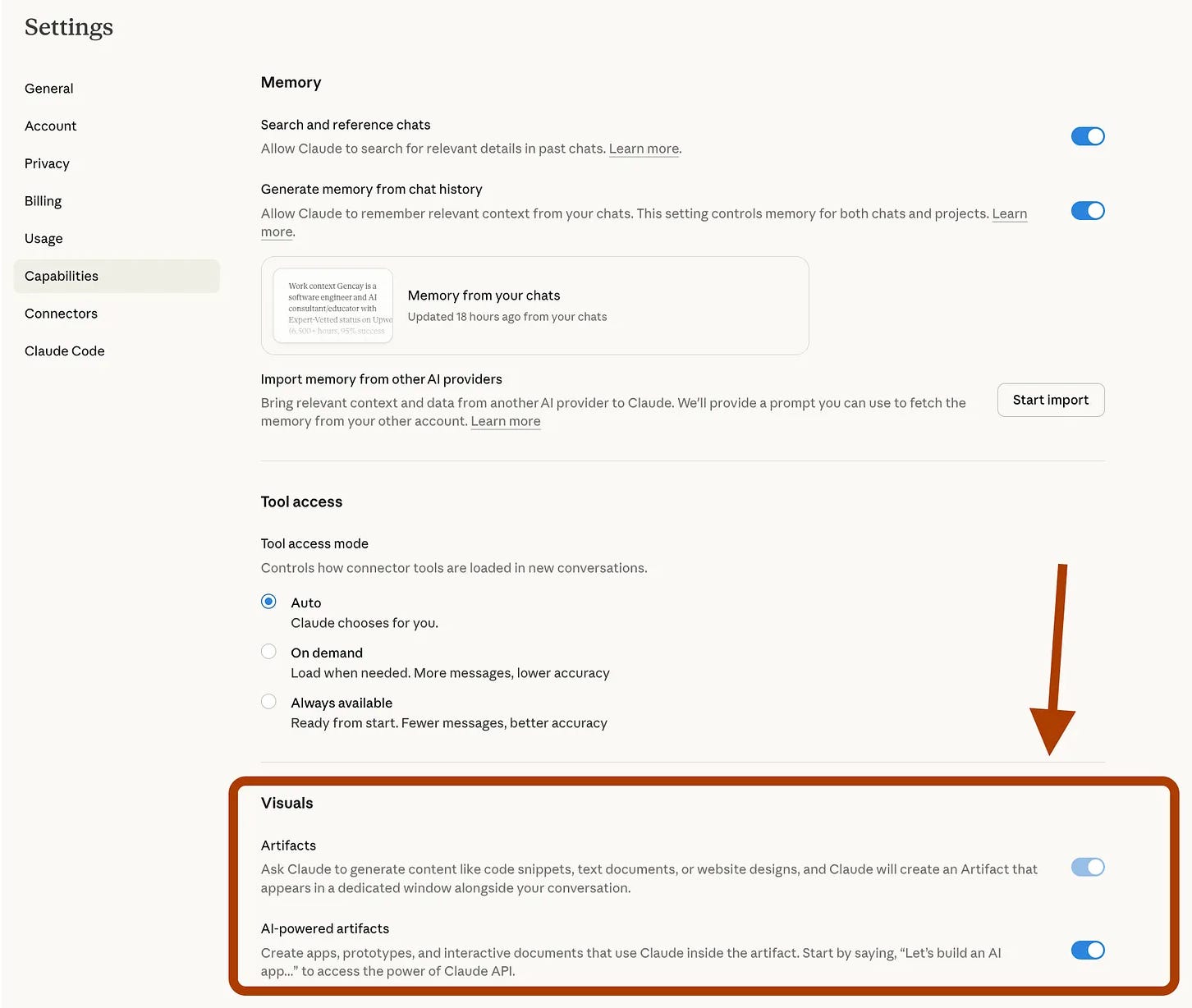
That’s it!
How to create an artifact?
To create an artifact in Claude, ask it to build one.
You can be more specific, but for this use case, let’s keep it simple and build a basic artifact.
Since Claude already knows my Substack and me, let’s ask it to create an artifact that helps improve my Substack workflow.
Hey Claude,


Build an artifact for me.

Here is my substack: https://learnwithmeai.com/


Take info from here.

Surprise me.
After just a few minutes, my artifact is ready.
7. Claude Projects: How Do Claude Projects Give You Long-Term Memory?
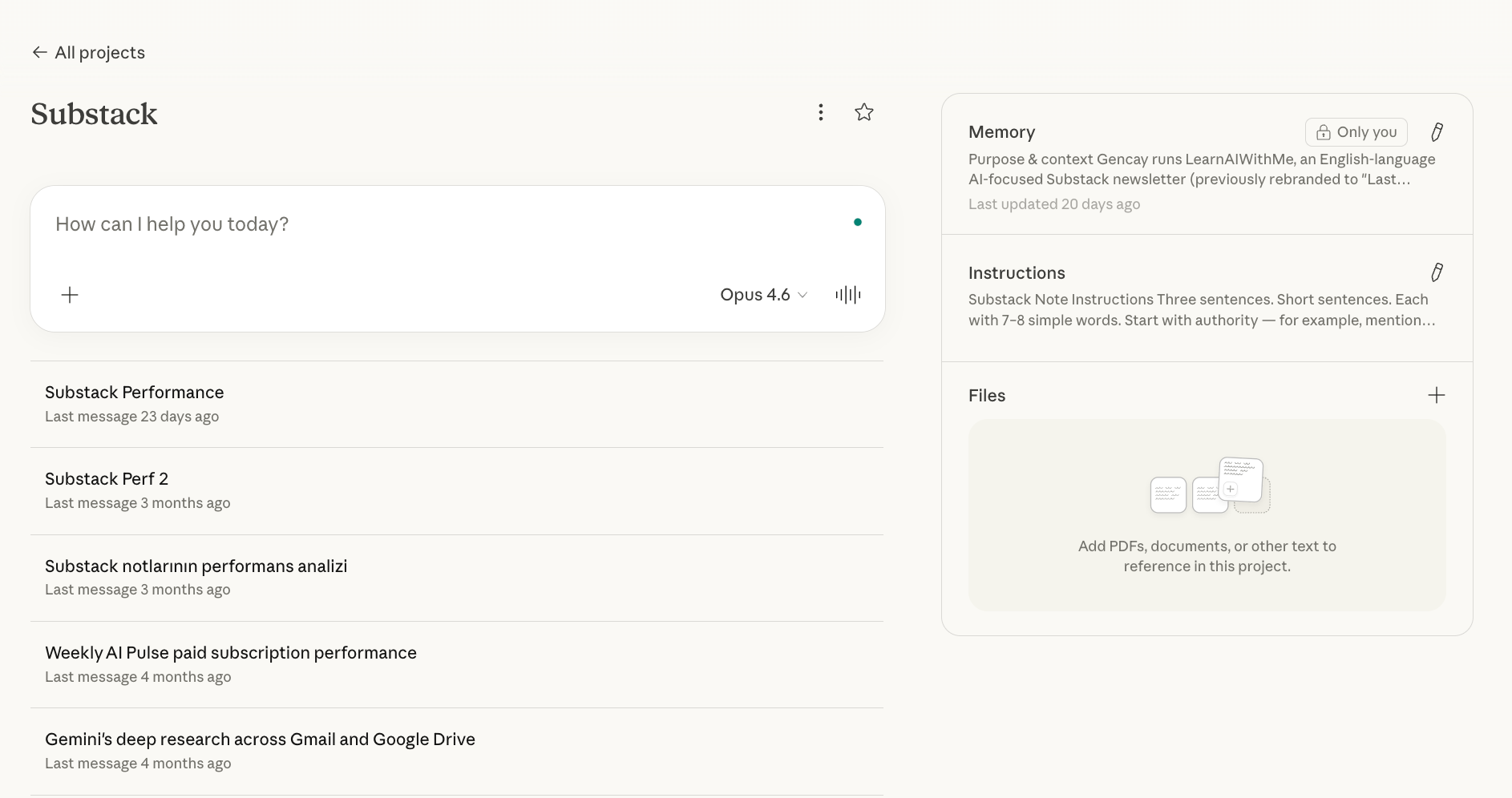
Projects give Claude long-term memory for a specific job.
Create a project. Upload your files, brand guidelines, writing samples, API docs.
Set custom instructions.
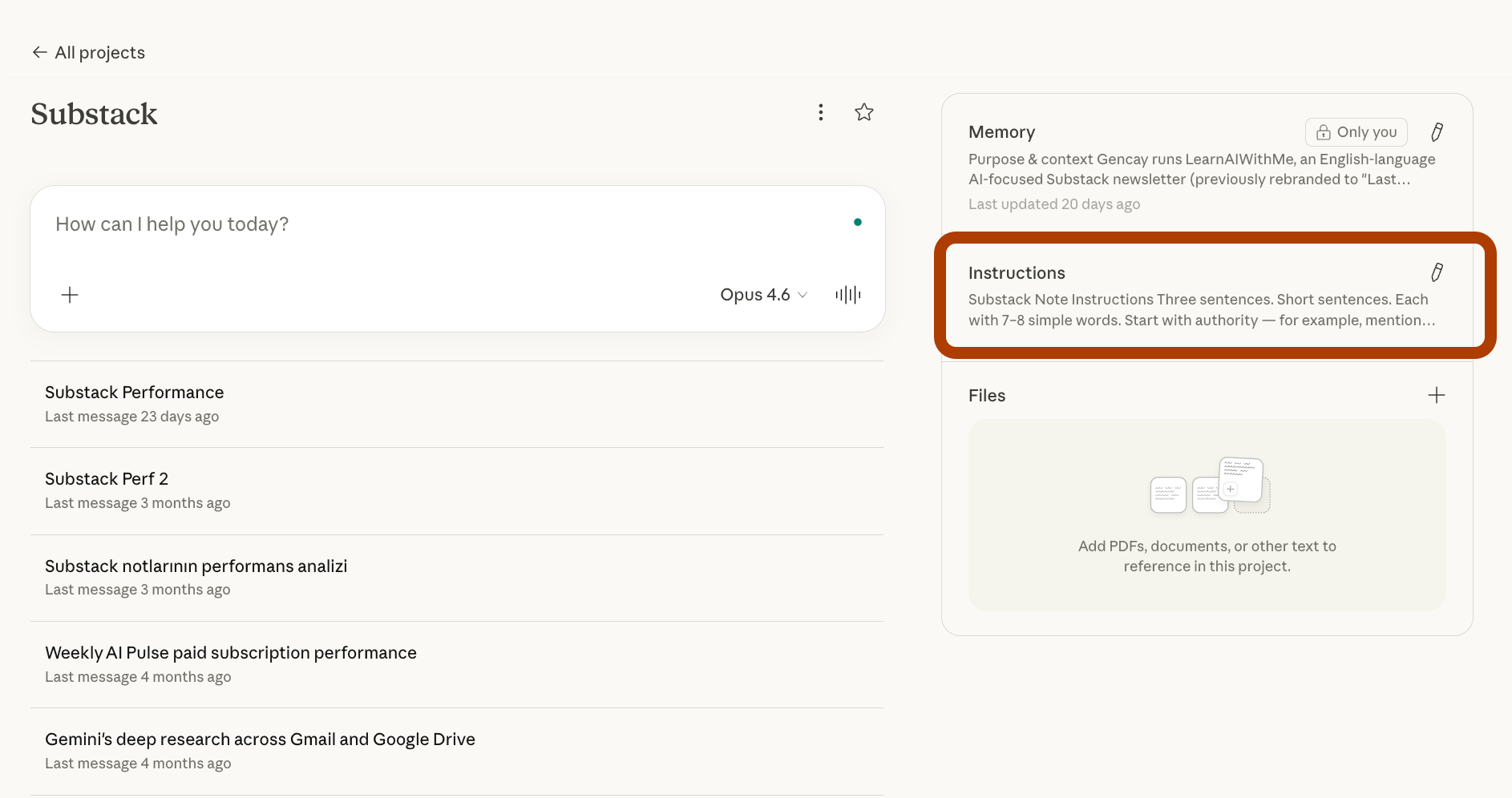
Every conversation inside that project starts with full context.
You can also control the memory.
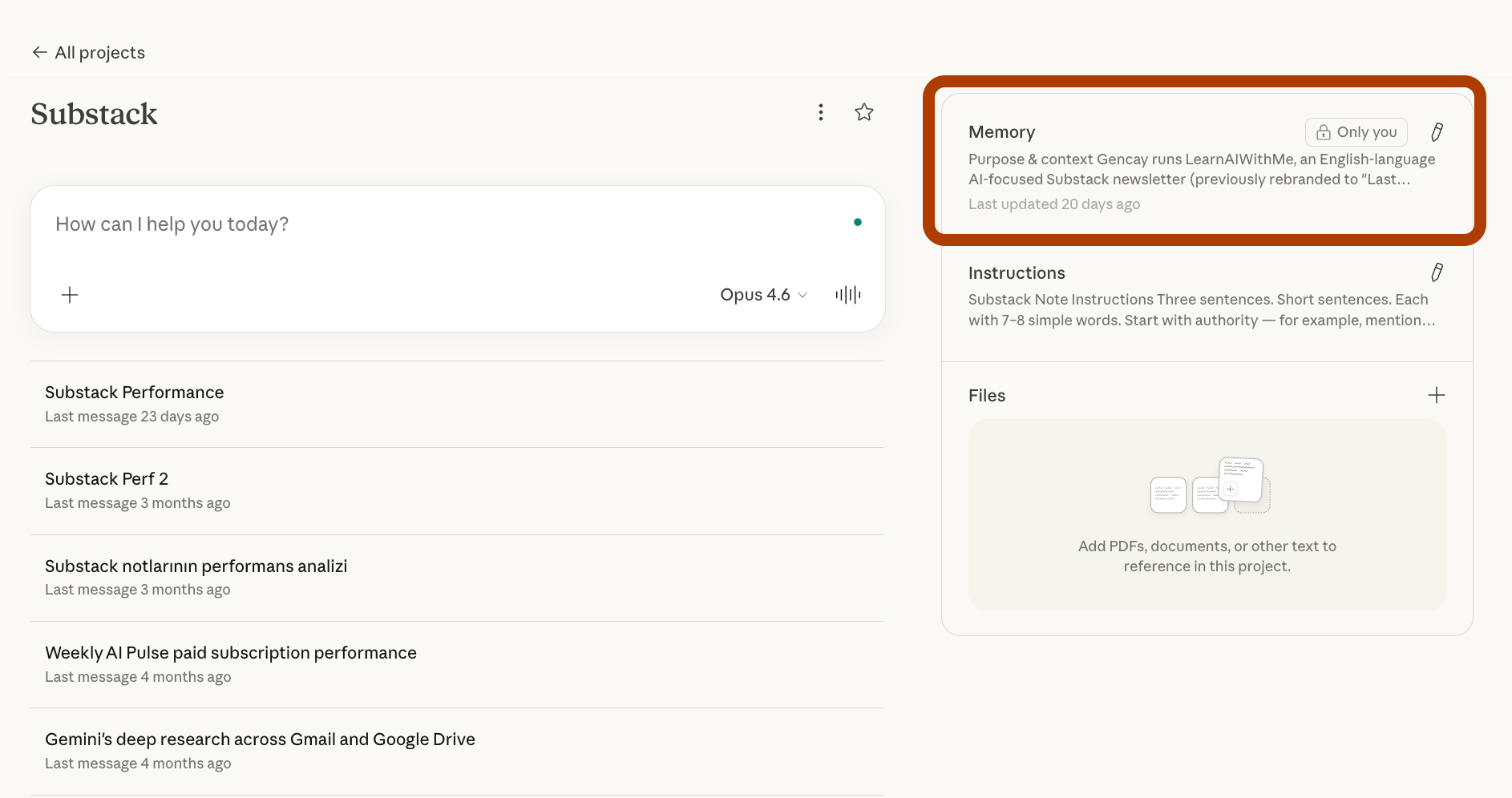
If you know what customgpt’s are or gemini gems, these are similar to them.
Final Thoughts
Claude is not a chatbot. Not anymore.
It’s a terminal. A spreadsheet analyst. A slide builder. A desktop agent. A plug-in platform. An app runtime. A context engine.
We’ve discovered seven hidden features.
Each one solves a different problem that chat alone cannot touch.
The 99% who use Claude like ChatGPT get chatbot-level results.
The 1% who learn these tools build systems.
Pick one feature from this list. Try it today. Then pick the next one tomorrow.
That’s how you stop chatting and start building.
If you are true guider then share tips and tricks of free version of AI Tools or whatever.
https://nandigamharikrishna.substack.com/p/the-claude-code-leak-how-512000-lines?r=8op1j&utm_campaign=post&utm_medium=web