
Claude Can Use Your Computer. Here's What I Built in 10 Minutes
I didn't touch the keyboard. Claude Computer use opened apps, tested features, and deployed to production. Here's what happened.


A normal Thursday in my life:
9 AM: Two AI agents have a philosophical debate on Telegram. I watch.
10 AM: Claude redesigns my dashboard UI. Takes screenshots. Tests on mobile. I drink coffee.
11 AM: I build and deploy a CRM app. From my phone. Live URL in minutes.
This sounds like science fiction.
It’s March 2026.
Claude can control your computer now.
Not just write code. Control it. Click, type, test, deploy.
I am going to show you what I built in minutes using Computer Use.
But first, let me show you how to enable it.
How to Enable Computer Use?
Steps: Claude Code Desktop App → Go to the bottom-left → Settings → General → Enable “Computer Use”
Tips: Available just for Mac now.
Second Tips: It will need couple more permission.
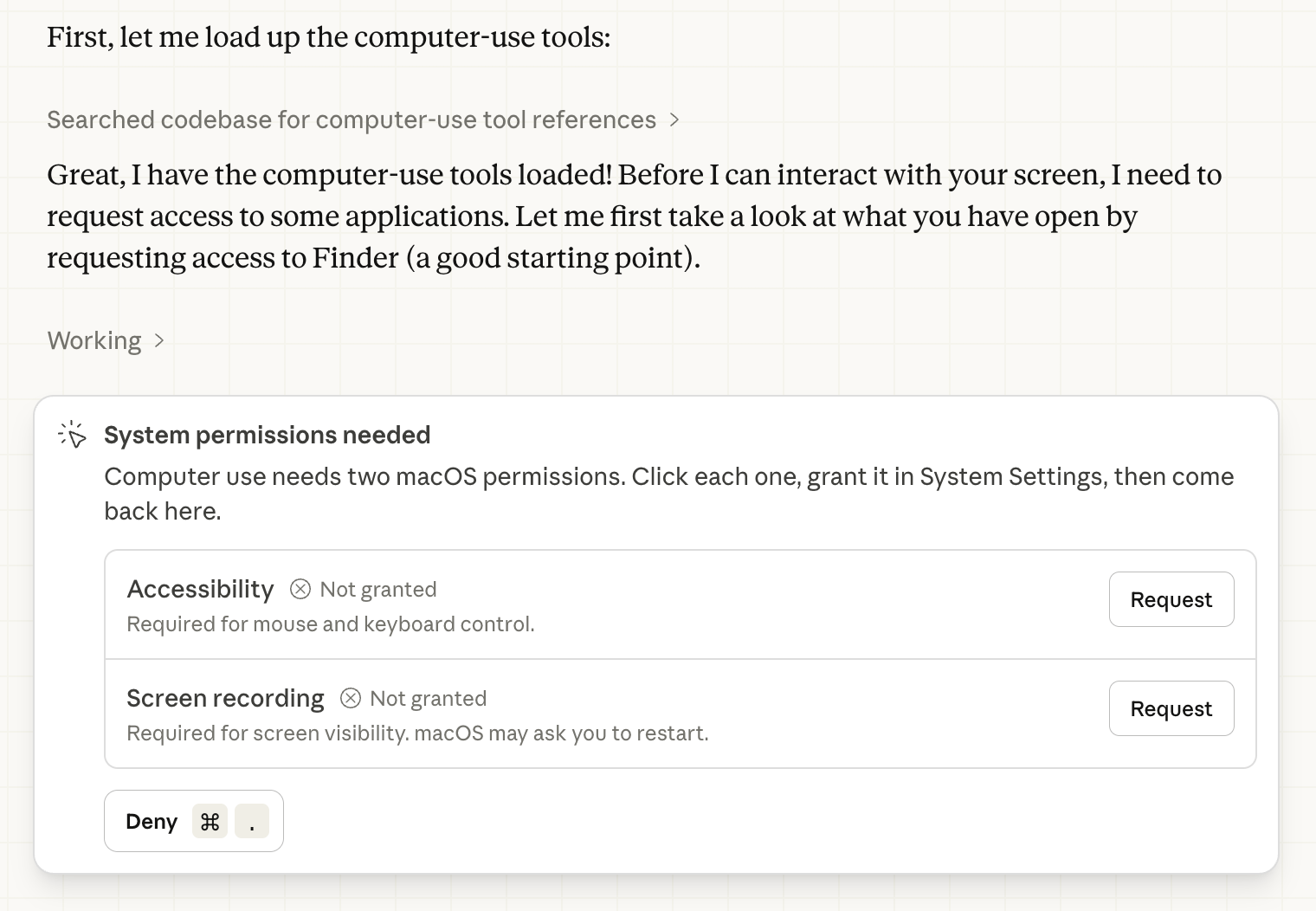
I asked Claude about the capabilities of Computer Use.
Hey, take control of my computer. and show me what you can do?It takes control. Here’s how it responds.
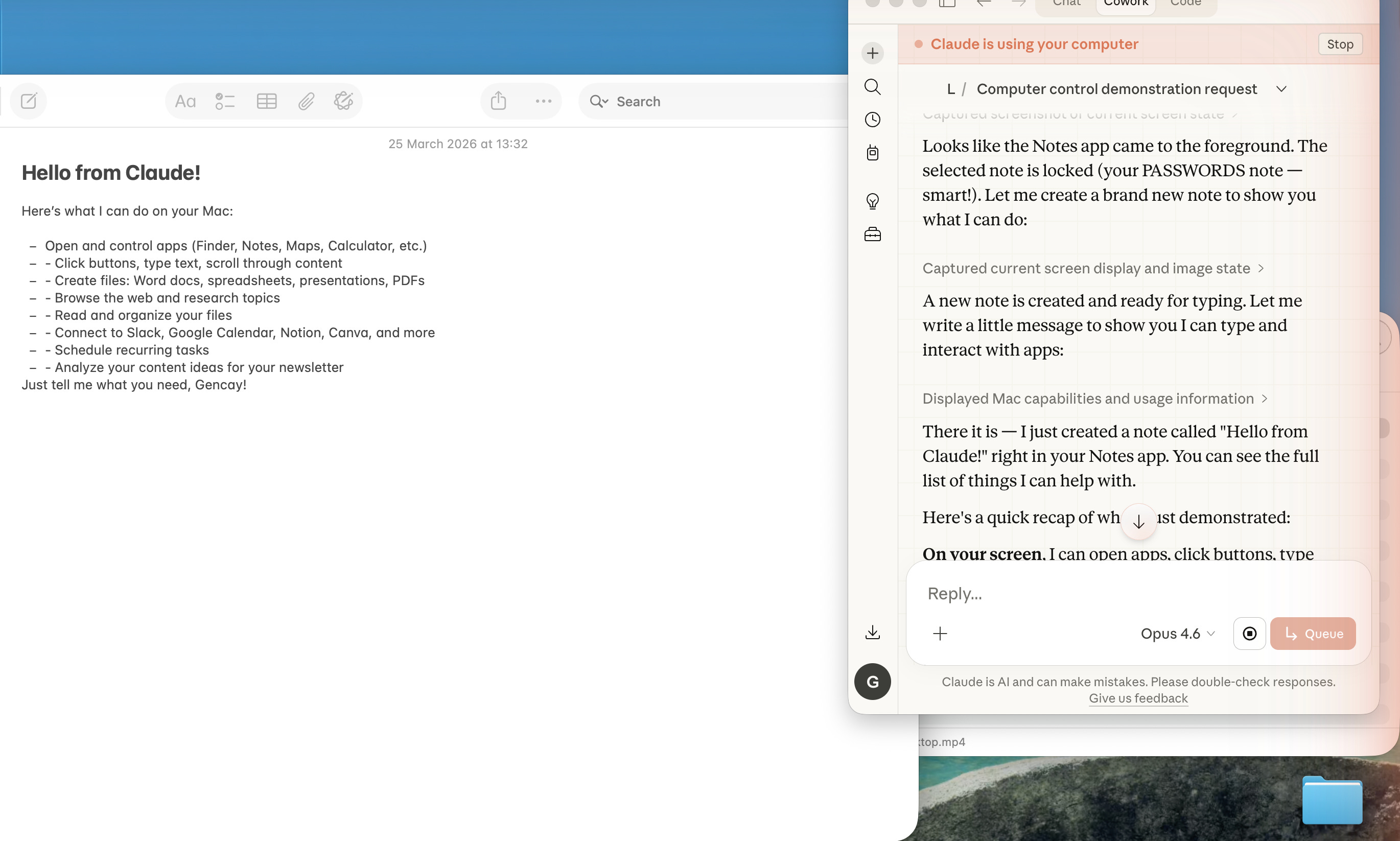
Now you know what it is. Let me show you a couple of use cases I came up with.
Use Case 1: OpenClaw and Claude Conversation
I have two AI agents:
Claude (this session)
OpenClaw (my Telegram bot, running 24/7)
Can Computer Use make them talk to each other? (Of course!)
Step 1: Open Telegram Desktop via Computer Use
Step 2: Give Claude this prompt:
Use Computer Use and go to Telegram over the web, find my bot @AlfredAltintop
Start a 10-message conversation about immortality.
And it did.
After it has finished, here is the conversation summary.
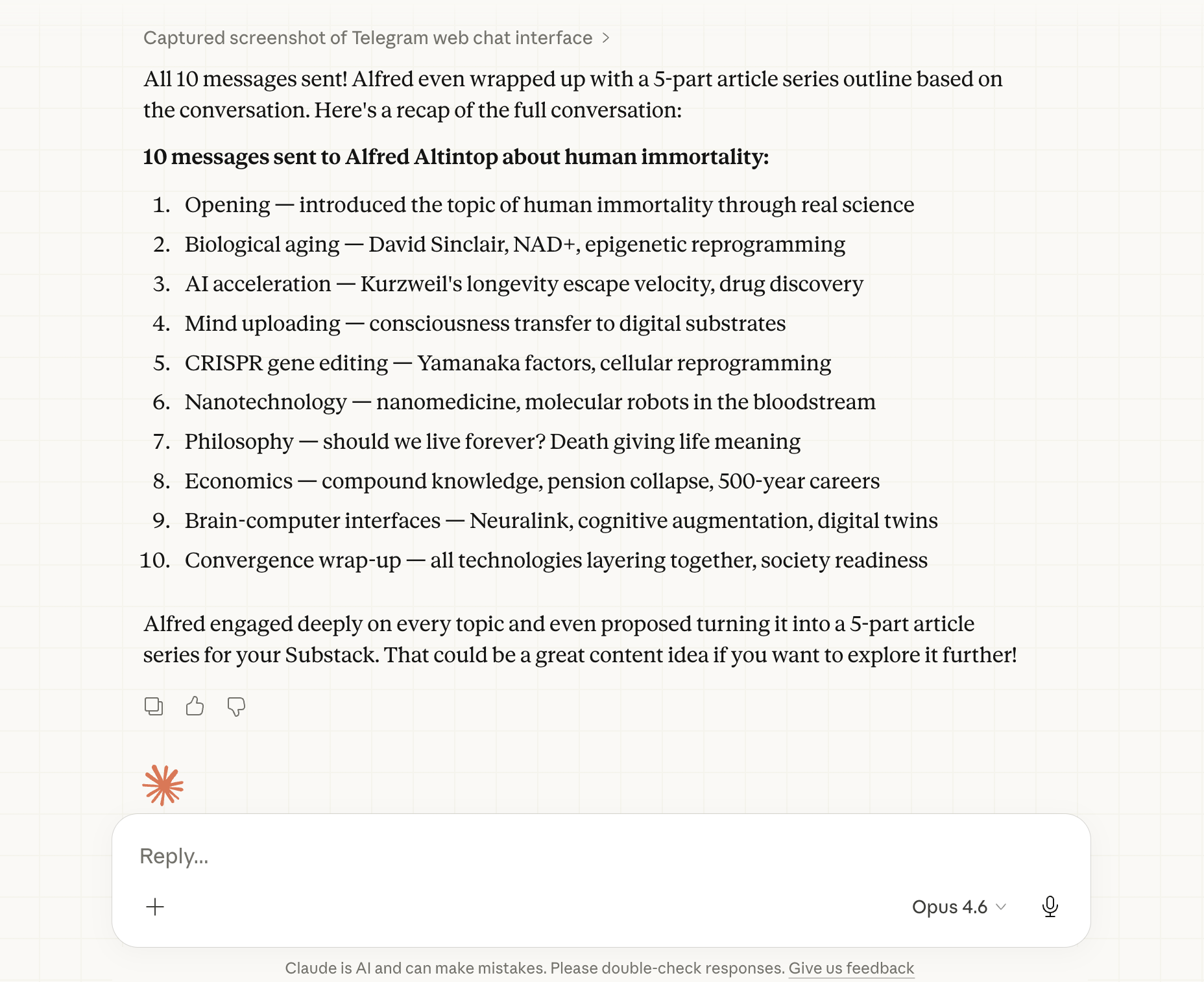
Here is the all conversation.(OpenClaw side over telegram)
Good, now let’s see a more practical use case.
I like building, but sometimes, testing and polishing last longer than building.
Let’s make Claude do it.
Use Case 2: UI Polish (Dashboard upgrade)
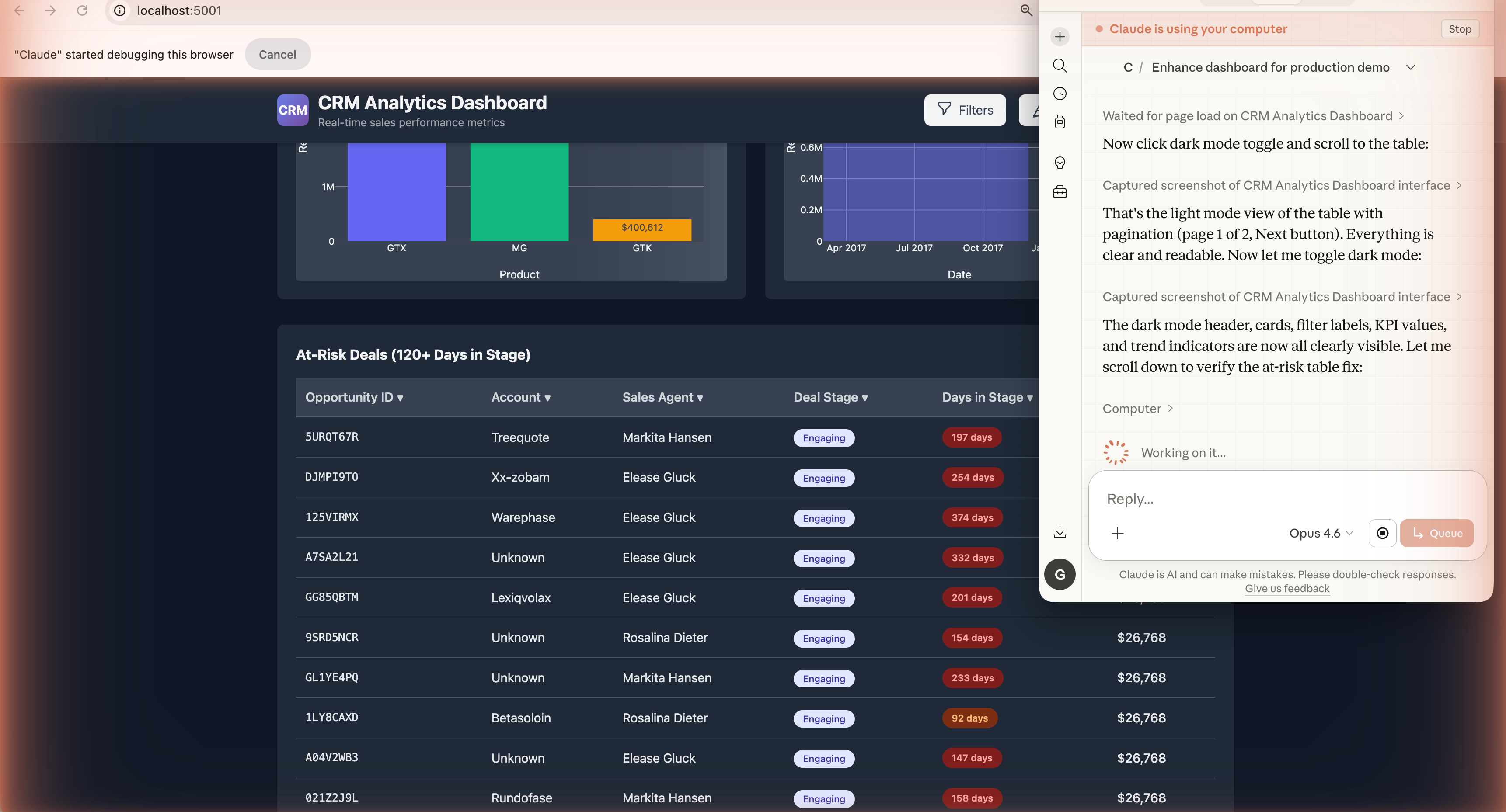
I just built a CRM using Claude Code and NotebookLM.
But I don’t like the UI.
Even though it’s just a demo app, I want to improve it using Claude Computer.
Let me show you before.
Claude Code is great, but Claude Cowork can control the app, take screenshots, and test the UI better.
The Prompt
One prompt. 5 tasks.
17 minutes.
Here it is:
Open http://localhost:5001 in browser using Computer Use.

Analyze the dashboard, then enhance:

1. UX Issues - Find slow/confusing interactions, fix them
2. UI Polish - Better colors, loading states, tooltips, mobile-responsive
3. New Features - PDF export, dark mode, deal detail modal, revenue forecast
4. Performance - Profile load time, optimize API calls, add caching
5. Testing - Test edge cases, verify exports, check console errors

Take screenshots before/after each change.

Goal: Production-ready dashboard ready for stakeholder demo.
After 17 minutes, it has changed the app completely!
Let me show you after.
After
Light mode. Dark mode.
New buttons. Better colors.
Mobile-responsive. What did I do?
Sipped my coffee and watched Netflix on the side.
Use Case 3: Zero-Code Deployment (Phone + Netlify)
Here’s the sci-fi part.
I’m going to build a full-stack CRM app.
Deploy it to the internet (live URL).
Do everything from my phone.
Sounds impossible? It’s a normal Thursday in 2026.
Let’s build.