
I Tested All Claude Cowork Features. Here's What Actually Works.
All Claude Cowork features, Connectors, Plug-ins, Ideas, Scheduling Explained.


Do you still see Claude Cowork tutorials, drop a like, and keep scrolling?
Well, in this one, I’m going to show you all of its features.
Most people don’t even know about the “Ideas” or “Scheduled” features yet.
How do I know? Because I’m both testing it myself and applying it to my clients.
And here, I’ll explain to you everything, with simple use cases.
But first, what is Claude Cowork?
What is Claude Cowork?
Claude Cowork is very similar to Claude Code.
Claude’s team understood that “code” scares people.
Even though Claude Code is not just for tech people.
So they introduced Cowork. It has almost all the features Claude Code has.
You can use it inside the Claude app.
To download Claude App, visit here.
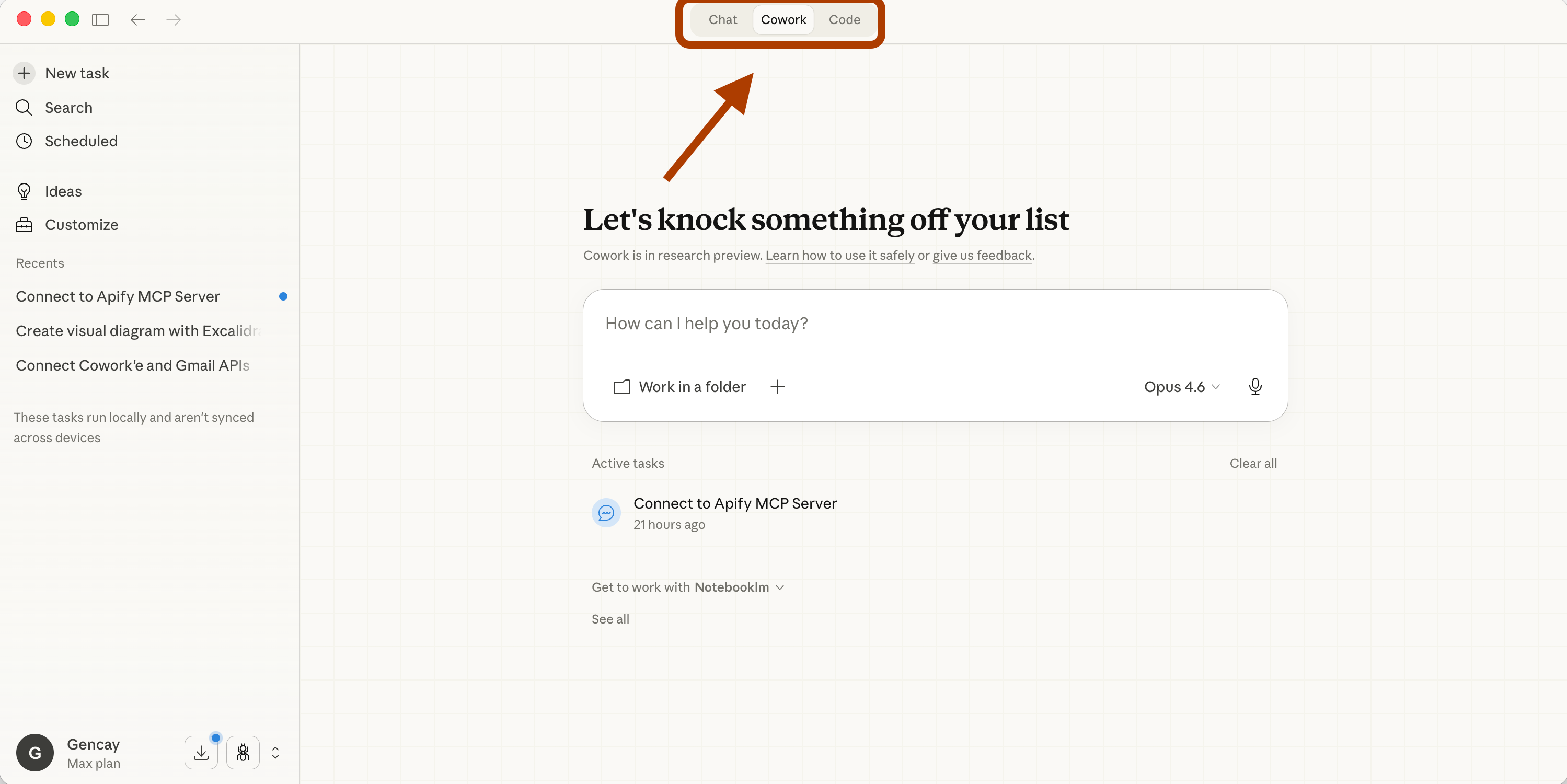
Just like Claude Code, it has “Connectors” and “Plug-ins.”
1. What are connectors?
External apps. Slack, Google Drive, Excalidraw, things Claude can talk to.
How to find connectors?
To see connectors, click on “+” and “Connectors”.
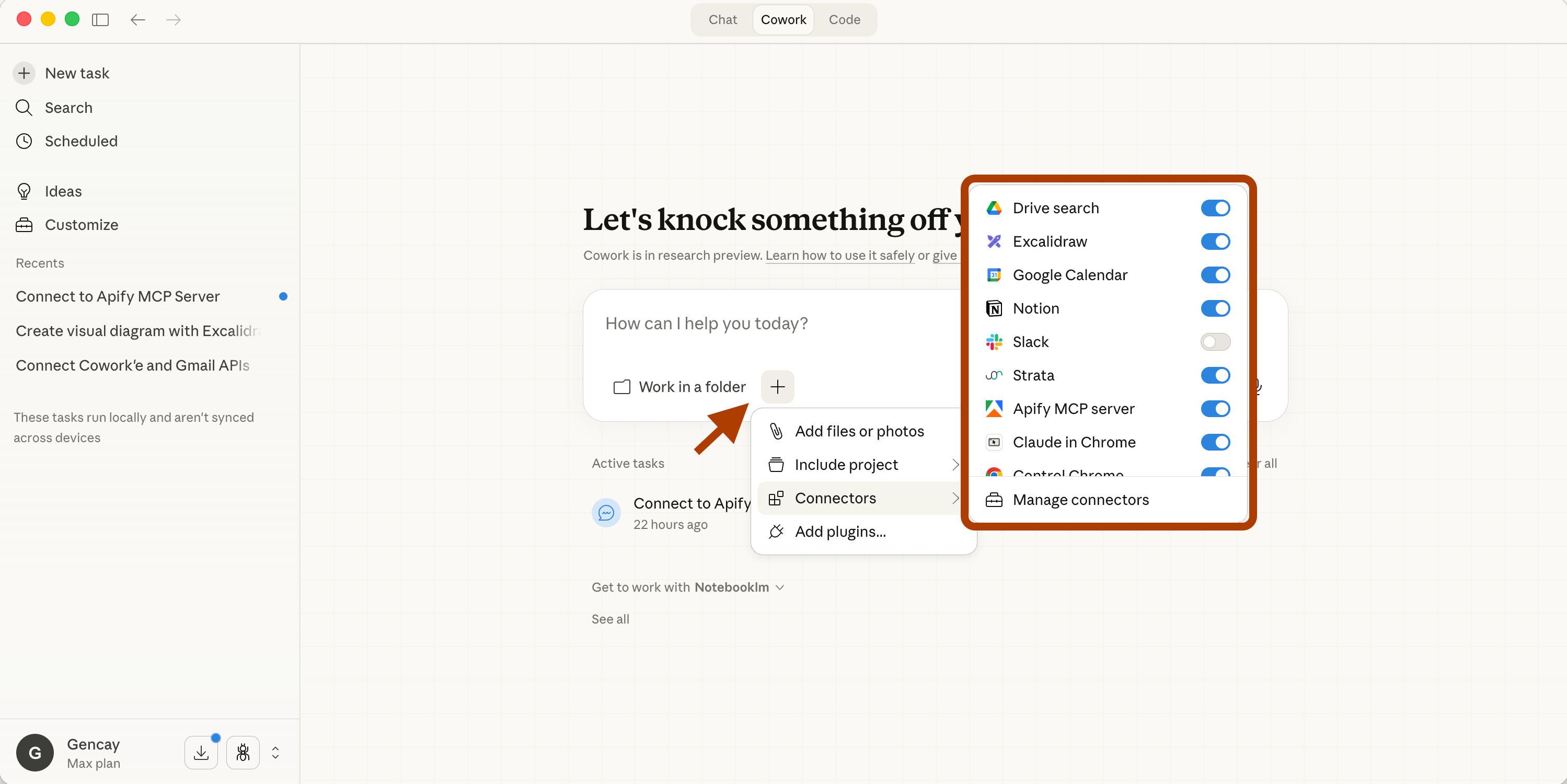
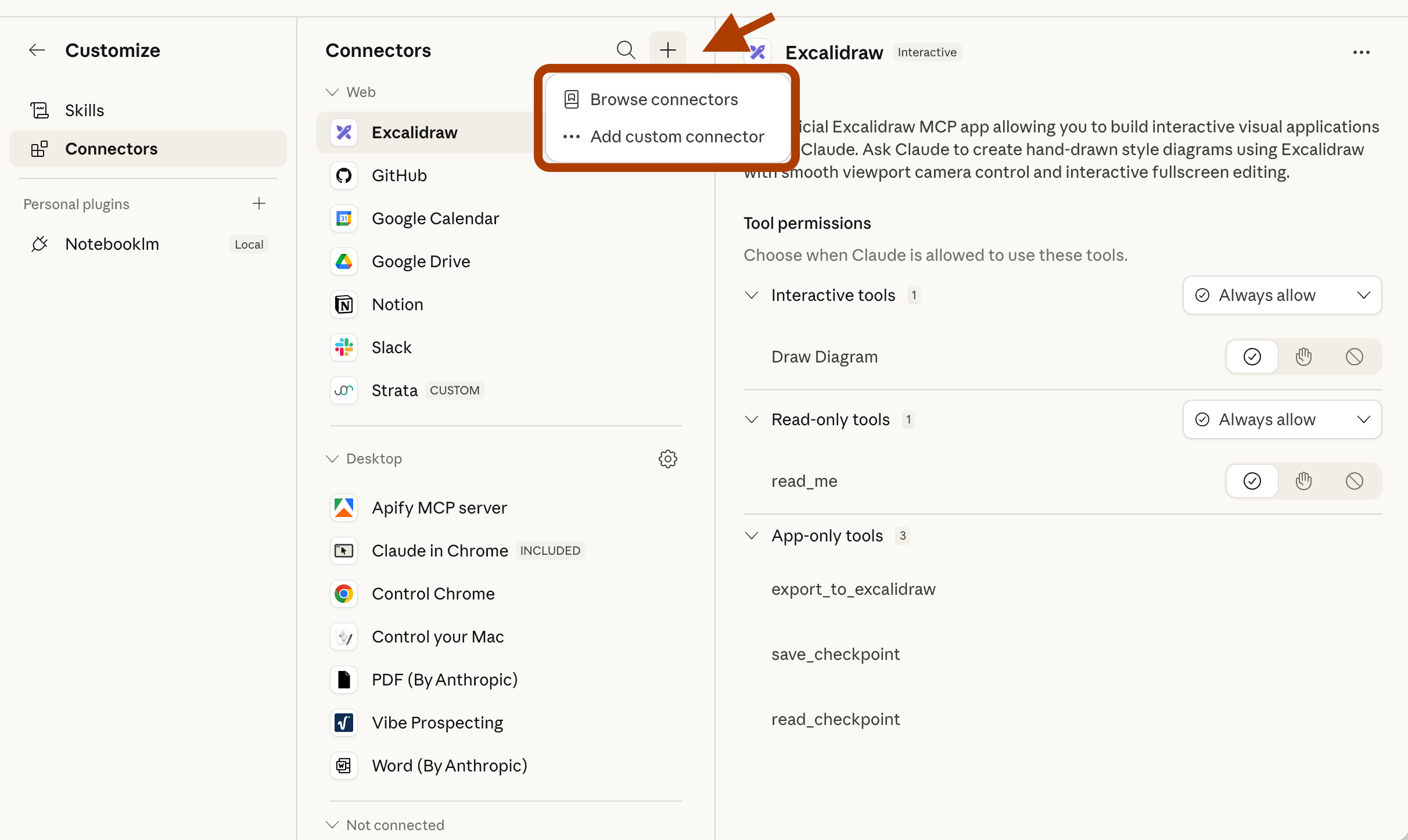
When you click on “Manage connectors”, the following screen will pop up.
Next, click on “+” and “Browse connectors”.
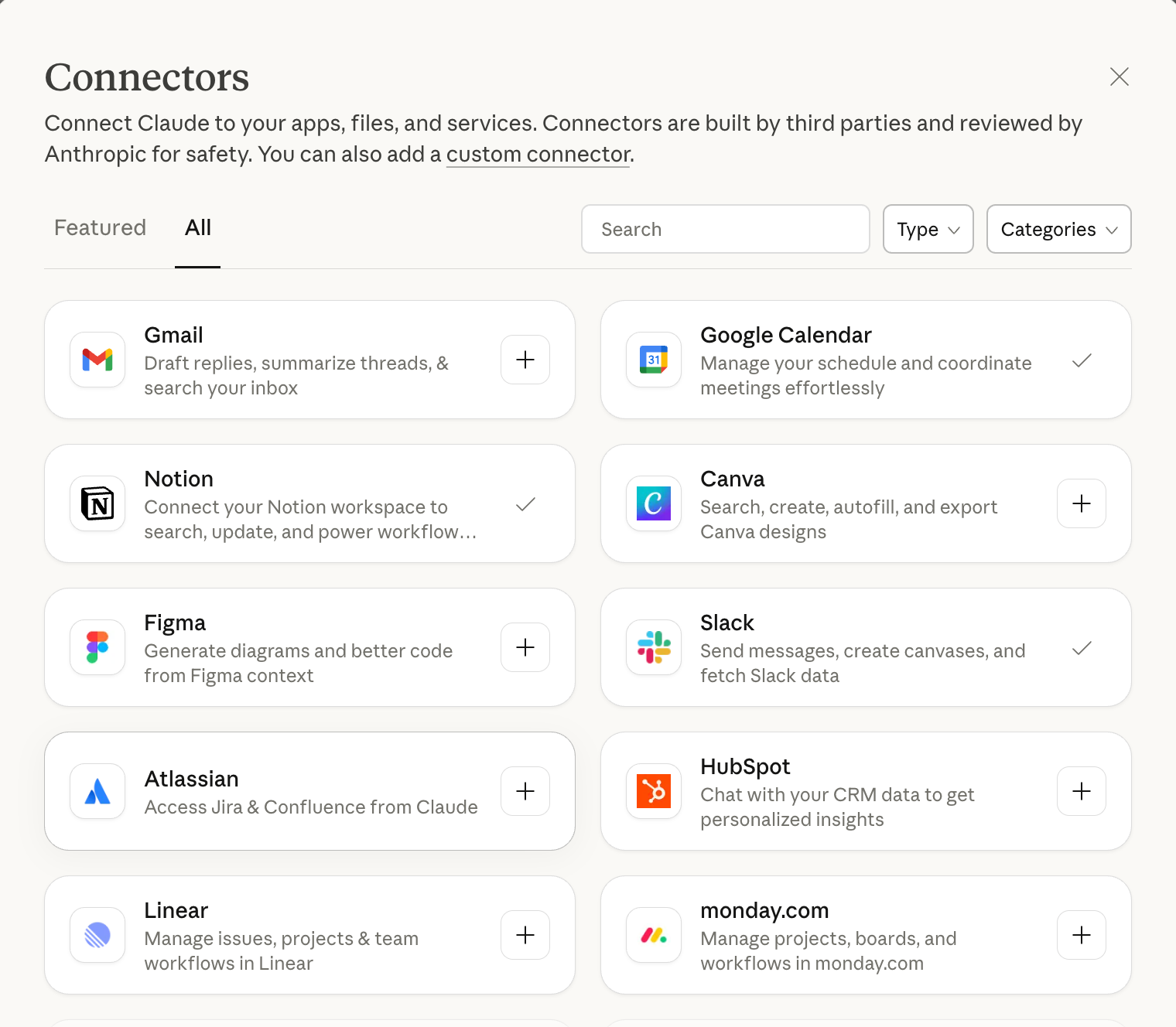
And you’ll see all connectors here.
Let’s test: Notion Connector
Let’s test the “Notion” connector.
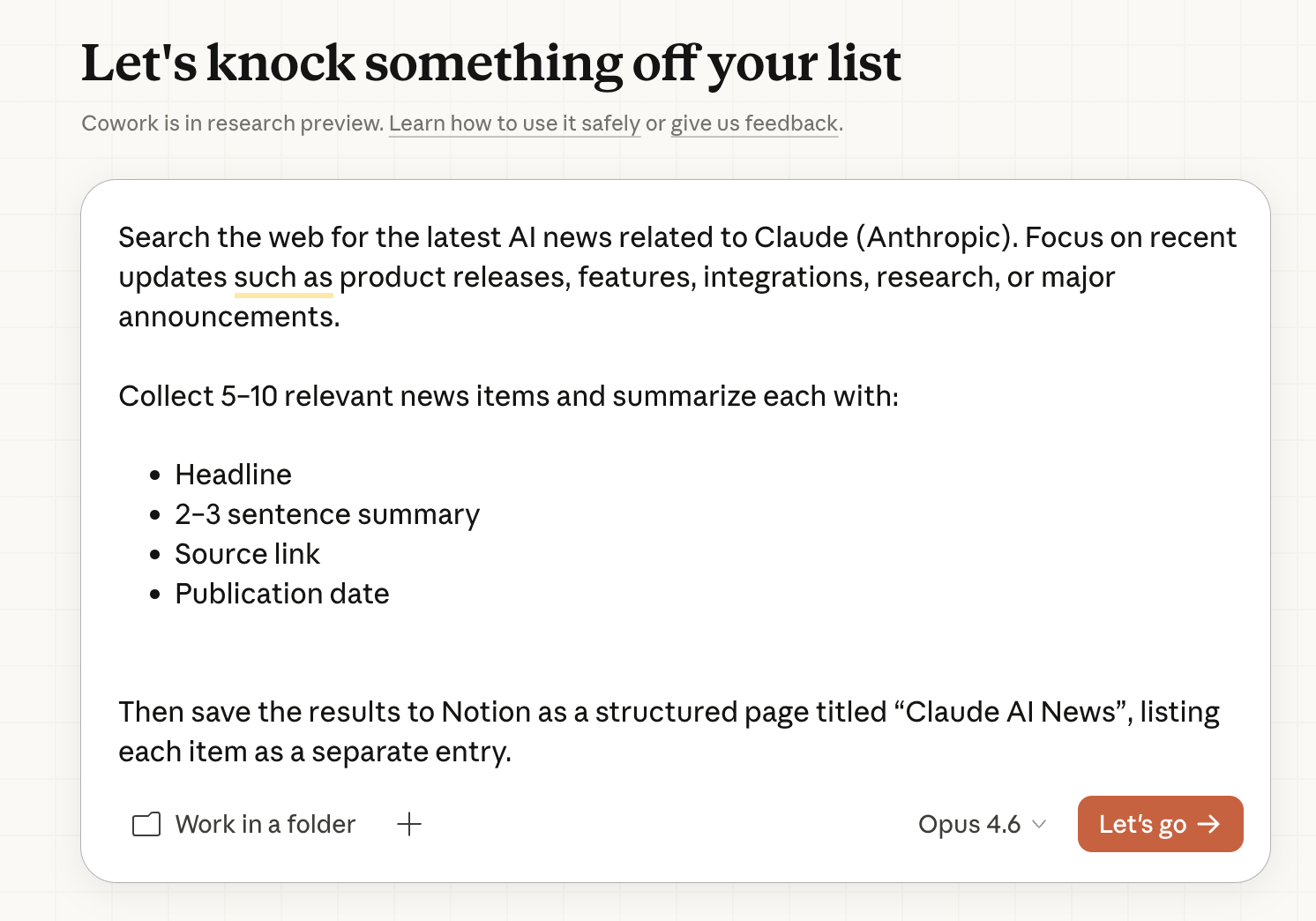
Paste the prompt. Wait 10 seconds. Progress bar appears.
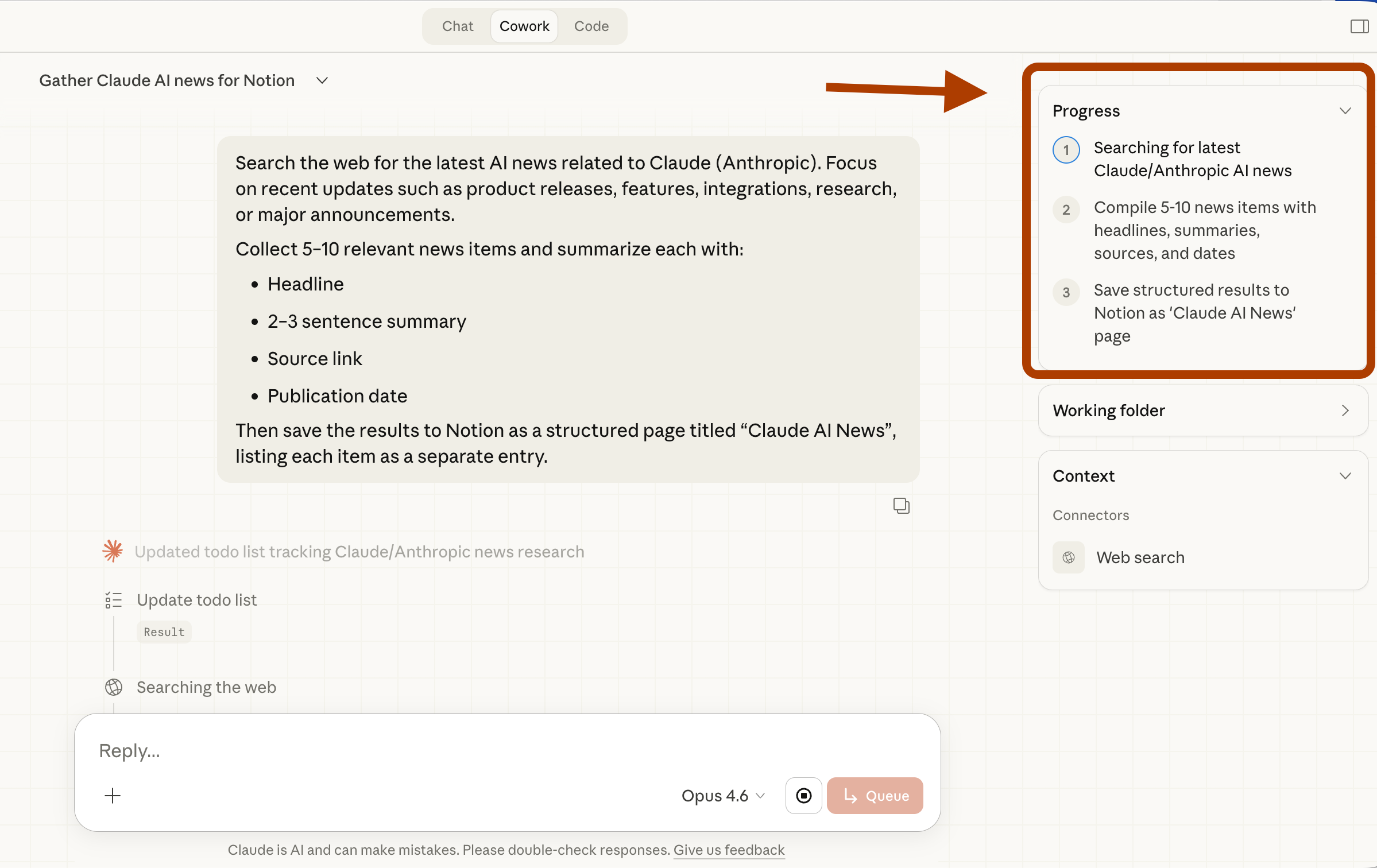
And after a while, you see the “Notion” as a “connector” under “Context”.
And it started writing inside Notion.
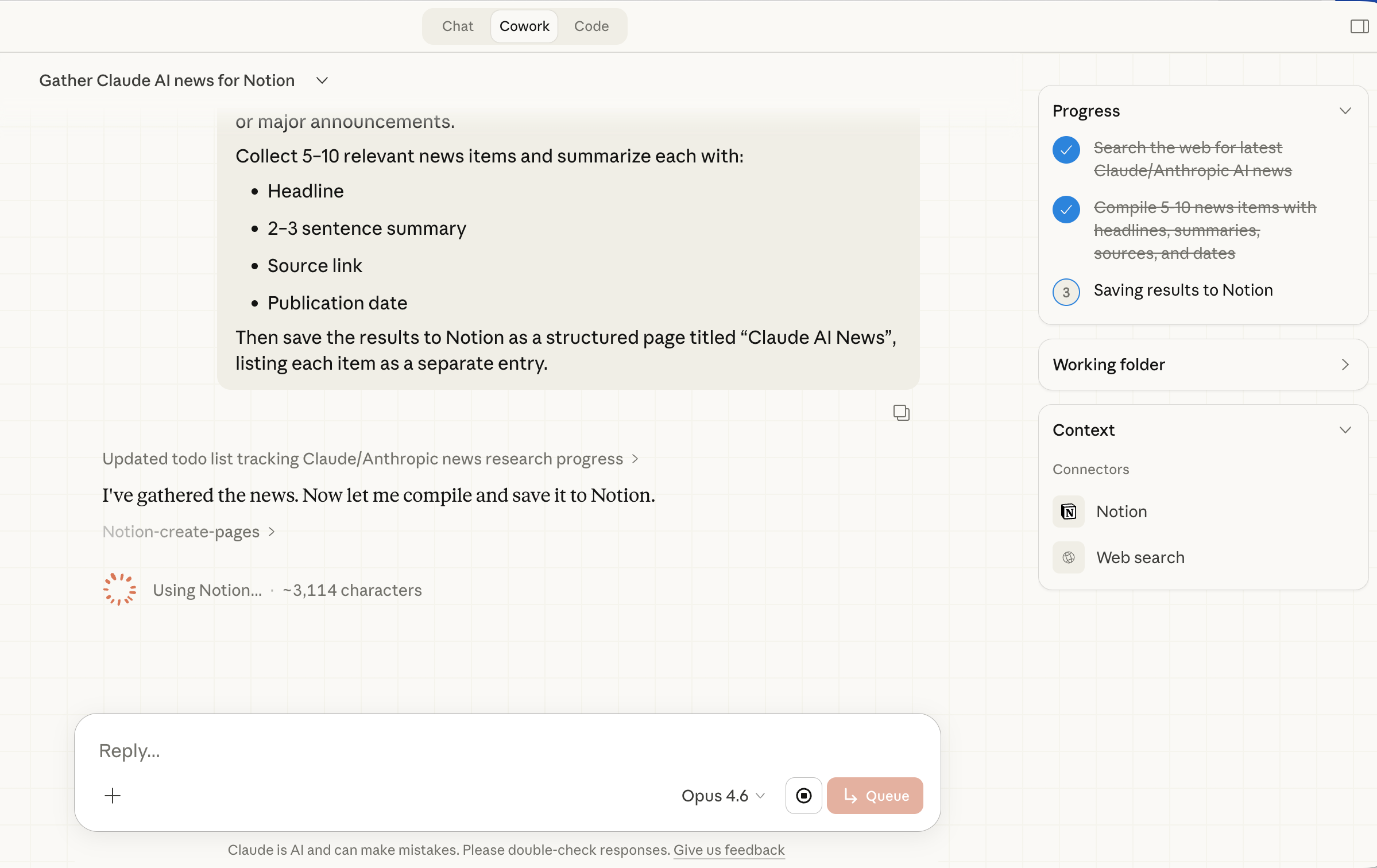
Here, it has finished.
Now let’s see the notion page.

It saved all the news to the Notion page.
Advance Use Case
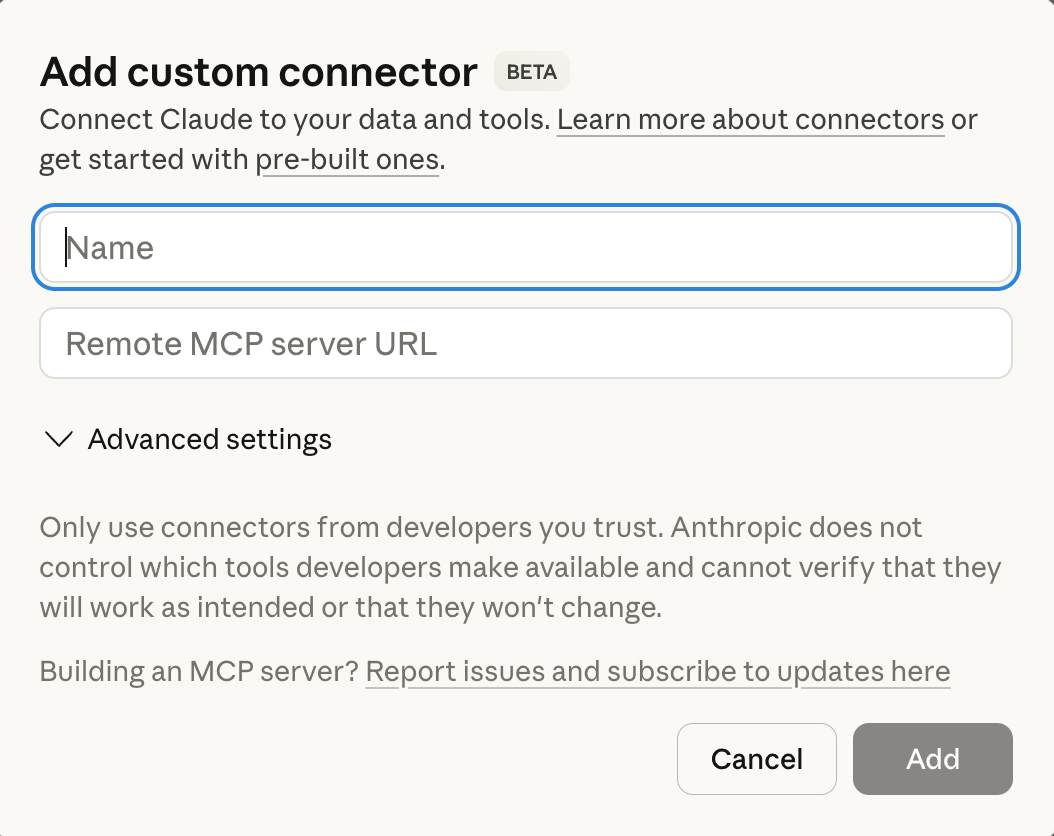
If you click on “Custom Connector” instead of “Manage connector”, you can add a remote MCP server.
This remote server can connect to your website.
2. What are plug-ins?
Custom tools you create using your own data. Think of them as specialized assistants.
How to find plug-ins?
Click on “+” and “Add plug-in”.
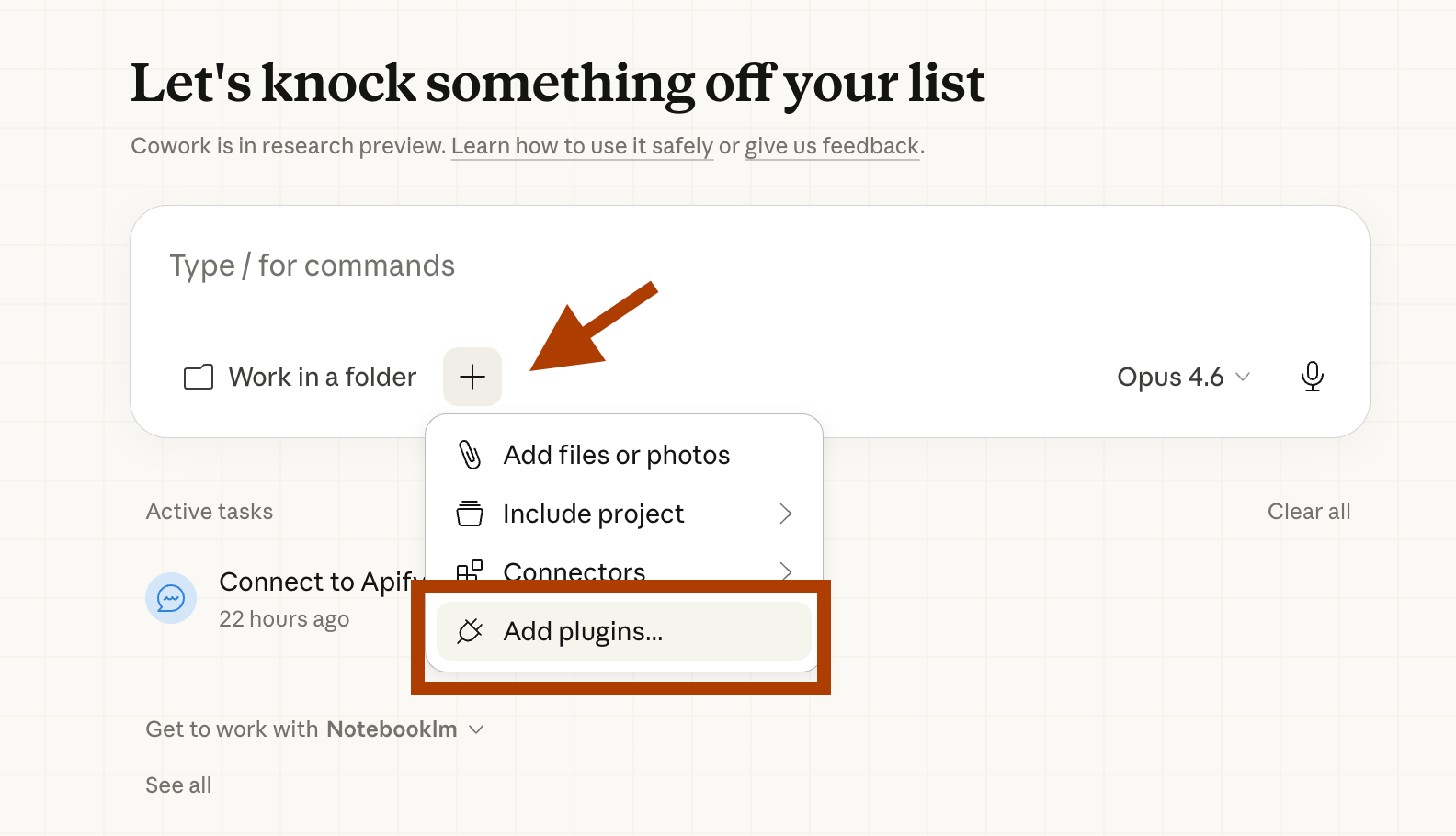
And you can browse different plug-ins.
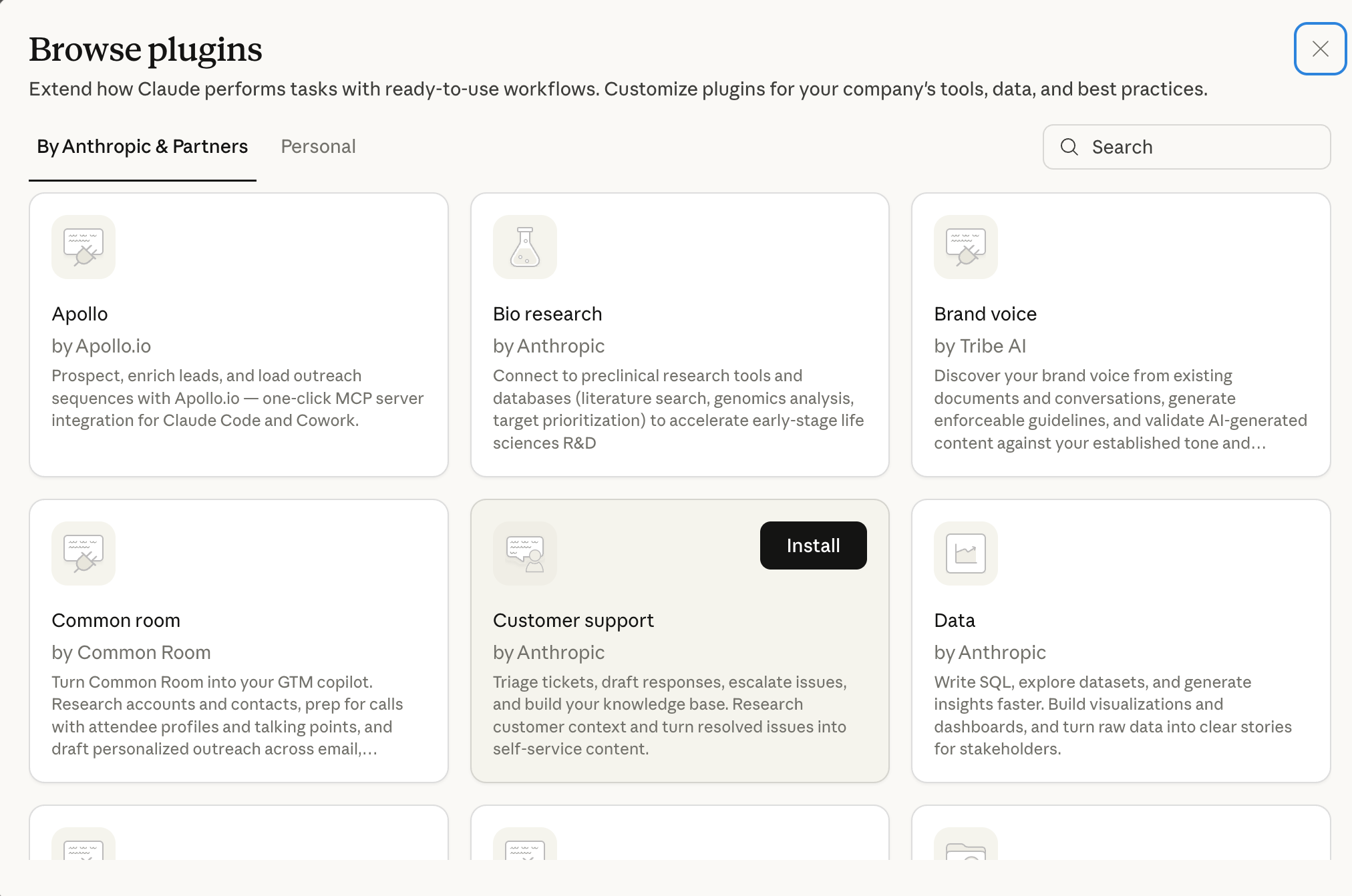
Let’s see one of them.
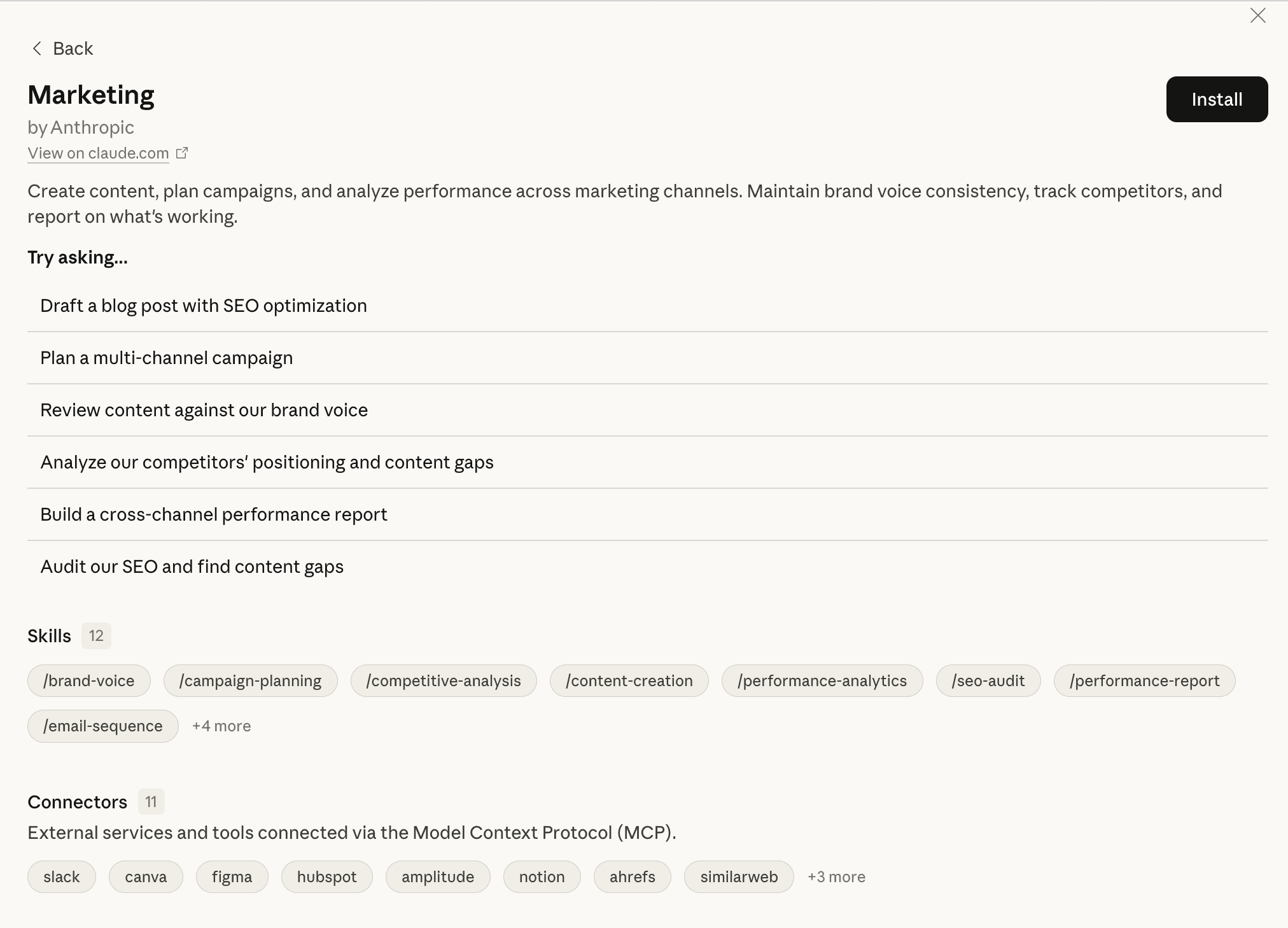
Let’s test: Marketing
This one is built for marketers.
Draft content, plan campaigns, track competitors, and audit your SEO, all connected to tools like HubSpot, Canva, Ahrefs, and Notion.
Once you click on “+”, “Plugins” and “Marketing”, we just installed, you can see different features.
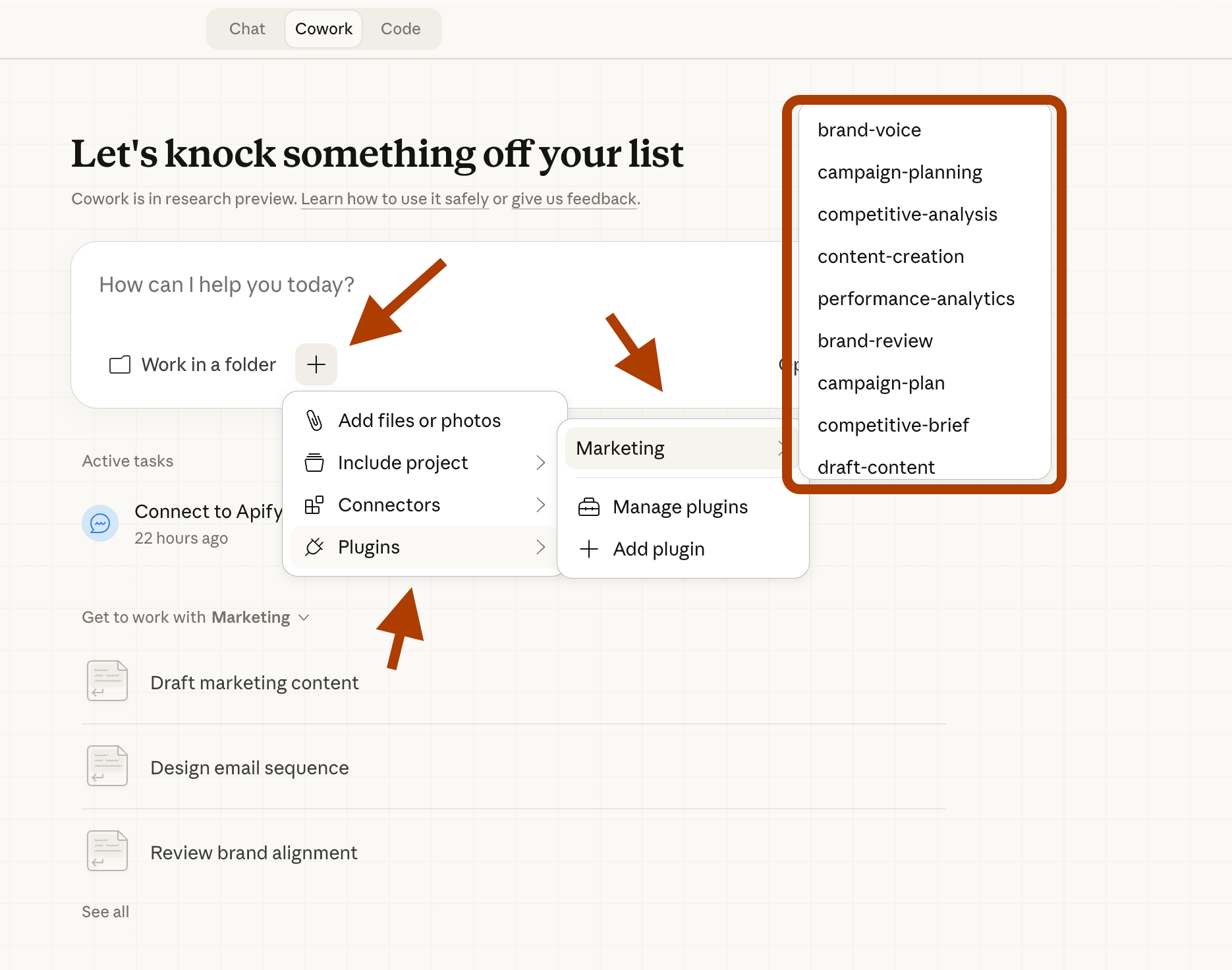
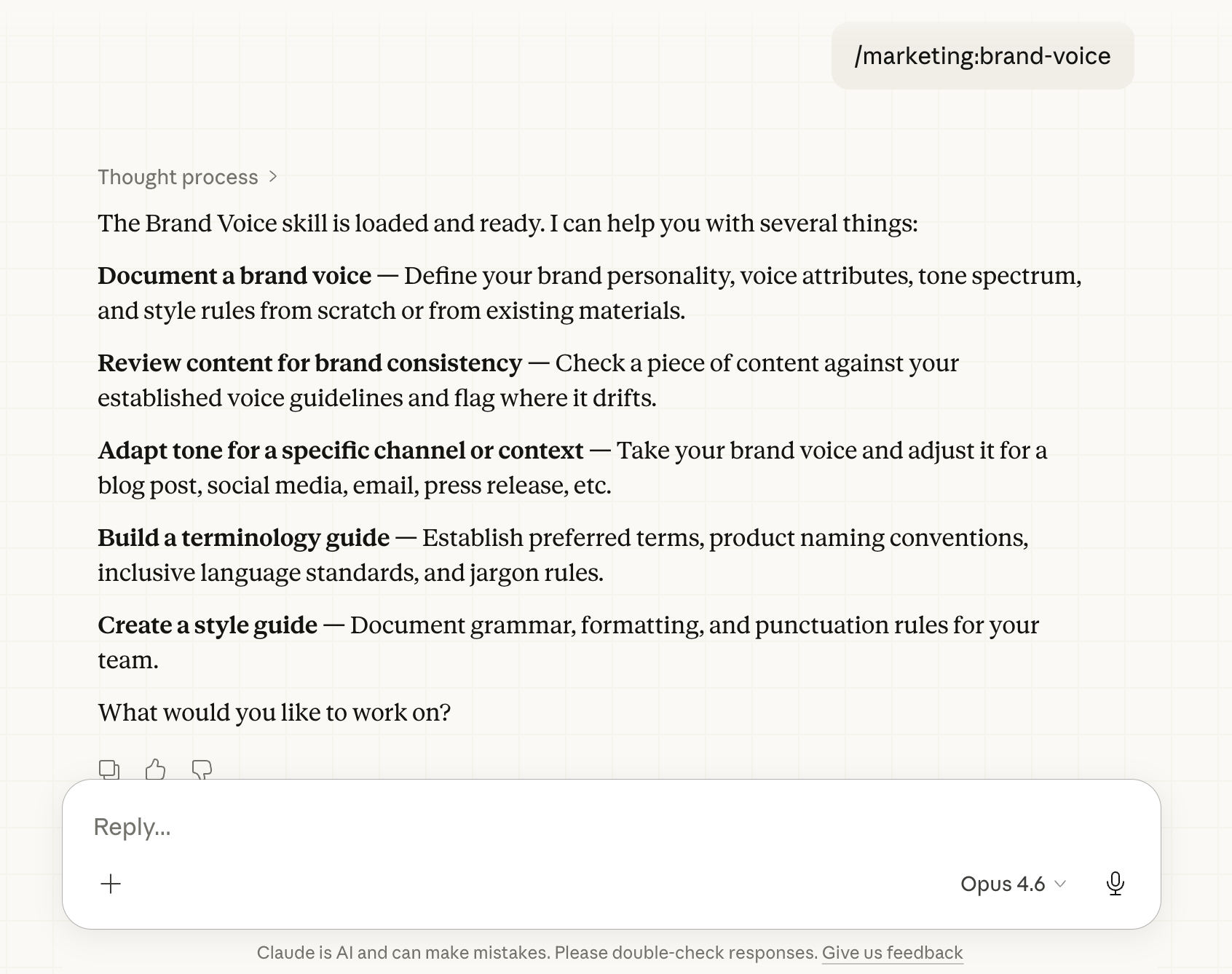
And I selected brand-voice, here are the questions it asks.
Now you know most of the Claude Cowork.
3. What are Ideas?
Once you click on “Ideas”, you see pre-made workflows.
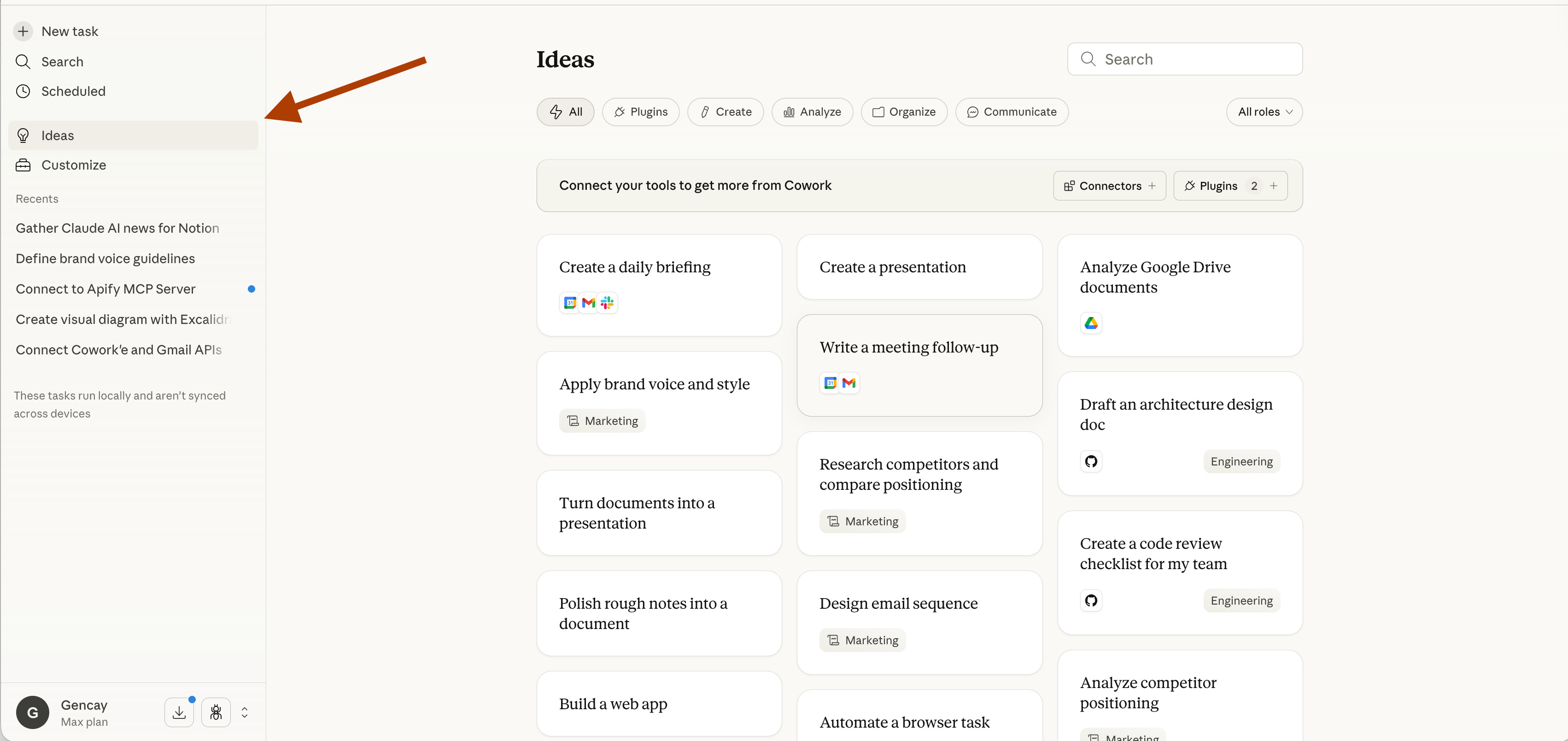
Let’s click on “Create presentations”.
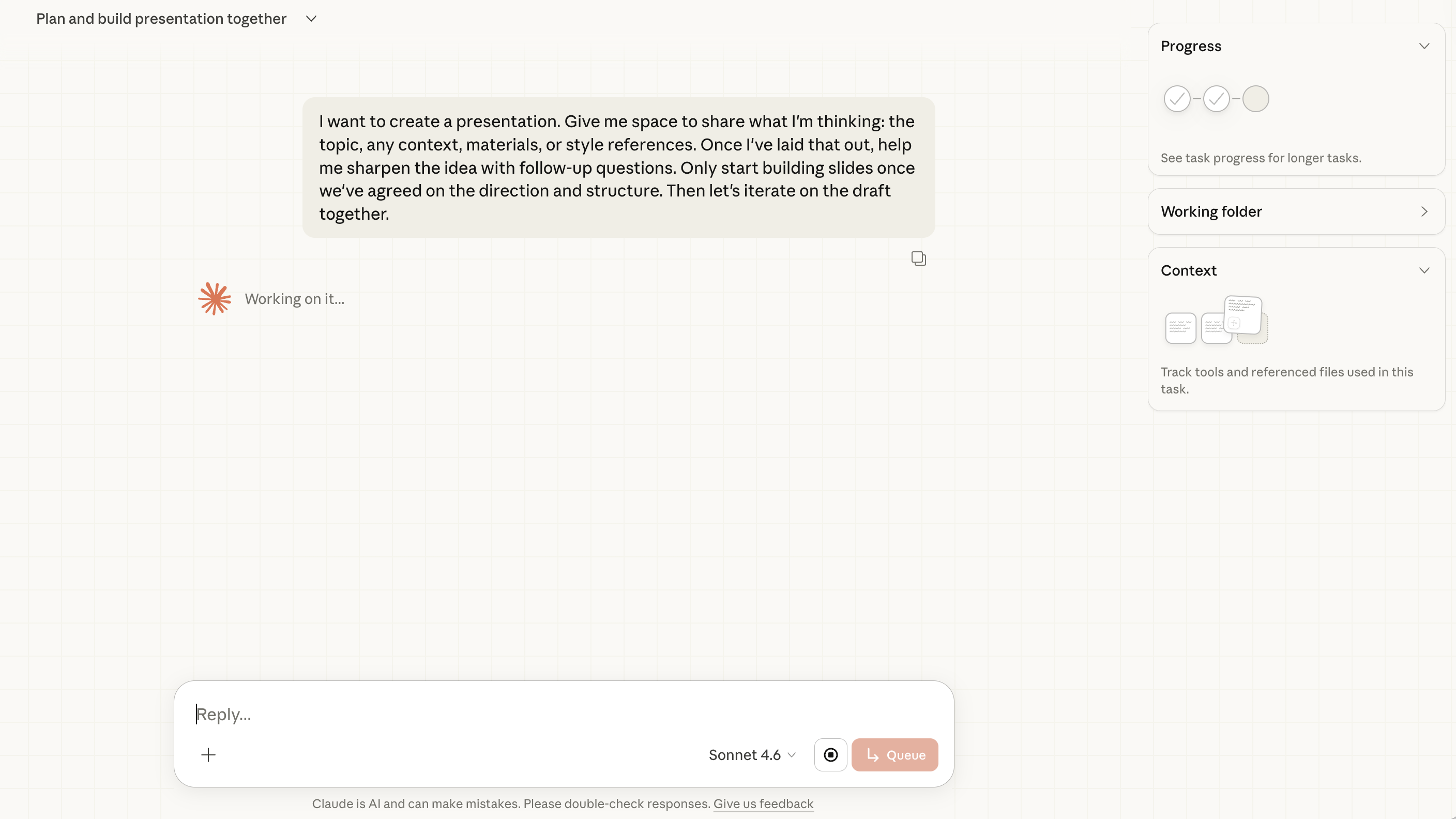
It will initiate the presentation creation process.
Use this prompt
I want you to create a presentation for my article.

1. What are connectors?
2. What are plug-ins?
3. What are Ideas?
4. What are Scheduling?

[pasted content]
Next, it asked the following questions.
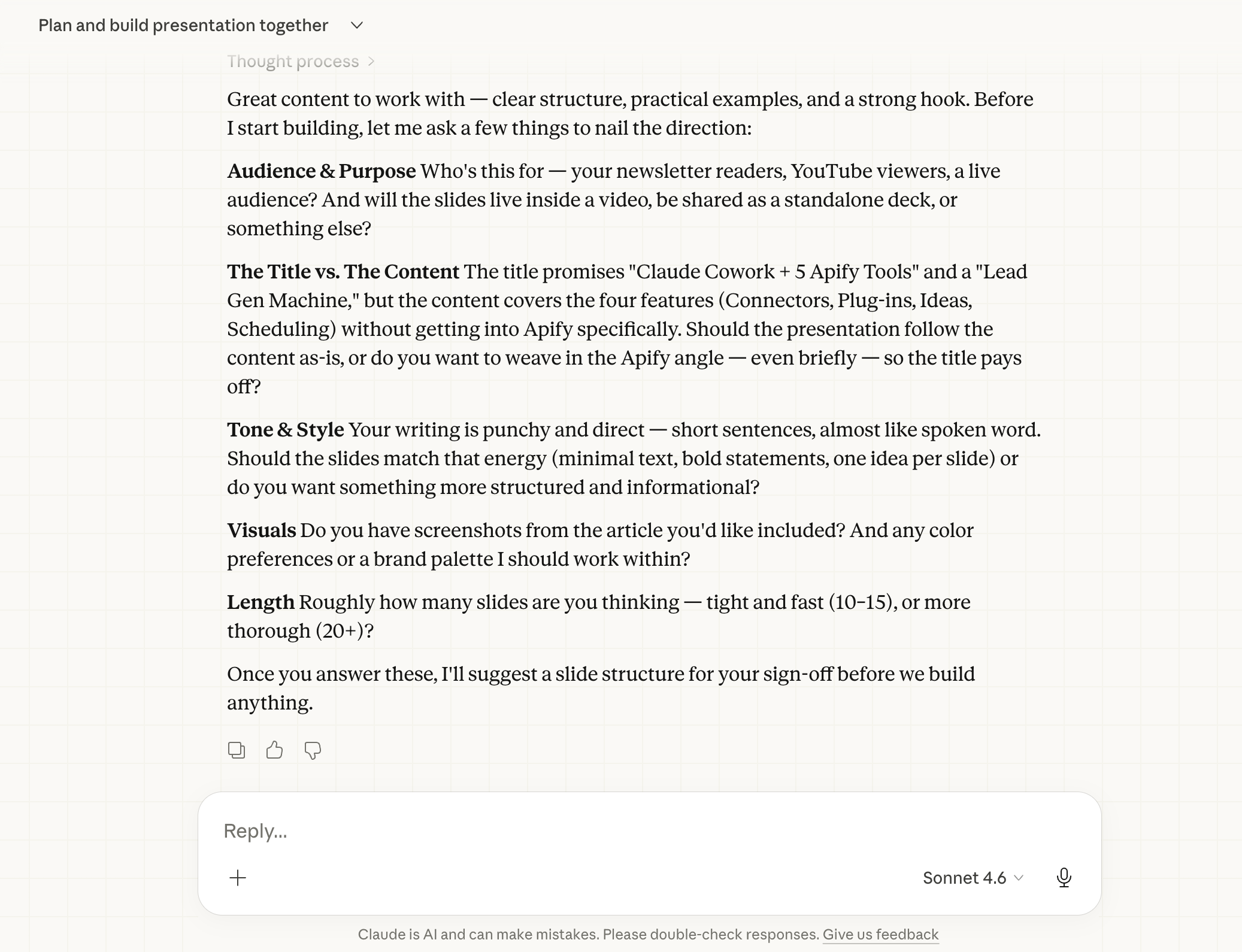
Use this prompt
Audience: My substack newsletter

The title: 4 Features of Claude Cowork

Tone: Punch and direct

Visuals: Minimalist

Length: 4 slides
Let’s see.
It started.
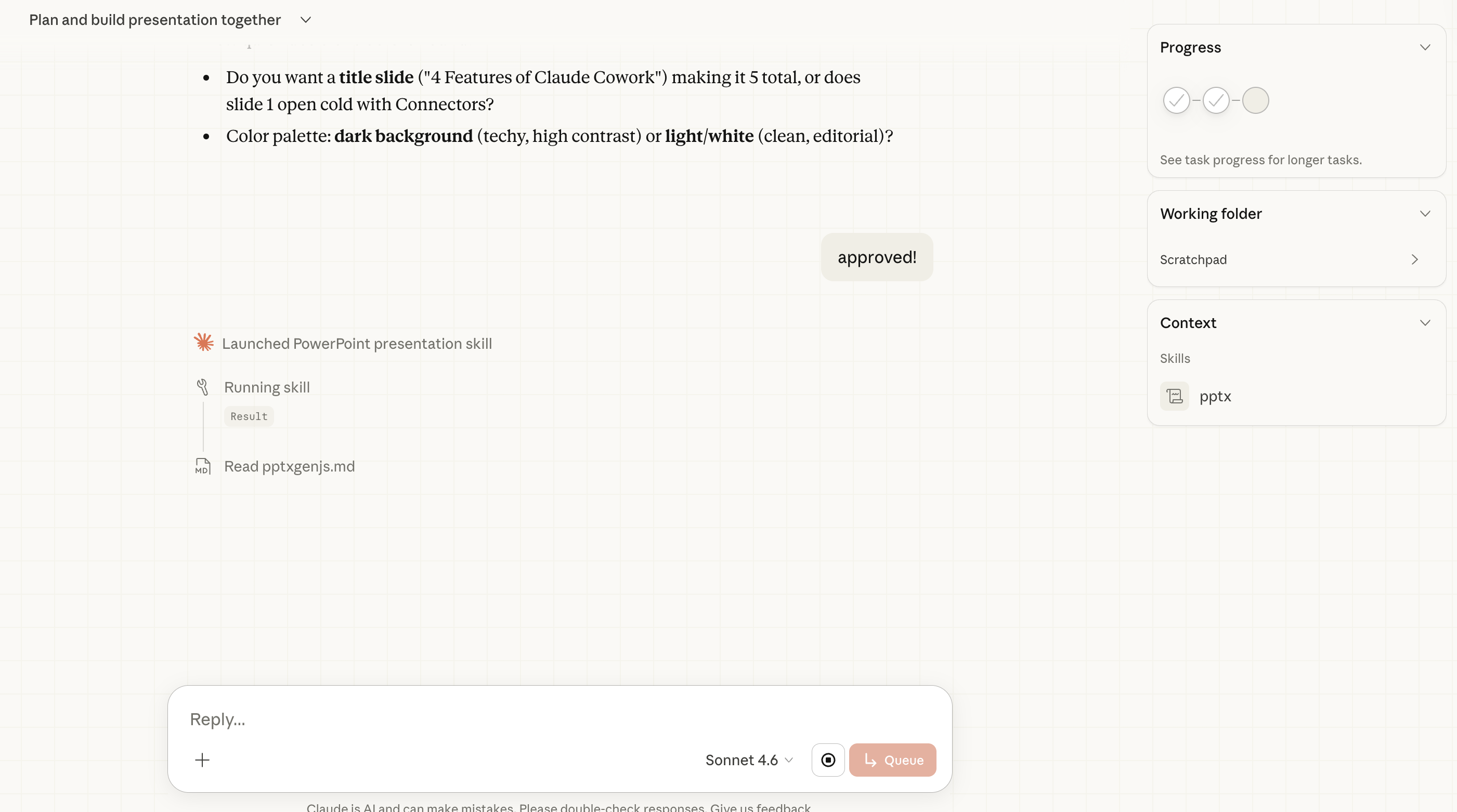
It has finished.
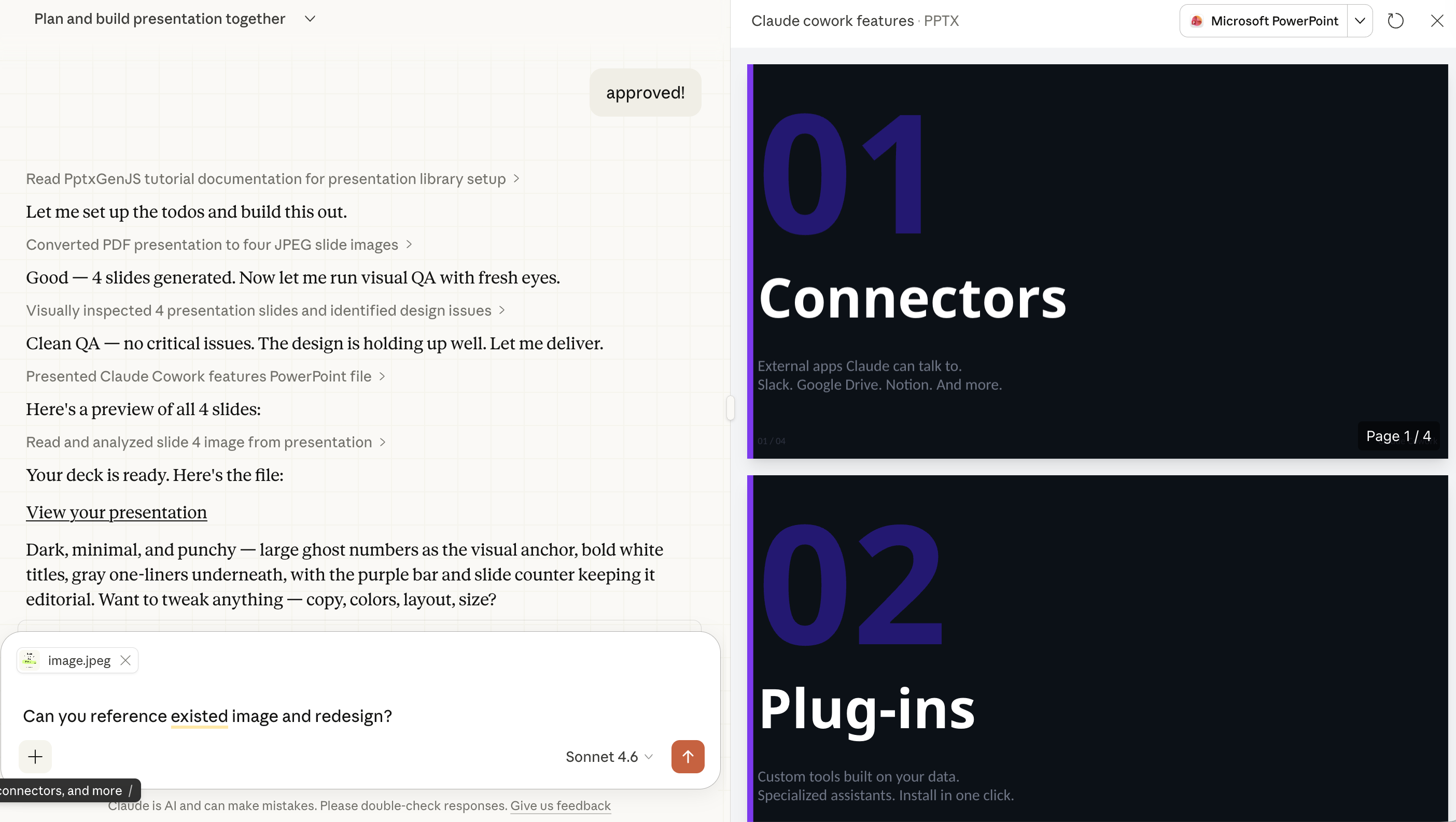
But I don’t like it too much, so I attached one SS.
Use this prompt
Can you reference existed image and redesign?And here it is.
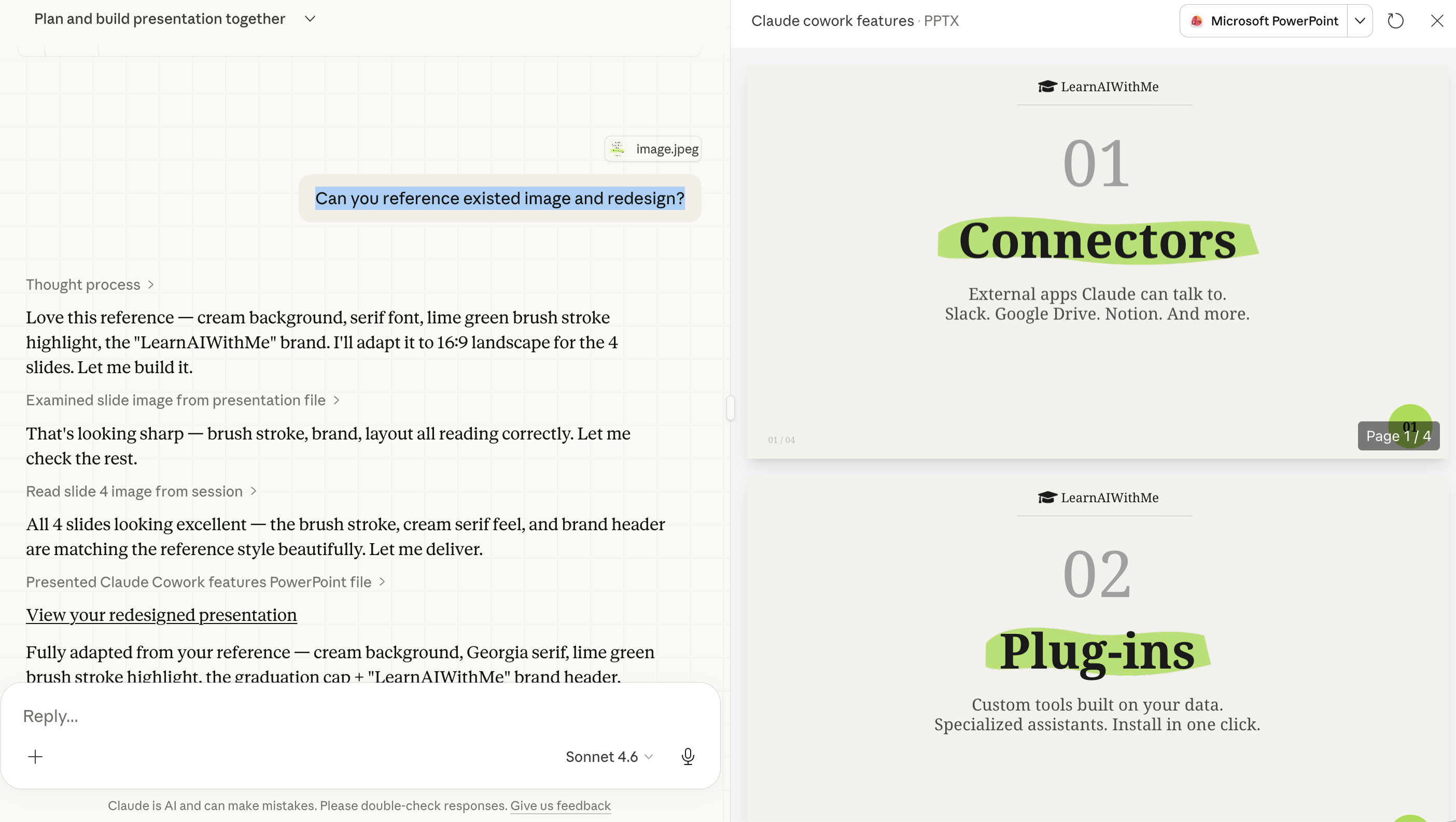
But I think there should be one more slide, which includes the title.
4. What is scheduling?
Click on “Scheduled” and “New task”.
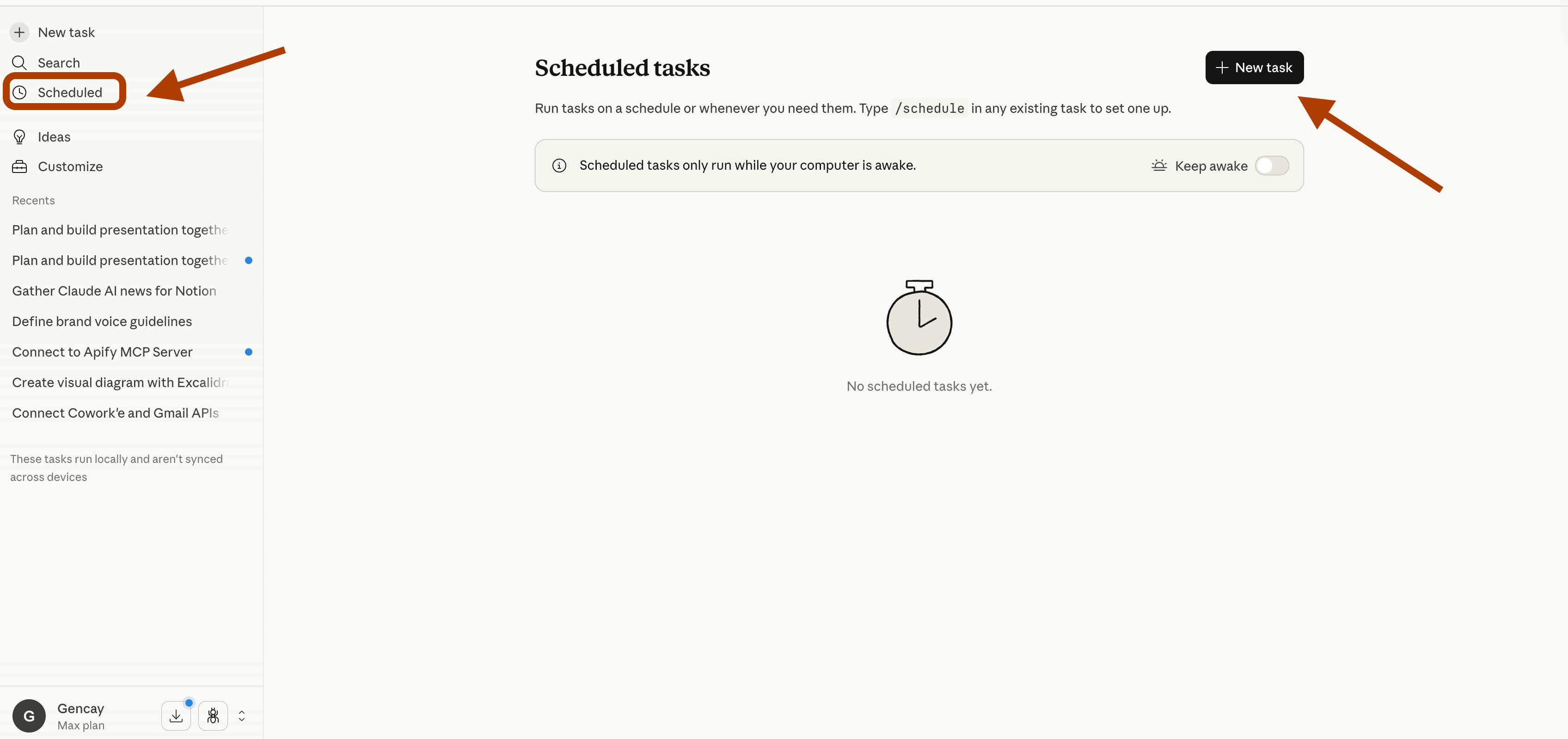
Here is the screen
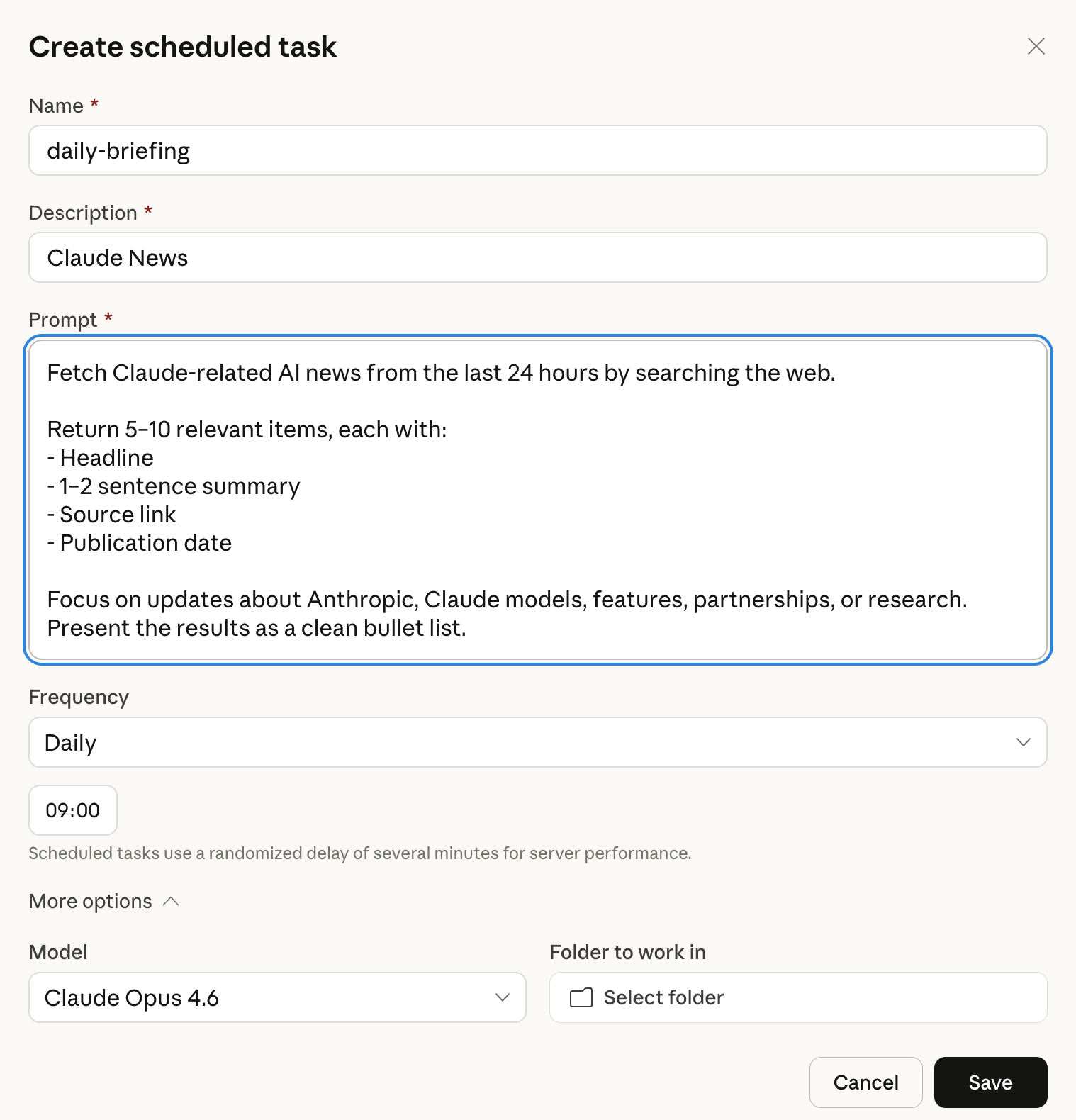
You can customize.
Frequency
Model
Folder to work-in
Prompt to run
Use this prompt
Fetch Claude-related AI news from the last 24 hours by searching the web.

Return 5–10 relevant items, each with:
- Headline
- 1–2 sentence summary
- Source link
- Publication date

Focus on updates about Anthropic, Claude models, features, partnerships, or research.
Present the results as a clean bullet list.
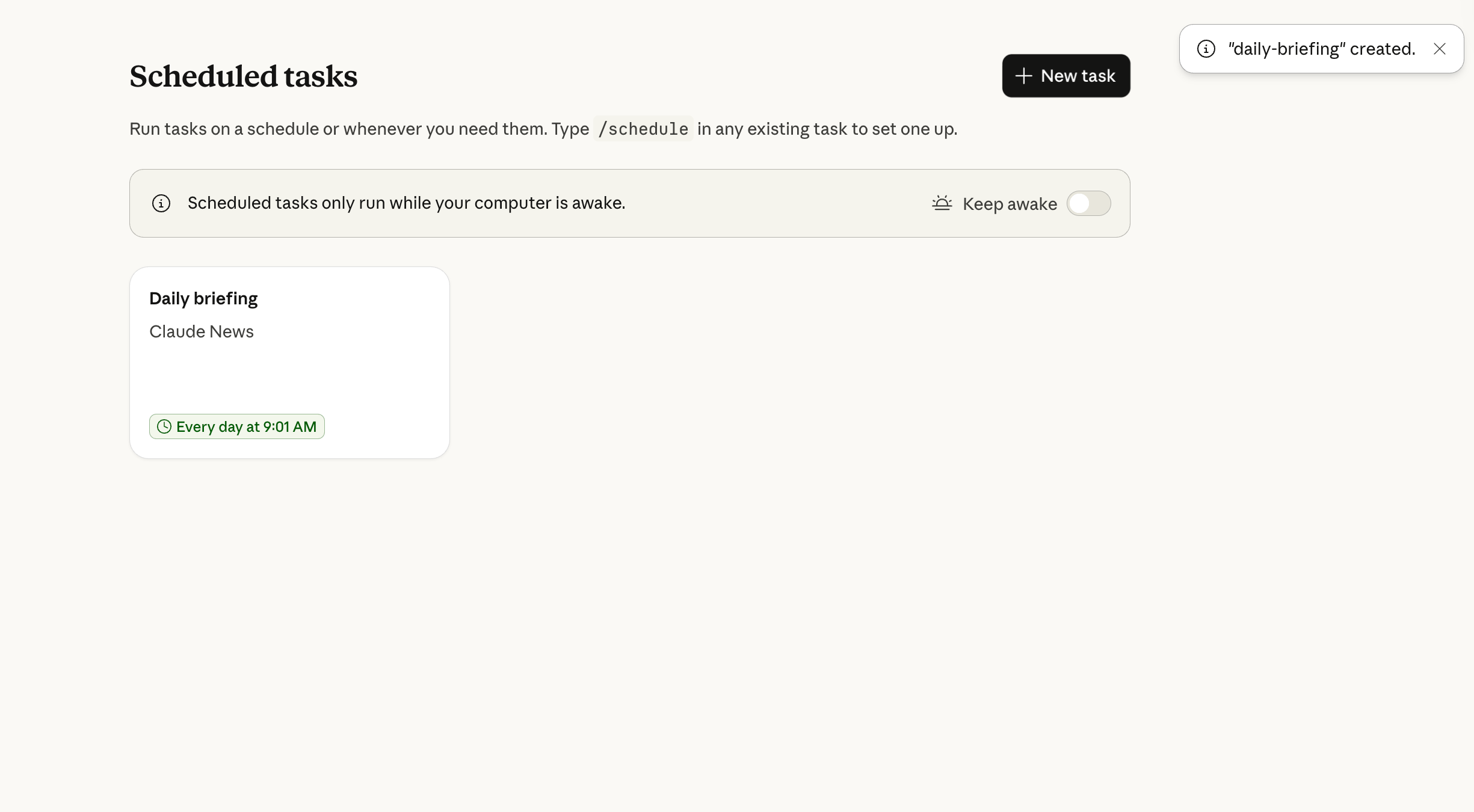
Let’s paste it.
And here it is.
Final Thoughts
You just learned Claude Cowork’s 4 core features.
Connectors. Plug-ins. Ideas. Scheduling.
Most people still drop a like and scroll. You?
You automate your Notion pages while you sleep. You schedule AI tasks that run every morning.
You build presentations in 30 seconds.
Explore different plug-ins and connectors.
Start applying today.