
One Prompt Built My Entire Expense Tracker
Multi-page expense tracker with AI predictions, one prompt.


Excel spreadsheets don’t warn you when you’re overspending.
Banking apps show what you spent.
They don’t show what you should have spent.
So I built my own expense tracker.
Multi-page dashboard. AI predictions. Took me 30 minutes.
No coding required. Using only prompts.
Let me show you what it does, then I’ll show you how to build it.
What We’re Building
A multi-page Streamlit dashboard with 5 sections:
1. Overview

Your financial snapshot. Total expenses, date range, key metrics at a glance.
2. Dashboard
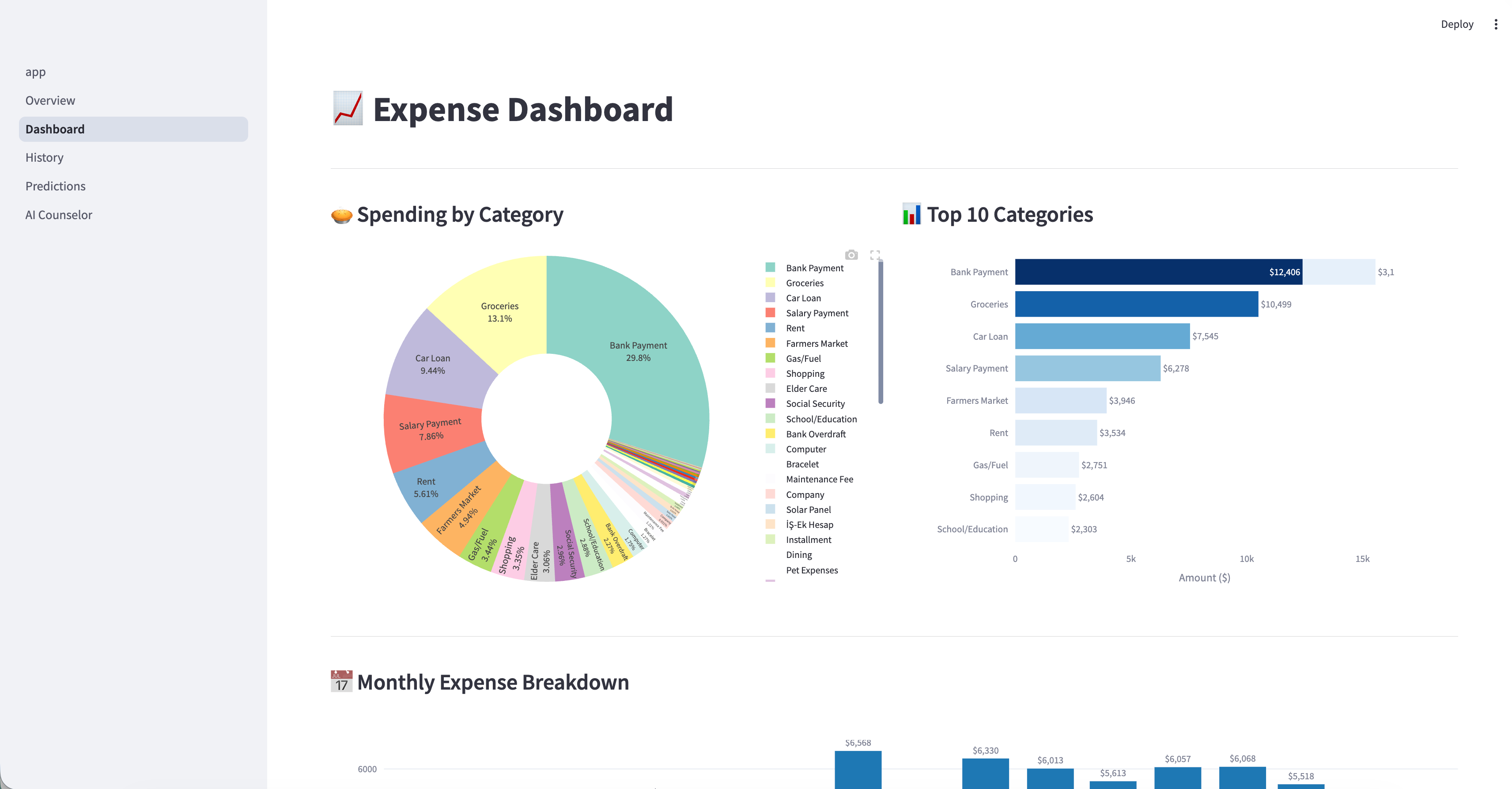
Where does your money go? Category breakdown with pie charts. Monthly spending with bar charts.
3. History
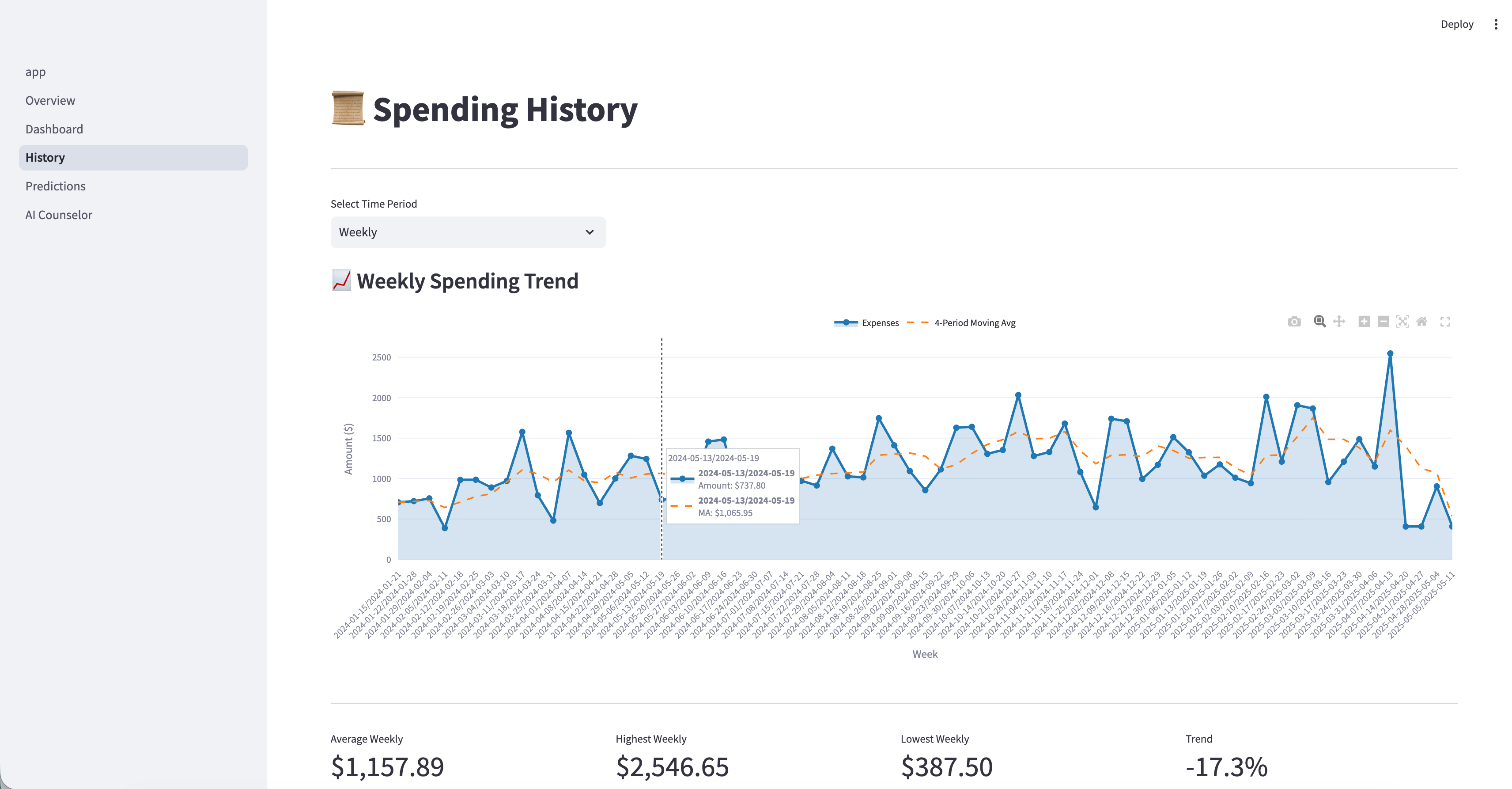
How is your spending changing? Weekly and monthly trends. Line charts that show if you’re improving or slipping.
4. Predictions
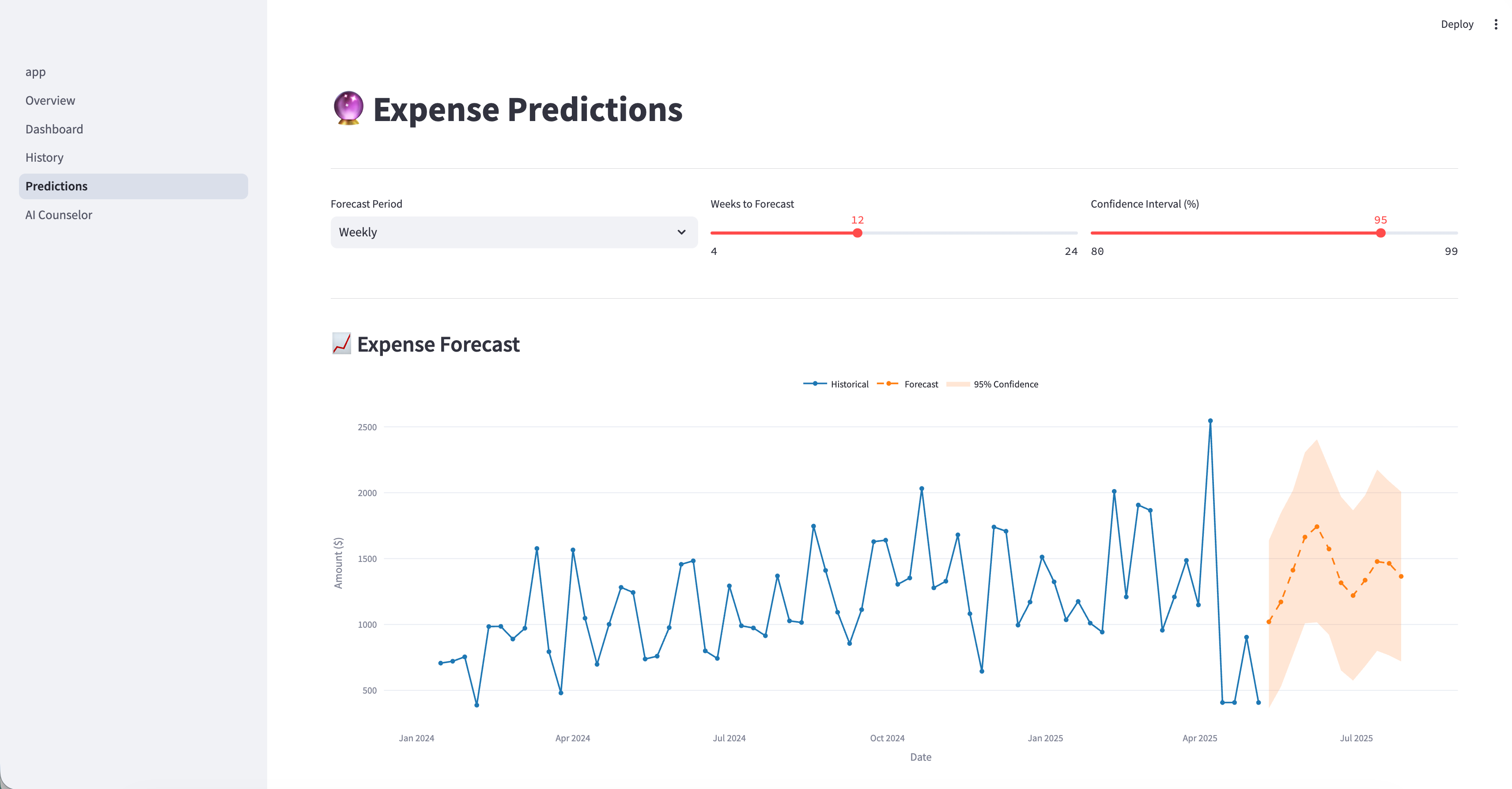
What will you spend next month?
Prophet forecasts your future expenses with confidence intervals. No guessing.
5. AI Counselor
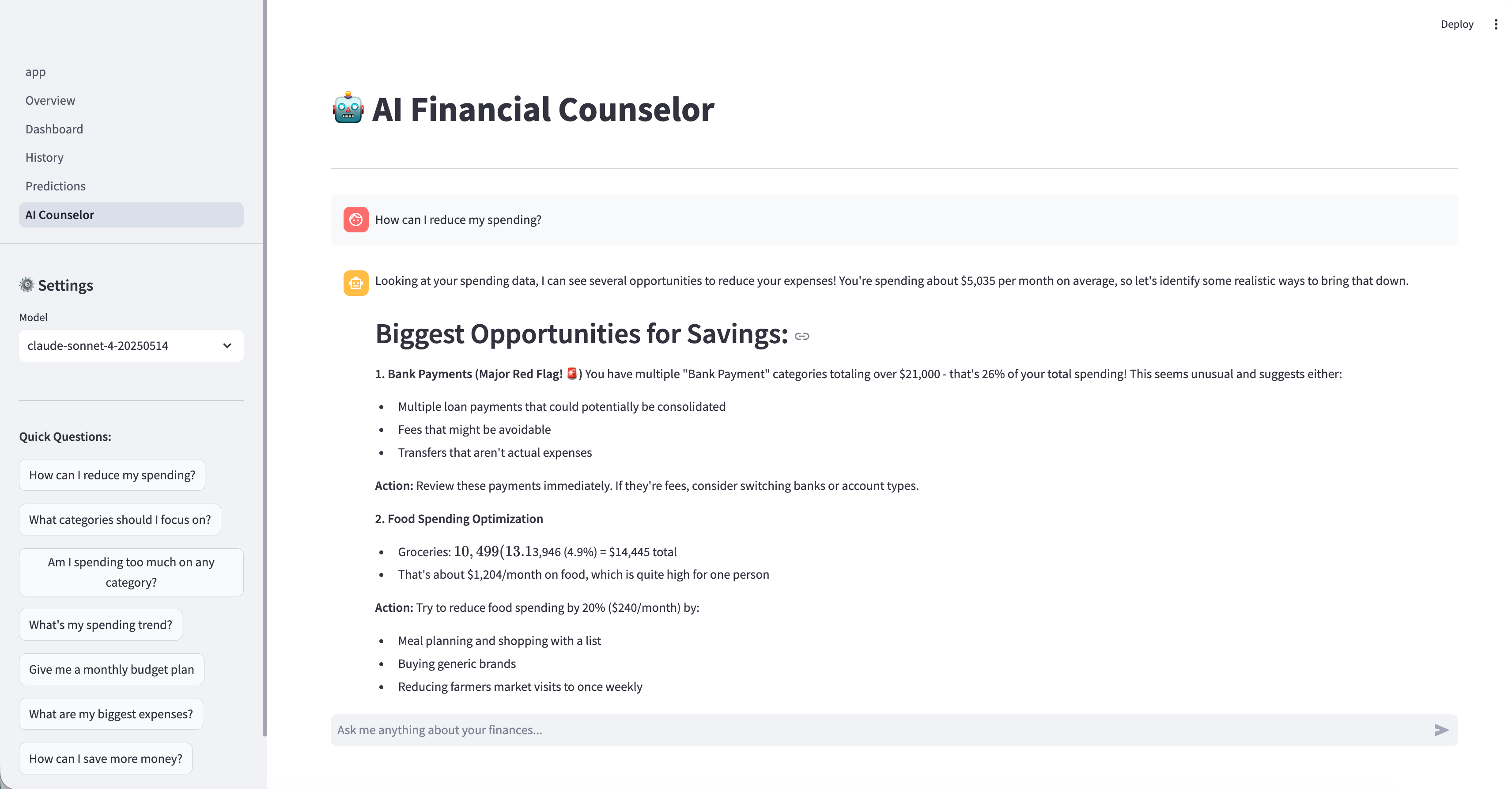
Ask anything about your finances. “Where can I cut back?” “Am I on track this month?” “What’s my biggest problem?”
The AI knows your data and gives personalized advice.
Fast-forward to what it looks like.
The Stack
Claude Code: builds the entire app from one prompt
Streamlit: the UI framework
Prophet: Meta’s forecasting library for predictions
Plotly: interactive charts
Claude API: powers the AI Counselor
Antigravity: IDE Editor
You don’t need to know any of these.
Claude Code( or Codex) handles it.
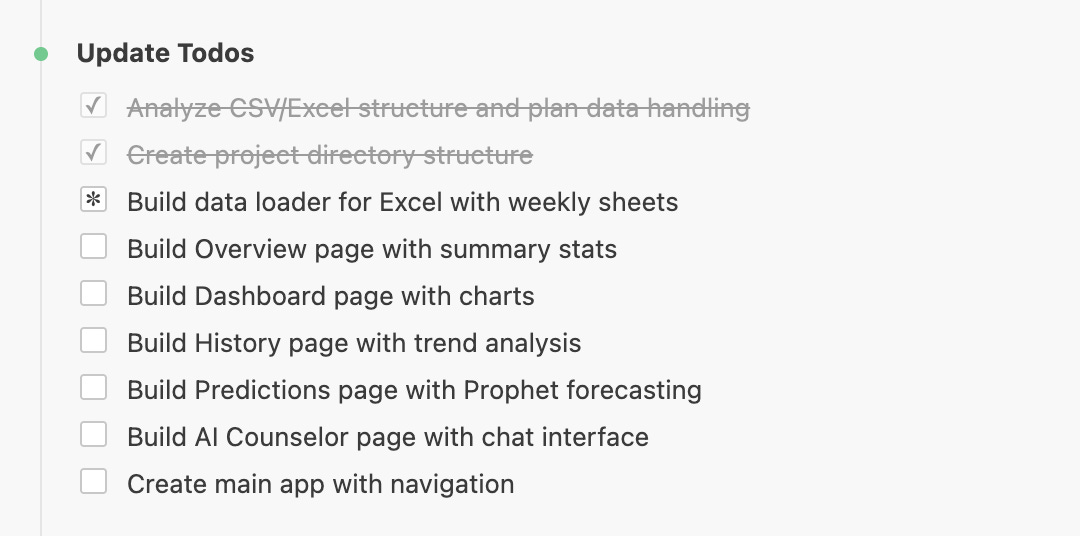
After sending my initial prompt, I filled my coffee and watched how it started!
Before starting the article, I’ve added more subscription types so you can read only the articles here by paying less.
LearnAIWithMe Paid Perks
The standard subscription ($12/mo or $100/year) gives you full access to all my articles and posts on Substack
The Founding Member tier ($200/year) includes everything above PLUS access to The Vault, 700+ prompts, projects, AI tools, and AI labs.