
Claude Code Part 7: I Built 2 Overnight Routines (One Prompt Each)
Learn how to set up Claude Code routines that run on schedule while you sleep. Local and cloud setup with 2 real examples. Zero code required.

Two days ago, Claude dropped the Claude Code routines:
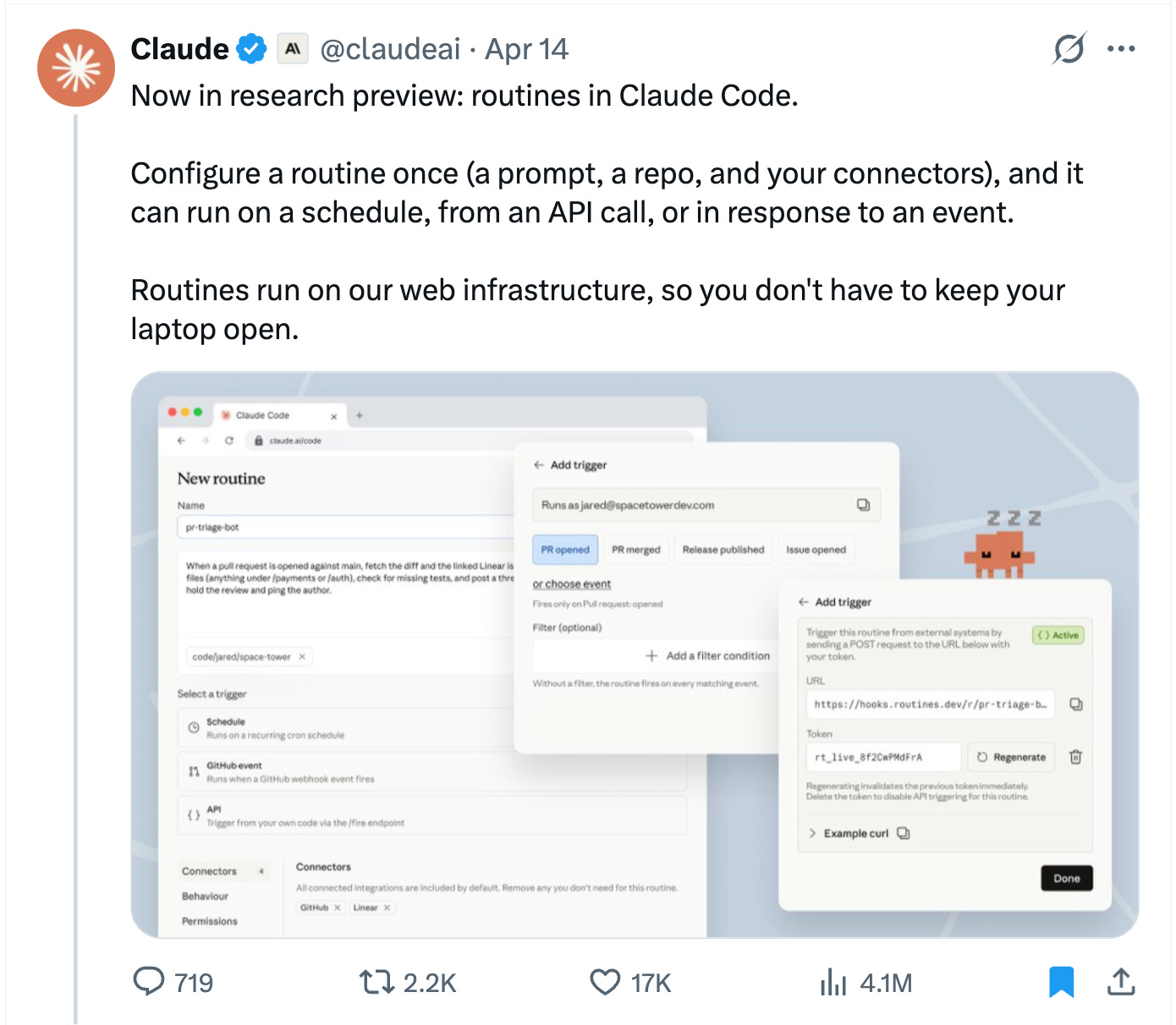
4.1 million views. 17,000 likes.
Claude Code routines are here.
You configure a prompt, a repo, and your connectors once.
Claude Code runs it on a schedule, from an API call, or when a GitHub event fires. Local or cloud.
Your laptop stays closed.
Claude keeps working.
I read the announcement.
Then I built two Claude Code routines before dinner.
One local. One cloud.
Each took a single prompt to configure.
TL;DR
Claude Code routines let you run automations on a schedule.
We’ll build two Claude Code routines, with two prompts.
Together, they save me hours every week.
In Part 7 of the Claude Code MasterClass, I'll show you both routines: the exact prompts, the setup, and the screenshots.
Previously in Claude Code MasterClass For Everyone
In Parts 1 through 6, we installed Claude Code, set up memory, built agents, connected MCP servers, and shipped real projects.
Part 7 is different. This time, Claude Code works without you.
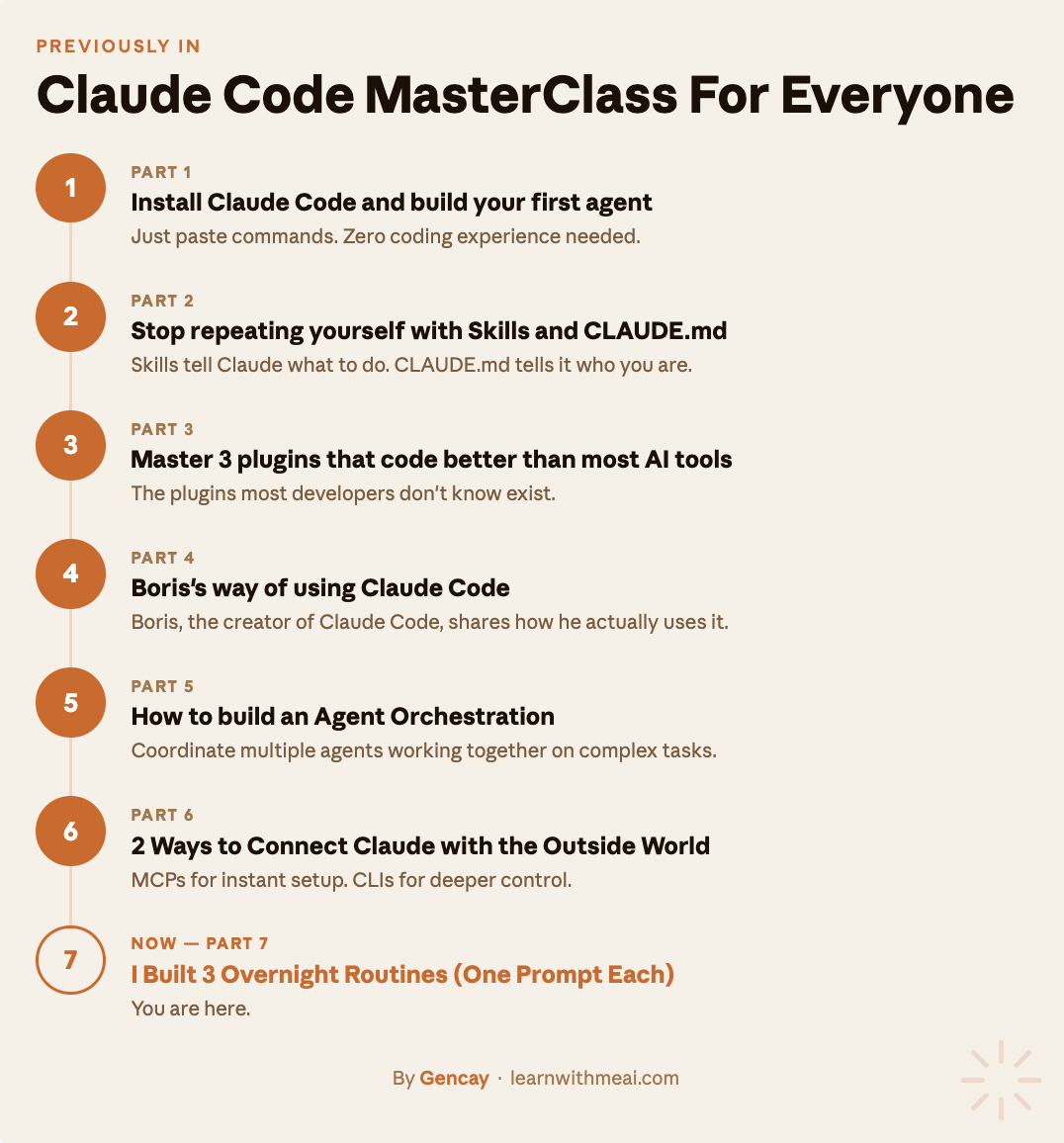
Part 1: Install Claude Code (just paste commands) and build your first agent, zero coding.
Part 2: Stop repeating yourself with Skills (what to do) and CLAUDE.md (who you are).
Part 3: Master 3 plugins that code better than most AI tools.
Part 4: We explored Boris’s way of using Claude Code(Boris, the creator of Claude Code)
Part 5: We explored how to build an Agent Orchestration.
Part 6: MCP servers and CLI.
You are at Part 7.
What are routines in Claude Code?
A Claude Code routine is a saved automation that runs on its own schedule, from an API call, or when a GitHub event fires. It runs on your local machine or in the cloud.
Until now, Claude Code worked when you worked.
You typed a prompt, Claude executed it, and you watched. Close the laptop, Claude stops.
Claude Code Routines change that.
A routine is a Claude Code task that runs on its own. You write the prompt once. Pick a schedule. Walk away. Claude handles the rest at 2 am, 7 am, or whenever you set it.
To reach them, first update your Claude Code.
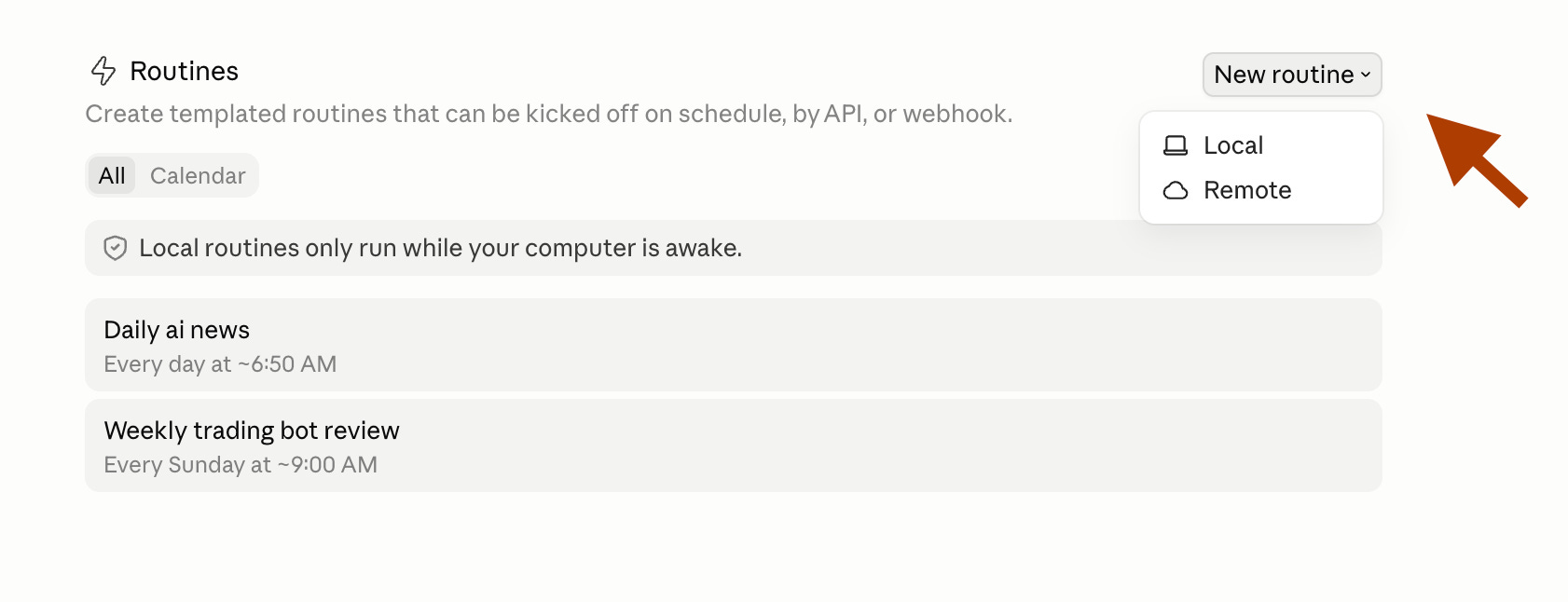
And click “Routine” like this.
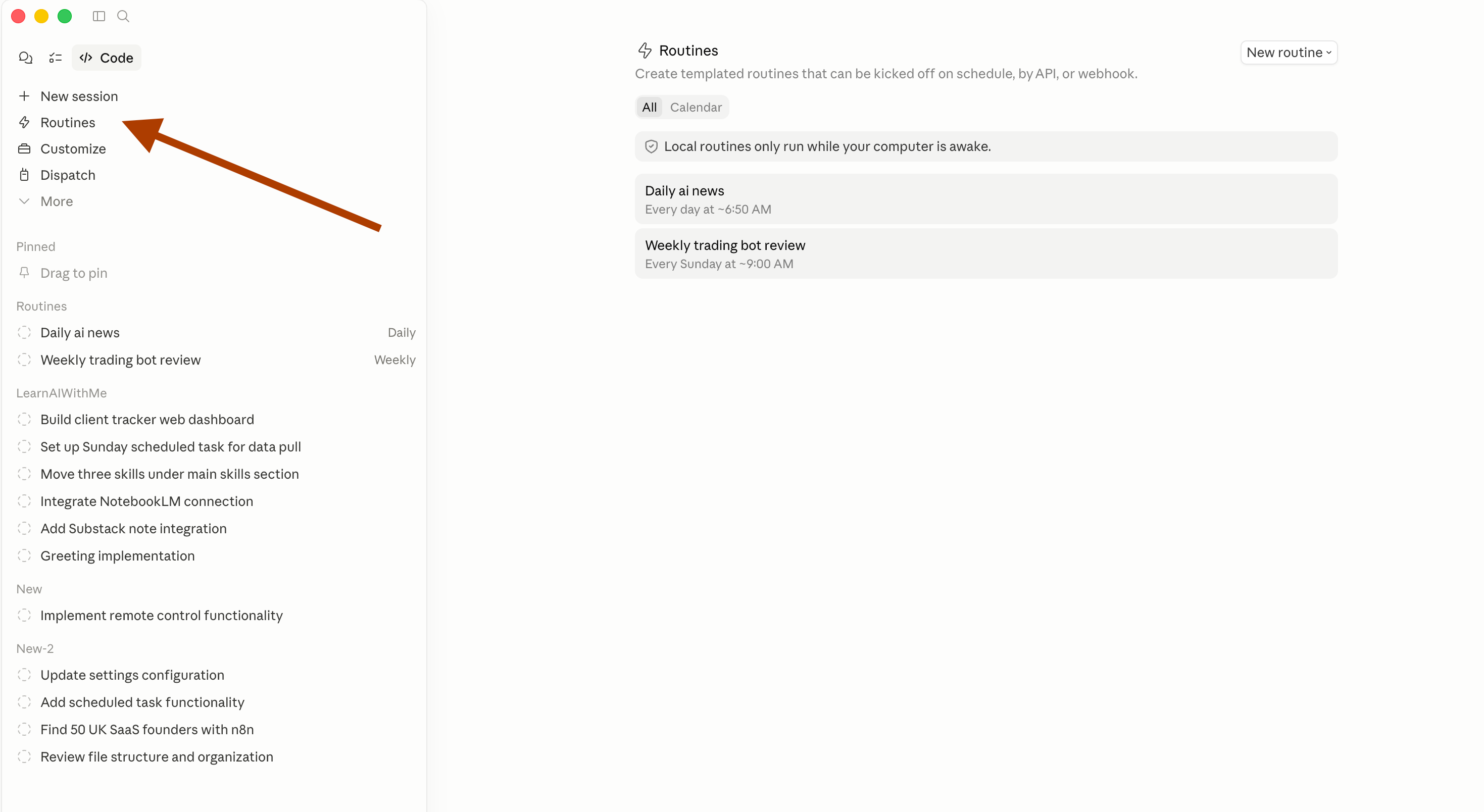
After clicking here, you’ll see this screen.
As you can see, there are two types of routine. (Local, Remote)
1. Local Claude Code Routines
Local routines run on your machine.
Think of them as an alarm clock for Claude Code.
You set the time, point it at a folder, and it runs.
To set one up, update Claude Code and click “Routine.”
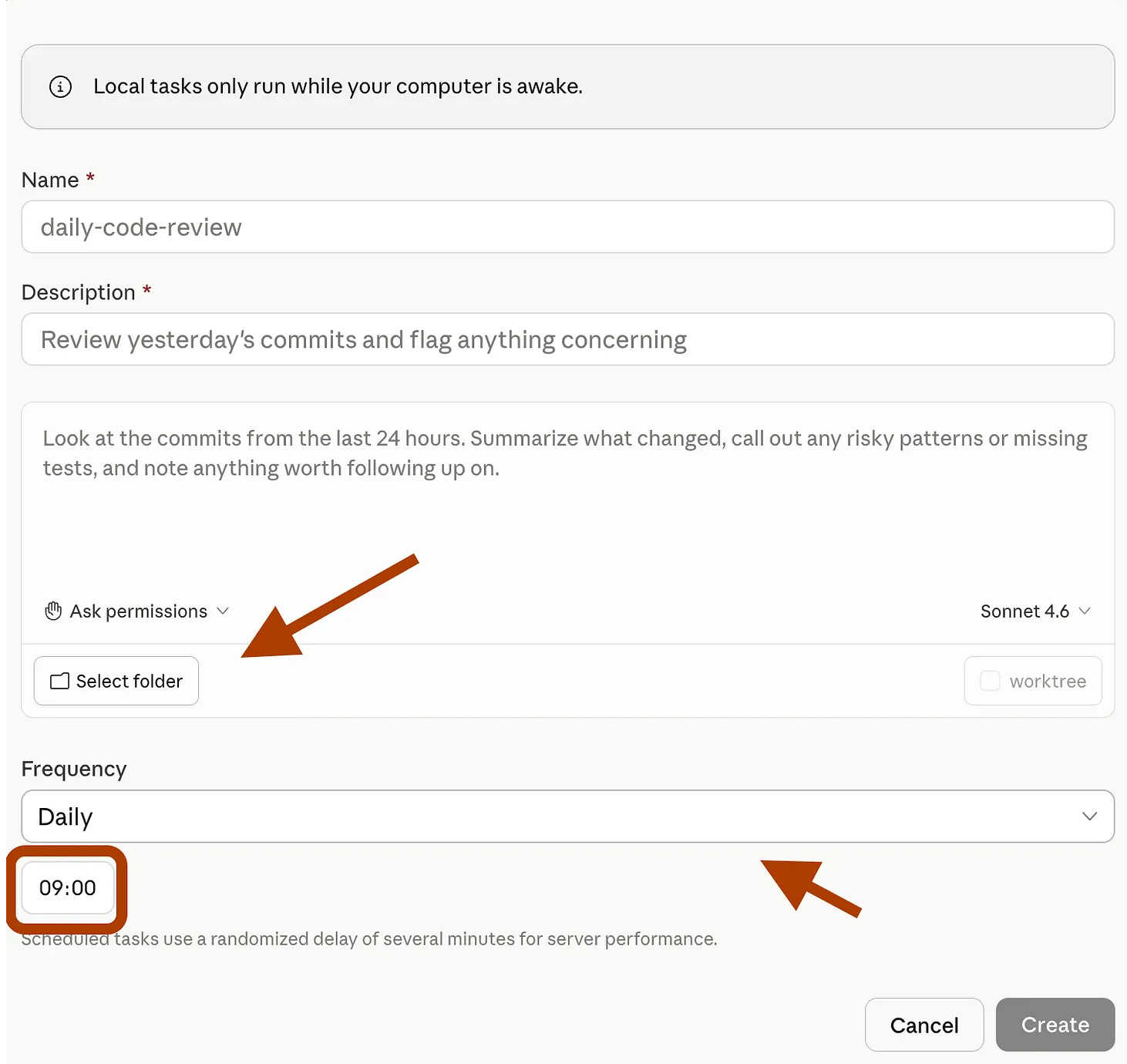
Don’t forget to give permission, so it will run without you.
To do that, click here.
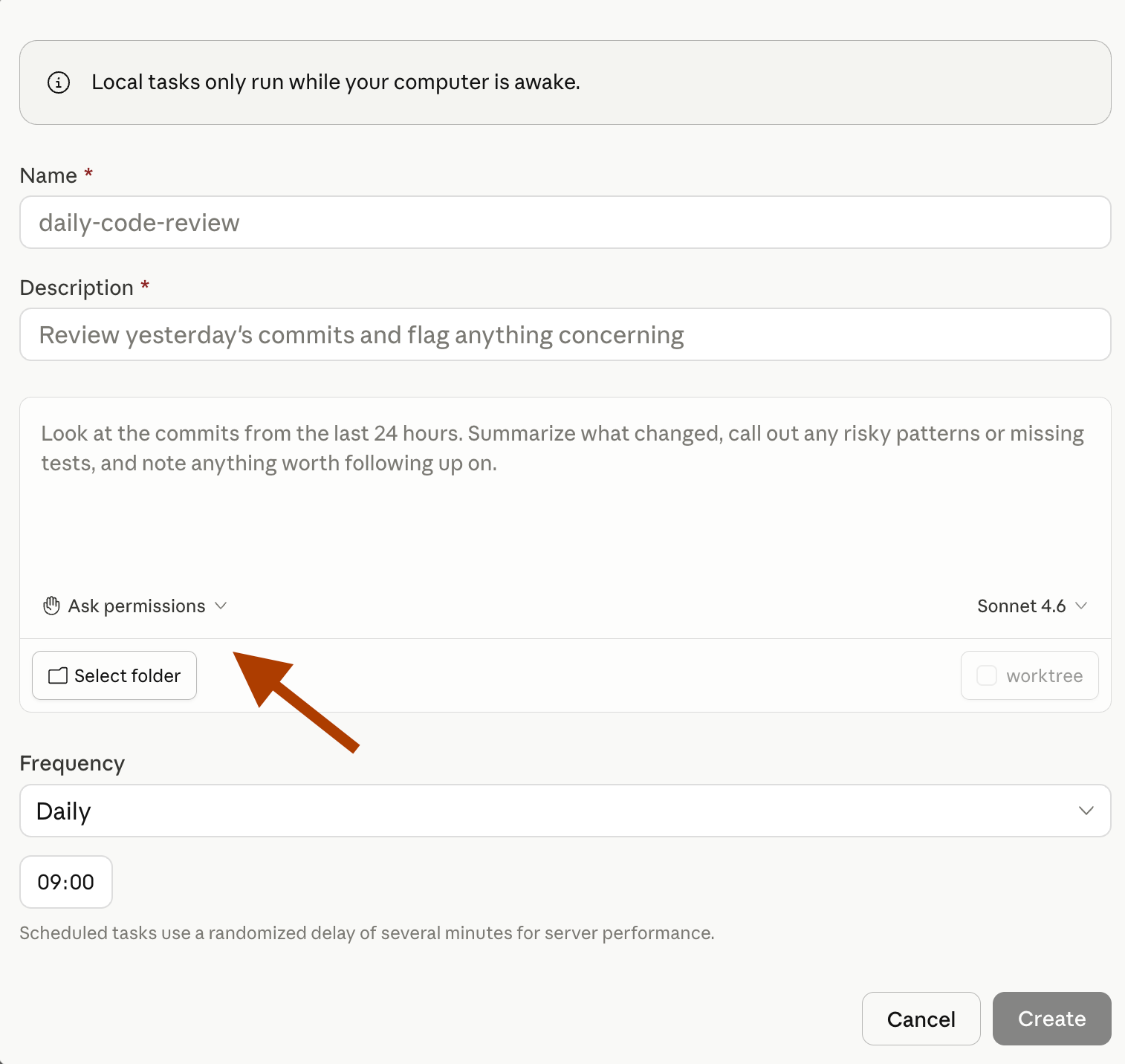
Select accept edits.
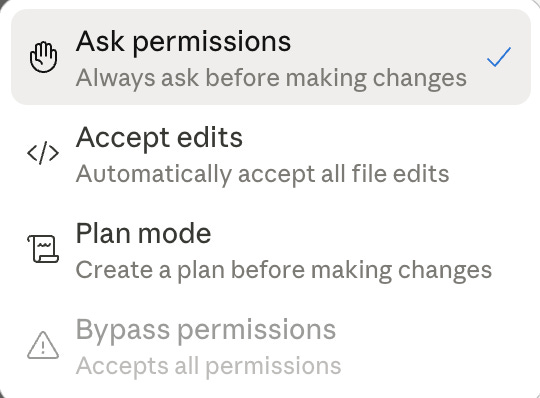
Next, define your automation.
Here’s one example of a previous automation I built, where I pull daily news using NotebookLM and Claude’s scheduling feature.
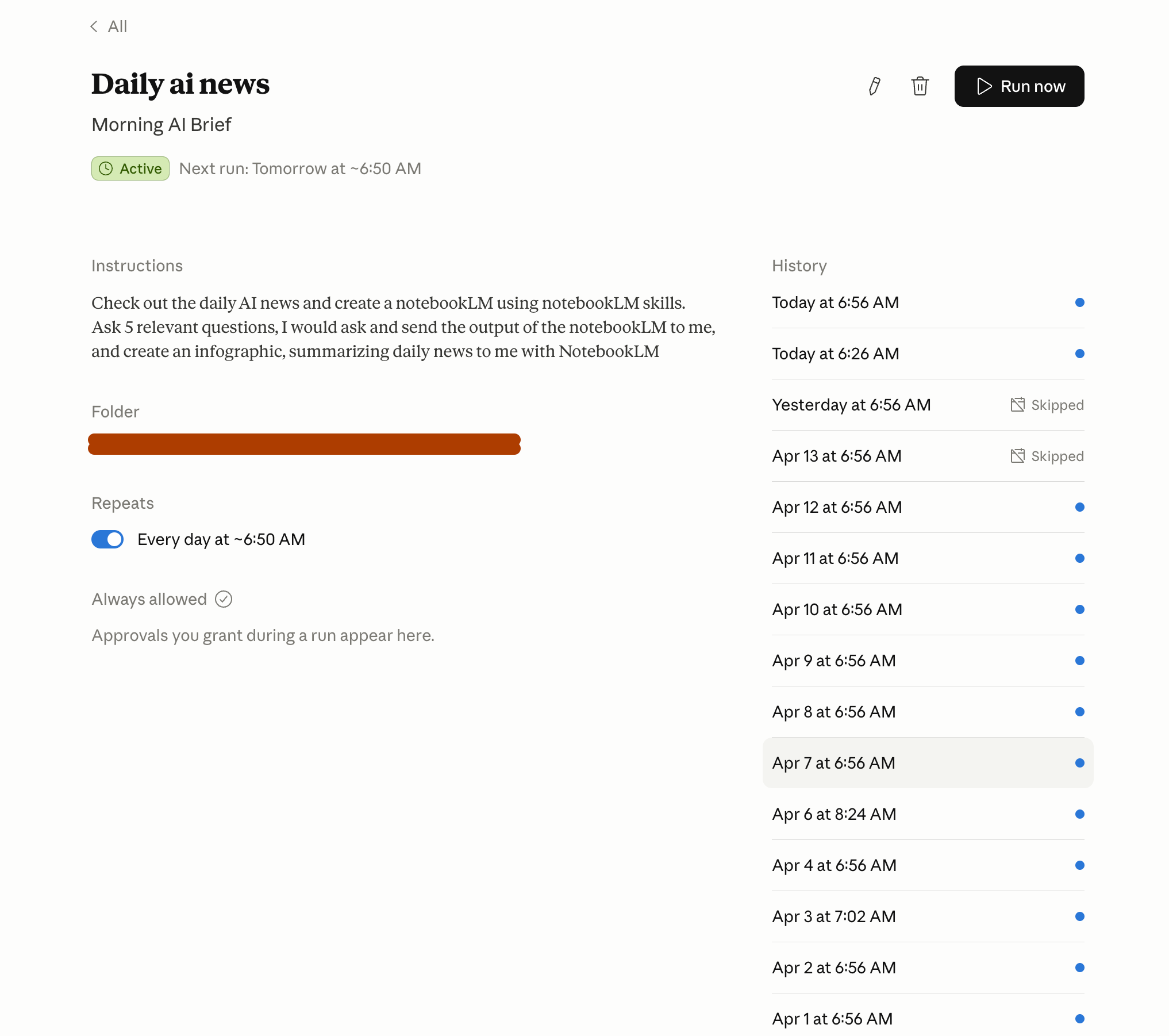
That’s it. Your local routine is live.
It will run every time the clock hits your schedule, as long as your computer is awake.
2. Remote Claude Code Routines
Cloud routines are different. They run on Anthropic’s servers. Your laptop can be off. You can be asleep. Claude keeps working.
When you select “Remote,” this screen appears:
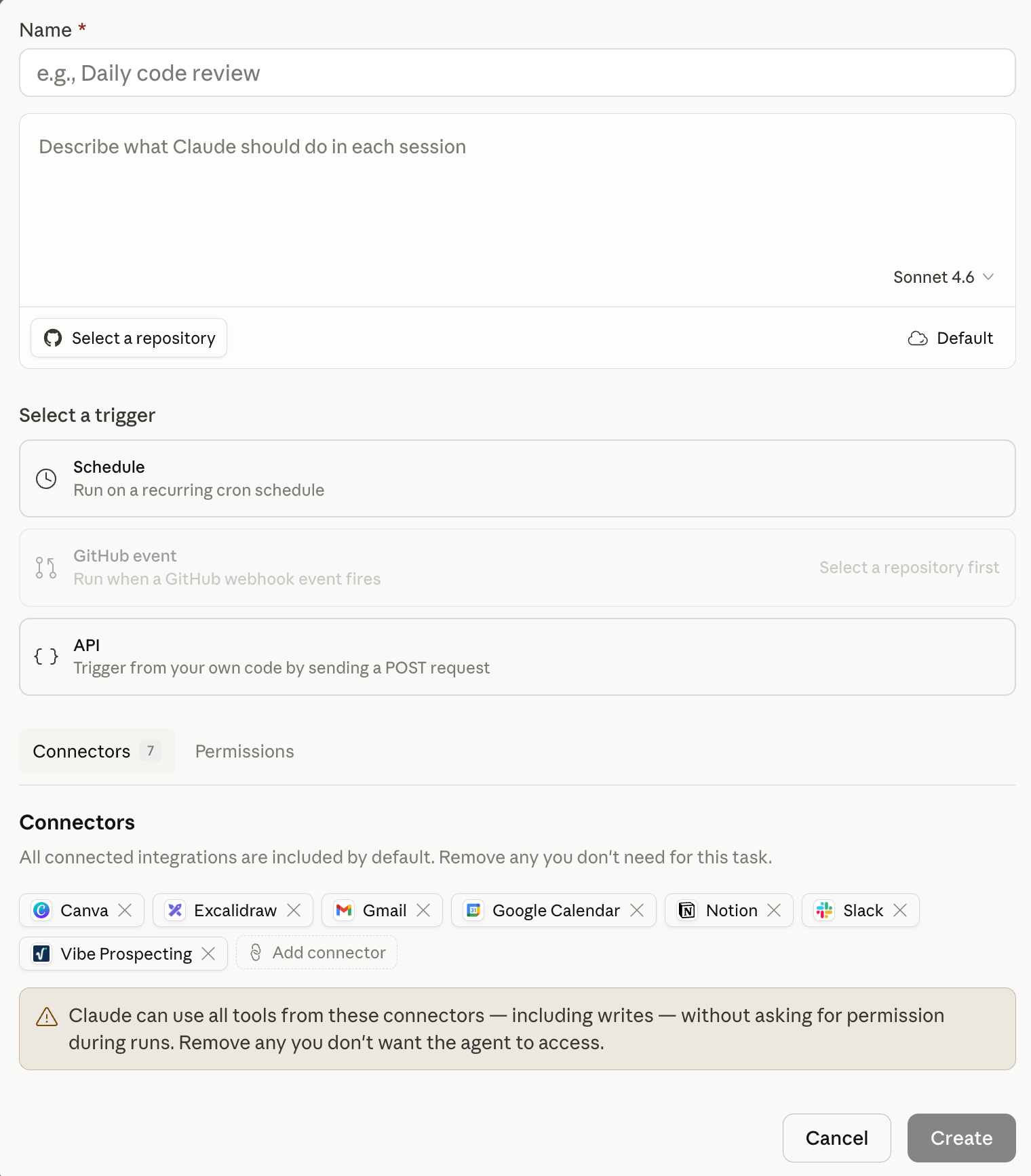
Let me walk through each section.
Name, Repo, and Model
Name your routine. Select the GitHub repo Claude should work in. Pick your model. I use Opus 4.6.
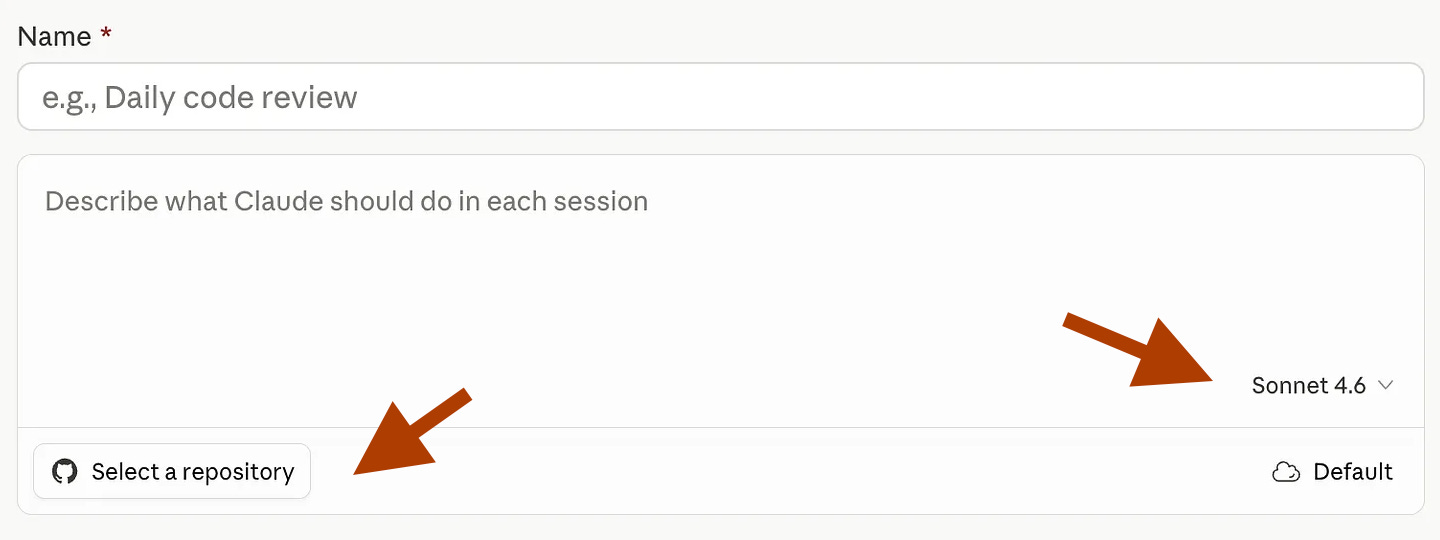
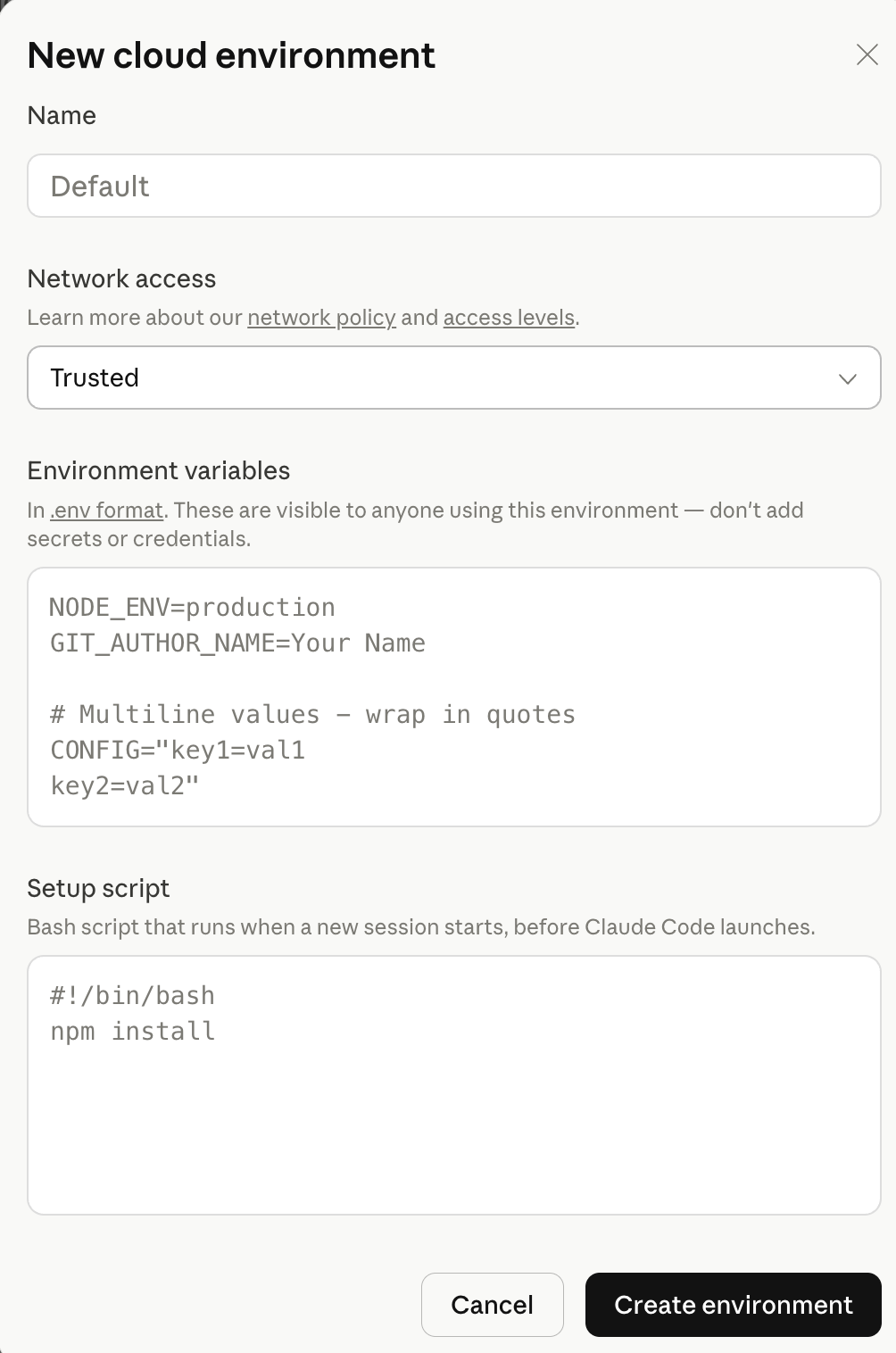
Click “Default” to set where this code runs.
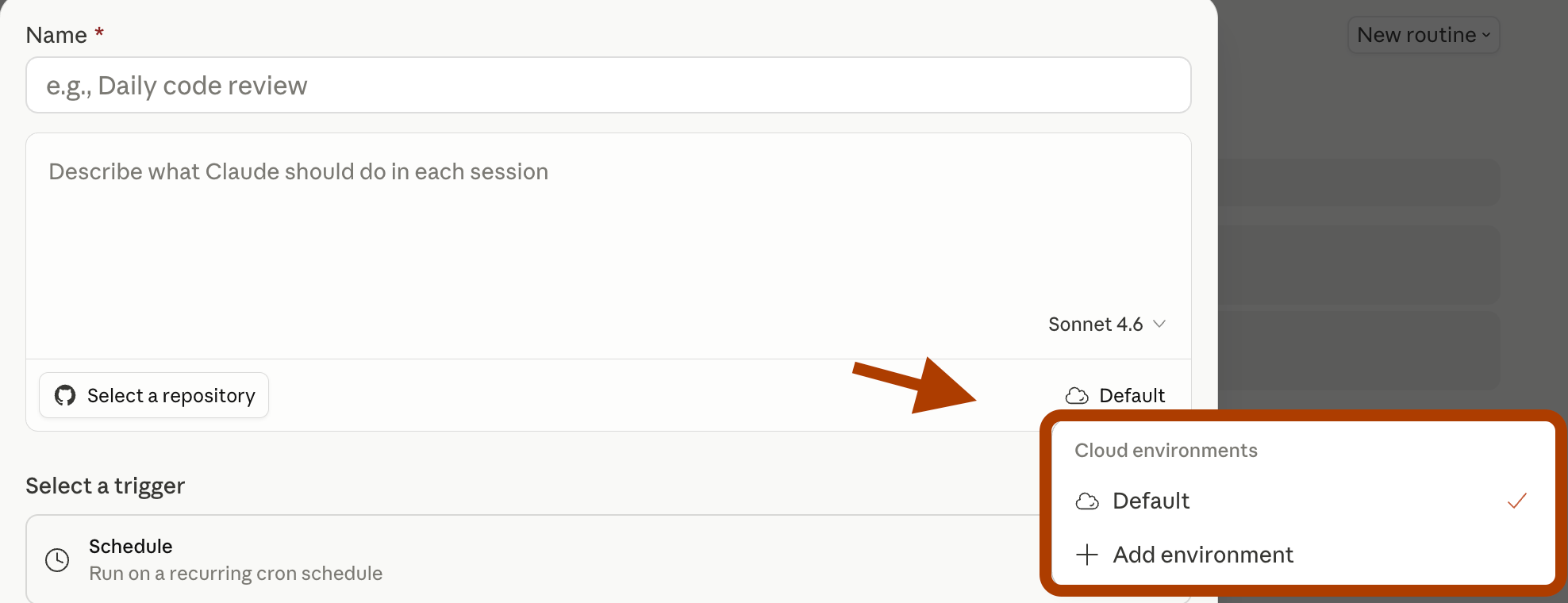
You can also create a new environment by clicking “Add environment.”
Triggers
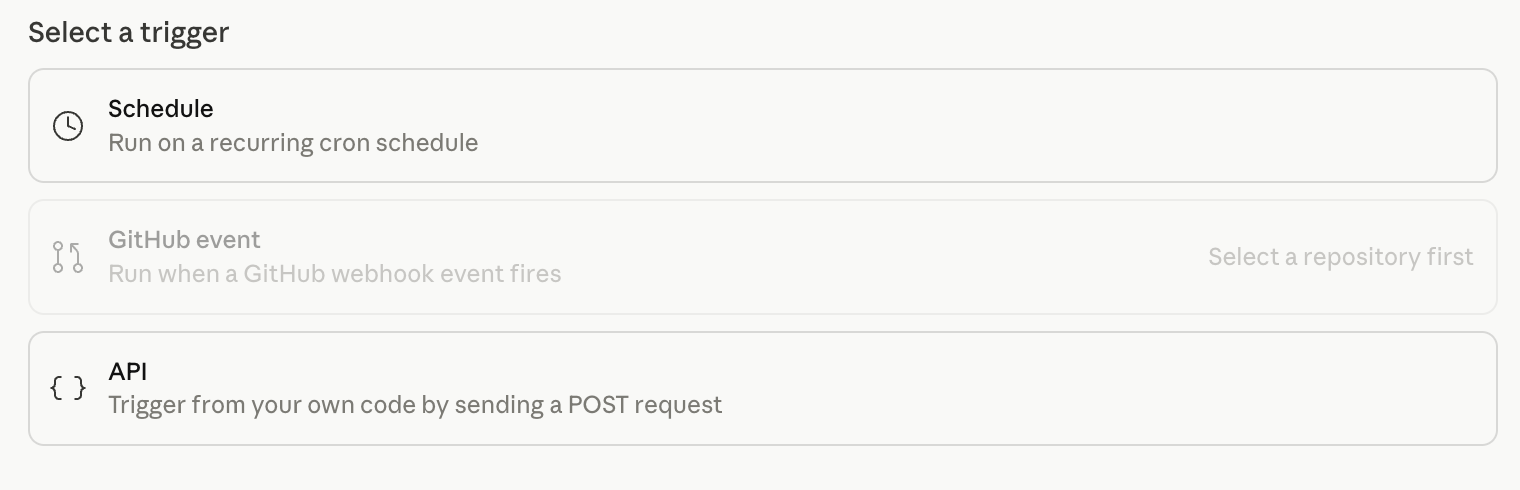
This is where you tell Claude when to wake up. Three options.
Schedule
Schedule runs on a clock. Daily at 9 am. Every Monday at 7 am. Set it and forget it.
Github Event
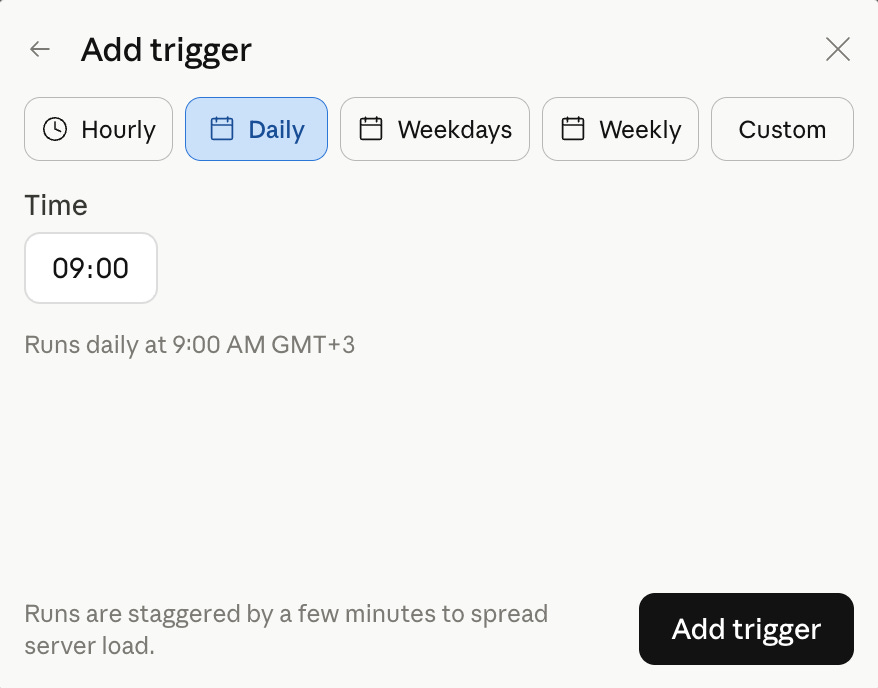
GitHub Event triggers when something happens in your repo. A PR opens. Code gets merged. A release ships. Claude reacts automatically.
API
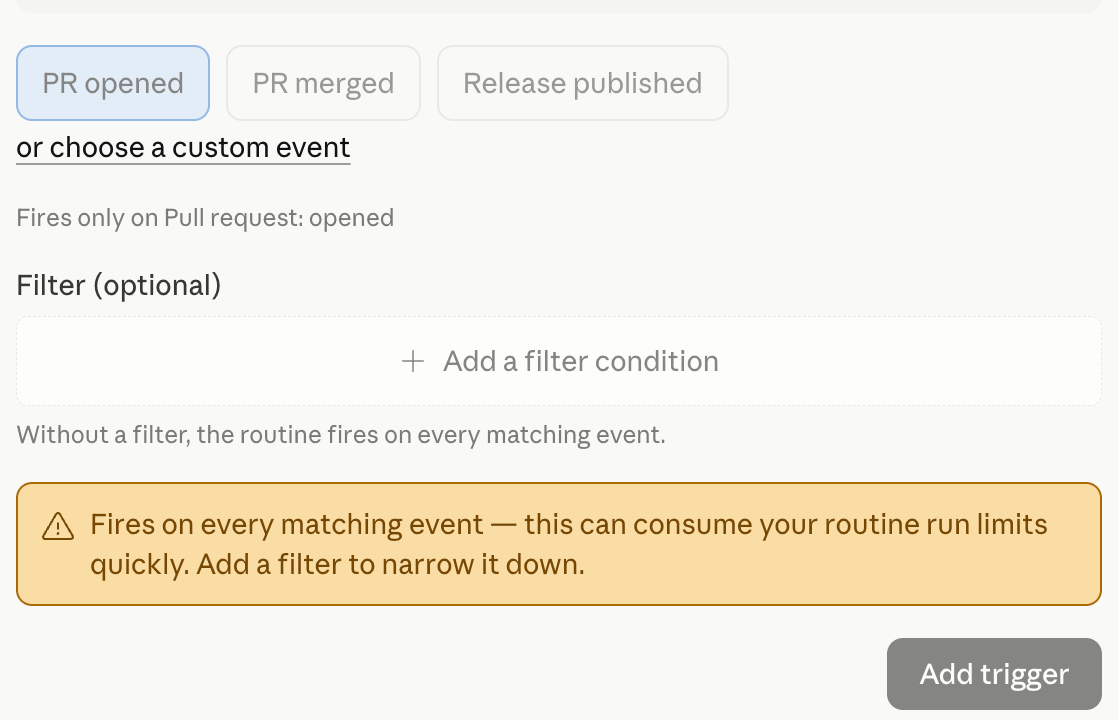
API listens for an external signal. Your monitoring tool fires an alert. Your deploy pipeline finishes. Any app that can send a POST request can trigger your routine.
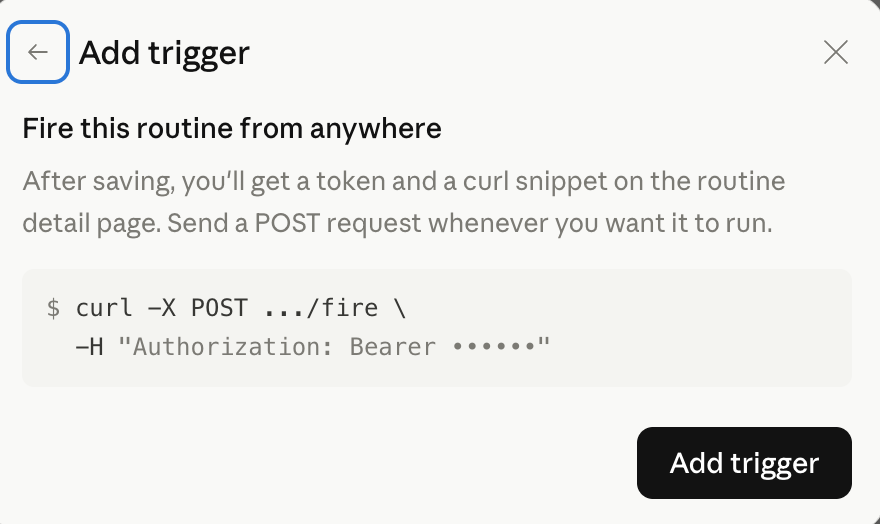
Example:
Connectors
Connectors are the hands of your routine. Gmail, Slack, Notion, Google Calendar, Canva, Excalidraw, Vibe Prospecting.
We’ve covered connectors(MCP’s) in the Claude Code MasterClass Part 6.
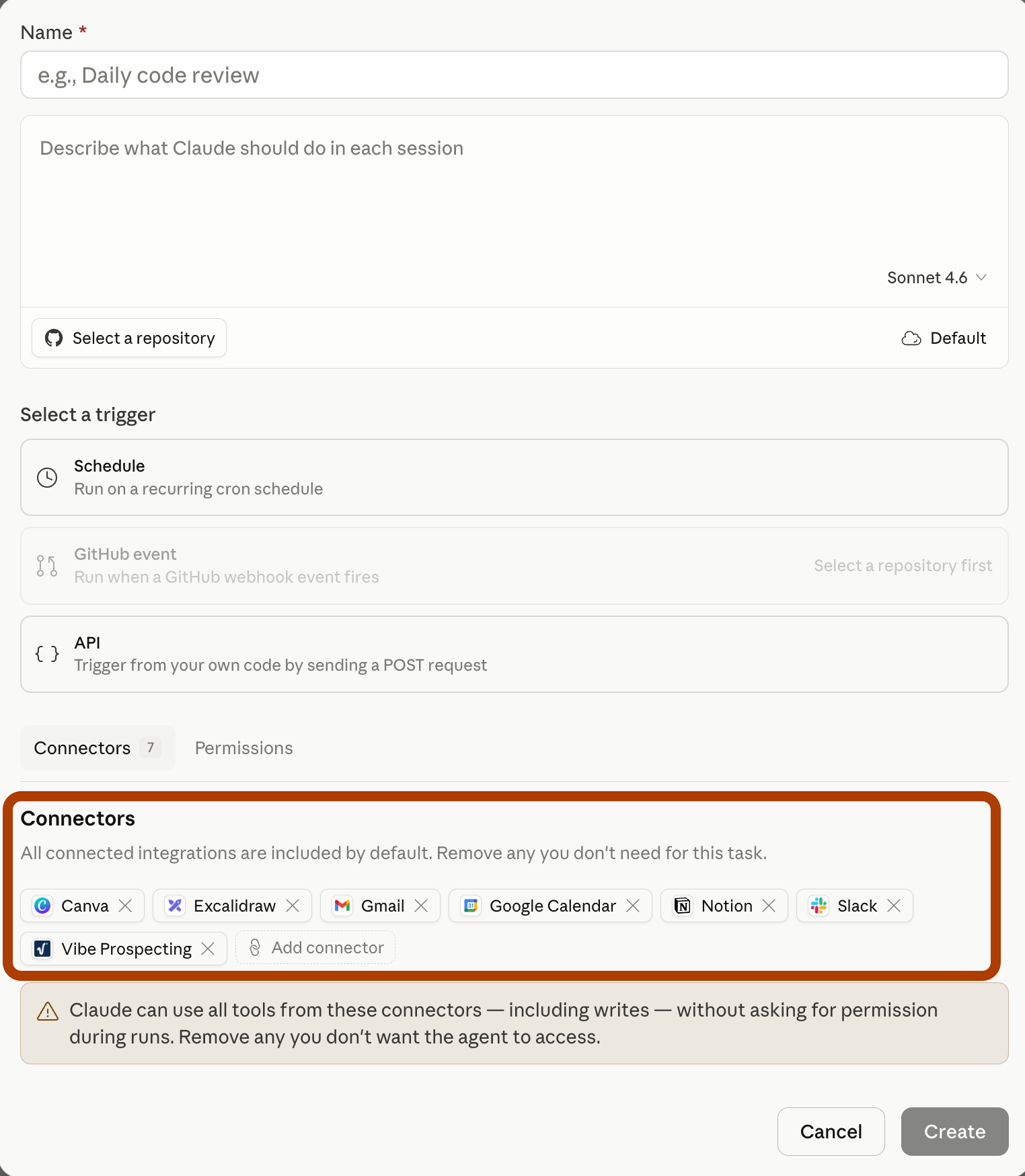
Without connectors, your routine can only think. With connectors, it can act.
Now let’s build two routines. One local. One cloud.
Fast-Forward: What We’re Building
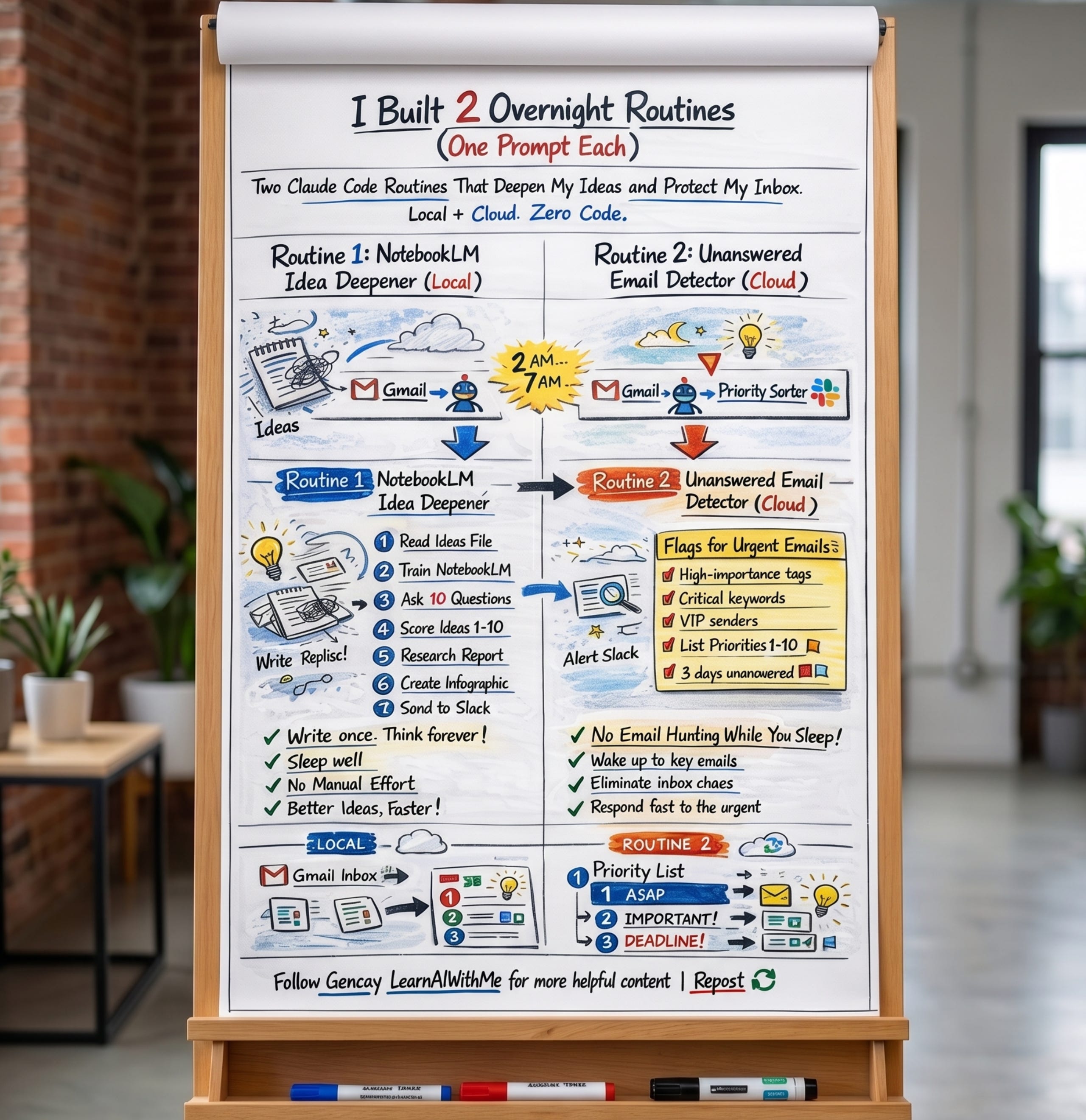
Two routines. Two problems everyone has. Two prompts to solve them.
Routine 1: NotebookLM Idea Deepener (Local)
Routine 2: Unanswered Email Detector (Cloud)
One runs locally. One runs in the cloud. Both run while you sleep.
Let’s build them.
Routine 1: NotebookLM Idea Deepener
I have a problem. Ideas hit me at random. In the shower. On a walk. At 11 pm, when I should be sleeping.
Most of them die in my notes app.
Not anymore.