
How to Build with Claude Harnesses Better Than 99% of Developers
Six layers of the Claude Code harness, stacked on one real project. CLAUDE.md, Skills, MCP, Hooks, Subagents, and Dynamic Workflows.

When you open the Claude Code and paste your prompt, the real work happens behind the scenes.
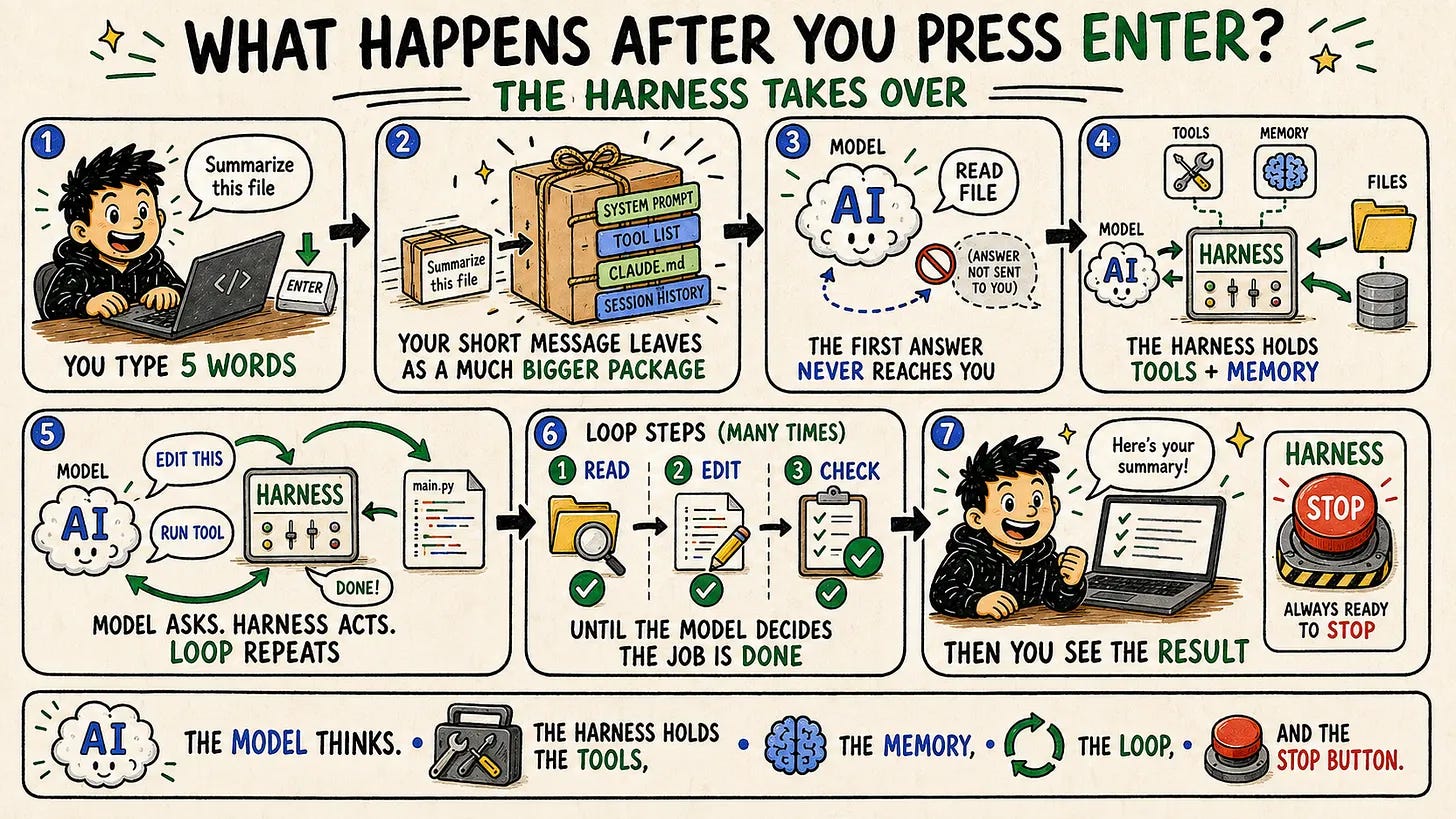
First, the prompt you pasted merges with a system prompt, written by Anthropic, your CLAUDE.md, and any Claude Skill that matches the task you described in the prompt.
Next, the model reads it, calls the tools if neccesary and returns with the answer.
What you see as one reply is often ten round-trip.
So the real question is this:
What can you do to get the most out of it?
In this one, we’ll use 6 different features of Claude Code to maximize your harness.
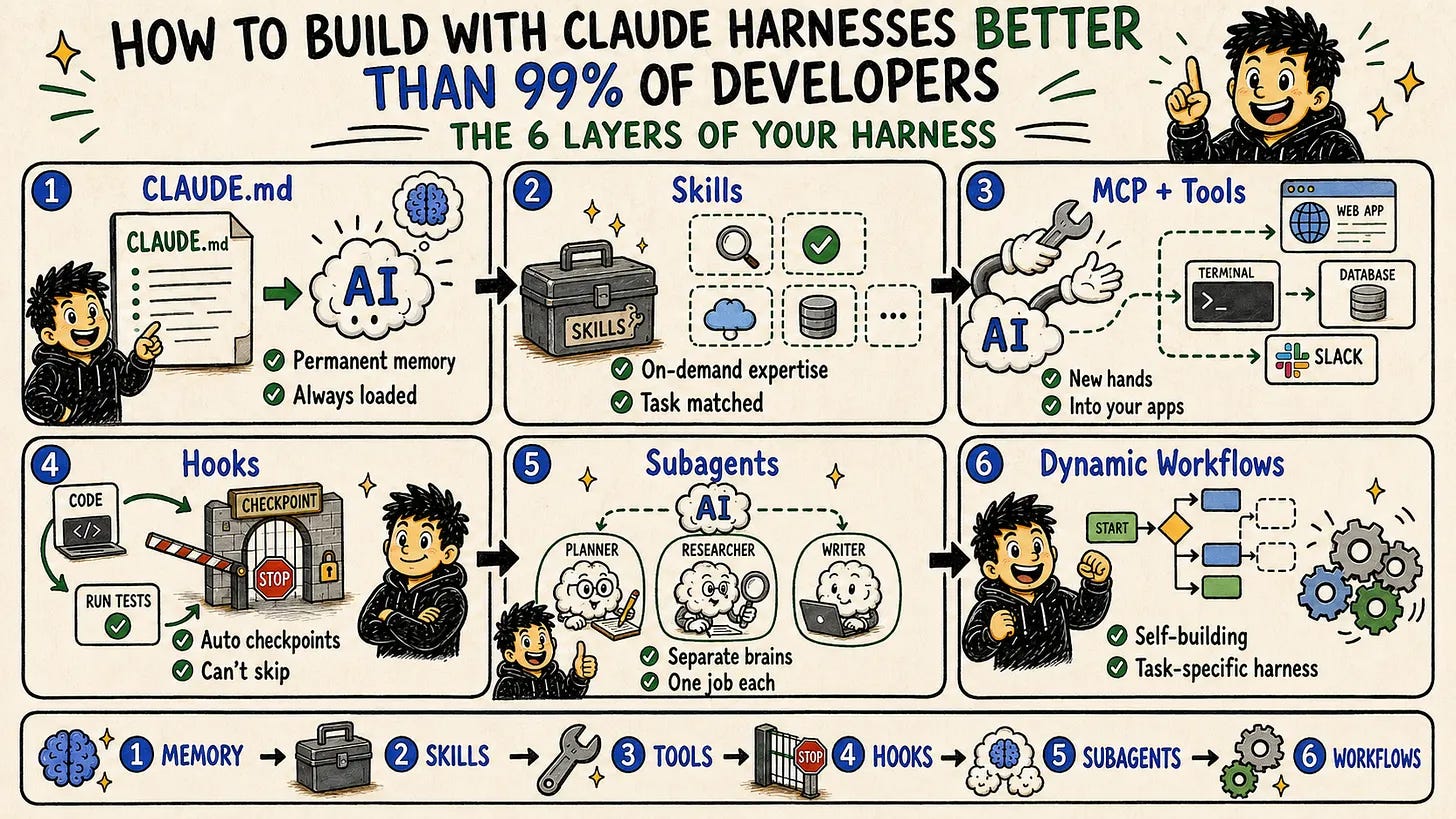
And in the end, I’ll build a Claude skill named “Harness Engineer”.
Harness Engineer Skill
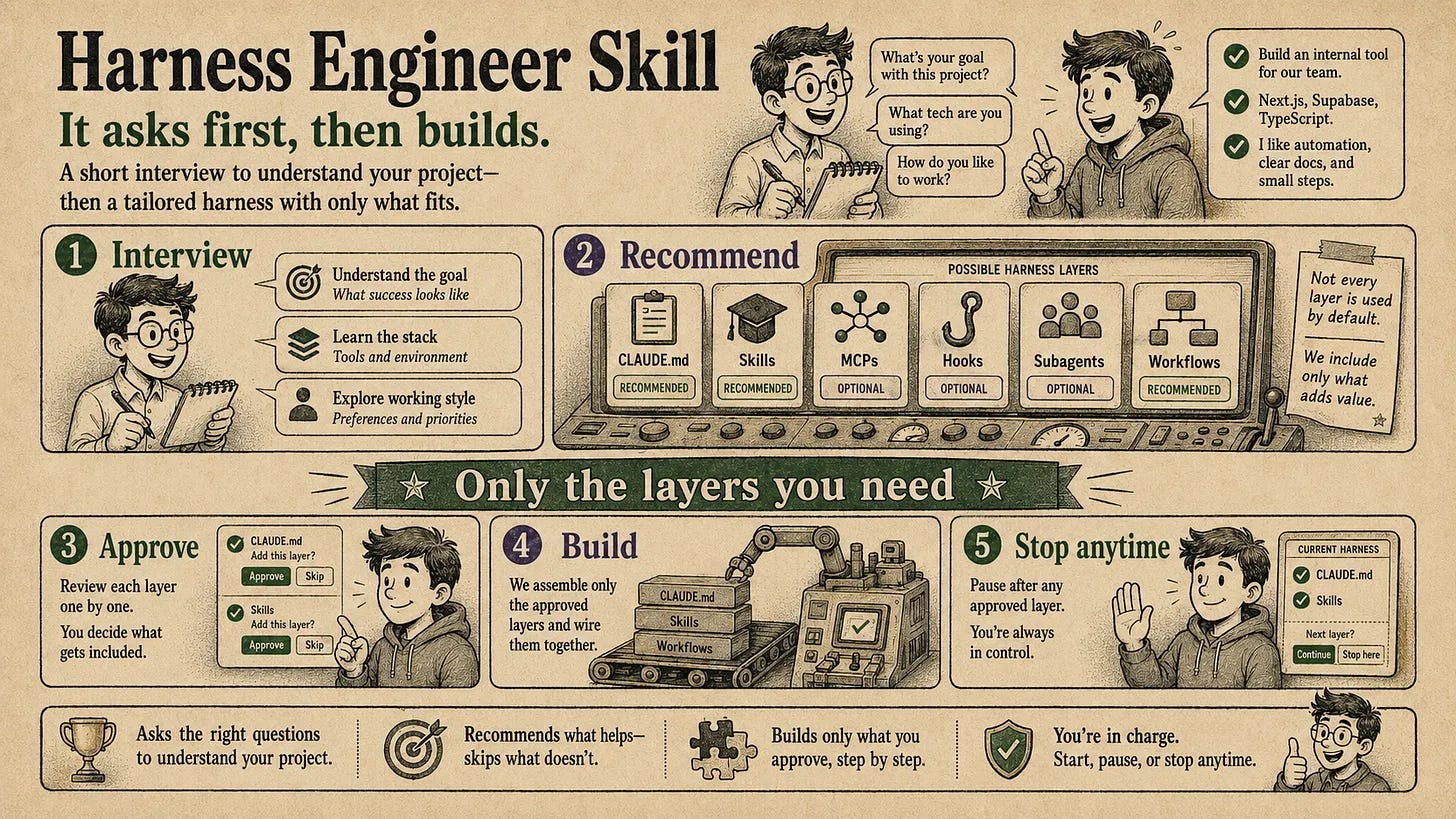
This Claude skill interviews you first.
Based on your answers, it recommends the right mix of CLAUDE.md, Skills, MCPs, Hooks, subagents, and workflows.
If you approve, it’ll build them for you, step by step.
Most of the time, it would not install all six, because it is programmed to install what you actually need.
You are in control all the time; if you don’t want any of them, it’ll skip.
How to install this Claude skill?
Let me show you it is easier for both of us.
Under 6 minutes, I built a project, have a strategy, and the Claude skills are ready to install.
Next, it might offer hook, subagents while creating content or dynamic workflows, if it see fits.
Now, I’ll give you the prompt and the skill, but not just that.
After that, I’ll start from Claude.md, explain to you how to create one, install skill, create skill, mcp, cli, hooks, subagents, and dynamic workflows.
Let’s start.
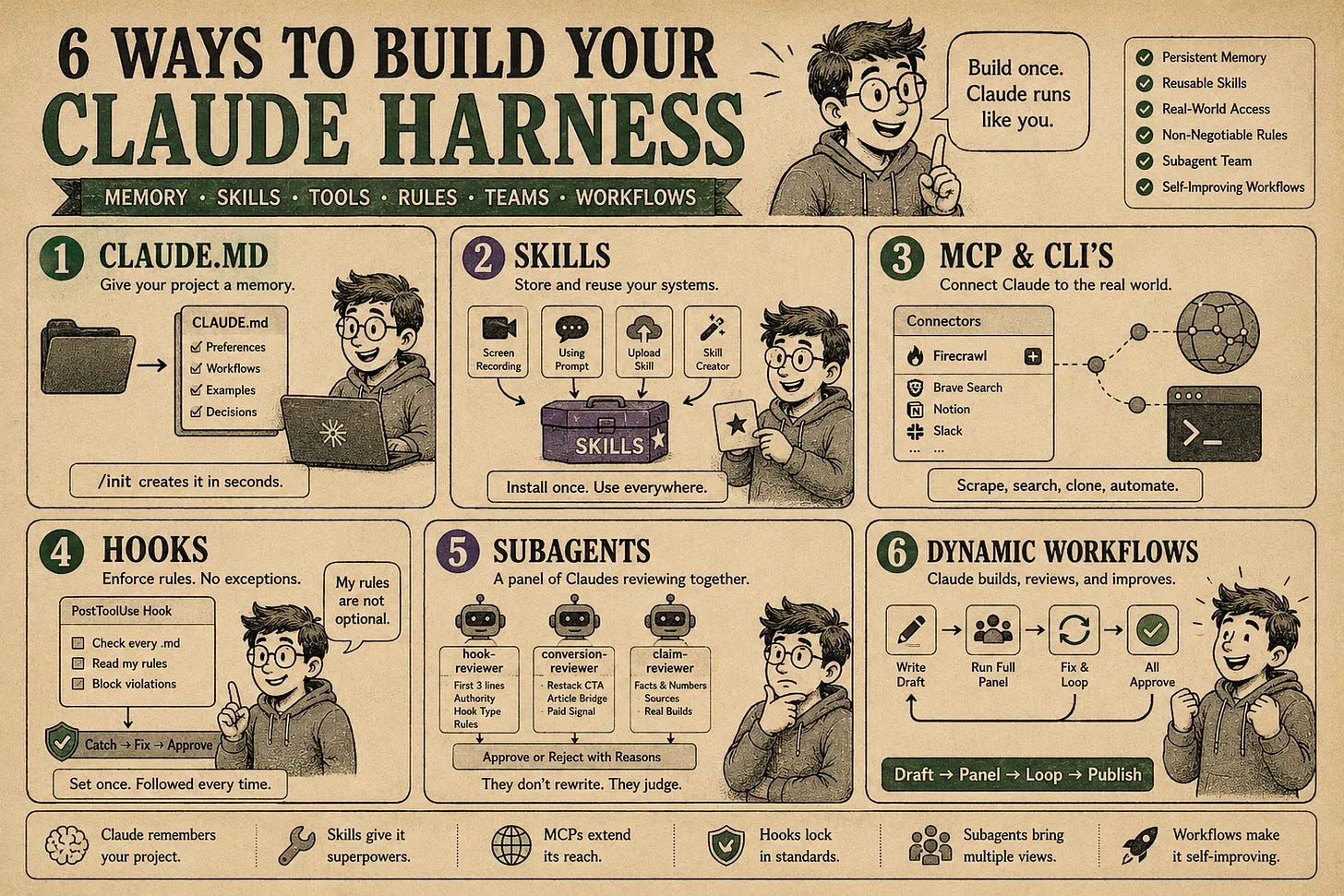
Here are the files.