


I was typing the same ChatGPT prompts every single day.
Same prompts. Different inputs. 50 times a week.
I calculated it: 12 minutes per prompt on average.
That’s 10 hours every week wasted on prompt engineering.
Then I realized: I’m the bottleneck.
ChatGPT can automate this. I just needed to tell it once.
Let me show you how it works, then I’ll give you the exact instructions to find your “most-used” prompts and automate them.
What Are Custom Instructions?
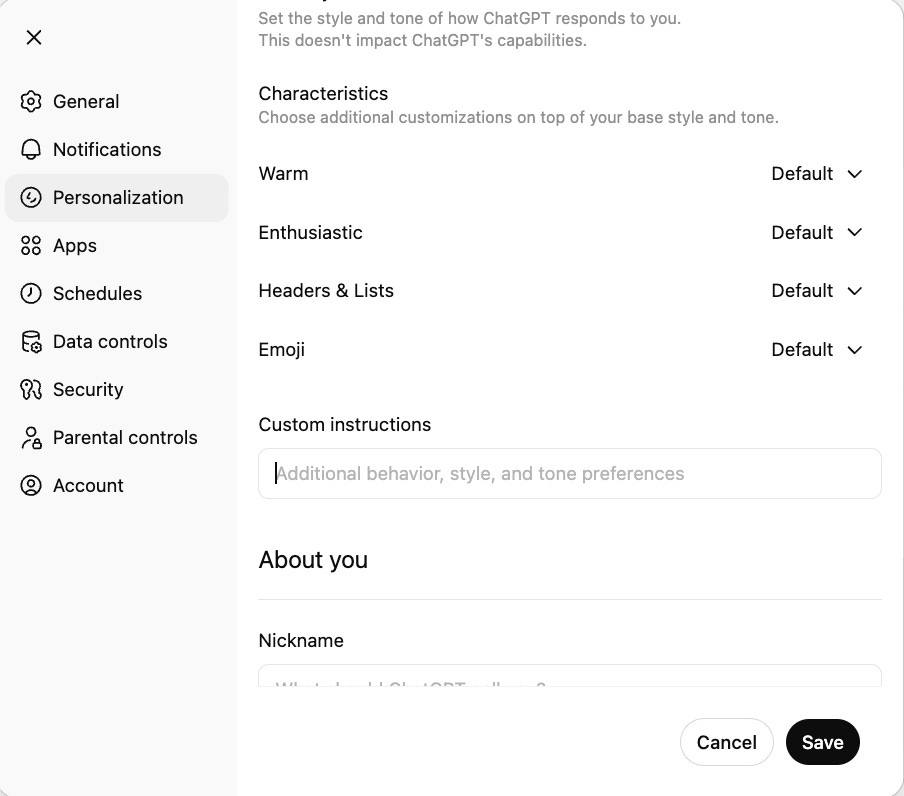
ChatGPT has a feature called Custom Instructions.
Most people ignore it.
It's a text box where you tell ChatGPT how to behave across all conversations.
You write it once. It applies forever.
No need to repeat yourself. No need to paste the same prompt 50 times.
My Shortcuts (And What They Do)
I use these shortcuts every day.
They handle the repetitive tasks that used to waste hours.
Here’s what each one does, why I built it, and how much time it saves.
Track AI News
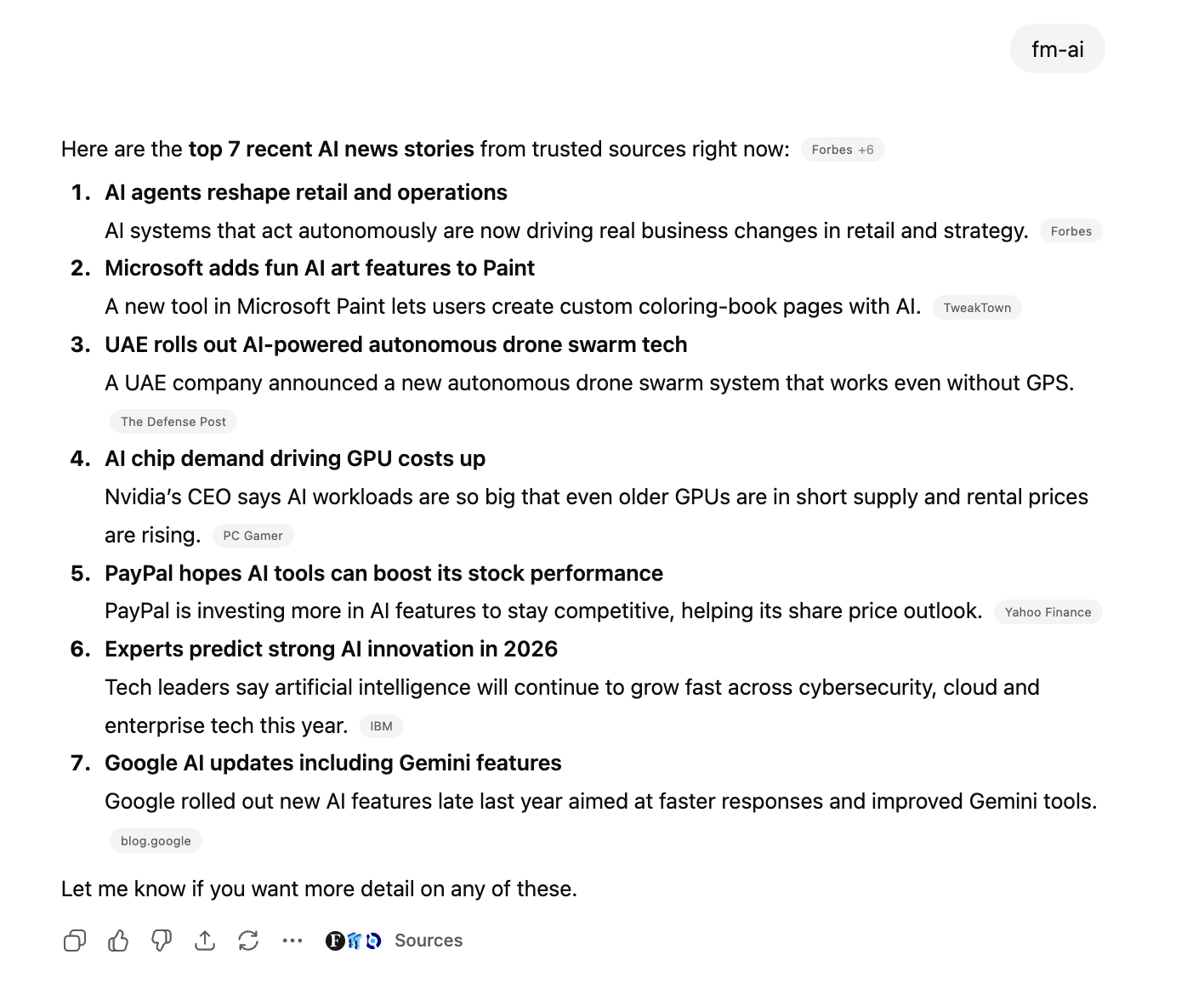
Did you see what it did?
It finds AI news, summarizes each item in one sentence, and checks only the sources I choose.
But you might not be into tracking AI news.
What if I said we could find your most-used prompts in two ways, create shortcuts for you, and add them to your custom instructions using my prompt?
We’ll get there, but first, let’s check this week’s articles.
What have you missed this week on LearnAIWithMe?
ChatGPT Can’t Validate Your Startup Idea. This Can.
Build a validator with 300 real sources (Reddit, YC, competitor reviews)
One Prompt Built My Entire Expense Tracker
Multi-page dashboard with AI predictions in 30 minutes
5 Prompting Methods That Will Put You Ahead of 99%
Advanced techniques most people miss
I’ve Built GPT from Scratch Using YT Video and Claude Code
Complete implementation walkthrough
10 NotebookLM Prompts That Save You 10 Hours a Week
Turn any content into working apps
Claude Cowork: Your Computer Now Has an AI Employee
AI that actually uses your computer for you
If you want access to these articles, the price is $8.33 per month with annual billing or $12 per month with monthly billing.
If you want access to the Vault, which includes 700+ prompts, AI tools, and a prompt customizer, the Inner Circle subscription gives you that for $17 per month.
How to Find YOUR Most-Used Prompts (And Automate Them)
You don’t need my shortcuts.
You need your shortcuts.
The prompts you type every day.
The ones that waste your time.
Most people think custom instructions are for “general preferences.”
Wrong.
Custom instructions are for automating your specific, repetitive workflows.
Here’s how to find them and turn them into shortcuts.