
Claude Cowork Live Artifact: My Claude Now Talks To Me Every Morning
The Cowork Live Artifacts feature nobody's talking about

Every morning, I opened five tabs before coffee.
Calendar, Gmail, Slack, Notion, and my Claude Routine doc, in that order, every day.
The tabs weren’t the problem.
Nothing talked to anything else.
Calendar said one thing, Gmail another, Slack a third.
Ten minutes had gone by before I picked what to work on.
And I was okay with it, until Claude made our lives easier with this update with Claude's cowork live artifacts.
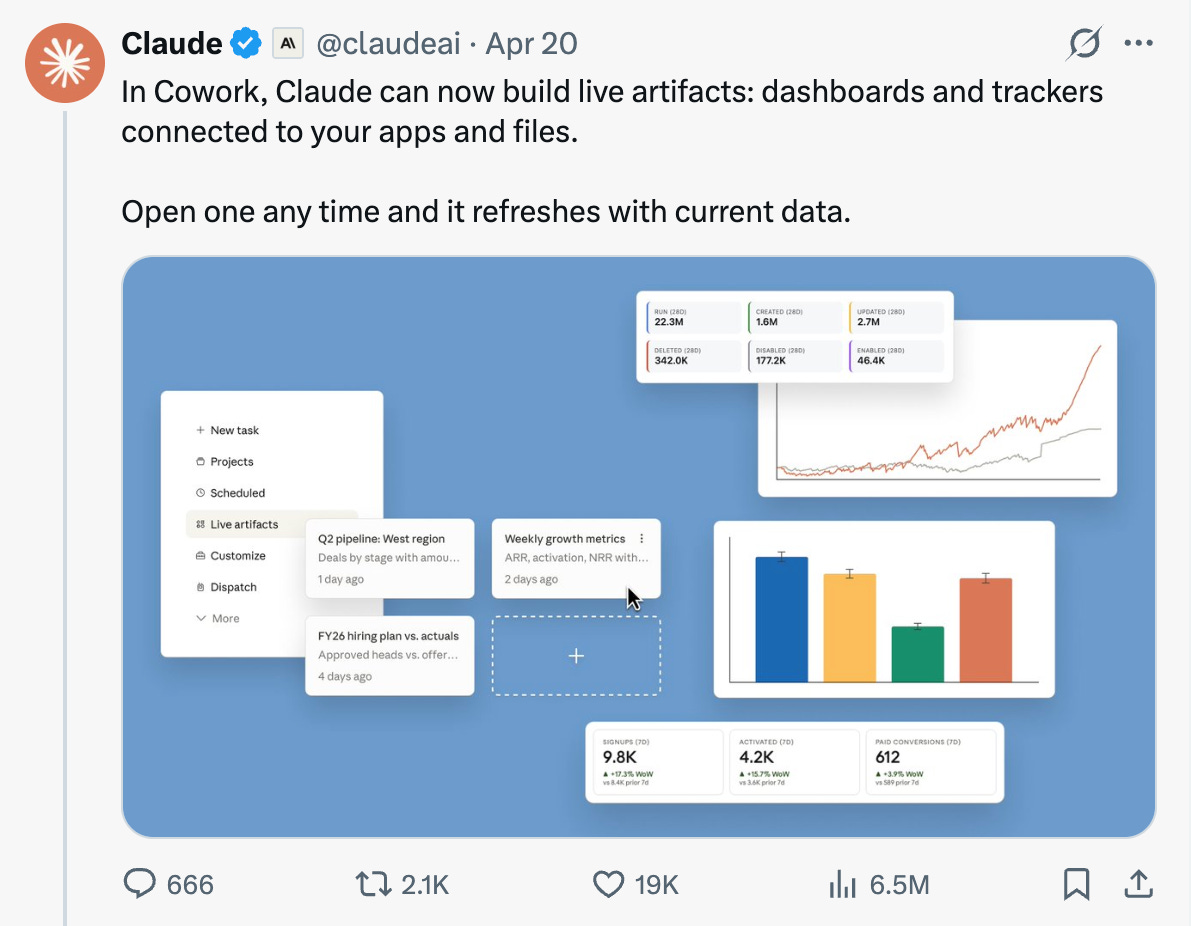
Now my morning routine looks like this.
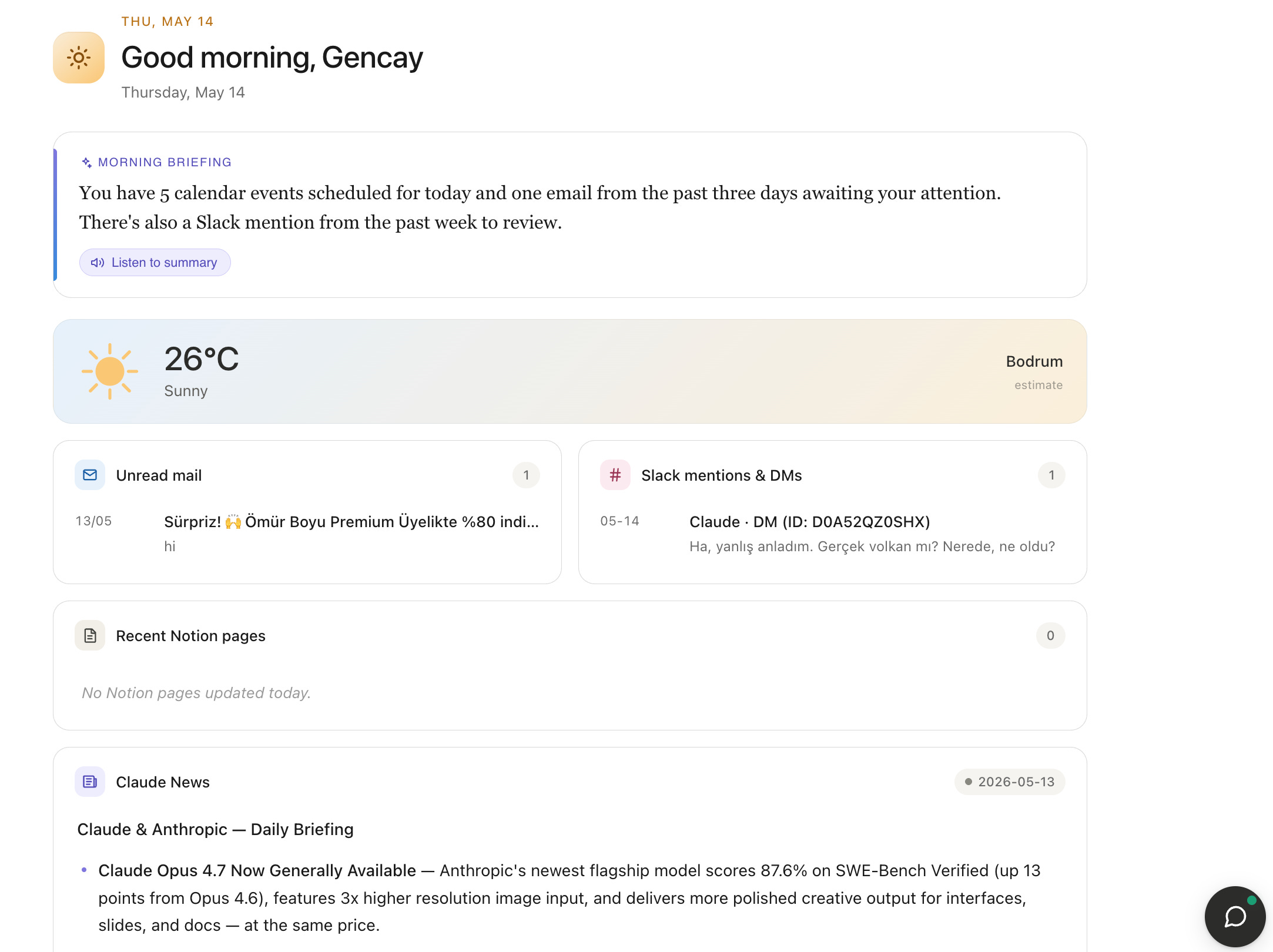
Two things to add.
You can add your Claude routines here.
Also, when I feel lazy, I just open the assistant and let it explain everything by voice.
How Claude Live Artifacts Works
An artifact in Claude lets you build AI apps.
In my post analyzing 11 Substack creators' Notes, I built one artifact per creator.
Here’s mine.
A Live Artifact is different. Every time it loads, it can reach out to your connected applications and pull fresh data.
Gmail, Calendar, Slack, or whatever else you've connected.
It can also call Claude directly from inside its own code. That’s how the voice assistant works in the corner.
One more thing I discovered. It can connect to your scheduled routines and surface their output. That's how I tracked Claude's news.
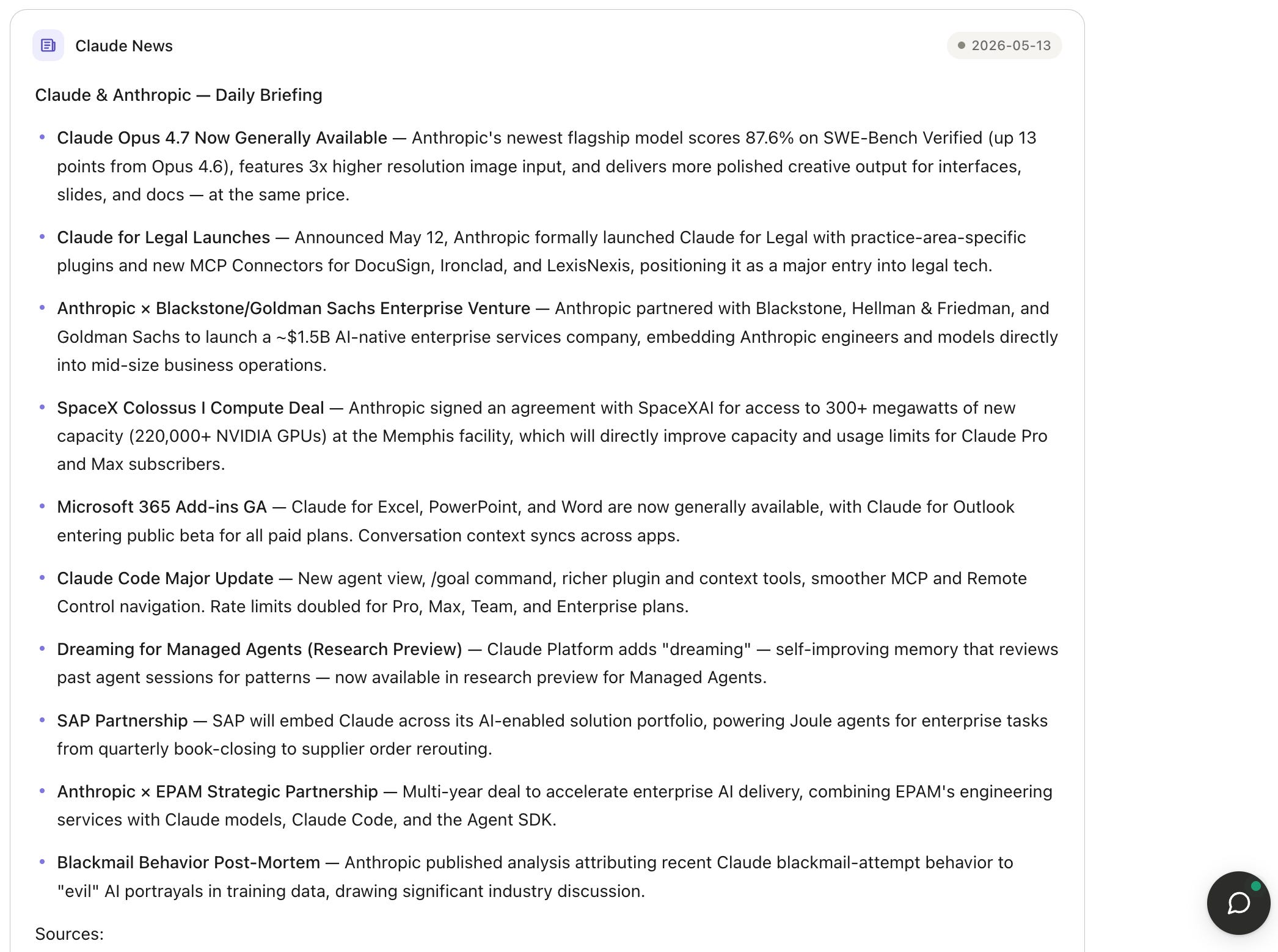
The architecture bends to your workflow. We'll build one now.
A Note Before We Build
This is the fourth post of Claude. Build It.
Each post will feature how you are running the same use case in your own environment. Different decisions, different stacks, different connectors.
DM me how you built yours. I’ll feature your version in the next post, like Dan’s.
Let’s build it together.
Community Spotlight: Dan’s PR Reviewer
Where LearnAIWithMe community members show how they built it.
Welcome to Build it #3.
Each case stands alone. Different problem, same shape of solution.
In Build it #2, I built a health Advisor for my pregnant wife, which queries PubMed.
Dan saw this and rebuilt it for code reviews.
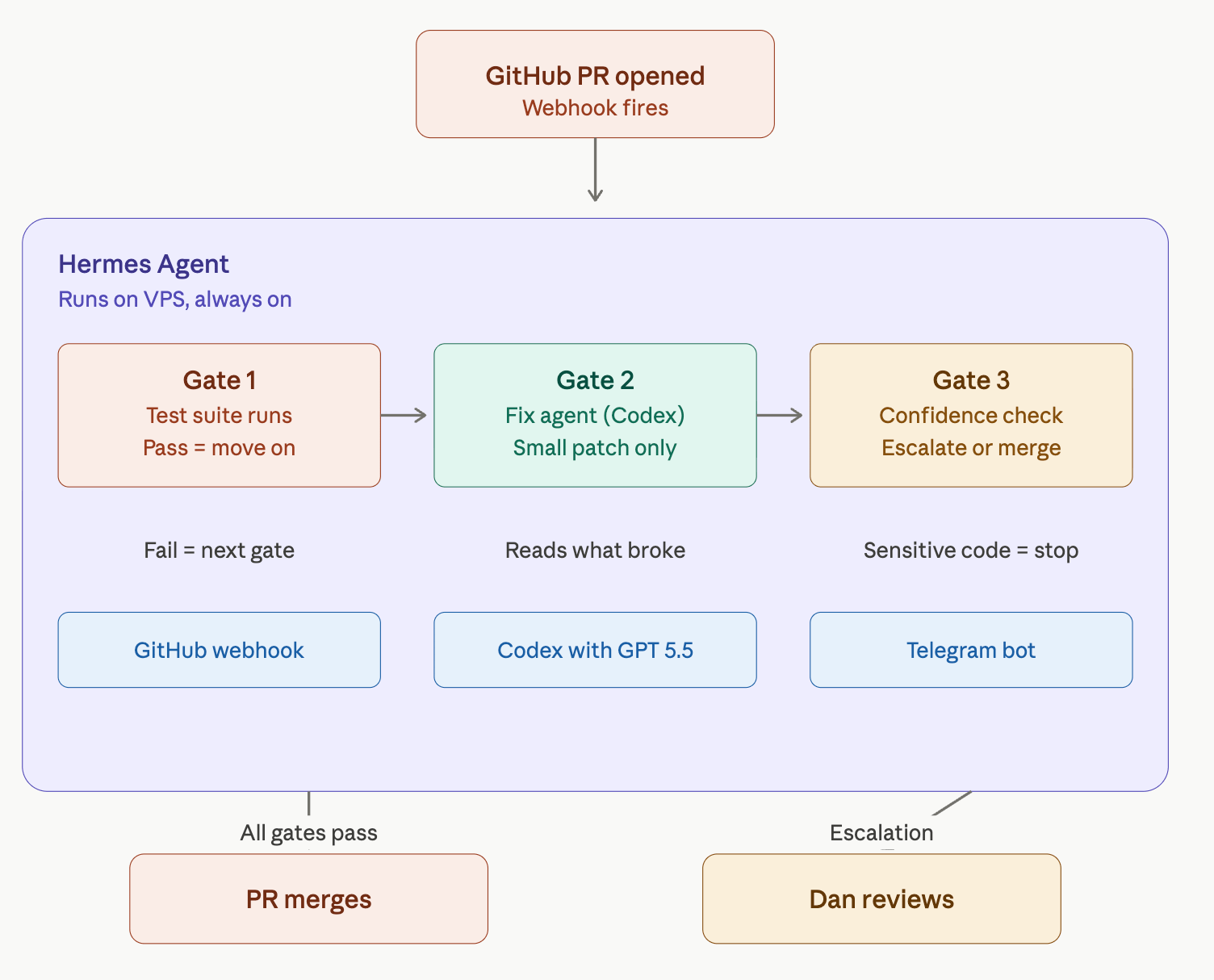
He uses the same skeleton, but different organs. See his PR Reviewer structure.
Dan publishes open-source tools for AI agents.
Most of his code is written by Claude or Codex.
AI writes the PR. AI reviews the PR. AI says everything is fine.
That is the same sycophancy problem from Build It #2.
So Dan replaced the reviewer:
Gate 1. Tests run on every PR. Pass means move on. Fail means stop.
Gate 2. A fix agent (Codex with GPT 5.5) looks only at what failed and what changed. Small patches, no rewrites.
Gate 3. If the fix isn’t confident, or the PR touches sensitive code, Dan gets a Telegram ping. No merge until he checks.
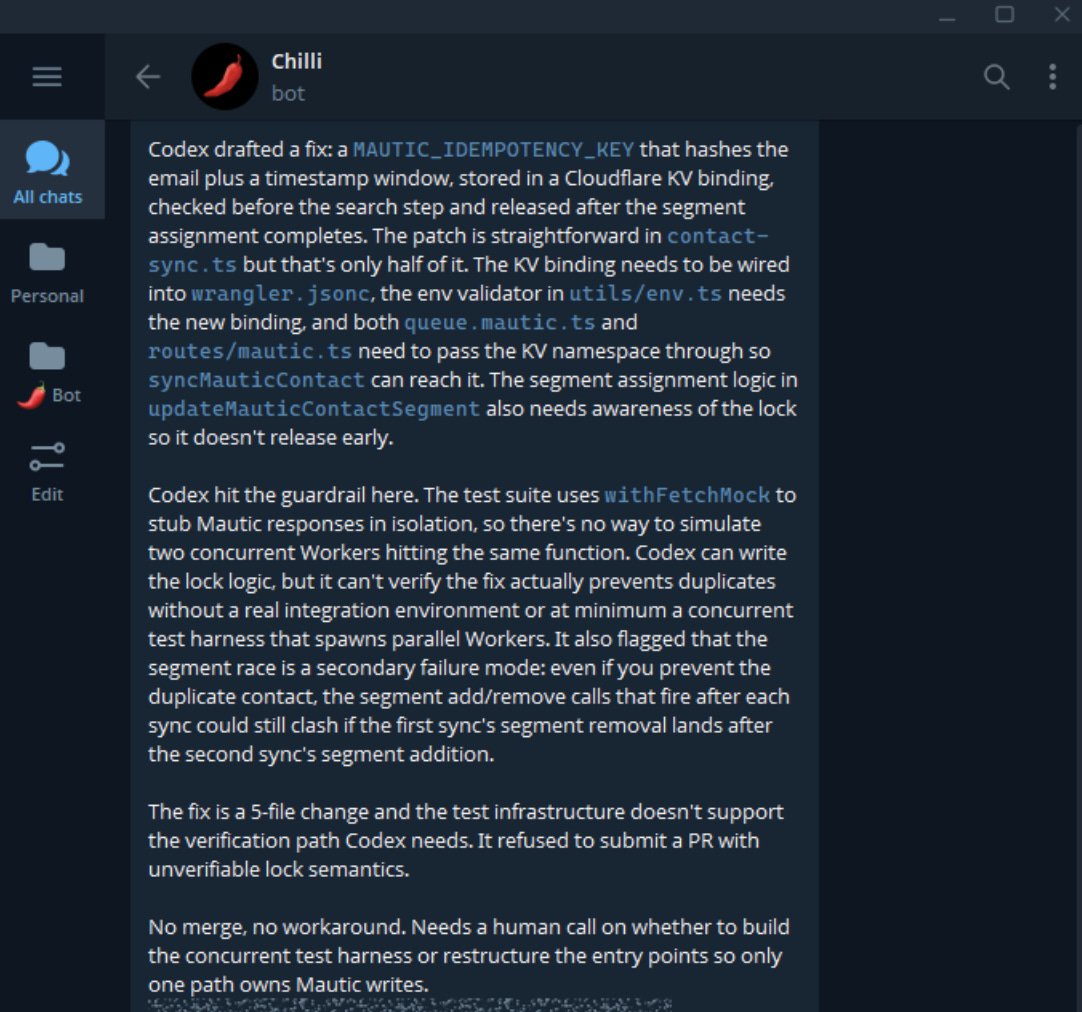
Dan’s note:
What I borrowed from Gencay’s Build It #2 was the shape of the process, because he didn’t build a Claude agent that tries to sound certain for his pregnant wife, he built one that checks PubMed before answering, cites the research when it finds a clear answer, and admits when the literature is unclear.
I adapted that same idea for PRs, so tests run first, Codex only gets scoped to the failing area, and when it can’t prove the fix, it sends me a Telegram note with what it tried and where it got stuck.
Dan also has a Substack called Vibe Stack Lab.
You can follow him here;

Morning Briefer With Claude Cowork Live Artifact
Four steps, and it takes about fifteen minutes if your connectors are already authenticated. You'll need Cowork access.