
I Built a Warren Buffett AI Agent That Backtests Its Own Stock Picks
AI picks stocks with confidence and nobody checks the receipts. So I built a Buffett agent in Claude Code that runs its own picks against SPY, then tells me if it was right. Full skill included.

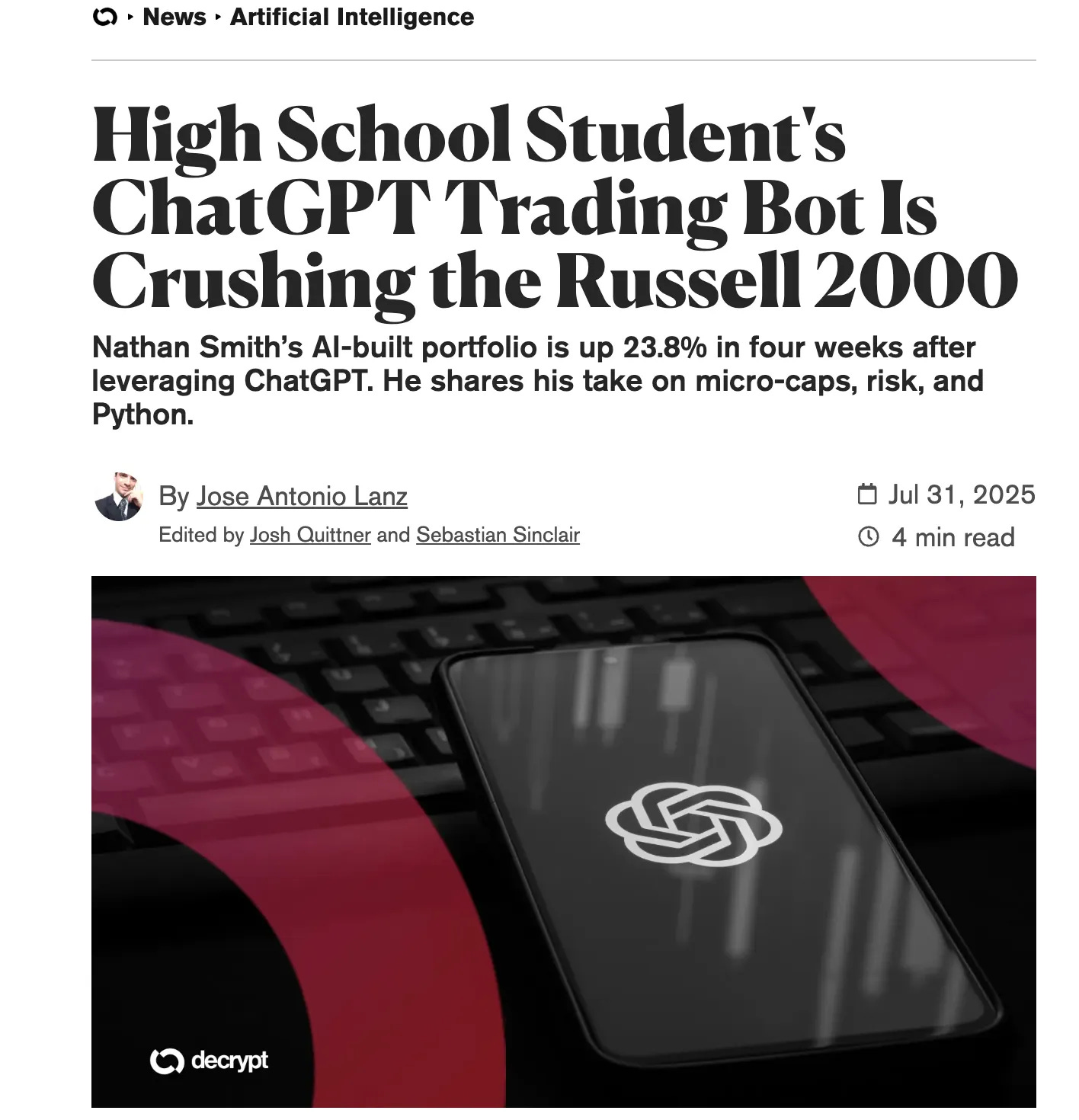
I read a news story about a 17-year-old from Oklahoma who gave ChatGPT $100.
In just 4 weeks, his portfolio is up 23.8 %.
After digging deeper, I found this Substack.
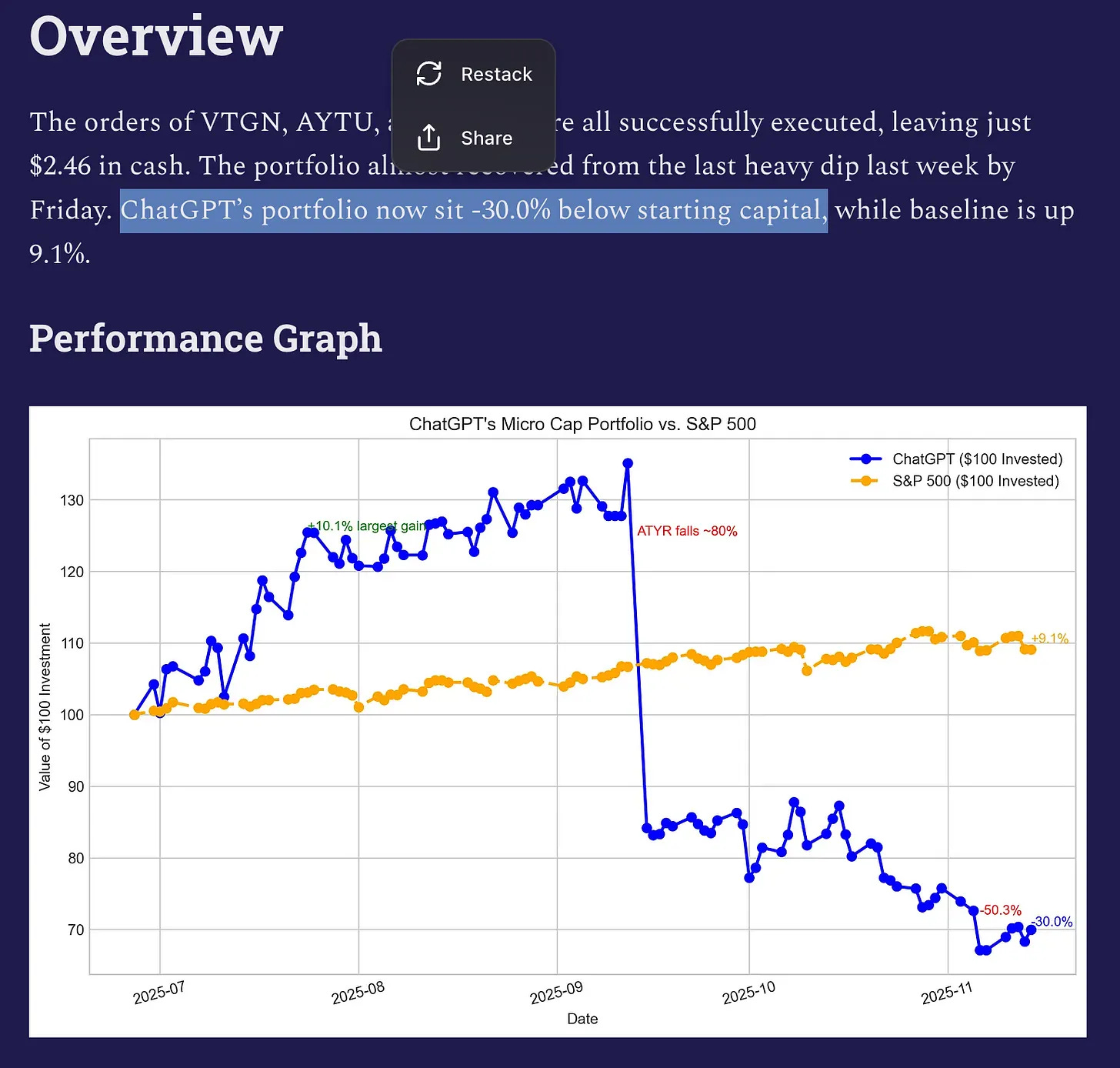
At the end of week 20, Nathan’s portfolio sat 30% below starting capital.
I love his confidence and this trial, because for a while, I have also been testing AI to trade.
I have built trading bots before. A bot that copies millionaire wallets, a Polymarket bot that returned 2.1x in 18 days.
But these bot acts by following a script and never tell you whether your trades were right or not, you’ll measure by the results.
You know who has receipts?
Warren Buffett. He ran Berkshire for 59 years and turned every $1,000 into $44 million.
Last time, I built a digital Buffett with NotebookLM and Claude that could answer questions but never had to prove anything.
This time, I wanted more than answers. I wanted a Warren Buffett AI agent that gets graded.
He picks, then history judges him, on my screen.
I built it using Claude Code and a bunch of other tools.
Let me show you.
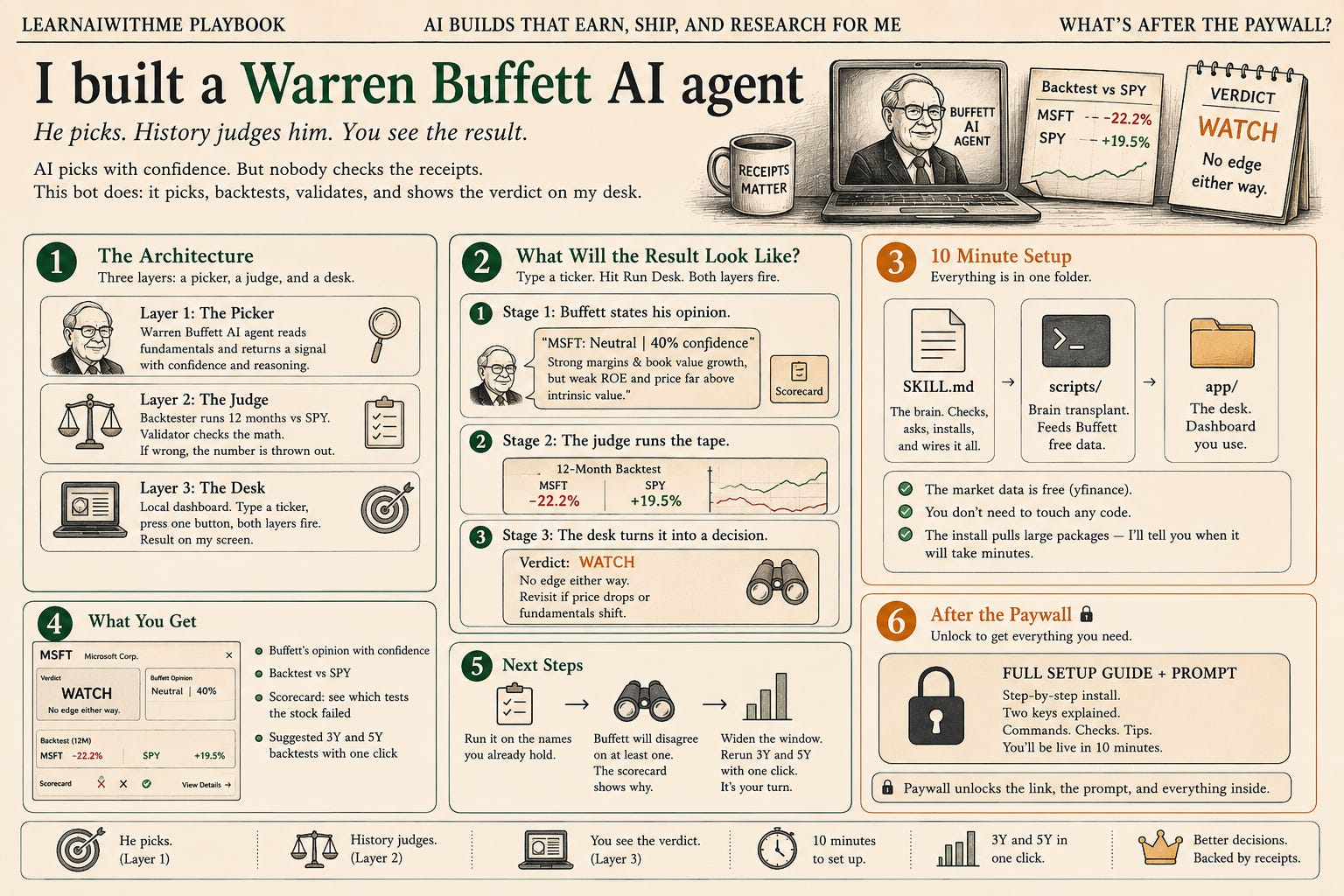
The architecture: a picker, a judge, and a desk
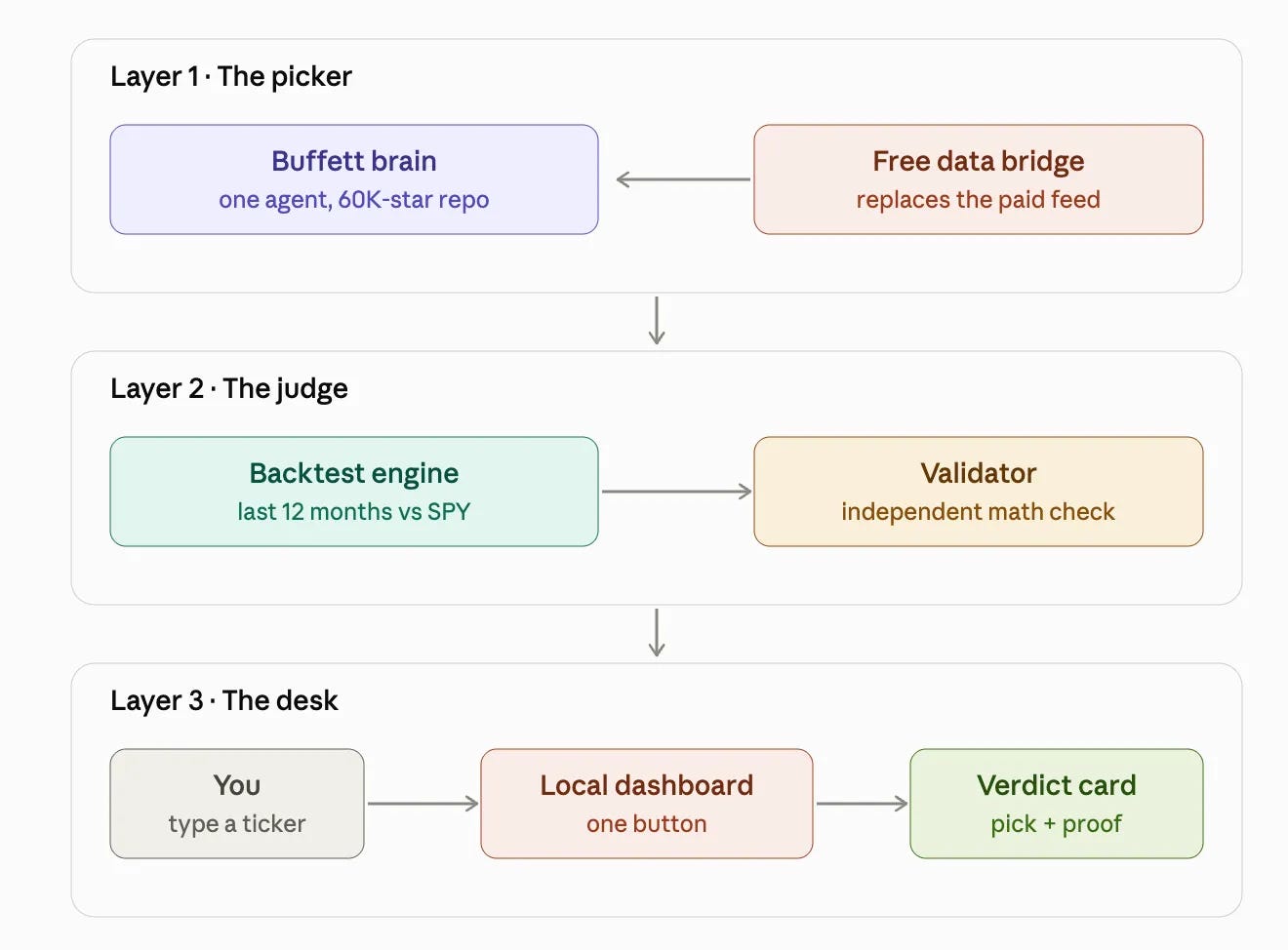
Three layers.
This is the same loop structure I use everywhere now: one agent produces, a second agent audits, and I only see the result after they have argued.
Layer 1 is the picker. An open-source project ships with a full team of AI investor agents. I kept exactly one: Warren Buffett.
It reads ROE, margins, debt, and owner earnings, then returns a signal with a confidence score and its reasoning. Its original data source has no free tier.
I paid $20 to find out what that buys, reverse engineered everything and packed it for you.
Layer 2 is the judge. An AI backtesting engine takes the same ticker and runs the last 12 months against SPY.
A validator then checks the engine’s math against an independent calculation. If the numbers disagree, the AI’s number gets thrown out.
Layer 3 is the desk. A local dashboard on my machine.
I type a ticker, press one button, and both layers fire.
This dashboard is powered by the skill I’ll send you.
All you need to do is download the skill and the app files, create a new project, and you’re ready to go.
But first, let me show you how the app works.
What will the result look like?
The result will be the dashboard.
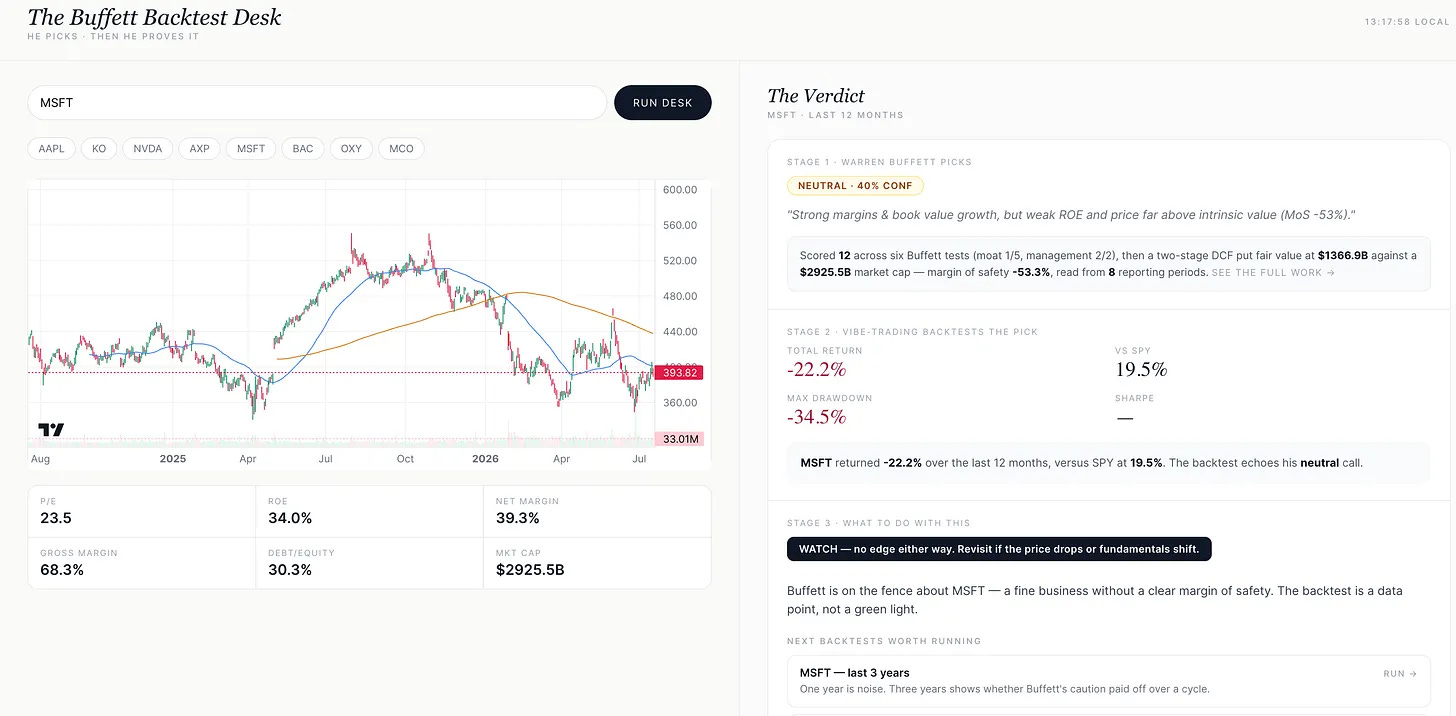
Pick your stock, click on “Run Desk”.
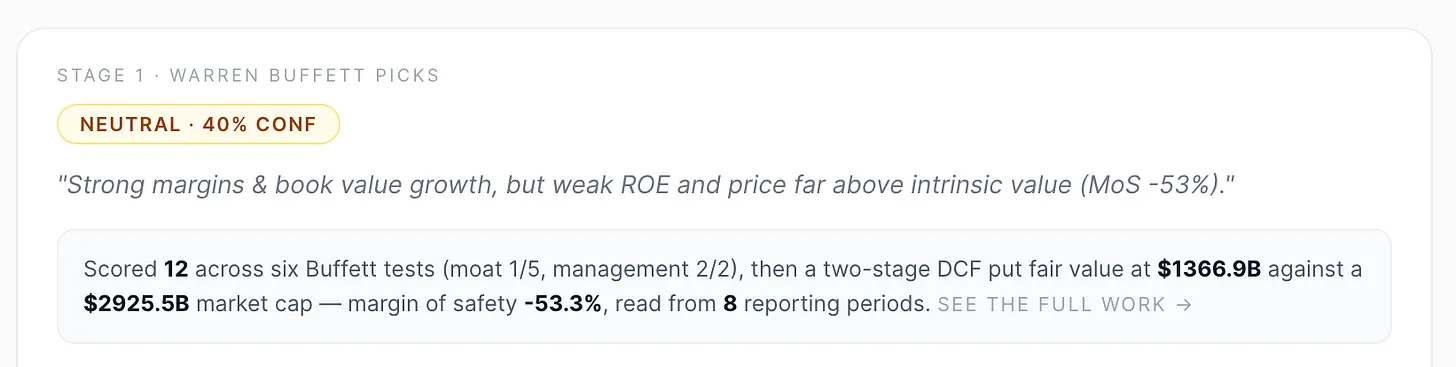
Stage 1: Buffett states his opinion.
For Microsoft, he said neutral, 40% confidence: “Strong margins& book value growth, but weak ROE and price far above intrinsic value”.
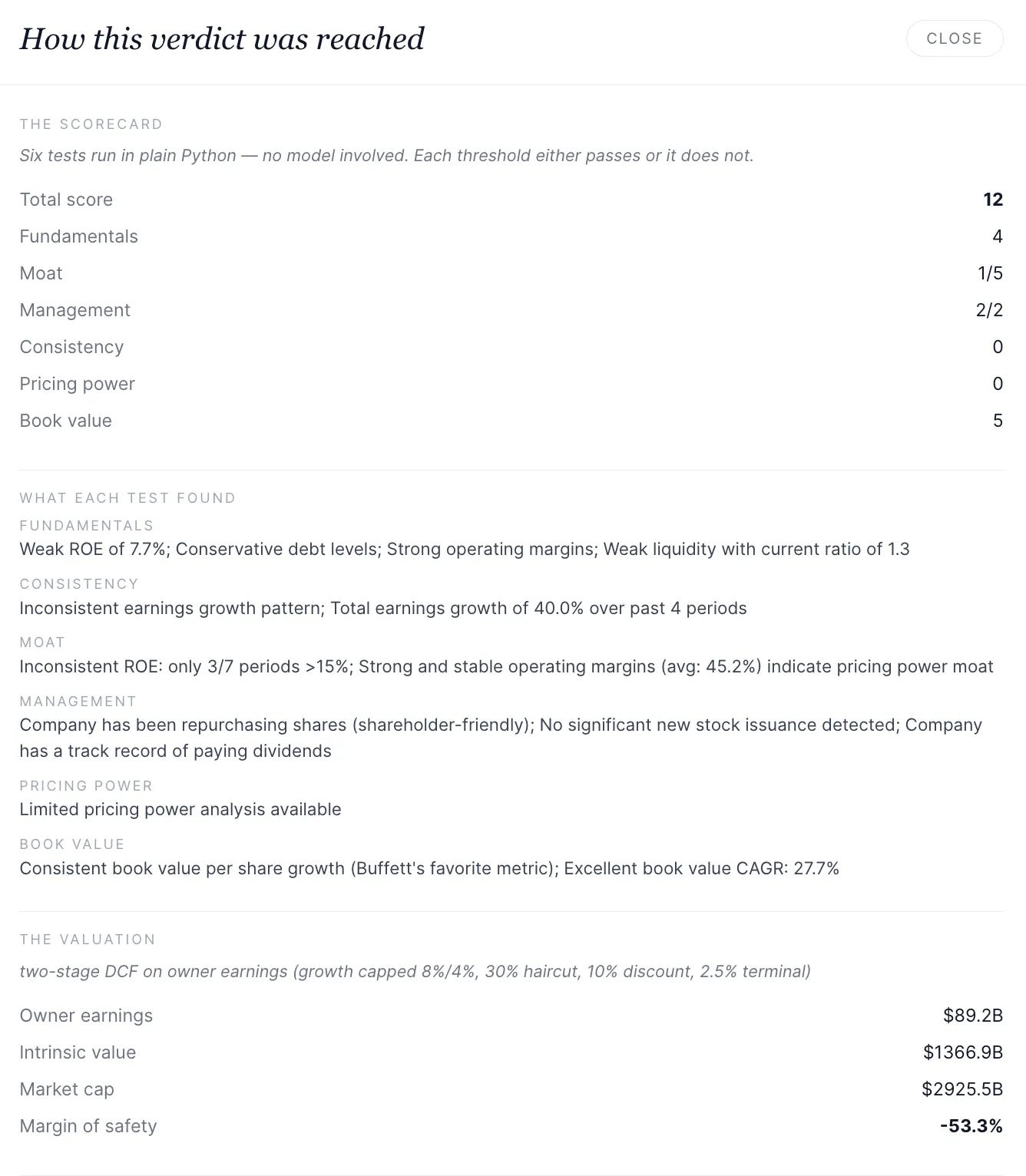
If you need more, click the scorecard to see why.
Stage 2: The judge runs the tape.
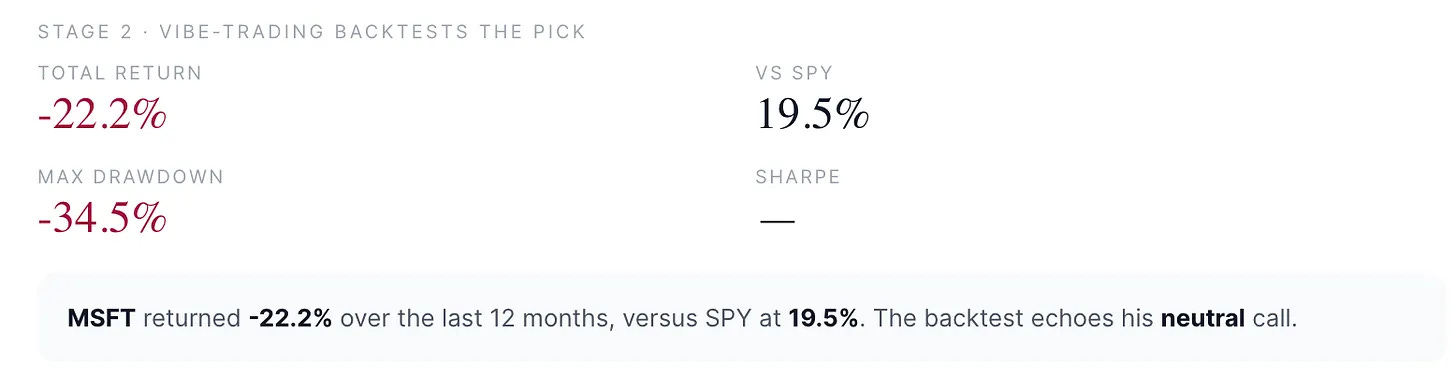
MSFT returned -22.2% over the last 12 months.
SPY returned +19.5%.
Stage 3: The desk turns the backtest into a decision

For MSFT: watch, no edge either way. Revisit if the price drops or fundamentals shift.
What’s next?
After your analysis is finished, it’ll suggest that you can run similar backtests.

Let me show you how to install it in 10 minutes.
10 Minute Setup
I put everything you need to install this system into one folder.
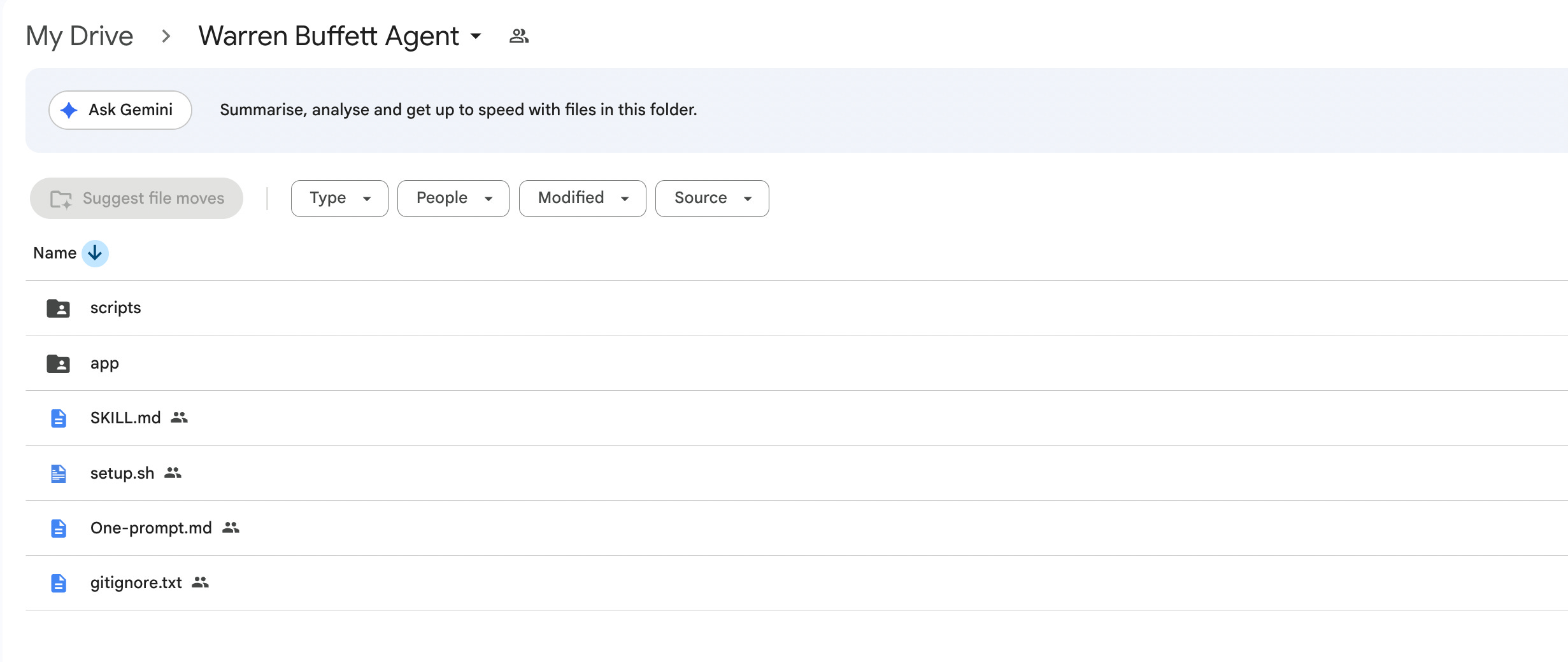
It even has One-prompt.md to install everything in 10 minutes.
Download this folder, or if you have Google Drive MCP installed, or better gws-cli installed, give the link to this folder to your Claude.
And it’ll install everything, because the entire folder has a roadmap, specifically designed for your Claude.
Here is the link to this folder:
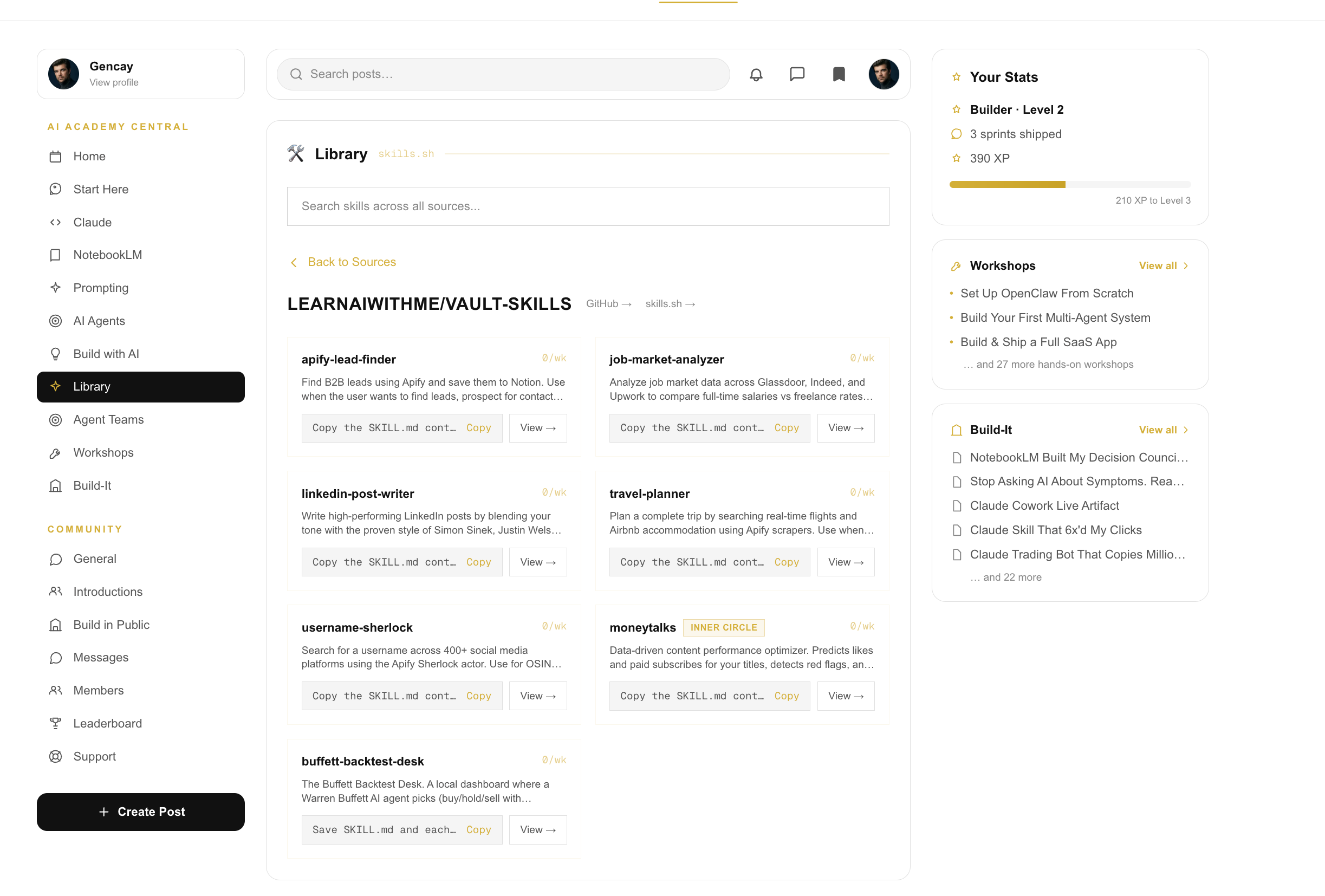
AI Academy
One more thing.
Inside the AI Academy, there are more skills.
Also, we are building together.
More information is here.