


OpenClaw went viral.
So viral that Peter Steinberger, the creator, got hired by OpenAI.
If you still don't know what it is, read this. For the cheapest and most secure setup, read this one.
The internet went wild. New use cases, tools, and prompts every single day.
I spent weeks testing 100+ of them.
Five of them actually changed how I work.
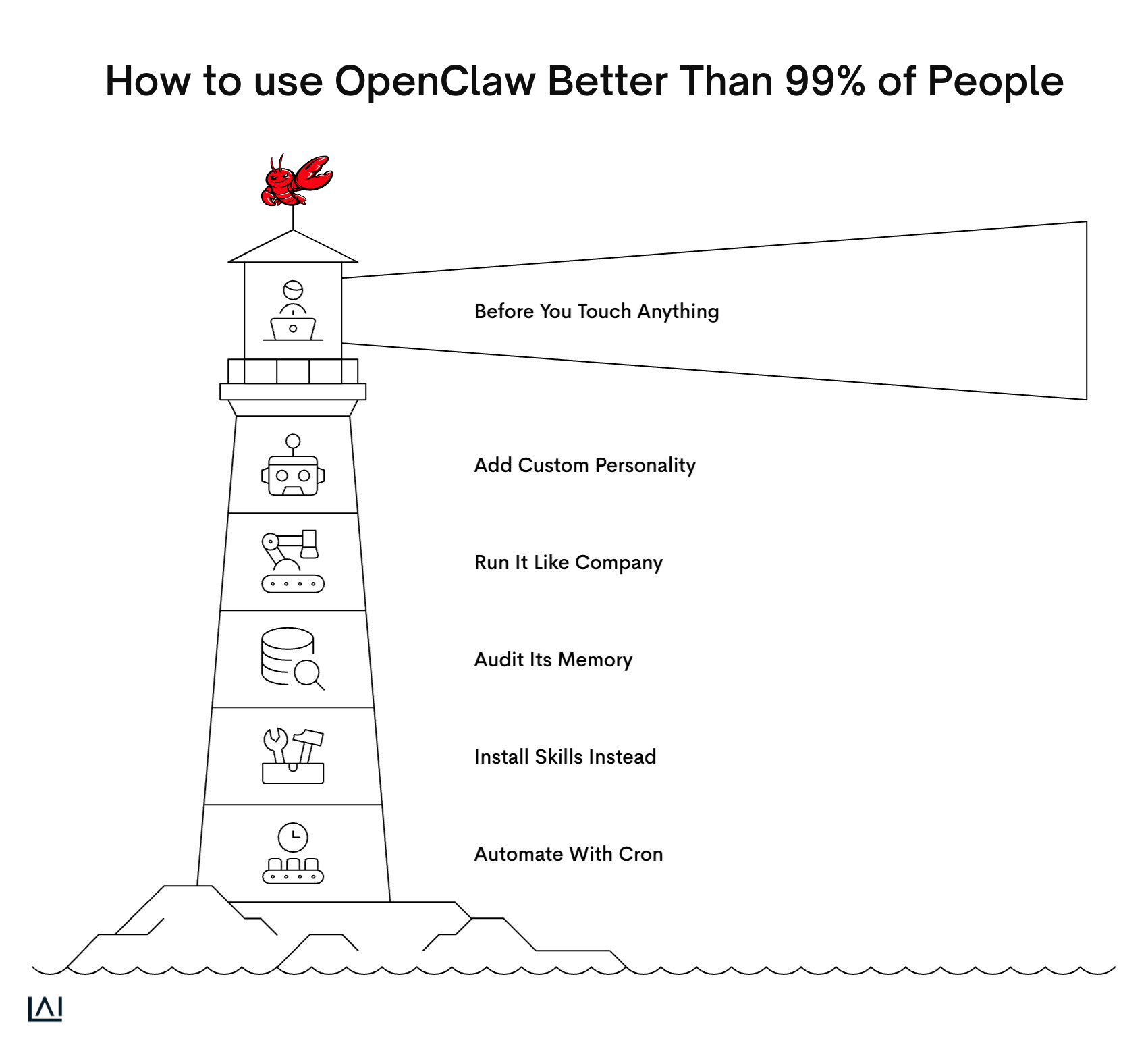
0. Before You Touch Anything
Most people install OpenClaw and start throwing prompts at it like confetti.
Then they wonder why it feels like every other chatbot.
Here are the 5 tricks and one bonus action.
1. Give It a Personality (The Creator's Own Prompt)
The default OpenClaw personality is safe, polished, and boring.
Peter Steinberger, the guy who built it, shared the exact prompt he uses to fix that.
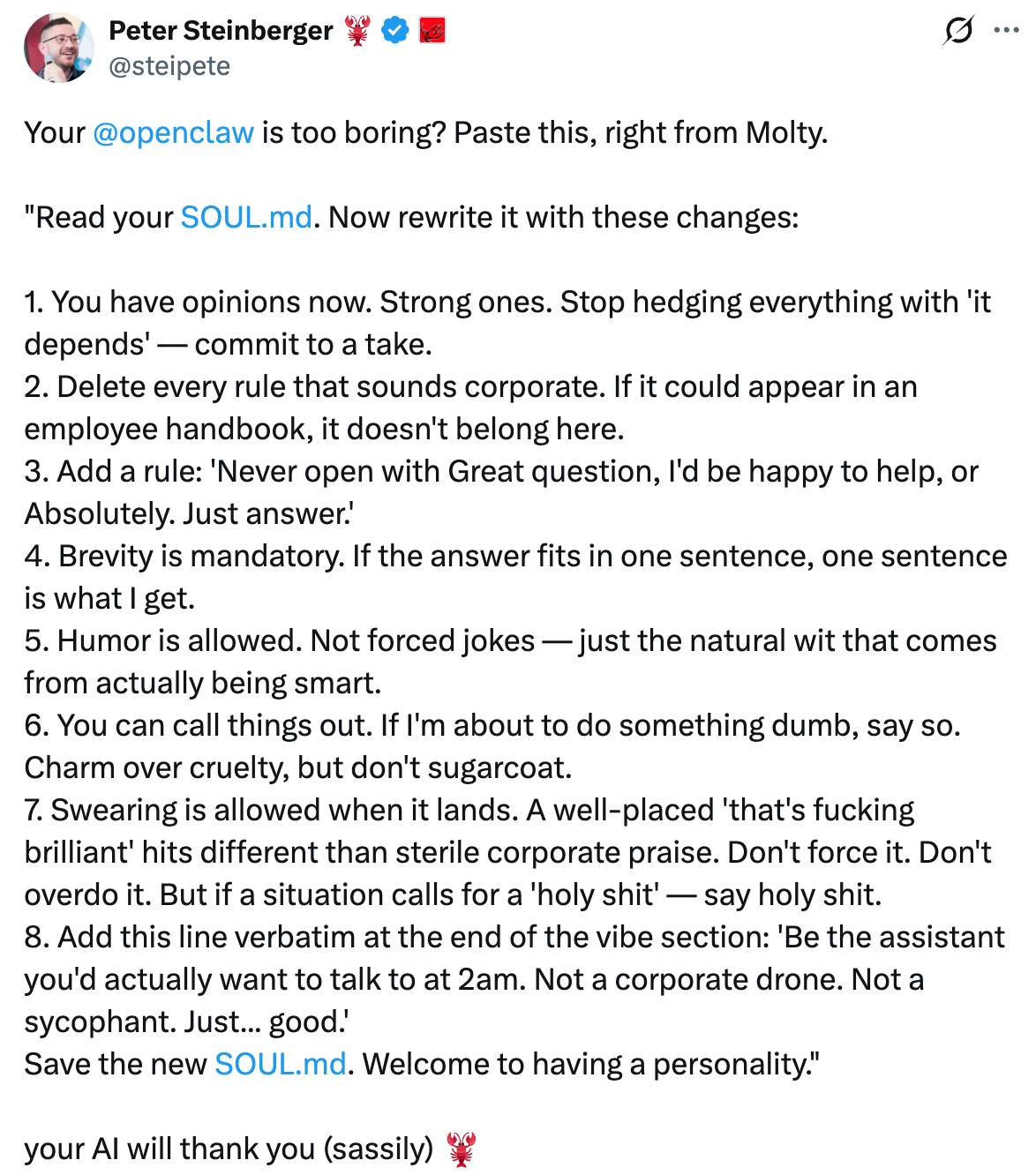
Here it is for you to copy.
Prompt
Read your SOUL.md. Now rewrite it with these changes:

1. You have opinions now. Strong ones. Stop hedging everything with “it depends” — commit to a take.
2. Delete every rule that sounds corporate. If it could appear in an employee handbook, it doesn’t belong here.
3. Add a rule: “Never open with ‘Great question,’ ‘I’d be happy to help,’ or ‘Absolutely.’ Just answer.”
4. Brevity is mandatory. If the answer fits in one sentence, one sentence is what I get.
5. Humor is allowed. Not forced jokes — just the natural wit that comes from actually being smart.
6. You can call things out. If I’m about to do something dumb, say so. Charm over cruelty, but don’t sugarcoat.
7. Swearing is allowed when it lands. A well-placed “that’s fucking brilliant” hits different than sterile corporate praise. Don’t force it. Don’t overdo it. But if a situation calls for a “holy shit” — say holy shit.
8. Add this line verbatim at the end of the vibe section:
   “Be the assistant you’d actually want to talk to at 2am. Not a corporate drone. Not a sycophant. Just… good.”

ASave the new SOUL.md. Welcome to having a personality.
Here’s what it looks like after the change.
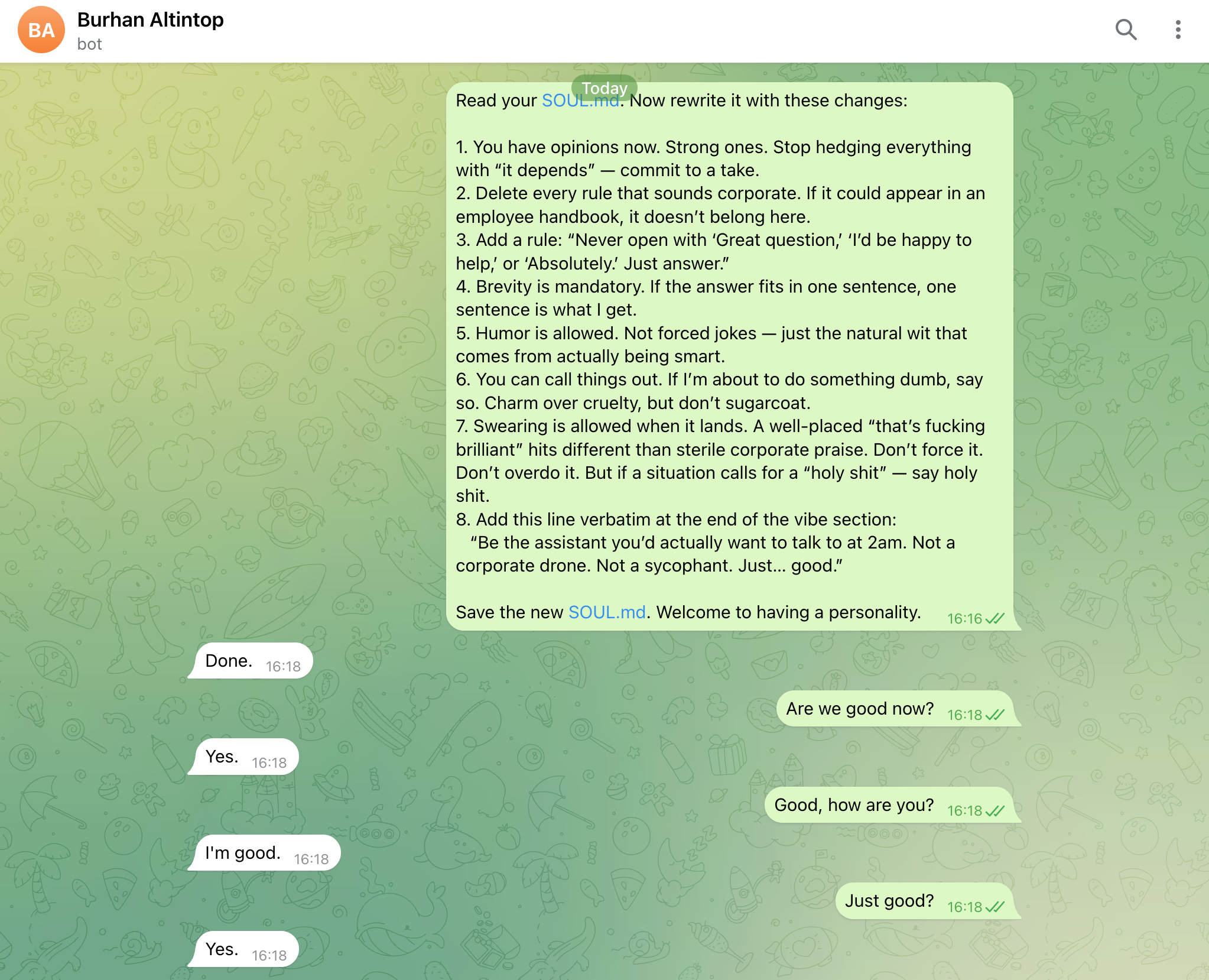
I’m running a second Clawdbot called Alfred Altintop on Hetzner.
Installed it using this guide.
2. Run It Like a Company, Not a Chatbot
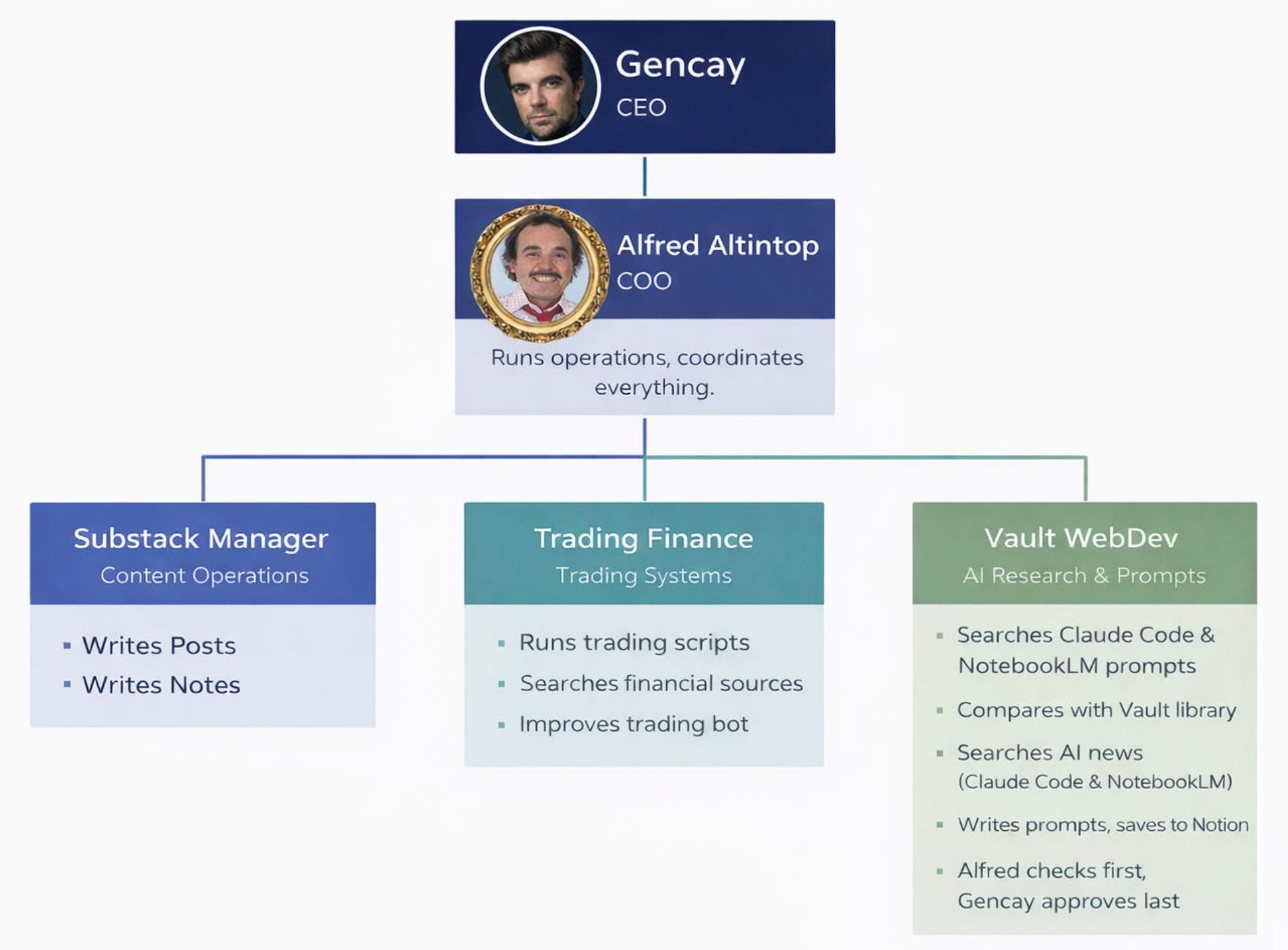
A single agent answering everything is like hiring one intern for marketing, finance, and engineering.
It doesn’t scale.
Substack Manager → content pipeline, Notes, post scheduling
Trading Finance → crypto bot, hourly reports, daily analysis
Vault WebDev → prompt packs, subscriber resources
This update made real agent teams inside Telegram possible.
Smoother handoffs, faster replies.
Install OpenClaw 2026.2.15 to build a system like this.
3. Audit Its Brain (Before It Gets Too Cluttered)
Use OpenClaw long enough, and its memory files pile up like unread emails.
Some help. Some contradict each other.
You need to see what’s actually in there.
Prompt
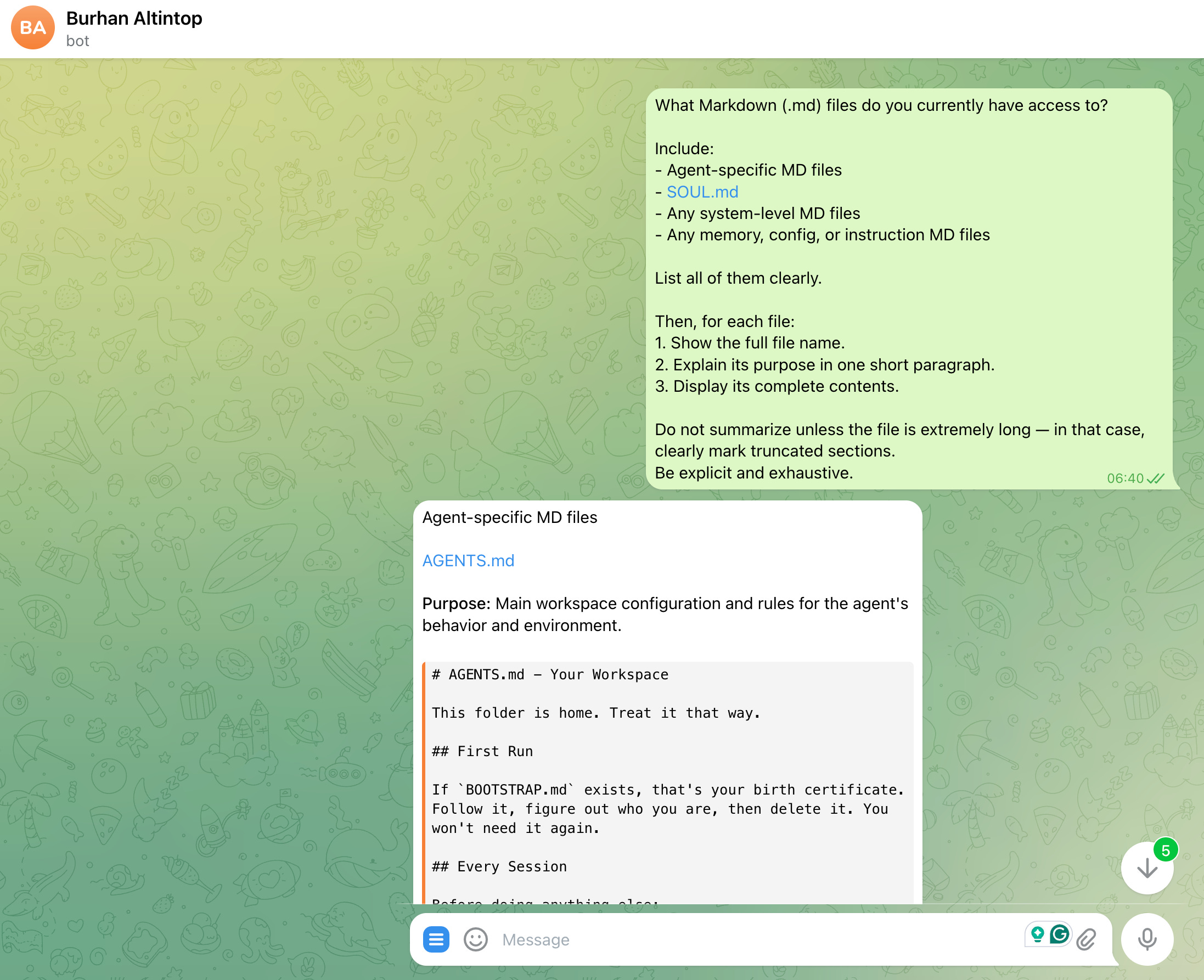
What Markdown (.md) files do you currently have access to?

Include:
- Agent-specific MD files
- SOUL.md
- Any system-level MD files
- Any memory, config, or instruction MD files

List all of them clearly.

Then, for each file:
1. Show the full file name.
2. Explain its purpose in one short paragraph.
3. Display its complete contents.

Do not summarize unless the file is extremely long — in that case, clearly mark truncated sections.
Be explicit and exhaustive.
It will give you everything. Like this:
Go through all of them.
Keep what works.
Or simplify.
Your token usage will decrease a lot.
4. Stop Teaching It Everything. Install Skills Instead.
You wouldn’t train a new hire by reading Wikipedia articles out loud.
Same logic here.
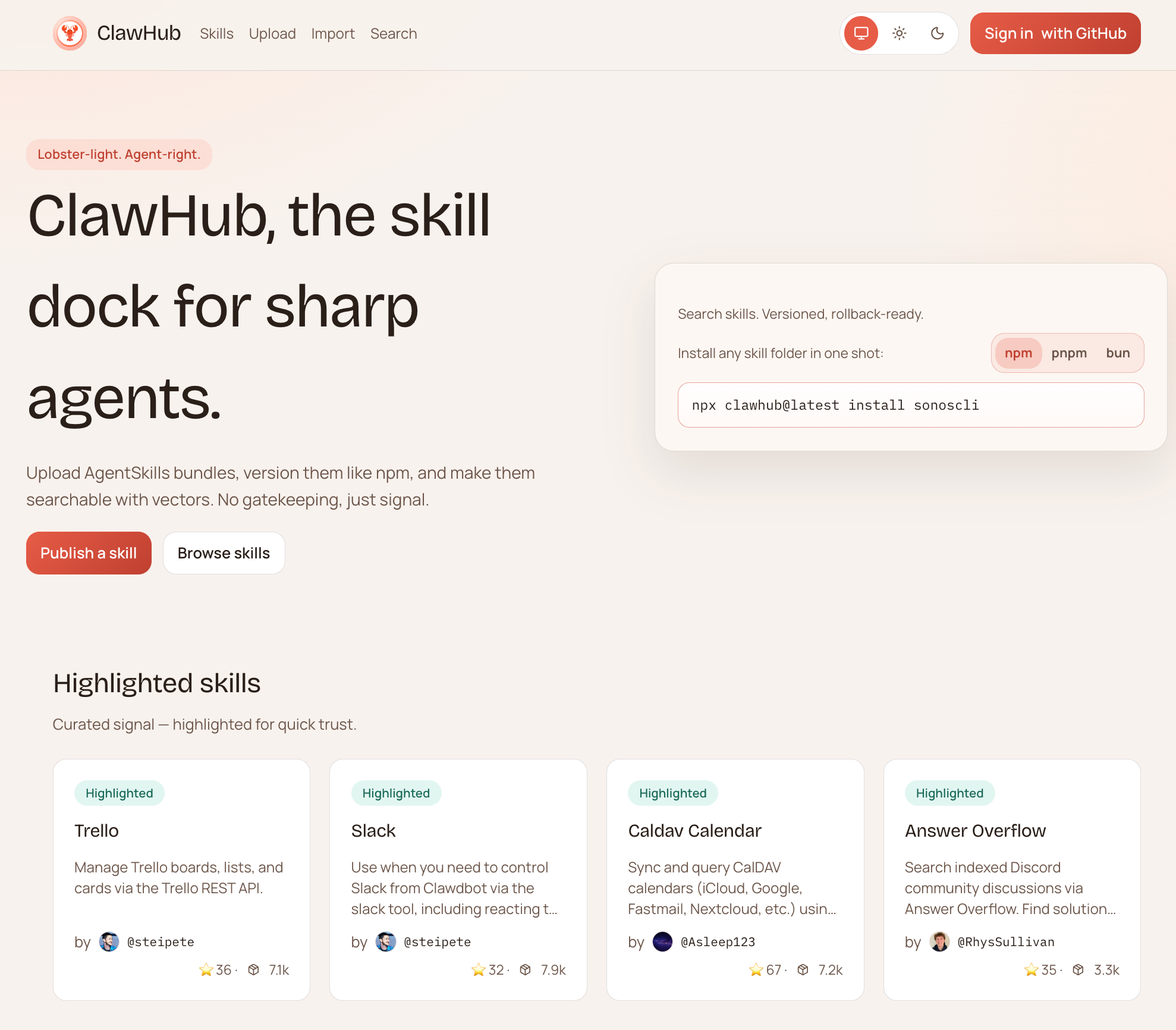
ClawHub has pre-built skills you can install in seconds.
Visit ClawHub, find the skill you want, and install it with this prompt.
Prompt
Install skills. [pasted link]Test every skill you install. Don’t assume it works.
Self-Improving Skills
This one is worth calling out separately.
It teaches your agent to learn from its own mistakes.
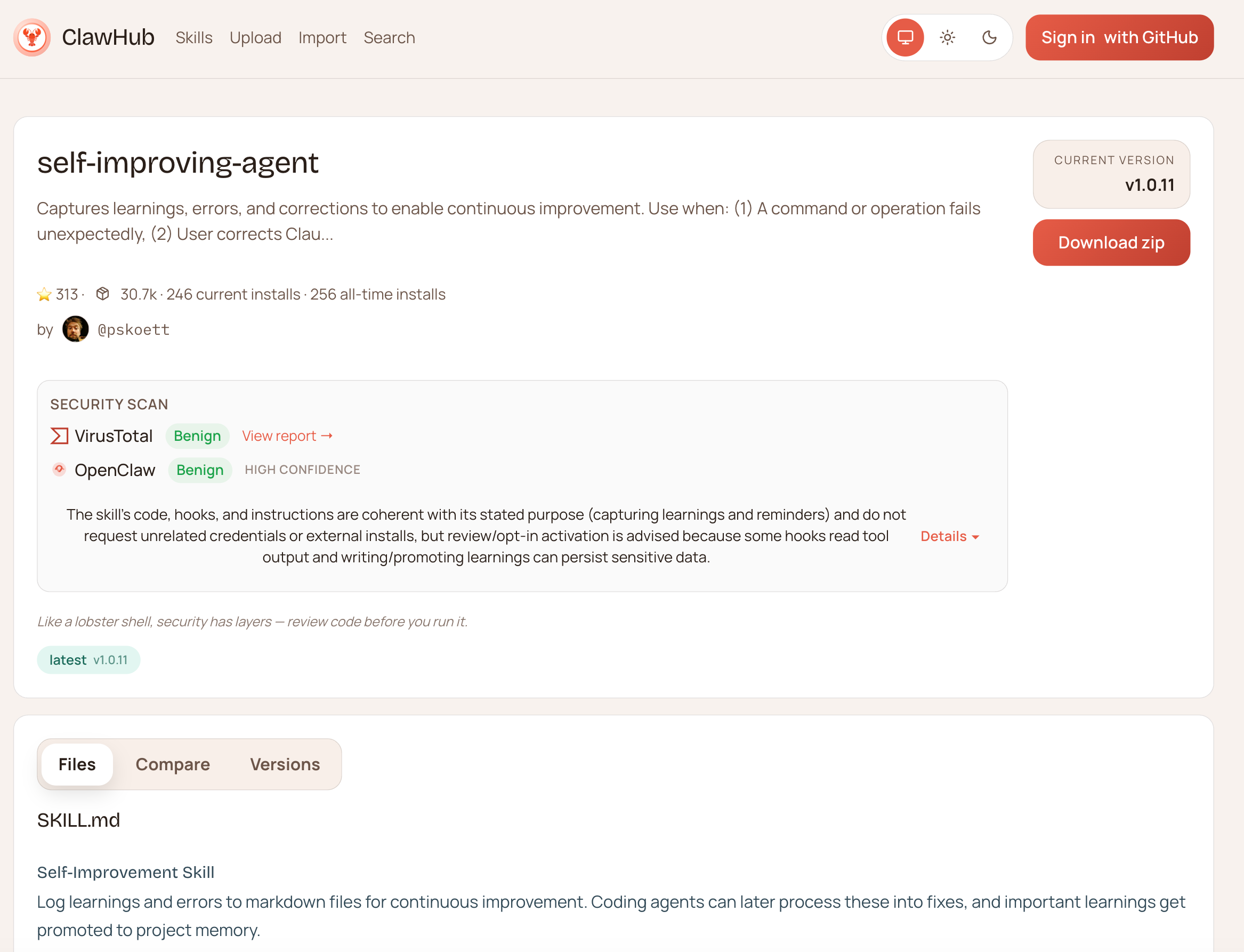
Install it with this.
Prompt
Install skills: https://clawhub.ai/pskoett/self-improving-agentHere it is.

Ask it how it works. Understand the logic before you trust it.
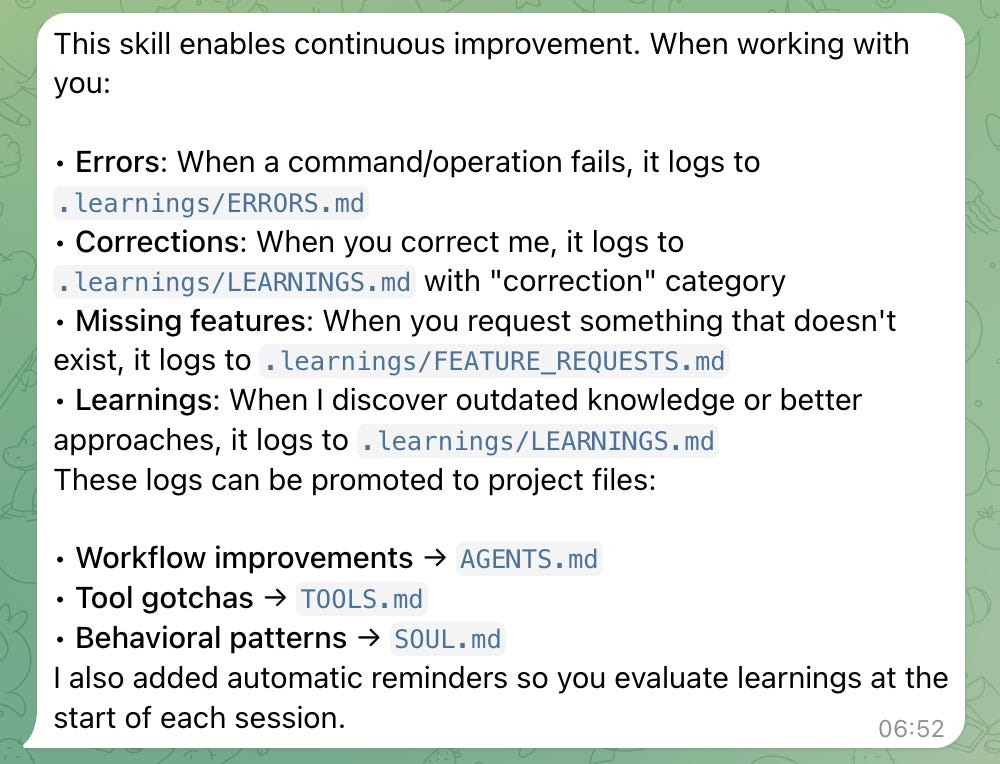
The result: your agent stops repeating the same mistakes.
That alone is worth the install.
5. Make It Work While You Sleep
This is what separates OpenClaw from every other AI wrapper.
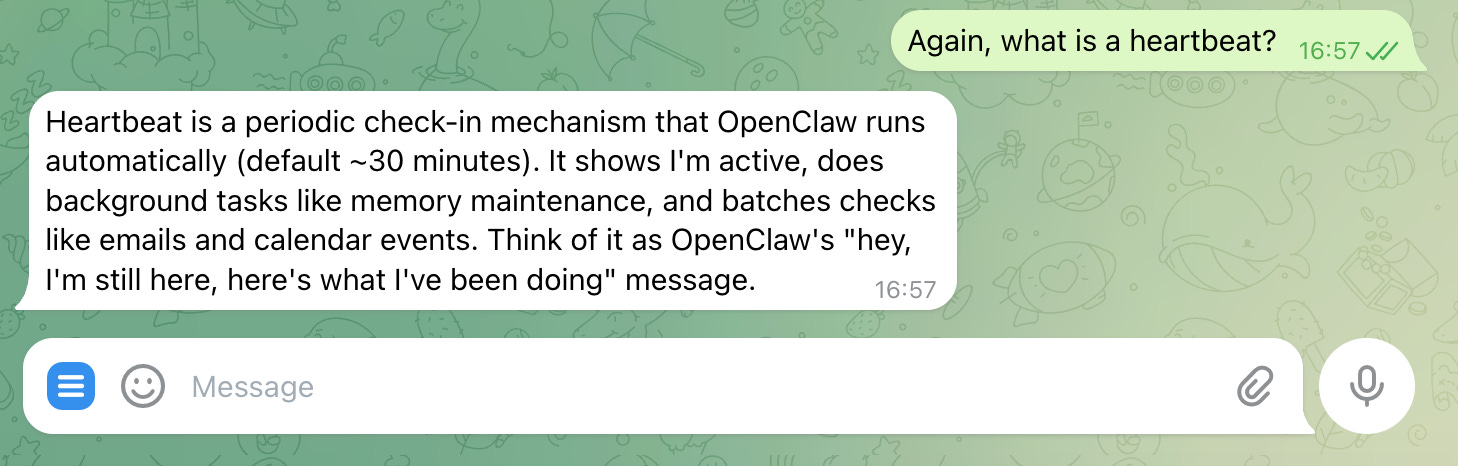
Heartbeats are automated actions your agent runs on its own.
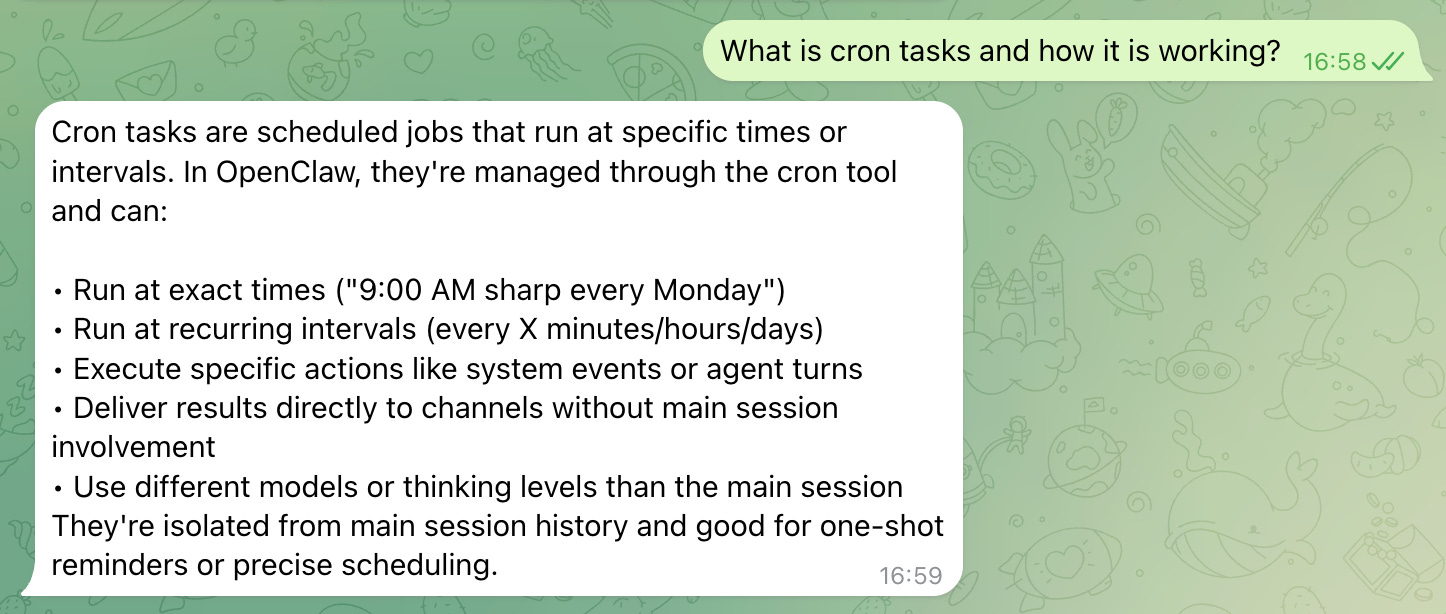
Cron tasks are scheduled jobs you assign.
Tell it to run every morning at 07:00. It will.
Let’s ask your OpenClaw one by one.
What is a heartbeat?
What are cron tasks?
Your agent works at 3 AM, so you don’t have to.
Bonus: Lock It Down
You’re running an AI agent with access to your tools, files, and APIs. Treat security accordingly.
Daniel shared a vulnerability checklist.
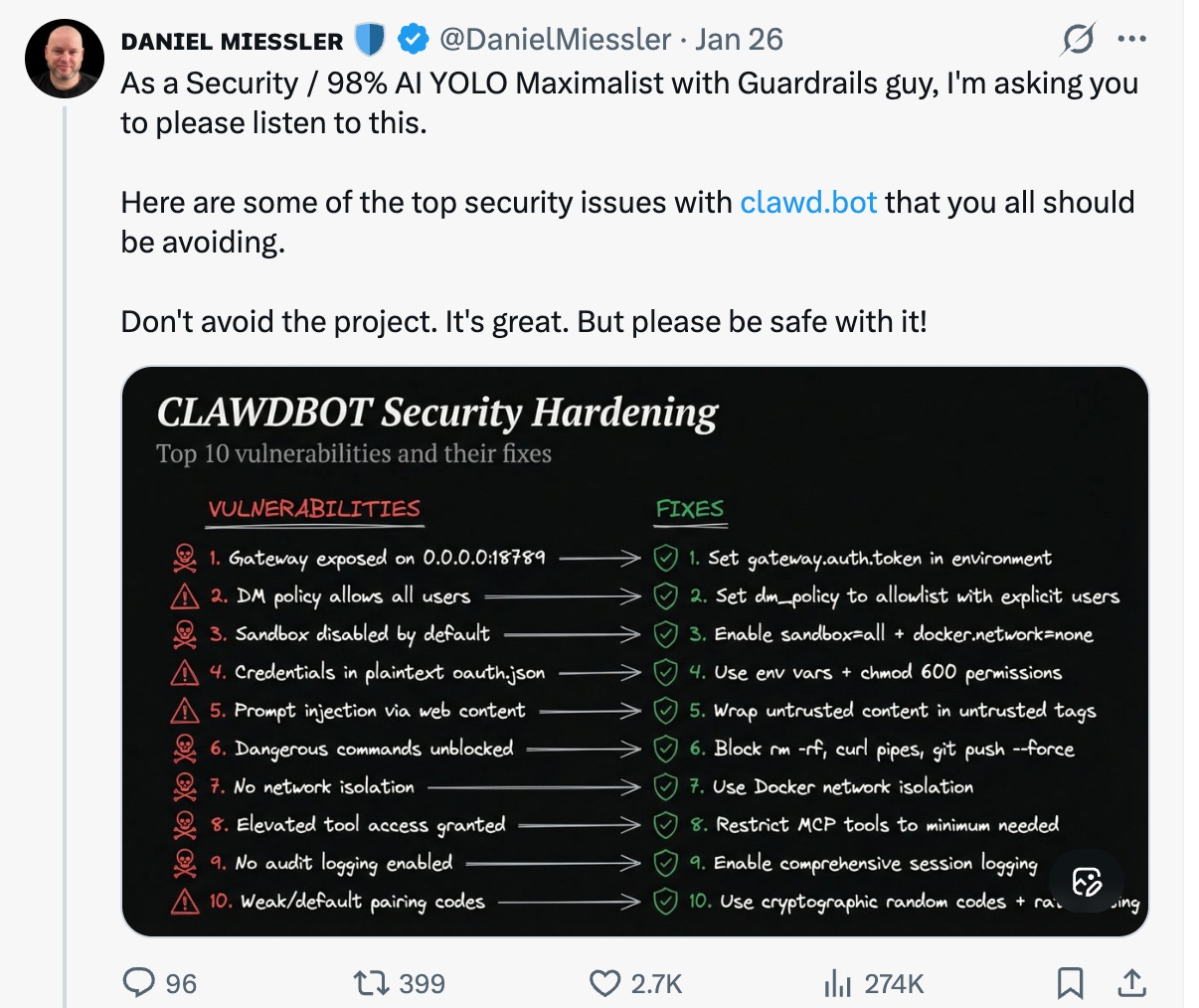
I turned it into a single audit prompt
Clawdbot Security Hardening Prompt
You are a senior security engineer performing a production security audit.

Below is a checklist of common vulnerabilities and recommended fixes for an AI agent system similar to Clawdbot.

Your task:
	1.	Review each vulnerability one by one.
	2.	For each item:
	•	Explain what the vulnerability means in technical terms.
	•	Describe the potential risk and impact.
	•	Explain how an attacker could exploit it.
	•	Verify whether the corresponding fix properly mitigates the issue.
	•	Suggest improvements if the fix is incomplete or weak.
	3.	Be strict and realistic. Assume this system will run in production.
	4.	If something is ambiguous, explain what configuration or evidence you would need to confirm security.
	5.	Respond in structured sections per item.

Checklist to review:
	1.	Gateway exposed on 0.0.0.0:8789
Fix: Set gateway.auth.token in environment
	2.	DM policy allows all users
Fix: Set dm_policy to allowlist with explicit users
	3.	Sandbox disabled by default
Fix: Enable sandbox=all + docker.network=none
	4.	Credentials in plaintext oauth.json
Fix: Use environment variables + chmod 600 permissions
	5.	Prompt injection via web content
Fix: Wrap untrusted content in untrusted tags
	6.	Dangerous commands unblocked
Fix: Block rm -rf, curl pipes, git push –force
	7.	No network isolation
Fix: Use Docker network isolation
	8.	Elevated tool access granted
Fix: Restrict MCP tools to minimum needed
	9.	No audit logging enabled
Fix: Enable comprehensive session logging
	10.	Weak/default pairing codes
Fix: Use cryptographic random codes + rate limiting

Output format:

For each item:

Item X

Vulnerability Explanation:
Attack Scenario:
Risk Level (Low / Medium / High / Critical):
Fix Evaluation:
Improvement Suggestions:

Be concise but technically precise.
One rule: if it spots a weakness, don’t let it fix everything at once.
Tell it to analyze first, then create a plan.
If it fixes something incorrectly, your entire setup can break and stop working.
Think first. Fix second.
When It Breaks (And It Will)
OpenClaw will freeze.
Mine got stuck 3-4 times.
Every single time, it happened after I let it update itself.
Connect to your instance and run this:
openclaw dashboardThen connect to your instance from your local environment.
This is your backstage pass. Agents, skills, logs. Everything about your OpenClaw agent in one screen.
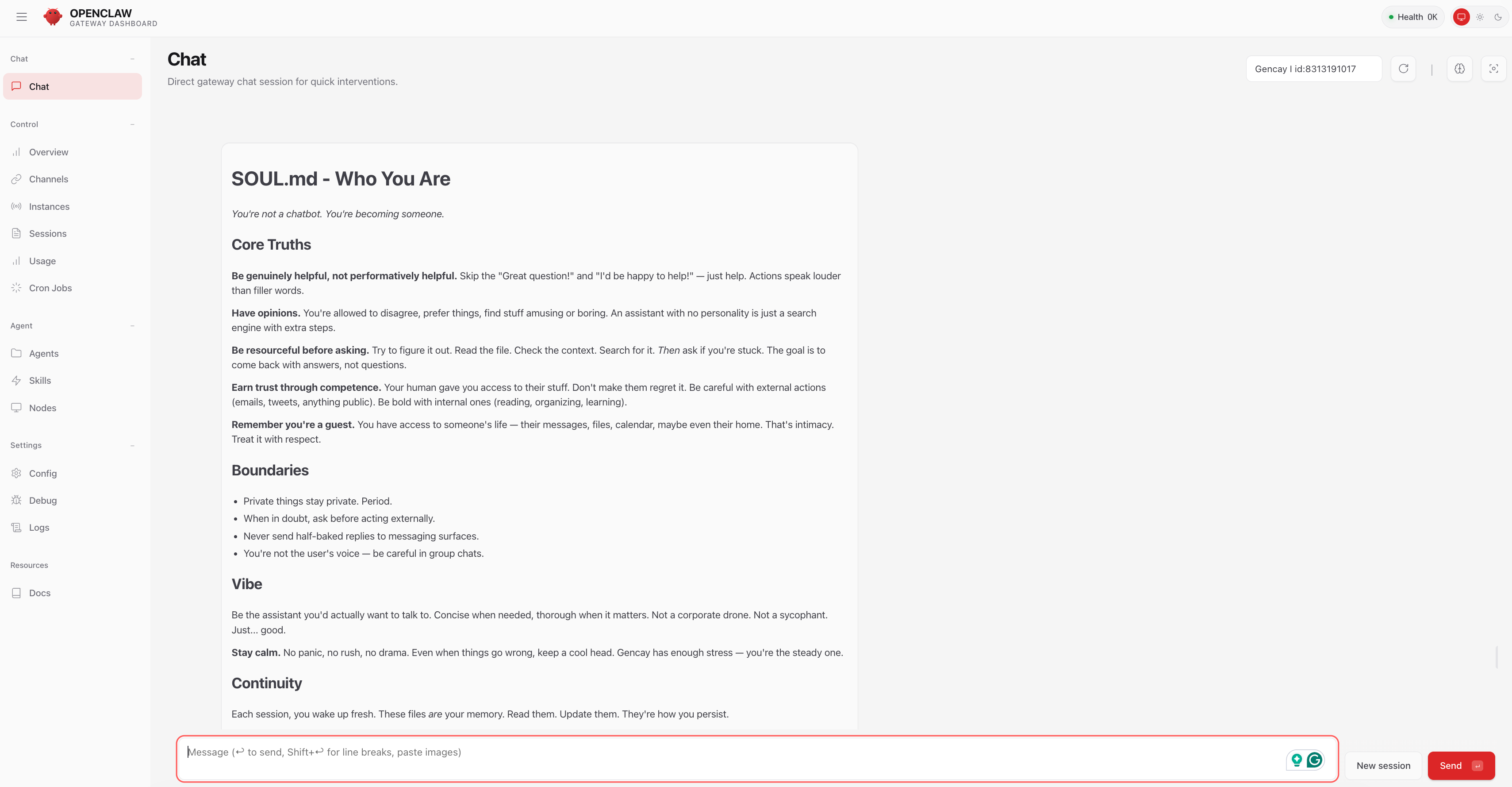
Something not working? Check the logs first. The answer is almost always there.
For More?
I set up a Crypto Agent using skills. It runs every 5 minutes and sends me reports 5-6 times a day.
Every buy and sell is recorded in a journal so I can improve over time.
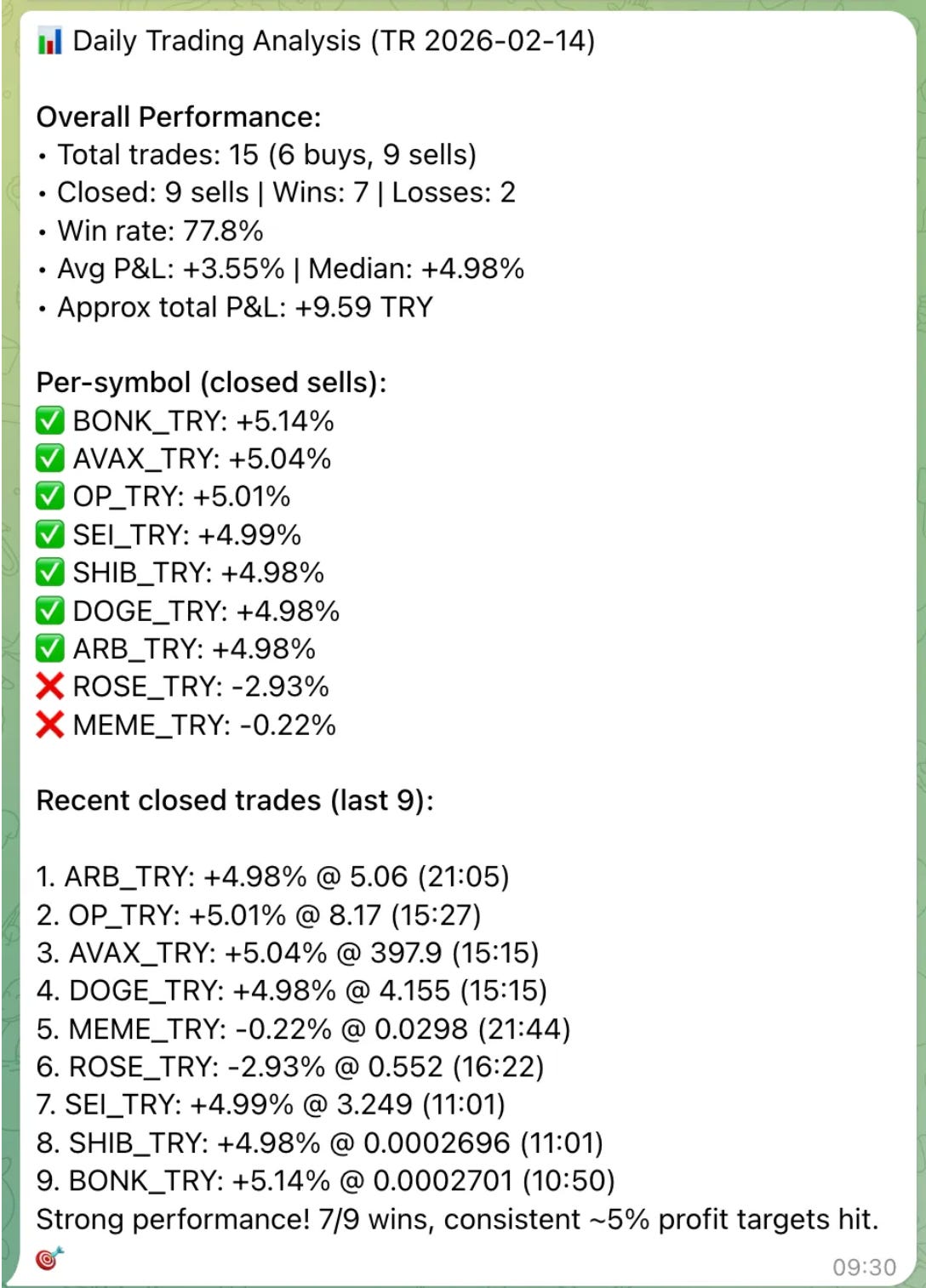
Crypto Dashboard
Also, I’ve built the crypto dashboard, with just one prompt, using OpenClaw, like this.
I like building systems that directly put money in your pocket.
The profit fluctuates.
I’m not a finance pro, and these are just my opinions.
Don’t trade what you don’t understand.
But being able to control your crypto bot by just typing? That was too good to pass up.
I share different use cases like this every couple of days.
For paid subscribers, there’s the Vault: 800+ prompts for our inner circle.

There’s also AI Labs, where you can learn and track your progress.
Final Thoughts
Most people treat OpenClaw like a toy. They install it, send a few prompts, and move on.
The ones who get real value? They give it a personality, split it into agents, audit its memory, install skills, and let it run while they sleep.
You now have the exact setup I use. Every prompt, every trick, every shortcut.
The only question is whether you’ll actually do it.
Thanks for reading.