
I Hired Clawdbot to Build a Crypto Dashboard One Prompt. Zero Code.
Clawdbot built my Streamlit app from AWS to production with one prompt. Step-by-step setup, the exact prompt I used, and how you can deploy yours today.


I gave Clawdbot one prompt through Telegram.
And it built a Streamlit app, pushed it to GitHub, and I deployed it to the web in under 10 minutes.
No manual coding.
No Git commands. No deployment debugging.
This is what happens when you combine Clawdbot, AWS EC2, and Streamlit Community Cloud.
Just: prompt → GitHub → live app.
What We’re Building
We’re building a multi-page Streamlit dashboard with 3 sections:
1. Home
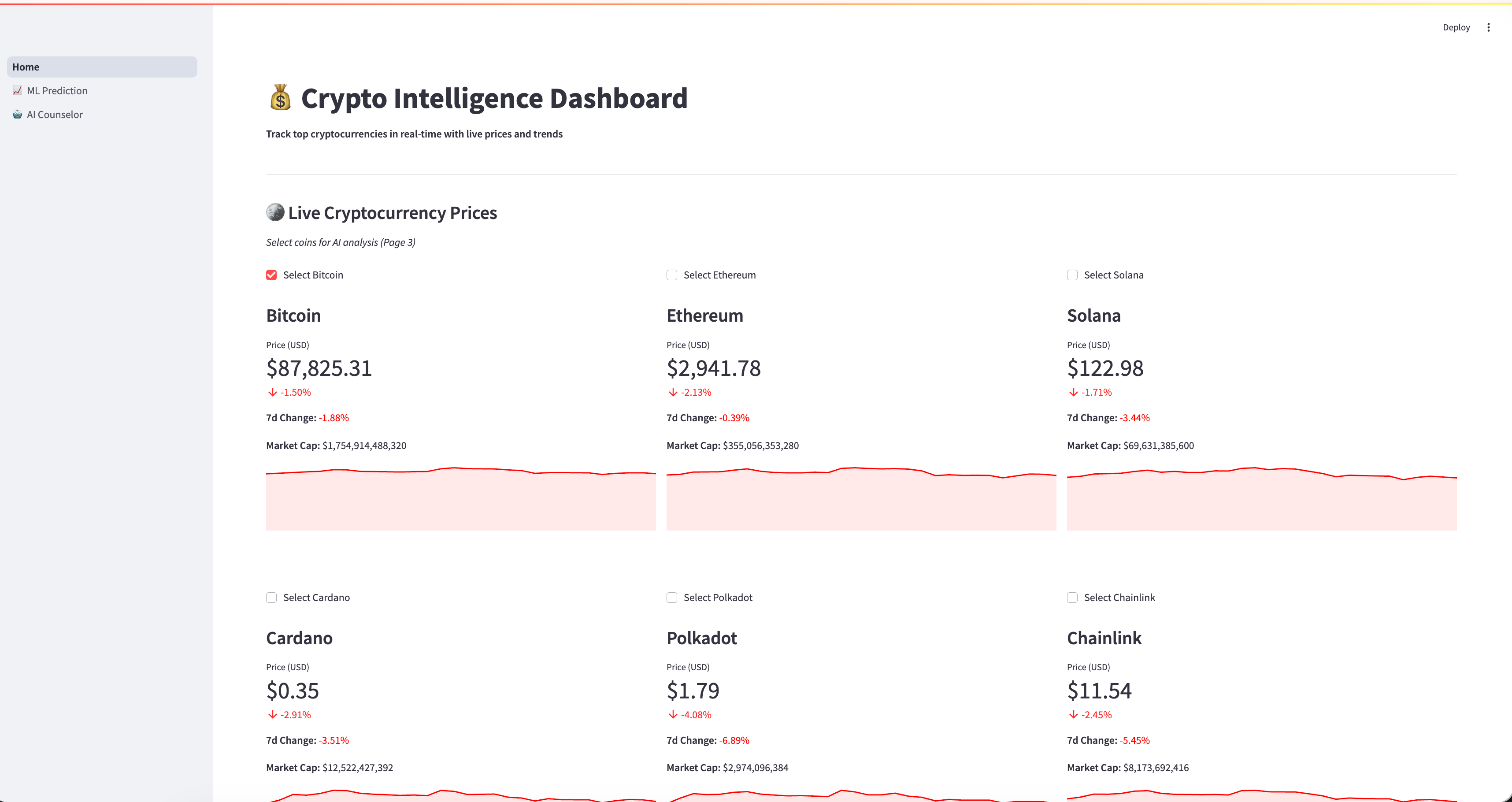
Here, select the coin you want. You can increase the number of coins by simply telling your bot to do it. How? I’ll explain how to build this in the next section.
2. ML Price Prediction
In this section, a Machine Learning model will be built on the data and gave you predictions.
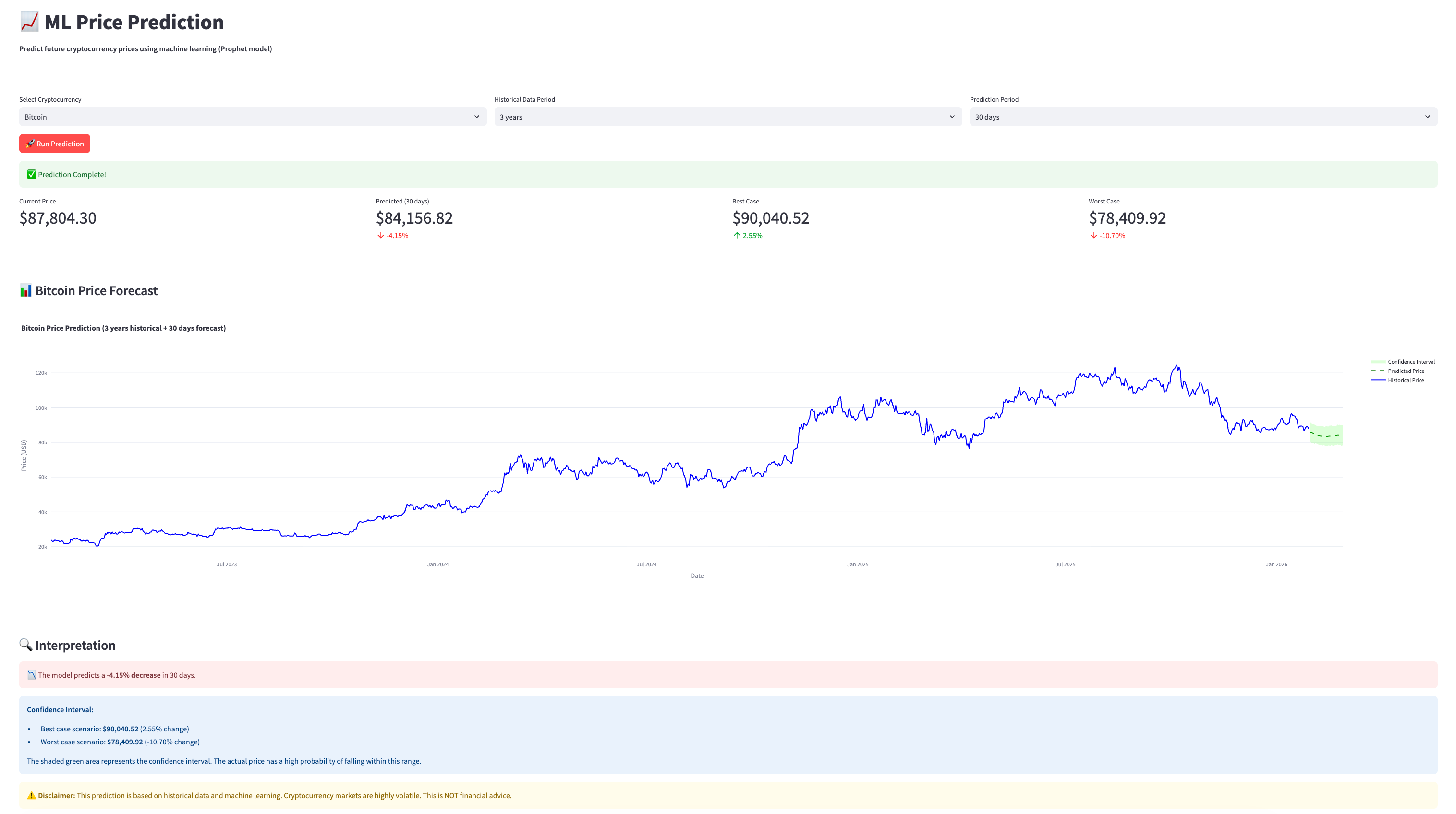
Improvement: You can tell your bot to run multiple machine learning models and return the result from the best-performing one.
3. AI Counselor
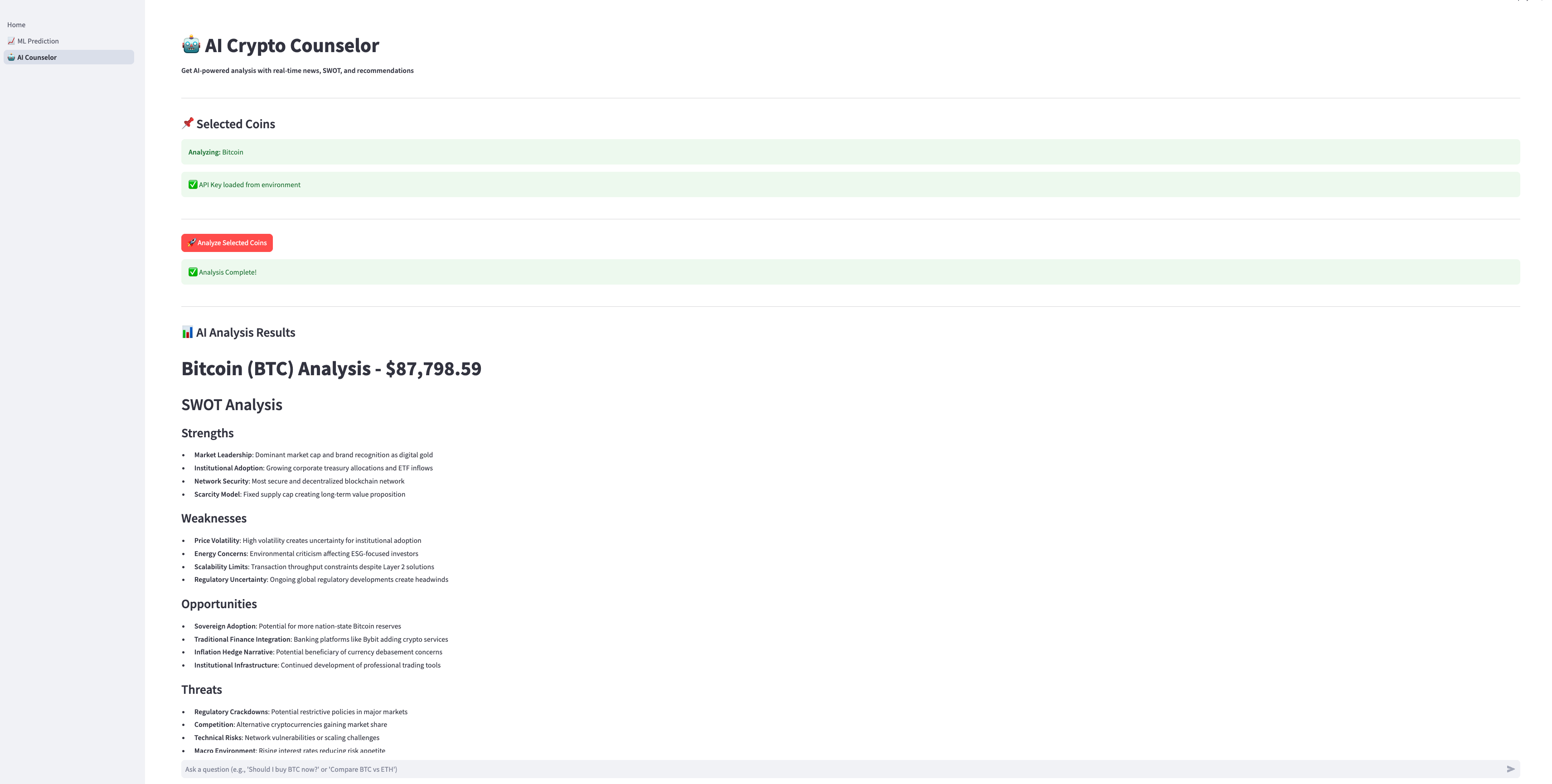
Here, the AI will be trained based on the data from the coin you have.
Fast-forward to what it looks like.
And everything was built by Alfred Altintop.
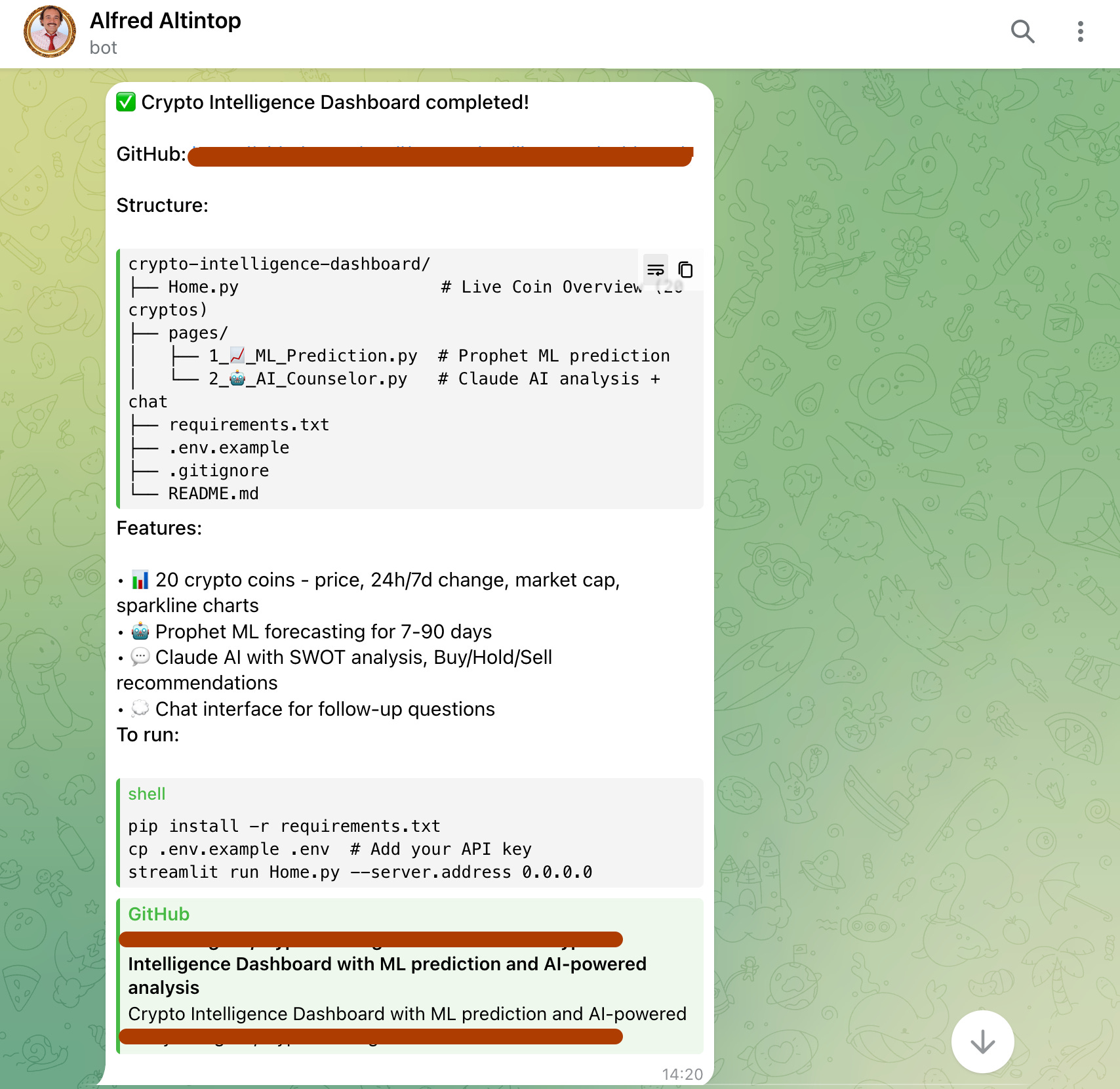
Who is Alfred Altintop?
He is my Clawdbot.
How did I set it up for free?
Let me explain the fundamentals first.
What Is Clawdbot and Why Use It for Streamlit Apps?
Clawdbot is an AI chatbot/agent that runs on AWS EC2 and automates everything.
For Streamlit apps, it writes code, pushes to GitHub, and enables Streamlit Community Cloud deployment, all from a single prompt.
It eliminates manual setup, version control headaches, and deployment configuration.
You already know the pain:
Set up the local environment
Write boilerplate code
Handle requirements.txt conflicts
Push to GitHub manually
Debug Streamlit Cloud deployment
Clawdbot does all of this.
You just write the prompt.
Why Clawdbot + Streamlit Works
You probably heard the fuss about Clawdbot.
Everyone is using it for another use-case.
So I wonder, why should ’t I use it to build apps in minutes?
You can change the topic of this app, build the one you want.
How Did I Set Up Clawdbot on AWS EC2?
I explained everything in this one. But let's explain one more time, this time more deeply.
Step 1: Creating EC2
Create an AWS account.
Visit here, and create a new EC2 instance.
When you click on “Launch an instance”, the following screen will pop up.
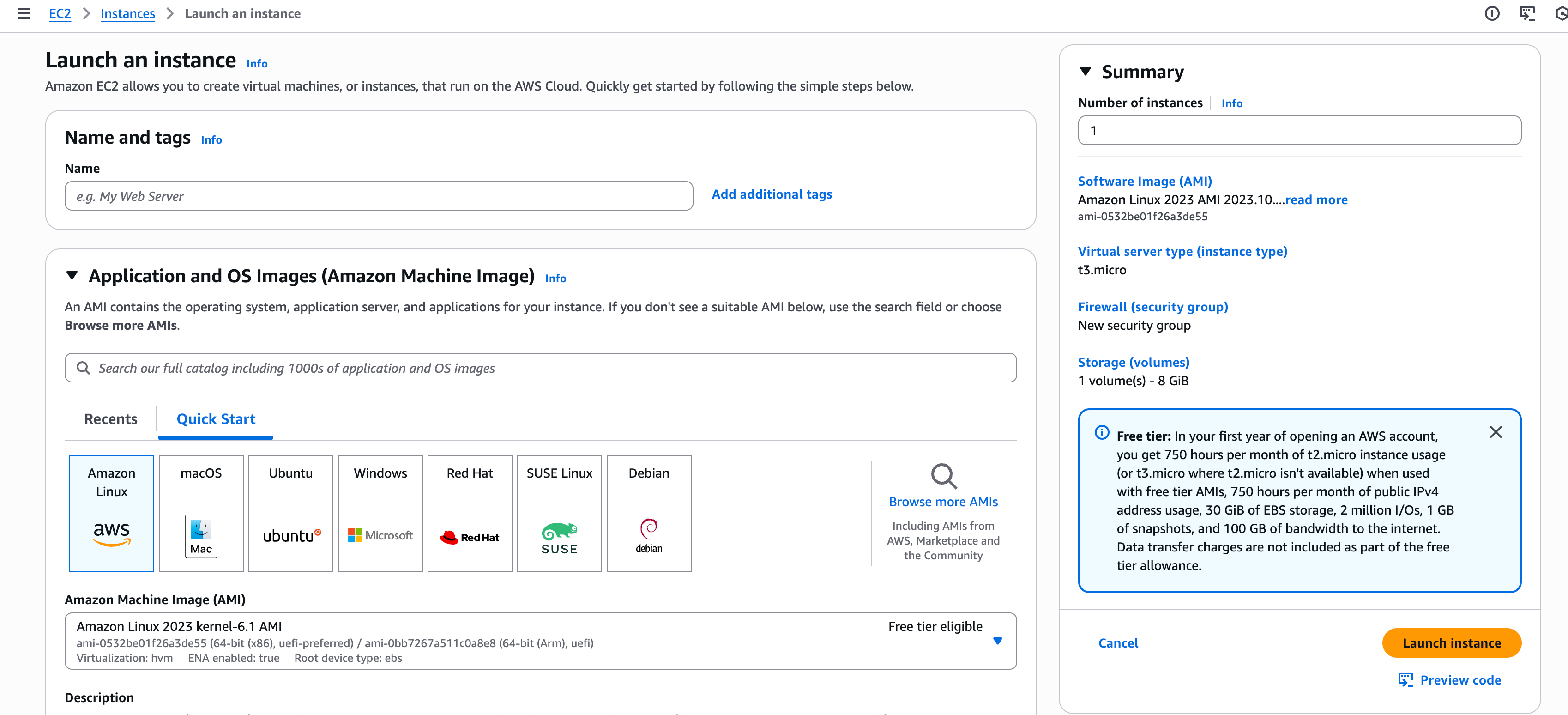
Here are the 3 things you have to select;
Ubuntu
AMI(Amazon Machine Image)
Ubuntu Server 24.04 LTS (HVM), SSD Volume Type
Instance Type
m7i-flex.large
And your setup will look like this.
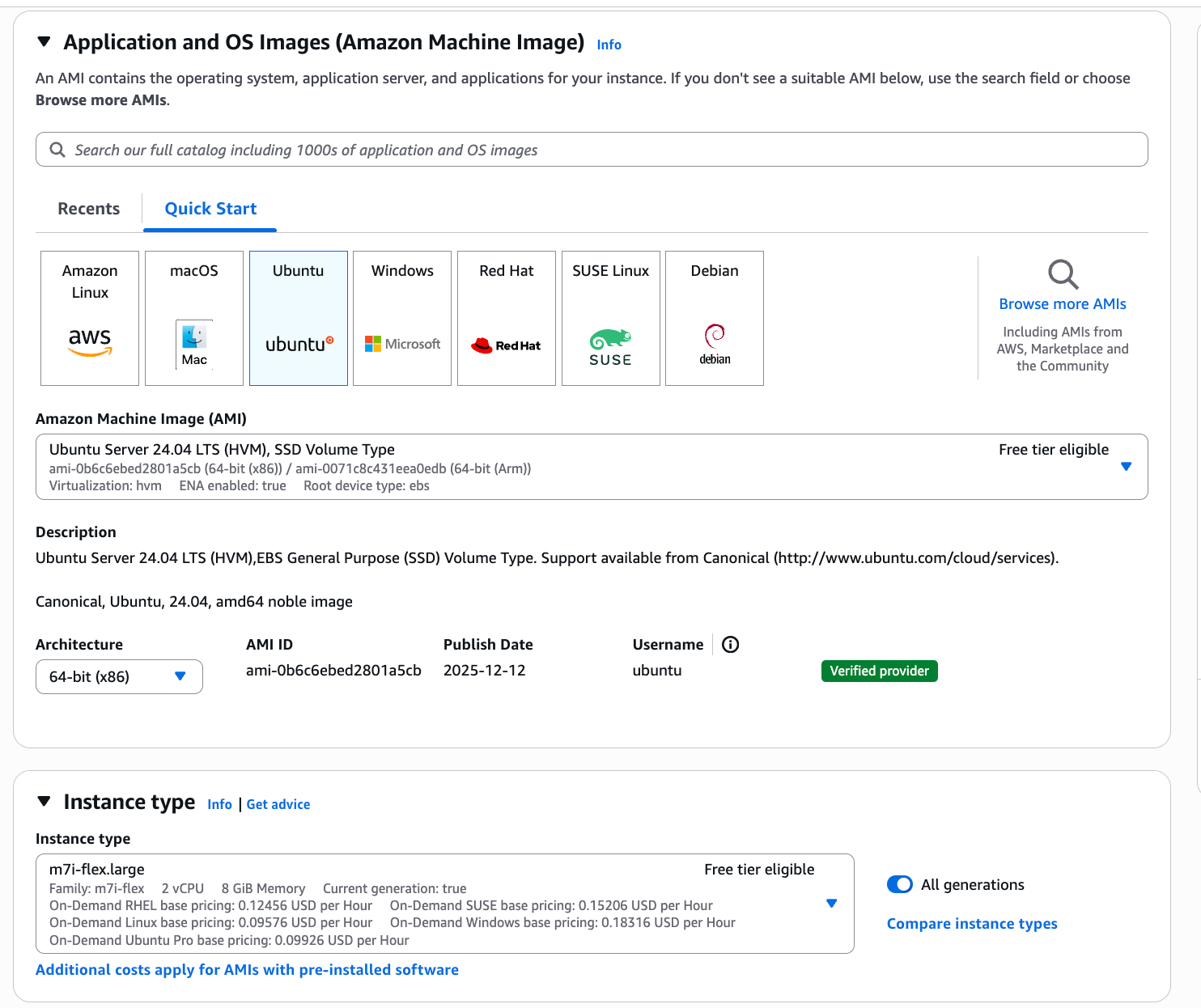
Next, click on “Launch instance”.
Step 2: Connect an Instance
Go to EC2 / Instances
Click on Connect.

And another screen will pop up. Just click Connect, and the black screen will open.
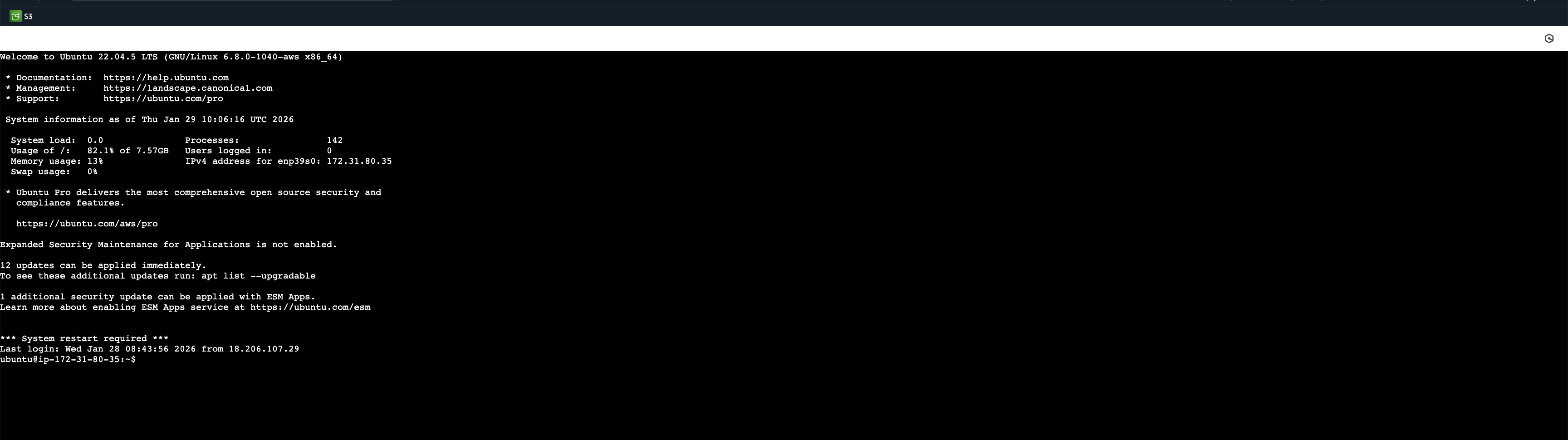
This will be the only place where you run code. To do that, simply paste this snippet and execute it.
curl -fsSL https://molt.bot/install.sh | bashAnd you’ll be directed to the Onboarding.
Step 3: Onboarding
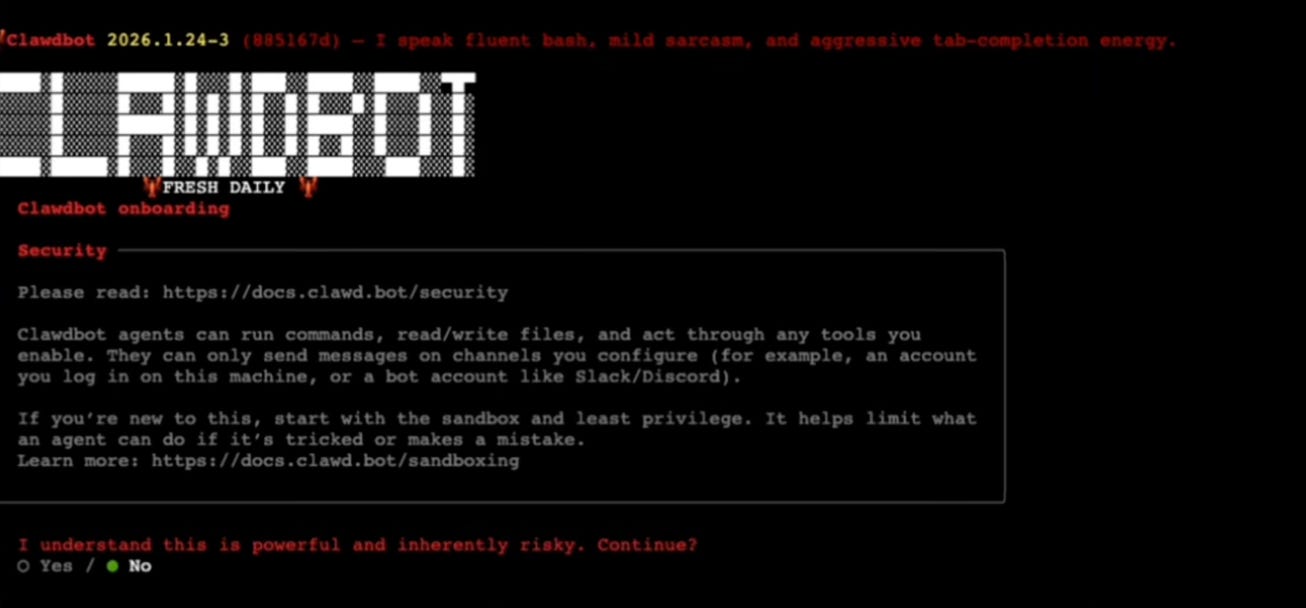
After giving permission, this page will pop up.
Model Selection
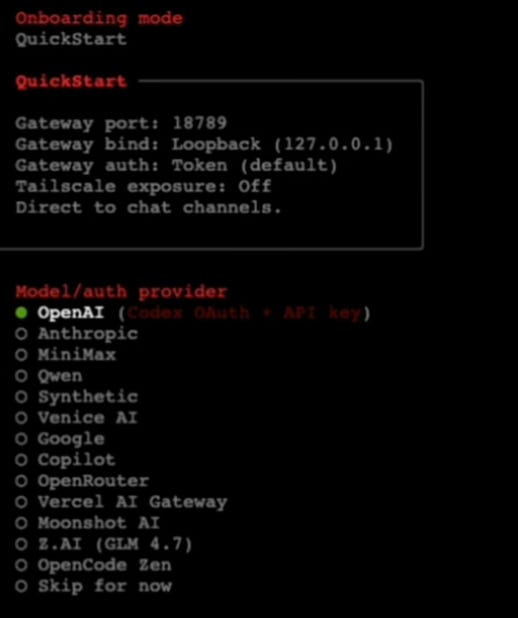
Here are a few ways to use Clawdbot.
If you want the best performance, sign in with your Anthropic account. Do not add an API key. Just use OAuth. This way, it uses your daily Claude limit instead of charging per API call.
If you do not want to spend your Claude limit, you can sign in with OpenAI (Codex OAuth) instead.
My recommendation is to sign in with your Anthropic account first and add your ChatGPT account as a backup. You can switch between them during the day using the /model command, which I will show you in a moment.
Communication
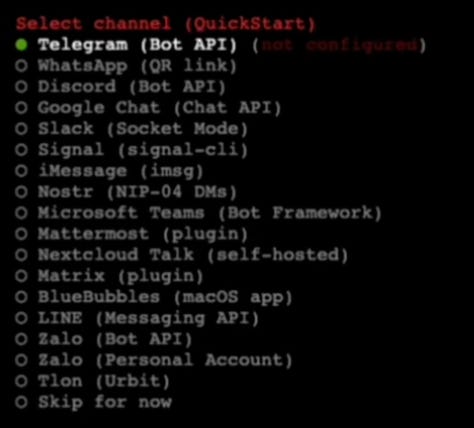
I used Telegram; it is the fastest way of building it.
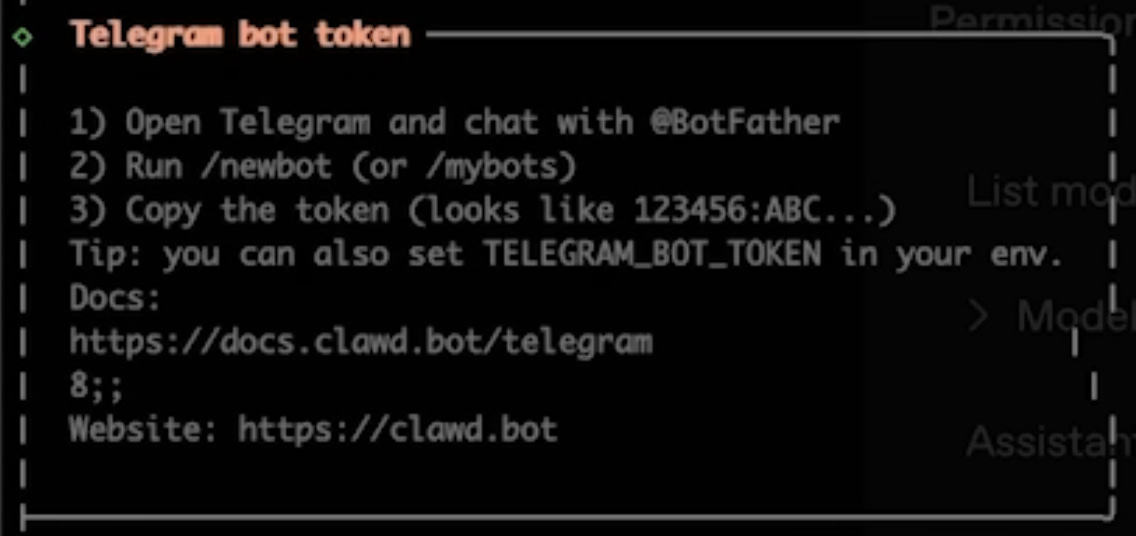
Next, follow these steps to finish your telegram connection.
Once this setup finishes, hatch your model in TUI.
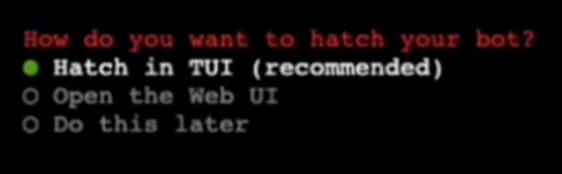
And then it will salute you inside the terminal.
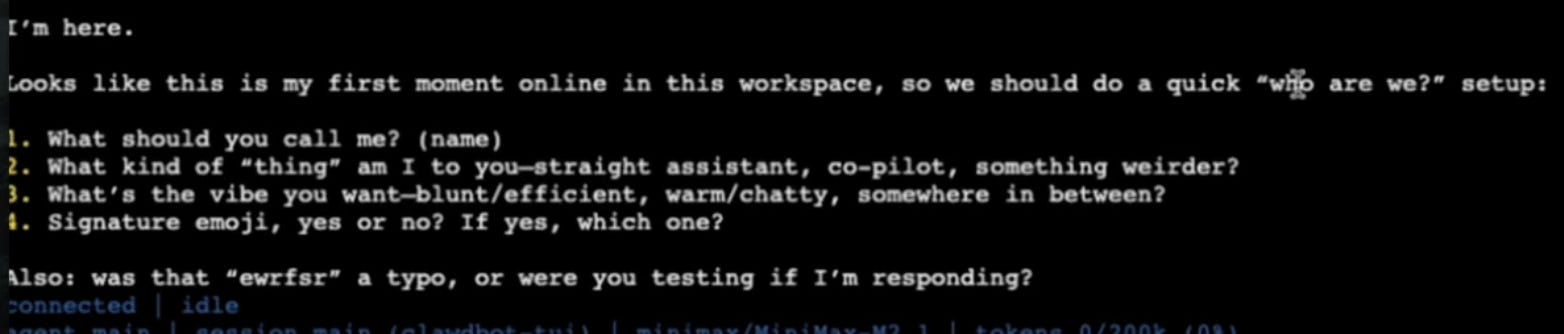
Here, give your bot a name.
Step 4: Telegram Connection
Find your chatbot in Telegram using the name you gave it in the previous step, then send it a message.
LearnAIWithMe Paid Perks
The standard subscription ($12/mo or $100/year) gives you full access to all my articles and posts on Substack
The Founding Member tier ($200/year) includes everything above PLUS access to The Vault, 700+ prompts, projects, AI tools, and AI labs.