
Learn 80% of Claude in Under 20 Minutes - Part 2: Claude Skills, the Layer Most People Skip
The leaders who use Claude thirty minutes a day and the ones who use it thirty hours a day run the same software. Skills are the difference.


TL;DR: In Part 1 you connected Claude to your real data and watched it build working tools inside the chat. Part 2 is where it gets personal. Skills teach Claude how you work, so every new chat starts knowing your company, your voice, and your standards.
I built a Skill last month for client emails. Three writing samples, five banned phrases, and one paragraph on tone.
I have not written a client email from scratch since.
That is a Skill doing its job.
Part 1 of this series ran on Leadership in Change. I covered Connectors and Artifacts, the two features that change what Claude can see and what Claude can build.
Part 2 is Skills. And I handed it to Joel Salinas, because he uses them really sharply. Joel writes Leadership in Change, the newsletter for leaders who want to use AI without the hype.

Over to Joel.
— Gencay
One sentence into a fresh chat, Claude already knows my company, my audience, my brand voice, my standard offers, and the three things I never want it to write. I haven’t typed a single line of context. That’s a Skill doing its job.
In Part 1, Gencay walked you through Connectors and Artifacts. If you sat in Claude for twenty minutes and actually built that prospecting workflow he showed you, you already feel the shift. Claude can read your Drive. Claude can build a working tool inside the chat. That alone changes the shape of your week.
If you missed Part 1, go read it first. It’s the foundation: Learn 80% of Claude in Under 20 Minutes — Part 1.
Now I want to take you one layer deeper, because there’s a feature inside Claude that quietly does more for me than Connectors and Artifacts combined.
It’s called Skills. And once you set one up, you stop opening Claude like a chatbot and start opening it like a colleague who already knows your company.
What is a Claude Skill?
In one sentence: a Skill is a small set of instructions, examples, and reference files that Claude loads automatically when it’s relevant, so every new chat starts pre-briefed instead of blank.
Think of it this way. Connectors give Claude ingredients (your emails, your docs, your data). Artifacts give Claude a kitchen (a working interactive tool). Skills give Claude the recipe (the way you cook).
Without a recipe, you have ingredients and a kitchen and a generic meal. With a recipe, the same ingredients and the same kitchen turn into your exact dish, the way you make it, every time.
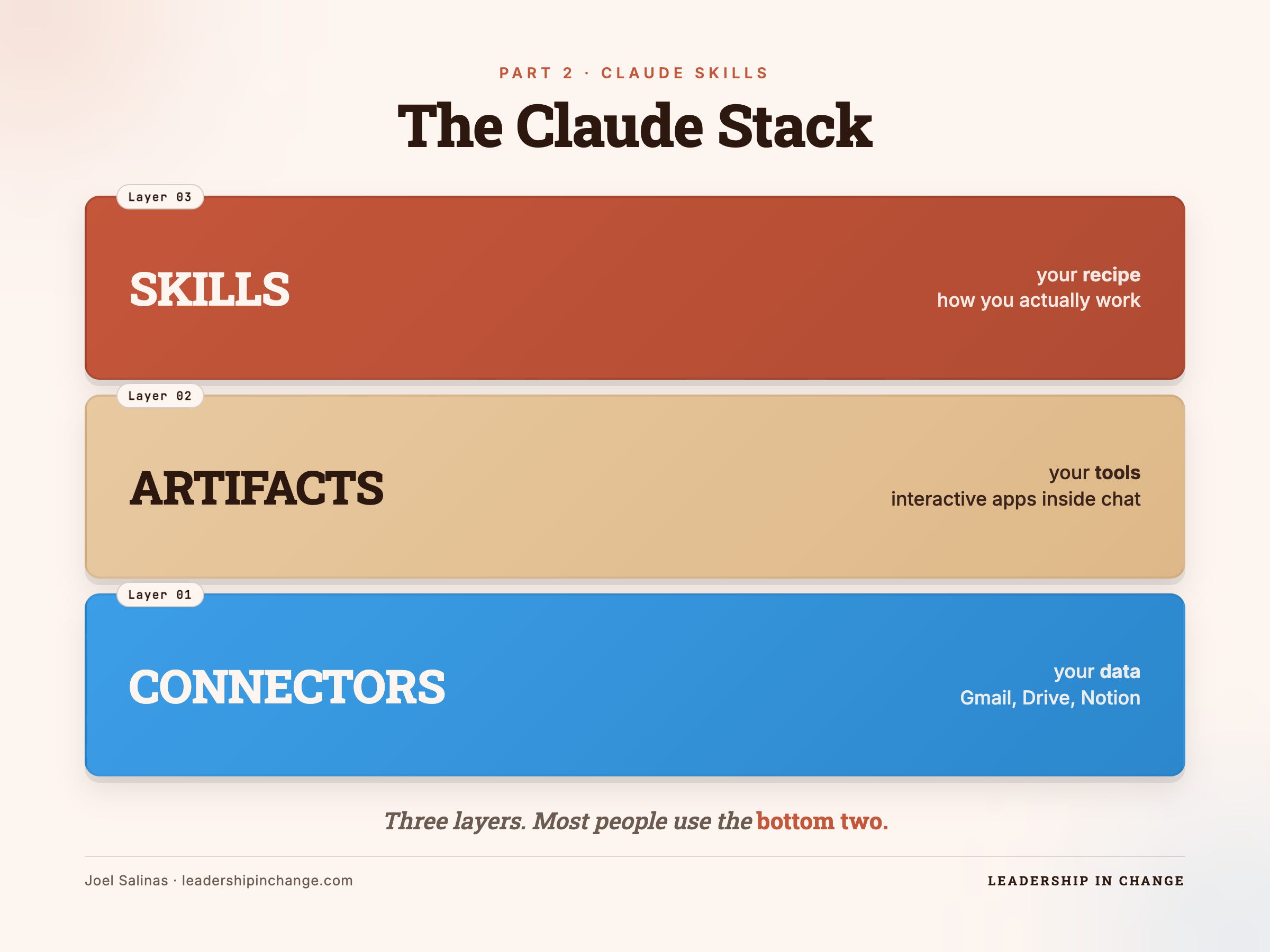
The leaders I coach who use Claude for thirty minutes a day and the ones who use it for thirty hours a day are using the same software. The difference is almost always Skills.
How to set it up
You build Skills inside Claude Cowork, the workspace inside Claude where you can browse and create your Skills directly. The whole flow:
Open Claude Cowork.
Tell Claude you want to create a new Skill, and describe what you want it to do, in plain English.
Claude drafts the Skill in front of you.
Click Save Skill.
That’s the entire lift. There is no terminal. There is no API key. There is no markdown file you have to write or move into a folder. You describe the Skill the way you’d brief a new team member, and Claude turns that brief into a saved Skill that loads automatically the next time it’s relevant.
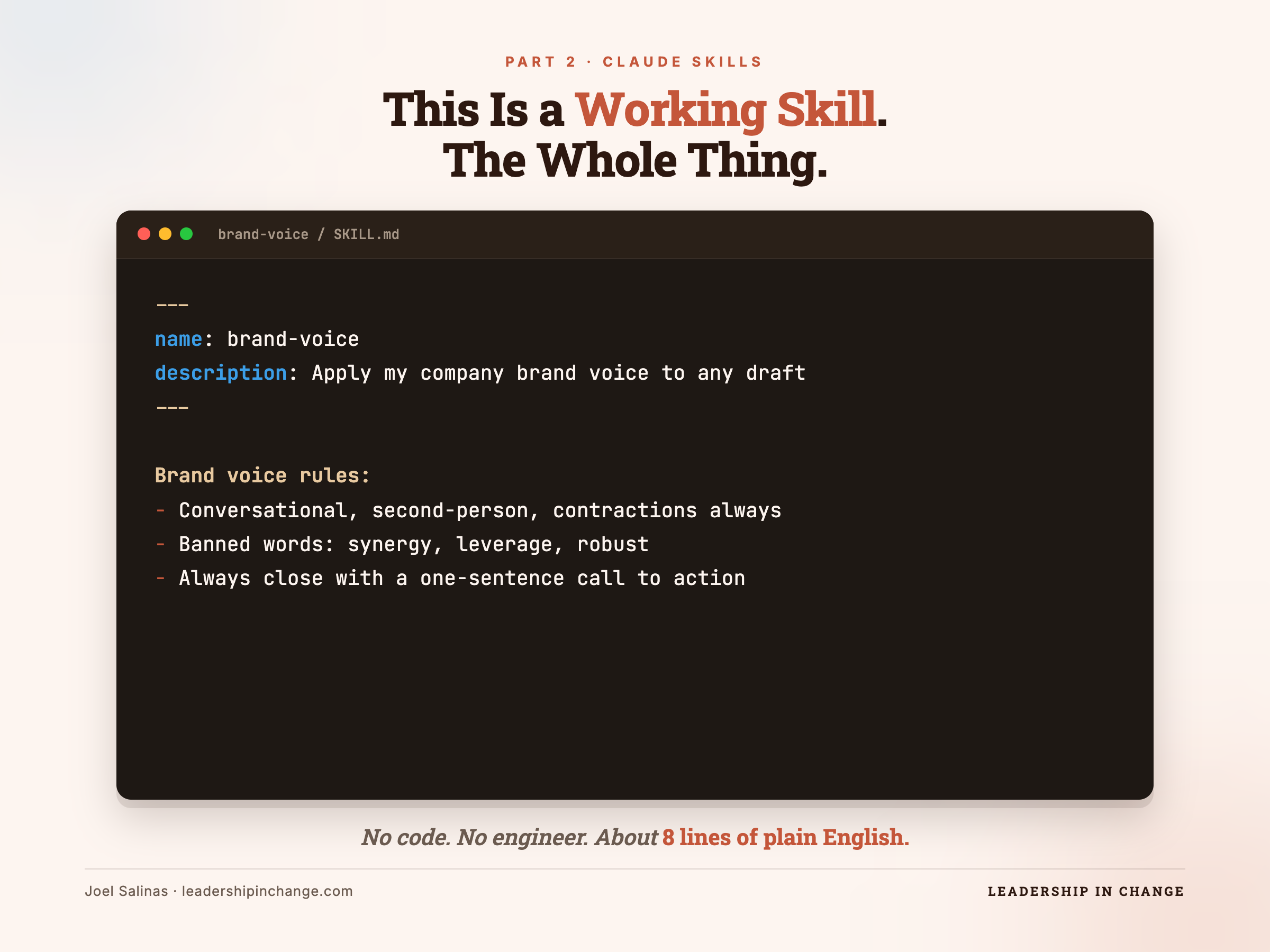
Use Case: Beginner — Build Your First Skill in 10 Minutes
Here’s the flow I’d walk you through if you opened Claude right now and told me you’d never built a Skill before.
Pick the writing task you do most often. Could be client emails. Could be project status updates. Could be the weekly note you send your team. Whatever it is, you have an opinion about how it should sound, and you’ve corrected Claude on it more than once.
Open Claude Cowork, and paste something like this:
Prompt: Create a new Skill called “[your-skill-name].”
It should help me draft [the task you do most].

Voice rules: [3 to 5 things you always want].

Things to avoid: [3 things you never want].

Audience: [who reads it].

Standard format: [length, structure, sign-off].
Claude will ask you a few clarifying questions. Answer them like you’re onboarding a new hire. Then Claude drafts the full Skill in front of you. When it looks right, click Save Skill.
Open a new chat. Ask for the thing. Watch Claude do it correctly the first time, in your voice, in your format, without a single line of context from you.
That’s the moment leaders stop being skeptical about AI and start asking what else they can hand off.
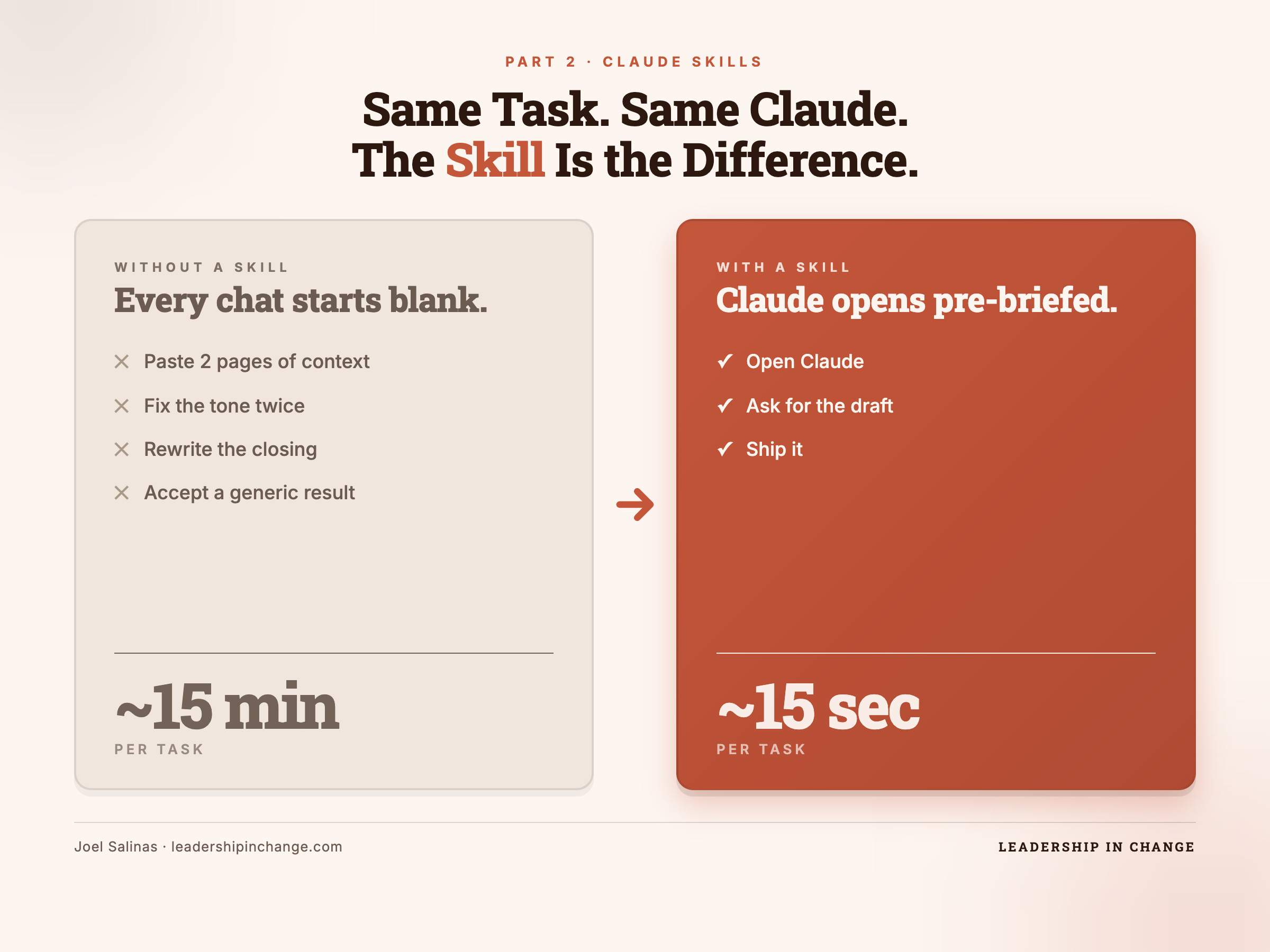
Use Case: Advanced — Skills + Connectors + Artifacts, Stacked
Now we put all three pieces together. This is the workflow that pays for itself in a week.
Remember Gencay’s Part 1 demo, where Claude opened a Drive doc, ran each company through Vibe Prospecting, and handed back a ranked outreach list? Powerful, and the output was clean. But the next step was still on you. You had to write the actual outreach.
Watch what happens when a Skill is loaded on top.
Same Drive doc. Same Connectors. But this time, before you ask for the list, you have a Skill called outreach-voice already loaded with your tone, your standard offer, your three opening lines, and the three openers you never want to use again.
Prompt: Open my Drive doc “Q2 Target Companies.”
For each company, use Vibe Prospecting to pull funding,
tech stack, and hiring trends.

Flag the ones that raised in the last 6 months or are
hiring for roles related to our service.

For the top 5, draft a personalized outreach email in my voice
using the outreach-voice Skill. Show the drafts inside an
Artifact I can edit and copy from.
One prompt. Three layers running together.
Connectors pull the company list and enrich each one with live data.
The Skill writes each email in your tone, with your offer, in your format.
Artifacts present the five drafts in an editable card you click through and copy.
You went from “build me a list” to “build me a list, research them, write the outreach in my voice, and stage it for me to send.” End-to-end. One chat. Twenty minutes of leader-time replaced with twenty seconds of leader-attention.
This is when the question stops being “should we be using AI?” and starts being “why is half my team still doing this manually?”
Top 5 Skills Every Leader Should Build First
If you’re not sure where to start, build these five. In this order. They cover ~80% of where Skills create real time savings.
Brand Voice Skill — Drops your tone, audience, banned words, and three writing samples in. Every draft sounds like you.
Meeting Prep Skill — Tells Claude how you walk into meetings. The questions you always ask. The risks you always check.
Proposal Reviewer Skill — Scores any proposal sent your way on clarity, feasibility, and ROI. Flags vague language. Suggests three questions before you sign.
Decision Framework Skill — Loads the mental models your team actually uses (Eisenhower, RICE, whatever you run). Now Claude scores trade-offs the way you score them.
Client Profile Skill — One Skill per top client, loaded with their company, their goals, their constraints, and the project history. Every email to that client starts pre-briefed.
These five together will save you more time in the first month than every productivity app you’ve installed this year.
A practical note on quality
The Skill is only as sharp as the context you put in it. A vague Skill (”write in a friendly, professional tone”) gets you a vague output. A Skill with three real writing samples, five banned phrases, and a named audience gets you the draft you actually wanted on the first try.
Your first version of any Skill will be okay. You’ll use it for a week, notice three things it gets wrong, and update it. By version three, it reads like Claude is finishing your sentences. Plan for the iteration. It’s the work that makes the rest of the work disappear.
What’s next?
That’s Part 2. You now have Connectors, Artifacts, and Skills. Most leaders I coach who get all three pieces stood up tell me the same thing about a month in: they cannot remember how they used to work without it.
If you want to go deeper on the leadership side of this, on how to actually run a team that uses AI well without losing the human part, that’s what I write about every week at Leadership in Change. We cover the strategy, the org design, the trust questions, and the practical setups like the one in this post. Subscribe at leadershipinchange.com.
And subscribe to Gencay here at LearnAIWithMe for the next round of practical Claude builds. He’s the no-code teacher I wish I’d had when I started.
A quick personal note on why this matters. I have a two-year-old and a seven-year-old at home. Every hour I get back from busywork is an hour with them, or an hour on the deeper work that actually moves my businesses forward. Claude Skills are quietly the biggest reason I have those hours. Build one today. Pick the task you do most. Write down how you do it. Save it. Tomorrow Claude already knows.
That is the moment Claude stops being software you use and starts being part of how you work.
Written by a human, for humans.
Joel
 | A guest post by
|