
5 Surprises That Hit You When You Ditch ChatGPT for Claude
Five surprises from switching: usage limits force better prompts, Claude Code is free, artifacts build instant apps, and sycophancy is finally gone.


I first felt a weird commitment to ChatGPT.
It was my companion.
I still remember the first day I used it.
The feeling was unprecedented.
But if you use Claude somehow, you'll see, it's different.
Let me be honest with you.
I'm a pragmatist.
Yes, OpenAI commercialized.
Yes, they've been running really badly.
But if ChatGPT was better than Claude, we all know, most of us wouldn't have ditched them.
So if you are reading this, you probably realized Claude’s power, are still testing it, or are on the edge of a transition.
I am using at least 10 hours each day, yes, including weekends, so let me show you the five things that most surprised me.
1. You’ll Hit a Usage Limit (And It Will Force You to Think)
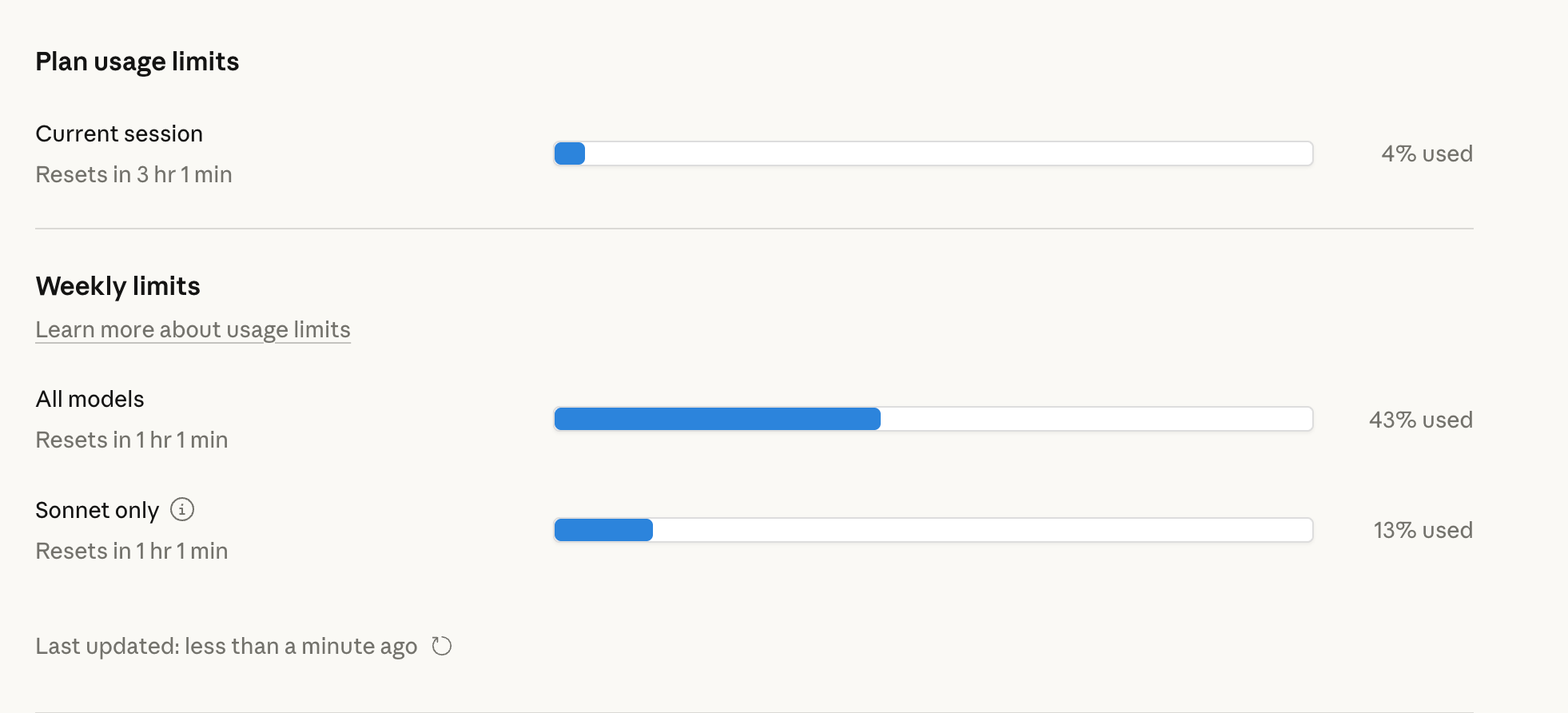
Claude's limits aren't like ChatGPT's.
On ChatGPT, especially on the web, hitting limits is nearly impossible.
On Claude? If you don't control your context, you can hit them in 3-4 hours.
"Ah, I'll just wait and log back in."
I hear you say.
Unfortunately, Claude has both daily AND weekly limits
If you burn through your weekly limit, you might wait days.
This forces context control.
At first, I hated this. (sometimes still did)
Then I realized: My outputs got sharper because I stopped being lazy and started tweaking my prompts better.
2. Claude Code Costs $0 Extra (Most People Don’t Know This)
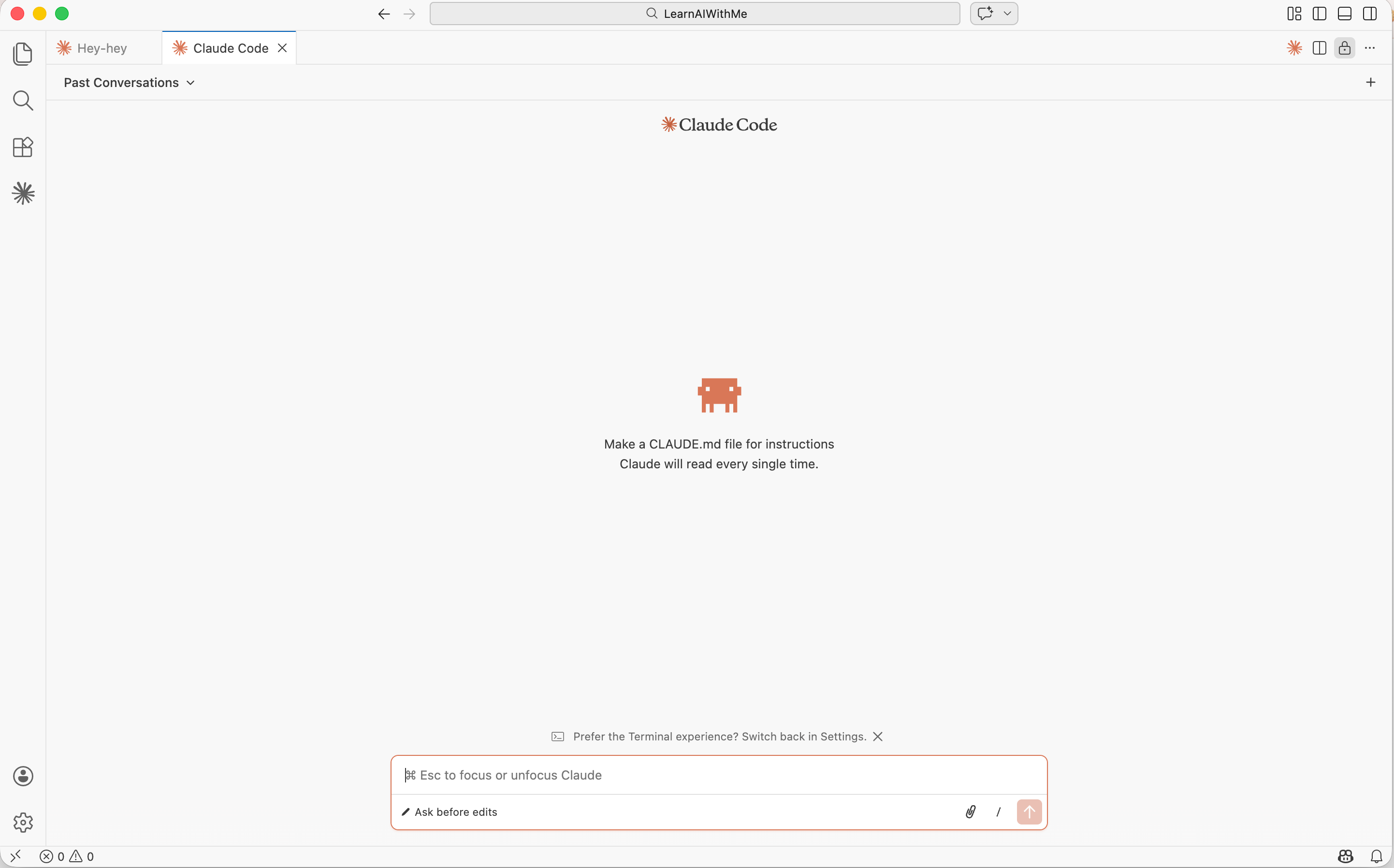
When I first heard about Claude Code, I thought: "Great, another subscription."
Wrong.
Same account. Same price.
If you have Claude Pro ($20/month), you already have Claude Code.
You don’t need an extra payment.
And the best part, you can use it
So it is pretty flexible.
If you want to start learning Claude Code, check out my masterclass.
3. No More “You’re Absolutely Right.”

You know AI basically wants to please you.
ChatGPT? It’s a yes-man.
You say something wrong, and it agrees.
You catch the mistake, suddenly: “You’re absolutely right!”
This is called sycophancy.
Claude’s team works really hard on fixing this.
I asked Claude to write a draft once. It refused. Not because it couldn’t, but because my approach was flawed.
Annoying at first.
Game-changer after I realized it was right.
What does this mean?
ChatGPT: “You’re right, let’s ship it.”
Claude: “Hold on. This won’t work because X, Y, Z.”
The trade-off? You’ll argue with Claude more.
But you’ll do better work.
I wrote more on this.
4. Artifacts = Apps in Your Pocket
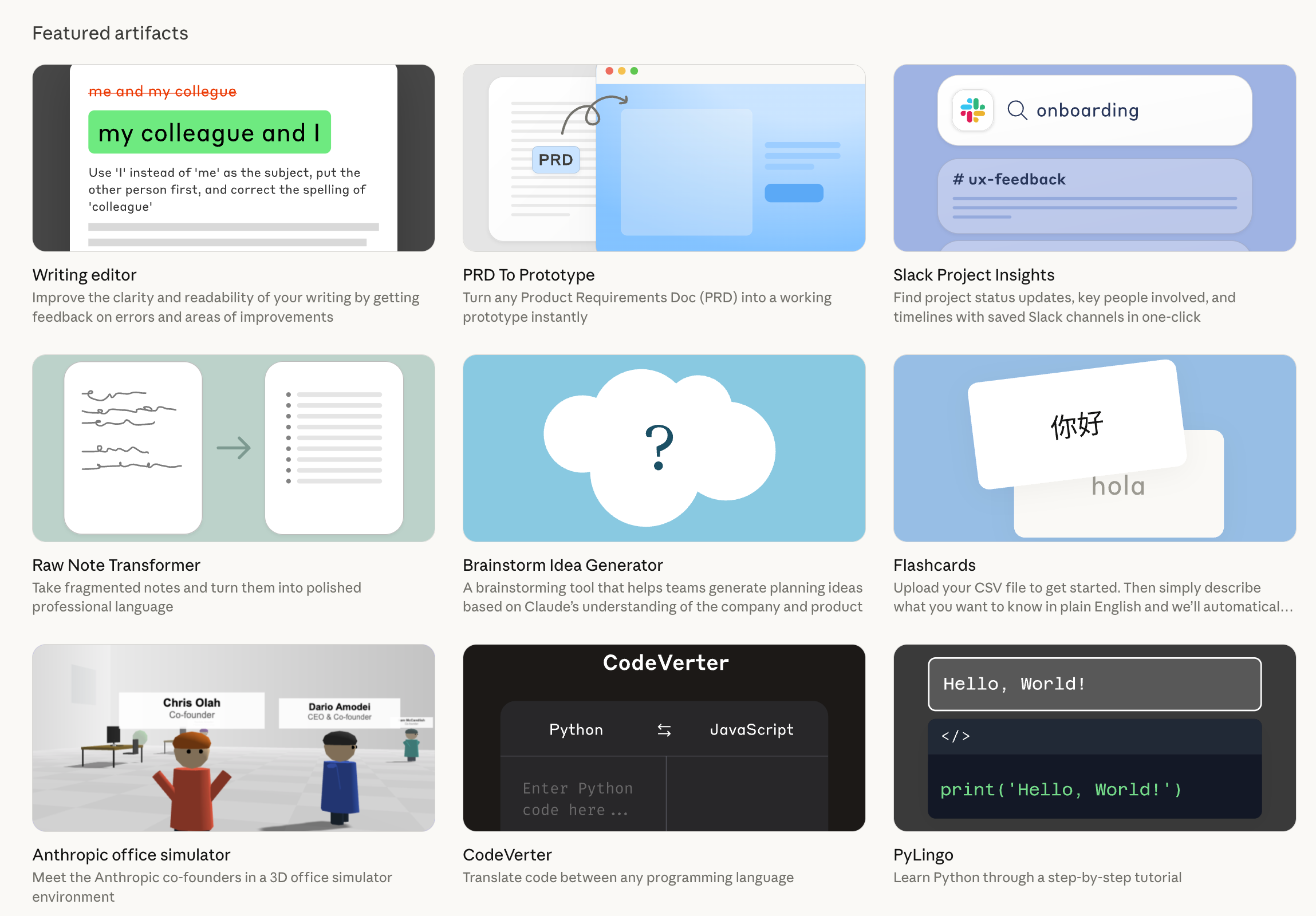
ChatGPT tried to build apps, but they don’t actually work quite well.
But in artifacts, you can build apps in minutes inside Claude.
And also, you can share it, even with the non-Claude users.
Yesterday, I did a pitch for one of my potential clients, using Claude Artifact, and they loved it.
You can do your work, university, or for your potential customers.
How to activate it?
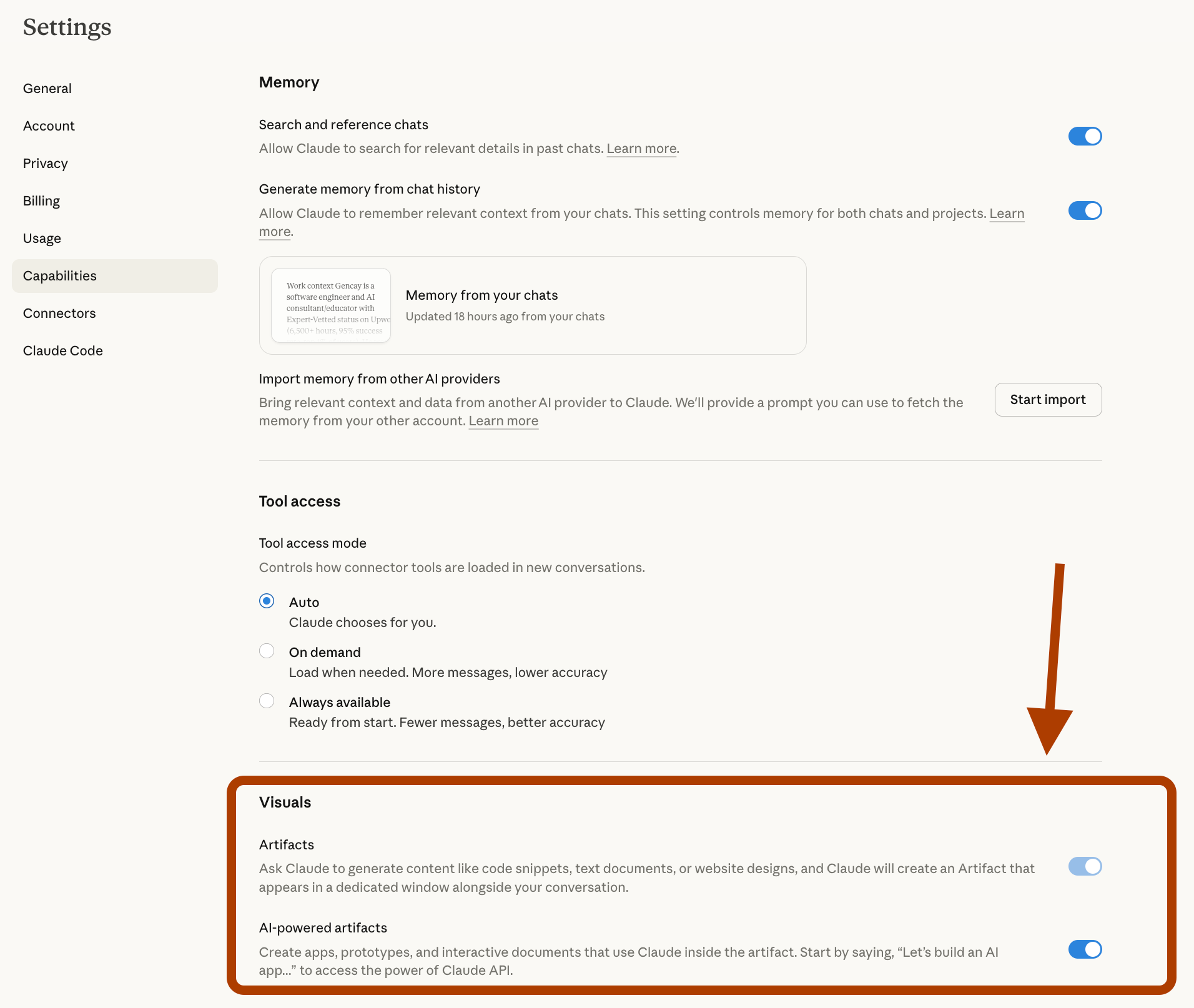
First, you should allow artifacts. Where?
Visit here: https://claude.ai/settings/capabilities
Turn this toggle on.
How to create an artifact?
Let’s show it.
Here is my prompt.
My aim is to let Claude build an artifact from my substack and I don’t have anything specific on my mind, so let it be creative.
Prompt
Hey Claude,


Build an artifact for me.

Here is my substack: https://learnwithmeai.com/


Take info from here.

Surprise me.
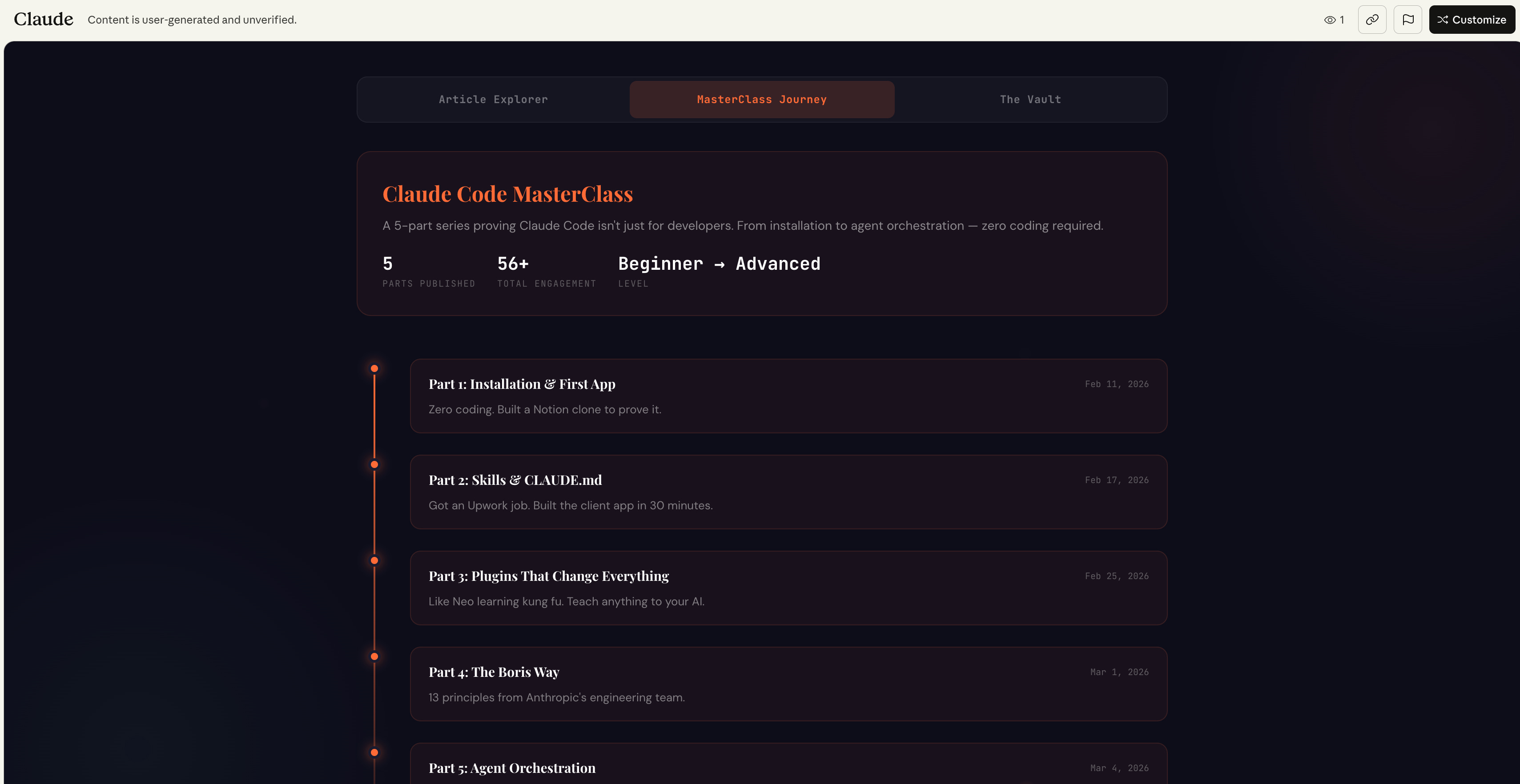
Here is your artifact ready.
Here’s what it looks like.

It’s interactive.
Let’s check the Claude Code masterclass journey.
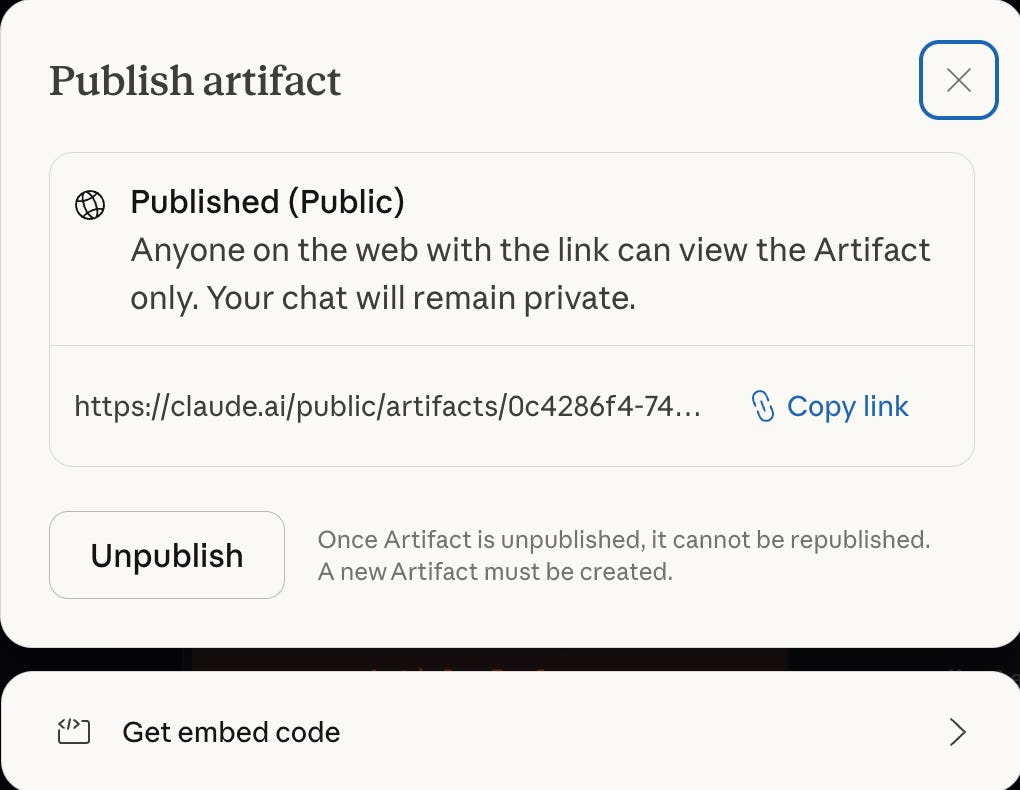
You can also share it with anyone, even if they are not Claude subscribers.
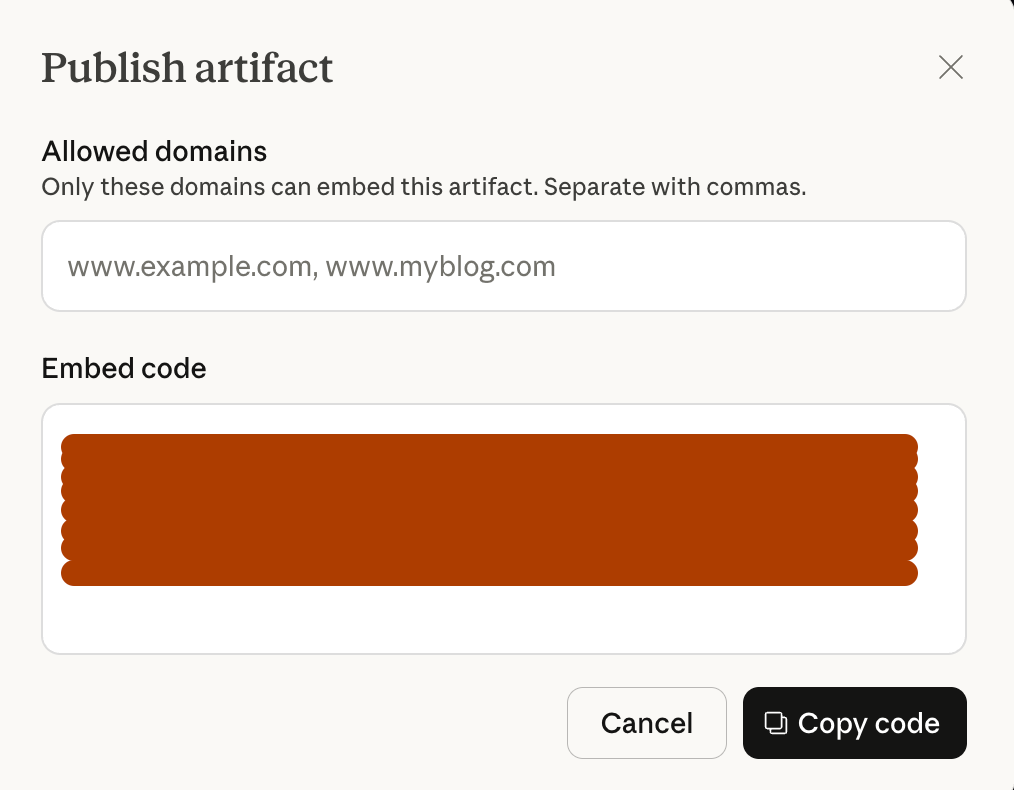
You can even embed it, using an iframe.
5. Skills Work Everywhere (Not Just Claude Code)
Most people think skills = Claude Code only.
Wrong.
You can use skills inside Claude.ai, too.
They’re just hidden quite well.
Let me show you.
Where to find Skills in Claude.ai?
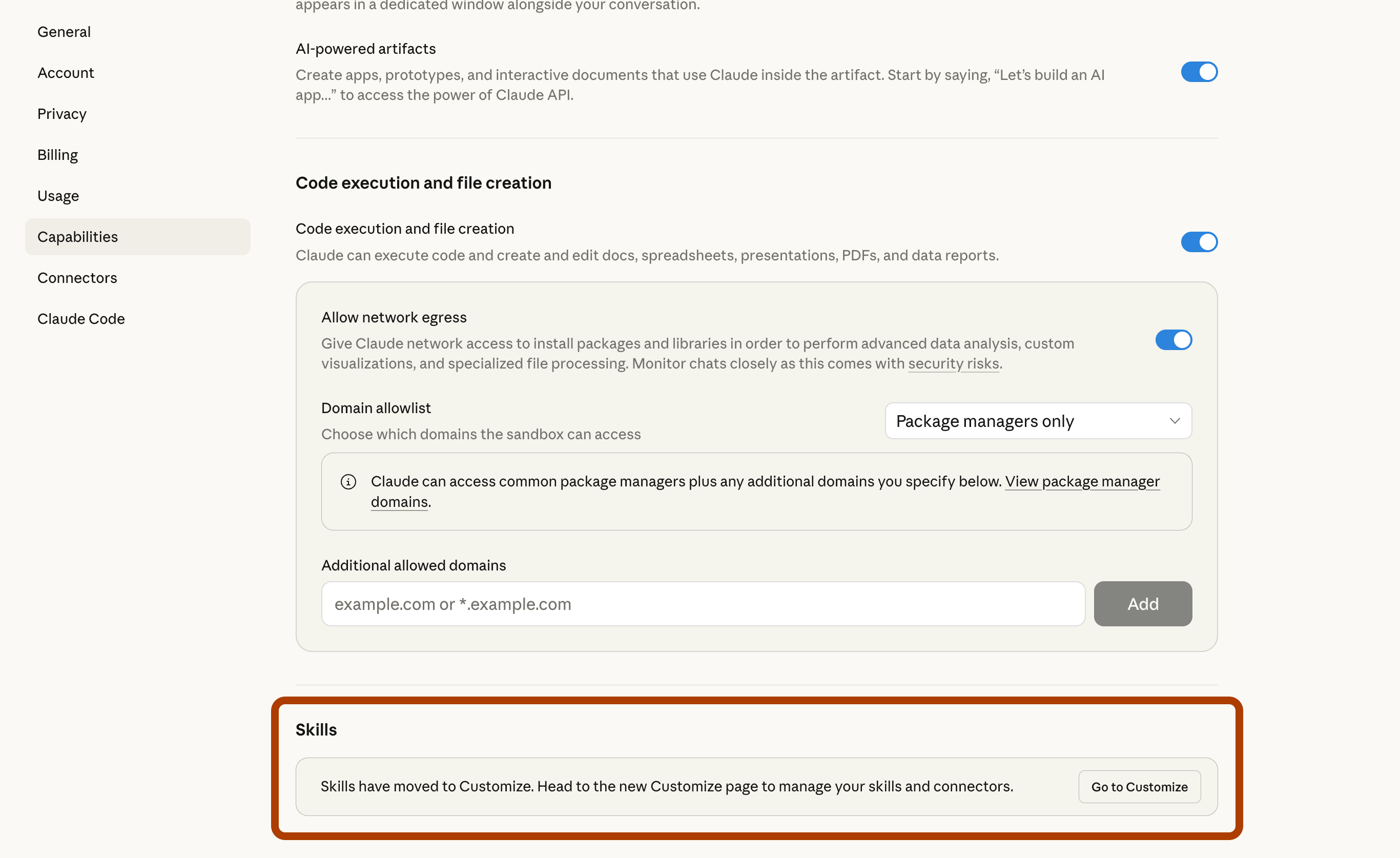
The path is settings/capabilities.
Here is one of my skills.
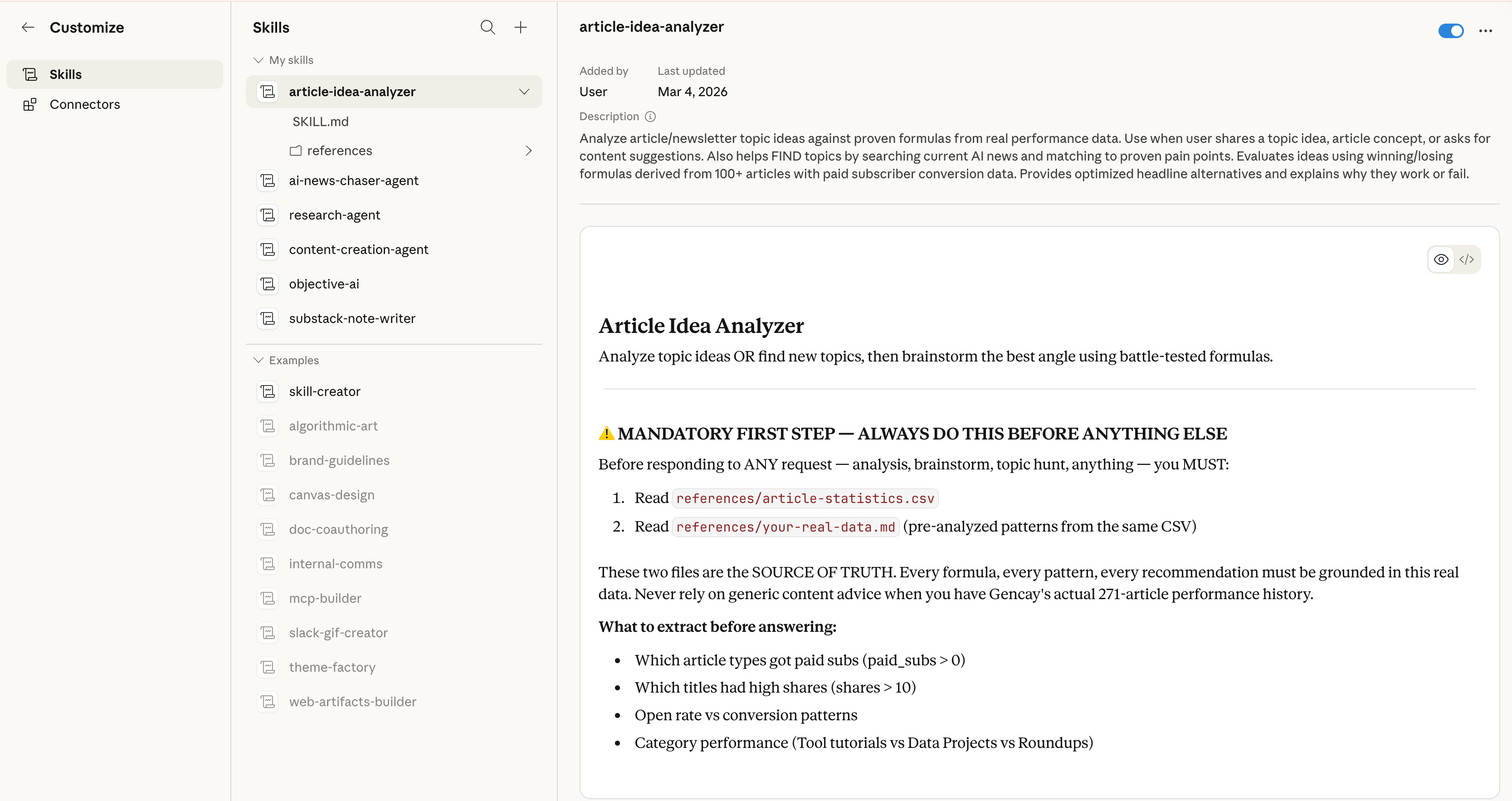
This skill analyzes my article ideas by checking article statistics that I export from the Substack dashboard. Let’s test it.
Article Ideas Analyzer Skill Testing
Now, as you can see, I just pasted this article title and asked it to analyze if this article is a good idea or not.
I almost always follow the data, but sometimes, like this one, I still wrote it anyway.
Here is my prompt.
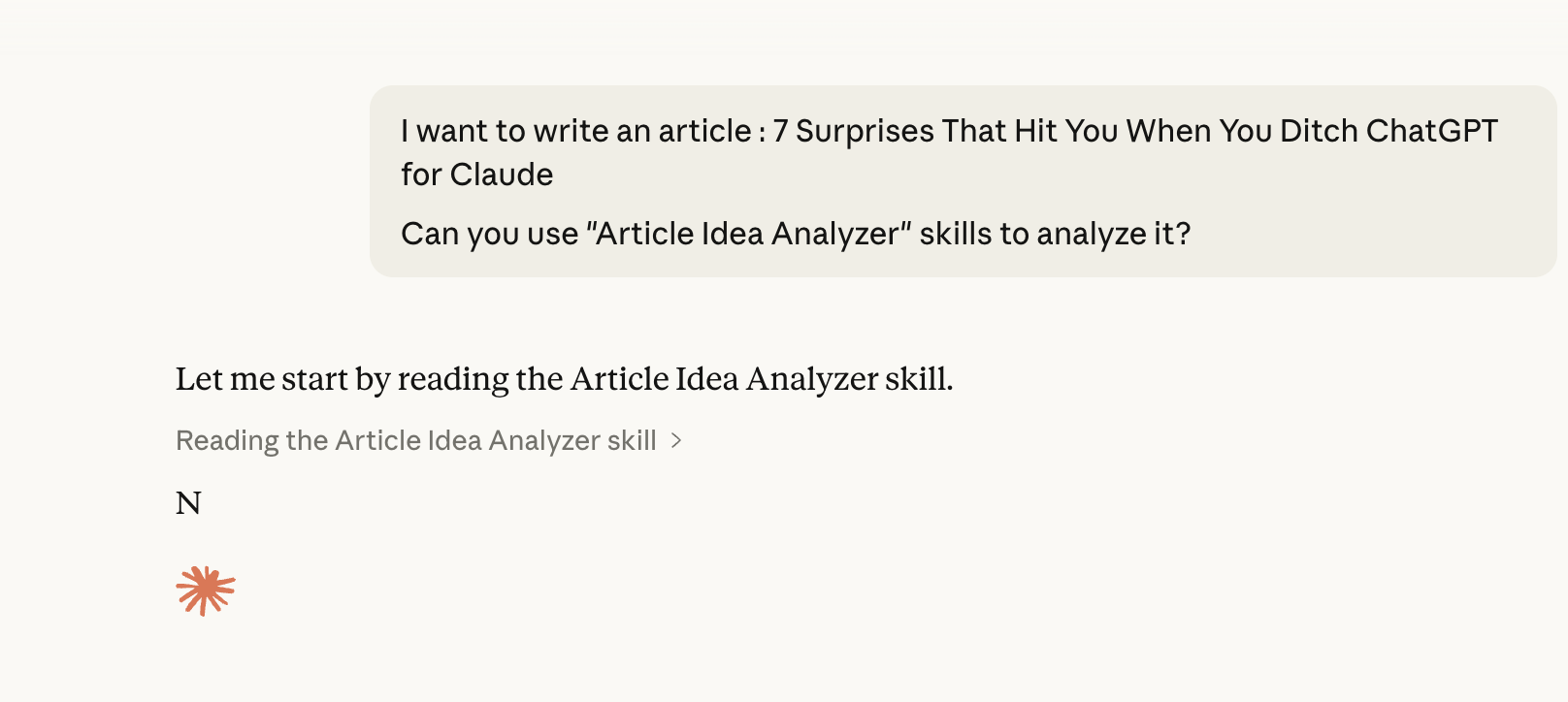
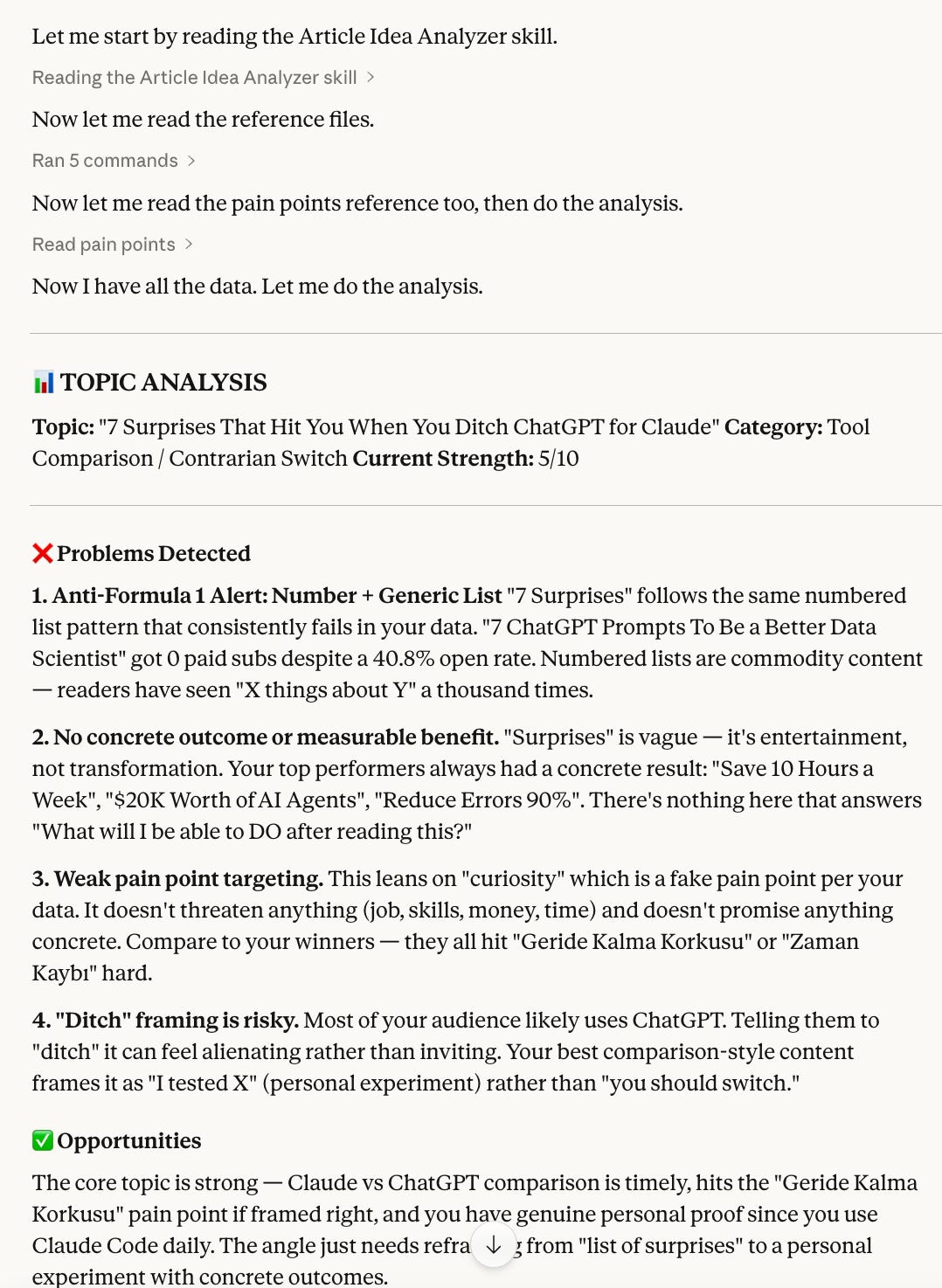
Here is the first part of the analysis.
As you can see, it detects the problems because it knows my data.
Next, it suggested optimized headlines, based on it.
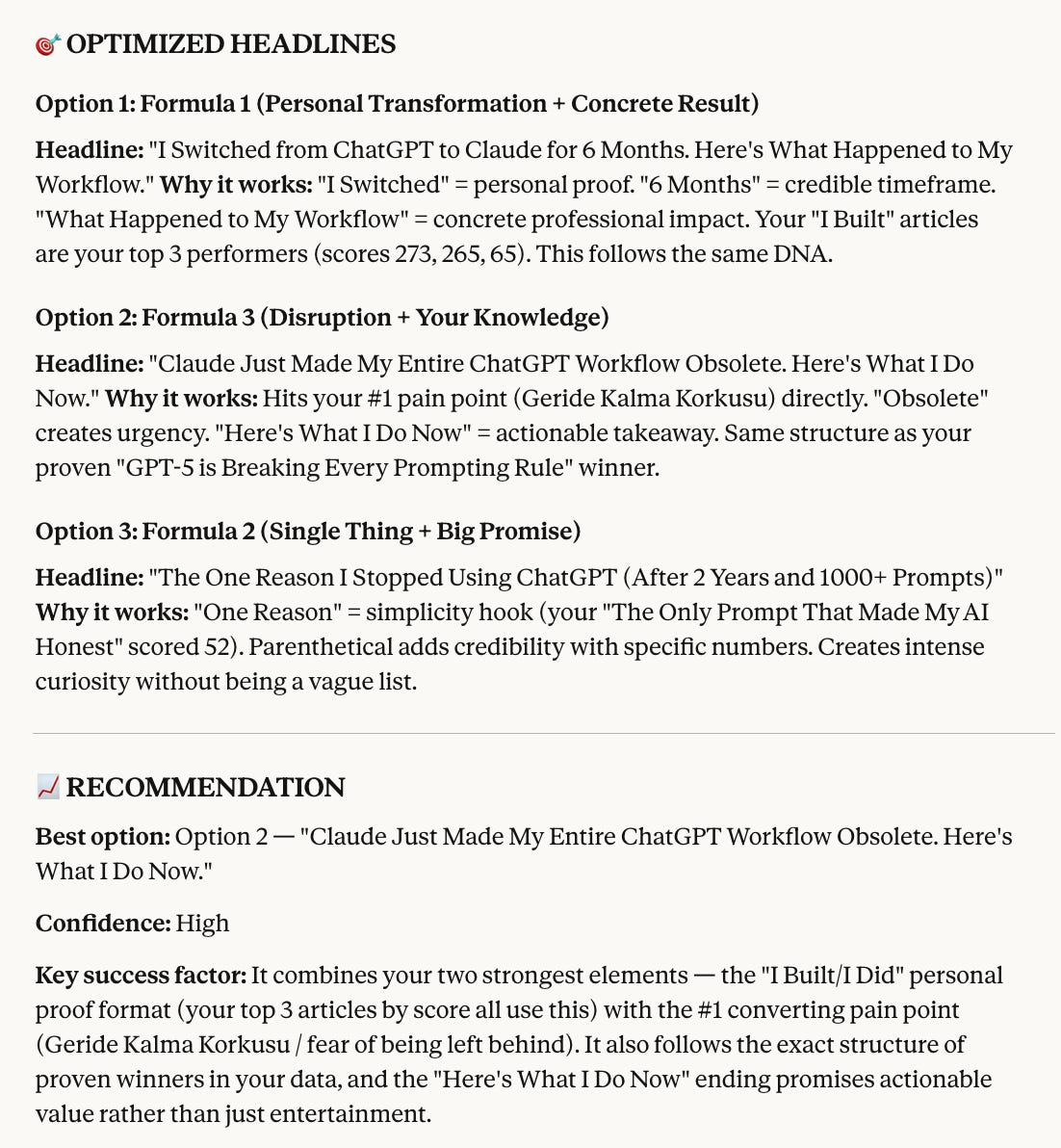
I have to be honest, I love this: “Claude Just Made My Entire ChatGPT Workflow Obsolete.”
I probably will write an article with this title, but not this one.
Bonus: How to transition from ChatGPT to Claude?
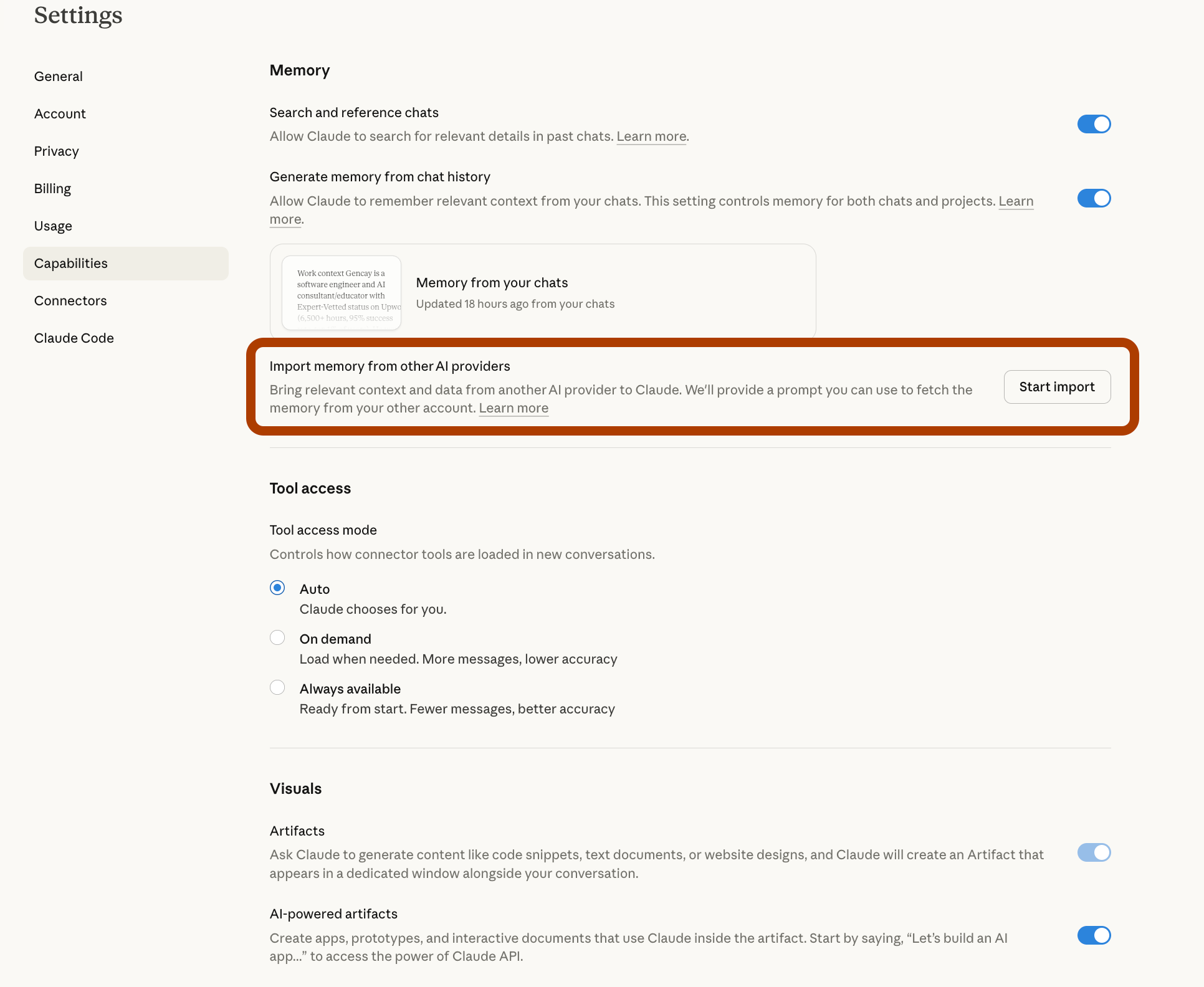
Claude made it easier than ever.
Just go to here: https://claude.ai/settings/capabilities
Click on “Copy”
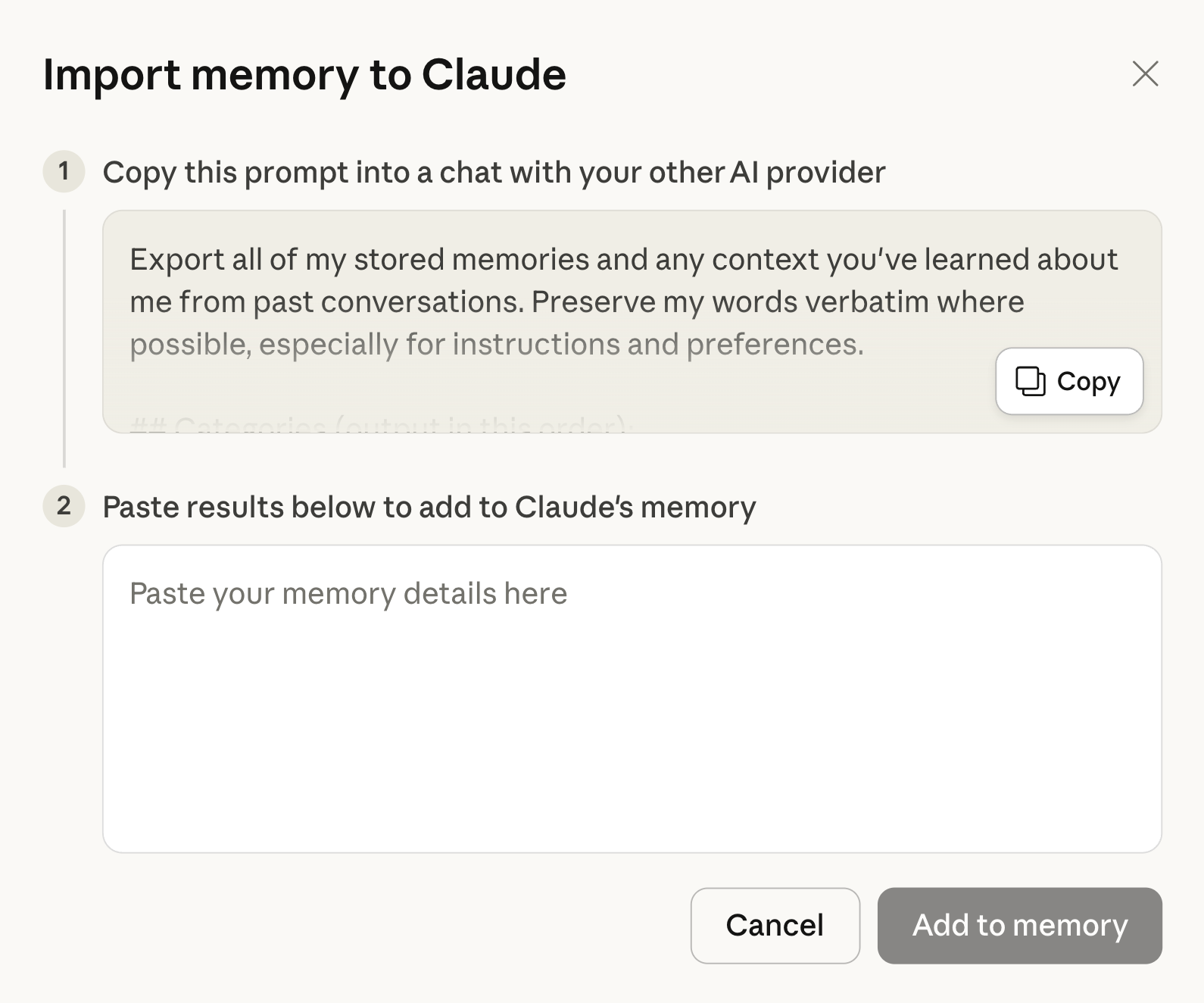
Paste this prompt into ChatGPT
Copy the output of ChatGPT
Save it here.
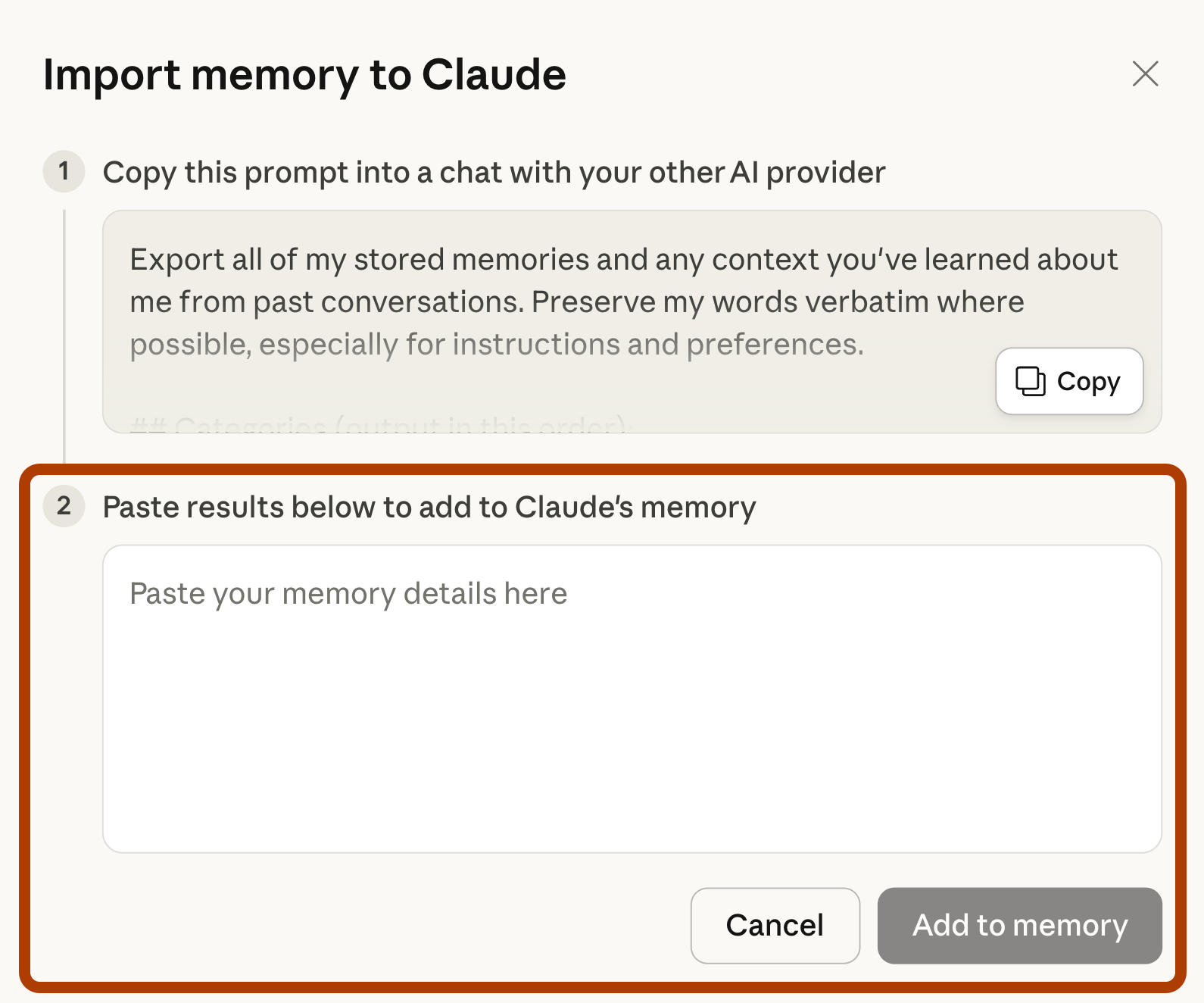
Click on “Add to memory.”
And welcome to the Claude!
Final Thoughts
I ditched ChatGPT.
Not because I hated it.
Because Claude works better for how I think.
You’ll feel weird at first.
That’s normal.
But if you’re pragmatic like me, you’ll stay for the performance.