

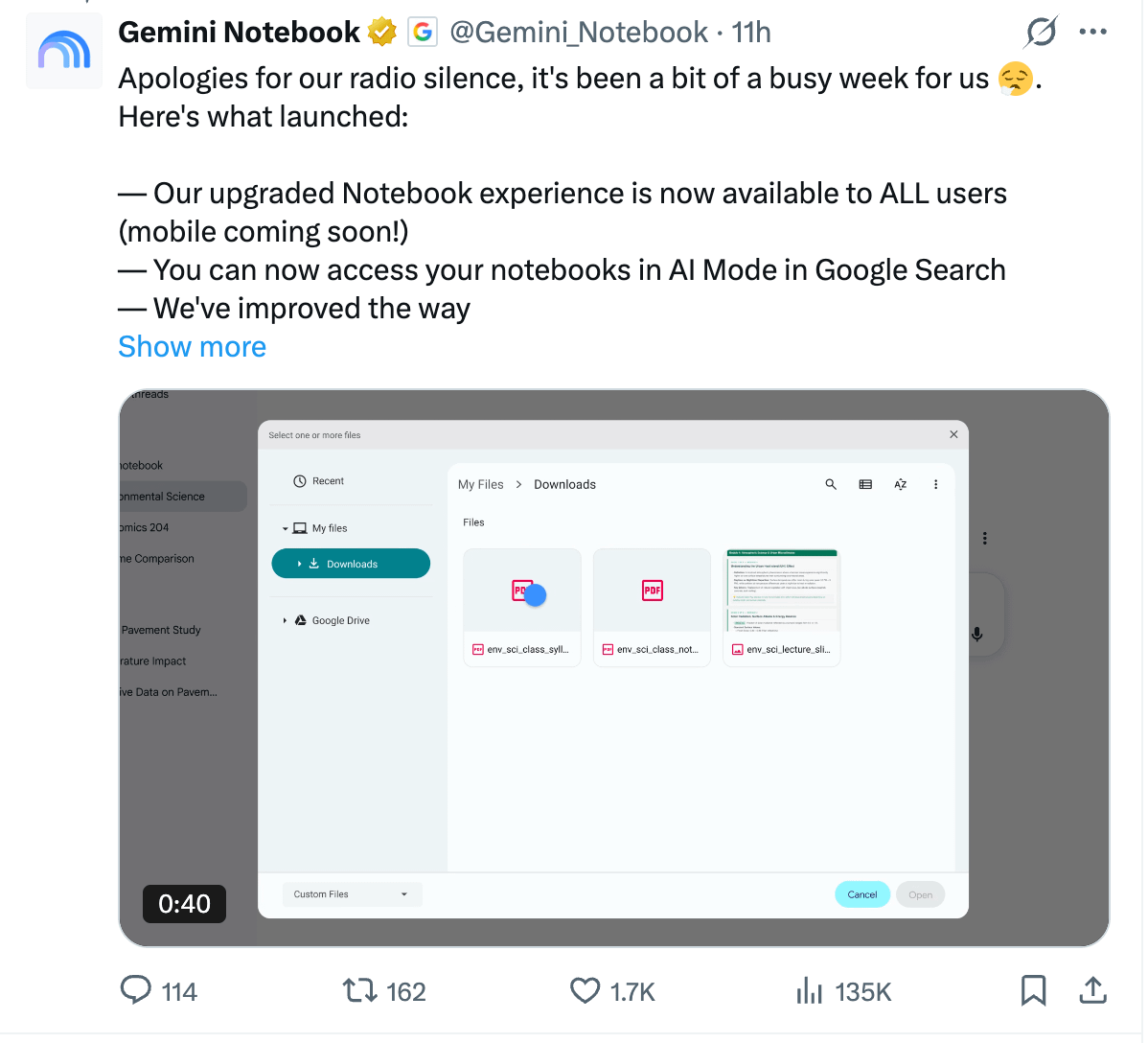
NotebookLM is now Gemini Notebook
It was first released for paid users only, but now free users can use it too.
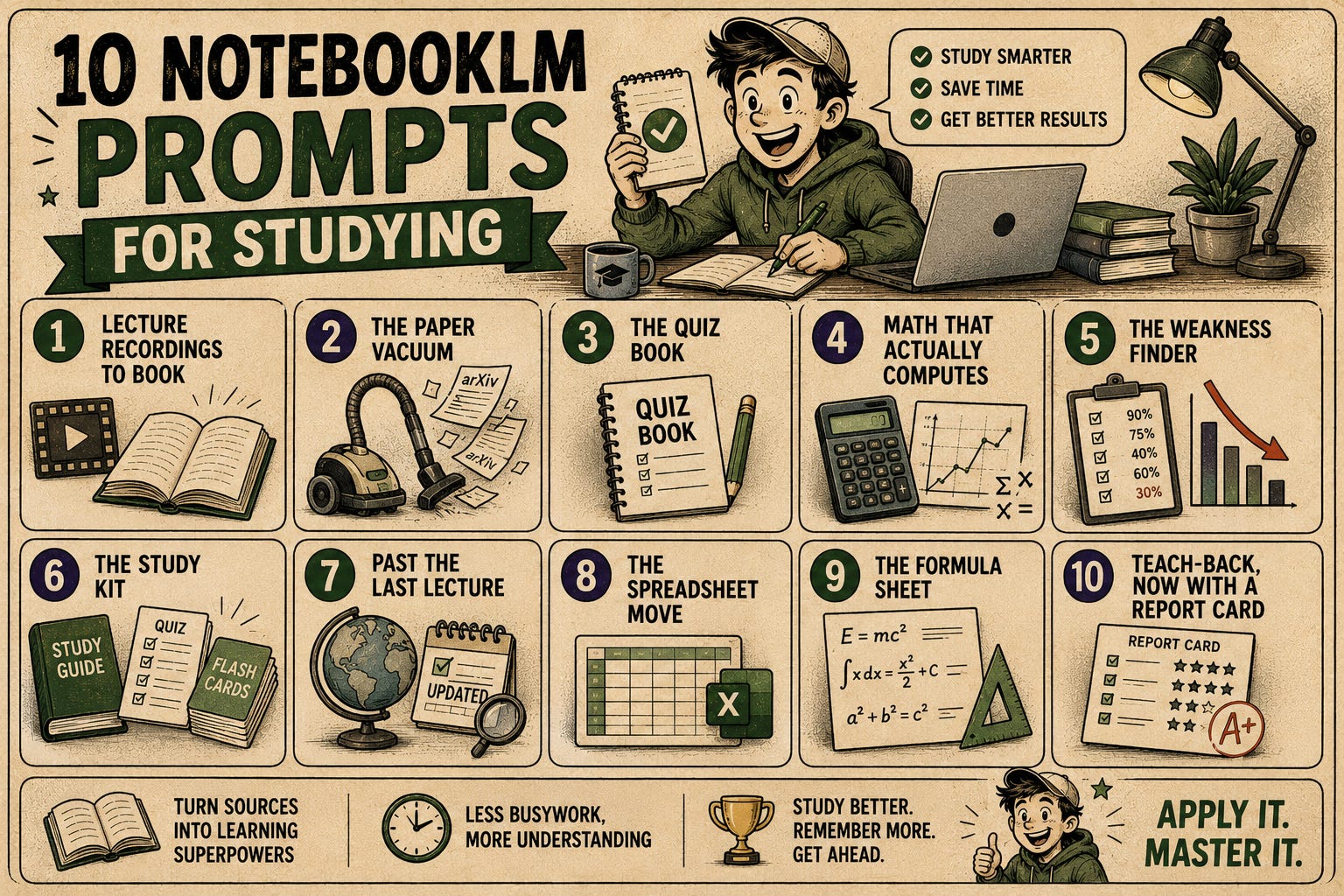
In April, I published 10 prompts for studying.
But on August 4, the tool changed, and now free users can use it too.
The biggest change is that every notebook now runs on its own cloud computer, which means you can run code.
Before we start, let me show you my notebook.
Stanford Course about Self-Improving Agents
We are in the best period of time to learn AI.
Stanford recently released a free course on YouTube about self-improving agents.
They are actual classroom recordings, by the way.
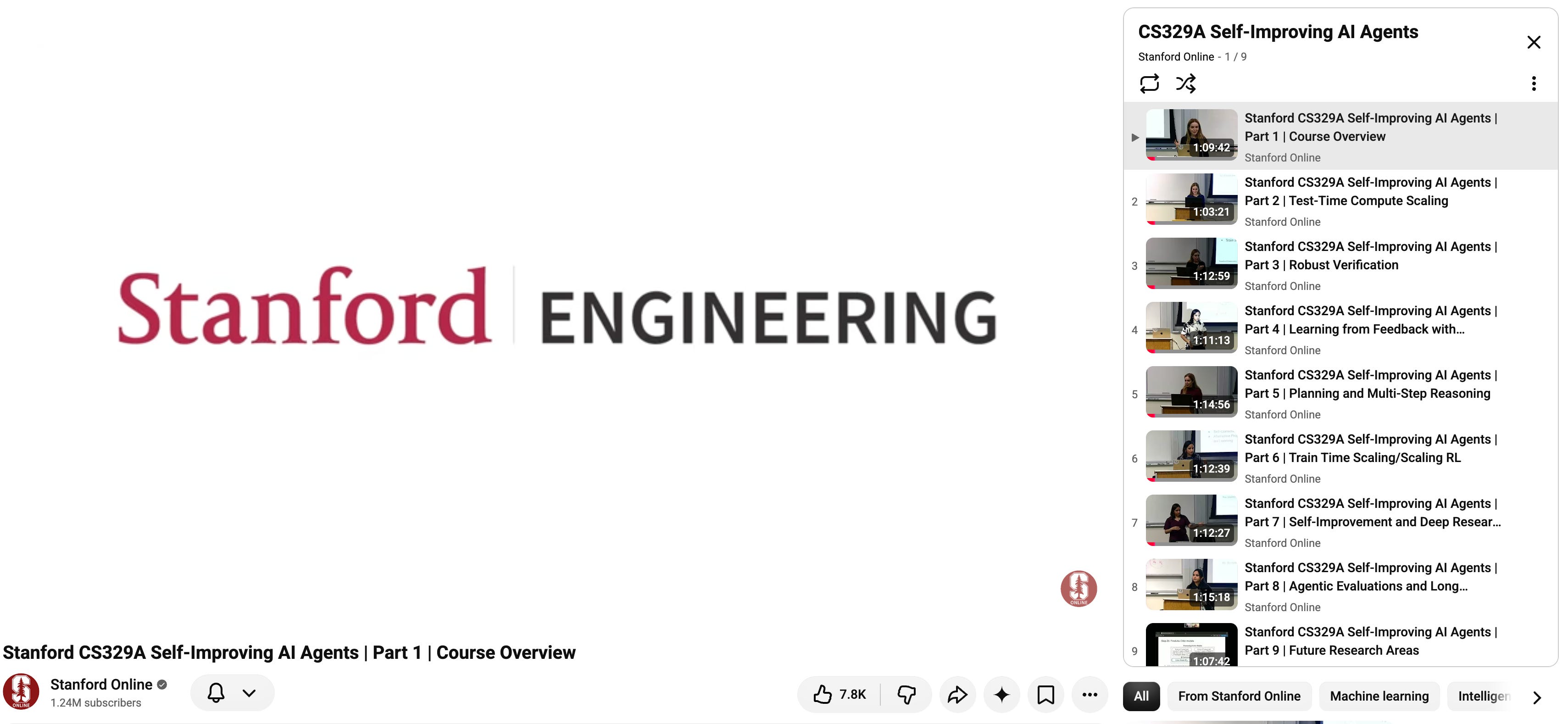
I trained a notebookLM using these videos.
How do I train NotebookLM in 1 minute?
I trained NotebookLM using one prompt inside Claude Code.
Train a notebookLM using NotebookLM CLI, by using all videos inside this playlist: youtube.com/watch?v=6YnLB0XbTnI&list=PLangBM27OtEAA minute later, it started creating a notebook.
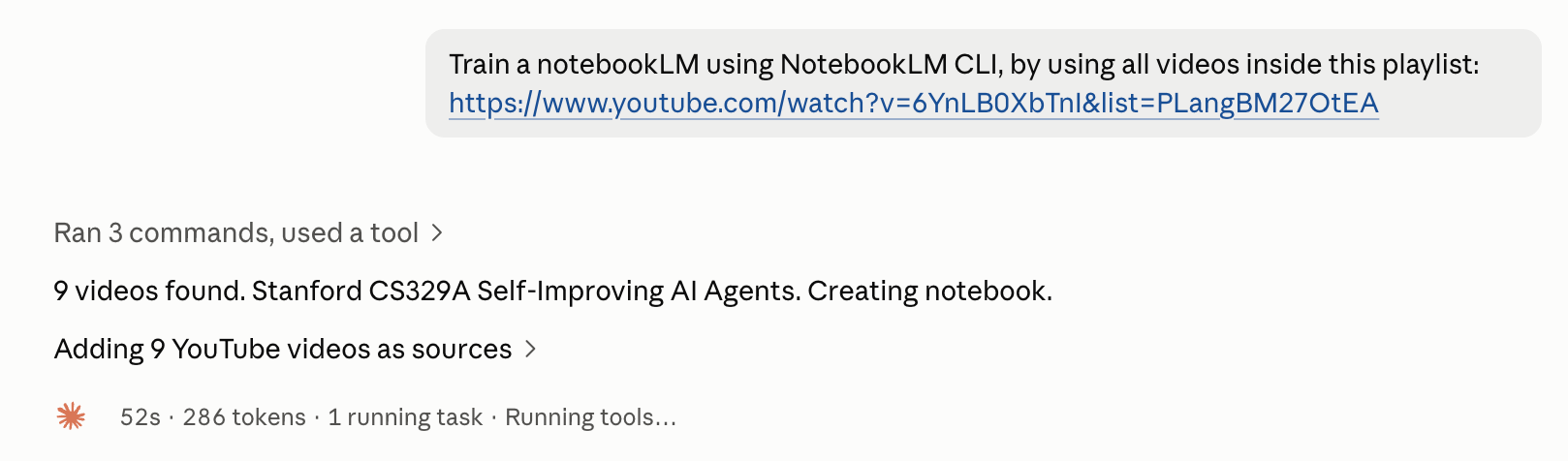
Read this if you want to see, how you can use Claude Code and NotebookLM together.
And my notebook is ready.
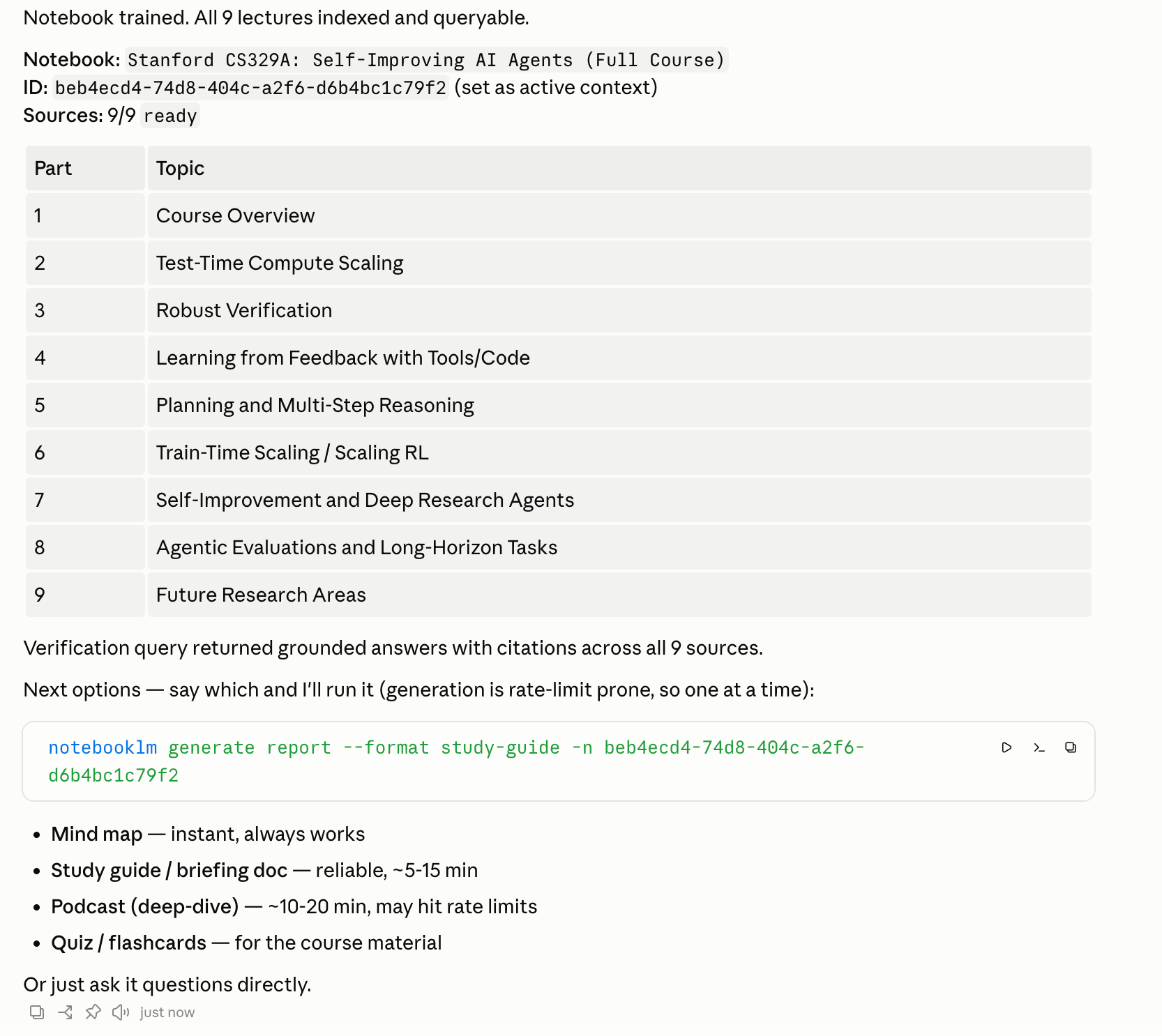
I can generate it directly using Claude Code too.
If you want to create a NotebookLM manually:
Visit here
Click on “Try Gemini Notebook”.
Click on “Create new notebook”.
Click on Websites
Add each video inside this playlist by pasting links.
You can find all 10 prompts here: https://drive.google.com/drive/u/0/folders/1dNeLomu7niTmMCqZgYqkR0BUGvaGFb0U
1 - Lecture Recordings to Book
Suppose you record your lectures, or you study from classroom recordings like the nine in this course.
The material is all there, but nine hours of video is not a study format.
What you need is a book.
Using the following prompt, you’ll turn your notes into a book.
Here is the prompt.
Turn my raw lecture notes into a formatted PDF book with a cover page, chapters organized by topic, and a short summary at the end of each chapter.Next, it’ll turn everything into a content table and ask for your approval before proceeding.
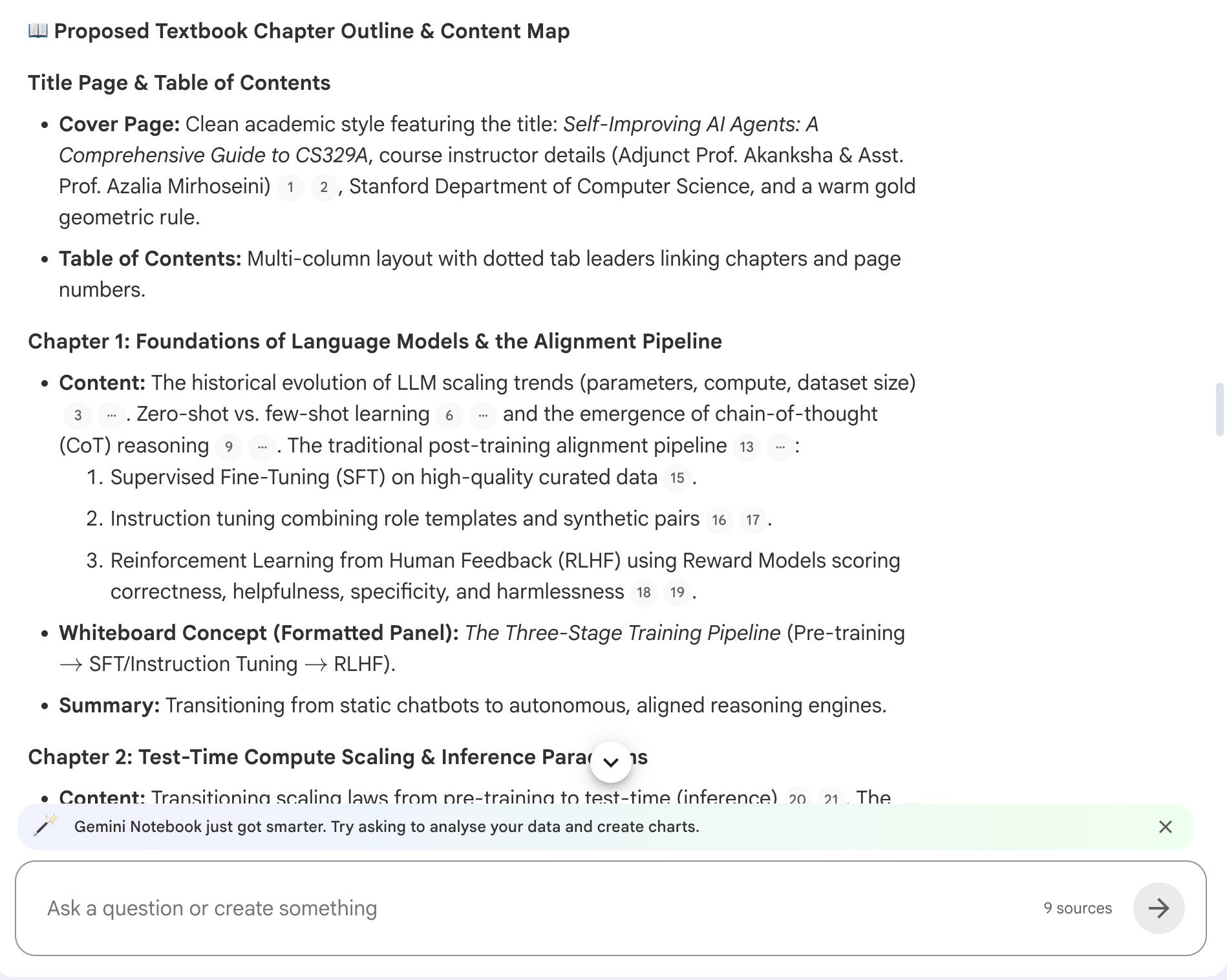
I approved, and here is the book it created.
As you can see, now you have a full book. We turned the knowledge from YT videos into a book.
2- The Paper Vacuum
Let’s say your lecture mentions a lot of papers.
And you get confused. (Hi to my Thermodynamics professor, Yunus Cengel.)
So you want those papers inside your notebook, so you can ask it to simplify.
Use this prompt.
Go through all my sources and list every paper, benchmark, and dataset mentioned
by name. Find each one on arXiv or its official page, and add it to this
notebook as a source.
After pasting this prompt, NotebookLM finds 19 research reports from arXiv.
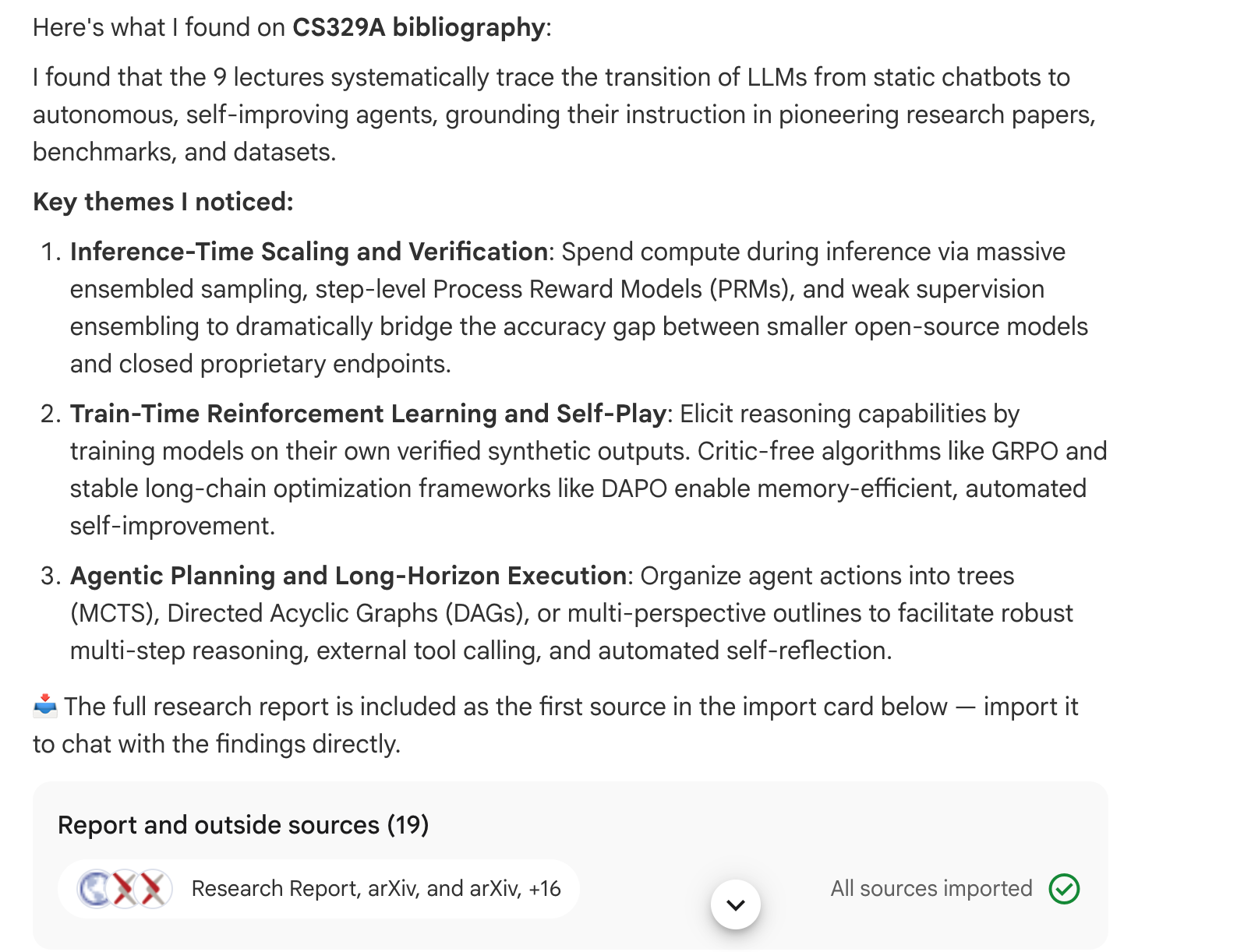
And look how my sources expand.
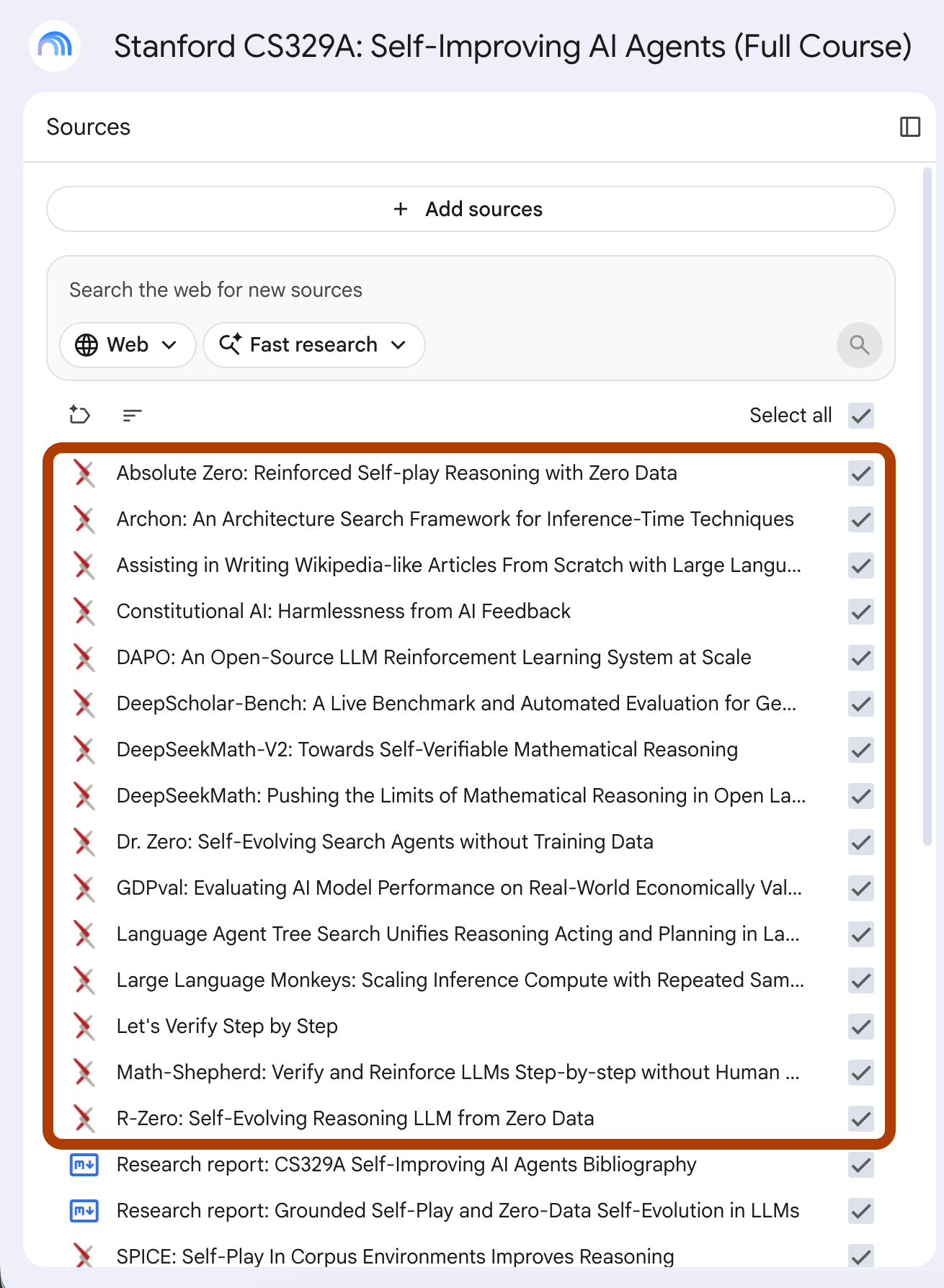
This is golden when you don’t understand part of a lecture and want to go deeper.
Sometimes, teachers may not fully know every reference they mention, and they don’t have to. This way, you can explore it yourself, go deeper, and even challenge your teacher next time.
3- The Quiz Book
The quiz inside Studio makes decent questions, but it makes them at one difficulty level and interactive.
Sometimes, you want the old school way.
I wanted what my teachers gave us before exams. A booklet that starts easy and gets mean, with the answers in the back.
Here is the prompt.
Create a quiz book as a downloadable PDF. Organize it into 5 sections from easiest to hardest, 5 questions per section, and put the answer key for each section at the end of the book.It created 12 pages quiz book.
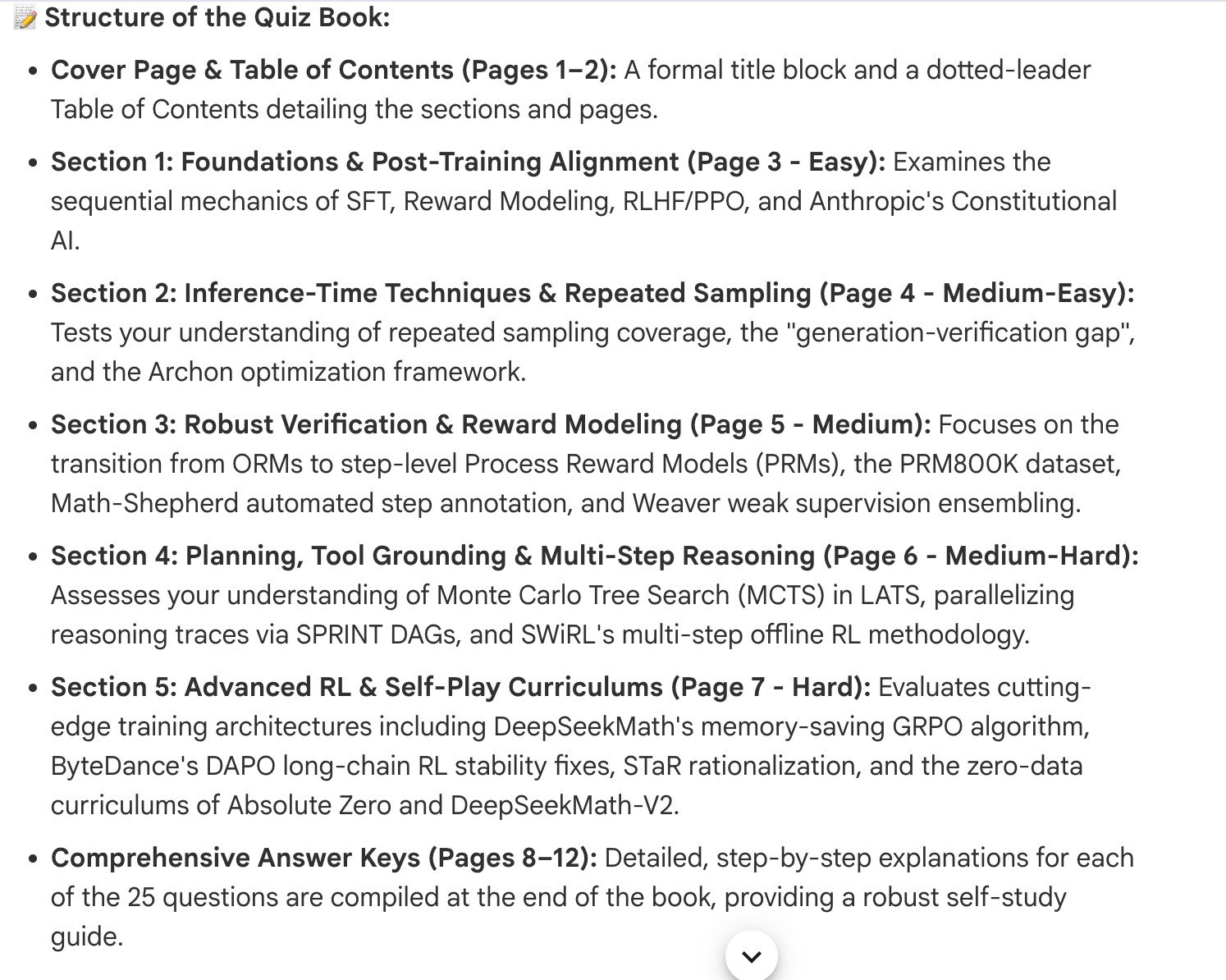
And here it is.
In a couple of minutes, you created a book full of quiz questions.
I would print it out, grab my old-school pencil, and write my answers by hand.
I miss learning this way.
4- Math That Actually Computes
I don’t know if you ever tried doing calculations with the old NotebookLM.
It was the worst.
Remember how I told you at the beginning that Google basically gave every notebook its own computer?
Now we’ll see why that matters by making it handle tasks like math operations for us.
The cloud computer runs the numbers.
Here is the prompt.
Pick 5 calculation problems from my sources. Solve each one step by step with the real numbers. Then create 5 similar problems for me to try, and export the full set with worked solutions as a spreadsheet.Let me show you how it answers me.
And here is the Excel sheet it creates.
If you find these calculations a bit complex, you can always use this prompt after
ELI5 in 5 sentences, one for each problem.5- The Weakness Finder
This can save you.
Let’s say you only have a few hours before an exam.
You create your notes, but after reading the book, you still feel like there are gaps in what you know.
The following prompt will score your sources and identify your weak points.
Here is the prompt:
Compare my notes against my sources. Score my coverage of each topic from 0 to 100, show the scores in a table, and create a chart of my five weakest areas.It scored every topic, built the table, and drew the chart of my five weakest areas in one pass.
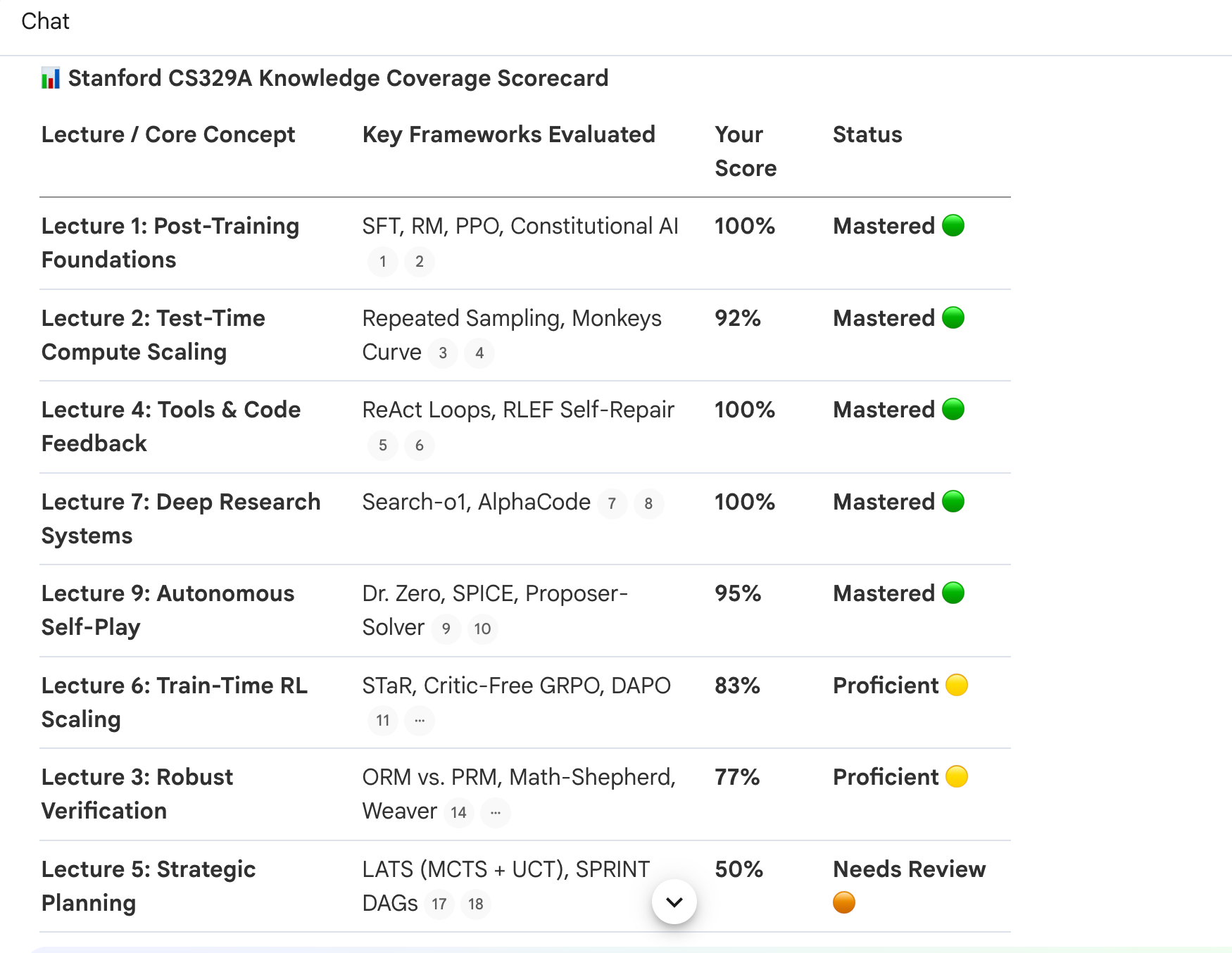
Also, it draws a graph.
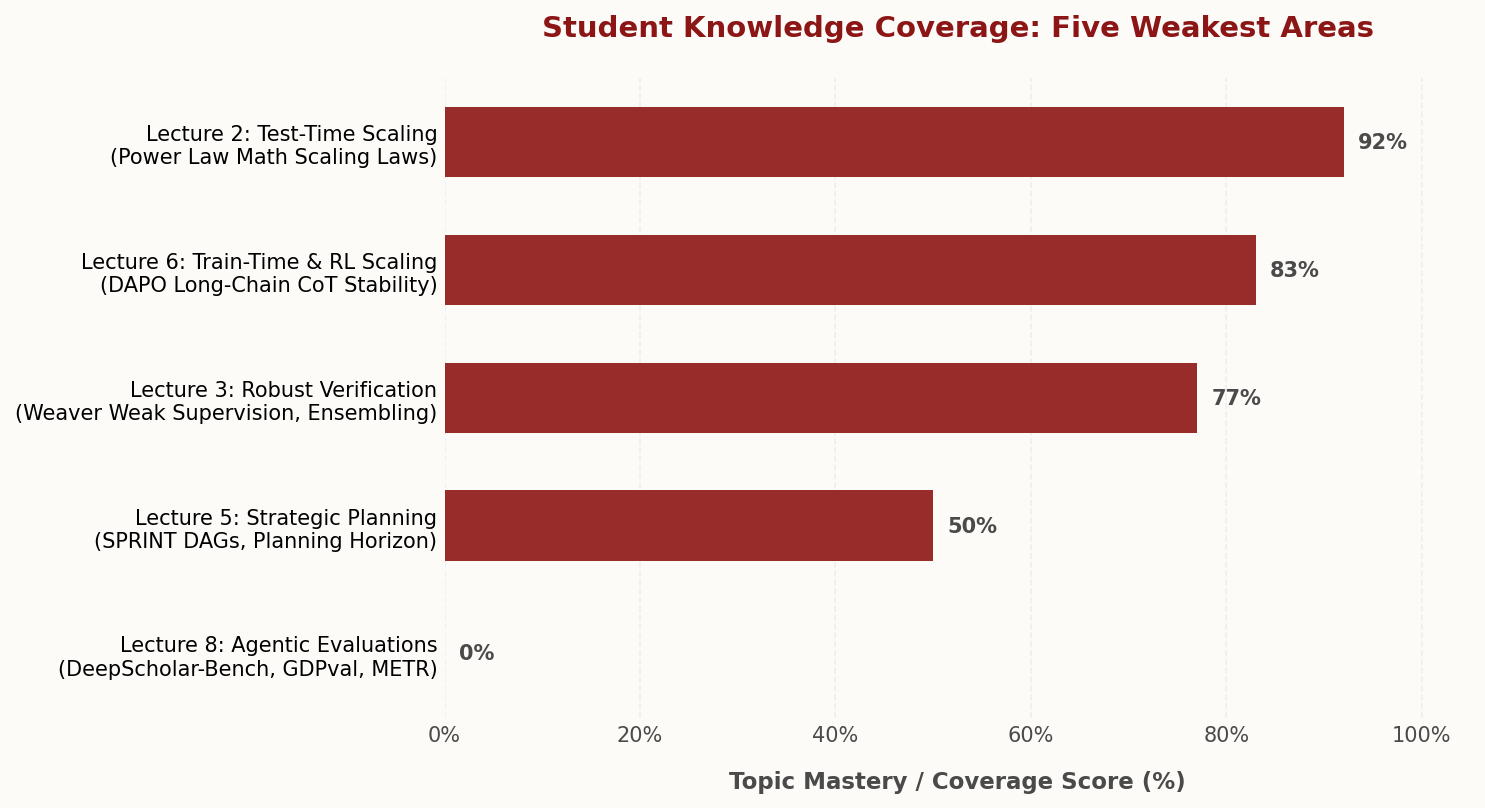
Study your weaknesses if you want to improve.
I really wish I’d studied harder at high school. I only learnt where some cities were when I got to university. No idea how that happened.
A quick hello to my old geography teacher.
6- The Study Kit
Every exam can be tackled with three things: a guide to study from, a quiz to test yourself, and flashcards to refresh your memory.
The new NotebookLM lets you create all three with a single prompt, like this:
Create a study guide, a quiz, and flashcards from my sources at the same time.All three started creating at the same time.
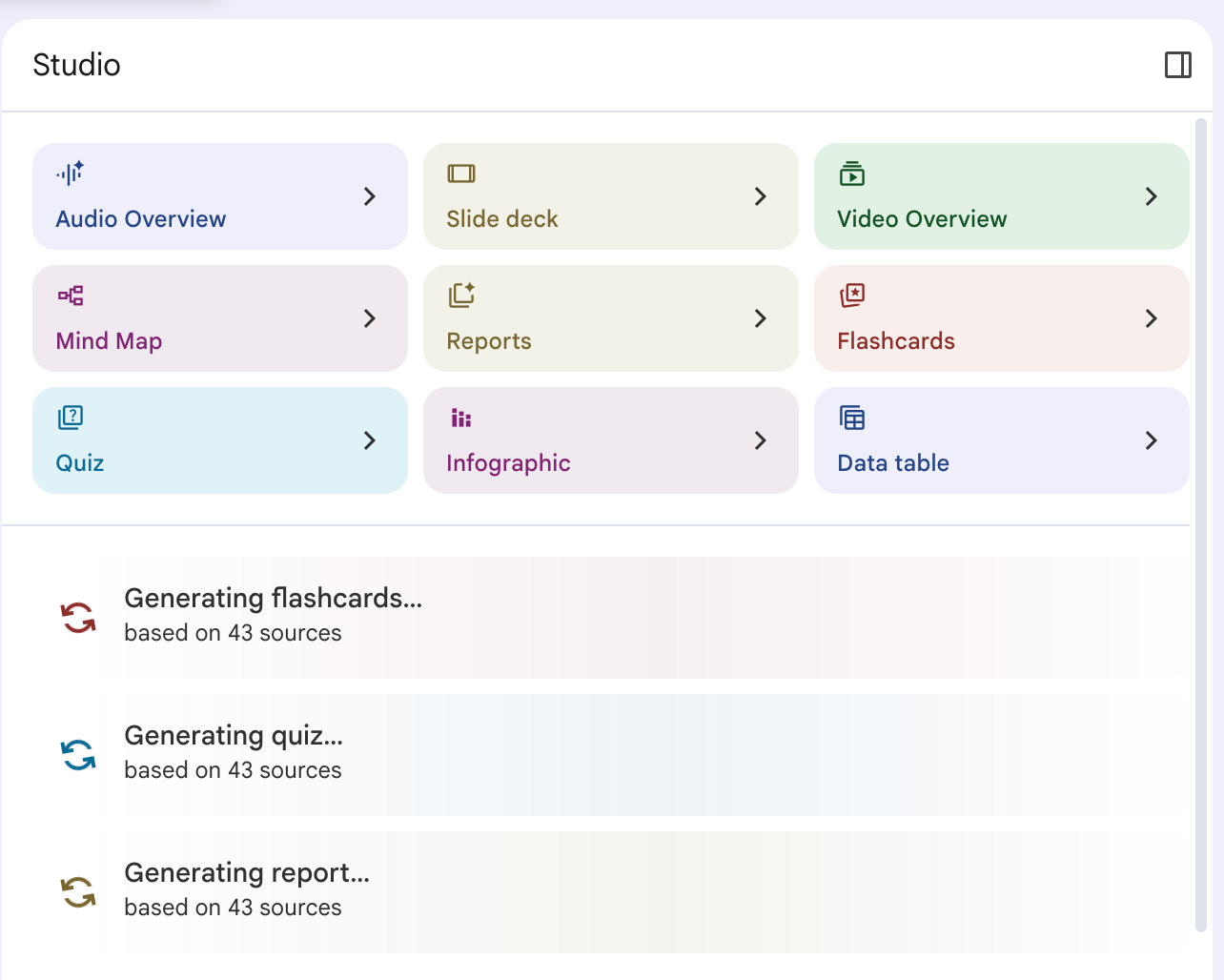
Read the report, work through the quiz, then use the flashcards to refresh your memory and improve your results.
Most of the time, the formula is already there. The hard part is actually following it.
It reminds me of something Cristiano Ronaldo said about discipline:
Everyone wants to be Cristiano, but doing it is difficult. Discipline is the most difficult thing.
Here are all three, ready for you.
7 - Past the Last Lecture
Let’s say the course you love is 3 years old.
The course was recorded in 2023, and the field has moved since then.
What you need is what came out after it.
Using the following prompt, the notebook will search the web and add
the new work to your sources.
My sources are from a course recorded a while ago. Search the web for the most
important work published on the same topic since then, add the best sources to
this notebook, and write me a short study plan for them.
Here is the study plan.
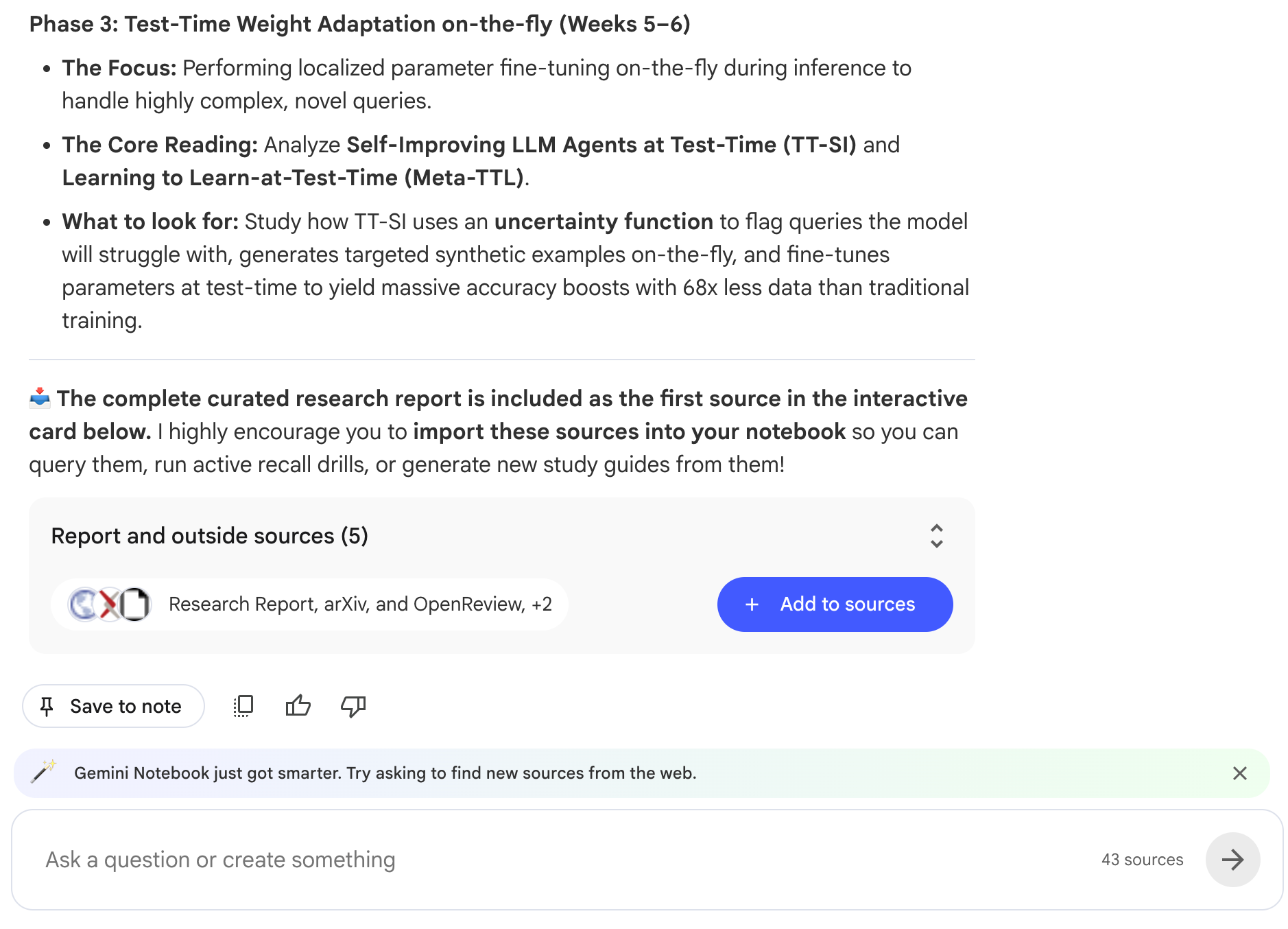
Even if the course is updated, it finds 5 sources.
Using this prompt, you can make anything updated.
8- The Spreadsheet Move
Every student builds two spreadsheets each semester.
One is the study plan. The other is the assignment that asks for a table.
This prompt does the study plan.
Build my study schedule as a downloadable spreadsheet, one row per session, with a column to check off completed sessions.Here is the generated file.
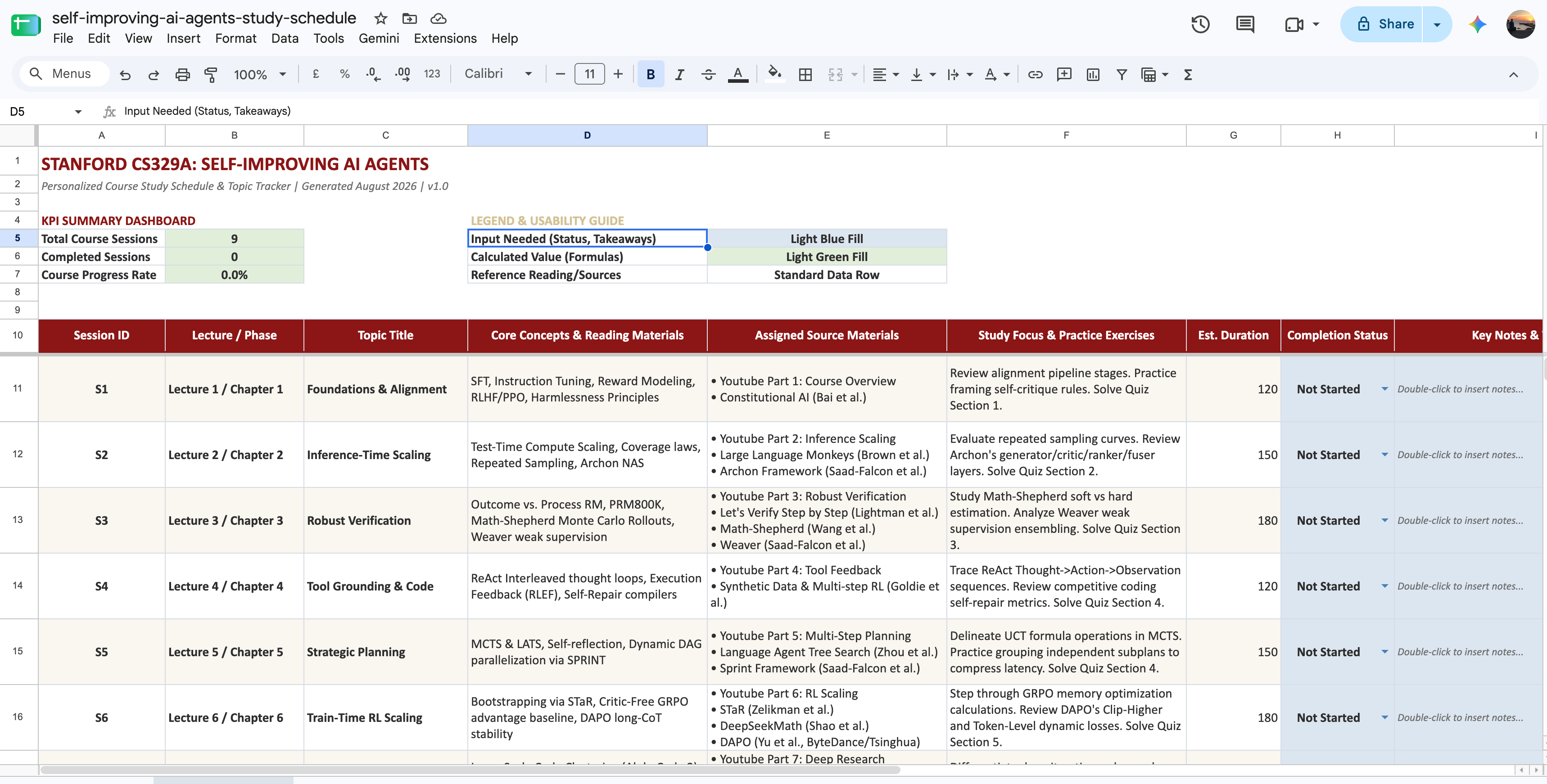
And this one does the assignment.
My assignment asks for a spreadsheet of ai agents. Build it from my sources with the exact columns the assignment requires.After I send this assignment, it asks for my approval to create one, and a few minutes later, here it is.
Both came out as xlsx files in the Studio.
As you can see, you download them and open them in Excel. There is nothing to copy out of a chat window.
9- The Formula Sheet
I remember creating a three-page formula sheet back in the 2010s.
One of my friends even printed an entire formula book. Hi, Omer.
If NotebookLM had existed back then, I probably would have used this prompt.
Extract every formula from my sources into a one-page PDF formula sheet, grouped by topic, with one line under each formula explaining when to use it.Here it is.
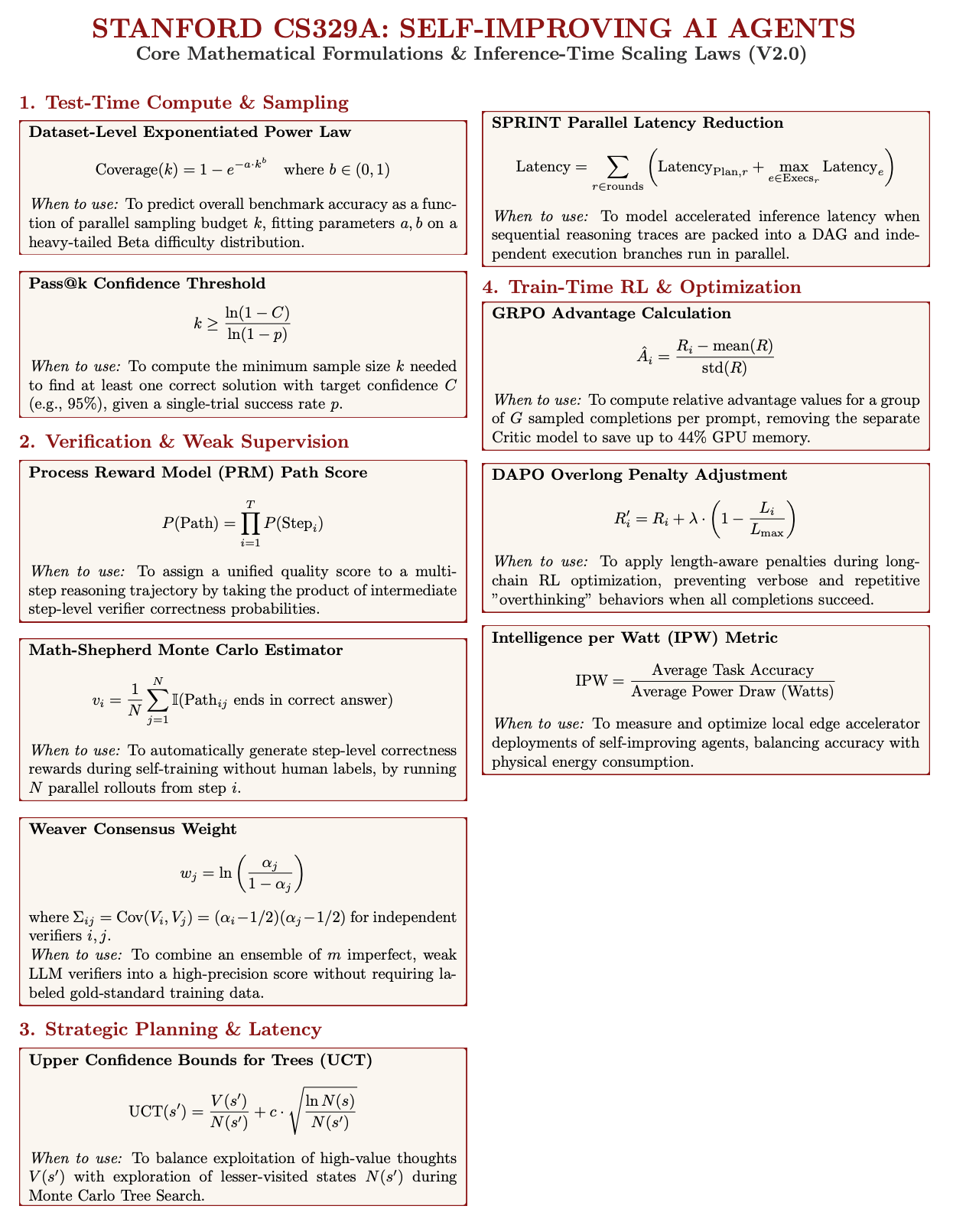
10- Teach-Back, Now With a Report Card
At the end of a study session, I remember my old friend Omer saying, “Close the book and explain to me what you learned.”
This is basically the same method.
At the end of each session, paste this prompt.
I am going to teach you the material from my sources.
Challenge my explanations and ask follow-up questions.
At the end of our session, export a PDF report with
my score for each question, the gaps you caught in my answers, and what I should
review next.
After each session, do this, save your scores, and compare between sessions.
Next Steps
Thanks for reading this one.
I hope you get an A, a 100/100, or whatever the top score is for you.
If you’ve read this far and actually use these techniques, I believe you can get there.
But please, don’t just read them. Apply them too.
Because the fastest way to learn AI is to build something before you feel ready. Ideas don’t compound; things you build do.
Very good. I will experiment on these lines. Let us see how it goes.