


Your AI content sounds generic.
You’ve tried prompts. You’ve tried frameworks. You’ve tried copy-pasting from Twitter threads.
Still mediocre output.
I’m not giving you another prompt. I’m giving you a system.
NotebookLM → Gemini App → ChatGPT
We’re building something complex here.
Step 1: Train NotebookLM.
Step 2: Connect NotebookLM with Gemini
Step 3: Gemini App generates prompts → ChatGPT writes the content.
How? Let’s see.
1. Train Notebook LM
Visit here → https://notebooklm.google/
Click on “Try NotebookLM.”
Click on “Create New”
Upload sources.
YT Videos, PDF, website link.
Click on “Create Notebook.”
2. How to Connect NotebookLM with Gemini
Go to Gemini: https://gemini.google.com/
Click on “+” and add the NotebookLM you trained in step 1 as a source.
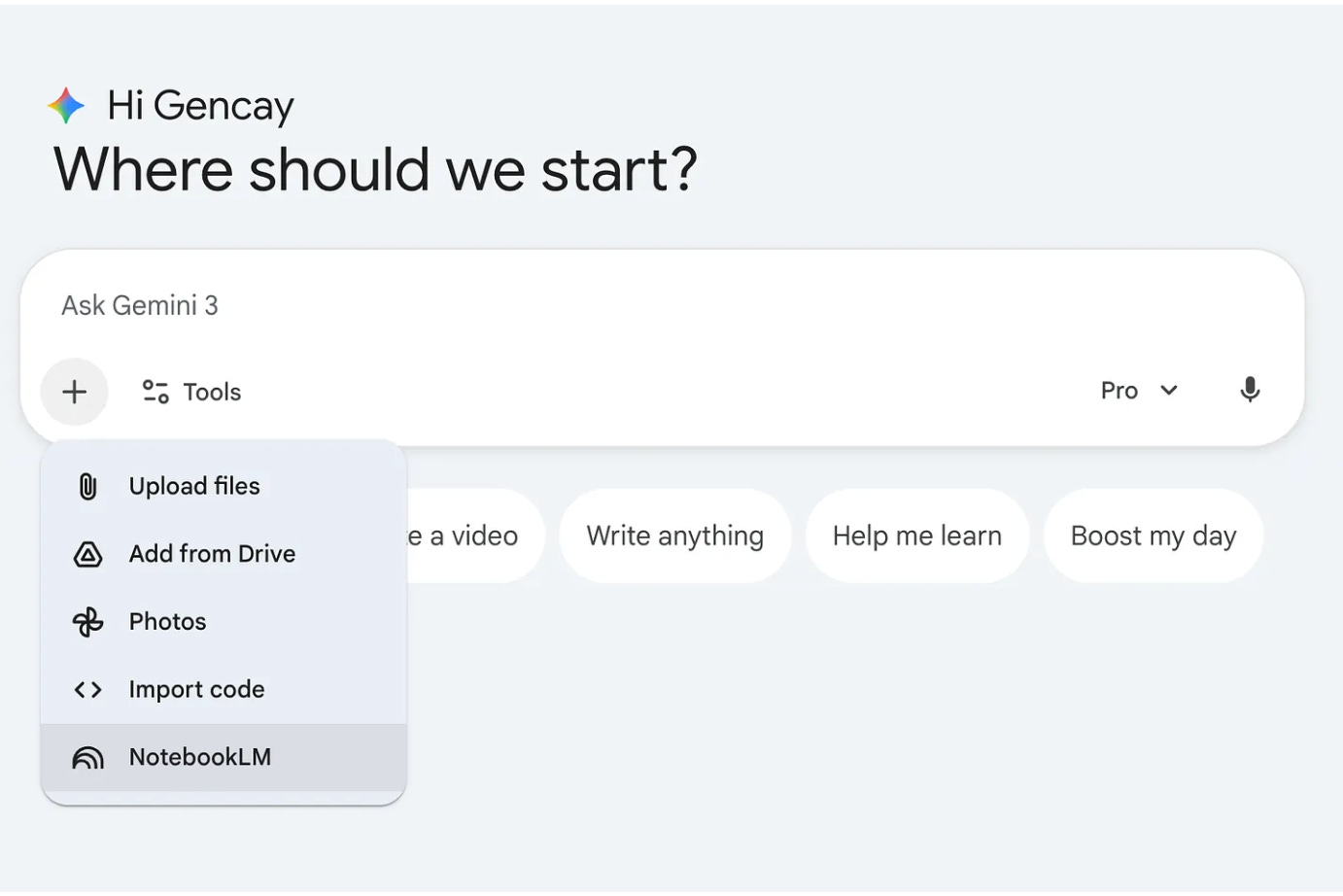
Use this prompt:
Develop app from attached Notebook.Select Canvas as a tool.
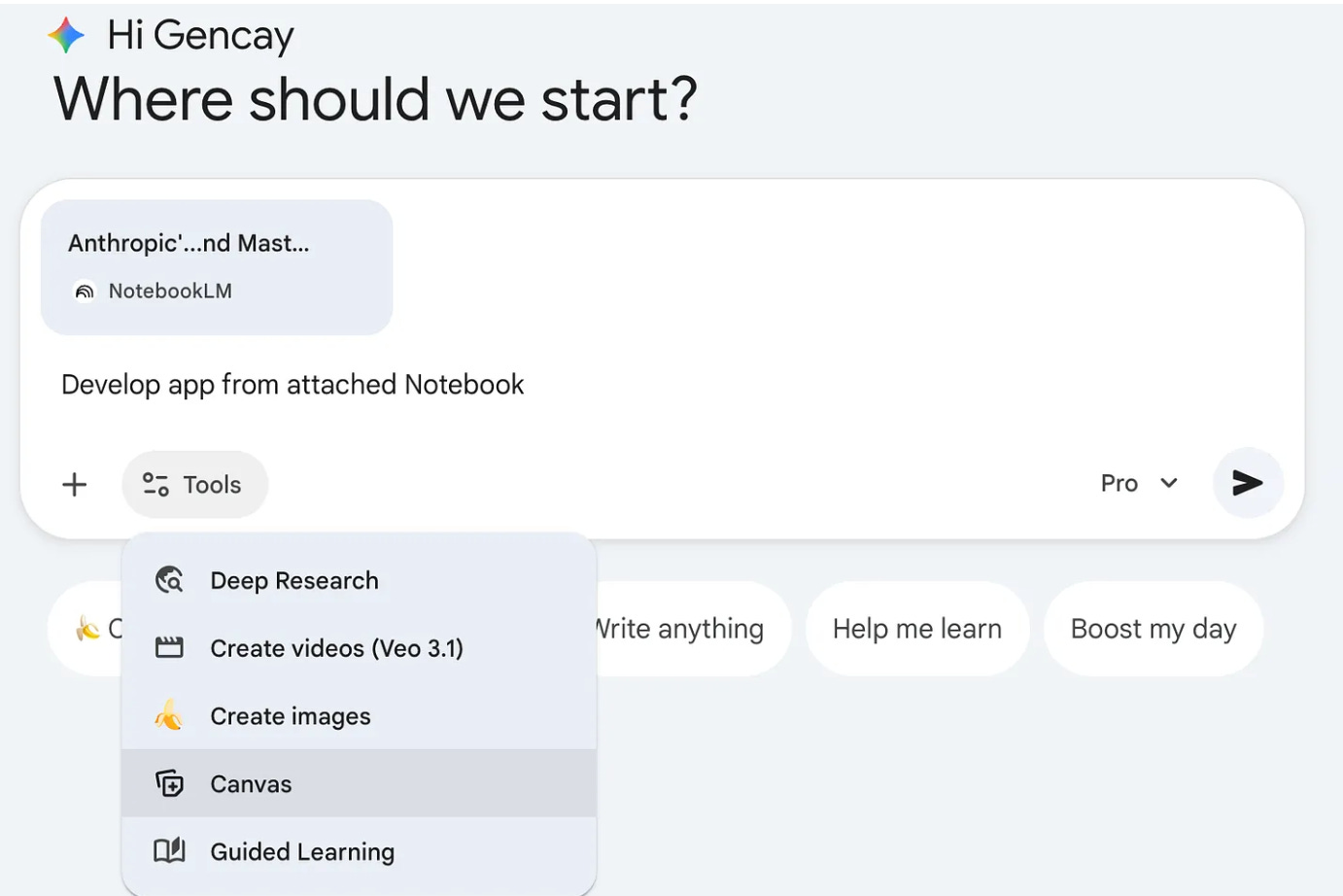
Done!
3. Gemini App → ChatGPT
Now, the app we created in the previous section will generate prompts, and we’ll copy/paste these prompts to create content. Heck, let’s build a button so the Gemini app directs us to ChatGPT directly!
X Post Generator
At this step, let’s see the X post generator. I’ve built it in 3-4 minutes.
I did research about how X post was written using YouTube videos.
Let me show you how it is working.
What’s Next?
You just saw how the system works with X Post Generator.
But that’s just one use case.
I’ve built four complete writing systems, each trained on expert-level sources, ready to generate prompts and write content.
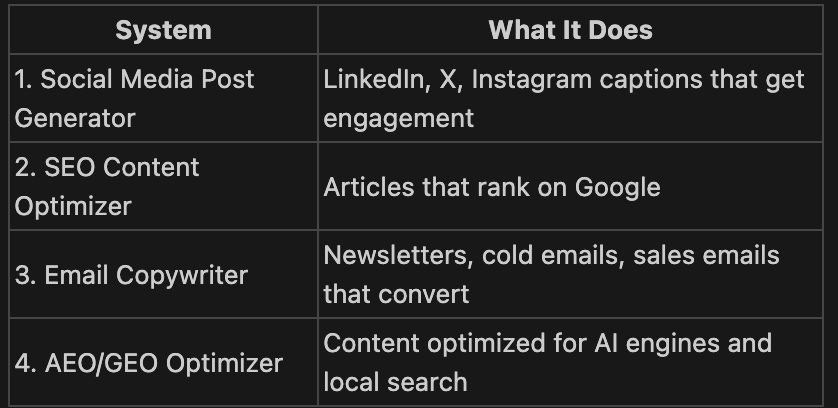
Each system includes:
The exact sources I used to train NotebookLM.
Step-by-step Gemini App setup screen, video, and explanation.
Direct ChatGPT integration
What You Get as a Paid Subscriber
All 4 writing systems:
Social Media Post Generator
SEO Content Optimizer
Email Copywriter
AEO/GEO Optimizer
Step-by-step setup of all the above.
LearnAIWithMe Paid Perks
The standard subscription ($12/mo or $100/year) gives you full access to all my articles and posts on Substack
The Founding Member tier ($200/year) includes everything above PLUS access to The Vault, 700+ prompts, projects, AI tools, and AI labs.