


NotebookLM just connected to Gemini. I turned a YouTube video into a working AI app in 2 minutes, no code, no setup.
Now I'm building AI teachers, prompt perfectors, and research assistants from any source I want. Here's how.
1. What Is the NotebookLM Gemini Integration?
NotebookLM now connects directly to Gemini, allowing you to turn any notebook into a working AI app with one click. Upload a YouTube video, PDF, or document to NotebookLM.
How can you connect your NotebookLM with Gemini?
Let me show you in 4 steps.
Go to the Gemini: https://gemini.google.com/
Click on “+” and add your NotebookLM as a source.
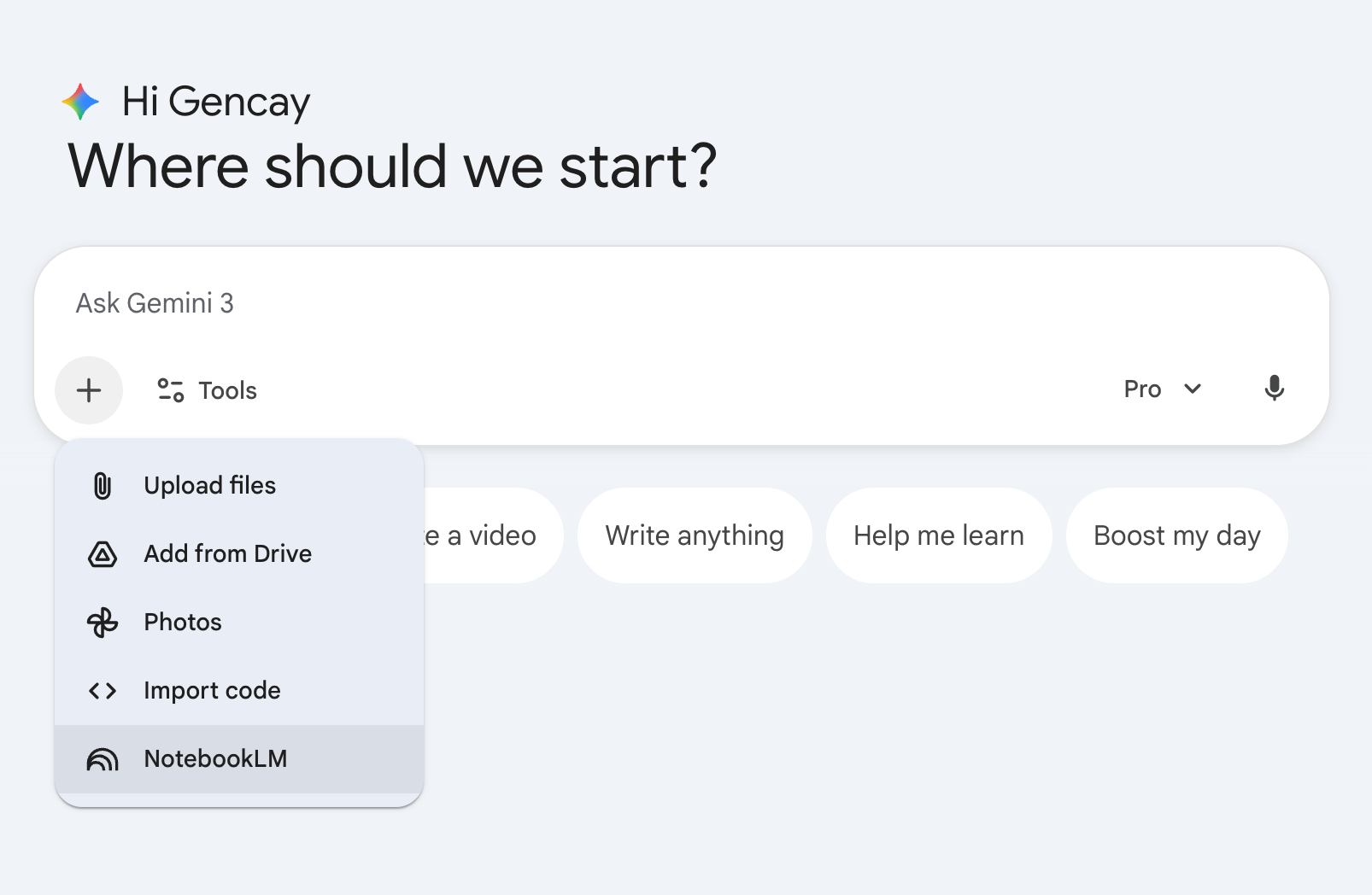
Use this prompt.
“Develop app from attached Notebook.”
Select Canvas as a tool.
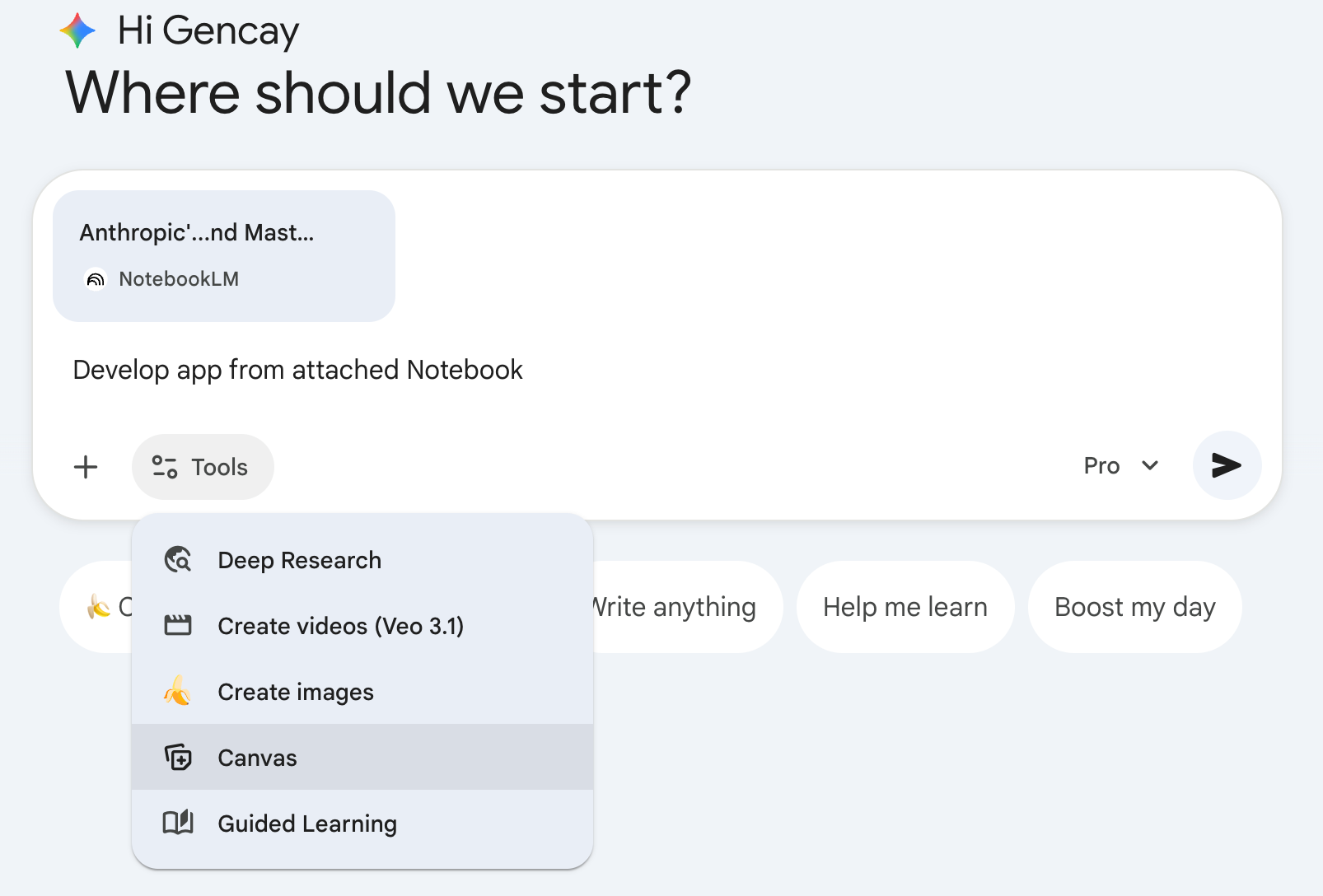
Your sources become the app’s brain. Gemini becomes the interface. No code required, in a couple of minutes, you’ll have your app.
Any feedback? Fill out this form, and each month, I’ll send a free subscription to those who contribute the most.
What We’ll Build Together?
But let’s make things a bit more real. Let’s build two apps in 10 minutes each, step-by-step.
Prompt Advisor: An AI app trained on Anthropic’s official Prompt Engineering course. It builds, fixes, and improves your prompts using techniques from the engineers who created Claude.
AI Teacher: A personalized learning app built from Stanford’s Machine Learning course. It teaches concepts, uses flashcards for memorization, runs interactive quizzes, and generates infographics, all from a YouTube playlist you don’t have time to watch.
Both apps. Zero code. Under 10 minutes each.
LearnAIWithMe Paid Perks
The standard subscription ($15/mo or $150/year) gives you full access to all my articles and posts on Substack
The Founding Member tier ($200/year) includes everything above PLUS access to The Vault, 700+ prompts, projects, AI tools, and AI labs.
After becoming a paid subscriber, sign up for Vault with the same email, and voilà! You’ll have access to everything.