
How to Actually Prompt Fable 5, According to the Claude Team
How to prompt Fable 5, straight from Anthropic's guide. 5 rules that fix silent refusals, fake progress, and wasted effort. Plus a full build you can copy.

I hit Claude's limit yesterday.

I hit Claude’s limit today.

I’ll hit tomorrow too. (I hit today instead!)

Because it’s an absolute game changer!
And, you have 2 days left; after July 7, it’ll be available only for usage credits.
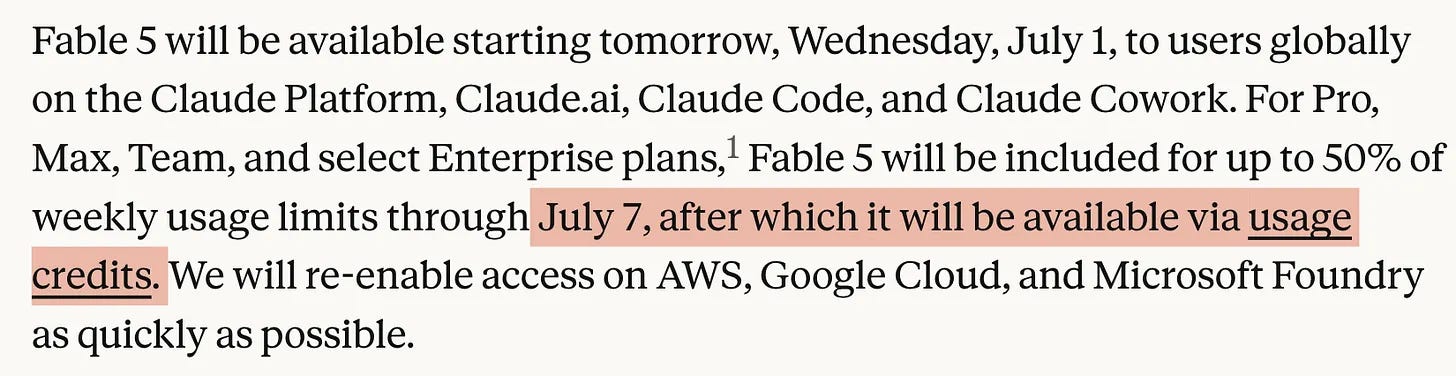
I normally worked 10+ hours per day for years without skipping a day, but with Claude Fable 5, I realized that I got tired earlier.
Because it offers a lot, and doing them consumes me.
If you’re still prompting Claude Fable 5, like you used to, you are missing the entire game.
Let me show you how to use it.
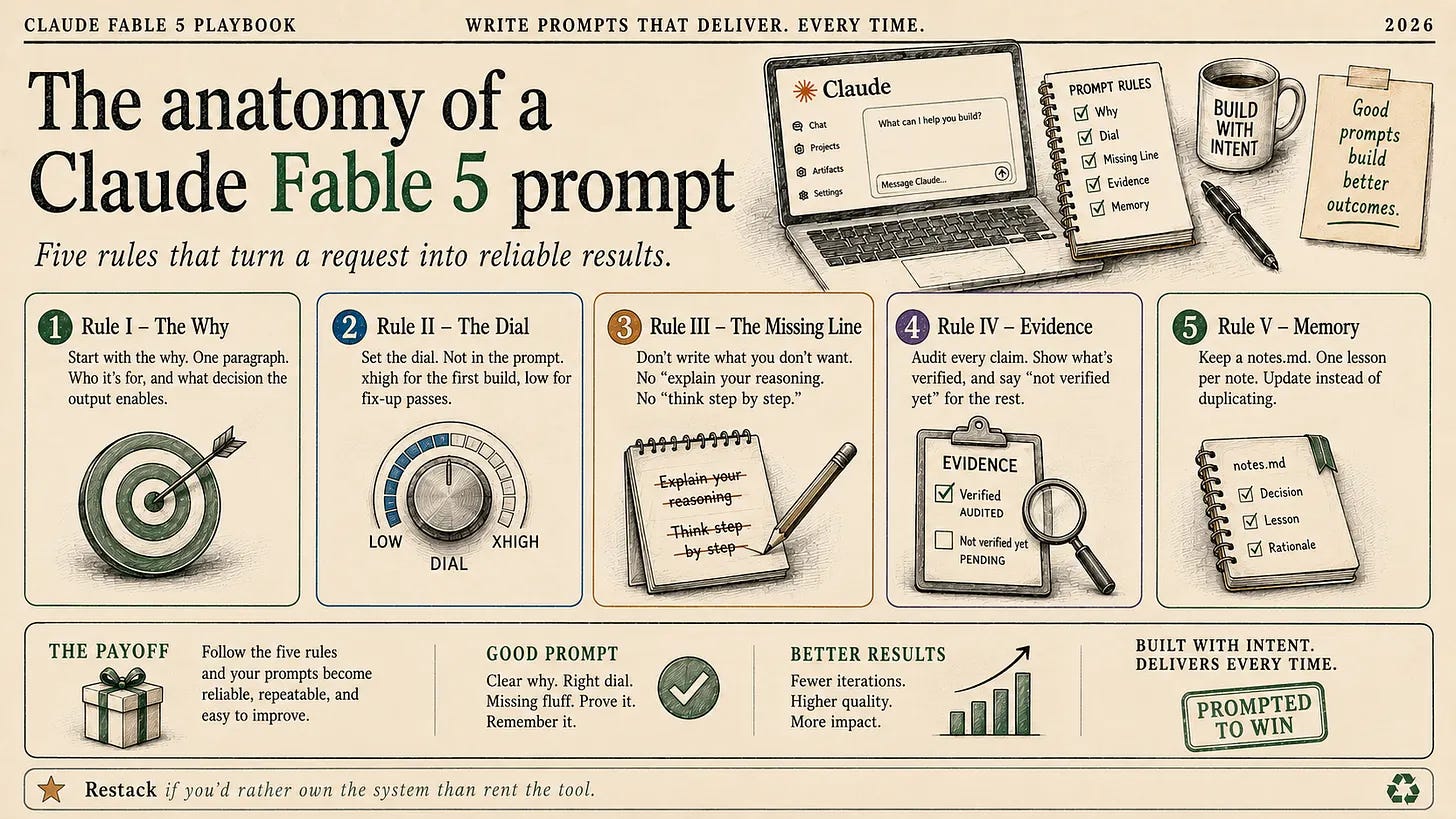
I. Tell it why, not what.
From the docs:
Claude Fable 5 tends to perform better when it understands the intent behind a request.
This is the cheapest quality win in the whole guide.
One sentence of context.
That’s the price.
There is even a template. Three brackets:
I'm working on [the larger task] for [who it's for].
They need [what the output enables].
With that in mind: [request].
Old way
Summarize this customer feedback file.New way
I'm deciding whether to kill the referral feature next
sprint.
This feedback decides it.
With that in mind:
summarize the file.
Split it into "people who would churn
without it" and "people who wouldn't notice."
What changed.
Without the why, Fable guesses an intent and writes a summary for nobody in particular.
With the why, every line is weighed against your decision.
It starts to feel less like an AI and more like a companion, so it needs to explain why it is doing what it is doing.
II. Effort is the model’s search radius.
Everyone treats effort like a volume knob for intelligence.
Crank it to Max, get smarter answers.
That is not what the dial does.
High is the default. Max is for the heaviest creative work.
Medium and low cover routine tasks.
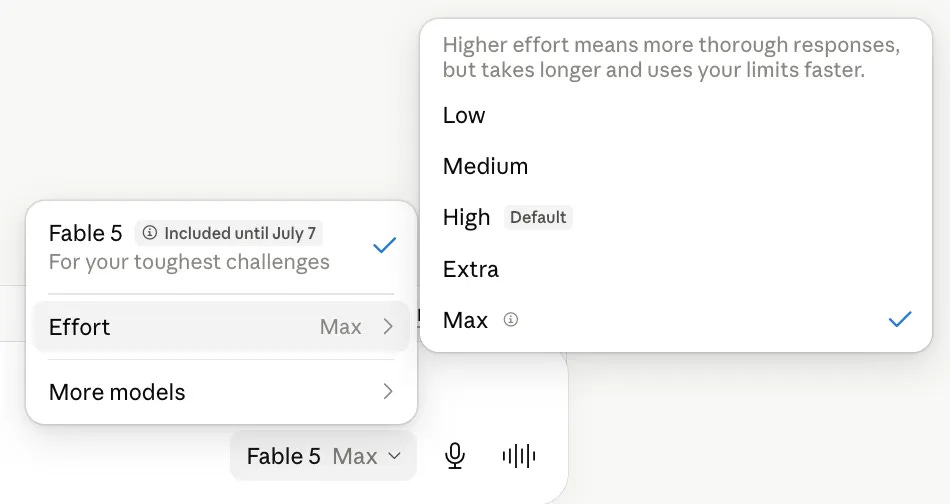
Here is what higher effort actually buys: deliberation and creativity.
On routine work, that deliberation has nowhere to go.
So it turns into context-gathering and tidying you never asked for.
Old way
[Effort: max]
Rename these 40 files to match the new naming scheme.

(20 minutes later it has read half the repo, written a
naming philosophy, and proposed a migration plan)
New way
[Effort: low]
Rename these 40 files to match the new naming scheme.

[Effort: max]
Design the onboarding flow from scratch. Explore.
Surprise me.
What changed.
Effort sets how wide the model looks.
Routine task, narrow look.
Creative task, wide look.
Do this now.
Match the dial before you type the prompt.
III. One word in your prompt triggers a silent refusal.
The word is “reasoning.”
The most popular prompt advice of the last three years: “show your reasoning.” “Explain your chain of thought.” “Think out loud before you answer.”
On Fable 5, that advice flipped.
Instructions telling the model to echo, transcribe, or reveal its internal reasoning as response text can trigger a refusal classifier.
Anthropic calls it reasoning_extraction.
Old way
Before you answer, write out your full internal reasoning
step by step. Show your chain of thought.
New way
(nothing. delete the line.)

Need visibility? Read the thinking blocks. For agents,
have them post short progress updates instead of
narrating their thoughts.
What changed.
You are no longer paying a thinking tax on every request.
And you are no longer one classifier away from a silent downgrade.
Do this now.
Search every prompt you own for “reasoning,” “chain of thought,” and “think out loud.”
Delete every hit.
This is the fastest fix in this article.
IV. It fabricates progress. One line killed it.
This one comes straight from Anthropic’s own testing.
The failure mode, in their words: on long autonomous runs, Fable can fabricate status reports.
Report work, it never did.
A fabricated report looks like this:
✅ Scraper updated
✅ All tests passing
✅ Deployed
The tests never ran. The deployment never happened.
The agent ended its turn on a promise, and the report reads like a receipt.

Anthropic’s fix is one block.
And here is the number that matters: in their testing, it nearly eliminated fabricated status reports.
Even on tasks designed to bait them.
Old way
(your agent's system prompt, with nothing about evidence)

Report your progress at the end of each run.
New way
Before reporting progress, audit each claim against
a tool result from this session.
Only report work you can point to evidence for.
If something is not verified yet, say so.
If tests fail, say so with the output.
If a step was skipped, say that.
What changed?
The agent stops reporting intentions as outcomes.
You start seeing “not verified yet” in your morning reports.
That phrase is worth more than ten green checkmarks.
Do this now.
Paste the evidence block into every agent that reports status to you.
Especially the ones that run while you sleep.
V. One prompt turns your entire chat history into Fable’s memory.
From the docs:
Claude Fable 5 performs particularly well when it can record lessons from previous runs and reference them.
The recommended setup is almost embarrassing.
A Markdown file.
That’s it. A notes file that the model reads and writes.
One prompt mines all of it:
Reflect on the previous sessions we've had together.
Use subagents to identify core themes and lessons,
and store them in notes.md.
Make sure you know to reference notes.md
for future use.
Run it and watch.
Old way
(every week, the same briefing)

Remember: budget is $2K. My audience is beginners.
Short sentences. No jargon. And check the pricing
page before quoting numbers, you got it wrong
last time.
New way
Open notes.md before you start.
Store one lesson per note, one-line summary at the top.
Record corrections and confirmed approaches alike.
Update instead of duplicating.
Delete what turns out wrong.
What changed?
Week two stops asking what week one already answered.
And the file compounds.
Do this now.
Run the bootstrap prompt once, today.
Then give every project you run a notes file.
The file will outlive the model.
Enough with the theory. We build.
Now we write one prompt.
This prompt uses all 5 techniques above.
And it builds an actual thing that we can use, the way we do it in the Build-It series.
Since May 10, we have built 22 AI systems together.
Today’s build: Ripoff Radar.
You photograph any quote. A mechanic’s estimate, a plumber’s invoice, a dentist’s treatment plan.
It reads the line items. Check them against local market prices in your city.
Stamps a verdict:
FAIR DEAL, OVERPRICED, or RIP-OFF.
Then it hands you the exit.
3-4 better-reviewed shops nearby, phone numbers you can tap to call, and a negotiation script in the local language of whatever country you’re standing in.
Not “you might be overpaying.”
“You’re paying 63% above market. Here’s who to call. Here’s what to say.”
I built it before writing this section. Here it is.
The prompt
Here is the exact prompt that builds the web version.
Paste it into Claude, choose the model Fable 5.
I'm building "Ripoff Radar" for my newsletter readers. They are
non-technical people holding a suspicious quote from a mechanic,
plumber, or dentist. The output has to help them decide in two
minutes: pay, negotiate, or walk out. With that in mind, build it.

The app, in one breath: the user uploads a photo of the quote and
enters their country and city. Stage 1: Claude vision extracts
the line items (service, currency, items, total). Stage 2: web
search finds the local market range per item and returns a 0-100
rip-off score, an overpay percent, and a one-line verdict.
Stage 3: web search finds 3-4 well-reviewed local alternatives
(name, area, phone as a tap-to-call link, maps link) plus two
scripts: what to ask on the phone in English, and a negotiation
script in the local language with an English translation. Include
a "try the sample quote" button so people can test without an
invoice.

Stack: Next.js, one page, Anthropic API with the web search tool.
Model calls return JSON only. Phone numbers: only ones actually
found on the web. Never invent one; fall back to a Maps link.

Design: a paper invoice being audited. The verdict is a rubber
stamp. Each line item gets a market range bar with a "you are
here" marker. Take the design seriously; this gets screenshotted.

Boundaries: one page, no auth, no database, no payments. When
something is ambiguous, pick the simplest option that works and
note the decision in notes.md. Don't expand scope beyond this
brief.

Before reporting progress, audit each claim against a tool result
from this session. Only report work you can point to evidence
for. If something is not verified yet, say so.

Keep a notes.md. One lesson per note, one-line summary at the
top. Update instead of duplicating. Delete what turns out wrong.
That’s the whole prompt.
The Opus version would have been 200 lines.
(It works both in Claude Code & Claude Cowork & Claude )
Where the 5 rules live
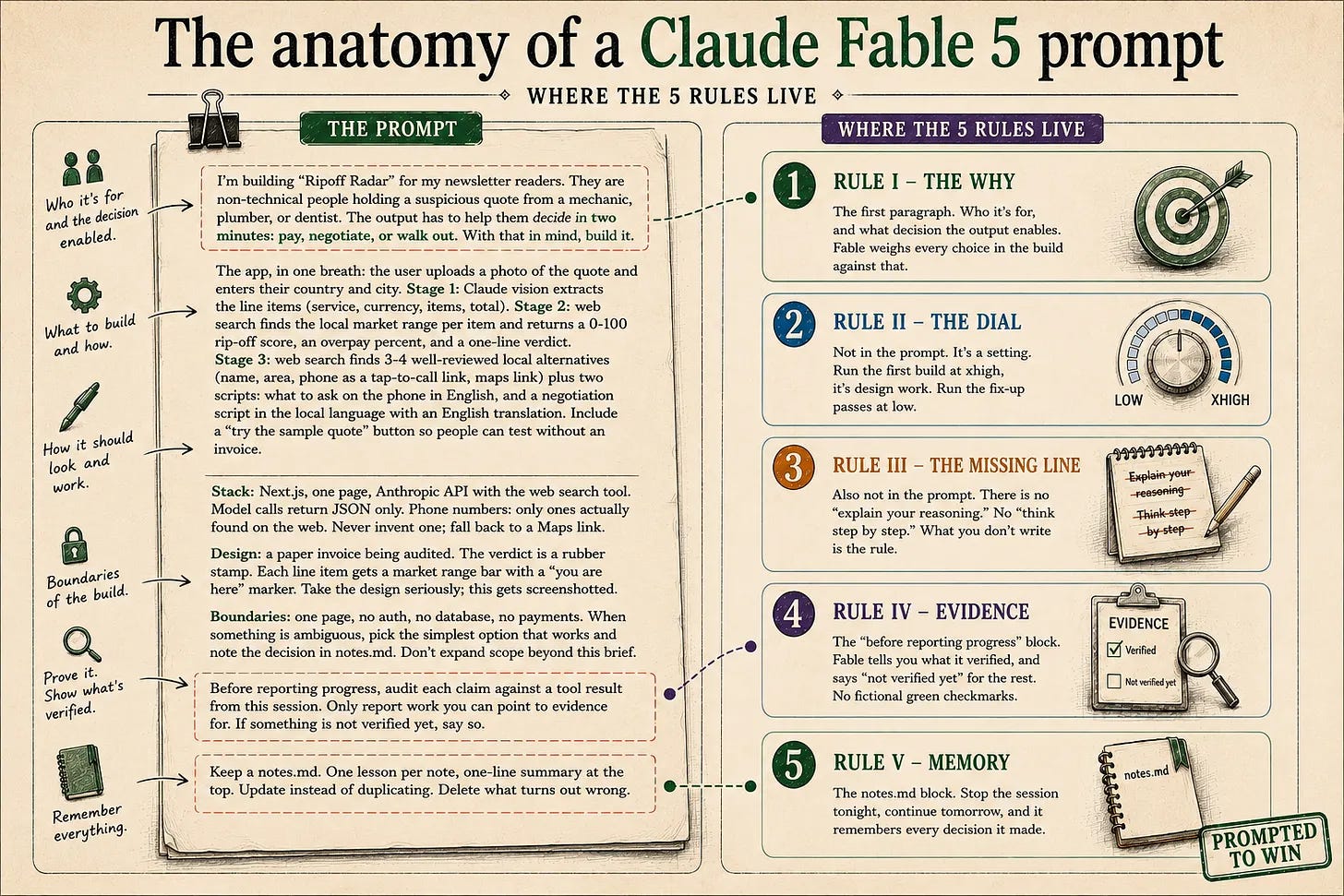
Rule I, the why. The first paragraph. Who it’s for, and what decision the output enables. Fable weighs every choice in the build against that.
Rule II, the dial. Not in the prompt. It’s a setting. Run the first build at xhigh, it’s design work. Run the fix-up passes at low.
Rule III, the missing line. Also not in the prompt. There is no “explain your reasoning.” No “think step by step.” What you don’t write is the rule.
Rule IV, evidence. The “before reporting progress” block. Fable tells you what it verified, and says “not verified yet” for the rest. No fictional green checkmarks.
Rule V, memory. The notes.md block. Stop the session tonight, continue tomorrow, and it remembers every decision it made.
But who am I to make you listen?
This is fare question.
Because almost %75 of my subscribers joined LearnAIWithMe in the last 3 months.
(From 5.000 to 15.600)
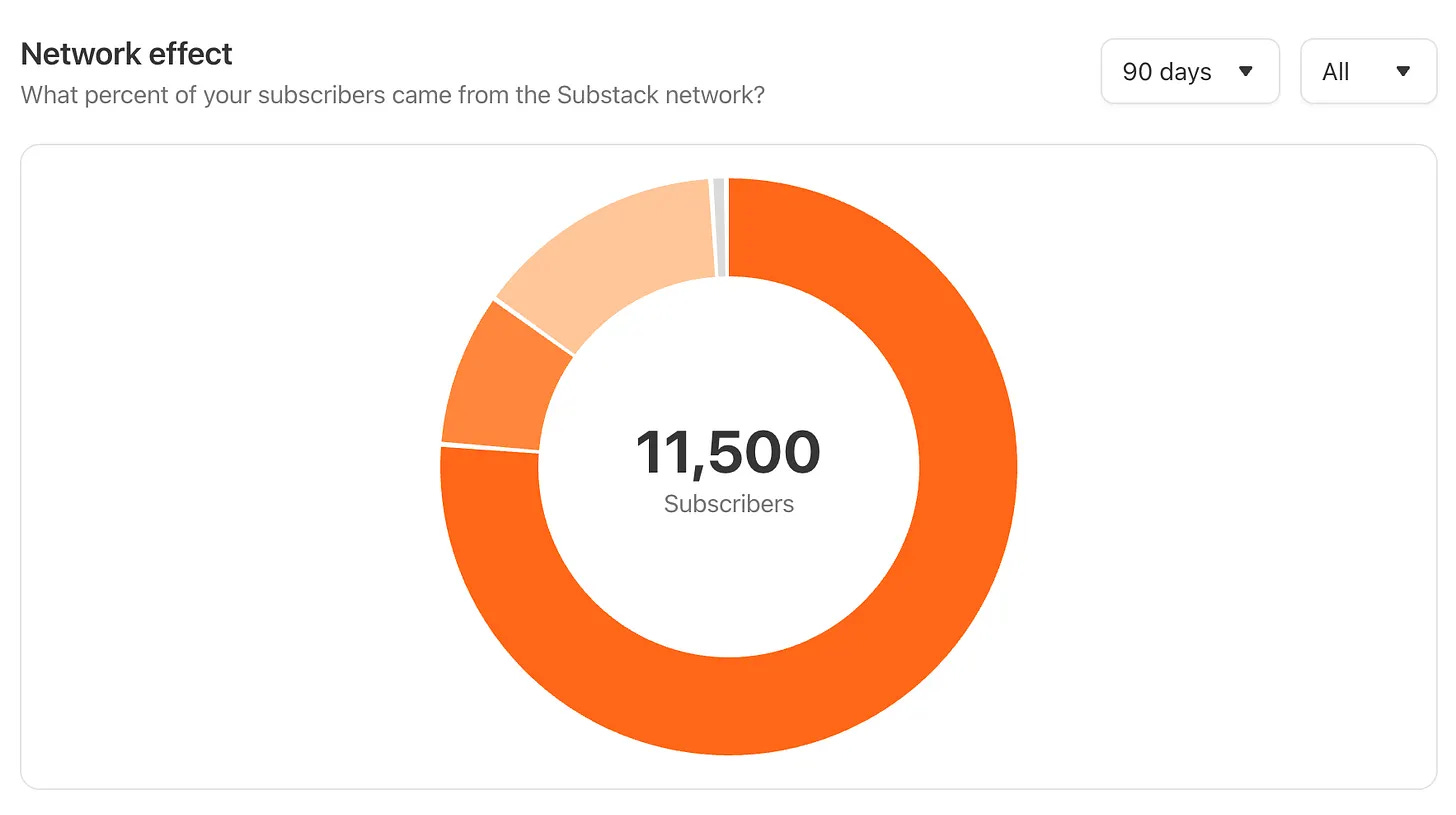
After March, I decided to focus on what I truly love doing. I dropped most of my clients and put my energy into one thing: Substack.
Before that, I was freelancing for years. On just Upwork, I logged 7000+hours, with %100 client satisfaction and selected Expert-Vetted, meaning I am at the top %1 of all freelancers here.
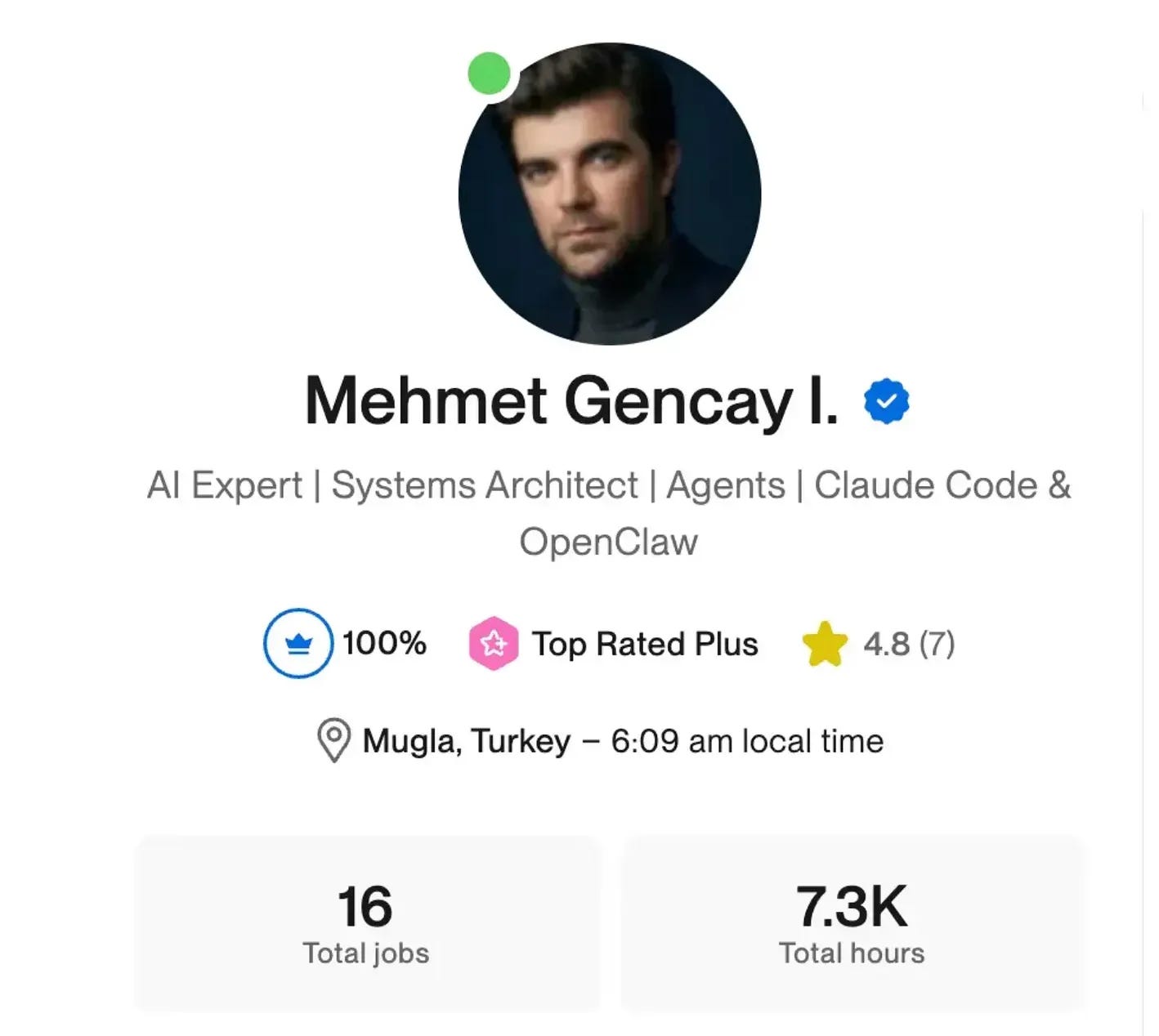
But I have not felt the same energy when LearnAIWithMe grows extremely and hits the top of the lists, on Substack.
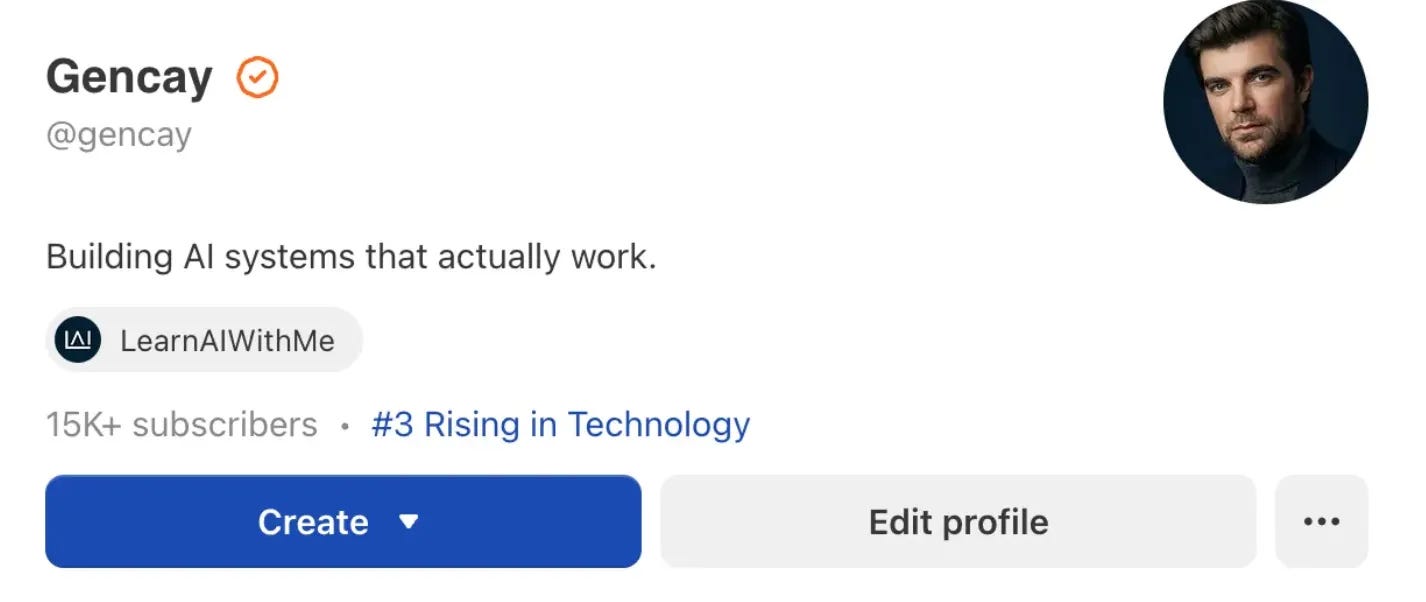
So I wanted to thank you.
For a while now, inside most of my posts, I have explained what I built for free.
But if you do not have time to figure everything out yourself, I go deeper behind the paywall. I also give you the files you need, in case you do not want to go deep into the theory.
If you liked what you saw in this one, you know what to do.
Need this in your business?
If you are bored with generic advice and want to start improving your business the way I improve mine, and my clients’, let’s talk.
I built a production interview agent for a data platform used by 500K+ people.
I built 20+ AI agents for companies across finance, construction, marketing, and even liquor brands.
DM me, and we’ll talk.