
Fusion Beats Claude Fable 5. I Built My SMC Analyst on It.
Claude Fable 5 vanished three days after launch. I rebuilt my stock analyst on OpenRouter Fusion, at half the price, with one prompt in Claude Code.

Last Saturday, I opened the model picker, and Claude Fable 5 was gone.
I refreshed, and the slot was dead.
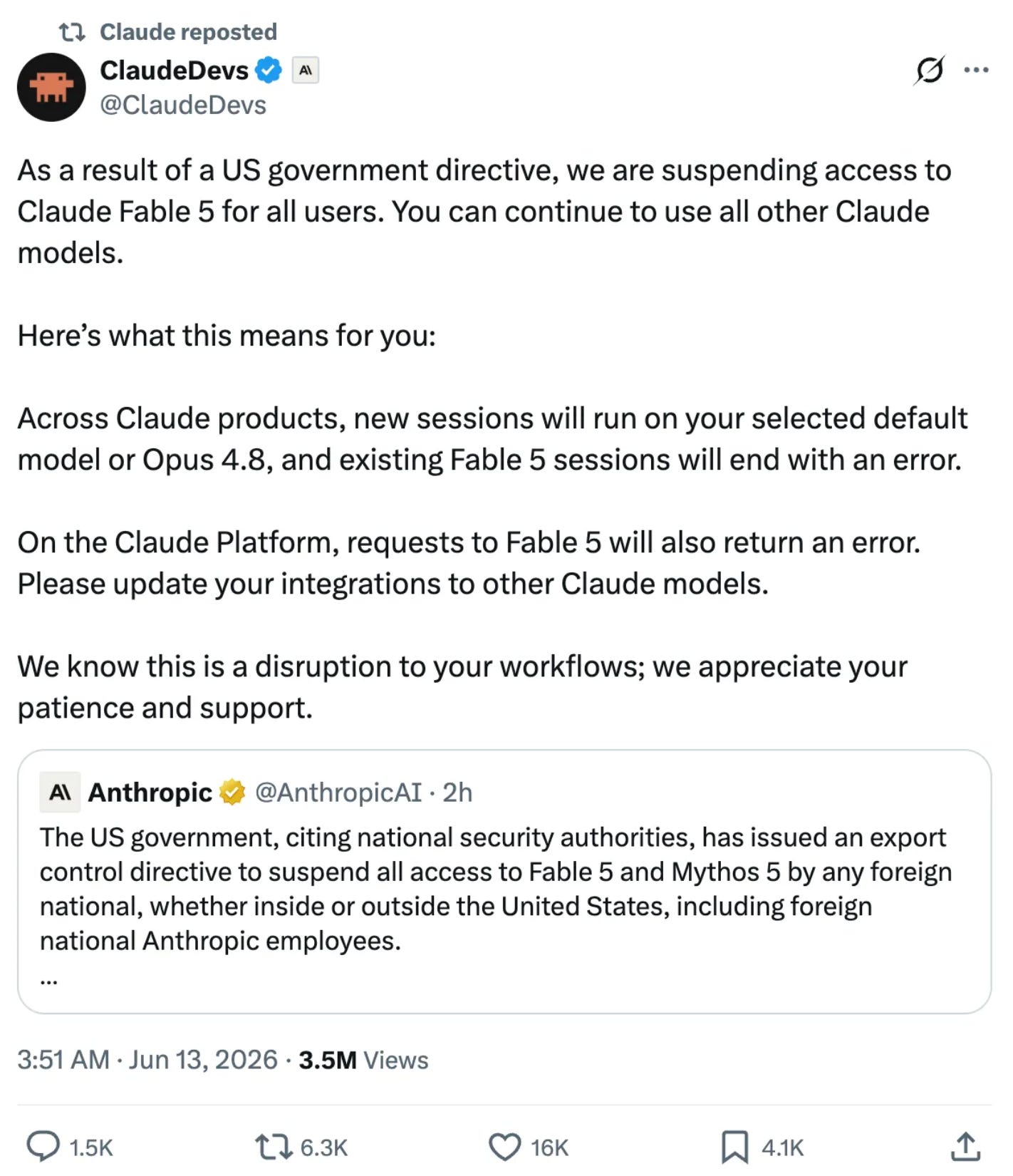
I had built my whole Wall Street analyst on that model, and now the analyst had no brain.
A couple of my projects were left unfinished.
I thought there was nothing I could do about them.
Then I saw Fusion API, released by OpenRouter, outranking Fable 5.
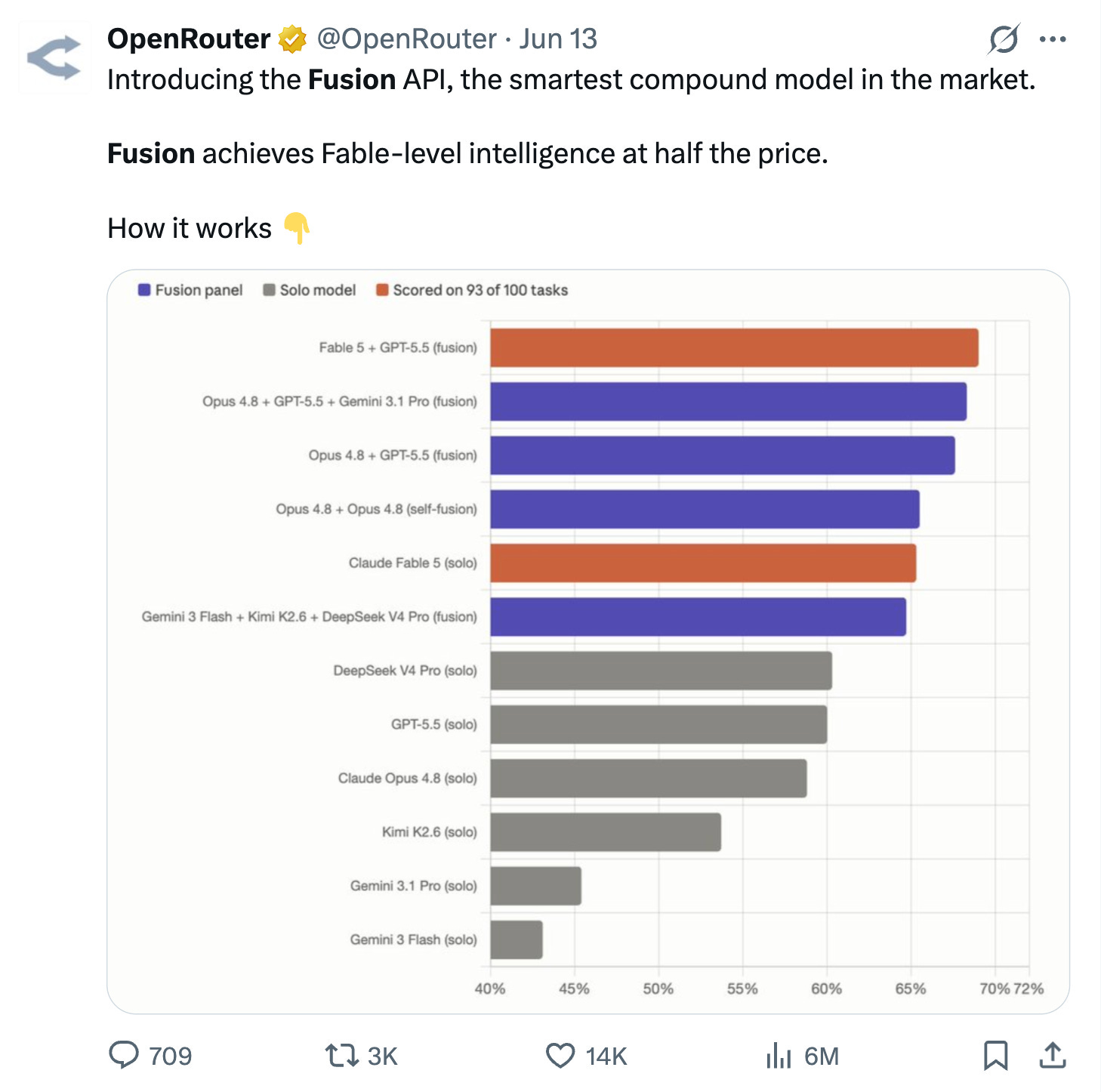
At half the price.
I was shocked, so I decided to give it a try. I already had at least ten articles sitting in my drafts, so I thought, why not?
The results genuinely surprised me.
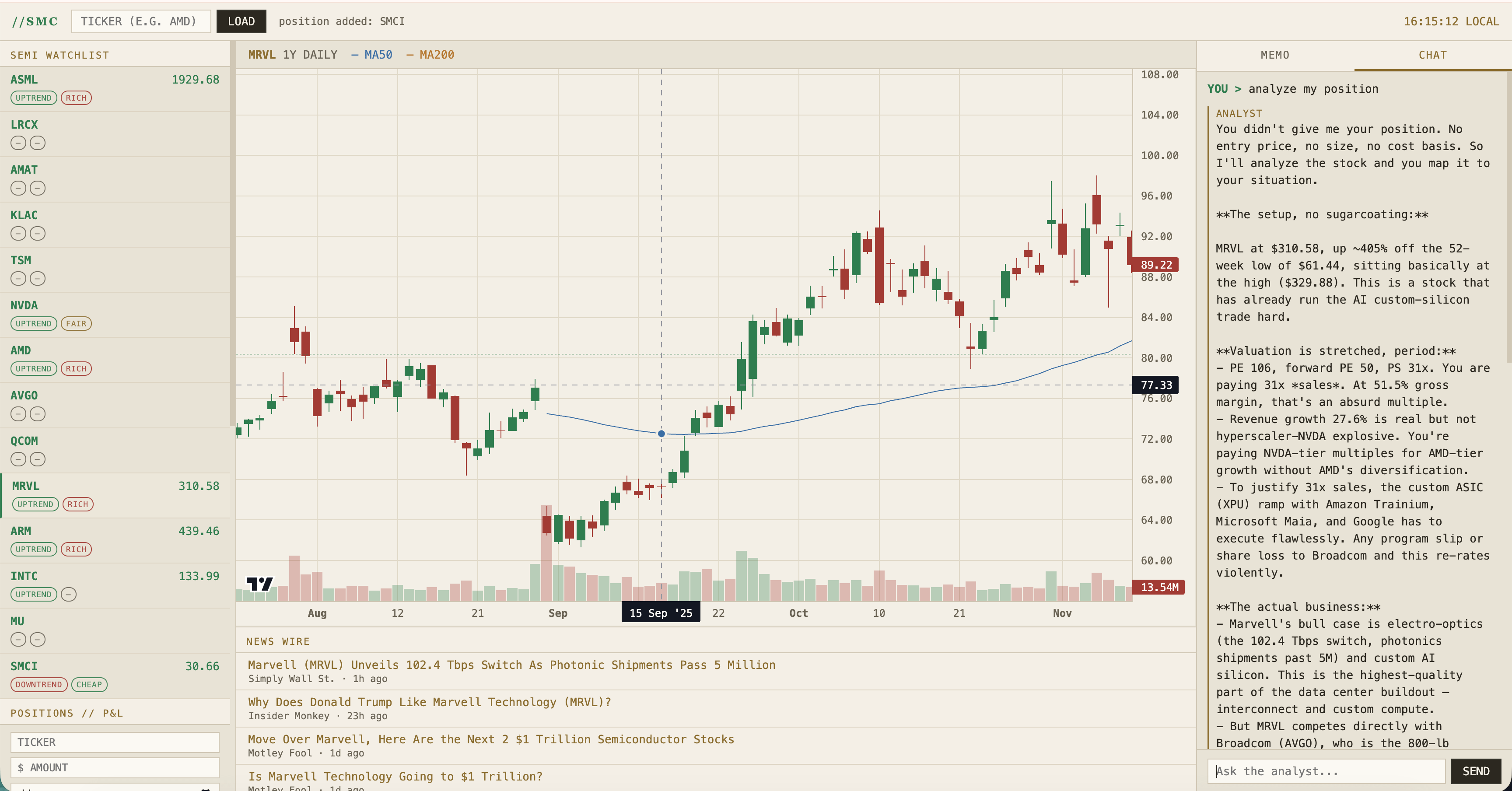
I built an SMC analyst using a single prompt, and it looks like this:
I’ll explain how it works, but first, let me explain what OpenRouter and Fusion API are.
What is OpenRouter Fusion, the API that replaced Claude Fable 5?
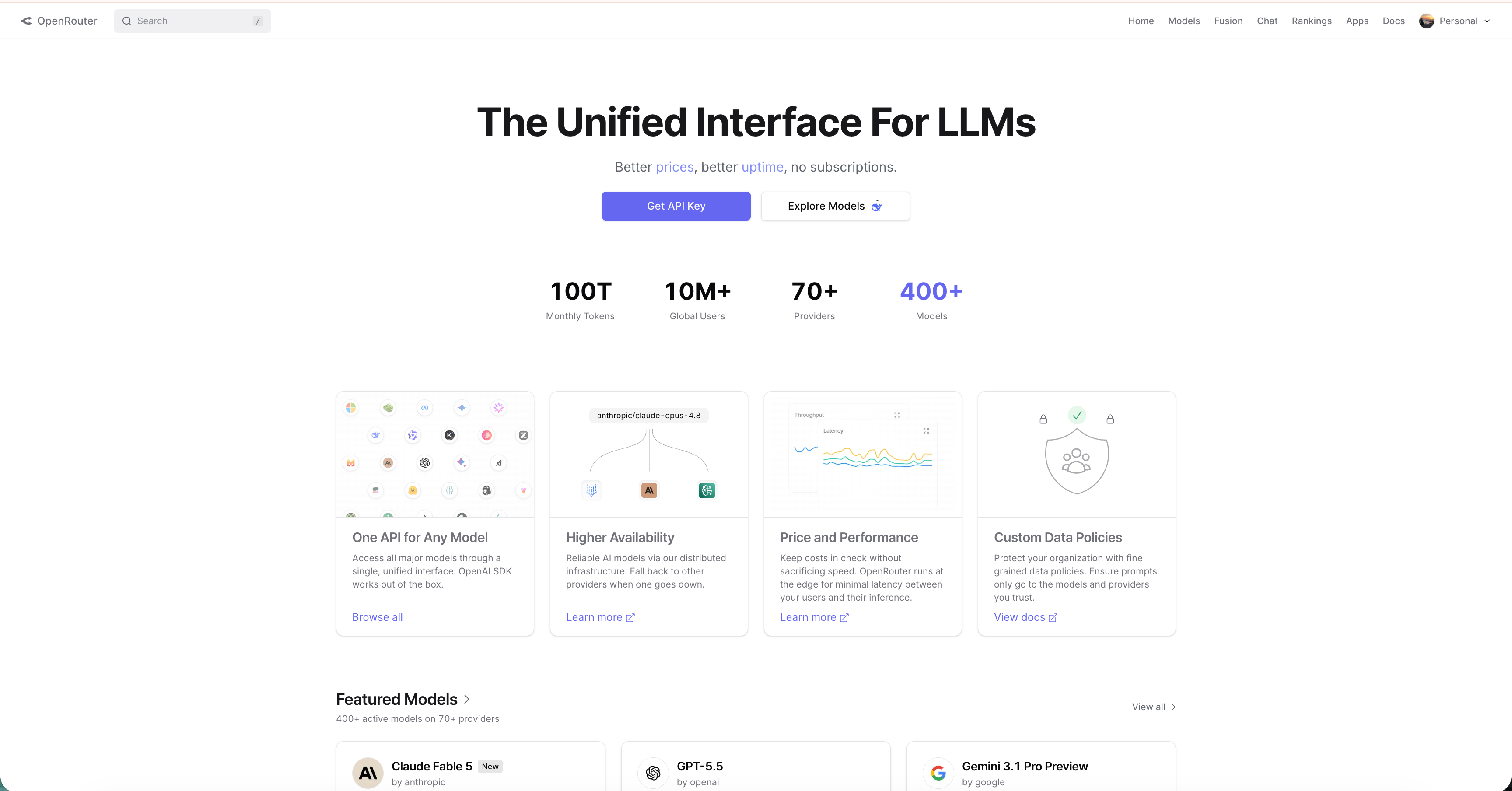
OpenRouter is one API key for every model.
You call one endpoint, and it routes you to OpenAI, Anthropic, Google, DeepSeek, whoever you name.
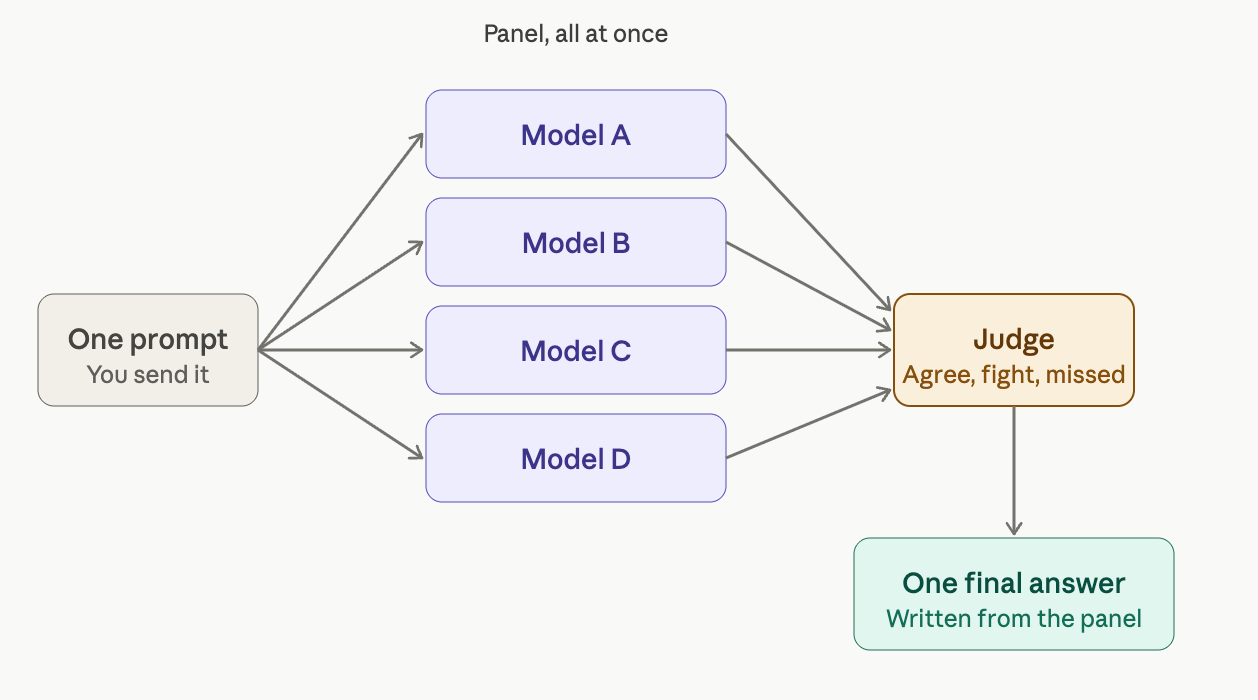
Fusion is the part that pulled me in. Fusion is not a single model. You send one prompt, and OpenRouter fans it across a panel of models at once. A judge reads every answer and marks where they agree, where they fight, and what all of them missed. Your model writes the final answer from that. A panel instead of an opinion.
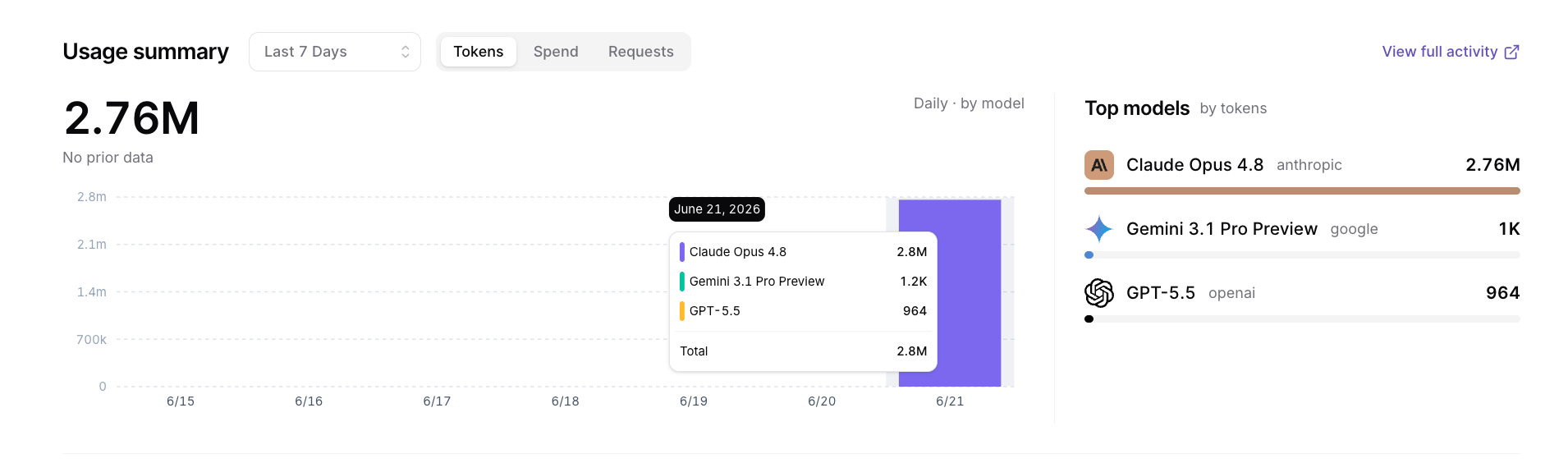
Look at the API usage from my build.
It was mostly using Opus, but Gemini 3.1 Pro and GPT-5.5 were also involved.
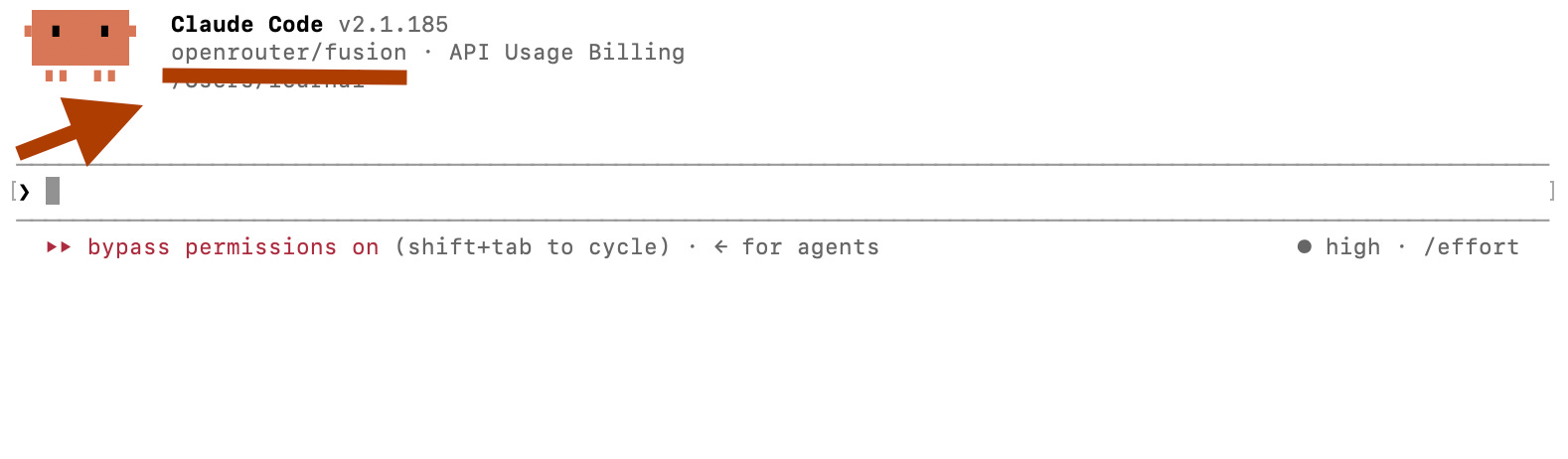
How to run Claude Code on Fusion after Claude Fable 5 was suspended?
Claude Code speaks the Anthropic Messages format, and OpenRouter speaks it too. So you point Claude Code at OpenRouter, name Fusion as the model, and skip the proxy.
Grab a key from openrouter.ai, then run this block once.
echo '
export ANTHROPIC_BASE_URL="https://openrouter.ai/api"
export ANTHROPIC_AUTH_TOKEN="sk-or-YOUR-OPENROUTER-KEY"
export ANTHROPIC_API_KEY=""
export ANTHROPIC_MODEL="openrouter/fusion"
' >> ~/.zshrc
source ~/.zshrc
claude
The only thing you need to do is add your OpenRouter API key, paste it into your terminal, and watch it work.
Now you get the idea. Let me show you what I built.
What did I build with Fusion?
One screen, built for the chip trade. I named it the SMC Analyst, short for semiconductor, the only corner of the market that lets you trade the AI build-out at the source instead of chasing it through NVIDIA alone.
The left panel is the semiconductor watchlist.
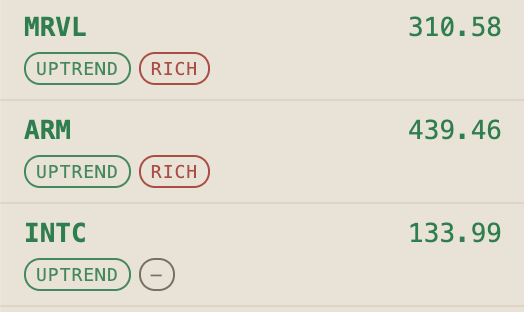
The equipment makers like ASML and LRCX sit next to the foundry in TSM, the designers like NVDA, AMD, AVGO and MRVL, and the old guard in INTC and MU.
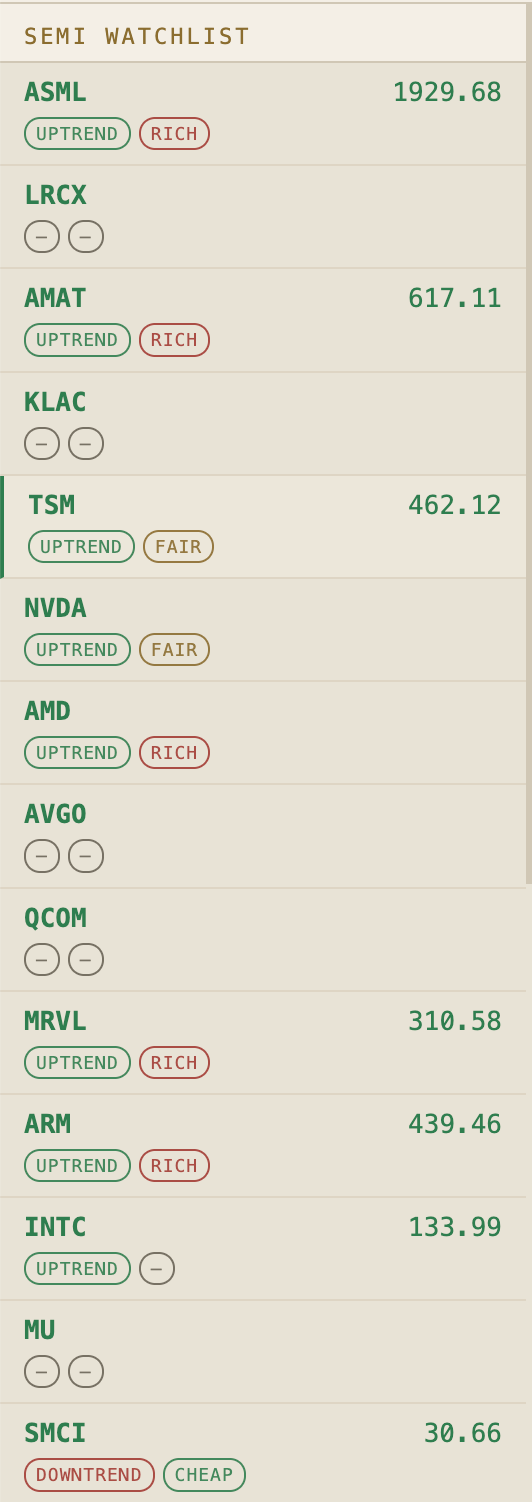
Each row carries two pills that the app computes on its own, so the trend pill reads price against the 50 and 200-day averages and the value pill reads the P/E and calls it cheap, fair, or rich.
You see the whole chain rated before you click anything.
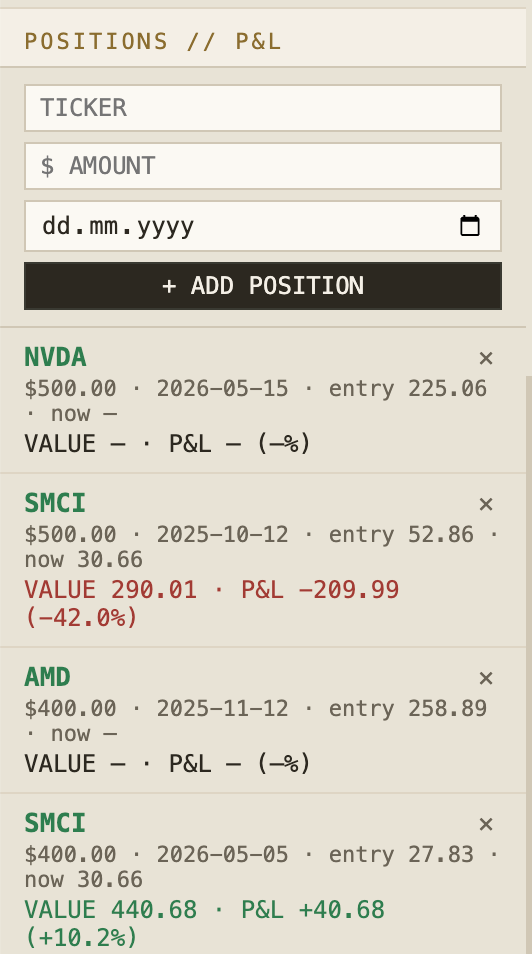
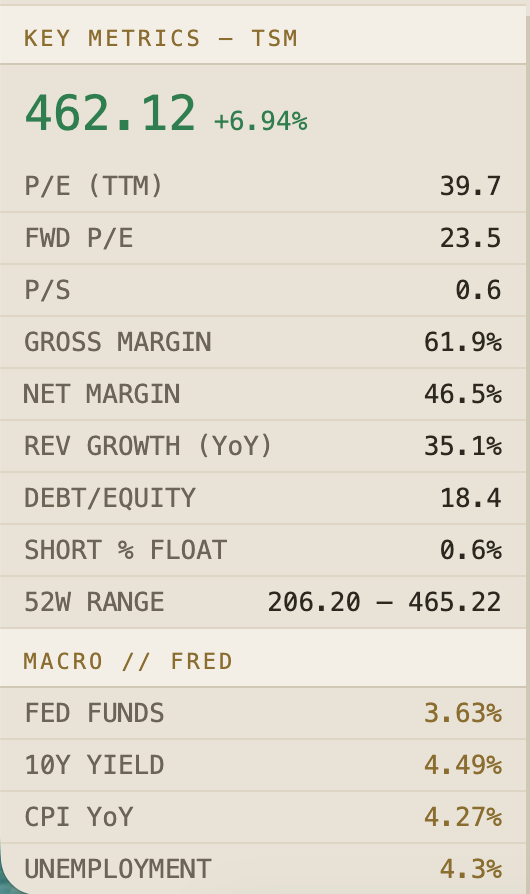
Under it sits a positions tracker with live profit and loss, then the key metrics for whatever ticker you load, from P/E and price to sales down to margins, revenue growth, debt, and short interest.
Under that, the macro picture comes straight from the Fed, with the funds rate, the 10-year yield, CPI, and unemployment. It is the same data a terminal charges for, pulled from the source that publishes it for free.
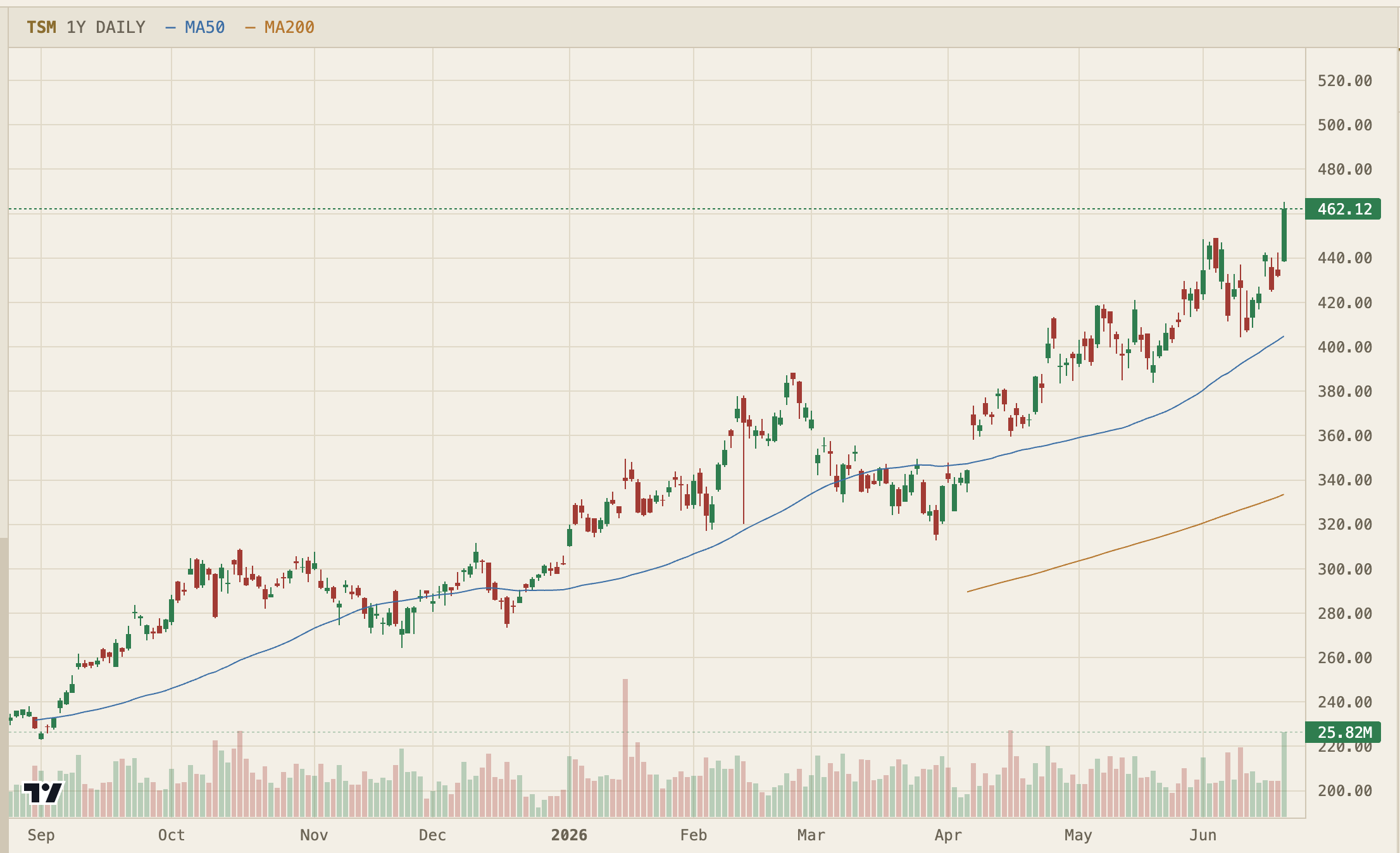
The center is the chart, a year of candles with volume and the 50 and 200-day lines, recolored to the cream theme instead of the usual black box. Under it a news wire feeds the latest eight headlines into the analyst before it speaks.
The right panel is the analyst, and this is where Fusion earns its bill.
It does not cover the whole market, only chips, and it reads them like a desk analyst who thinks in cycles, capex, node transitions, and who depends on whom.
Ask it to read a name, and it answers from the numbers on your screen instead of from memory.
I loaded MRVL and asked it to look at my position.
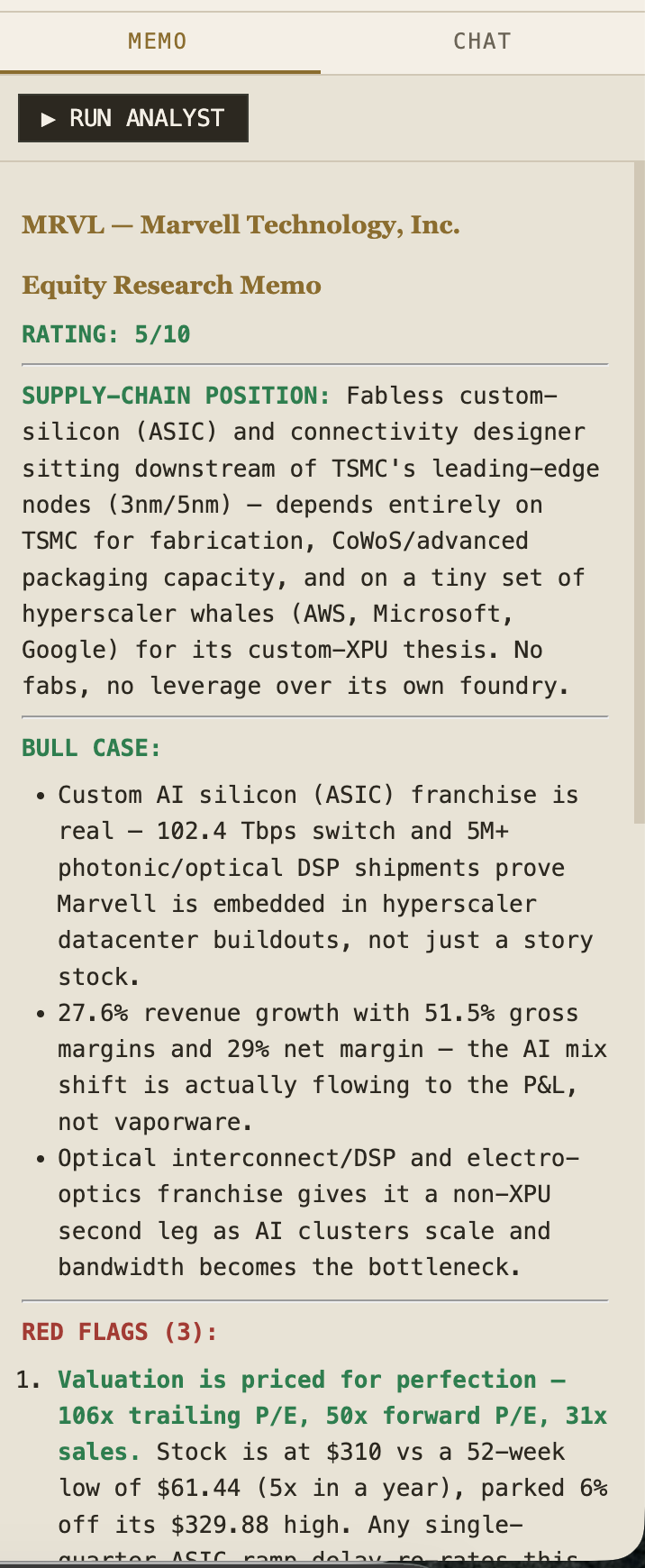
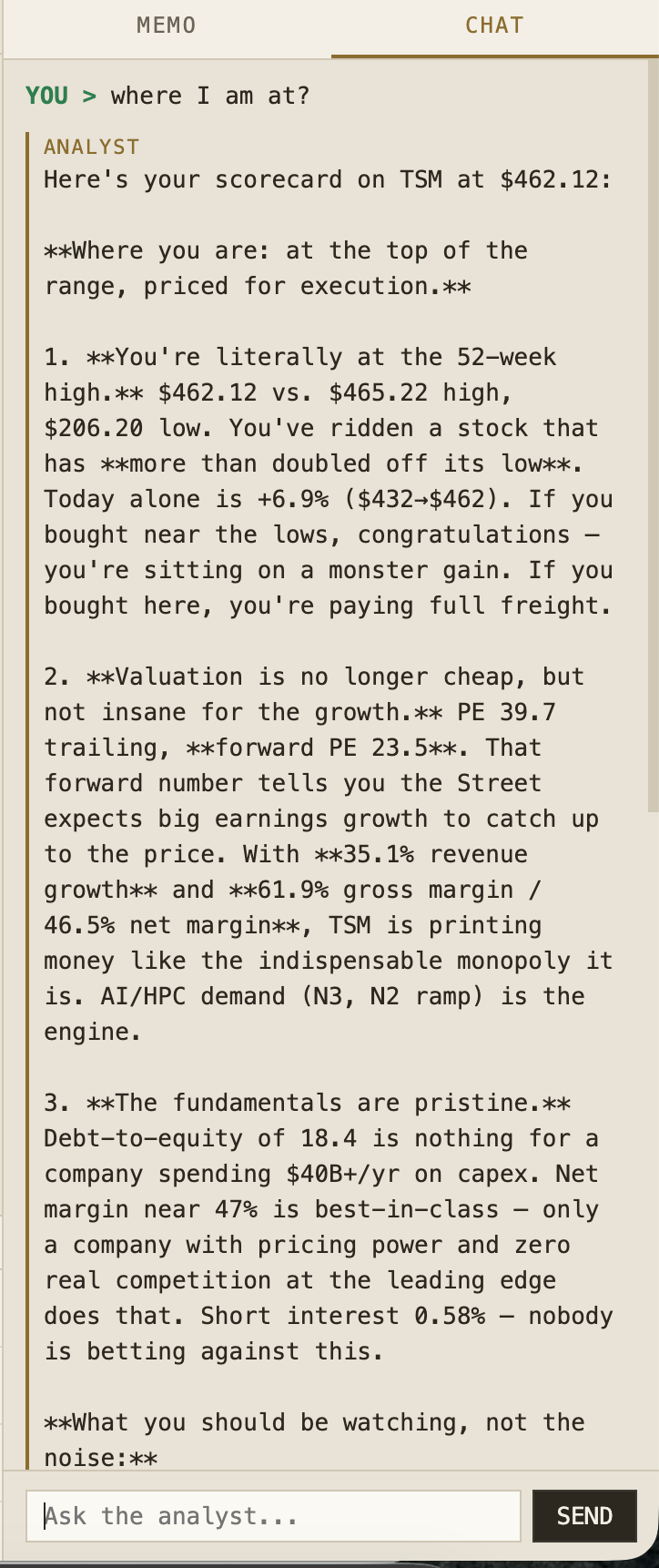
The memo is one side of the analyst. The other is the chat tab, where you argue with it.
The same context sits behind both, so the chat answers from the price, the macro, and the news on your screen rather than from training data.
How the SMC analyst works on Fusion
The stack is five pieces.
yfinance for price, fundamentals, and news
fredapi for the Fed’s macro data
lightweight-charts for the chart, TradingView’s own open-source library
FastAPI as the backend, one file
Fusion as the brain, through Claude Code on the OpenRouter API
The flow is simple.
The backend pulls fundamentals, macro, and the latest eight headlines into one context, and that context goes to the analyst with a semiconductor prompt.
The analyst returns a rating out of ten, the supply-chain position, three bull points, exactly three red flags, the macro read, and a verdict. The same context feeds the chat tab, so the analyst answers from the numbers on your screen.
I pasted a single prompt into Claude Code and watched it run on Fusion.
Also, if you don’t want to build the entire thing, I also uploaded the files to GDrive, so you can download them and run on your environment.
I’ll give them both.
First, here are the files.