I Built an AI Chief of Staff with Claude Code. It Costs $0 to Run
Prompt engineering is out. Loop engineering is in. I built a Claude loop on local models that reads my logs and reports what I dropped, every morning. Free.

Believe it or not.
This is the new trend.
Loop Engineering.
5 years ago, nobody knew what prompt engineering was.
Now, we don’t need it anymore.
Everything started after Boris Cherny’s words.
(Boris Cherny, the creator of Claude Code.)
If you are not writing the loops, you are not ahead of the curve.
But there is one more thing.
After Claude Fable 5 was pulled by goverment, it’ll released again on Jul 1.
But it’ll be available until July 19.
Then you can only use it with pay as you go model, so you need to pay expensive bills.

That’s why everyone was searching for a new path.
A new path that does not require frontier models.
Satya Nadella, the CEO of microsoft even suggests this by writing a new article on X.
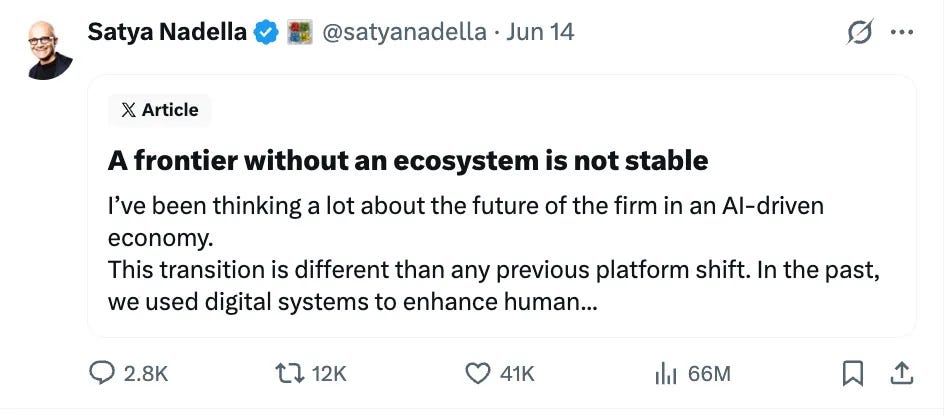
This has been viewed 66 M.
Your frontier models can go instantly.
Like Claude, Fable 5 has gone.
So I merged two things.
Loops on local models.
The result is an AI Chief of Staff, and it costs $0 to run.
Let me show you what I built.
What We'll Build: A Local-Model Chief of Staff
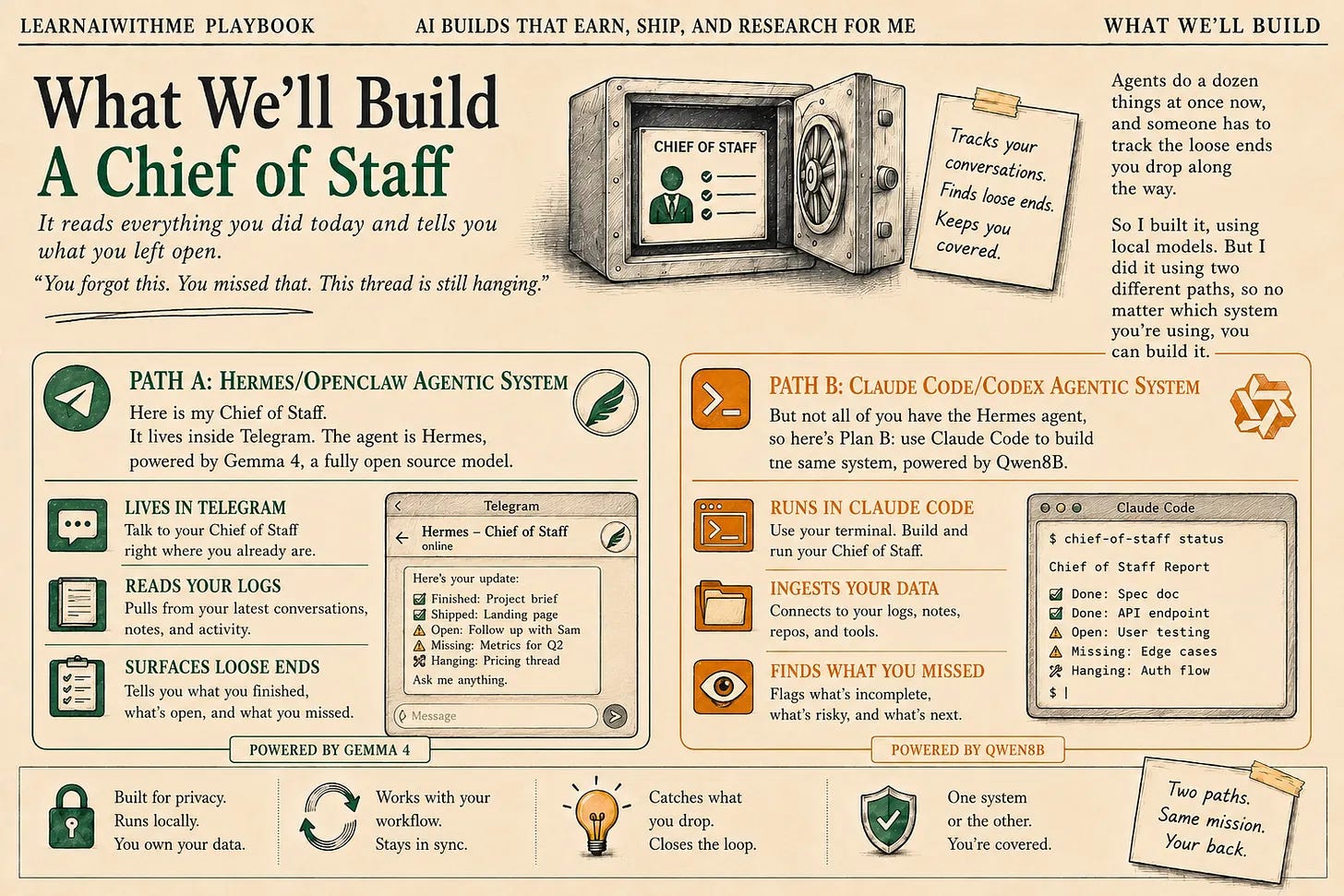
A Chief of Staff.
A Chief of Staff covers your back. It reads everything you did today, using your conversation with AI. ( We’ll make it read Claude Code & Hermes.)
Why? Because agents do a dozen things at once now, and someone has to track the loose ends you drop along the way.
So I built it, using local models. But I did it using two different paths, so no matter which system you’re using, you can build it.
Path A: Hermes/OpenClaw Agentic System
Here is my Chief of Staff. It lives inside Telegram. The agent is Hermes, powered by Gemma 4, a fully open source model.
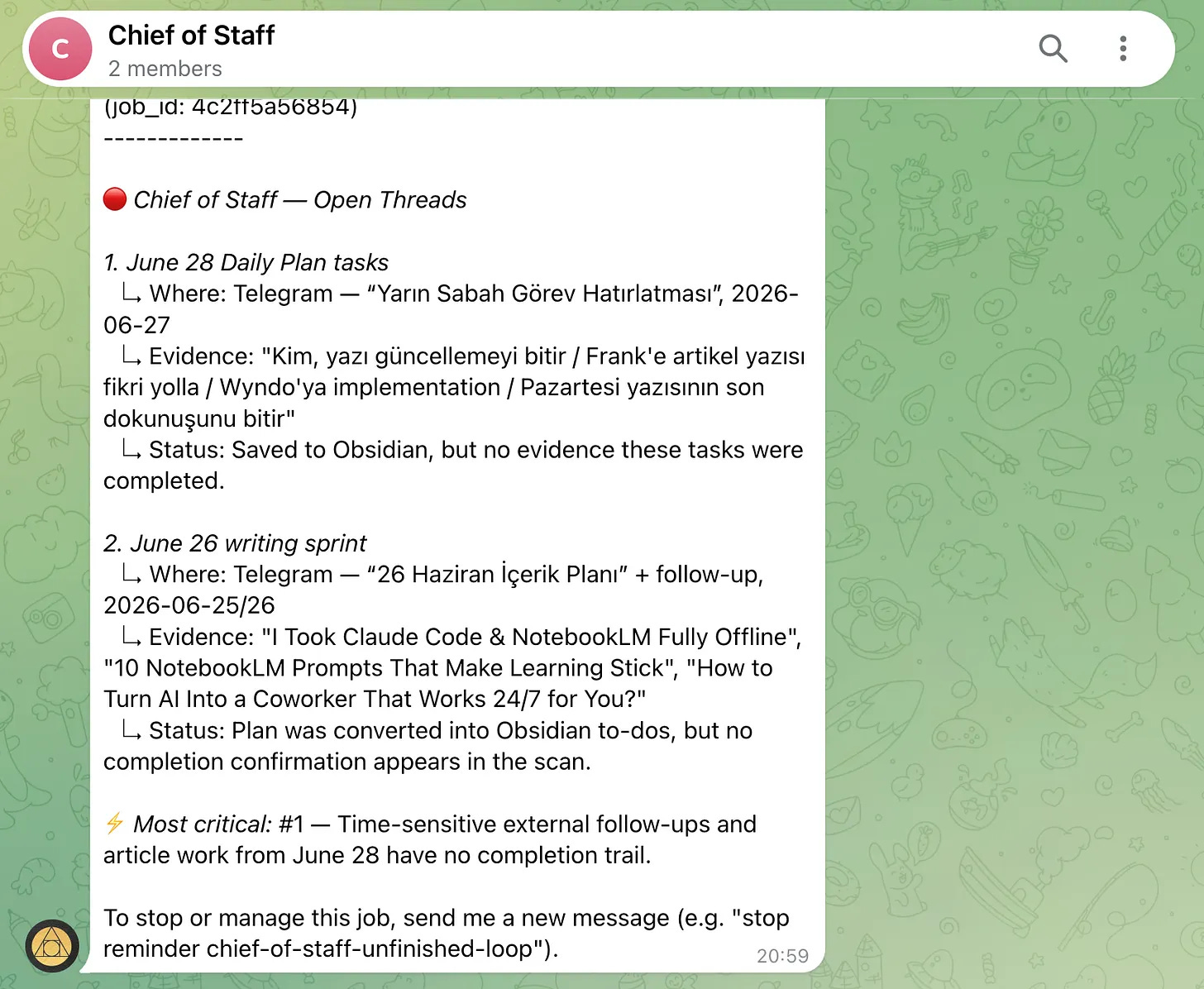
It tracks all of my latest conversations from logs, and tells me what I did/finished or what’s left uncovered.
Path B: Claude Code Agentic System
But not all of you have the Hermes agent, so here’s Plan B: use Claude Code to build the same system, powered by Qwen8B.
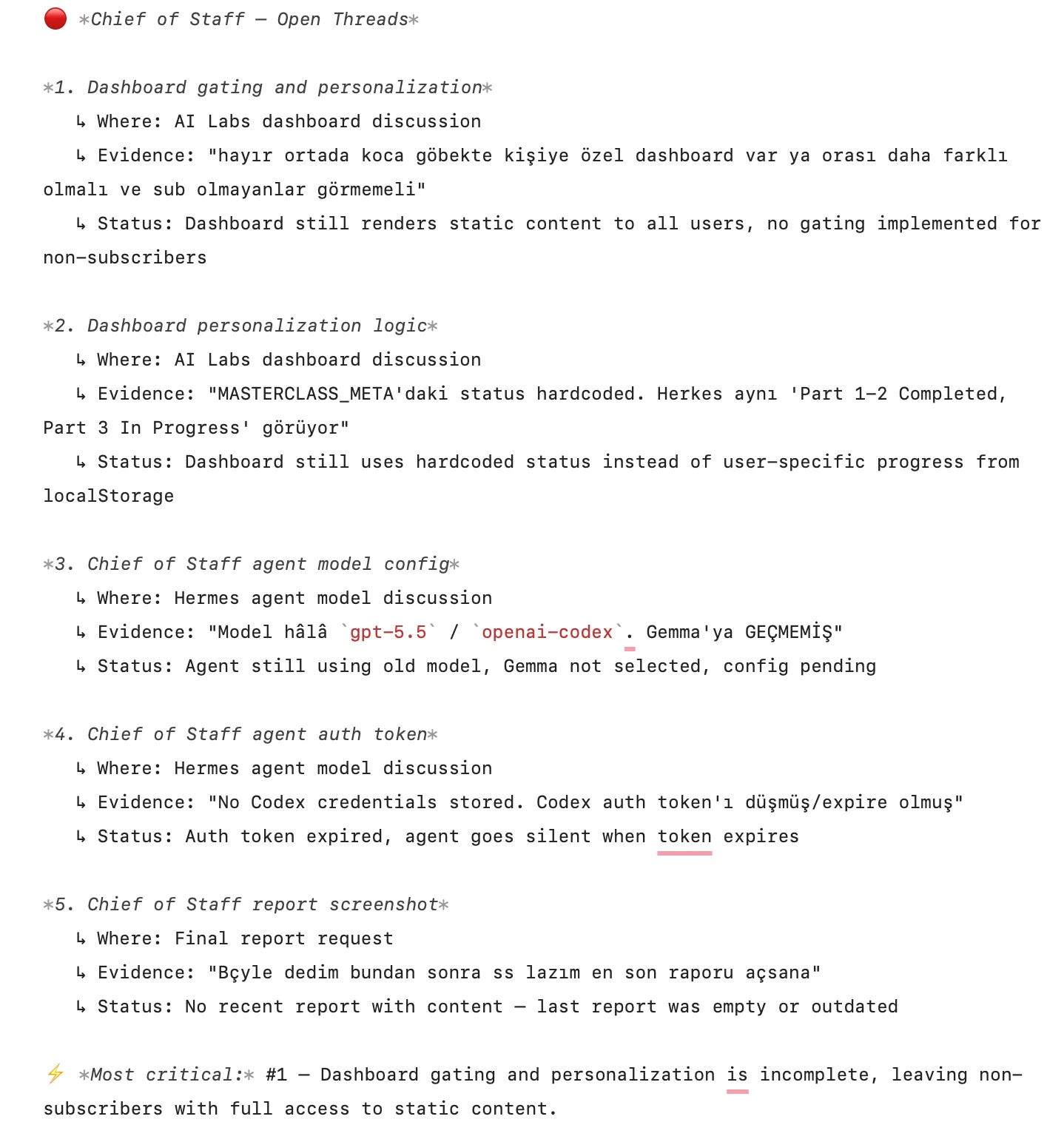
I have to be honest. After reading these reports, I went back and finished some of the tasks I had left unfinished.
Tech Stack: Qwen8B(Opensource, for path B), Claude Code(to build the system at the beginning), Hermes(Agentic System for Path-A)
How the Claude Loop Works
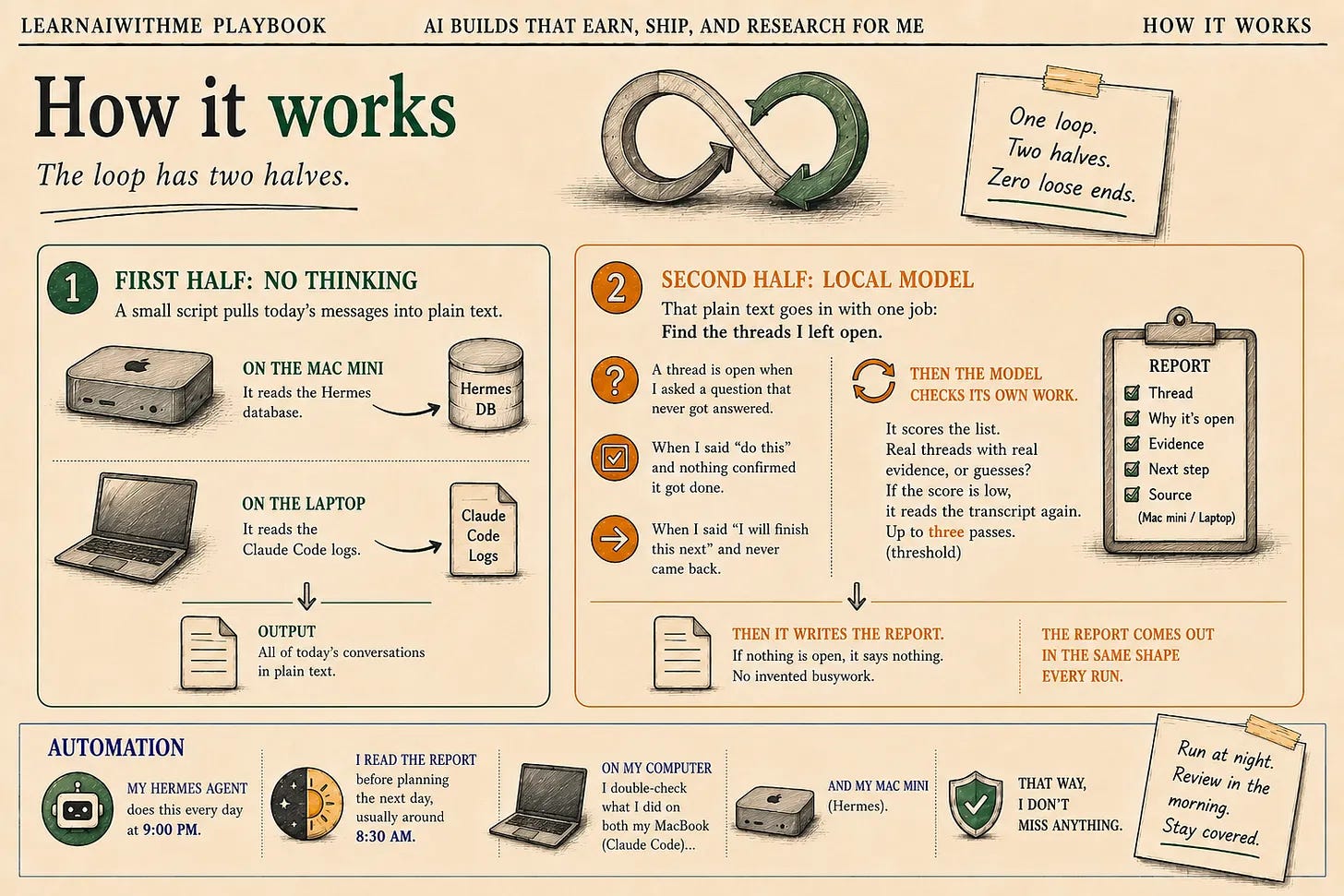
The loop has two halves.
The first half does not think.
A small script opens the conversation logs and pulls today’s messages into plain text.
On the Mac mini, it reads the Hermes database.
On the laptop, it reads the Claude Code logs.
The second half is the local model.
That plain text goes in with one job. Find the threads I left open.
A thread is open when I asked a question that never got answered. When I said “do this” and nothing confirmed it got done.
When I said “I will finish this next” and never came back.
Then the model checks its own work.(loop)
It scores the list. Real threads with real evidence, or guesses?
If the score is low, it reads the transcript again.
Up to three passes. (threshold)
Then it writes the report. If nothing is open, it says nothing. No invented busywork.
The report comes out in the same shape every run.
In the automation part, my Hermes agent does this every day at 9:00 PM. I read the report before planning the next day, usually around 8:30 AM on my computer, so I can double-check what I did on both my MacBook (Claude Code) and my Mac mini (Hermes). That way, I don’t miss anything.
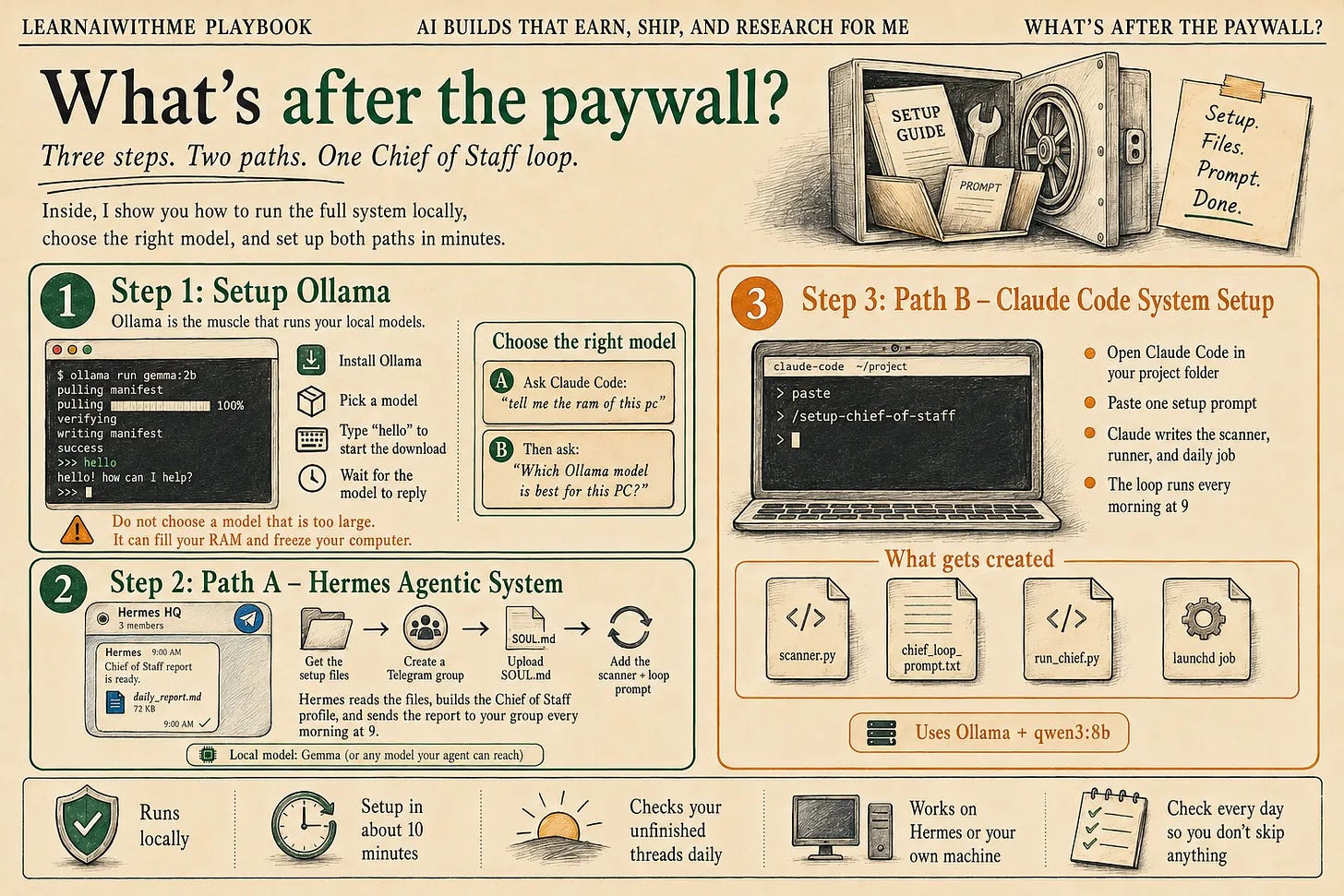
Set Up Your Own Claude Loop in 10 Minutes
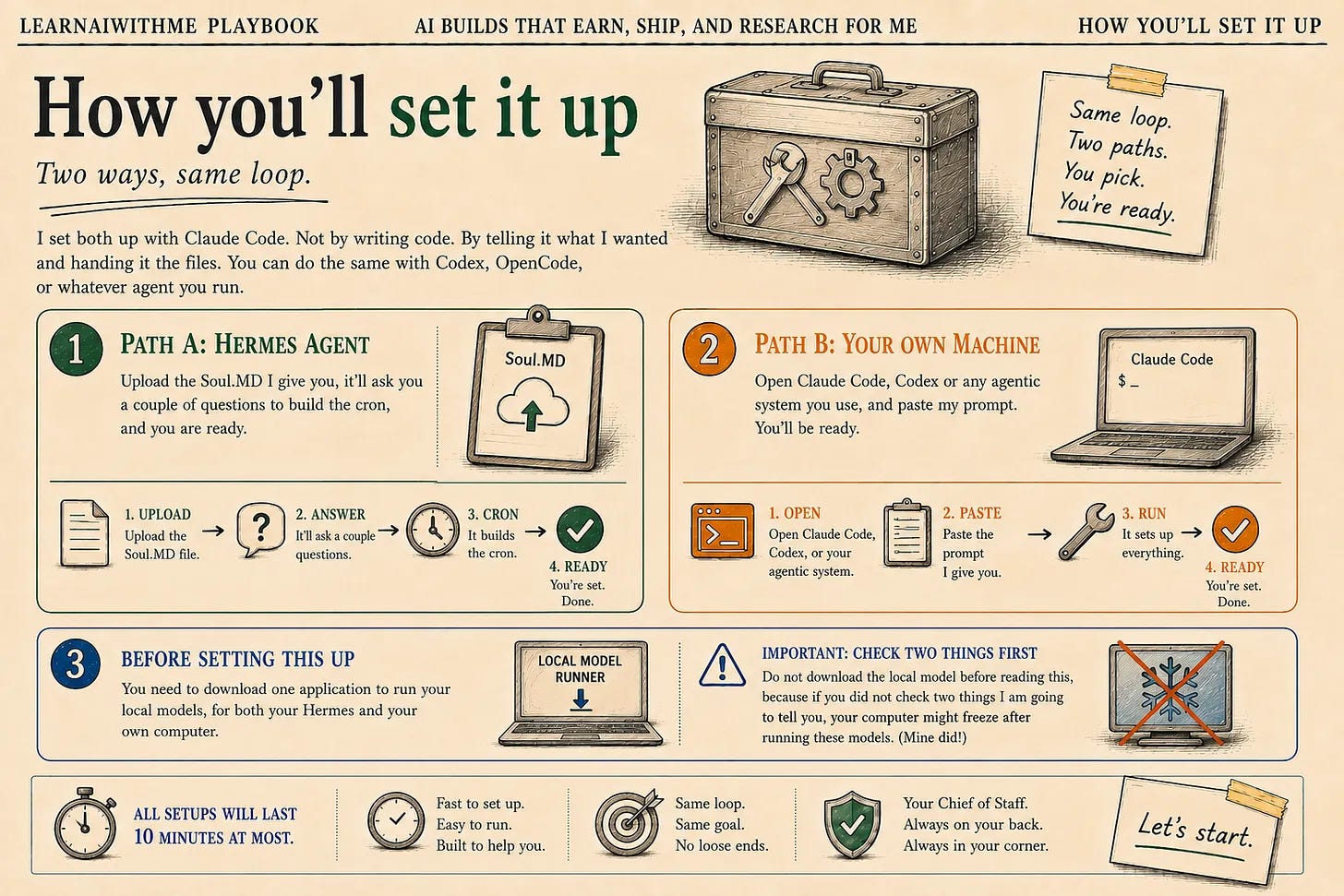
Two ways, same loop.
I set both up with Claude Code. Not by writing code. By telling it what I wanted and handing it the files. You can do the same with Codex, OpenCode, or whatever agent you run.
Path A is the Hermes agent.
Upload the Soul.MD, I give you, it’ll ask you a couple of questions to build the cron, and you are ready.
Path B is your own machine.
Open Claude Code, Codex or any agentic system you use, and paste my prompt.
You’ll be ready.
But before setting this up, you need to download one application to run your local models, for both your Hermes and your own computer.
And do not download the local model before reading this, because if you did not check two things I am going to tell you, your computer might freeze after running these models.(Mine did!)
All setups will last 10 minutes at most. Let’s start.